
V30S
Smart Tuya WiFi Doorbell Camera User Manual
Model: V30S | Brand: Generic
1. ആമുഖം
This manual provides comprehensive instructions for the installation, operation, and maintenance of your Smart Tuya WiFi Doorbell Camera. Please read this manual thoroughly before using the product to ensure proper functionality and safety.
ഉൽപ്പന്നം കഴിഞ്ഞുview
The Smart Tuya WiFi Doorbell Camera is a 1080P HD wireless video doorbell designed to enhance your home security. It features 2.4G Wi-Fi connectivity, PIR motion detection, infrared night vision, and two-way audio communication. The doorbell supports both cloud storage and local TF memory card storage options.
പ്രധാന സവിശേഷതകൾ
- 1080P Full HD Video: Provides clear and crisp video footagനിങ്ങളുടെ വാതിൽപ്പടിയിലെ ഇ.
- 2.4G വൈ-ഫൈ കണക്റ്റിവിറ്റി: Ensures stable wireless connection to your home network.
- പിആർ മോഷൻ കണ്ടെത്തൽ: Detects human movement and sends instant notifications to your smartphone.
- ഇൻഫ്രാറെഡ് നൈറ്റ് വിഷൻ: Offers clear visibility even in low-light conditions or complete darkness.
- ടു-വേ ഓഡിയോ: Allows real-time communication with visitors from anywhere via the app.
- IP53 വാട്ടർപ്രൂഫ്: Designed for outdoor use, resistant to dust and water splashes.
- ഒന്നിലധികം സംഭരണ ഓപ്ഷനുകൾ: Supports 7-day free cloud storage and optional TF memory card storage.
- മൊബൈൽ മോണിറ്ററിംഗ്: തത്സമയം ആക്സസ് ചെയ്യുക view and recordings via the Tuya Smart or SmartLife app.
2. പാക്കേജ് ഉള്ളടക്കം
താഴെ ലിസ്റ്റ് ചെയ്തിരിക്കുന്ന എല്ലാ ഇനങ്ങളും നിങ്ങളുടെ പാക്കേജിൽ ഉൾപ്പെടുത്തിയിട്ടുണ്ടെന്ന് ദയവായി പരിശോധിക്കുക. ഏതെങ്കിലും ഇനങ്ങൾ നഷ്ടപ്പെട്ടിട്ടുണ്ടെങ്കിലോ കേടായിട്ടുണ്ടെങ്കിലോ, ദയവായി ഉപഭോക്തൃ പിന്തുണയുമായി ബന്ധപ്പെടുക.
- Smart Tuya WiFi Doorbell Camera Unit
- ഇൻഡോർ ചൈം യൂണിറ്റ്
- മൗണ്ടിംഗ് ബ്രാക്കറ്റും സ്ക്രൂകളും
- ഉപയോക്തൃ മാനുവൽ
- USB Charging Cable (for battery charging, if applicable)
- ഓപ്ഷണൽ: രണ്ട് 18650 സ്പെസിഫിക്കേഷൻ ബാറ്ററികൾ
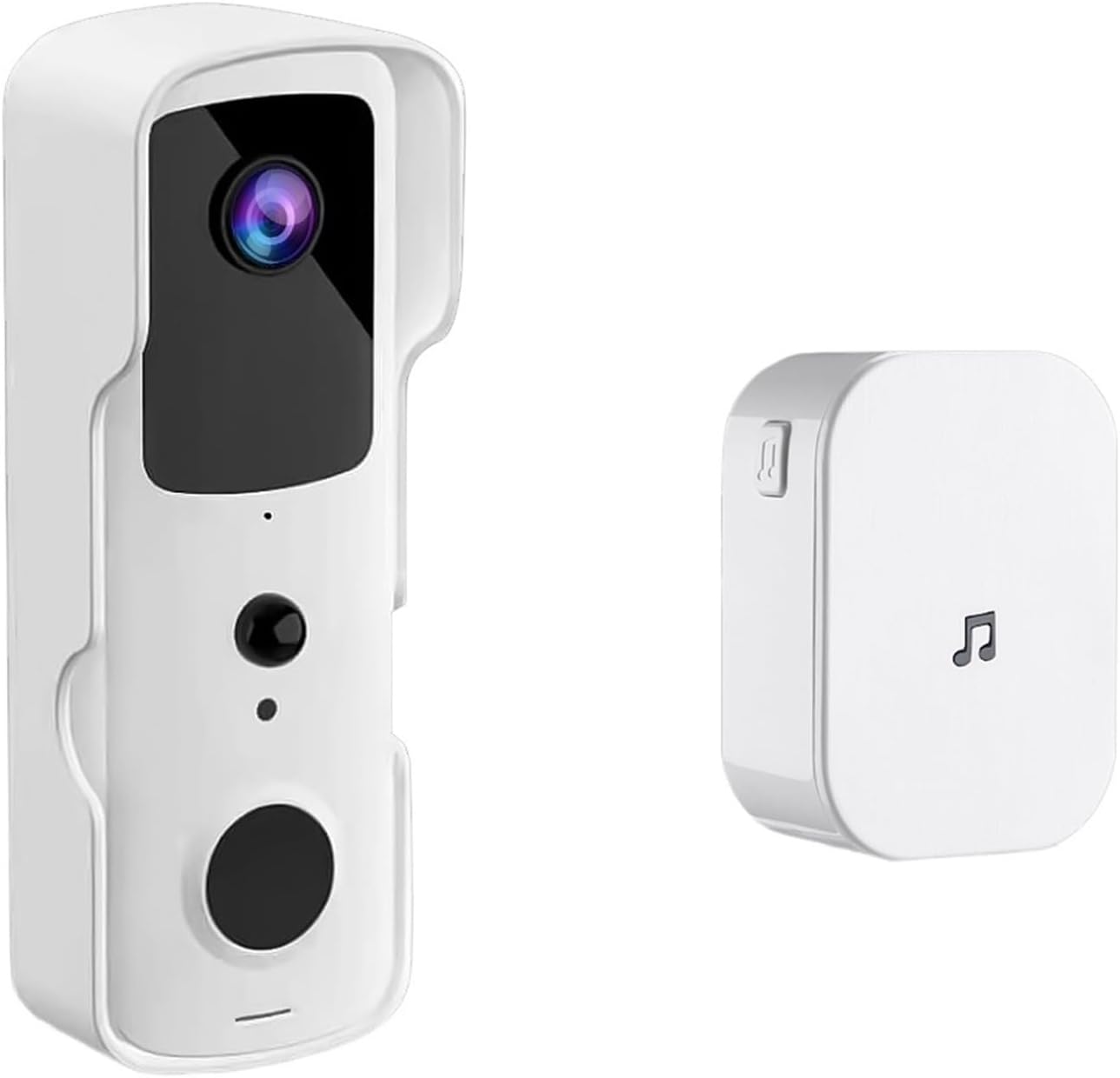
Image: The Smart Tuya WiFi Doorbell Camera unit and its accompanying indoor chime.
3. സജ്ജീകരണം
3.1 ഡോർബെല്ലിന് പവർ നൽകുന്നു
The doorbell camera is powered by two 18650 specification batteries (optional). Ensure the batteries are fully charged before installation. Insert the batteries into the designated compartment on the doorbell unit, observing the correct polarity.
3.2 ആപ്പ് ഇൻസ്റ്റാളേഷനും അക്കൗണ്ട് സജ്ജീകരണവും
- ഡൗൺലോഡ് ചെയ്യുക തുയ സ്മാർട്ട് or സ്മാർട്ട് ലൈഫ് app from your device's app store (iOS App Store or Google Play Store).
- Open the app and register for a new account, or log in if you already have one.
- Follow the in-app instructions to add a new device. Select "Video Surveillance" then "Smart Doorbell".
- നിങ്ങളുടെ സ്മാർട്ട്ഫോൺ 2.4GHz വൈഫൈ നെറ്റ്വർക്കിലേക്ക് കണക്റ്റ് ചെയ്തിട്ടുണ്ടെന്ന് ഉറപ്പാക്കുക. ഡോർബെൽ 5GHz വൈഫൈയെ പിന്തുണയ്ക്കുന്നില്ല.
- Follow the prompts to connect the doorbell to your Wi-Fi network. This usually involves scanning a QR code generated by the app with the doorbell camera.
3.3 ഫിസിക്കൽ ഇൻസ്റ്റലേഷൻ
Choose a suitable location near your front door, ensuring a clear view and good Wi-Fi signal strength. The doorbell is IP53 waterproof, suitable for outdoor use within an operating temperature range of -10°C to +50°C.
- Mark the drilling points using the mounting bracket as a template.
- ആവശ്യമെങ്കിൽ ദ്വാരങ്ങൾ തുരന്ന് വാൾ ആങ്കറുകൾ ഘടിപ്പിക്കുക.
- നൽകിയിരിക്കുന്ന സ്ക്രൂകൾ ഉപയോഗിച്ച് മതിലിലേക്ക് മൗണ്ടിംഗ് ബ്രാക്കറ്റ് സുരക്ഷിതമാക്കുക.
- Attach the doorbell unit to the mounting bracket, ensuring it clicks securely into place.

Image: The doorbell camera highlighting its Full HD video, 2.4G WiFi, IP53 waterproof rating, and long battery life.
4. പ്രവർത്തന നിർദ്ദേശങ്ങൾ
4.1 തത്സമയം View റിമോട്ട് ആക്സസും
Once connected, you can access the live video feed from your doorbell camera anytime, anywhere, through the Tuya Smart or SmartLife app. Simply open the app and select your doorbell device to view തത്സമയ സ്ട്രീം.
4.2 ടു-വേ ഇന്റർകോം
When a visitor presses the doorbell button, your indoor chime will ring, and you will receive a notification on your smartphone. Tap the notification to answer the call and engage in a two-way conversation with the visitor.
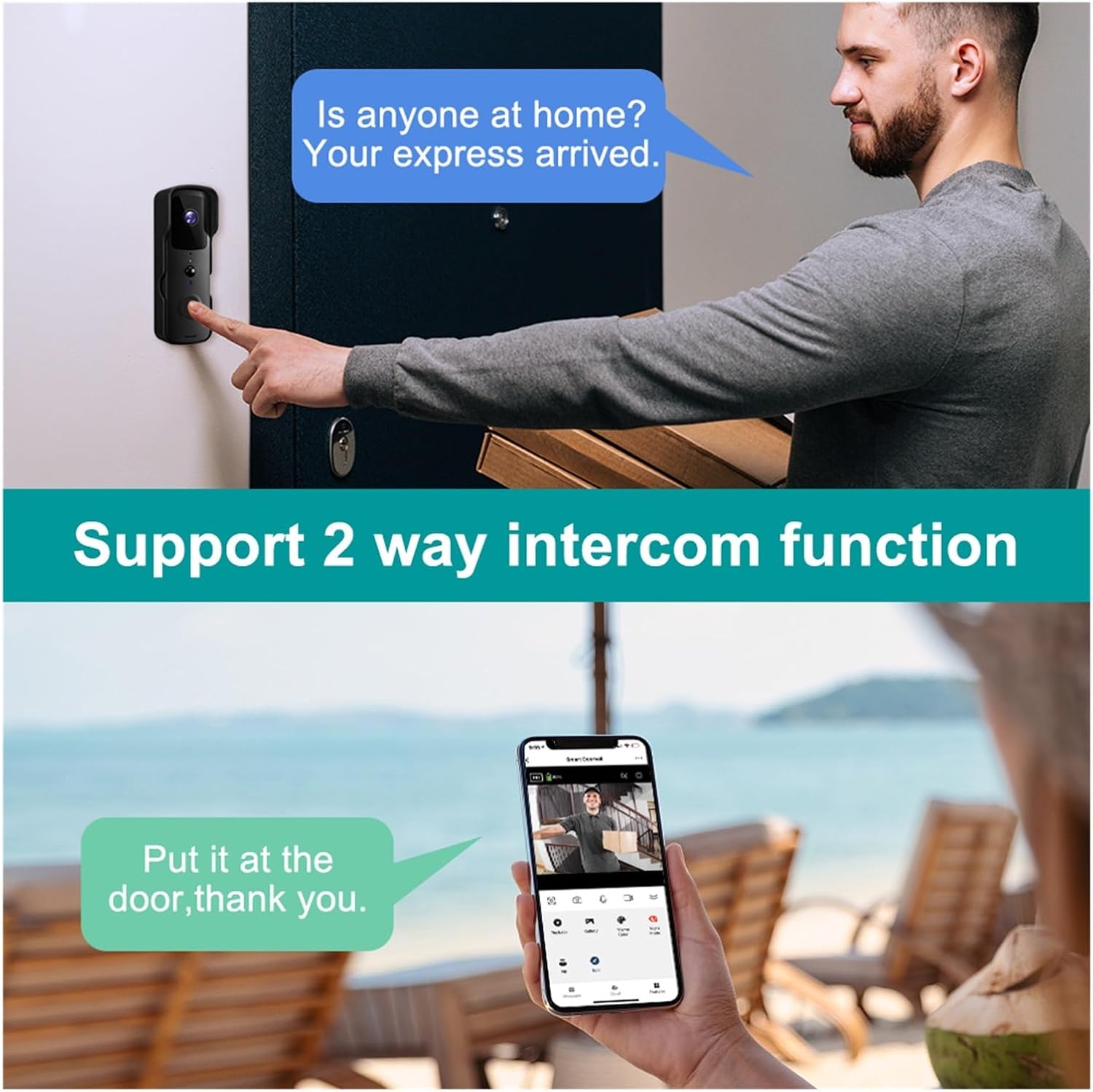
Image: Demonstration of the two-way intercom function, allowing communication with visitors.
4.3 പിഐആർ മോഷൻ ഡിറ്റക്ഷൻ
The doorbell camera features Passive Infrared (PIR) motion detection. When motion is detected within the camera's field of view, you will receive an instant push notification on your smartphone. You can adjust the motion detection sensitivity settings within the app.
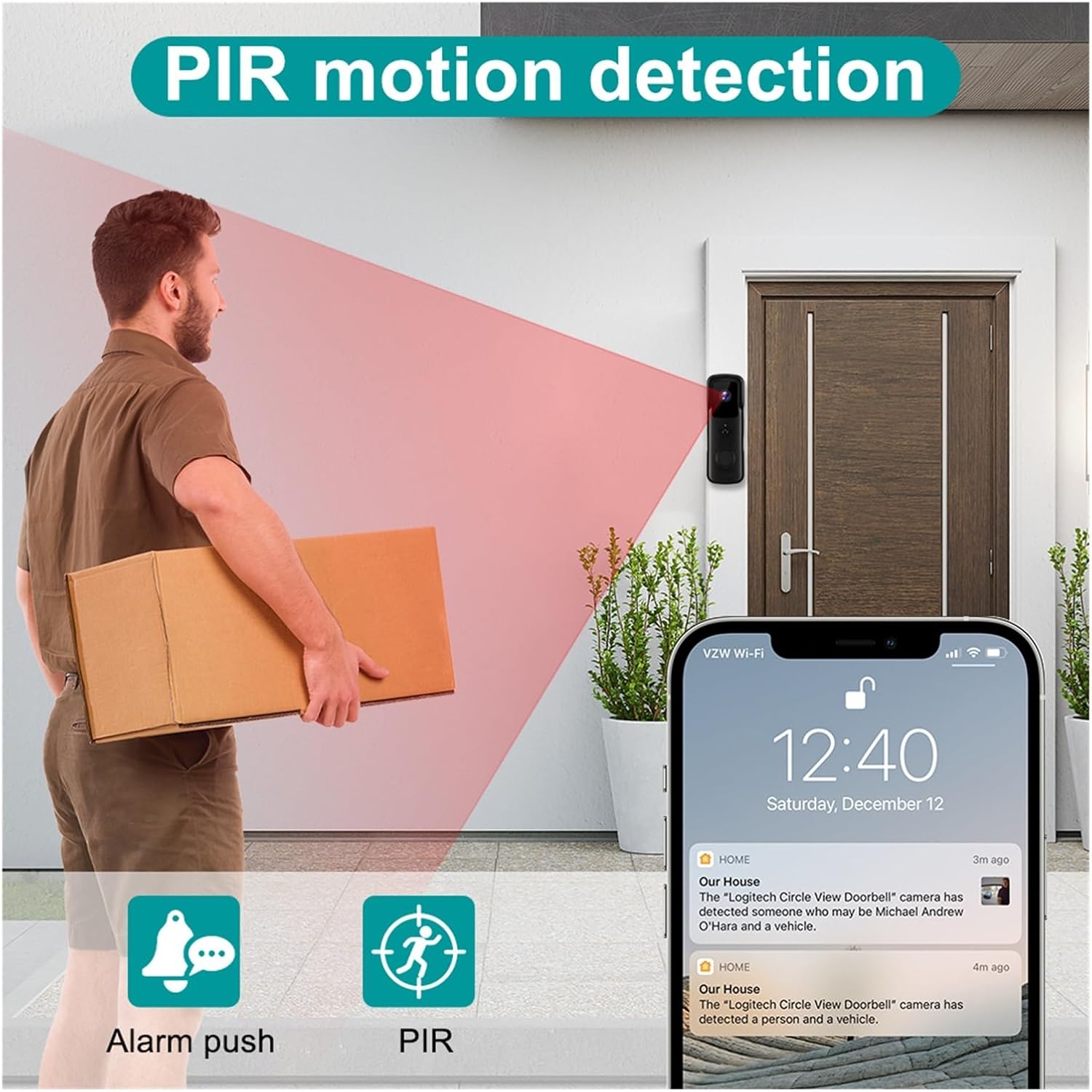
Image: Illustration of the PIR motion detection feature, showing how it triggers alerts.
4.4 നൈറ്റ് വിഷൻ
The doorbell camera automatically switches to infrared night vision mode in low-light conditions, providing clear black-and-white video footagരാത്രിയിൽ ഇ.

Image: Comparison of day and night vision capabilities, highlighting the 155-degree wide-angle view.
4.5 സംഭരണ ഓപ്ഷനുകൾ
The doorbell supports two main storage methods:
- ക്ലൗഡ് സംഭരണം: Enjoy 7 days of free recurring cloud storage for recorded events.
- TF മെമ്മറി കാർഡ്: An optional TF (microSD) memory card can be inserted for local storage of recordings.
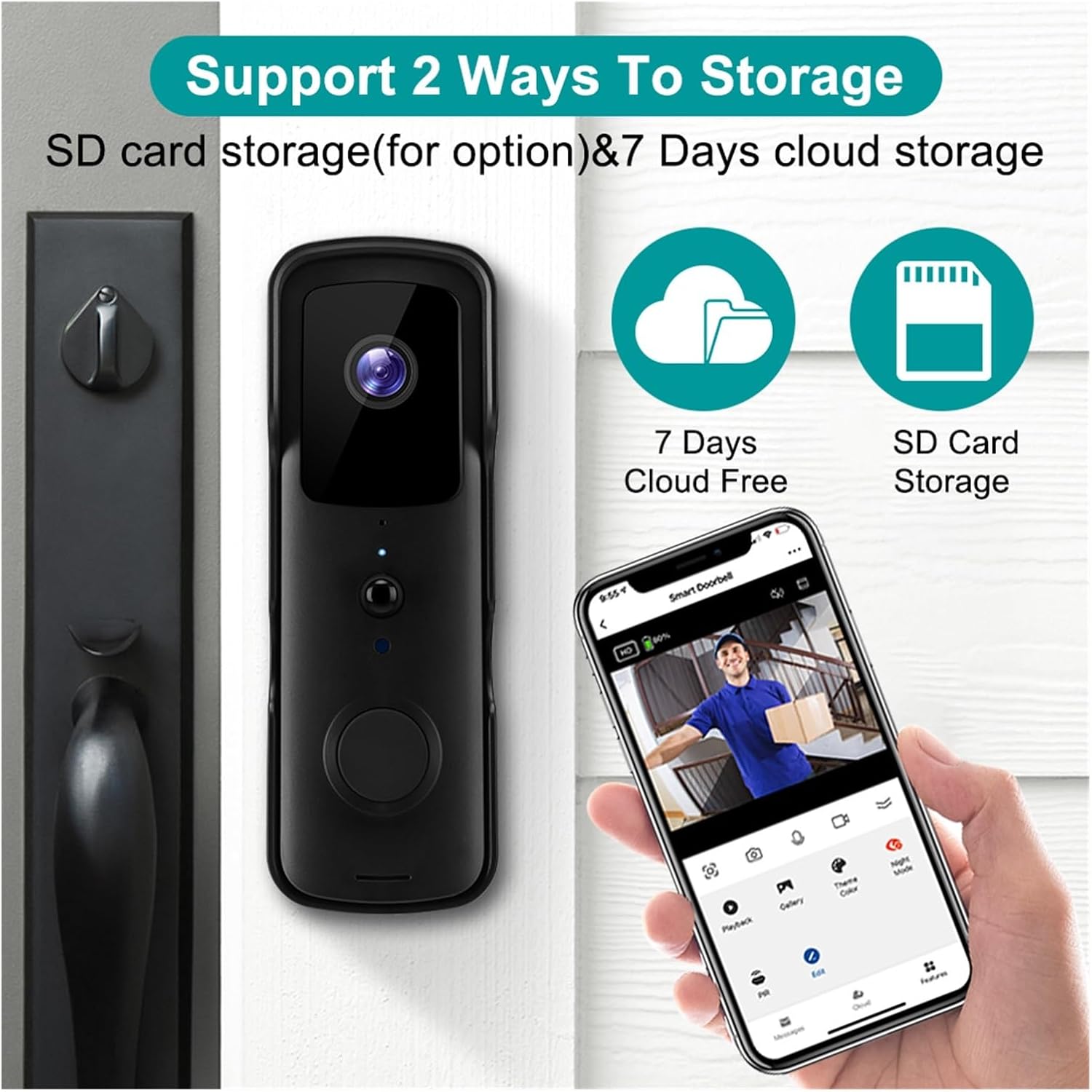
Image: Visual representation of the two storage options: 7 days free cloud storage and optional SD card storage.
5. പരിപാലനം
Regular maintenance ensures the longevity and optimal performance of your doorbell camera.
- വൃത്തിയാക്കൽ: ക്യാമറ ലെൻസും ഡോർബെല്ലിന്റെ പ്രതലവും മൃദുവായ, d ഉപയോഗിച്ച് സൌമ്യമായി തുടയ്ക്കുക.amp തുണി. കഠിനമായ രാസവസ്തുക്കളോ ഉരച്ചിലുകളോ ഉപയോഗിക്കുന്നത് ഒഴിവാക്കുക.
- ബാറ്ററി മാനേജ്മെൻ്റ്: If using batteries, monitor their charge level via the app. Recharge or replace batteries as needed to prevent service interruption.
- ഫേംവെയർ അപ്ഡേറ്റുകൾ: Periodically check the Tuya Smart/SmartLife app for available firmware updates. Keeping the firmware updated ensures the best performance and security.
6. പ്രശ്നപരിഹാരം
If you encounter issues with your doorbell camera, refer to the following common problems and solutions:
| പ്രശ്നം | സാധ്യമായ കാരണം | പരിഹാരം |
|---|---|---|
| ഡോർബെൽ വൈഫൈയിലേക്ക് കണക്റ്റ് ചെയ്യുന്നില്ല | Incorrect Wi-Fi password; 5GHz Wi-Fi network; weak signal; too far from router. | Ensure correct 2.4GHz Wi-Fi password. Move doorbell closer to router or use a Wi-Fi extender. Restart doorbell and router. |
| ചലനം കണ്ടെത്തൽ അലേർട്ടുകളൊന്നുമില്ല | PIR sensitivity too low; app notifications disabled; battery low. | Adjust PIR sensitivity in app. Enable app notifications. Ensure batteries are charged. |
| ടു-വേ ഓഡിയോ പ്രവർത്തിക്കുന്നില്ല | Microphone/speaker blocked; app permissions; network issues. | Check for obstructions. Grant microphone permissions to the app. Ensure stable internet connection. |
| മോശം വീഡിയോ നിലവാരം | Dirty lens; weak Wi-Fi signal; low light. | Clean the camera lens. Improve Wi-Fi signal strength. Ensure adequate lighting for optimal color video. |
| Indoor chime not ringing | Chime not paired; chime not powered; interference. | Ensure chime is plugged in and powered. Re-pair the chime with the doorbell according to its specific instructions. |
7 സ്പെസിഫിക്കേഷനുകൾ
| ഫീച്ചർ | സ്പെസിഫിക്കേഷൻ |
|---|---|
| മോഡൽ | V30S Tuya Doorbell |
| റെസലൂഷൻ | 1080 പി ഫുൾ എച്ച്ഡി |
| വയർലെസ് നെറ്റ്വർക്ക് | 802.11B/G/N (2.4GHz Wi-Fi only) |
| വൈദ്യുതി വിതരണം | Battery (Two 18650 specification batteries for option) |
| നൈറ്റ് വിഷൻ | High-power infrared light |
| സ്റ്റോറേജ് ഓപ്ഷനുകൾ | 7 days free cloud storage, optional TF memory card |
| വാട്ടർപ്രൂഫ് റേറ്റിംഗ് | IP53 |
| പ്രവർത്തന താപനില | -10°C മുതൽ +50°C വരെ |
| നിർമ്മാതാവ് | YUD5DAS |
| മാതൃരാജ്യം | ചൈന |

Image: Icons representing key features: Night Vision, PIR Motion, 2.4G Wifi, Two-way Intercom, SD Card & Cloud storage, and Tuya Smart APP compatibility.
8. വാറൻ്റിയും പിന്തുണയും
This product is manufactured by Generic. For any questions, technical support, or warranty inquiries, please refer to the seller's contact information provided at the point of purchase. Please retain your proof of purchase for any warranty claims.
Ask a question about this manual
Ask about setup, troubleshooting, compatibility, parts, safety, or missing instructions. Manuals+ will review the question and use this page’s manual context to help answer it.