
1. ഉൽപ്പന്നം കഴിഞ്ഞുview
The OOSSXX OSX-POEB-8001 is a high-resolution 4K (8 Megapixel) PoE security camera designed for both indoor and outdoor surveillance. It features two-way audio communication, a 130° ultra-wide-angle lens, advanced H.265+ video compression, and AI-powered human detection combined with PIR detection for accurate monitoring. This camera ensures 24/7 safety with its robust design and superior night vision capabilities.

Image: Experience crystal-clear 4K 8 Megapixel resolution for detailed surveillance.

Image: The 130° ultra-wide-angle lens minimizes blind spots, providing extensive coverage.
2. പാക്കേജ് ഉള്ളടക്കം
താഴെ ലിസ്റ്റ് ചെയ്തിരിക്കുന്ന എല്ലാ ഇനങ്ങളും നിങ്ങളുടെ പാക്കേജിൽ ഉൾപ്പെടുത്തിയിട്ടുണ്ടെന്ന് ദയവായി പരിശോധിക്കുക:
- 4K 8MP Camera x 1
- LAN Cable for Camera (18.2 meters) x 1
- Mounting Screw Pack for Camera x 1
- Mounting Sticker x 1
Video: Unboxing the PIR 4K PoE Add-on Camera. This video demonstrates the contents and initial handling of a similar OOSSXX camera model.
3. സജ്ജീകരണ ഗൈഡ്
3.1. ഇൻസ്റ്റലേഷൻ
The OOSSXX PoE security camera is designed for easy plug-and-play installation. Simply connect the camera to the main unit (NVR) using the provided LAN cable. The LAN cable features a waterproof connector, ensuring protection for outdoor installations.
- Choose a suitable location for your camera, ensuring it covers the desired surveillance area and is within reach of the LAN cable connection to your NVR.
- Use the mounting sticker to mark the drill holes on the wall or ceiling.
- Drill holes and insert the wall anchors if necessary.
- Secure the camera bracket using the provided screws.
- Connect the LAN cable to the camera and the NVR. Ensure the waterproof connector is properly sealed for outdoor use.
- Connect the NVR to a power source and a monitor (via HDMI or VGA) for initial setup and viewing.

Image: The camera supports two power modes: Power over Ethernet (PoE) via the LAN cable for simplified wiring, or a separate DC power supply.
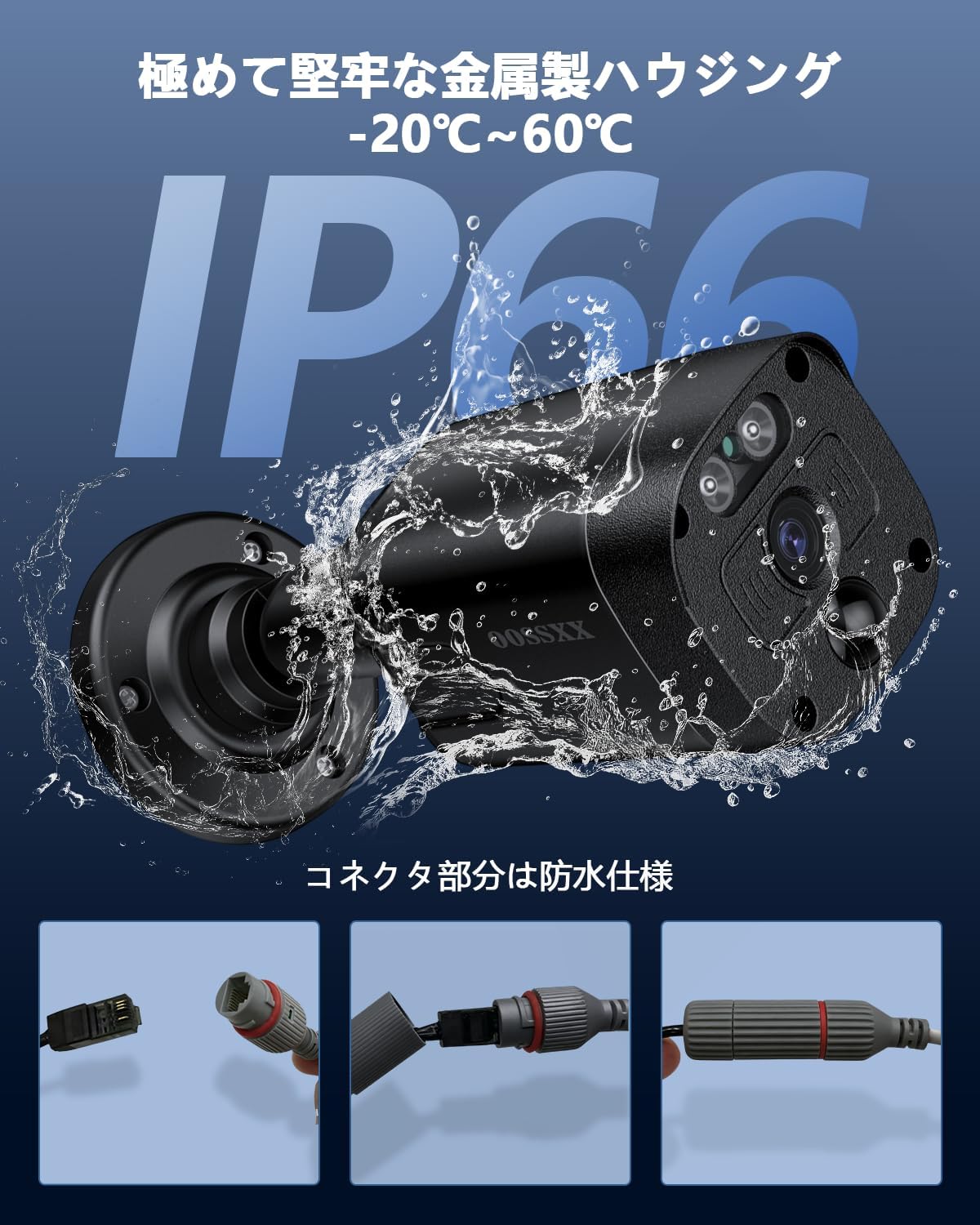
Image: The camera features an IP66-rated robust metal housing and a waterproof LAN connector, making it suitable for outdoor use in various weather conditions.
3.2. പ്രാരംഭ കണക്ഷൻ
Once physically installed, connect the NVR to a monitor using an HDMI or VGA cable. Power on the NVR. The camera feed should appear on the monitor within seconds. Follow the on-screen prompts to complete the initial system configuration, including setting up network access.
4. പ്രവർത്തന നിർദ്ദേശങ്ങൾ
4.1. ടു-വേ ഓഡിയോ കമ്മ്യൂണിക്കേഷൻ
The camera supports two-way audio, allowing you to communicate with individuals near the camera from your smartphone or other compatible devices. This feature is useful for interacting with visitors or deterring intruders.

Image: Engage in real-time conversations with visitors or family members via the camera's two-way audio function.
4.2. Remote Access and Mobile App
Monitor your property remotely using the free 'Honestview' or 'Eseecloud' app, available on iOS App Store and Android Play Store. There are no monthly fees for using the app. The app allows up to 4 users to view streaming video simultaneously.

Image: Access live feeds and recordings from your camera anytime, anywhere, using the dedicated mobile application on various devices.
4.3. റെക്കോർഡിംഗ് മോഡുകൾ
The system supports multiple recording modes to suit your needs:
- തുടർച്ചയായ റെക്കോർഡിംഗ്: റെക്കോർഡുകൾ 24/7.
- ഷെഡ്യൂൾഡ് റെക്കോർഡിംഗ്: Records during specific times you set.
- മോഷൻ ഡിറ്റക്ഷൻ റെക്കോർഡിംഗ്: ചലനം തിരിച്ചറിയുമ്പോൾ മാത്രം രേഖപ്പെടുത്തുന്നു.

Image: Choose from continuous, scheduled, or motion-activated recording to optimize storage and monitoring.
4.4. Motion Detection (AI & PIR)
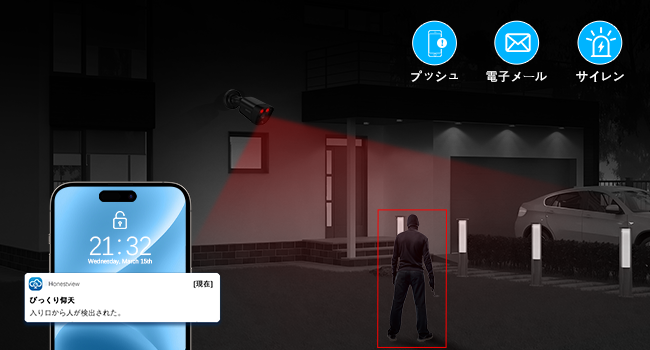
The camera utilizes advanced AI human detection combined with PIR (Passive Infrared) detection to accurately identify human movement and reduce false alarms. You can define specific motion detection areas to focus on critical zones.
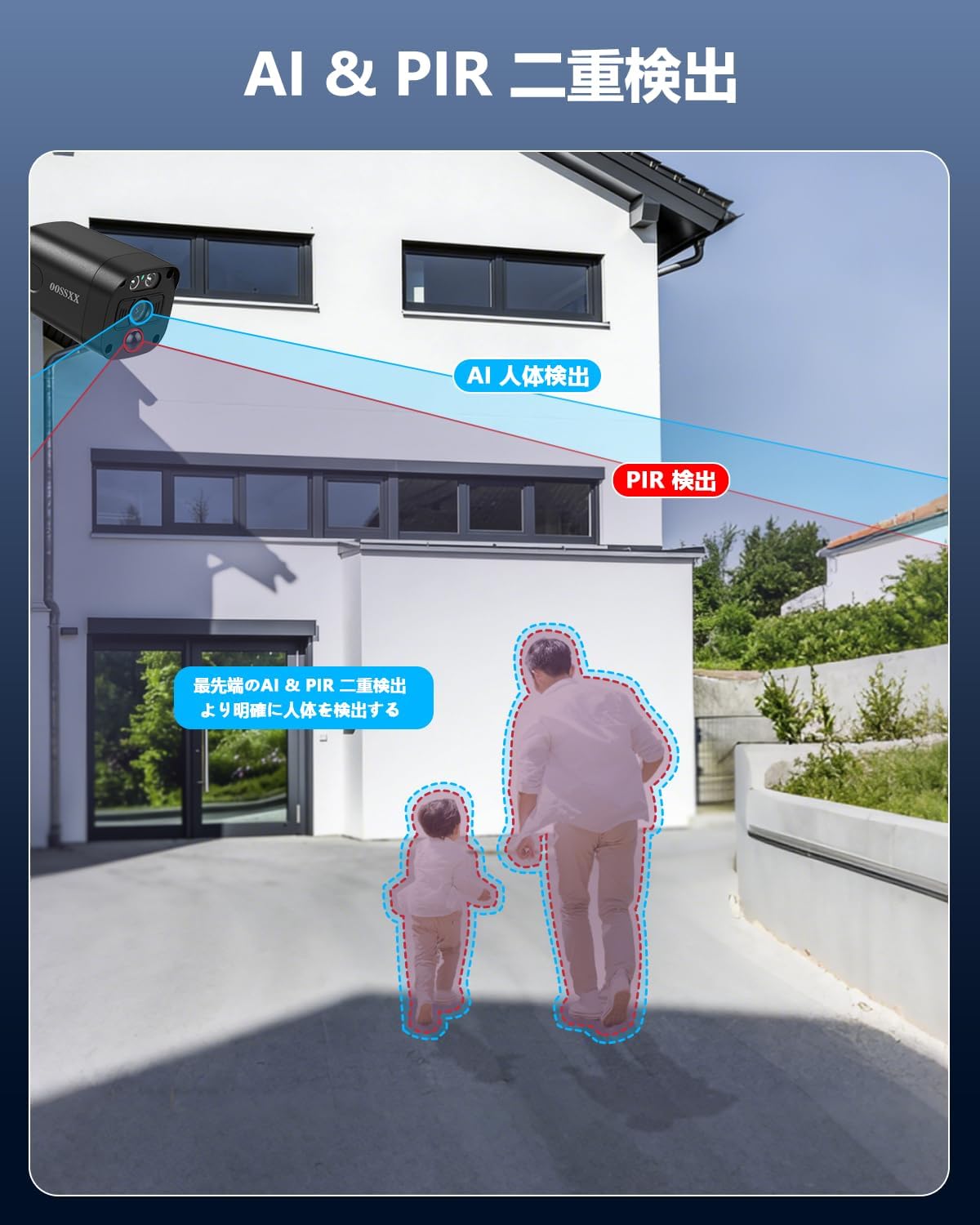
Image: AI and PIR dual detection work together to precisely identify human figures, enhancing security accuracy.
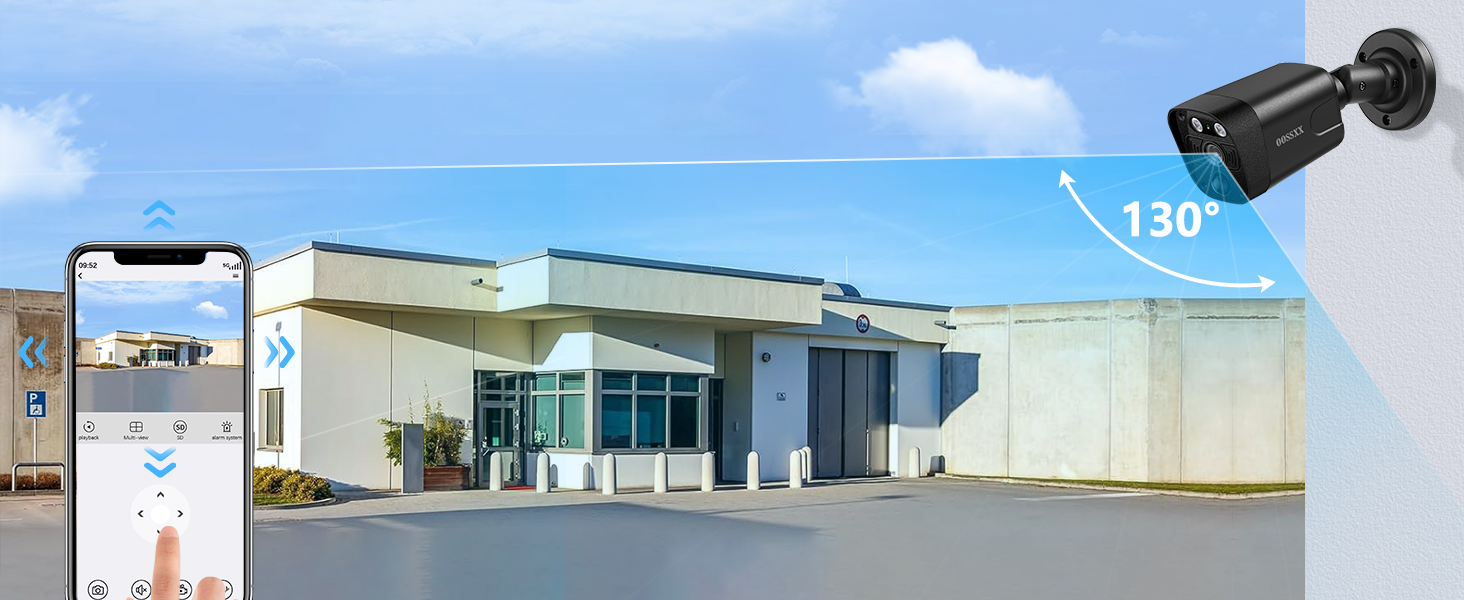
Image: Customize motion detection zones to monitor specific areas of interest and avoid unnecessary alerts.
4.5. നൈറ്റ് വിഷൻ
Equipped with an IR-LED system, the camera automatically activates infrared mode in low-light conditions, providing clear night vision up to 20 meters. This ensures continuous surveillance even in complete darkness.
4.6. H.265+ വീഡിയോ കംപ്രഷൻ
The camera utilizes the advanced H.265+ video compression standard. This technology allows for more than twice the recording time compared to conventional H.264, while maintaining high image quality and saving storage capacity. When the HDD is full, older data is automatically overwritten.

Image: H.265+ compression technology efficiently stores more footage without compromising video quality.
5. പരിപാലനം
The OOSSXX OSX-POEB-8001 camera features an IP66-rated robust metal housing, providing excellent protection against dust and water. This makes it suitable for outdoor installation in various weather conditions. Regular cleaning of the lens with a soft, damp ഒപ്റ്റിമൽ ഇമേജ് വ്യക്തത ഉറപ്പാക്കാൻ തുണി ശുപാർശ ചെയ്യുന്നു. കഠിനമായ രാസവസ്തുക്കൾ ഉപയോഗിക്കുന്നത് ഒഴിവാക്കുക.
6. പ്രശ്നപരിഹാരം
- മോണിറ്ററിൽ ചിത്രമില്ല: Ensure all cables (power, LAN, HDMI/VGA) are securely connected. Check if the NVR and camera are powered on.
- റിമോട്ട് ആക്സസ് ഇല്ല: Verify that the NVR is connected to the internet and that your mobile device has a stable internet connection. Ensure the 'Honestview' or 'Eseecloud' app is correctly configured and logged in.
- മോശം ചിത്രത്തിന്റെ ഗുണനിലവാരം: Check the camera lens for dirt or obstructions. Ensure the camera is within its optimal night vision range if viewഇരുട്ടിൽ.
- തെറ്റായ മോഷൻ അലാറങ്ങൾ: Adjust the motion detection sensitivity settings in the NVR or app. Refine the motion detection zones to exclude areas with frequent irrelevant movement (e.g., trees swaying).
- ടു-വേ ഓഡിയോ പ്രശ്നങ്ങൾ: Check microphone and speaker settings in the app or NVR. Ensure there are no obstructions blocking the camera's microphone or speaker.
7. ഉൽപ്പന്ന സവിശേഷതകൾ
| ഫീച്ചർ | സ്പെസിഫിക്കേഷൻ |
|---|---|
| ബ്രാൻഡ് | OOSSXX |
| മോഡൽ നമ്പർ | OSX-POEB-8001 |
| കണക്റ്റിവിറ്റി ടെക്നോളജി | വയർഡ് |
| വീഡിയോ ക്യാപ്ചർ റെസല്യൂഷൻ | 3264x2488 (8 Megapixels) |
| ഫീച്ചറുകൾ | 130° Ultra Wide Angle, 4K 8 Megapixels, PIR Dual Detection, Two-Way Audio, Remote Monitoring |
| നിറം | Black (4K 8MP PoE Camera) |
| പവർ തരം | എസി/ഡിസി |
| ഓപ്പറേറ്റിംഗ് സിസ്റ്റം | ലിനക്സ് |
| അനുയോജ്യമായ ഉപകരണങ്ങൾ | Smartphone, Tablet, TV, Desktop PC, Laptop |
| നൈറ്റ് വിഷൻ | 845nm 2 Infrared Dot Matrix Lamp സൂപ്പർ രാത്രി വിഷൻ |
| നൈറ്റ് വിഷൻ റേഞ്ച് | 20 മീറ്റർ |
| ഫ്രെയിം റേറ്റ് | 15 fps |
| റെക്കോർഡിംഗ് മോഡ് | മാനുവൽ |
| USB പോർട്ടുകൾ | 2 |
| ഹാർഡ്വെയർ ഇന്റർഫേസ് | എച്ച്ഡിഎംഐ, യുഎസ്ബി, വിജിഎ |
| ലെൻസ് തരം | വൈഡ് ആംഗിൾ |
| വീഡിയോ ഇൻപുട്ട് | Digital Video Camera, Network Camera |
| ഫീൽഡ് View | 130 ഡിഗ്രി |
| സിഗ്നൽ ഫോർമാറ്റ് | ഡിജിറ്റൽ |
| ഒപ്റ്റിക്കൽ സെൻസർ ടെക്നോളജി | CMOS |
| ഉൽപ്പന്ന അളവുകൾ | 39 x 28 x 19 സെ.മീ |
| ശുപാർശ ചെയ്യുന്ന ഉപയോഗം | Indoor/Outdoor Security |
| വാറൻ്റി | One-year free warranty period |
8. വാറൻ്റിയും പിന്തുണയും
OOSSXX provides a 12-month quality guarantee for this product. We maintain strict quality control throughout manufacturing and inspection processes to ensure reliable products.
8.1. ബന്ധപ്പെടാനുള്ള വിവരങ്ങൾ
Should you have any questions or encounter issues during the use of your OOSSXX security camera, please do not hesitate to contact our support team.
- ഇമെയിൽ പിന്തുണ: jp-info@oossxx.com (Japanese language support available, response within 24 hours)
- Service Center Address (Japan): Chiba Prefecture, Chiba City, Inage Ward, Tendai 5-8-9 Rose Avenue Inage Tendai 1F
8.2. LINE Service
For additional support and updates, you can connect with OOSSXX via our LINE service:
Scan this QR code to access the OOSSXX LINE service for support.
പകരമായി, സന്ദർശിക്കുക: https://lin.ee/K941p57