
1. ആമുഖം
Welcome to the OUKITEL C59 Pro user manual. This guide provides detailed instructions on how to set up, operate, maintain, and troubleshoot your new Android 15 smartphone. Please read this manual thoroughly to ensure optimal performance and longevity of your device.
2 സുരക്ഷാ വിവരങ്ങൾ
To prevent injury to yourself or others, or damage to your device, read all safety information before using the device. Keep this manual for future reference.
- ഉപകരണത്തെ തീവ്രമായ താപനിലയിലോ, നേരിട്ടുള്ള സൂര്യപ്രകാശത്തിലോ, ഉയർന്ന ആർദ്രതയിലോ തുറന്നുകാട്ടരുത്.
- Use only OUKITEL-approved chargers, batteries, and accessories.
- ഉപകരണം താഴെയിടുകയോ ഗുരുതരമായ ആഘാതത്തിന് വിധേയമാക്കുകയോ ചെയ്യുന്നത് ഒഴിവാക്കുക.
- ഉപകരണം സ്വയം ഡിസ്അസംബ്ലിംഗ് ചെയ്യുകയോ പരിഷ്കരിക്കുകയോ നന്നാക്കുകയോ ചെയ്യരുത്.
- Maintain a safe distance from medical devices to avoid interference.
- പ്രാദേശിക നിയന്ത്രണങ്ങൾ അനുസരിച്ച് ഉപകരണവും അതിന്റെ ഘടകങ്ങളും ഉത്തരവാദിത്തത്തോടെ സംസ്കരിക്കുക.
3. പാക്കേജ് ഉള്ളടക്കം
നിങ്ങളുടെ ഉൽപ്പന്ന ബോക്സിൽ എല്ലാ ഇനങ്ങളും ഉണ്ടെന്ന് ഉറപ്പാക്കുക:
- OUKITEL C59 Pro സ്മാർട്ട്ഫോൺ
- ഫോൺ കേസ്
- USB കേബിൾ (ടൈപ്പ്-സി)
- സിം എജക്ടർ ഉപകരണം
- പവർ അഡാപ്റ്റർ
4. ഡിവൈസ് ഓവർview
Familiarize yourself with the physical features and components of your OUKITEL C59 Pro smartphone.

Image: General view of the OUKITEL C59 Pro smartphone, showcasing അതിന്റെ മനോഹരമായ രൂപകൽപ്പനയും പിൻ ക്യാമറ മൊഡ്യൂളും.
4.1 ഫിസിക്കൽ ബട്ടണുകളും പോർട്ടുകളും
- പവർ ബട്ടൺ: Located on the side, used to power on/off the device or wake/sleep the screen. Integrates fingerprint recognition.
- വോളിയം ബട്ടണുകൾ: Located on the side, used to adjust media volume and ringtone volume.
- യുഎസ്ബി ടൈപ്പ്-സി പോർട്ട്: താഴെയായി സ്ഥിതിചെയ്യുന്നു, ചാർജ് ചെയ്യുന്നതിനും ഡാറ്റ കൈമാറ്റത്തിനും ഉപയോഗിക്കുന്നു.
- സിം/മൈക്രോഎസ്ഡി കാർഡ് സ്ലോട്ട്: Located on the side, for inserting Nano SIM cards and a MicroSD card.
- 110lm LED Flashlight: An exclusive physical flashlight located at the top of the device, activated by a dedicated button.
4.2 ഡിസ്പ്ലേ
The OUKITEL C59 Pro features a large 6.88-inch HD+ display with a 90Hz refresh rate and 450 nits brightness, providing a clear and smooth visual experience.

Image: The OUKITEL C59 Pro's 6.88-inch HD+ display, highlighting its size and visual clarity.
4.3 ക്യാമറകൾ
The device is equipped with a dual rear camera system, featuring a 13MP main camera, and a 5MP front camera for selfies and video calls.

Image: Close-up of the OUKITEL C59 Pro's rear camera module and examples of photos taken with the 13MP main camera and 5MP front camera.
4.4 ഫ്ലാഷ്ലൈറ്റ്
The OUKITEL C59 Pro features a powerful 110 lumen LED flashlight at the top. This flashlight can be activated instantly by pressing a dedicated physical button on the side of the phone, even when the screen is locked.

Image: The OUKITEL C59 Pro's 110lm LED flashlight illuminating dark environments, demonstrating its brightness and utility in various scenarios.
5. സജ്ജീകരണം
5.1 സിം, മൈക്രോ എസ്ഡി കാർഡുകൾ ചേർക്കൽ
Your OUKITEL C59 Pro supports Dual Nano SIM cards and a MicroSD card for expandable storage up to 1TB.
- ഉപകരണത്തിന്റെ വശത്ത് സിം കാർഡ് ട്രേ കണ്ടെത്തുക.
- ട്രേ തുറക്കാൻ അതിനടുത്തുള്ള ചെറിയ ദ്വാരത്തിലേക്ക് സിം എജക്റ്റർ ഉപകരണം തിരുകുക.
- Place your Nano SIM cards and/or MicroSD card into the designated slots on the tray, ensuring correct orientation.
- ഉപകരണത്തിൽ ക്ലിക്കുചെയ്യുന്നത് വരെ ട്രേ മെല്ലെ തിരികെ ഉപകരണത്തിലേക്ക് തള്ളുക.

Image: The SIM card tray of the OUKITEL C59 Pro, showing slots for two Nano SIM cards and one MicroSD card.
5.2 ഉപകരണം ചാർജ് ചെയ്യുന്നു
Before first use, fully charge your OUKITEL C59 Pro. The device supports 18W fast charging.
- ഫോണിന്റെ അടിയിലുള്ള ചാർജിംഗ് പോർട്ടിലേക്ക് യുഎസ്ബി ടൈപ്പ്-സി കേബിൾ ബന്ധിപ്പിക്കുക.
- യുഎസ്ബി കേബിളിൻ്റെ മറ്റേ അറ്റം പവർ അഡാപ്റ്ററുമായി ബന്ധിപ്പിക്കുക.
- ഒരു മതിൽ ഔട്ട്ലെറ്റിലേക്ക് പവർ അഡാപ്റ്റർ പ്ലഗ് ചെയ്യുക.
- A full charge typically takes approximately four hours.
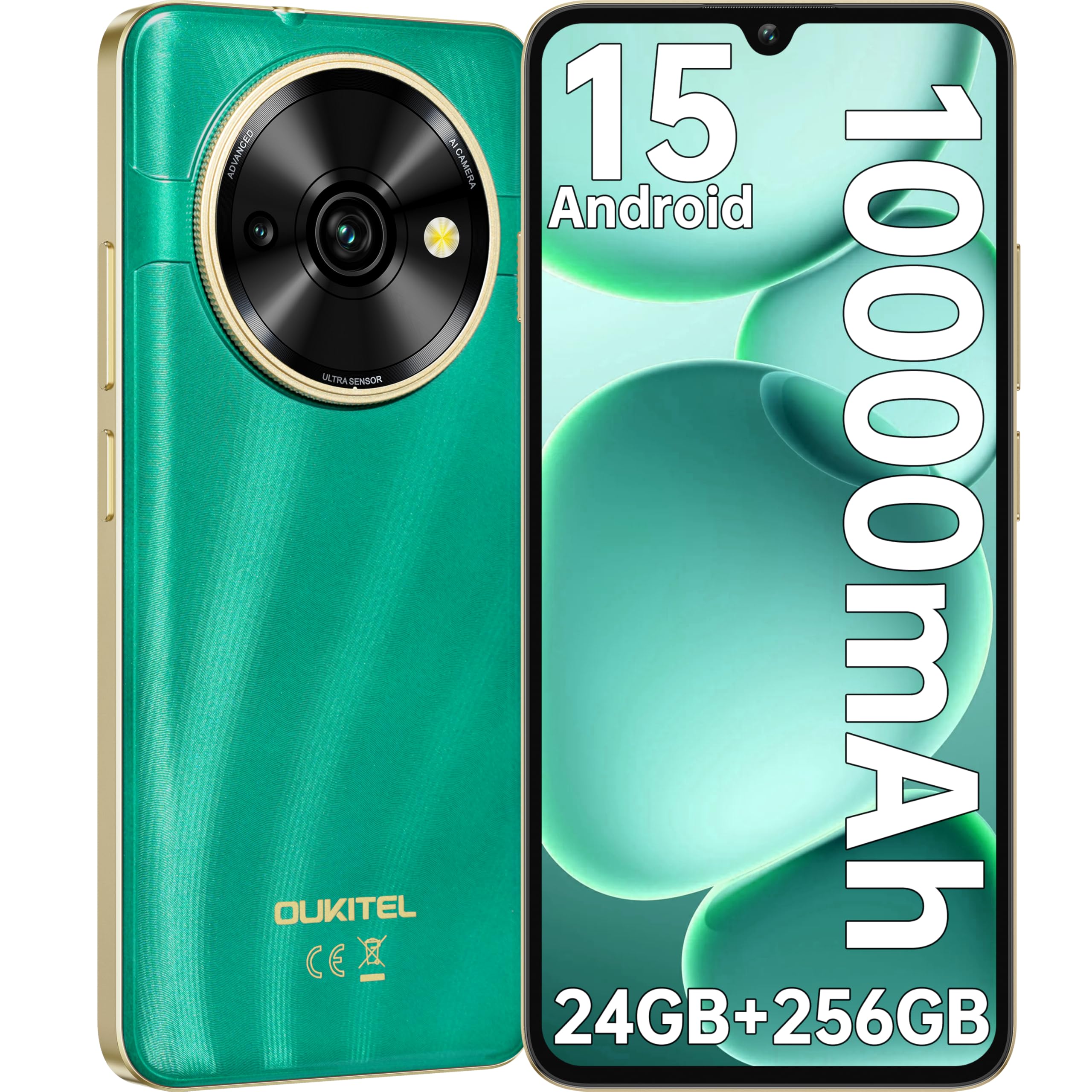
Image: Visual representation of the OUKITEL C59 Pro's 10000mAh battery capacity, indicating extended standby, talk, flashlight, and video playback times.
5.3 പവർ ഓൺ/ഓഫ്
- പവർ ഓണാക്കാൻ: Press and hold the Power button until the OUKITEL logo appears.
- പവർ ഓഫ് ചെയ്യാൻ: പവർ ബട്ടൺ അമർത്തിപ്പിടിക്കുക, തുടർന്ന് സ്ക്രീനിലെ ഓപ്ഷനുകളിൽ നിന്ന് 'പവർ ഓഫ്' തിരഞ്ഞെടുക്കുക.
- പുനരാരംഭിക്കാൻ: പവർ ബട്ടൺ അമർത്തിപ്പിടിക്കുക, തുടർന്ന് ഓപ്ഷനുകളിൽ നിന്ന് 'പുനരാരംഭിക്കുക' തിരഞ്ഞെടുക്കുക.
6. നിങ്ങളുടെ സ്മാർട്ട്ഫോൺ പ്രവർത്തിപ്പിക്കുക
6.1 ആൻഡ്രോയിഡ് 15 ഓപ്പറേറ്റിംഗ് സിസ്റ്റം
Your OUKITEL C59 Pro runs on the latest Android 15 operating system, offering enhanced energy efficiency, privacy protection, and multi-device integration capabilities optimized with artificial intelligence.

Image: A visual representation of the Android 15 operating system interface, showcasing its modern design and various application icons.
6.2 Biometric Security (Fingerprint & Face ID)
Unlock your device securely using the side-mounted fingerprint sensor or Face ID recognition.
- വിരലടയാള തിരിച്ചറിയൽ: Register your fingerprints in the Security settings. To unlock, simply place your registered finger on the side power button.
- മുഖം തിരിച്ചറിയൽ: Set up Face ID in the Security settings. To unlock, hold the phone in front of your face.
6.3 Connectivity Features (NFC, GPS)
The OUKITEL C59 Pro supports NFC for contactless payments and data transfer, and GPS for navigation and location services.
- NFC: Enable NFC in Settings > Connected devices > Connection preferences > NFC. Tap your phone to compatible devices for quick pairing or payments.
- ജിപിഎസ്: ലൊക്കേഷൻ സേവനങ്ങൾ ഡിഫോൾട്ടായി പ്രവർത്തനക്ഷമമാക്കിയിരിക്കുന്നു. ക്രമീകരണം > ലൊക്കേഷൻ എന്നതിൽ നിങ്ങൾക്ക് അവ കൈകാര്യം ചെയ്യാം.
6.4 മെമ്മറിയും സംഭരണവും
The device comes with 24GB RAM (8GB physical + 16GB virtual) and 256GB internal storage, expandable up to 1TB via MicroSD card.

Image: A graphical representation of the OUKITEL C59 Pro's memory configuration, showing 24GB RAM (8GB + 16GB expansion) and 256GB ROM (expandable to 1TB).
6.5 OTG Functionality
The OUKITEL C59 Pro supports OTG (On-The-Go) reverse charging, allowing you to transfer data to other devices or use your phone as an emergency power bank.
7. പരിപാലനം
Proper maintenance ensures the longevity and optimal performance of your smartphone.
- വൃത്തിയാക്കൽ: Use a soft, lint-free cloth to clean the screen and body of the device. Avoid using harsh chemicals or abrasive materials.
- സോഫ്റ്റ്വെയർ അപ്ഡേറ്റുകൾ: Regularly check for and install system updates to ensure your device has the latest features and security patches. Go to Settings > System > System update.
- ബാറ്ററി കെയർ: ബാറ്ററി ഇടയ്ക്കിടെ പൂർണ്ണമായും ഡിസ്ചാർജ് ചെയ്യുന്നത് ഒഴിവാക്കുക. ദീർഘകാല സംഭരണത്തിനായി, ബാറ്ററി ഏകദേശം 50% വരെ ചാർജ് ചെയ്യുക.
- സ്റ്റോറേജ് മാനേജ്മെന്റ്: അനാവശ്യമായത് ഇടയ്ക്കിടെ നീക്കം ചെയ്യുക files and apps to free up storage space and improve performance.
8. പ്രശ്നപരിഹാരം
നിങ്ങളുടെ ഉപകരണത്തിൽ പ്രശ്നങ്ങൾ നേരിടുകയാണെങ്കിൽ, ഇനിപ്പറയുന്ന പരിഹാരങ്ങൾ പരീക്ഷിക്കുക:
- ഉപകരണം പ്രതികരിക്കുന്നില്ല: റീസ്റ്റാർട്ട് ചെയ്യാൻ പവർ ബട്ടൺ ഏകദേശം 10-15 സെക്കൻഡ് അമർത്തിപ്പിടിക്കുക.
- ആപ്പുകൾ ക്രാഷാകുന്നു: Clear the cache and data of the problematic app in Settings > Apps > [App Name] > Storage. If the issue persists, uninstall and reinstall the app.
- മോശം ബാറ്ററി ലൈഫ്: Check battery usage in Settings > Battery to identify power-hungry apps. Reduce screen brightness, disable unnecessary features like GPS or Wi-Fi when not in use.
- നെറ്റ്വർക്ക് പ്രശ്നങ്ങൾ: Ensure SIM cards are correctly inserted. Try restarting the device. Check network settings or contact your service provider.
- അമിത ചൂടാക്കൽ: Avoid using the device while charging or during prolonged heavy usage. Close background apps.
- ഫാക്ടറി പുന et സജ്ജമാക്കുക: As a last resort, if software issues persist, you can perform a factory reset. മുന്നറിയിപ്പ്: ഇത് നിങ്ങളുടെ ഉപകരണത്തിലെ എല്ലാ ഡാറ്റയും മായ്ക്കും. തുടരുന്നതിന് മുമ്പ് പ്രധാനപ്പെട്ട ഡാറ്റയുടെ ബാക്കപ്പ് എടുക്കുക. ക്രമീകരണങ്ങൾ > സിസ്റ്റം > റീസെറ്റ് ഓപ്ഷനുകൾ > എല്ലാ ഡാറ്റയും മായ്ക്കുക (ഫാക്ടറി റീസെറ്റ്) എന്നതിലേക്ക് പോകുക.
9 സ്പെസിഫിക്കേഷനുകൾ
Detailed technical specifications for the OUKITEL C59 Pro smartphone.
| ഫീച്ചർ | സ്പെസിഫിക്കേഷൻ |
|---|---|
| ബ്രാൻഡ് | OUKITEL |
| മോഡലിൻ്റെ പേര് | OUKITEL C59 Pro |
| ഓപ്പറേറ്റിംഗ് സിസ്റ്റം | ആൻഡ്രോയിഡ് 15 |
| ഇൻസ്റ്റാൾ ചെയ്ത RAM വലുപ്പം | 24 ജിബി (8 ജിബി ഫിസിക്കൽ + 16 ജിബി വെർച്വൽ) |
| സംഭരണ ശേഷി | 256 ജിബി |
| Max Supported Flash Memory Size | 1024 ജിബി (1 ടിബി) |
| സ്ക്രീൻ വലിപ്പം | 6.88 ഇഞ്ച് |
| റെസലൂഷൻ | 1640 x 720 പിക്സലുകൾ |
| പുതുക്കിയ നിരക്ക് | 90 Hz |
| ഡിസ്പ്ലേ തരം | എൽസിഡി |
| സെല്ലുലാർ ടെക്നോളജി | 4G |
| കണക്റ്റിവിറ്റി ടെക്നോളജി | 4G |
| നിറം | പച്ച |
| Number of SIM Card Slots | ഡ്യുവൽ സിം |
| സിം കാർഡ് വലുപ്പം | നാനോ |
| കണക്റ്റർ തരം | യുഎസ്ബി ടൈപ്പ് സി |
| ഫോം ഫാക്ടർ | ബാർ |
| Biometric Security Feature | Fingerprint Recognition, Face ID |
| ജല പ്രതിരോധ നില | വാട്ടർപ്രൂഫ് അല്ല |
| ഹെഡ്ഫോൺ ജാക്ക് | ഒന്നുമില്ല |
| പിൻ ക്യാമറ റെസല്യൂഷൻ | 13 എം.പി |
| Number of Rear Cameras | 2 |
| Number of Front Cameras | 1 |
| വീഡിയോ ക്യാപ്ചർ റെസല്യൂഷൻ | 1080p |
| ഫ്രെയിം റേറ്റ് | 30fps, 60fps, 120fps |
| ബാറ്ററി ശേഷി | 10000 mAh |
| ബാറ്ററി ലൈഫ് | 50 Hours (Talk Time) |
| ജിപിഎസ് | അതെ |
| ഉൾപ്പെടുത്തിയ ഘടകങ്ങൾ | Phone case, USB cable, SIM ejector tool, Power adapter |
| നിർദ്ദിഷ്ട ഉൽപ്പന്ന ഉപയോഗങ്ങൾ | Gaming, Photography, Streaming, Video Conferencing |
10. വാറൻ്റിയും പിന്തുണയും
10.1 വാറൻ്റി വിവരങ്ങൾ
The OUKITEL C59 Pro smartphone comes with a 2 വർഷത്തെ നിർമ്മാതാവിന്റെ വാറന്റി. This warranty covers defects in materials and workmanship under normal use. It does not cover damage caused by misuse, accidents, unauthorized repairs, or normal wear and tear. Please retain your proof of purchase for warranty claims.
10.2 ഉപഭോക്തൃ പിന്തുണ
For technical assistance, warranty claims, or any other inquiries regarding your OUKITEL C59 Pro, please contact OUKITEL customer support through their official website or the contact information provided with your purchase. Ensure you have your device model and purchase details ready when contacting support.