
ഡോറോ 8881
Doro Aurora A10 Mobile Phone User Manual
മോഡൽ: 8881
ആമുഖം
This manual provides comprehensive instructions for the Doro Aurora A10 Mobile Phone. It covers setup, operation, maintenance, and troubleshooting to ensure you get the most out of your device. The Doro Aurora A10 is designed for ease of use, featuring a large screen, practical buttons, clear sound, and an SOS button for enhanced security.
എന്താണ് ഉൾപ്പെടുത്തിയിരിക്കുന്നത്
Upon unboxing your Doro Aurora A10, please ensure all components are present:
- Doro Aurora A10 Mobile Phone
- USB കേബിൾ
- (Other accessories may vary by package)

Image: The Doro Aurora A10 mobile phone, showing its front and back, alongside the included USB cable.
സജ്ജമാക്കുക
1. സിം കാർഡും ബാറ്ററിയും ചേർക്കൽ
Before first use, you will need to insert your SIM card.
- Locate the SIM card slot, typically on the side or under the back cover.
- Carefully insert your SIM card into the designated slot, ensuring correct orientation.
- The Doro Aurora A10 comes with an included 9V battery. Ensure it is properly seated in its compartment.
- പിൻ കവർ സുരക്ഷിതമായി മാറ്റുക.
2. പ്രാരംഭ പവർ ഓണും സജ്ജീകരണ വിസാർഡും
നിങ്ങളുടെ ഫോൺ ആദ്യമായി ഓൺ ചെയ്യാൻ:
- സ്ക്രീൻ പ്രകാശിക്കുന്നത് വരെ പവർ ബട്ടൺ അമർത്തിപ്പിടിക്കുക.
- Follow the on-screen setup wizard to select your language, connect to Wi-Fi, and set up your Google account.
- The Doro Easy Interface will guide you through the initial settings, simplifying the process.

Image: A visual representation of the Doro Aurora A10 highlighting its key features such as the Easy Interface, Doro Secure Button, ClearSound technology, and physical tactile buttons.
Operating Your Doro Aurora A10
അടിസ്ഥാന നാവിഗേഷൻ
The Doro Aurora A10 features a user-friendly interface with intuitive navigation.
- ടച്ച് സ്ക്രീൻ: Navigate by tapping, swiping, and pinching on the screen.
- ഫിസിക്കൽ ബട്ടണുകൾ: Utilize the tactile call buttons for easy answering and ending calls.
- Doro Easy Call & Home Keys: Dedicated keys simplify common actions.
കോളുകൾ ചെയ്യലും സ്വീകരിക്കലും
To make a call, tap the "Phone" icon and dial the number, or select a contact. To receive a call, press the green call button. The Doro ClearSound technology ensures clear audio during conversations, and the phone is compatible with hearing aids (HAC).
ക്യാമറ ഉപയോഗിക്കുന്നത്
The phone is equipped with a 13MP camera. Open the "Camera" application to capture photos and videos.

ചിത്രം: വിശദമായ ഒരു ചിത്രം view of the Doro Aurora A10's user-friendly interface, highlighting features like hearing aid compatibility, Doro Easy Call & Home keys, the 13MP main camera, and remote support capabilities.
ഡോറോ സെക്യൂർ ബട്ടൺ
The Doro Secure Button is a key safety feature. In an emergency, simply press the dedicated button on the back of the phone. This will alert your connected responders and send them your GPS location, providing peace of mind.

Image: An illustration showing the Doro Secure Button on the back of the Doro Aurora A10, emphasizing its GPS location feature and how it connects to a network of responders.
മെയിൻ്റനൻസ്
നിങ്ങളുടെ ഉപകരണം വൃത്തിയാക്കുന്നു
To clean your Doro Aurora A10, use a soft, lint-free cloth. Avoid using abrasive cleaners or solvents, as these can damage the phone's surface.
ബാറ്ററി കെയർ
The phone uses a 9V battery. For optimal battery life, avoid exposing the phone to extreme temperatures. Charge the phone using the provided USB cable.
ട്രബിൾഷൂട്ടിംഗ്
| പ്രശ്നം | സാധ്യമായ കാരണം | പരിഹാരം |
|---|---|---|
| ഫോൺ ഓണാക്കുന്നില്ല | ബാറ്ററി ചാർജ് കുറവാണ്; ബാറ്ററി ശരിയായി ചേർത്തിട്ടില്ല. | Charge the phone; Ensure battery is properly seated |
| കോളുകൾ വിളിക്കാനോ സ്വീകരിക്കാനോ കഴിയില്ല | No SIM card; Poor network signal | Insert SIM card; Move to an area with better signal |
| Sound issues during calls | Volume too low; Speaker/microphone obstruction | Adjust volume; Clear any obstructions from speaker/microphone |
| സ്ക്രീൻ പ്രതികരിക്കുന്നില്ല | താൽക്കാലിക സോഫ്റ്റ്വെയർ തകരാർ | Restart the phone by holding the power button |
If you encounter issues not listed here, please refer to the Doro support webസൈറ്റ് അല്ലെങ്കിൽ ഉപഭോക്തൃ സേവനവുമായി ബന്ധപ്പെടുക.
സ്പെസിഫിക്കേഷനുകൾ
- മോഡലിൻ്റെ പേര്: Doro Aurora A10 Bone
- ഇനം മോഡൽ നമ്പർ: 8881
- ഓപ്പറേറ്റിംഗ് സിസ്റ്റം: ആൻഡ്രോയിഡ് 14
- റാം മെമ്മറി ഇൻസ്റ്റാൾ ചെയ്ത വലുപ്പം: 3.99 ജിബി
- മെമ്മറി സ്റ്റോറേജ് കപ്പാസിറ്റി: 4 ജിബി
- സിപിയു വേഗത: 2 GHz
- സെല്ലുലാർ ടെക്നോളജി: 4G
- വയർലെസ് കാരിയർ: അൺലോക്ക് ചെയ്തു
- നിറം: അസ്ഥി
- കണക്റ്റർ തരം: യുഎസ്ബി ടൈപ്പ് സി
- ബാറ്ററികൾ: 1 x 9V ബാറ്ററികൾ (ഉൾപ്പെടുത്തിയിരിക്കുന്നു)
- പാക്കേജ് അളവുകൾ: 19 x 8.8 x 3.9 സെ.മീ
- ഭാരം: 300 ഗ്രാം
- നിർമ്മാതാവ്: ഡോറോ
- ആദ്യം ലഭ്യമായ തീയതി: 4 ഏപ്രിൽ 2025
വാറൻ്റിയും പിന്തുണയും
The Doro Aurora A10 Mobile Phone comes with a standard manufacturer's warranty. For detailed warranty information, please refer to the documentation included with your purchase or visit the official Doro webസൈറ്റ്.
For technical support, frequently asked questions, or to download the full user manual, please visit the Doro support page: www.doro.com/support.
കുറിപ്പ്: The provided information indicates "Guaranteed software updates until: unknown". Please check the official Doro website for the latest software update policy.
അധിക വിവരം
Doro is committed to helping seniors live a better life by providing technology that promotes independence, security, and enjoyment. The Aurora A10 is part of a family of Doro devices designed with simplicity in mind.
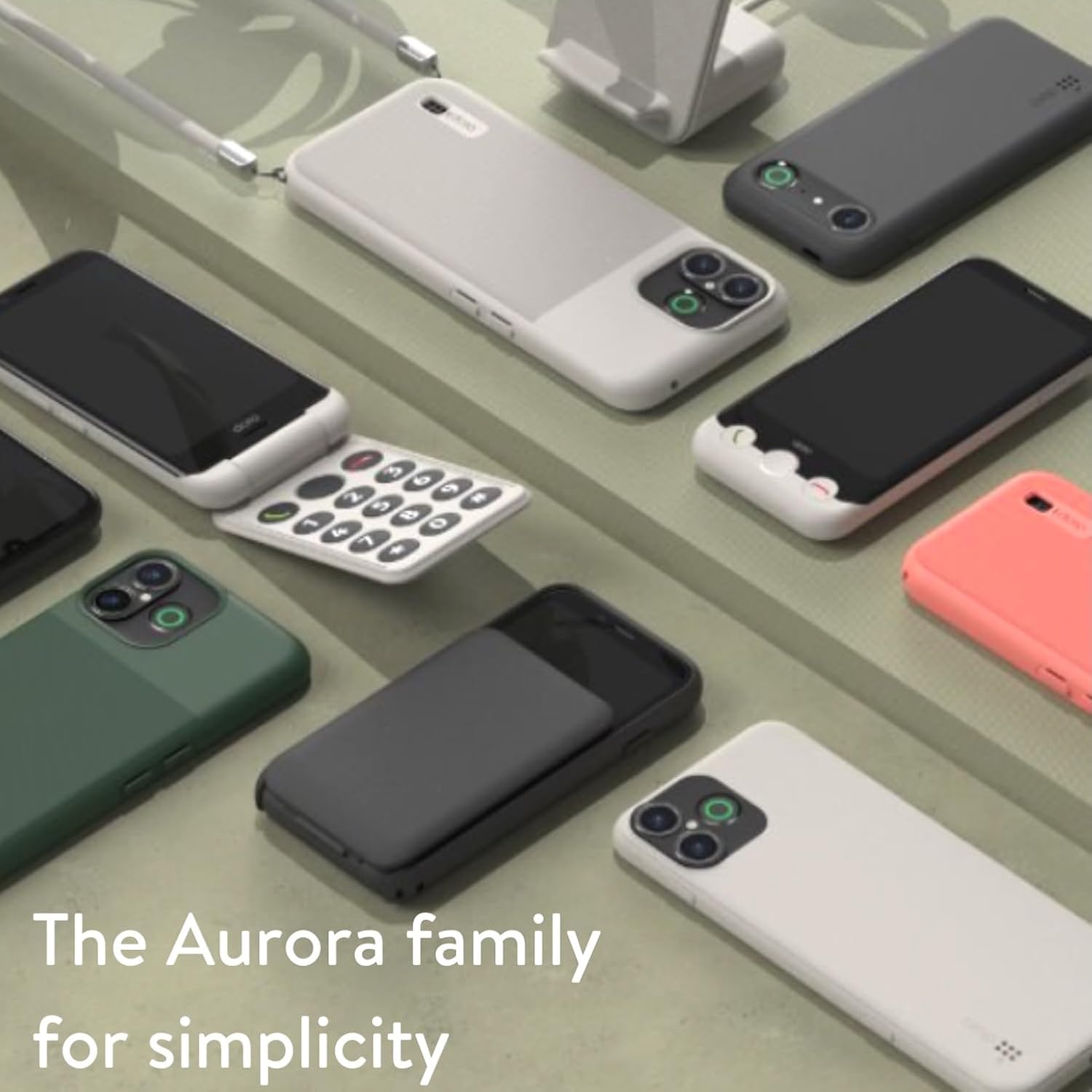
Image: A collection of Doro Aurora series phones, showcasing the range of devices designed for simplicity and ease of use.

Image: A woman smiling while holding and using the Doro Aurora A10 mobile phone, demonstrating its comfortable grip and user-friendly design.
ഔദ്യോഗിക ഉൽപ്പന്ന വീഡിയോകൾ
No official product videos from the seller were found in the provided data. Please check the official Doro webലഭ്യമായ വീഡിയോ ഉറവിടങ്ങൾക്കായുള്ള സൈറ്റ് അല്ലെങ്കിൽ ഉൽപ്പന്ന പേജ്.
Ask a question about this manual
Ask about setup, troubleshooting, compatibility, parts, safety, or missing instructions. Manuals+ will review the question and use this page’s manual context to help answer it.