
1. ആമുഖം
Thank you for choosing the LEFFOT M1 Plus Android 14.0 TV Box. This device is designed to transform your television into a smart entertainment hub, offering stunning 4K UHD visuals, powerful performance, and a wide range of connectivity options. This manual provides detailed instructions for setting up, operating, and maintaining your TV box to ensure an optimal user experience.
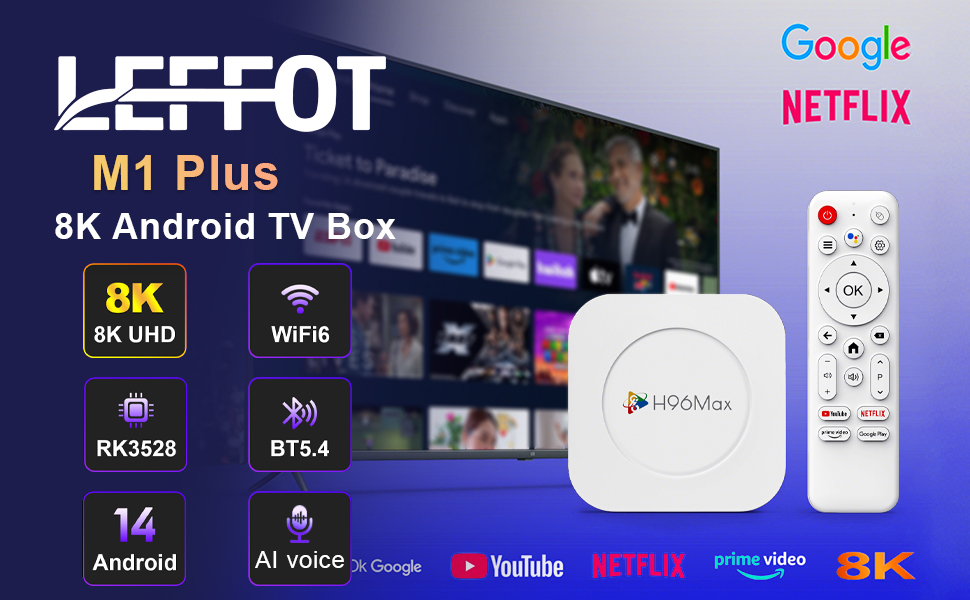
ചിത്രം 1.1: കഴിഞ്ഞുview of the LEFFOT M1 Plus Android TV Box highlighting its core features like 8K UHD, WiFi 6, BT 5.4, Android 14, and AI voice control.
2 സുരക്ഷാ വിവരങ്ങൾ
Please read all safety instructions carefully before using the device. Failure to follow these instructions may result in electric shock, fire, or damage to the device.
- നൽകിയിരിക്കുന്ന പവർ അഡാപ്റ്റർ മാത്രം ഉപയോഗിക്കുക.
- ഉപകരണം വെള്ളം, ഈർപ്പം അല്ലെങ്കിൽ തീവ്രമായ താപനില എന്നിവയിൽ തുറന്നുകാട്ടരുത്.
- അമിതമായി ചൂടാക്കുന്നത് തടയാൻ ഉപകരണത്തിന് ചുറ്റും ശരിയായ വായുസഞ്ചാരം ഉറപ്പാക്കുക.
- ഉപകരണം സ്വയം വേർപെടുത്താനോ നന്നാക്കാനോ ശ്രമിക്കരുത്. യോഗ്യതയുള്ള സേവന ഉദ്യോഗസ്ഥരെ ബന്ധപ്പെടുക.
- നേരിട്ട് സൂര്യപ്രകാശത്തിൽ നിന്നും താപ സ്രോതസ്സുകളിൽ നിന്നും ഉപകരണം അകറ്റി നിർത്തുക.
3. പാക്കേജ് ഉള്ളടക്കം
പാക്കേജിൽ എല്ലാ ഇനങ്ങളും ഉണ്ടെന്ന് ഉറപ്പാക്കുക:
- LEFFOT M1 Plus Android TV Box
- റിമോട്ട് കൺട്രോൾ
- HDMI കേബിൾ
- പവർ അഡാപ്റ്റർ
- ഉപയോക്തൃ മാനുവൽ (ഈ പ്രമാണം)
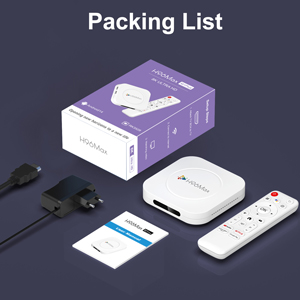
Image 3.1: The package contents including the TV box, remote control, power adapter, and HDMI cable.
4. ഉൽപ്പന്നം കഴിഞ്ഞുview
Familiarize yourself with the components and ports of your LEFFOT M1 Plus TV Box.
4.1. Device and Remote

Image 4.1: The LEFFOT M1 Plus TV Box (left) and its accompanying remote control (right).
4.2. പോർട്ടുകളും ഇന്റർഫേസുകളും
The TV box features various ports for connectivity:
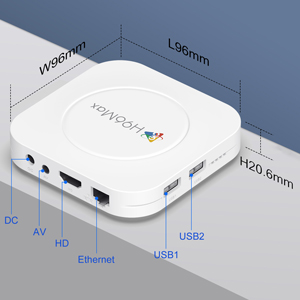
ചിത്രം 4.2: വിശദമായത് view of the TV box's ports: DC (power), AV (audio/video out), HD (HDMI), Ethernet, USB1, and USB2.
- DC: പവർ ഇൻപുട്ട് പോർട്ട്.
- ഓഫ്: Analog audio/video output (for older TVs).
- HD: HDMI output for connecting to your TV.
- ഇഥർനെറ്റ്: RJ-45 port for wired network connection.
- USB1 & USB2: USB ports for connecting external devices like USB drives, keyboards, or mice.
5. സജ്ജീകരണം
Follow these steps to set up your LEFFOT M1 Plus TV Box:
- ടിവിയിലേക്ക് കണക്റ്റ് ചെയ്യുക: Connect one end of the provided HDMI cable to the "HD" port on the TV box and the other end to an HDMI input port on your television. Note the HDMI input number (e.g., HDMI 1, HDMI 2) on your TV.
- പവർ ബന്ധിപ്പിക്കുക: Plug the power adapter into the "DC" port on the TV box, then plug the adapter into a wall outlet.
- പവർ ഓൺ: The TV box should automatically power on. If not, press the power button on the remote control.
- ടിവി ഇൻപുട്ട് തിരഞ്ഞെടുക്കുക: On your TV, use the remote control to select the corresponding HDMI input source you connected the TV box to.
- പ്രാരംഭ സജ്ജീകരണ വിസാർഡ്: ഭാഷാ തിരഞ്ഞെടുപ്പ്, സമയ മേഖല, നെറ്റ്വർക്ക് കണക്ഷൻ എന്നിവയുൾപ്പെടെയുള്ള പ്രാരംഭ സജ്ജീകരണം പൂർത്തിയാക്കാൻ ഓൺ-സ്ക്രീൻ നിർദ്ദേശങ്ങൾ പാലിക്കുക.
6. പ്രവർത്തന നിർദ്ദേശങ്ങൾ
Navigate and use your TV box effectively.
6.1. അടിസ്ഥാന നാവിഗേഷൻ
- Use the directional (Up, Down, Left, Right) buttons on the remote to move between menu items and applications.
- അമർത്തുക OK button to select an item or confirm an action.
- അമർത്തുക തിരികെ മുമ്പത്തെ സ്ക്രീനിലേക്ക് മടങ്ങാനുള്ള ബട്ടൺ.
- അമർത്തുക വീട് button to return to the main home screen.
6.2. ആപ്ലിക്കേഷനുകൾ ആക്സസ് ചെയ്യൽ
From the home screen, you can access pre-installed applications or download new ones from the Google Play Store. Navigate to the desired app icon and press OK അത് സമാരംഭിക്കാൻ.

Image 6.1: The Android 14.0 TV Box home screen displaying popular streaming applications.
6.3. ശബ്ദ നിയന്ത്രണം
The LEFFOT M1 Plus supports voice control via Google Assistant. To use this feature:
- Ensure your remote control is paired and has working batteries.
- അമർത്തുക വോയ്സ് അസിസ്റ്റൻ്റ് button (often a microphone icon) on your remote.
- Speak clearly into the remote's microphone. You can ask to open apps, search for content, or control playback.

Image 6.2: Demonstrating the convenient voice control feature using the remote and Google Assistant.
6.4. Media Playback and Display Features
Enjoy high-quality media with advanced features:
- 8K UHD: The device supports up to 8K*4K@23fps and 4Kx2K@60fps resolution with HDR10 for vibrant and detailed visuals.
- Airplay, DLNA, WiFidisplay: Easily cast content from your mobile devices to your TV screen.

Image 6.3: Experience crystal-clear 8K resolution with the LEFFOT M1 Plus.

Image 6.4: The TV box supports various connectivity options and display technologies like Airplay, DLNA, and WiFidisplay.
6.5. ഉപയോഗ സാഹചര്യങ്ങൾ
The LEFFOT M1 Plus TV Box is versatile for various uses:
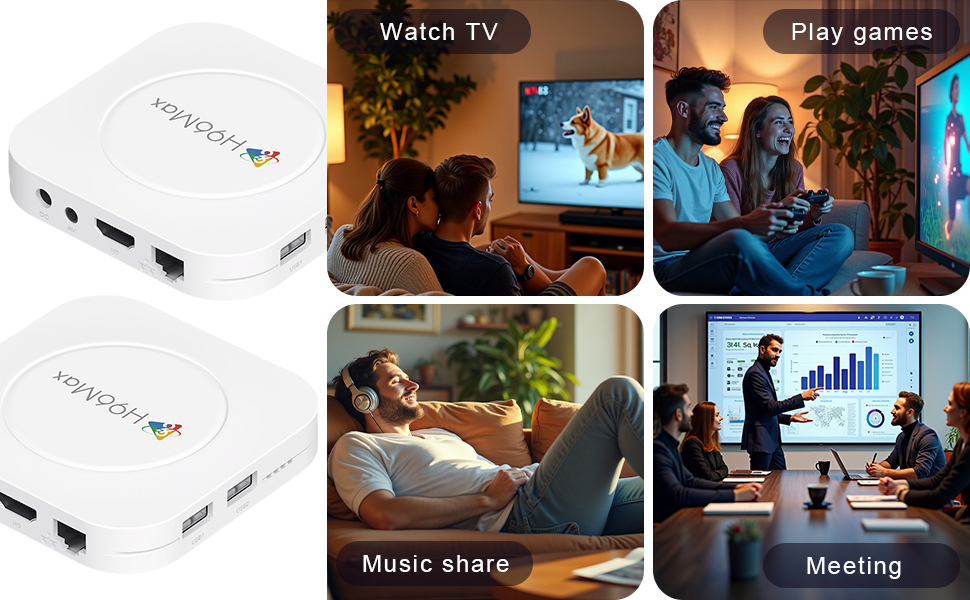
Image 6.5: The TV box can be used for watching TV, playing games, sharing music, and even for business presentations.
7. കണക്റ്റിവിറ്റി
7.1. വൈഫൈ കണക്ഷൻ
The device supports 2.4G & 5G dual-band Wi-Fi 6 for fast and stable wireless internet.
- പോകുക ക്രമീകരണങ്ങൾ > നെറ്റ്വർക്കും ഇൻ്റർനെറ്റും.
- ഓൺ ചെയ്യുക വൈഫൈ.
- ലിസ്റ്റിൽ നിന്ന് നിങ്ങളുടെ വൈഫൈ നെറ്റ്വർക്ക് തിരഞ്ഞെടുക്കുക.
- ആവശ്യപ്പെടുകയാണെങ്കിൽ പാസ്വേഡ് നൽകി തിരഞ്ഞെടുക്കുക ബന്ധിപ്പിക്കുക.

Image 7.1: The TV box features advanced Wi-Fi 6 technology for faster and more reliable connections.
7.2. ഇഥർനെറ്റ് കണക്ഷൻ
For a wired connection, plug an Ethernet cable into the "Ethernet" port on the TV box and the other end into your router/modem.
7.3. ബ്ലൂടൂത്ത് കണക്ഷൻ
The device supports Bluetooth 5.4 for connecting peripherals like headphones, game controllers, or speakers.
- പോകുക ക്രമീകരണങ്ങൾ > ബന്ധിപ്പിച്ച ഉപകരണങ്ങൾ > പുതിയ ഉപകരണം ജോടിയാക്കുക.
- നിങ്ങളുടെ ബ്ലൂടൂത്ത് ഉപകരണം ജോടിയാക്കൽ മോഡിൽ ഇടുക.
- Select your device from the list and follow the on-screen prompts to pair.
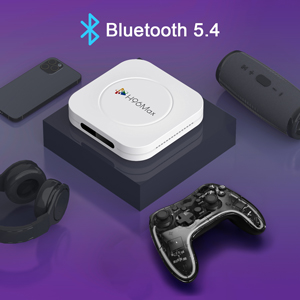
Image 7.2: The TV box supports Bluetooth 5.4 for seamless connection with various external devices.
8. പ്രശ്നപരിഹാരം
പൊതുവായ പ്രശ്നങ്ങളും അവയുടെ പരിഹാരങ്ങളും അറിയാൻ ഈ വിഭാഗം കാണുക.
| പ്രശ്നം | സാധ്യമായ കാരണം | പരിഹാരം |
|---|---|---|
| ശക്തിയില്ല | പവർ അഡാപ്റ്റർ ബന്ധിപ്പിച്ചിട്ടില്ല അല്ലെങ്കിൽ തകരാറുണ്ട്. | പവർ അഡാപ്റ്റർ ഉപകരണത്തിലേക്കും പ്രവർത്തിക്കുന്ന ഒരു പവർ ഔട്ട്ലെറ്റിലേക്കും സുരക്ഷിതമായി ബന്ധിപ്പിച്ചിട്ടുണ്ടെന്ന് ഉറപ്പാക്കുക. മറ്റൊരു ഔട്ട്ലെറ്റ് പരീക്ഷിക്കുക. |
| ടിവിയിൽ സിഗ്നൽ ഇല്ല. | Incorrect HDMI input selected on TV; HDMI cable loose or faulty. | Verify TV input matches the HDMI port used. Check HDMI cable connections. Try a different HDMI cable or port. |
| Wi-Fi കണക്ഷൻ പ്രശ്നങ്ങൾ | തെറ്റായ പാസ്വേഡ്; റൂട്ടർ വളരെ അകലെയാണ്; ഇടപെടൽ. | Re-enter Wi-Fi password. Move device closer to router. Restart router and TV box. |
| റിമോട്ട് കൺട്രോൾ പ്രതികരിക്കുന്നില്ല | ബാറ്ററി കുറവാണ്; റിമോട്ട് ജോടിയാക്കിയിട്ടില്ല. | Replace batteries. Re-pair the remote control if it's a Bluetooth remote (refer to device settings). |
| ആപ്പുകൾ ക്രാഷാകുന്നു അല്ലെങ്കിൽ പ്രകടനം മന്ദഗതിയിലാകുന്നു | Too many apps running; low storage; software glitch. | Close background apps. Clear app caches. Restart the TV box. Consider a factory reset if issues persist (data will be lost). |
9 സ്പെസിഫിക്കേഷനുകൾ
Key technical specifications of the LEFFOT M1 Plus Android TV Box:
- ഓപ്പറേറ്റിംഗ് സിസ്റ്റം: ആൻഡ്രോയിഡ് 14.0
- സിപിയു: RK3528 Quad Core ARM Cortex-A53
- GPU: മാലി -450 എംപി 2
- റാം: 4 ജിബി
- ROM: 32 ജിബി
- വീഡിയോ ഔട്ട്പുട്ട്: Supports 4Kx2K@60fps, 8K*4K@23fps, HDR10
- വൈഫൈ: 2.4G & 5G Dual-band Wi-Fi 6
- ഇഥർനെറ്റ്: 100 മി
- ബ്ലൂടൂത്ത്: BT 5.4
- തുറമുഖങ്ങൾ: HDMI, USB (x2), DC, AV, Ethernet
- പ്രത്യേക സവിശേഷതകൾ: Airplay, DLNA, WiFidisplay, Voice Control
- അളവുകൾ: 3.78 x 3.78 x 0.81 ഇഞ്ച് (96 x 96 x 20.6 മിമി)
- ഭാരം: 4.3 ഔൺസ് (ഏകദേശം 122 ഗ്രാം)
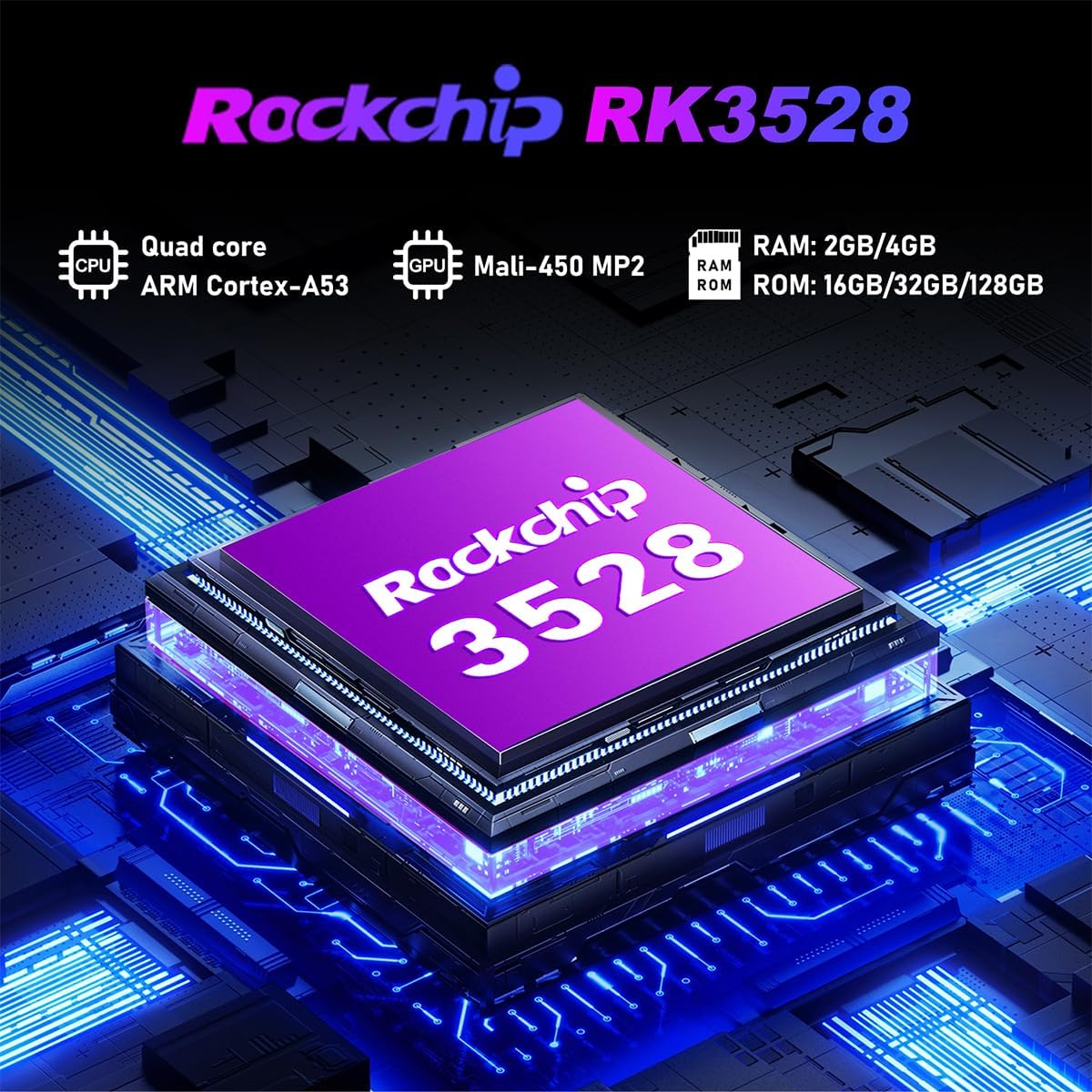
ചിത്രം 9.1: വിശദമായത് view of the Rockchip RK3528 processor, highlighting its quad-core CPU, Mali-450 MP2 GPU, and memory configurations.
10. പരിപാലനം
To ensure the longevity and optimal performance of your TV box:
- വൃത്തിയാക്കൽ: ഉപകരണത്തിന്റെ പുറംഭാഗം വൃത്തിയാക്കാൻ മൃദുവായതും ഉണങ്ങിയതുമായ തുണി ഉപയോഗിക്കുക. ലിക്വിഡ് ക്ലീനറുകളോ എയറോസോളുകളോ ഉപയോഗിക്കരുത്.
- വെൻ്റിലേഷൻ: Ensure the ventilation holes are not blocked. Do not place the device on soft surfaces that may obstruct airflow.
- സംഭരണം: ദീർഘനേരം ഉപയോഗിക്കാത്തപ്പോൾ, പവർ അഡാപ്റ്റർ വിച്ഛേദിച്ച് ഉപകരണം തണുത്തതും വരണ്ടതുമായ സ്ഥലത്ത് സൂക്ഷിക്കുക.
11. വാറൻ്റിയും പിന്തുണയും
LEFFOT products are designed for reliability and performance. This product comes with a standard manufacturer's warranty. Please refer to the warranty card included in your package for specific terms and conditions.
For technical support, troubleshooting assistance, or warranty claims, please contact LEFFOT customer service through the retailer where you purchased the product or visit the official LEFFOT webബന്ധപ്പെടാനുള്ള വിവരങ്ങൾക്കുള്ള സൈറ്റ്.
വാറന്റി ആവശ്യങ്ങൾക്കായി നിങ്ങളുടെ വാങ്ങിയതിന്റെ തെളിവ് സൂക്ഷിക്കുക.