
1. ആമുഖം
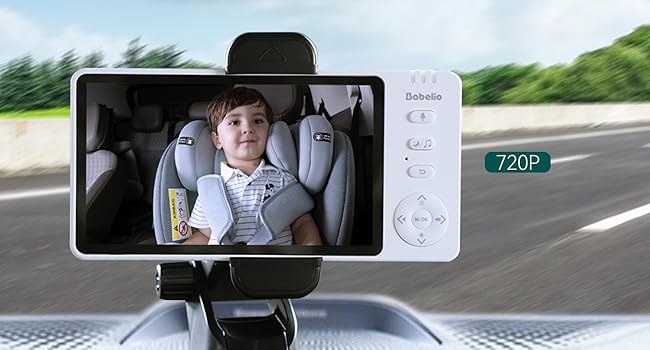
Thank you for choosing the BABELIO Wireless Baby Car Camera. This device is designed to provide a secure and convenient way to monitor your child in the car and at home. Featuring a 5-inch HD display, night vision capabilities, and a 360° rotatable camera, it offers peace of mind without the need for Wi-Fi or complex wiring. Please read this manual thoroughly before use to ensure proper operation and safety.
2. പാക്കേജ് ഉള്ളടക്കം
താഴെ ലിസ്റ്റ് ചെയ്തിരിക്കുന്ന എല്ലാ ഇനങ്ങളും നിങ്ങളുടെ പാക്കേജിൽ ഉൾപ്പെടുത്തിയിട്ടുണ്ടെന്ന് ഉറപ്പാക്കുക:
- Baby Monitor (5.0" Display) x 1
- Wireless Camera x 1
- USB Charging Cables x 2
- Monitor Mounting Bracket x 1
- Camera Mounting Straps x 1
- ചാർജിംഗ് അഡാപ്റ്റർ x 1
- കാർ ചാർജർ x 1
3. സജ്ജീകരണവും ഇൻസ്റ്റാളേഷനും
3.1 ഉപകരണങ്ങൾ ചാർജ് ചെയ്യുന്നു
Before first use, fully charge both the baby monitor and the wireless camera using the provided USB charging cables and adapters. A full charge provides up to 8 hours of battery life for the camera.
3.2 Car Installation
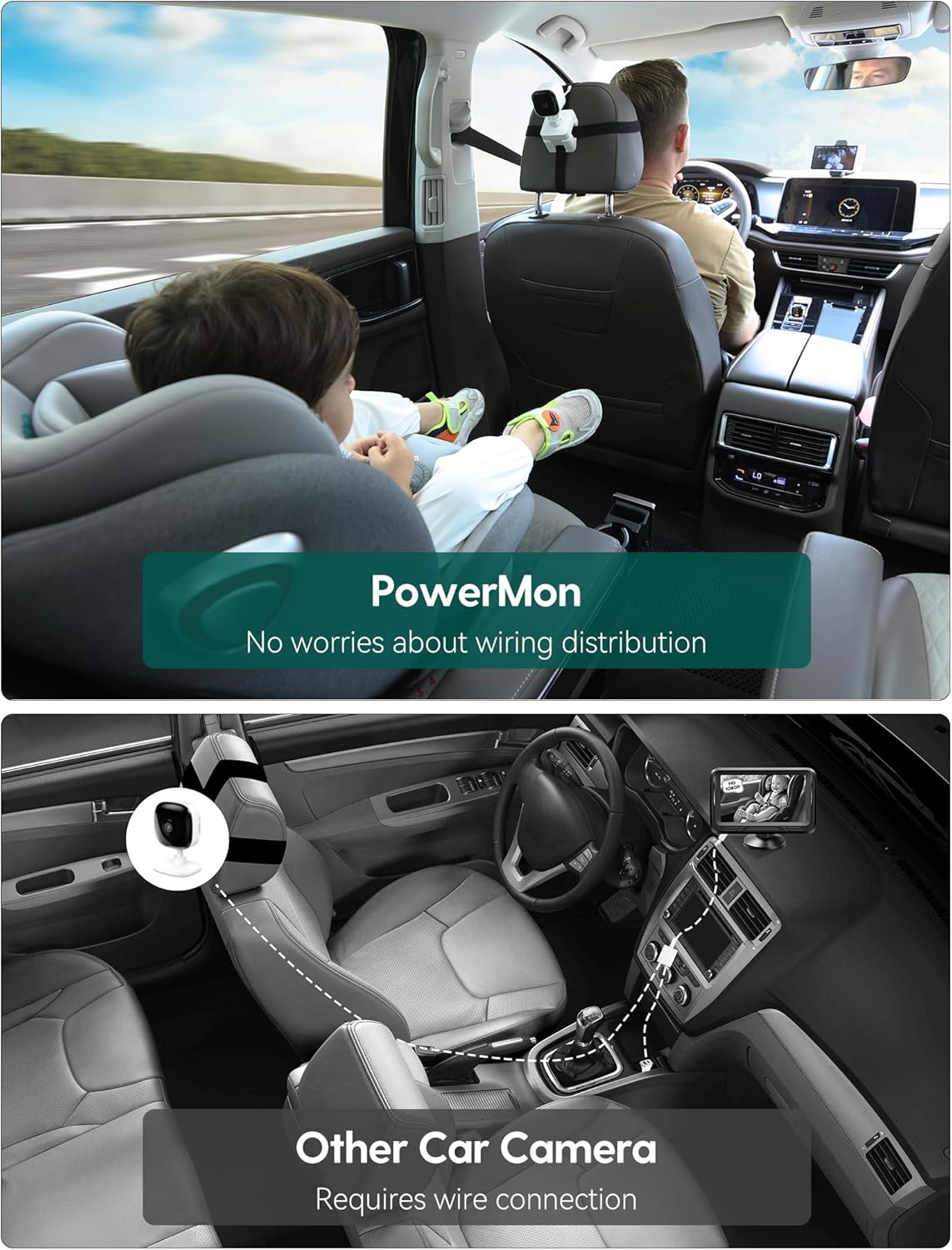
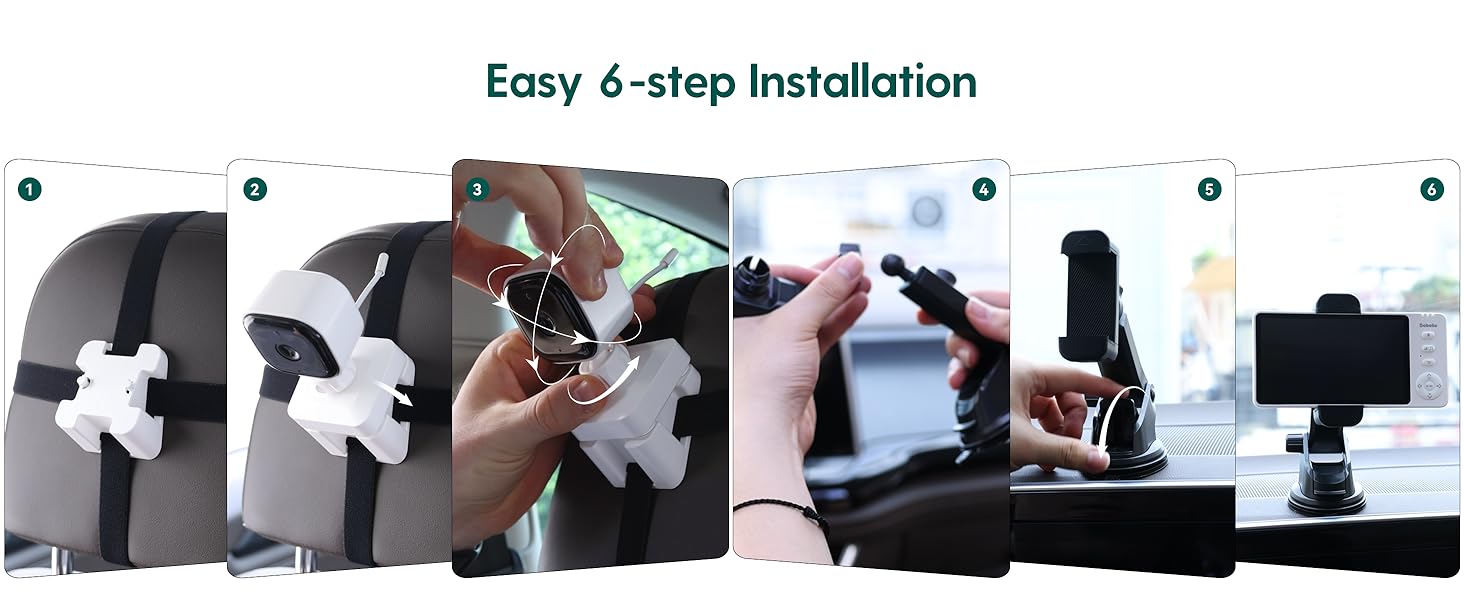
- ക്യാമറ ഘടിപ്പിക്കുക: Secure the camera to the headrest of the rear seat using the camera mounting straps. Position it to have a clear view of your child in their car seat. The camera features 360° rotation for optimal angle adjustment.
- മോണിറ്റർ മൌണ്ട് ചെയ്യുക: Attach the monitor mounting bracket to your car's dashboard or windshield. Ensure it does not obstruct your driving view. Insert the 5-inch monitor into the bracket.
- പവർ ഓൺ: Turn on both the camera and the monitor. They will automatically pair.
3.3 ഗാർഹിക ഉപയോഗം
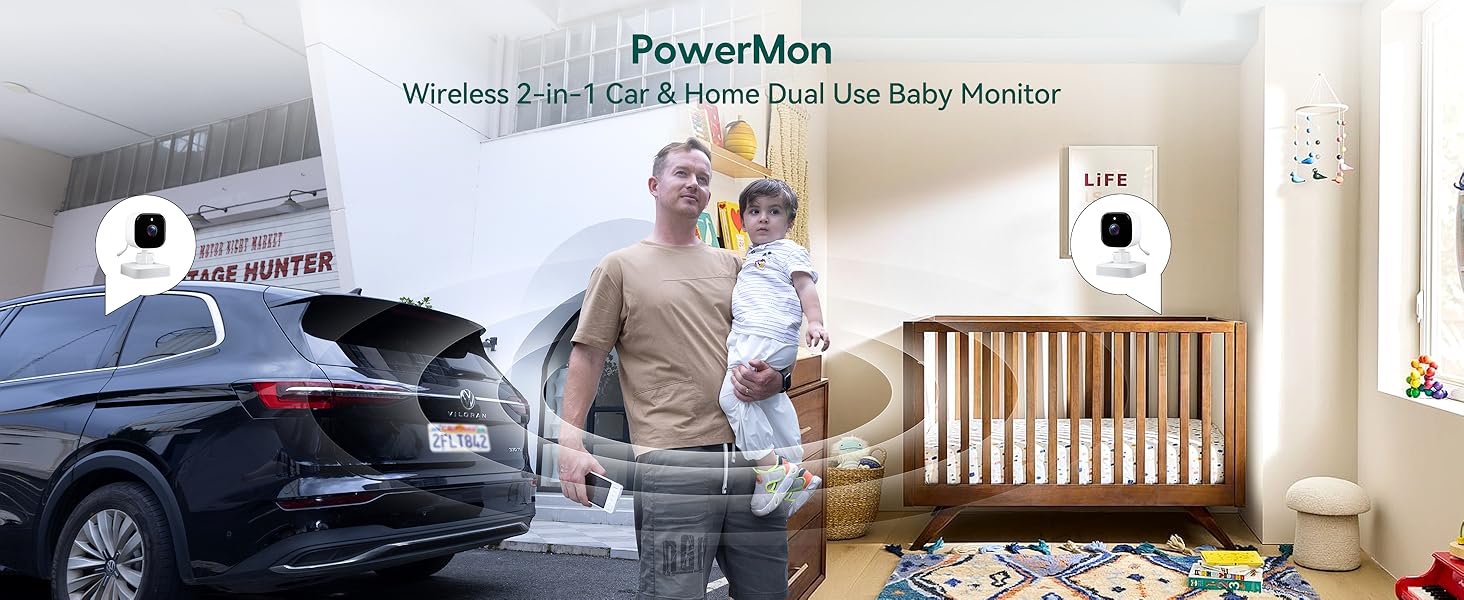
The BABELIO camera can also be used as a home monitor. Simply place the camera on a flat surface in your child's room or play area. The monitor can be placed nearby for continuous viewing.
4. പ്രവർത്തന നിർദ്ദേശങ്ങൾ
4.1 അടിസ്ഥാന പ്രവർത്തനം
- പവർ ഓൺ/ഓഫ്: Press and hold the power button on both the monitor and camera to turn them on or off.
- വോളിയം നിയന്ത്രണം: Use the volume buttons on the monitor to adjust the audio level.
- മെനു നാവിഗേഷൻ: Use the directional buttons and M/OK button to navigate through the monitor's menu options.
4.2 നൈറ്റ് വിഷൻ
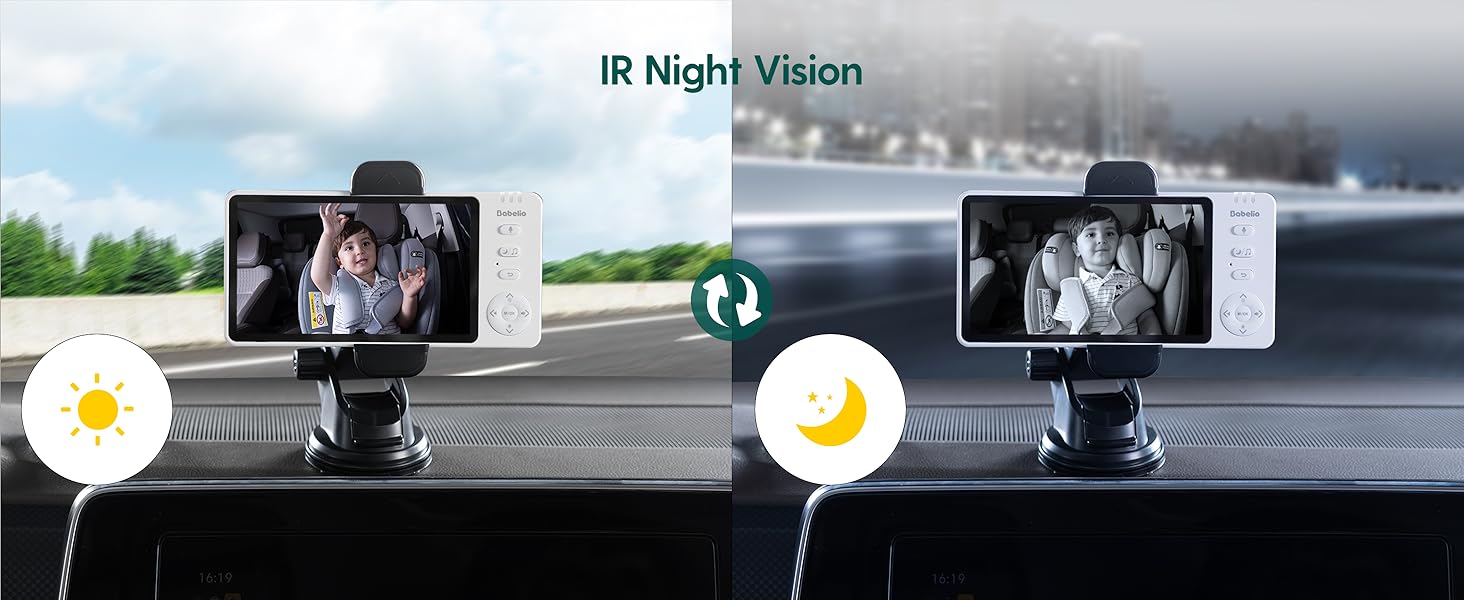
The camera automatically switches to black and white night vision in low-light conditions using 940nm invisible IR lights. This ensures clear monitoring without disturbing your child.
4.3 സൂം പ്രവർത്തനം
Use the zoom controls on the monitor to get a closer view of your child. The monitor supports up to 4x digital zoom.

4.4 VOX മോഡ് (ശബ്ദം സജീവമാക്കി)
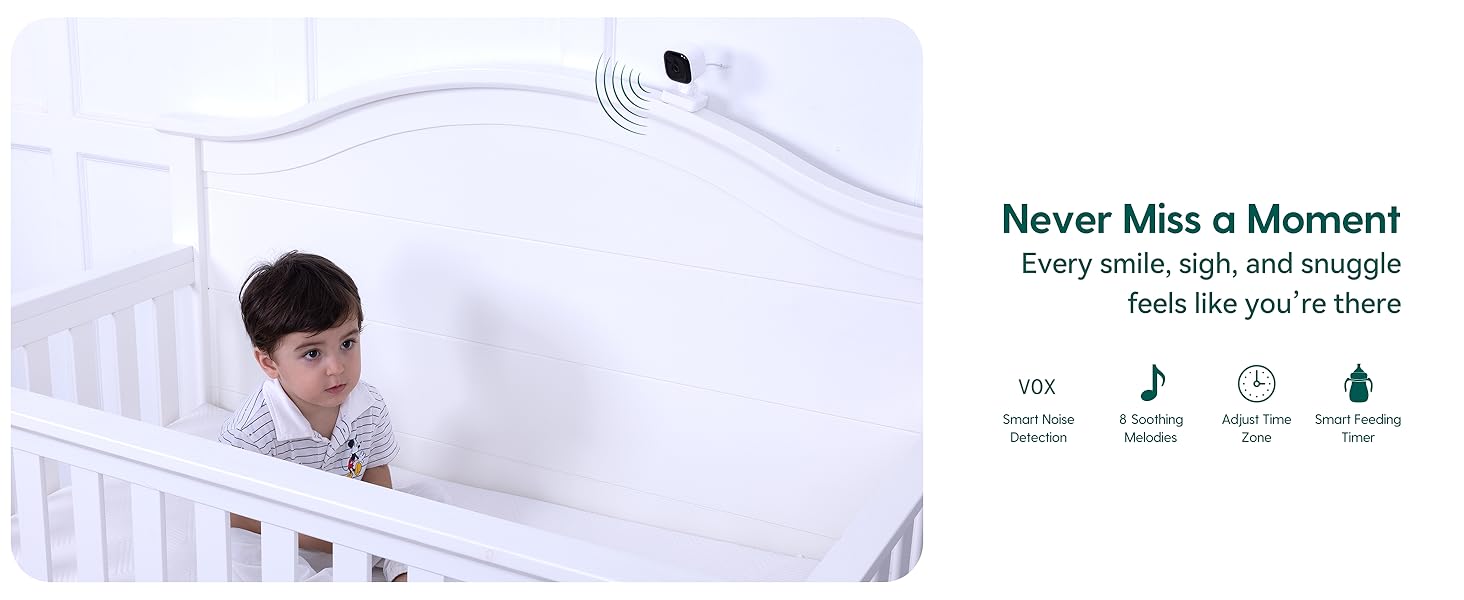
Activate VOX mode to conserve battery. The monitor screen will turn off, but the audio will remain active. The screen will automatically turn on when sound is detected from the camera. You can adjust the sensitivity levels (High, Mid, Low) in the settings.
4.5 ടു-വേ ടോക്ക്
Press and hold the microphone button on the monitor to speak to your child through the camera's speaker. Release the button to listen.
4.6 ലാലേട്ടൻ
The monitor includes pre-programmed lullabies to help soothe your child. Access this feature through the menu settings.
5 സ്പെസിഫിക്കേഷനുകൾ
| ഫീച്ചർ | സ്പെസിഫിക്കേഷൻ |
|---|---|
| മോഡലിൻ്റെ പേര് | ABM950 |
| സ്ക്രീൻ വലിപ്പം | 5.0 ഇഞ്ച് |
| വീഡിയോ ക്യാപ്ചർ റെസല്യൂഷൻ | 720p |
| കണക്റ്റിവിറ്റി ടെക്നോളജി | വയർലെസ് (2.4GHz FHSS) |
| ഇൻഡോർ/ഔട്ട്ഡോർ ഉപയോഗം | ഇൻഡോർ |
| പവർ ഉറവിടം | ബാറ്ററി പവർ |
| Battery Life (Camera) | 8 മണിക്കൂർ വരെ (ഒറ്റ ചാർജിൽ) |
| പ്രത്യേക ഫീച്ചർ | Night Vision, Two-Way Talk, VOX Mode, Lullabies, Temperature Monitoring |
| മൗണ്ടിംഗ് തരം | Headrest Mount (Camera), Dashboard/Window Mount (Monitor) |
| ഉൽപ്പന്ന അളവുകൾ | 4 x 0.75 x 6 ഇഞ്ച് |
| ഇനത്തിൻ്റെ ഭാരം | 1.54 പൗണ്ട് |
6. പരിപാലനം
- വൃത്തിയാക്കൽ: Use a soft, dry cloth to clean the monitor and camera. Do not use liquid or aerosol cleaners.
- സംഭരണം: നേരിട്ടുള്ള സൂര്യപ്രകാശത്തിൽ നിന്നും കടുത്ത താപനിലയിൽ നിന്നും മാറി തണുത്തതും വരണ്ടതുമായ സ്ഥലത്ത് ഉപകരണം സൂക്ഷിക്കുക.
- ബാറ്ററി കെയർ: ബാറ്ററി ലൈഫ് വർദ്ധിപ്പിക്കാൻ, ബാറ്ററി ഇടയ്ക്കിടെ പൂർണ്ണമായും ഡിസ്ചാർജ് ചെയ്യുന്നത് ഒഴിവാക്കുക. പതിവായി ചാർജ് ചെയ്യുക.
7. പ്രശ്നപരിഹാരം
- No Signal/Poor Connection:
- Ensure both the camera and monitor are powered on and fully charged.
- Move the camera and monitor closer to each other.
- Avoid placing the devices near other electronic equipment that may cause interference. - ശബ്ദമില്ല:
- Check the volume settings on the monitor.
- Ensure the microphone on the camera is not obstructed. - Night Vision Not Activating:
- Ensure the camera is in a sufficiently dark environment for automatic night vision activation. - ഹ്രസ്വ ബാറ്ററി ലൈഫ്:
- Ensure the devices are fully charged before use.
- Reduce screen brightness or activate VOX mode to extend battery life.
8. വാറൻ്റിയും പിന്തുണയും
For warranty information or technical support, please refer to the contact details provided with your purchase or visit the official Babelio webസൈറ്റ്. വാറന്റി ക്ലെയിമുകൾക്കായി നിങ്ങളുടെ വാങ്ങലിന്റെ തെളിവ് സൂക്ഷിക്കുക.