
ഉൽപ്പന്നം കഴിഞ്ഞുview
The Yoidesu 100-Key Mechanical RGB Gaming Keyboard is designed for desktop PC and laptop use, offering a compact yet full-sized typing experience. It features durable white mechanical switches, customizable RGB backlighting, and a hot-swappable design for personalized switch replacement.
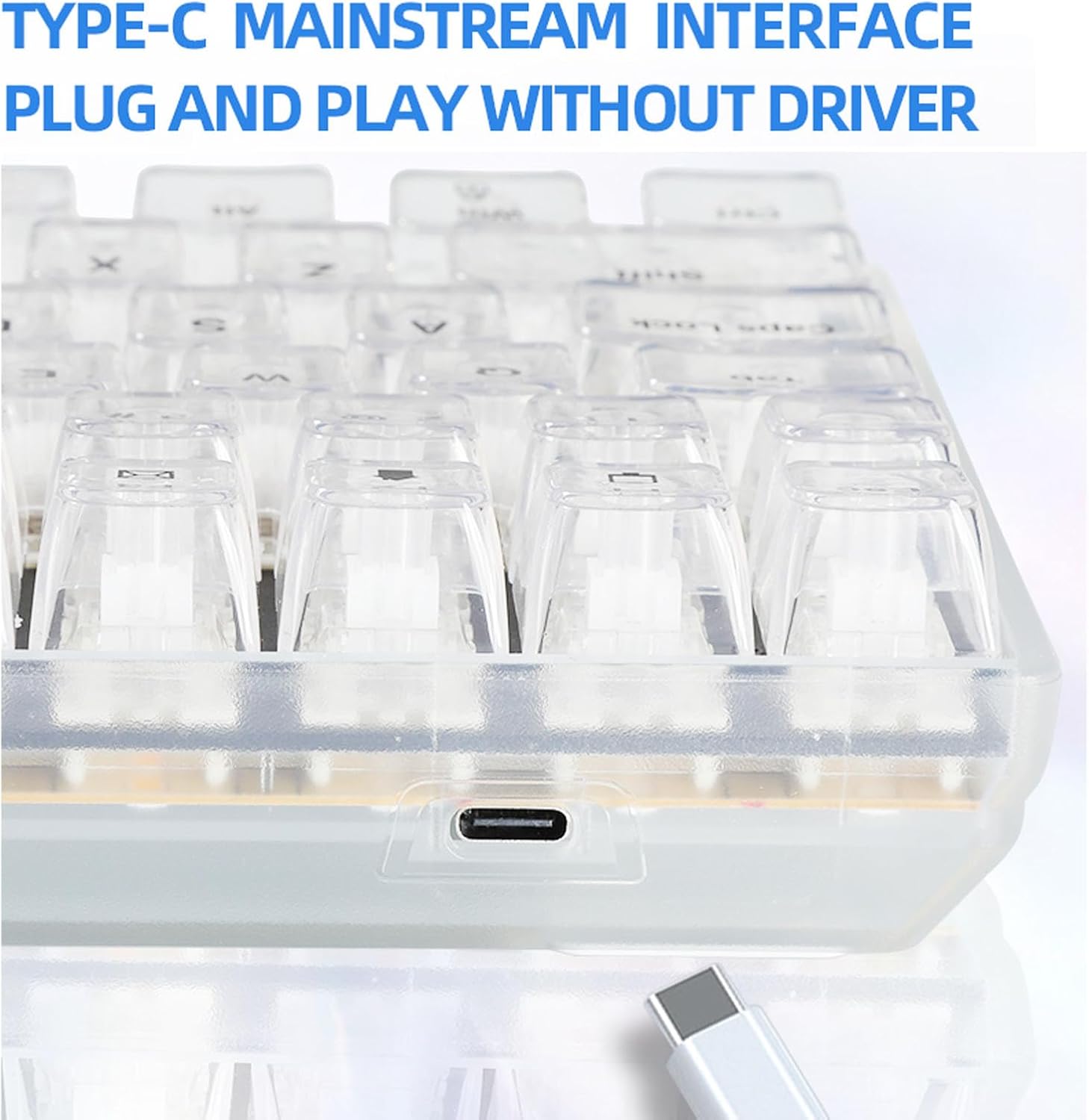
Image: The Yoidesu 100-Key Mechanical RGB Gaming Keyboard, showcasing അതിന്റെ പൂർണ്ണമായ ലേഔട്ടും ഊർജ്ജസ്വലമായ RGB ബാക്ക്ലൈറ്റിംഗും.
പാക്കേജ് ഉള്ളടക്കം
- 1 x Yoidesu Mechanical Gaming Keyboard
- 1 x USB കേബിൾ
- 1 x കീക്യാപ്പ് പുള്ളർ
- 2 x Replacement White Switches
സജ്ജീകരണ നിർദ്ദേശങ്ങൾ
- കീബോർഡ് അൺപാക്ക് ചെയ്യുക: പാക്കേജിംഗിൽ നിന്ന് കീബോർഡും എല്ലാ അനുബന്ധ ഉപകരണങ്ങളും ശ്രദ്ധാപൂർവ്വം നീക്കം ചെയ്യുക.
- USB കേബിൾ ബന്ധിപ്പിക്കുക: Locate the USB Type-C port on the keyboard. Insert one end of the provided USB cable into this port.
- കമ്പ്യൂട്ടറുമായി ബന്ധിപ്പിക്കുക: Insert the other end of the USB cable into an available USB port on your desktop PC or laptop.
- പ്ലഗ് ആൻഡ് പ്ലേ: The keyboard is designed for plug-and-play functionality. Your operating system should automatically detect and install the necessary drivers. No additional software installation is typically required.

ചിത്രം: ഒരു ക്ലോസ്-അപ്പ് view of the USB Type-C port located on the Yoidesu keyboard, indicating the connection point for the USB cable.
പ്രവർത്തന നിർദ്ദേശങ്ങൾ
RGB ബാക്ക്ലൈറ്റിംഗ് നിയന്ത്രണം
The keyboard features customizable RGB backlighting with multiple modes and colors.
- ലൈറ്റിംഗ് മോഡുകൾ: The keyboard offers 18 distinct RGB backlit modes.
- Single Color Modes: Additionally, there are 8 single-color backlit modes available.
- Adjusting Brightness and Speed: Specific key combinations (refer to keyboard function keys, often Fn + arrow keys or dedicated lighting keys) allow adjustment of brightness levels and lighting effect speed.
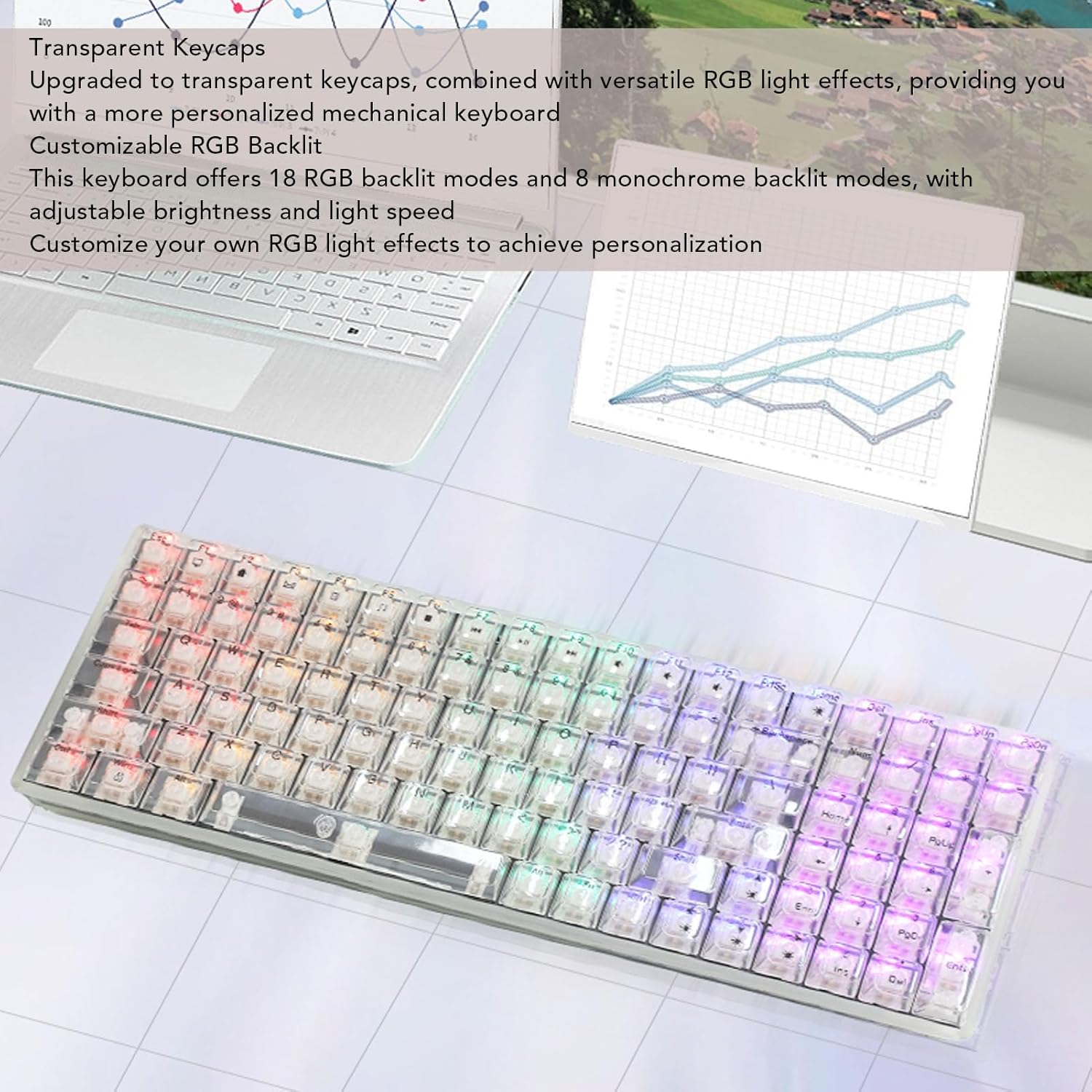
Image: The Yoidesu keyboard displaying various RGB lighting effects across its transparent keycaps.
ഹോട്ട്-സ്വാപ്പ് ചെയ്യാവുന്ന സ്വിച്ചുകൾ
The keyboard supports hot-swappable mechanical switches, allowing users to replace switches without soldering.
- കീക്യാപ്പ് നീക്കം ചെയ്യുക: ആവശ്യമുള്ള കീക്യാപ്പ് സൌമ്യമായി നീക്കം ചെയ്യാൻ നൽകിയിരിക്കുന്ന കീക്യാപ്പ് പുള്ളർ ഉപയോഗിക്കുക.
- സ്വിച്ച് നീക്കം ചെയ്യുക: Use a switch puller (not included, but often integrated with keycap puller) to carefully extract the mechanical switch from its socket.
- പുതിയ സ്വിച്ച് ചേർക്കുക: Align the pins of the new mechanical switch with the holes on the PCB and press down firmly until it clicks into place. Ensure pins are not bent.
- കീക്യാപ്പ് മാറ്റിസ്ഥാപിക്കുക: കീക്യാപ്പ് പുതിയ സ്വിച്ചിലേക്ക് തിരികെ വയ്ക്കുക.

Image: An illustration demonstrating the process of removing a keycap and a mechanical switch from the keyboard for replacement.
എർഗണോമിക് ഡിസൈൻ
The keyboard features an ergonomic high and low key layout and adjustable tilt angle for comfortable use.
- ക്രമീകരിക്കാവുന്ന പാദങ്ങൾ: Two support feet are located on the bottom of the keyboard. Flip them out to increase the keyboard's tilt angle for a more comfortable typing position.
മെയിൻ്റനൻസ്
Regular cleaning helps maintain the performance and appearance of your keyboard.
- പൊതുവായ ശുചീകരണം: Use a soft, dry cloth to wipe down the surface of the keyboard.
- കീക്യാപ്പ് ക്ലീനിംഗ്: For deeper cleaning, keycaps can be removed using the provided keycap puller and cleaned with a mild soap solution. Ensure keycaps are completely dry before reattaching.
- പൊടി നീക്കം: കീക്യാപ്പുകൾക്കും സ്വിച്ചുകൾക്കുമിടയിലുള്ള പൊടിയും അവശിഷ്ടങ്ങളും നീക്കം ചെയ്യാൻ കംപ്രസ് ചെയ്ത വായു ഉപയോഗിക്കുക.
- ദ്രാവകങ്ങൾ ഒഴിവാക്കുക: Do not immerse the keyboard in water or spray cleaning solutions directly onto it.
ട്രബിൾഷൂട്ടിംഗ്
കീബോർഡ് പ്രതികരിക്കുന്നില്ല
- യുഎസ്ബി കണക്ഷൻ പരിശോധിക്കുക: Ensure the USB cable is securely connected to both the keyboard and the computer. Try a different USB port on your computer.
- കമ്പ്യൂട്ടർ പുനരാരംഭിക്കുക: ചിലപ്പോൾ ഒരു ലളിതമായ കമ്പ്യൂട്ടർ പുനരാരംഭിക്കുന്നത് കണക്റ്റിവിറ്റി പ്രശ്നങ്ങൾ പരിഹരിക്കും.
- മറ്റൊരു ഉപകരണത്തിൽ പരീക്ഷിക്കുക: If possible, test the keyboard on another computer to determine if the issue is with the keyboard or the original computer.
RGB ലൈറ്റുകൾ പ്രവർത്തിക്കുന്നില്ല
- തെളിച്ച ക്രമീകരണങ്ങൾ പരിശോധിക്കുക: Ensure the brightness level is not set to minimum. Use the keyboard's function keys to increase brightness.
- സൈക്കിൾ മോഡുകൾ: Try cycling through the different RGB modes to see if any light up.
- Reconnect Keyboard: യുഎസ്ബി കേബിൾ വിച്ഛേദിച്ച് വീണ്ടും ബന്ധിപ്പിക്കുക.
സ്പെസിഫിക്കേഷനുകൾ
| ഫീച്ചർ | സ്പെസിഫിക്കേഷൻ |
|---|---|
| ബ്രാൻഡ് | യോഇദെസു |
| മോഡലിൻ്റെ പേര് | Yoidesu1695r38yma |
| ഇനം തരം | മെക്കാനിക്കൽ ഗെയിമിംഗ് കീബോർഡ് |
| മെറ്റീരിയൽ | എബിഎസ് |
| കീകൾ | 100 keys (96% full size) |
| കണക്ഷൻ | വയർഡ് (USB ടൈപ്പ്-സി) |
| സ്വിച്ച് തരം | White Mechanical Switches (Hot-Swappable) |
| കേബിൾ നീളം | Approx. 1.8m / 70.87in |
| Backlit Effect | RGB (18 modes, 8 single colors) |
| പവർ ഇൻപുട്ട് | DC 5V / <200mA |
| അളവുകൾ (ഏകദേശം.) | 390mm (L) x 141mm (W) x 40mm (H) / 15.35in (L) x 5.55in (W) x 1.57in (H) |

Image: The Yoidesu keyboard with its approximate length, width, and height dimensions indicated.
വാറൻ്റിയും പിന്തുണയും
For warranty information or technical support, please refer to the documentation included with your purchase or contact Yoidesu customer service through the retailer where the product was purchased. Please have your model number (Yoidesu1695r38yma) and purchase details ready when contacting support.