
ബ്ലൂഡീ BD-SK800
Bluedee Computer Speakers User Manual
Model: BD-SK800
Brand: Bluedee
ആമുഖം
Thank you for choosing Bluedee Computer Speakers. These speakers are designed to provide clear, balanced audio for your desktop PC, laptop, or projector. Featuring 10W high-power drivers, they deliver crisp vocals and rich sound, enhancing your gaming, movie-watching, and music listening experiences. With a simple plug-and-play USB/Type-C connection and dynamic RGB lighting, these speakers offer both convenience and aesthetic appeal.
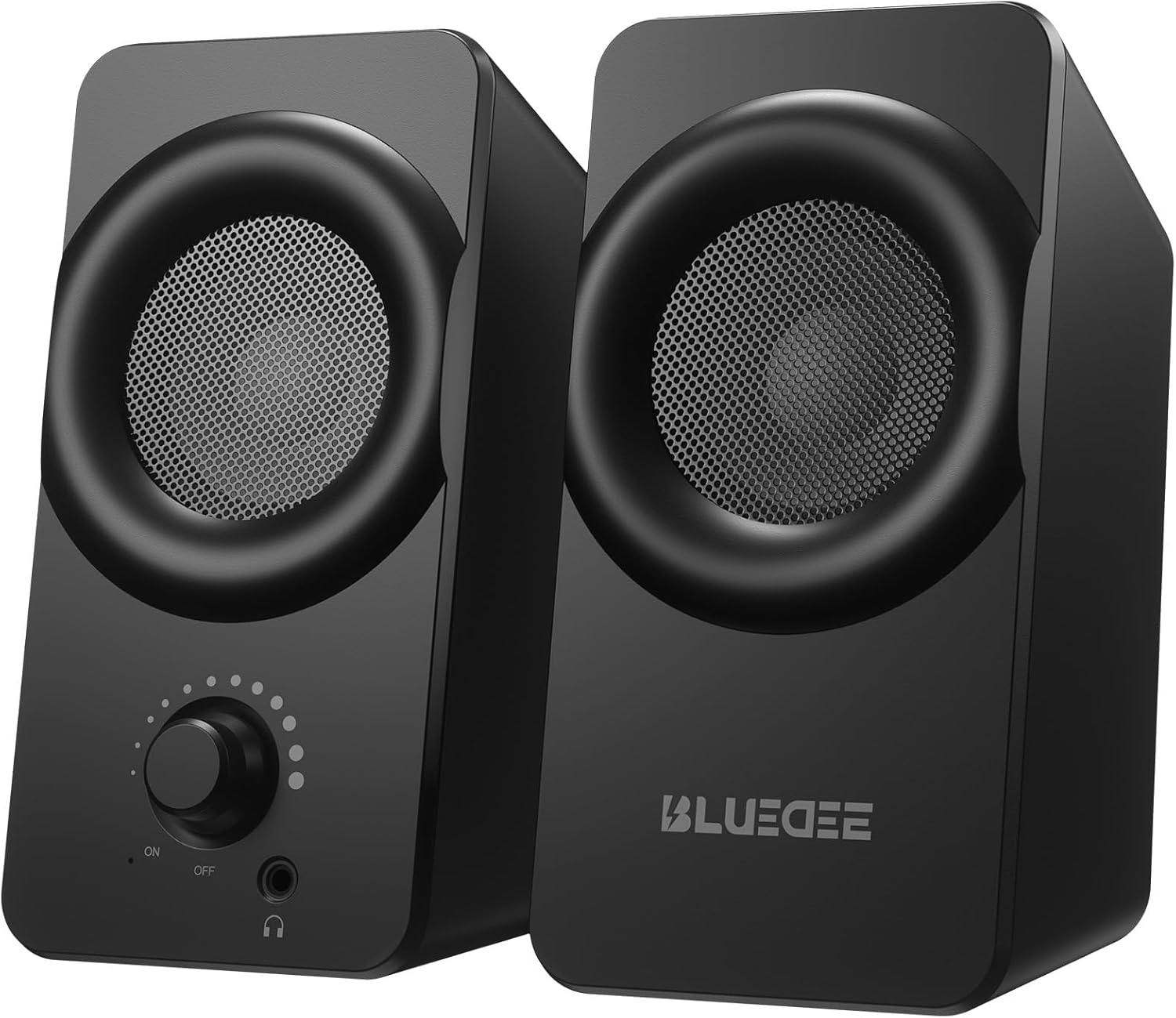
ചിത്രം: മുൻഭാഗം view of the two Bluedee computer speakers, showcasing their compact black design with circular speaker grilles and a volume knob on the right speaker.
ബോക്സിൽ എന്താണുള്ളത്
Upon opening your Bluedee Computer Speakers package, you will find the following items:
- Two (2) Bluedee Computer Speakers
- Integrated USB/Type-C Cable (Undetachable)
- ഉപയോക്തൃ മാനുവൽ (ഈ പ്രമാണം)
Video: An unboxing and setup guide for the Bluedee computer speakers, demonstrating what's included in the package and how to connect the speakers.
സജ്ജമാക്കുക
Setting up your Bluedee Computer Speakers is quick and straightforward, thanks to their plug-and-play design.
- പ്ലേസ്മെൻ്റ്: Position the two speakers on your desk or desired surface. Ensure they are stable and the non-slip pads on the bottom are making full contact to minimize vibrations.
- Connect to Power/Audio: The speakers are powered and receive audio via a single USB/Type-C cable.
- If your device has a USB-C port, connect the Type-C end of the cable directly.
- If your device has a standard USB-A port, use the included USB-A adapter to connect the cable.
- പവർ ഓൺ: Rotate the volume knob on the front of the right speaker clockwise until you hear a click to turn the speakers ON.

Image: A close-up of the USB/Type-C cable connecting to a laptop, illustrating the versatile connectivity options for the speakers.
For a visual guide on connecting your speakers, please refer to the "What's in the Box & How to Use" video in the previous section, specifically from the 0:18 mark.
പ്രവർത്തന നിർദ്ദേശങ്ങൾ
Your Bluedee speakers are designed for intuitive control.
- വോളിയം നിയന്ത്രണം: The large knob on the front of the right speaker controls both power and volume.
- വോളിയം കൂട്ടാൻ ഘടികാരദിശയിൽ തിരിക്കുക.
- ശബ്ദം കുറയ്ക്കാൻ എതിർ ഘടികാരദിശയിൽ തിരിക്കുക.
- Rotate fully counter-clockwise until it clicks to turn the speakers OFF.
- RGB ലൈറ്റിംഗ്: The speakers feature dynamic RGB lights that can be controlled with a touch-sensitive symbol on top of the right speaker.
- Tap the light symbol once to turn the RGB lights ON or OFF.
- The lights will pulse with your music or game audio, creating an immersive atmosphere.
- ഹെഡ്ഫോൺ ജാക്ക്: A 3.5mm headphone jack is located on the front of the right speaker.
- Plug in your headphones for a private listening experience.
- Connecting headphones will automatically mute the speakers.

ചിത്രം: വിശദമായ ഒരു ചിത്രം view of the right speaker's controls, highlighting the volume knob, headphone jack, and the touch-sensitive RGB light control symbol.
For a demonstration of the controls, including power, volume, and RGB light operation, please refer to the "What's in the Box & How to Use" video from the 0:29 mark.
മെയിൻ്റനൻസ്
To ensure the longevity and optimal performance of your Bluedee Computer Speakers, follow these simple maintenance guidelines:
- വൃത്തിയാക്കൽ: സ്പീക്കർ പ്രതലങ്ങൾ തുടയ്ക്കാൻ മൃദുവായതും ഉണങ്ങിയതുമായ തുണി ഉപയോഗിക്കുക. അബ്രാസീവ് ക്ലീനറുകൾ, ലായകങ്ങൾ അല്ലെങ്കിൽ ശക്തമായ രാസവസ്തുക്കൾ ഉപയോഗിക്കുന്നത് ഒഴിവാക്കുക, കാരണം ഇവ ഫിനിഷിന് കേടുവരുത്തും.
- പൊടി നീക്കം: സ്പീക്കർ ഗ്രില്ലുകളിലെ പൊടി മൃദുവായ ബ്രഷ് അല്ലെങ്കിൽ ഒരു കാൻ കംപ്രസ് ചെയ്ത വായു ഉപയോഗിച്ച് സൌമ്യമായി നീക്കം ചെയ്യുക.
- സംഭരണം: ദീർഘനേരം ഉപയോഗിക്കാത്തപ്പോൾ, നേരിട്ടുള്ള സൂര്യപ്രകാശത്തിൽ നിന്നും കടുത്ത താപനിലയിൽ നിന്നും മാറി തണുത്തതും വരണ്ടതുമായ സ്ഥലത്ത് സ്പീക്കറുകൾ സൂക്ഷിക്കുക.
- ദ്രാവകങ്ങൾ ഒഴിവാക്കുക: Do not expose the speakers to water or other liquids. They are not waterproof.
ട്രബിൾഷൂട്ടിംഗ്
If you encounter any issues with your Bluedee Computer Speakers, please refer to the following troubleshooting steps:
| പ്രശ്നം | സാധ്യമായ കാരണം | പരിഹാരം |
|---|---|---|
| സ്പീക്കറുകളിൽ നിന്ന് ശബ്ദമില്ല |
|
|
| ശബ്ദം വികലമാണ് അല്ലെങ്കിൽ അവ്യക്തമാണ് |
|
|
| RGB ലൈറ്റുകൾ പ്രവർത്തിക്കുന്നില്ല |
|
|
If the problem persists after trying these steps, please contact Bluedee Customer Support for further assistance.
സ്പെസിഫിക്കേഷനുകൾ
Detailed specifications for your Bluedee Computer Speakers:
| ഫീച്ചർ | വിശദാംശങ്ങൾ |
|---|---|
| മോഡലിൻ്റെ പേര് | BD-SK800 |
| സ്പീക്കർ തരം | കമ്പ്യൂട്ടർ സ്പീക്കർ |
| കണക്റ്റിവിറ്റി ടെക്നോളജി | USB (includes Type-C adapter) |
| സ്പീക്കർ പരമാവധി ഔട്ട്പുട്ട് പവർ | 10 വാട്ട്സ് |
| ഉൽപ്പന്ന അളവുകൾ (L x W x H) | 3.74"D x 3.15"W x 6.11"H |
| ഇനത്തിൻ്റെ ഭാരം | 1.6 പൗണ്ട് |
| മെറ്റീരിയൽ | മെറ്റൽ, പ്ലാസ്റ്റിക് |
| നിയന്ത്രണ രീതി | Touch (for RGB lights) |
| കൺട്രോളർ തരം | Knob (for volume/power) |
| ഓഡിയോ put ട്ട്പുട്ട് മോഡ് | സ്റ്റീരിയോ |
| പവർ ഉറവിടം | കോർഡഡ് ഇലക്ട്രിക് (യുഎസ്ബി വഴി) |
| യു.പി.സി | 732133620731 |

Image: The two speakers shown with their dimensions (length, width, height) overlaid, emphasizing their compact size.
വാറൻ്റിയും പിന്തുണയും
Bluedee stands behind the quality of its products. Your Bluedee Computer Speakers are backed by an 18 മാസത്തെ ഗുണനിലവാര ഉറപ്പ്.
If you encounter any issues or have questions regarding your product, please do not hesitate to contact Bluedee Customer Support. We are committed to resolving any concerns within 24 hours.
For support, please reach out to the seller, HanMeng Direct, through the platform where you made your purchase.
Additional protection plans may be available for purchase separately. Please refer to your purchase details for more information on extended warranty options.
Ask a question about this manual
Ask about setup, troubleshooting, compatibility, parts, safety, or missing instructions. Manuals+ will review the question and use this page’s manual context to help answer it.