
1. ആമുഖം
This manual provides essential information for setting up, operating, and maintaining your ZTE Nubia Neo 3 GT 5G smartphone. Designed for an ultimate gaming experience, this device combines powerful performance with advanced features. Please read this manual thoroughly to ensure proper use and to maximize your device's capabilities.
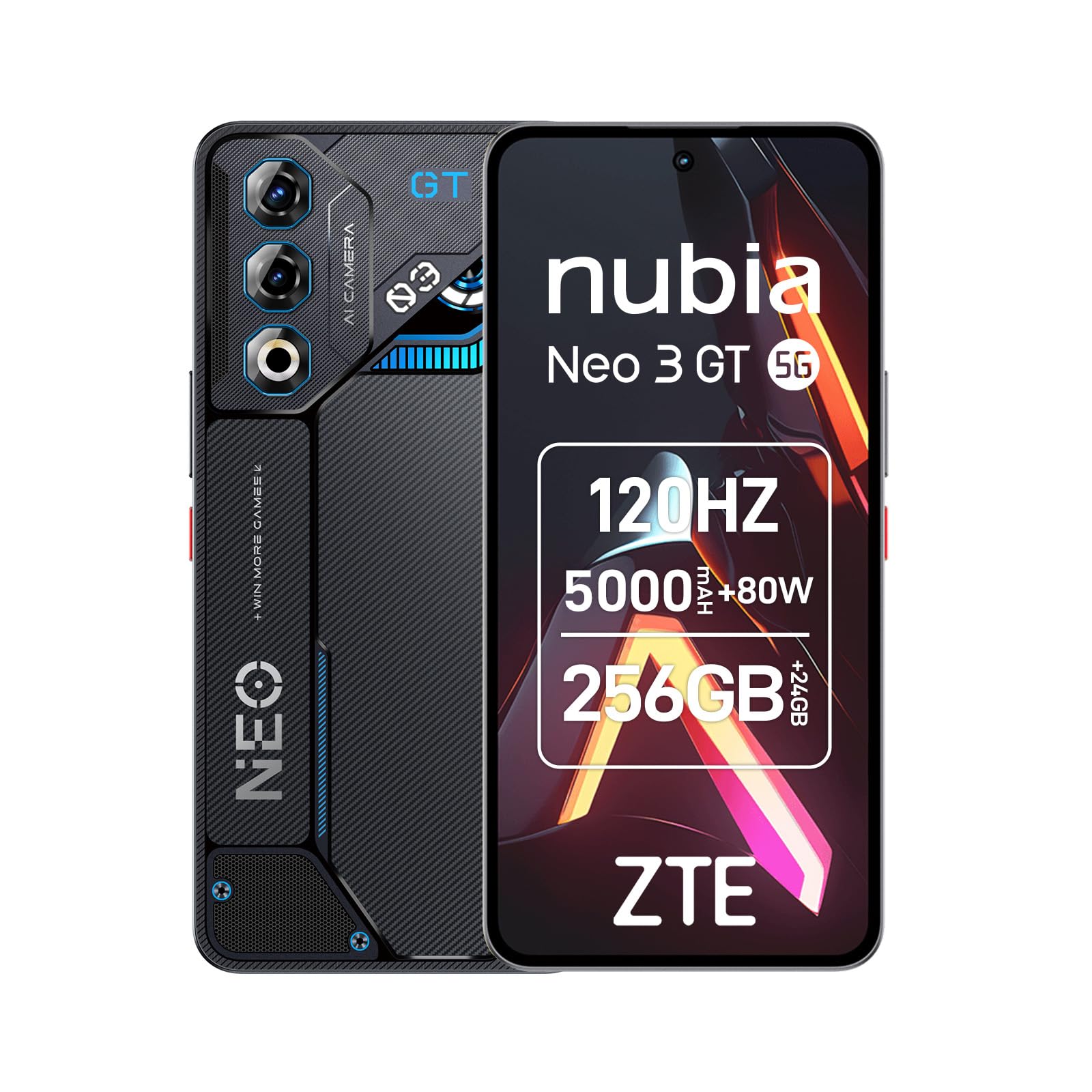
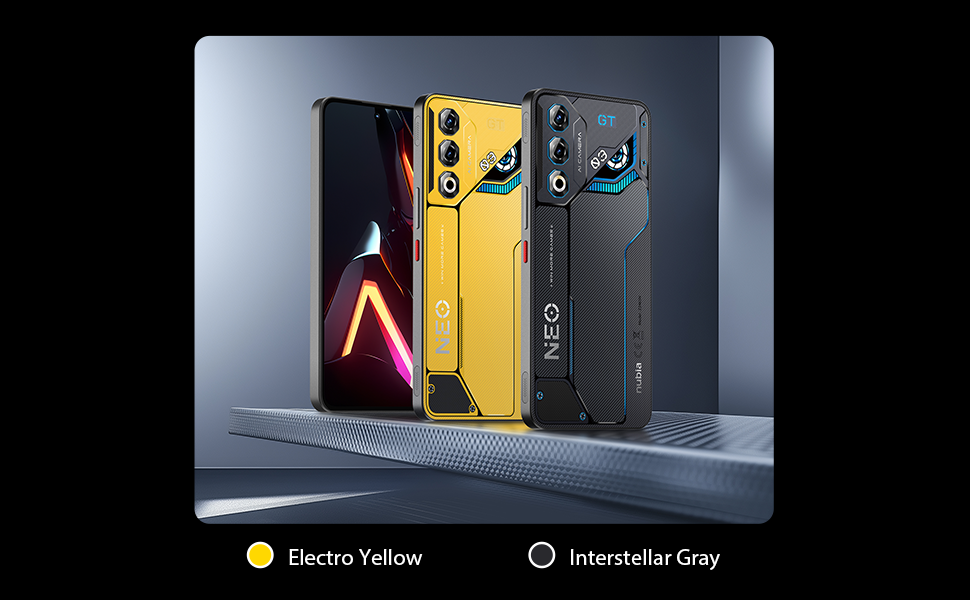
Image 1: ZTE Nubia Neo 3 GT 5G smartphone, showcasing അതിന്റെ ഡിസൈൻ.
2. സജ്ജീകരണം
2.1 പാക്കേജ് ഉള്ളടക്കം
നിങ്ങളുടെ പാക്കേജിൽ ഇനിപ്പറയുന്ന ഇനങ്ങൾ അടങ്ങിയിട്ടുണ്ടെന്ന് പരിശോധിക്കുക:
- ZTE Nubia Neo 3 GT 5G Smartphone
- USB കേബിൾ
- ഫോൺ കേസ്
- സ്ക്രീൻ പ്രൊട്ടക്ടർ
- സിം എജക്ടർ ഉപകരണം
2.2 സിം കാർഡുകൾ ചേർക്കൽ
The Nubia Neo 3 GT supports Dual SIM functionality.
- ഉപകരണത്തിന്റെ വശത്ത് സിം കാർഡ് ട്രേ കണ്ടെത്തുക.
- ട്രേയുടെ അടുത്തുള്ള ചെറിയ ദ്വാരത്തിലേക്ക് സിം എജക്റ്റർ ഉപകരണം തിരുകുക, ട്രേ പുറത്തേക്ക് വരുന്നത് വരെ സൌമ്യമായി അമർത്തുക.
- Place your Nano SIM card(s) into the designated slots on the tray. Ensure the gold contacts face downwards.
- ഫോണിലേക്ക് ട്രേ ശ്രദ്ധാപൂർവ്വം വീണ്ടും തിരുകുക.

Image 2: Illustrative image of the phone's side, where the SIM tray is typically located.
2.3 പ്രാരംഭ പവർ ഓണും അടിസ്ഥാന കോൺഫിഗറേഷനും
- ഉപകരണം വൈബ്രേറ്റ് ചെയ്യുന്നതുവരെയും സ്ക്രീൻ പ്രകാശിക്കുന്നതുവരെയും പവർ ബട്ടൺ അമർത്തിപ്പിടിക്കുക.
- നിങ്ങളുടെ ഭാഷ തിരഞ്ഞെടുക്കുന്നതിനും, ഒരു Wi-Fi നെറ്റ്വർക്കിലേക്ക് കണക്റ്റുചെയ്യുന്നതിനും, നിങ്ങളുടെ Google അക്കൗണ്ട് സജ്ജീകരിക്കുന്നതിനും ഓൺ-സ്ക്രീൻ നിർദ്ദേശങ്ങൾ പാലിക്കുക.
- Configure security features such as fingerprint recognition (in-display sensor) and facial recognition for enhanced device security.
3. നിങ്ങളുടെ ഉപകരണം പ്രവർത്തിപ്പിക്കുന്നു
3.1 ഡിസ്പ്ലേയും നാവിഗേഷനും
Your device features a 6.8-inch FHD+ OLED display with a 120Hz refresh rate, offering a smooth and immersive visual experience. Navigate using touch gestures and on-screen buttons.

Image 3: The 120Hz OLED Gaming Display, highlighting its vibrant visuals and smooth performance.
3.2 ഗെയിമിംഗ് സവിശേഷതകൾ
The Nubia Neo 3 GT is optimized for gaming with several dedicated features:
- Dual Gaming Shoulder Triggers: Customizable, ultra-sensitive side triggers for enhanced control in games.
- Rear LED Lights: Personalizable LED lights on the back for a gaming aesthetic.
- Z-axis Linear Motor: Provides precise and immersive haptic feedback during gameplay.
- Game Space Application: A dedicated app to centralize your games and customize settings like touch area and CPU/GPU performance.
- In-game Gaming Menu: Access quick settings by swiping down twice from the top to record screen, adjust refresh rate, or boost performance without pausing your game.
ചിത്രം 4: കഴിഞ്ഞുview of key gaming features including the NeoTurbo Performance Engine, Dual Gaming Shoulder Triggers, Z-axis Linear Motor for haptic feedback, and DTS:X Ultra stereo speakers for immersive sound.
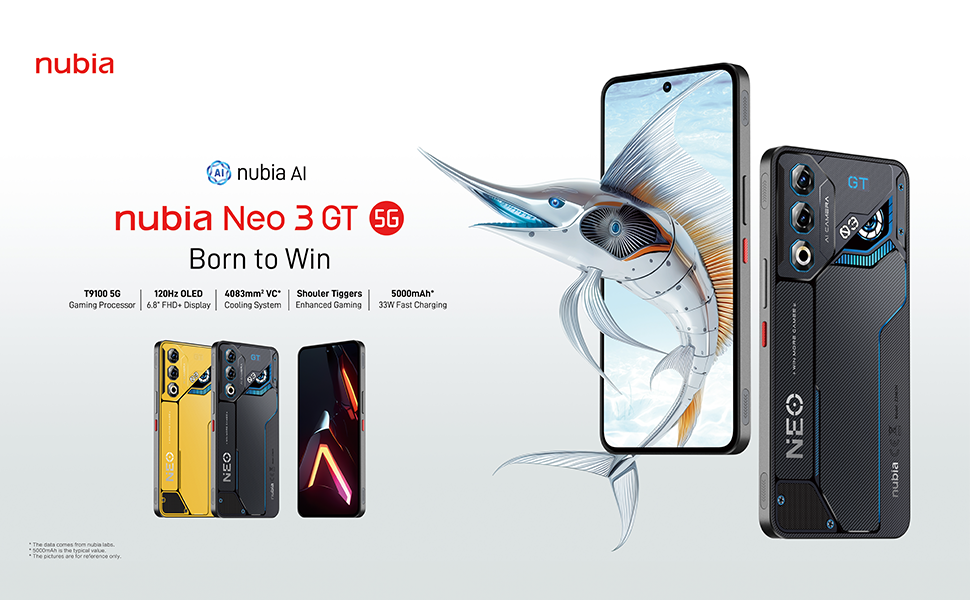
Image 5: Additional gaming functions such as highly sensitive controls, screen recording, data display, key mapping, and peripheral control.
3.3 ക്യാമറ
Capture moments with the device's camera system:
- പിൻ ക്യാമറ: 50 Megapixels with AI enhancements.
- മുൻ ക്യാമറ: 8 Megapixels.
Access the camera app from the home screen or lock screen to take photos and videos. Explore various modes and settings for optimal results.
3.4 ബാറ്ററിയും ചാർജിംഗും
The device is equipped with a 5000 mAh battery.
- ഫാസ്റ്റ് ചാർജിംഗ്: Supports 33W fast charging. Use the provided USB cable and a compatible charger for best results.
- Bypass Charging: This technology allows power to be supplied directly to the device from the charger, bypassing the battery during intense gaming sessions to reduce heat and prolong battery life.

Image 6: Illustration of the 5000 mAh high-capacity battery and the Bypass Charging feature, which directs power directly to the device from the charger.
3.5 കണക്റ്റിവിറ്റി
നിങ്ങളുടെ ഉപകരണം വിവിധ കണക്റ്റിവിറ്റി ഓപ്ഷനുകളെ പിന്തുണയ്ക്കുന്നു:
- 5G നെറ്റ്വർക്ക്: അതിവേഗ മൊബൈൽ ഡാറ്റയ്ക്കായി.
- വൈഫൈ: Connect to wireless networks.
- ബ്ലൂടൂത്ത്: വയർലെസ് ആക്സസറികളുമായി ബന്ധിപ്പിക്കുന്നതിന്.
- NFC: കോൺടാക്റ്റ്ലെസ് പേയ്മെന്റുകൾക്കും വേഗത്തിലുള്ള ജോടിയാക്കലിനും.
- യുഎസ്ബി ടൈപ്പ്-സി: ചാർജിംഗിനും ഡാറ്റ കൈമാറ്റത്തിനും.
- ജിപിഎസ്: Integrated GPS for navigation.
4. പരിപാലനം
4.1 ബാറ്ററി കെയർ
- തീവ്രമായ താപനിലയിലേക്ക് ഉപകരണം തുറന്നുകാട്ടുന്നത് ഒഴിവാക്കുക.
- ബാറ്ററി ഇടയ്ക്കിടെ പൂർണ്ണമായും ഡിസ്ചാർജ് ചെയ്യരുത്.
- Use the original charger and cable for optimal charging and to preserve battery health.
- The average battery lifespan is estimated at 5 years.
4.2 നിങ്ങളുടെ ഉപകരണം വൃത്തിയാക്കൽ
- സ്ക്രീനും ബോഡിയും വൃത്തിയാക്കാൻ മൃദുവായ, ലിന്റ് രഹിത തുണി ഉപയോഗിക്കുക.
- കഠിനമായ രാസവസ്തുക്കളോ ഉരച്ചിലുകളോ ഉപയോഗിക്കുന്നത് ഒഴിവാക്കുക.
- Do not expose the device to water as it is not waterproof.
4.3 സോഫ്റ്റ്വെയർ അപ്ഡേറ്റുകൾ
Regularly check for software updates to ensure your device has the latest features, security patches, and performance improvements. You can usually find this option in the device settings under "System" or "About phone".
5. പ്രശ്നപരിഹാരം
5.1 പൊതുവായ പ്രശ്നങ്ങളും പരിഹാരങ്ങളും
- ഉപകരണം ഓണാക്കുന്നില്ല: ബാറ്ററി ചാർജ്ജ് ചെയ്തിട്ടുണ്ടെന്ന് ഉറപ്പാക്കുക. വീണ്ടും പവർ ഓൺ ചെയ്യാൻ ശ്രമിക്കുന്നതിന് മുമ്പ് ഒരു ചാർജറുമായി കണക്റ്റ് ചെയ്ത് കുറച്ച് മിനിറ്റ് കാത്തിരിക്കുക.
- ആപ്പുകൾ മരവിക്കുകയോ ക്രാഷ് ആകുകയോ ചെയ്യുന്നു: Close the problematic app and reopen it. If the issue persists, restart the device.
- മോശം നെറ്റ്വർക്ക് കണക്റ്റിവിറ്റി: Check your SIM card insertion. Try toggling Airplane Mode on and off. If issues persist, contact your network provider.
- മന്ദഗതിയിലുള്ള പ്രകടനം: Close unnecessary background apps. Clear cache for frequently used apps. Consider a factory reset as a last resort (back up your data first).
6 സ്പെസിഫിക്കേഷനുകൾ
| ഫീച്ചർ | സ്പെസിഫിക്കേഷൻ |
|---|---|
| മോഡലിൻ്റെ പേര് | ZTE Nubia Neo 3 GT |
| ഓപ്പറേറ്റിംഗ് സിസ്റ്റം | ആൻഡ്രോയിഡ് 15 |
| സിപിയു വേഗത | 2.7 GHz |
| റാം | 12 GB (expandable up to 24 GB dynamic RAM) |
| സംഭരണ ശേഷി | 256 GB (Maximum flash memory supported) |
| ഡിസ്പ്ലേ വലിപ്പം | 6.8 ഇഞ്ച് |
| ഡിസ്പ്ലേ തരം | FHD+ OLED |
| റെസലൂഷൻ | 2392 x 1080 പിക്സലുകൾ |
| പുതുക്കിയ നിരക്ക് | 120 Hz |
| പിൻ ക്യാമറ റെസല്യൂഷൻ | 50 മെഗാപിക്സലുകൾ |
| ഫ്രണ്ട് ക്യാമറ റെസല്യൂഷൻ | 8 മെഗാപിക്സലുകൾ |
| ബാറ്ററി ശേഷി | 5000 mAh |
| ചാർജിംഗ് | 33W Fast Charging, Bypass Charging |
| സെല്ലുലാർ ടെക്നോളജി | 5G |
| കണക്റ്റിവിറ്റി | Bluetooth, NFC, USB Type-C, Wi-Fi |
| സിം കാർഡ് സ്ലോട്ടുകൾ | ഡ്യുവൽ സിം (നാനോ) |
| ബയോമെട്രിക് സുരക്ഷ | വിരലടയാളവും മുഖം തിരിച്ചറിയലും |
| ഭാരം | 203 ഗ്രാം |
| ജല പ്രതിരോധം | വാട്ടർപ്രൂഫ് അല്ല |
| വർഷം മോഡൽ | 2025 |
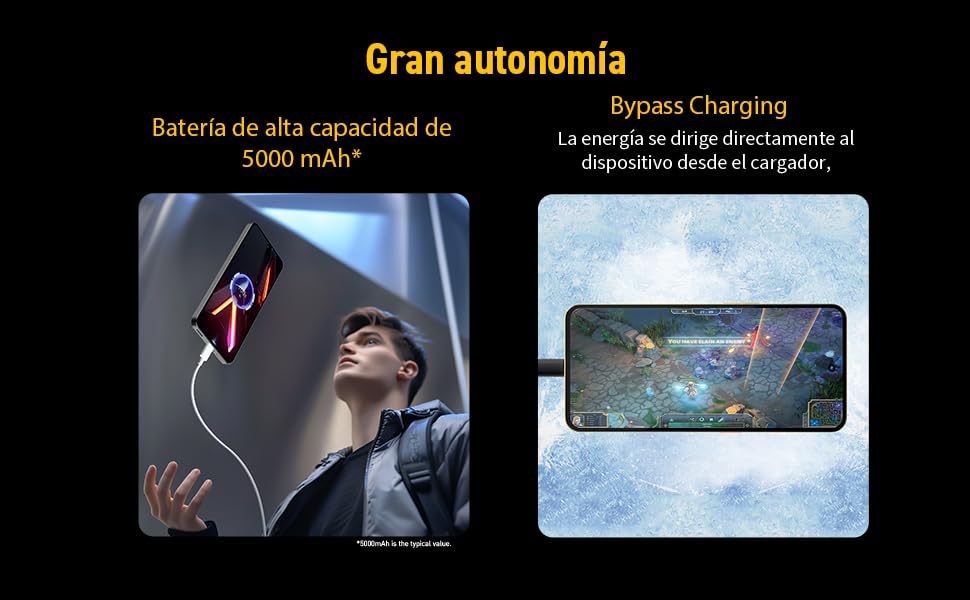
Image 7: Illustration of the T9100 5G-SoC processor, highlighting its powerful performance up to 2.7 GHz.

Image 8: Visual representation of the device's dynamic RAM, indicating up to 24 GB (12GB + 12GB).
7. വാറൻ്റിയും പിന്തുണയും
For detailed warranty information, please refer to the warranty card included with your product or visit the official nubia webസൈറ്റ്.
- സ്പെയർ പാർട്സ് ലഭ്യത: 10 വർഷം.
- Average battery lifespan: 5 Years.
For technical support or service inquiries, please contact nubia customer service through their official channels.