
pTron Dynamo Bolt
pTron Dynamo Bolt 20000mAh Power Bank User Manual
Model: Dynamo Bolt | Brand: pTron
1. ആമുഖം
This user manual provides comprehensive instructions for the safe and efficient operation of your pTron Dynamo Bolt 20000mAh Power Bank. Please read this manual thoroughly before using the device to ensure optimal performance and longevity.
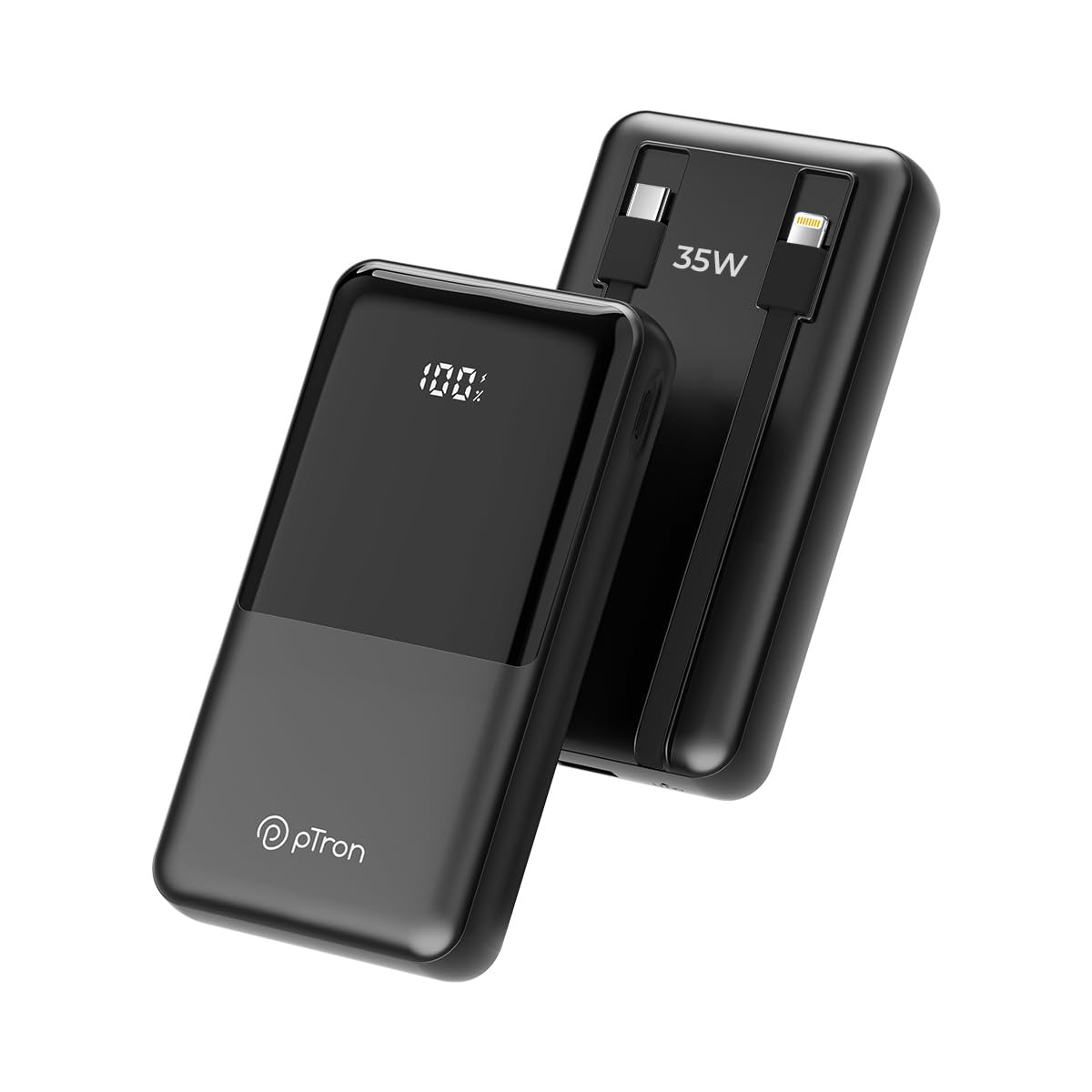
ചിത്രം 1.1: മുൻഭാഗം view of the pTron Dynamo Bolt 20000mAh Power Bank.
2. പാക്കേജ് ഉള്ളടക്കം
പാക്കേജിൽ എല്ലാ ഇനങ്ങളും ഉണ്ടെന്ന് ഉറപ്പാക്കുക:
- 1N pTron Dynamo Bolt 20000mAh Power Bank
- 1N Charging Cable (USB-A to USB-C)
- ഉപയോക്തൃ മാനുവൽ (ഈ പ്രമാണം)
3. ഉൽപ്പന്നം കഴിഞ്ഞുview
The pTron Dynamo Bolt is a high-capacity power bank designed for fast and efficient charging of multiple devices. It features built-in cables and a digital display for convenience.

Image 3.1: Diagram illustrating the multiple input and output ports of the power bank.
- A. 22.5W USB-A Output: Standard USB port for charging devices.
- B. 35W Type-C Input & Output: Versatile Type-C port for both charging the power bank and charging devices.
- C. 10W iOS Output Cable: Built-in cable for Apple devices.
- D. 35W Type-C Output Cable: Built-in cable for Type-C devices.
- E. Digital Display: കൃത്യമായ ബാറ്ററി ശതമാനം കാണിക്കുന്നുtage.

ചിത്രം 3.2: കഴിഞ്ഞുview of key features including 35W Type-C Fast Charging, QC3.0 and PD3.0 compatibility, 20000mAh capacity, Digital LED Indicator, ability to charge 4 devices simultaneously, multiple layers of protection, and travel-friendly design.
4. സജ്ജീകരണവും പ്രാരംഭ ഉപയോഗവും
4.1 പവർ ബാങ്ക് ചാർജ് ചെയ്യുന്നു
Before first use, fully charge the power bank. Connect the provided charging cable to the Type-C Input/Output port (B) on the power bank and the other end to a compatible USB wall adapter (not included). The digital display (E) will show the charging progress. Charging is complete when the display shows "100%".
- Use a 35W PD compatible adapter for fastest charging.
- Charging time may vary based on the adapter's output.
5. പ്രവർത്തന നിർദ്ദേശങ്ങൾ
5.1 നിങ്ങളുടെ ഉപകരണങ്ങൾ ചാർജ് ചെയ്യുന്നു
The pTron Dynamo Bolt offers multiple ways to charge your devices:
- ബിൽറ്റ്-ഇൻ കേബിളുകൾ ഉപയോഗിക്കുന്നു:
- For iOS devices, connect the built-in iOS cable (C) to your device.
- For Type-C devices, connect the built-in Type-C cable (D) to your device.
- USB പോർട്ടുകൾ ഉപയോഗിക്കുന്നത്:
- Connect your device's charging cable to the 22.5W USB-A Output port (A) or the 35W Type-C Input & Output port (B).
പവർ ബാങ്ക് കണക്റ്റ് ചെയ്ത ഉപകരണം സ്വയമേവ കണ്ടെത്തി ചാർജ് ചെയ്യാൻ തുടങ്ങും. ഡിജിറ്റൽ ഡിസ്പ്ലേ ശേഷിക്കുന്ന ബാറ്ററി ശതമാനം കാണിക്കും.tage.

Image 5.1: The power bank simultaneously charging three different mobile devices using its various output options.
5.2 ബാറ്ററി നില പരിശോധിക്കുന്നു
The digital display (E) on the power bank shows the precise remaining battery percentage. Briefly press the power button (if available, otherwise it activates automatically upon connection) to illuminate the display and check the battery status.

Image 5.2: The compact design of the pTron Dynamo Bolt makes it highly portable and easy to carry in a bag.

Image 5.3: The power bank is compatible with a wide range of devices including Android smartphones, iPhones, tablets, iPads, TWS earbuds, and smartwatches.
6. പരിപാലനവും പരിചരണവും
- പവർ ബാങ്ക് വരണ്ടതായി സൂക്ഷിക്കുക. ഈർപ്പത്തിലോ ദ്രാവകങ്ങളിലോ അത് തുറന്നുകാട്ടരുത്.
- മൃദുവായതും ഉണങ്ങിയതുമായ തുണി ഉപയോഗിച്ച് ഉപകരണം വൃത്തിയാക്കുക. കഠിനമായ രാസവസ്തുക്കളോ ഉരച്ചിലുകളോ ഉള്ള വസ്തുക്കൾ ഉപയോഗിക്കരുത്.
- നേരിട്ടുള്ള സൂര്യപ്രകാശവും കടുത്ത താപനിലയും ഏൽക്കാത്ത തണുത്തതും വരണ്ടതുമായ സ്ഥലത്ത് പവർ ബാങ്ക് സൂക്ഷിക്കുക.
- ശക്തമായ ആഘാതങ്ങൾക്ക് പവർബാങ്ക് വീഴ്ത്തുകയോ വിധേയമാക്കുകയോ ചെയ്യരുത്.
- മികച്ച ബാറ്ററി ലൈഫിനായി, പതിവായി ഉപയോഗിക്കുന്നില്ലെങ്കിൽ, കുറഞ്ഞത് മൂന്ന് മാസത്തിലൊരിക്കലെങ്കിലും പവർ ബാങ്ക് പൂർണ്ണമായും ചാർജ് ചെയ്ത് ഡിസ്ചാർജ് ചെയ്യുക.

Image 6.1: The power bank incorporates multiple safety features including Overcharge Protection, Short Circuit Protection, Overload Protection, and Advanced Temperature Control, and is BIS Certified.
7. പ്രശ്നപരിഹാരം
| പ്രശ്നം | സാധ്യമായ കാരണം | പരിഹാരം |
|---|---|---|
| പവർ ബാങ്ക് ചാർജ് ചെയ്യുന്നില്ല | Loose cable connection, faulty adapter, damaged cable. | Ensure cables are securely connected. Try a different charging cable or wall adapter. |
| പവർ ബാങ്കിൽ നിന്ന് ഉപകരണം ചാർജ് ചെയ്യുന്നില്ല | Power bank battery low, incorrect cable, device not compatible, loose connection. | Check power bank battery level. Ensure correct cable is used. Reconnect the device. Try a different port. |
| സ്ലോ ചാർജിംഗ് | Non-fast charging cable/adapter, device not supporting fast charging. | Use original or certified fast-charging cables. Ensure your device supports fast charging protocols (QC3.0/PD3.0). |
| ഡിജിറ്റൽ ഡിസ്പ്ലേ പ്രവർത്തിക്കുന്നില്ല | Power bank is off, temporary glitch. | Press the power button briefly. If problem persists, contact customer support. |
8 സ്പെസിഫിക്കേഷനുകൾ
| ഫീച്ചർ | വിശദാംശങ്ങൾ |
|---|---|
| മോഡൽ നമ്പർ | Dynamo Bolt |
| ബാറ്ററി ശേഷി | 20000mAh |
| ഇൻപുട്ട് (ടൈപ്പ്-സി) | 35W PD |
| Output (Type-C Port) | 35W PD |
| ഔട്ട്പുട്ട് (USB-A പോർട്ട്) | 22.5W |
| Output (Built-in Type-C Cable) | 35W |
| Output (Built-in iOS Cable) | 10W |
| പ്രത്യേക സവിശേഷതകൾ | Digital Display, Short Circuit Protection, Built-in Cables, Fast Charging, Pocket Size |
| അളവുകൾ | 15.6 x 10.5 x 3.8 സെ.മീ |
| ഭാരം | 422 ഗ്രാം |
| നിറം | ജെറ്റ് ബ്ലാക്ക് |
| നിർമ്മാതാവ് | Palred Electronics Pvt. Ltd. |
| മാതൃരാജ്യം | ഇന്ത്യ |
9. വാറൻ്റി വിവരങ്ങൾ
The pTron Dynamo Bolt Power Bank comes with a 1 വർഷത്തെ നിർമ്മാതാവിൻ്റെ വാറൻ്റി from the date of purchase. This warranty covers manufacturing defects only. Please retain your purchase receipt as proof of purchase for warranty claims.
ഇനിപ്പറയുന്ന കാരണങ്ങളാൽ ഉണ്ടാകുന്ന നാശനഷ്ടങ്ങൾക്ക് വാറന്റി പരിരക്ഷ നൽകുന്നില്ല:
- Accidental damage, misuse, abuse, neglect, or improper installation.
- അനധികൃത അറ്റകുറ്റപ്പണികൾ അല്ലെങ്കിൽ പരിഷ്കാരങ്ങൾ.
- സാധാരണ തേയ്മാനം.
- പ്രകൃതി ദുരന്തങ്ങൾ മൂലമോ ദൈവത്തിന്റെ പ്രവൃത്തികൾ മൂലമോ ഉണ്ടാകുന്ന നാശനഷ്ടങ്ങൾ.
10. ഉപഭോക്തൃ പിന്തുണ
For any queries, technical support, or warranty claims, please contact pTron customer service:
- ഫോൺ: 040-67138888
- ഇമെയിൽ: support@ptron.in
- നിർമ്മാതാവിൻ്റെ വിലാസം: SY.NO. 56, 1ST FLOOR, GUNDLAPOCHAMPALLY VILLAGE, TECH PARK MTP, TSIIC-IALA NACHARAM, HYDERABAD - 500076, TELANGANA, INDIA
Please have your product model number and purchase details ready when contacting support.
Ask a question about this manual
Ask about setup, troubleshooting, compatibility, parts, safety, or missing instructions. Manuals+ will review the question and use this page’s manual context to help answer it.