
Phomemo M832D
Phomemo M832D Portable Printer User Manual
മോഡൽ: M832D
ആമുഖം
This user manual provides comprehensive instructions for the operation and maintenance of your Phomemo M832D Portable Printer with Touchscreen and its accompanying carrying case. Please read this manual thoroughly before using the product to ensure proper function and longevity.
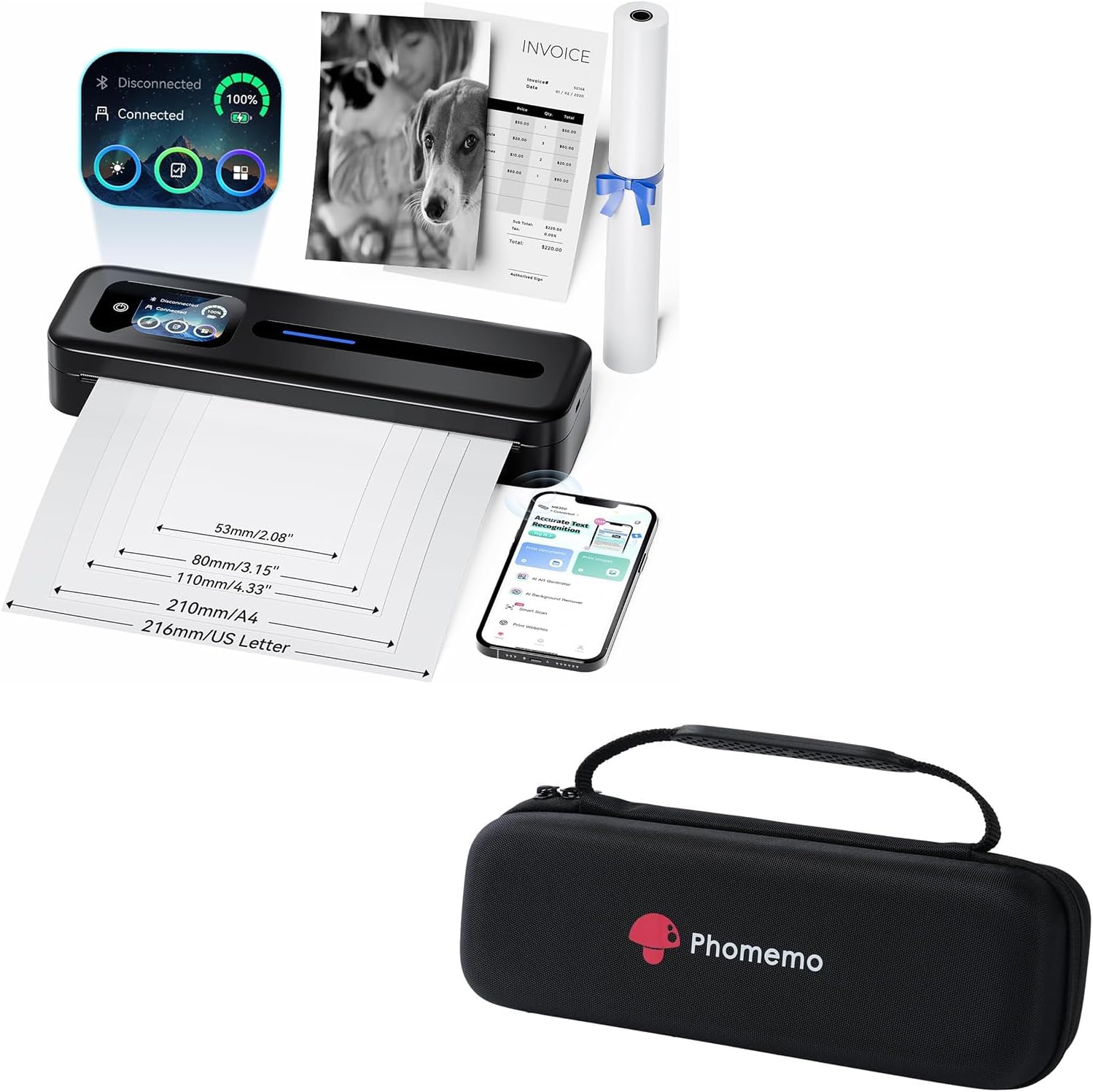
Image: The Phomemo M832D portable printer, showing its compact design, along with the included carrying case. Various paper sizes are indicated, and a smartphone displaying the companion app is also visible.
സുരക്ഷാ വിവരങ്ങൾ
- പ്രിന്ററിനെ തീവ്രമായ താപനിലയിലോ, നേരിട്ടുള്ള സൂര്യപ്രകാശത്തിലോ, ഉയർന്ന ആർദ്രതയിലോ തുറന്നുകാട്ടരുത്.
- പ്രിന്റർ താഴെയിടുകയോ ശക്തമായ ആഘാതങ്ങൾക്ക് വിധേയമാക്കുകയോ ചെയ്യുന്നത് ഒഴിവാക്കുക.
- Use only specified thermal paper. Other paper types may damage the print head.
- കുട്ടികൾക്ക് ലഭ്യമാകാതെ സൂക്ഷിക്കുക.
- Do not disassemble or attempt to repair the printer yourself. Contact customer support for assistance.
- Ensure the printer is turned off before cleaning or when not in use for extended periods.
പാക്കേജ് ഉള്ളടക്കം
പാക്കേജ് തുറക്കുമ്പോൾ, എല്ലാ ഇനങ്ങളും ഉണ്ടെന്ന് ഉറപ്പാക്കാൻ അതിന്റെ ഉള്ളടക്കം പരിശോധിക്കുക:
- ഫോമെമോ M832D പോർട്ടബിൾ പ്രിന്റർ
- Phomemo Carrying Case
- USB-C ചാർജിംഗ് കേബിൾ
- ഉപയോക്തൃ മാനുവൽ (ഈ പ്രമാണം)
- Sample തെർമൽ പേപ്പർ റോൾ
ഉൽപ്പന്നം കഴിഞ്ഞുview
Phomemo M832D Printer

ചിത്രം: ഒരു ക്ലോസ്-അപ്പ് view of the Phomemo M832D printer's smart display, highlighting its power display, connection status, and user guide interface. The display shows battery level, Bluetooth and USB connection status, and icons for various functions.
The Phomemo M832D features an intuitive touchscreen display for easy operation. Key components include:
- ടച്ച്സ്ക്രീൻ ഡിസ്പ്ലേ: Shows battery level, connection status (Bluetooth/USB), and paper feed information.
- പവർ ബട്ടൺ: പ്രിന്റർ ഓൺ/ഓഫ് ചെയ്യുന്നു.
- Paper Feed Slot: Where thermal paper is inserted for printing.
- യുഎസ്ബി-സി പോർട്ട്: For charging and connecting to computers.
Phomemo Carrying Case

Image: The black Phomemo carrying case, designed to protect the portable printer. It features a durable exterior and a prominent Phomemo logo.
The included carrying case provides protection and portability for your printer and accessories. It features:
- ഈടുനിൽക്കുന്ന പുറംഭാഗം: Protects against impacts and scratches.
- Padded Interior: Secures the printer and prevents movement.
- സിപ്പർ അടയ്ക്കൽ: Keeps contents secure.
- Built-in Hand Strap: എളുപ്പത്തിൽ കൊണ്ടുപോകാൻ.
സജ്ജമാക്കുക
1. പ്രിന്റർ ചാർജ് ചെയ്യുന്നു
Before first use, fully charge the printer. Connect the supplied USB-C cable to the printer's USB-C port and the other end to a compatible USB power adapter (not included) or a computer's USB port. The touchscreen display will indicate charging status.

Image: An illustration showing the Phomemo M832D printer's internal battery, highlighting its 2600mAh capacity, ability to print 200+ sheets, and 30-hour standby time. The touchscreen displays battery percentage.
2. ലോഡിംഗ് പേപ്പർ
The M832D printer supports various thermal paper types and sizes. Ensure the paper is inserted correctly for optimal printing.
- പേപ്പർ കമ്പാർട്ട്മെന്റ് കവർ തുറക്കുക.
- Insert the thermal paper with the printable side facing up. For roll paper, ensure it unrolls from the top. For folded or single sheets, align them straight.
- Gently push the paper until the printer automatically feeds it into position. The touchscreen will confirm paper detection.
- പേപ്പർ കമ്പാർട്ട്മെന്റ് കവർ അടയ്ക്കുക.

Image: The Phomemo M832D printer with a sheet of paper being fed, illustrating the supported paper widths: 53mm/2.08", 80mm/3.15", 110mm/4.33", 210mm/A4, and 216mm/US Letter.
3. നിങ്ങളുടെ ഉപകരണത്തിലേക്ക് കണക്റ്റുചെയ്യുന്നു
Bluetooth Connection (for Mobile/Tablet)
- Download the "Phomemo" app from your device's app store (iOS/Android).
- Turn on the Phomemo M832D printer.
- നിങ്ങളുടെ മൊബൈൽ ഉപകരണത്തിൽ ബ്ലൂടൂത്ത് പ്രവർത്തനക്ഷമമാക്കുക.
- Open the Phomemo app and follow the on-screen instructions to search for and connect to your printer. The printer's name will typically appear as "M832D-XXXX".
- Once connected, the Bluetooth icon on the printer's touchscreen will indicate a successful connection.
USB-C Connection (for Computer)
For Windows or macOS computers, connect the printer using the supplied USB-C cable. You may need to install the printer driver from the official Phomemo website. Bluetooth connection is not supported for computers.
പ്രവർത്തന നിർദ്ദേശങ്ങൾ
ടച്ച്സ്ക്രീൻ ഡിസ്പ്ലേ ഉപയോഗിക്കുന്നു
The touchscreen provides quick access to essential information and settings:
- ബാറ്ററി സൂചകം: Displays current battery percentage.
- കണക്ഷൻ നില: Shows if the printer is connected via Bluetooth or USB.
- Paper Status: Indicates if paper is loaded correctly or if there's a paper jam.
- ക്രമീകരണ ഐക്കൺ: Accesses basic printer settings.
Printing from Mobile Devices (via Phomemo App)
- Ensure the printer is connected via Bluetooth to your mobile device.
- Phomemo ആപ്പ് തുറക്കുക.
- Select the type of content you wish to print (e.g., document, image, web പേജ്).
- Adjust print settings such as density or size within the app, if available.
- പ്രിന്റ് ചെയ്യാൻ തുടങ്ങാൻ പ്രിന്റ് ബട്ടൺ ടാപ്പ് ചെയ്യുക.
Printing from Computers (via USB-C)
- Connect the printer to your computer using the USB-C cable.
- Ensure the printer driver is installed.
- നിങ്ങളുടെ കമ്പ്യൂട്ടറിൽ പ്രിന്റ് ചെയ്യാൻ ആഗ്രഹിക്കുന്ന പ്രമാണമോ ചിത്രമോ തുറക്കുക.
- ആപ്ലിക്കേഷന്റെ മെനുവിൽ നിന്ന് "പ്രിന്റ്" തിരഞ്ഞെടുക്കുക.
- Choose "Phomemo M832D" from the list of available printers.
- Adjust print preferences as needed (e.g., paper size, orientation).
- "പ്രിന്റ്" ക്ലിക്ക് ചെയ്യുക.

Image: A comparison demonstrating the print quality of the Phomemo M832D (300 dpi) versus other printers (203 dpi), showing clearer and faster output from the M832D. A woman and a dog are depicted in the printed images.
മെയിൻ്റനൻസ്
പ്രിൻ്റർ വൃത്തിയാക്കുന്നു
- Turn off the printer and disconnect it from power before cleaning.
- പ്രിന്ററിന്റെ പുറംഭാഗം തുടയ്ക്കാൻ മൃദുവായതും ഉണങ്ങിയതും ലിന്റ് രഹിതവുമായ ഒരു തുണി ഉപയോഗിക്കുക.
- പ്രിന്റ് ഹെഡിന്, ഒരു കോട്ടൺ സ്വാബ് ഉപയോഗിച്ച് സൌമ്യമായി തുടയ്ക്കുക dampened with isopropyl alcohol. Allow to dry completely before use.
- ഉരച്ചിലുകളുള്ള ക്ലീനറുകളോ ലായകങ്ങളോ ഉപയോഗിക്കരുത്.
ബാറ്ററി കെയർ
- ബാറ്ററിയുടെ ആരോഗ്യം നിലനിർത്താൻ, പതിവായി ഉപയോഗിക്കുന്നില്ലെങ്കിലും, പ്രിന്റർ പതിവായി ചാർജ് ചെയ്യുക.
- ബാറ്ററി ഇടയ്ക്കിടെ പൂർണ്ണമായും ഡിസ്ചാർജ് ചെയ്യുന്നത് ഒഴിവാക്കുക.
- ദീർഘനേരം ഉപയോഗിക്കാത്തപ്പോൾ പ്രിന്റർ തണുത്തതും വരണ്ടതുമായ സ്ഥലത്ത് സൂക്ഷിക്കുക.
Carrying Case Care
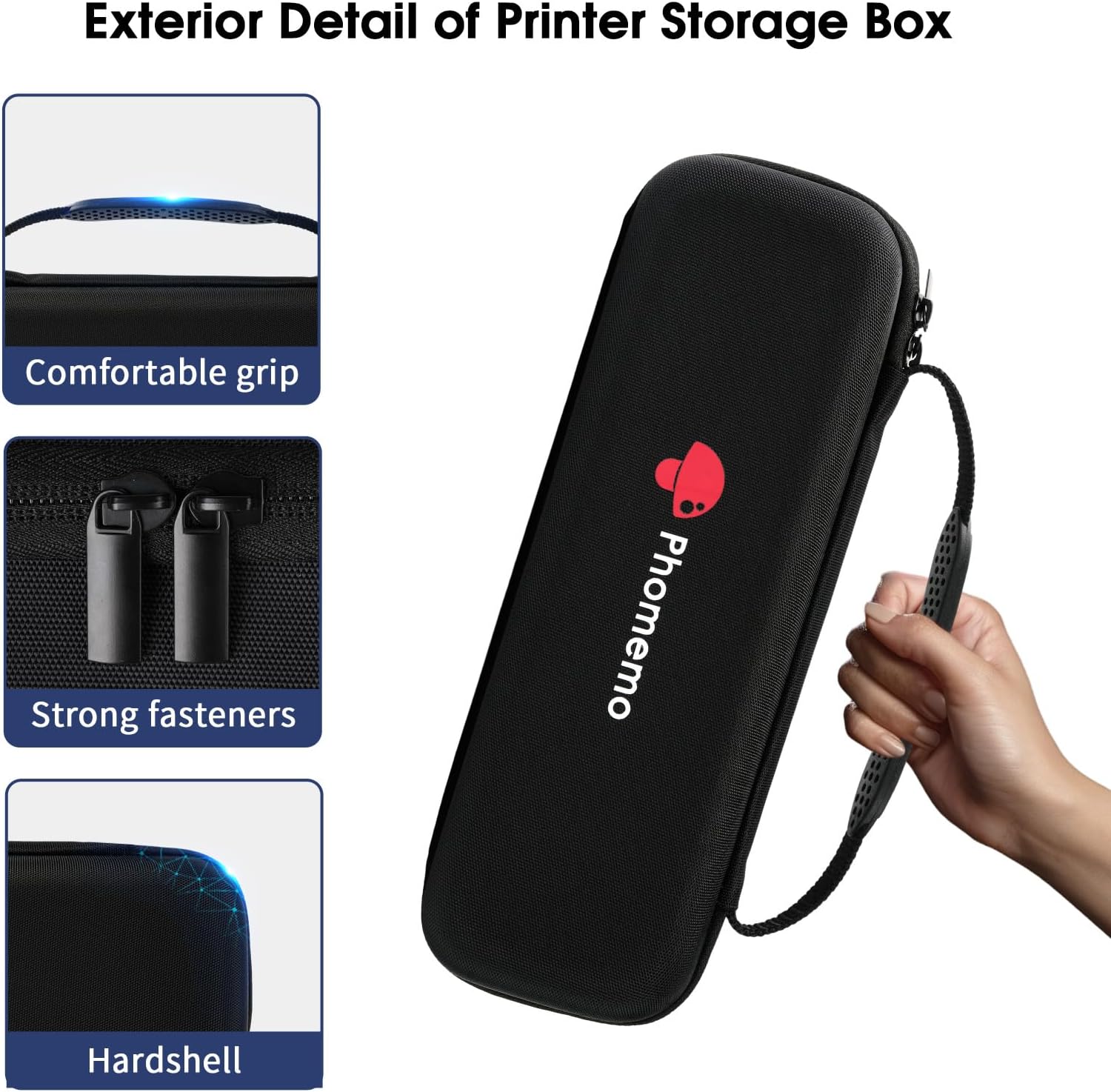
ചിത്രം: വിശദമായ ഒരു ചിത്രം view of the Phomemo carrying case, highlighting its comfortable grip, strong fasteners (zippers), and hardshell construction for durability.
- കേസിന്റെ പുറംഭാഗം പരസ്യം ഉപയോഗിച്ച് തുടയ്ക്കുകamp cloth if it gets dirty.
- Do not machine wash or tumble dry the case.
- Ensure the case is dry before storing the printer inside.
ട്രബിൾഷൂട്ടിംഗ്
| പ്രശ്നം | സാധ്യമായ കാരണം | പരിഹാരം |
|---|---|---|
| പ്രിന്റർ ഓണാകുന്നില്ല. | ബാറ്ററി കുറവോ പവർ പ്രശ്നമോ. | Charge the printer using the USB-C cable. Ensure the power adapter is working. |
| ബ്ലൂടൂത്ത് വഴി ബന്ധിപ്പിക്കാൻ കഴിയില്ല. | Bluetooth is off, printer is out of range, or app issue. | Ensure Bluetooth is enabled on your device. Move closer to the printer. Restart the Phomemo app and the printer. |
| Paper jam or misfeed. | Paper incorrectly loaded or foreign object. | Turn off the printer. Carefully remove any jammed paper. Reload paper correctly, ensuring it's straight. |
| മോശം പ്രിന്റ് നിലവാരം. | Low battery, incorrect paper, or dirty print head. | പ്രിന്റർ ചാർജ് ചെയ്യുക. തെർമൽ പേപ്പർ ഉപയോഗിക്കുന്നുണ്ടെന്ന് ഉറപ്പാക്കുക. മെയിന്റനൻസ് നിർദ്ദേശങ്ങൾ അനുസരിച്ച് പ്രിന്റ് ഹെഡ് വൃത്തിയാക്കുക. |
| കമ്പ്യൂട്ടറിന് പ്രിന്റർ തിരിച്ചറിയാൻ കഴിഞ്ഞില്ല. | Driver not installed or USB cable issue. | Install the latest driver from the Phomemo website. Try a different USB-C port or cable. |
സ്പെസിഫിക്കേഷനുകൾ
| ഫീച്ചർ | വിശദാംശങ്ങൾ |
|---|---|
| മോഡൽ | M832D |
| പ്രിൻ്റിംഗ് ടെക്നോളജി | Thermal Inkless Printing |
| കണക്റ്റിവിറ്റി | Bluetooth (for mobile/tablet), USB-C (for computer) |
| പിന്തുണയ്ക്കുന്ന പേപ്പർ വലുപ്പങ്ങൾ | 8.5" x 11" US Letter, A4, 2.08" (53mm), 3.15" (80mm), 4.33" (110mm) |
| പിന്തുണയ്ക്കുന്ന പേപ്പർ തരങ്ങൾ | Thermal roll paper, folded thermal paper, single-sheet thermal paper |
| ബാറ്ററി ശേഷി | 2600mAh |
| തുടർച്ചയായ അച്ചടി | Up to 200 pages (on a single charge) |
| ഭാരം | ഏകദേശം. 1.5 പൗണ്ട് |
| Dimensions (Printer) | ഏകദേശം 10.39" x 3.07" x 1.77" |

Image: A person holding the Phomemo M832D printer, illustrating its compact size and light weight (1.5 lbs). Dimensions of 10.39" length, 3.07" width, and 1.77" height are shown.
വാറൻ്റിയും പിന്തുണയും
Phomemo products come with a standard manufacturer's warranty. Please refer to the warranty card included in your package or visit the official Phomemo webവിശദമായ വാറന്റി നിബന്ധനകൾക്കും വ്യവസ്ഥകൾക്കും സൈറ്റ്.
For technical support, troubleshooting assistance, or warranty claims, please contact Phomemo customer service through their official webസൈറ്റ് അല്ലെങ്കിൽ നിങ്ങളുടെ ഉൽപ്പന്ന പാക്കേജിംഗിൽ നൽകിയിരിക്കുന്ന ബന്ധപ്പെടാനുള്ള വിവരങ്ങൾ.
ഓൺലൈൻ ഉറവിടങ്ങൾ:
Ask a question about this manual
Ask about setup, troubleshooting, compatibility, parts, safety, or missing instructions. Manuals+ will review the question and use this page’s manual context to help answer it.