
1. ആമുഖം
This manual provides essential information for the safe and efficient operation of your Defy DMO243 Digital Convection Microwave. Please read these instructions thoroughly before using the appliance and retain them for future reference. This appliance combines microwave, convection, and grilling functions to offer versatile cooking options.
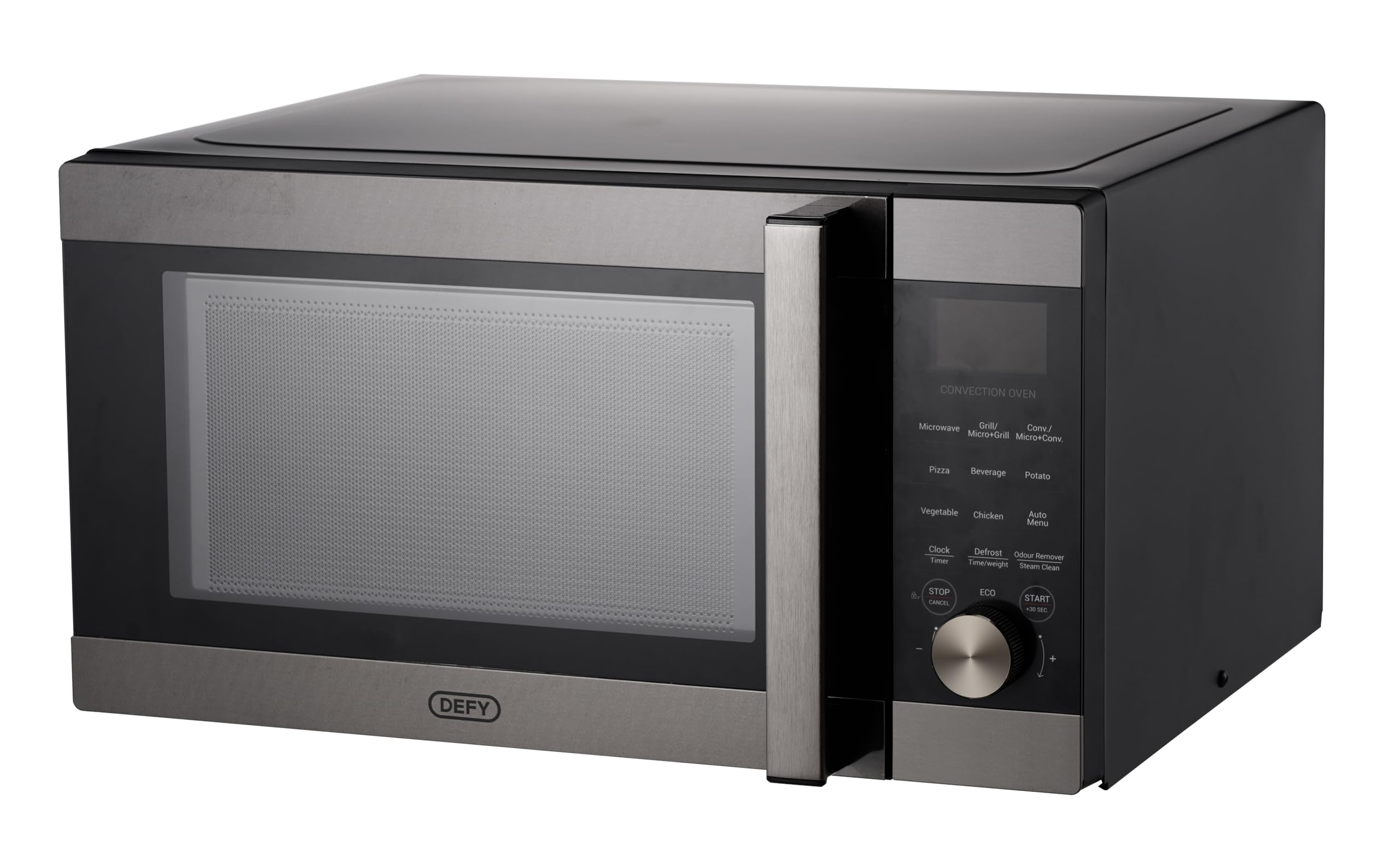
Image: The Defy DMO243 Digital Convection Microwave, showcasing its black and silver finish and digital control panel.
2. സുരക്ഷാ നിർദ്ദേശങ്ങൾ
തീപിടുത്തം, വൈദ്യുതാഘാതം, വ്യക്തികൾക്ക് പരിക്കേൽക്കൽ, അല്ലെങ്കിൽ അമിതമായ മൈക്രോവേവ് ഊർജ്ജത്തിന് വിധേയമാകൽ എന്നിവ കുറയ്ക്കുന്നതിന് വൈദ്യുത ഉപകരണങ്ങൾ ഉപയോഗിക്കുമ്പോൾ എല്ലായ്പ്പോഴും അടിസ്ഥാന സുരക്ഷാ മുൻകരുതലുകൾ പാലിക്കുക.
- വാതിൽ തുറന്നിട്ടുകൊണ്ട് ഈ ഓവൻ പ്രവർത്തിപ്പിക്കാൻ ശ്രമിക്കരുത്, കാരണം ഇത് മൈക്രോവേവ് ഊർജ്ജത്തിന് ദോഷകരമായ എക്സ്പോഷർ ഉണ്ടാക്കും.
- അടുപ്പിൻ്റെ മുൻഭാഗത്തിനും വാതിലിനുമിടയിൽ ഒരു വസ്തുവും സ്ഥാപിക്കരുത് അല്ലെങ്കിൽ സീലിംഗ് പ്രതലങ്ങളിൽ മണ്ണ് അല്ലെങ്കിൽ ക്ലീനർ അവശിഷ്ടങ്ങൾ അടിഞ്ഞുകൂടാൻ അനുവദിക്കരുത്.
- ഓവൻ കേടായിട്ടുണ്ടെങ്കിൽ അത് പ്രവർത്തിപ്പിക്കരുത്. ഓവൻ വാതിൽ ശരിയായി അടയ്ക്കുന്നതും വാതിലിനോ, ഹിഞ്ചുകൾക്കോ, സീലുകൾക്കോ കേടുപാടുകൾ സംഭവിക്കാതിരിക്കുന്നതും പ്രത്യേകിച്ചും പ്രധാനമാണ്.
- യോഗ്യതയുള്ള സർവീസ് ഉദ്യോഗസ്ഥർ മാത്രമേ ഈ ഉപകരണം ക്രമീകരിക്കുകയോ നന്നാക്കുകയോ ചെയ്യാവൂ.
- ഉപകരണം ശരിയായി നിലത്തുണ്ടെന്ന് ഉറപ്പാക്കുക.
- സ്ഫോടനത്തിന് സാധ്യതയുള്ളതിനാൽ ദ്രാവകങ്ങളോ മറ്റ് ഭക്ഷണങ്ങളോ അടച്ച പാത്രങ്ങളിൽ ചൂടാക്കരുത്.
- Regularly clean the oven cavity, door, and seals.
3. സജ്ജീകരണവും ഇൻസ്റ്റാളേഷനും
3.1 അൺപാക്കിംഗ്
Carefully remove all packaging materials from the oven cavity and accessories. Check the oven for any damage, such as dents or a broken door. Do not install if the oven is damaged.
3.2 പ്ലേസ്മെൻ്റ്
Place the oven on a flat, stable surface that can support its weight and the heaviest food item likely to be cooked in it. Ensure adequate ventilation by leaving a minimum of 20 cm (8 inches) of space above the oven, 10 cm (4 inches) at the rear, and 5 cm (2 inches) on both sides. Do not block any ventilation openings.

ചിത്രം: മുൻഭാഗം view of the Defy DMO243 microwave, illustrating its compact design for countertop placement.
3.3 ഇലക്ട്രിക്കൽ കണക്ഷൻ
Plug the oven into a standard household electrical outlet. Ensure the voltage യും ഫ്രീക്വൻസിയും ഉപകരണത്തിന്റെ റേറ്റിംഗ് ലേബലിലെ സ്പെസിഫിക്കേഷനുകളുമായി പൊരുത്തപ്പെടുന്നു.
3.4 ടേൺടേബിൾ അസംബ്ലി
Place the roller ring in the depression on the oven floor. Place the glass turntable on top of the roller ring, ensuring it is seated correctly. The turntable must always be used during operation.
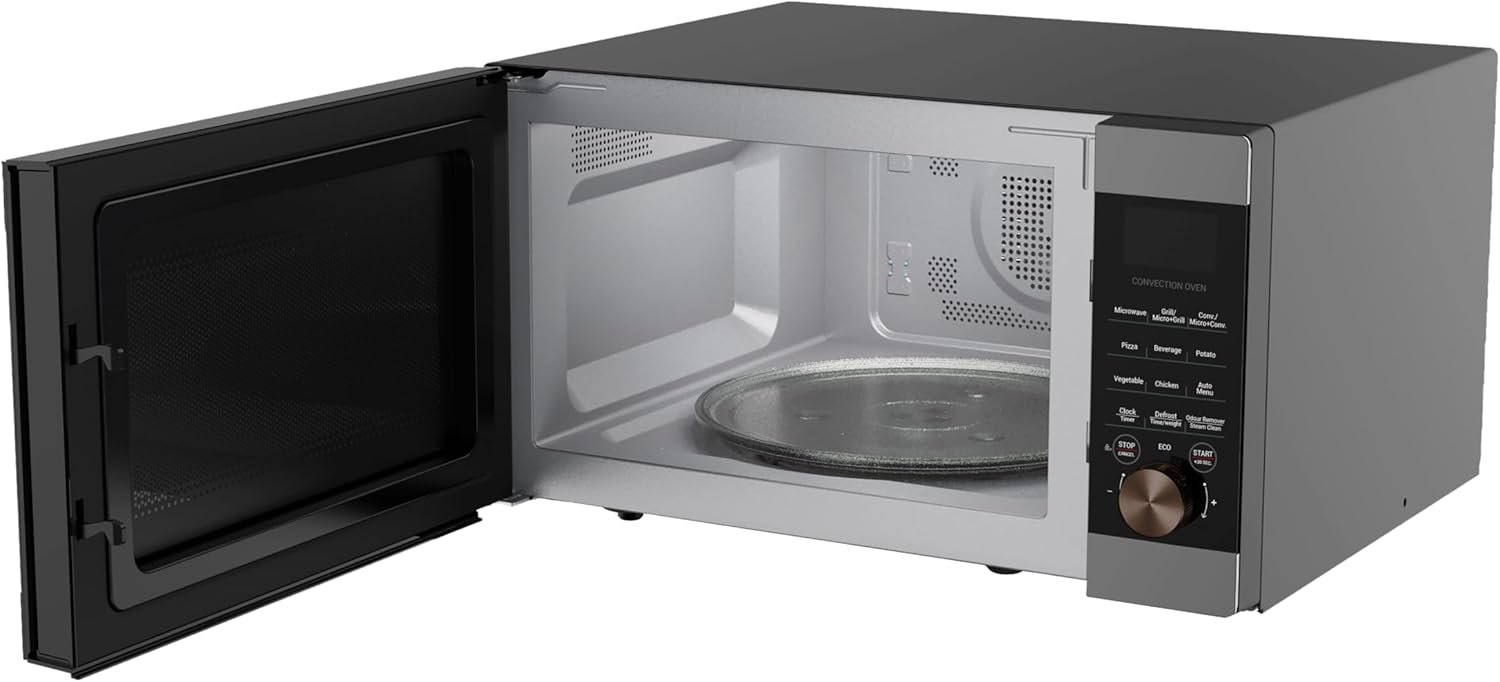
ചിത്രം: ഉൾഭാഗം view of the Defy DMO243 microwave with the door open, showing the glass turntable and roller ring.
3.5 ക്ലോക്ക് ക്രമീകരിക്കുക
Upon initial power-up, the display will show '0:00'. To set the clock, refer to the detailed instructions in the operating section of this manual.
4. പ്രവർത്തന നിർദ്ദേശങ്ങൾ
4.1 കൺട്രോൾ പാനൽ ഓവർview
The control panel features a digital display, function buttons for Microwave, Grill, Convection, and various pre-programmed settings, along with a rotary dial for time/weight adjustment and a Start/Stop button.

Image: A close-up of the Defy DMO243 control panel, highlighting the digital display and various function buttons.
4.2 പാചക രീതികൾ
- മൈക്രോവേവ് പാചകം: Press the 'Microwave' button, rotate the dial to select power level (e.g., P100 for 100%), then rotate again to set cooking time. Press 'Start'.
- ഗ്രിൽ പാചകം: Press the 'Grill' button, rotate the dial to set cooking time. Press 'Start'.
- സംവഹന പാചകം: Press the 'Convection' button, rotate the dial to select temperature, then rotate again to set cooking time. Press 'Start'. Convection mode uses a fan to circulate hot air, similar to a conventional oven.

Image: Illustration of the convection cooking feature, showing a baked pie, indicating even heat distribution.
- കോമ്പിനേഷൻ പാചകം: This oven offers Micro+Grill and Micro+Convection modes for combined cooking. Refer to the specific instructions in the full manual for setting these modes.
4.3 Pre-programmed Functions
The Defy DMO243 includes 15 pre-programmed cooking functions for convenience. These include settings for Popcorn, Beverage, Potato, Auto Reheat, Rice, Pizza, Vegetables, Frozen Dinner, Weight Defrost, Speed Defrost, Chicken, Beef/Mutton, Skewered Meat, and Cake. Select the desired function and follow the on-screen prompts.
4.4 ഡിഫ്രോസ്റ്റിംഗ്
The appliance offers both Weight Defrost and Speed Defrost options. Select the appropriate defrost function and input the weight or time as required. The system will automatically calculate the defrosting time.
4.5 എക്സ്പ്രസ് പാചകം
Press the '+30 Sec' button for a quick 30-second start at full microwave power. Each press adds 30 seconds to the cooking time.

Image: The microwave on a kitchen counter, illustrating the convenience of the express cooking function for quick meal preparation.
4.6 ECO മോഡ്
Activate ECO mode to turn off the display during standby, conserving power. Refer to the full manual for activation instructions.

Image: The ECO mode icon, indicating the power-saving feature of the microwave.
4.7 ചൈൽഡ് ലോക്ക്
The Child Lock feature prevents accidental operation by children. To activate or deactivate, refer to the specific instructions in the full manual.

Image: A child stirring a bowl, representing the child safety lock feature that prevents accidental operation.
5. പരിപാലനവും ശുചീകരണവും
5.1 പൊതുവായ ശുചീകരണം
Regularly clean the oven interior and exterior with a damp cloth and mild detergent. Avoid abrasive cleaners or scouring pads. Ensure the door seals are clean and free from food debris.
5.2 Odour Removal (Steam Clean)
The Steam Clean function helps soften grime and remove odors. Place a bowl of water with lemon slices inside the oven and activate the Steam Clean function. Wipe the interior clean after the cycle.

Image: A woman looking into the microwave, illustrating the effectiveness of the Steam Clean and Odour Remover function for maintaining cleanliness.
6. പ്രശ്നപരിഹാരം
If you encounter issues with your microwave, consult the following table before contacting service.
| പ്രശ്നം | സാധ്യമായ കാരണം | പരിഹാരം |
|---|---|---|
| ഓവൻ തുടങ്ങില്ല | പവർ കോർഡ് പ്ലഗ് ഇൻ ചെയ്തിട്ടില്ല; വാതിൽ ശരിയായി അടച്ചിട്ടില്ല; ഫ്യൂസ് പൊട്ടിത്തെറിച്ചു അല്ലെങ്കിൽ സർക്യൂട്ട് ബ്രേക്കർ ട്രിപ്പുചെയ്തു. | Ensure plug is securely inserted; Close door firmly; Check household fuse or reset circuit breaker. |
| ഭക്ഷണം ചൂടാക്കുന്നില്ല | തെറ്റായ പാചക സമയം/പവർ ലെവൽ; വാതിൽ ശരിയായി അടച്ചിട്ടില്ല. | സമയം/ശക്തി ക്രമീകരിക്കുക; വാതിൽ ശക്തമായി അടയ്ക്കുക. |
| ടേൺടേബിൾ കറങ്ങുന്നില്ല | ടേൺടേബിൾ ശരിയായി ഇട്ടിട്ടില്ല; റോളർ റിംഗ് വൃത്തികെട്ടതോ കേടായതോ ആണ്. | Re-seat turntable; Clean or replace roller ring. |
7 സ്പെസിഫിക്കേഷനുകൾ
Key technical specifications for the Defy DMO243 Digital Convection Microwave:
- മോഡൽ നമ്പർ: 8690842691607
- ശേഷി: 43 ലിറ്റർ
- പവർ / വാട്ട്tage: 2200 വാട്ട്സ്
- മെറ്റീരിയൽ: സ്റ്റെയിൻലെസ്സ് സ്റ്റീൽ
- ഉൽപ്പന്ന അളവുകൾ (D x W x H): 55.3 x 58.2 x 31.1 സെ.മീ
- ഇനത്തിൻ്റെ ഭാരം: 23.8 കി.ഗ്രാം
- നിറം: കറുപ്പ്/വെള്ളി
- പ്രത്യേക സവിശേഷതകൾ: Large Capacity, Portable, Programmable, Child Lock, ECO Mode, Steam Clean
Image: The Defy DMO243 microwave with its dimensions (height, width, depth) clearly indicated.

Image: An illustration highlighting the 43-liter capacity, suitable for larger meals.
8. വാറൻ്റിയും പിന്തുണയും
For warranty information and customer support, please refer to the warranty card included with your product or visit the official Defy website. You may also contact Defy customer service directly for assistance with product registration, troubleshooting, or spare parts.
നിർമ്മാതാവ്: Defy Appliances (Pty) Ltd
എതിർക്കുക Webസൈറ്റ്: www.defy.co.za