
1. ആമുഖം
The DOOGEE Blade 10 Pro Energy is a rugged smartphone designed for durability and high performance. It features an ultra-thin 10.7mm body, a 6150mAh battery, Android 15 OS, a UNISOC T7250 Octa-core processor, a 6.56-inch HD+ 90Hz display, and advanced camera capabilities. This manual provides essential information for setting up, operating, maintaining, and troubleshooting your device.

ചിത്രം 1.1: മുന്നിലും പിന്നിലും view of the DOOGEE Blade 10 Pro Energy Rugged Phone, highlighting its slim design and large battery capacity.
2. സജ്ജീകരണം
2.1. ബോക്സിൽ എന്താണുള്ളത്?
- 1 x Blade10 Pro Energy Rugged Phone
- 1 x പാക്കിംഗ് ബോക്സ്
- 1 x മാനുവൽ
- 1 x Tempered Glass Protective Film (Pre-applied)
- 1 x Type-C USB Cable and Charger
- 1 x വാറൻ്റി കാർഡ്
- 1 x സ്ലിംഗ്
- 1 x സംരക്ഷണ കേസ്
2.2. പ്രാരംഭ ചാർജിംഗ്
Before first use, fully charge your phone using the provided Type-C USB cable and charger. The phone supports 18W fast charging. The 6150mAh battery provides extended usage time.

Image 2.1: Illustration of the 6150mAh Si-C battery, emphasizing its long battery life and 18W fast charging capability.
2.3. സിം, ടിഎഫ് കാർഡ് ഇൻസ്റ്റാളേഷൻ
The Blade 10 Pro Energy features a triple card slot design, supporting two SIM cards and one TF (microSD) card simultaneously. Locate the card slot on the side of the phone. Use the provided SIM ejector tool to open the tray. Carefully place your SIM cards and TF card into their respective slots, ensuring correct orientation. Gently push the tray back into the phone until it clicks into place.

Image 2.2: Diagram showing the triple card slot for two SIM cards and one TF card.
2.4. പവർ ഓൺ/ഓഫ്
To power on, press and hold the Power button located on the side of the phone until the screen lights up. To power off, press and hold the Power button, then select 'Power off' from the options that appear on the screen.
3. നിങ്ങളുടെ ഉപകരണം പ്രവർത്തിപ്പിക്കുന്നു
3.1. ആൻഡ്രോയിഡ് 15 ഓപ്പറേറ്റിംഗ് സിസ്റ്റം
Your Blade 10 Pro Energy runs on the latest Android 15 operating system, offering enhanced performance, improved multitasking, and a secure user experience. Navigate through the interface using touch gestures.
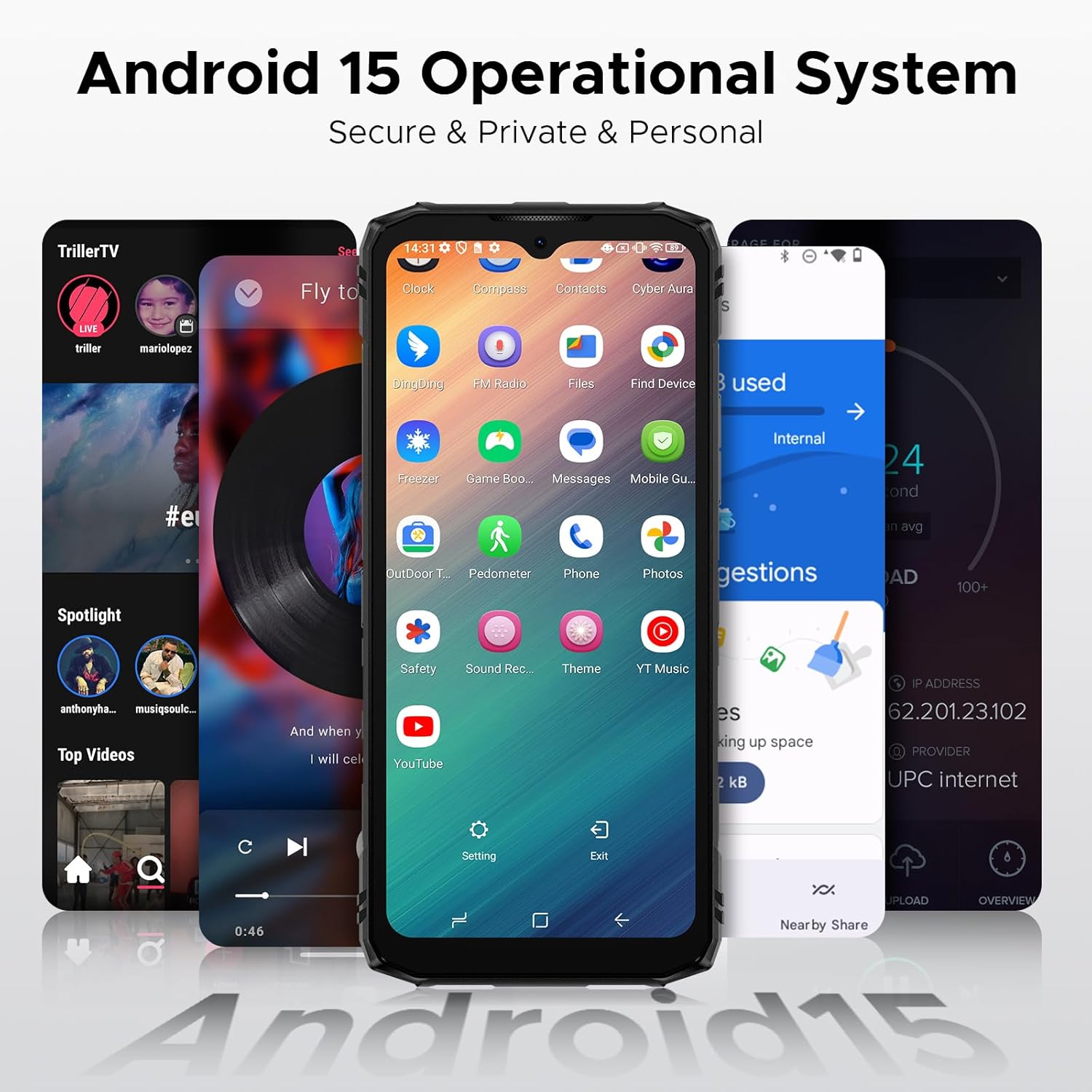
Image 3.1: Screenshot showing the Android 15 operational system interface with various applications.
3.2. ഡിസ്പ്ലേ സവിശേഷതകൾ
The phone features a 6.56-inch HD+ IPS waterdrop screen with a 90Hz refresh rate, providing a smooth and immersive visual experience. The IPS technology ensures wide viewകോണുകളും ഊർജ്ജസ്വലമായ നിറങ്ങളും.

Image 3.2: Visual representation of the 6.56-inch HD+ 90Hz display, showcasing its smooth streaming capabilities.
3.3. ക്യാമറ ഉപയോഗം
Capture high-quality photos and videos with the 50MP main camera and 8MP front camera. The camera system includes AI technology for scene optimization and supports various modes such as Beauty, Panoramic, HDR, Portrait, Time-lapse, Night, and Burst mode.
- 50MP പ്രധാന ക്യാമറ: Ideal for capturing detailed landscapes, architecture, and products.
- 8MP മുൻ ക്യാമറ: സെൽഫികൾക്കും വീഡിയോ കോളുകൾക്കും അനുയോജ്യം.
- അണ്ടർവാട്ടർ ക്യാമറ: Allows for capturing photos and videos underwater.
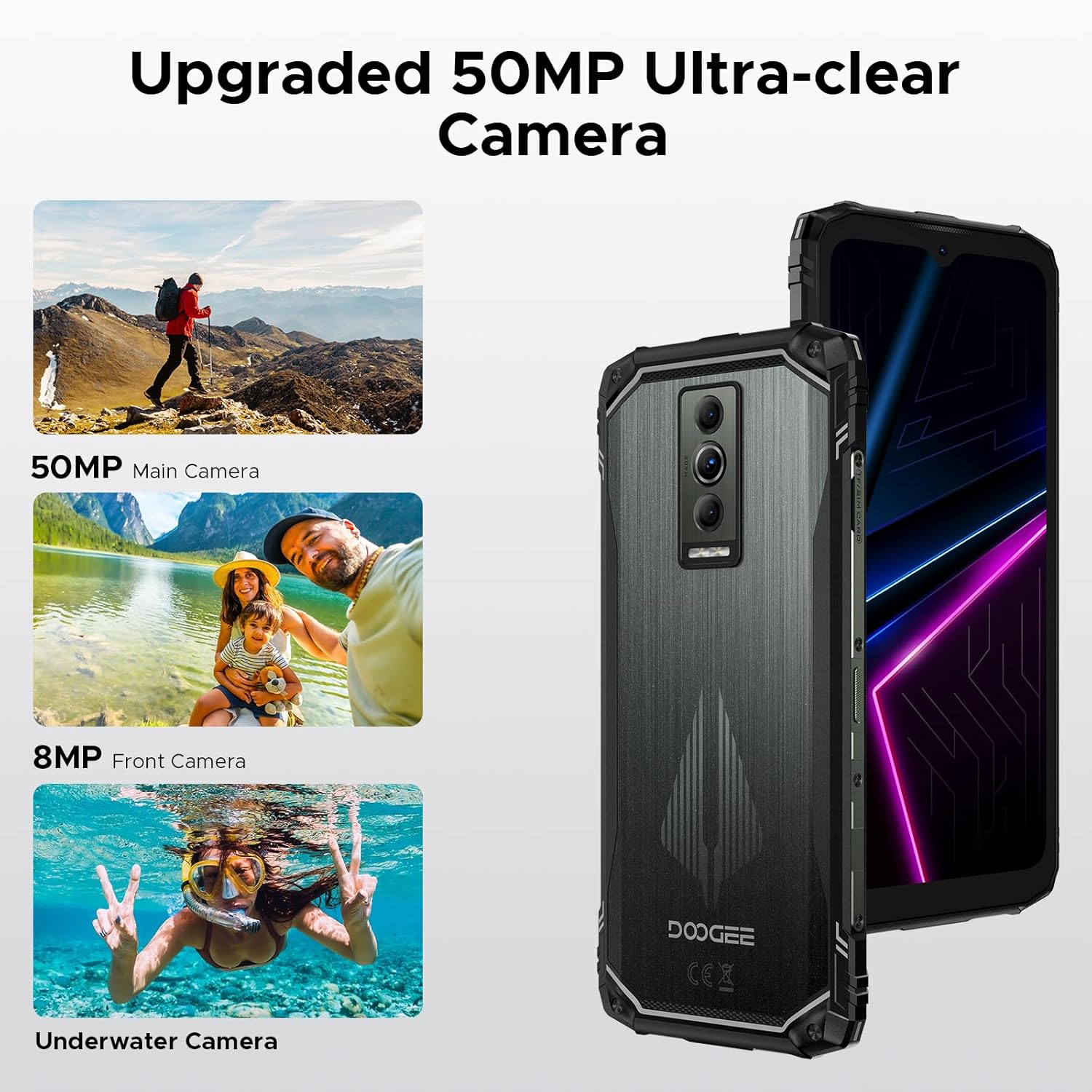
Image 3.3: Visual of the phone's camera setup, highlighting the 50MP main and 8MP front cameras, along with an example of underwater photography.

ചിത്രം 3.4: ഉദാamples of various camera modes available, including Beauty, Anti-flicker, Panoramic, HDR, Pro, Burst, Portrait, Time-lapse, Night, and Filters.
3.4. കണക്റ്റിവിറ്റി
The Blade 10 Pro Energy supports various connectivity options:
- 4.5G നെറ്റ്വർക്ക്: Provides high-speed data transmission and low latency. Ensure compatibility with your local frequency bands (GSM:B2/3/5/8, WCDMA:B1/2/4/5/8, TDD:B34/38/39/40/41, FDD:B1/2/3/4/5/7/8/18/19/20/25/26/28AB/66).
- NFC: For convenient contactless payments and data transfer.
- ബ്ലൂടൂത്ത് 5.0: For wireless accessory connections.
- വൈഫൈ: For internet access.
- USB: Type-C for charging and data transfer.

Image 3.5: Depiction of NFC functionality for convenient mobile payments.
3.5. മെമ്മറിയും സംഭരണവും
The phone comes with 6GB of RAM, expandable to 32GB (6GB basic + 26GB virtual RAM), and 256GB of ROM storage, expandable up to 2TB via a TF card (sold separately). It utilizes UFS technology for faster read/write speeds.

Image 3.6: Visual representation of the 32GB RAM and 256GB ROM storage, indicating expandability.
3.6. സുരക്ഷാ സവിശേഷതകൾ
Unlock your phone securely using Face ID or the side-mounted fingerprint sensor.

Image 3.7: Illustration of Face ID and side fingerprint unlock features.
3.7. അധിക സവിശേഷതകൾ
- ഗ്ലൗ മോഡ് 2.0: Increased screen sensitivity for use with gloves.
- ആപ്പ് ക്ലോണിംഗ്: Run multiple instances of an app.
- Smart Sensing/Incoming Call Muting: Intelligent call management.
- സ്ക്രീൻ സെൻസിംഗ്: Enhanced screen interaction.
- Video Display Enhancement: Optimized video playback.
- Split-screen Mode: Use two apps simultaneously.
- Super Clipboard: Advanced clipboard functionality.
- Dual System Mode: Separate personal and work environments.
- Real Time Subtitles: Live captioning for audio.
- വൈഡ്വൈൻ എൽ1: For high-definition streaming content.

Image 3.8: Depiction of the Glove Mode 2.0 feature, allowing phone operation while wearing gloves.

Image 3.9: Visuals demonstrating App Cloning, Smart Sensing/Incoming Call Muting, Screen Sensing, and Video Display Enhancement.

ചിത്രം 3.10: ഉദാamples of Split-screen Mode, Super Clipboard, Dual System Mode, and Real Time Subtitles features.
4. പരിപാലനം
4.1. നിങ്ങളുടെ ഉപകരണം വൃത്തിയാക്കൽ
Use a soft, lint-free cloth to clean the screen and body of your phone. Avoid using harsh chemicals or abrasive materials. For stubborn dirt, a slightly damp cloth can be used, ensuring no moisture enters ports.
4.2. ബാറ്ററി പരിചരണം
To maximize battery lifespan, avoid extreme temperatures and prolonged exposure to direct sunlight. Charge the phone regularly and avoid completely draining the battery frequently. The 6150mAh Si-C battery is designed for durability, maintaining over 80% health after 3 years or 1000 charging cycles.

Image 4.1: Information on the upgraded Si-C battery, highlighting its durability and charging cycle performance.
4.3. ഈടുനിൽപ്പും സംരക്ഷണവും
The Blade 10 Pro Energy is built with an aviation-grade aluminum titanium alloy frame and is IP68/IP69K/MIL-STD-810H certified, making it water-proof, dust-proof, and drop-proof. While rugged, avoid intentional abuse and ensure all port covers are securely closed when exposed to water or dust.

Image 4.2: Visual demonstration of the phone's IP68/IP69K/MIL-STD-810H ratings for water, dust, and drop resistance.

Image 4.3: Details on the phone's durability tests, including Tumble, Mini Drop, Violent Drop, and Water Submerged tests.
5. പ്രശ്നപരിഹാരം
5.1. പൊതുവായ പ്രശ്നങ്ങളും പരിഹാരങ്ങളും
- ഉപകരണം ഓണാക്കുന്നില്ല: Ensure the battery is charged. Connect to the charger and try again. If unresponsive, perform a forced restart by holding the Power button for 10-15 seconds.
- നെറ്റ്വർക്ക് കണക്റ്റിവിറ്റി പ്രശ്നങ്ങൾ: Check if SIM cards are properly inserted. Verify network band compatibility with your carrier. Try toggling Airplane Mode on and off.
- മന്ദഗതിയിലുള്ള പ്രകടനം: ഉപയോഗിക്കാത്ത ആപ്ലിക്കേഷനുകൾ അടയ്ക്കുക. കാഷെ മായ്ക്കുക, താൽക്കാലികമായി ഉപയോഗിക്കുക. files. Consider a factory reset if issues persist (back up data first).
- സ്ക്രീൻ പ്രതികരിക്കുന്നില്ല: ഉപകരണം റീസ്റ്റാർട്ട് ചെയ്യുക. പ്രശ്നം തുടരുകയാണെങ്കിൽ, പിന്തുണയെ ബന്ധപ്പെടുക.
6 സ്പെസിഫിക്കേഷനുകൾ
| ഫീച്ചർ | സ്പെസിഫിക്കേഷൻ |
|---|---|
| മോഡലിൻ്റെ പേര് | Blade10 Pro Energy |
| ഓപ്പറേറ്റിംഗ് സിസ്റ്റം | ആൻഡ്രോയിഡ് 15 |
| പ്രോസസ്സർ | UNISOC T7250 Octa Core, 1.8 GHz |
| റാം | 32 ജിബി (6 ജിബി ഫിസിക്കൽ + 26 ജിബി വെർച്വൽ) |
| ആന്തരിക സംഭരണം (ROM) | 256 ജിബി |
| വികസിപ്പിക്കാവുന്ന സംഭരണം | 2TB വരെ (TF കാർഡ്) |
| ഡിസ്പ്ലേ വലിപ്പം | 6.56 ഇഞ്ച് |
| ഡിസ്പ്ലേ റെസല്യൂഷൻ | 720 x 1600 (എച്ച്ഡി+) |
| പുതുക്കിയ നിരക്ക് | 90 Hz |
| പ്രധാന ക്യാമറ | 50 എം.പി |
| മുൻ ക്യാമറ | 8 എം.പി |
| ബാറ്ററി ശേഷി | 6150 mAh |
| ചാർജിംഗ് | 18W Fast Charging, Reverse Charging |
| കണക്റ്റിവിറ്റി | 4.5G, Bluetooth 5.0, NFC, Wi-Fi, USB Type-C |
| ഈട് | IP68/IP69K, MIL-STD-810H (Water, Dust, Drop-proof) |
| അളവുകൾ | 3.15 x 0.42 x 6.8 inches (10.7mm thickness) |
| ഭാരം | 1.1 പൗണ്ട് (499 ഗ്രാം) |
| സിം കാർഡ് പിന്തുണ | Dual SIM (Triple Card Slot) |
| ഓഡിയോ ജാക്ക് | 3.5 മി.മീ |
7. വാറൻ്റിയും പിന്തുണയും
7.1. വാറൻ്റി വിവരങ്ങൾ
Your DOOGEE Blade 10 Pro Energy Rugged Phone comes with a manufacturer's warranty. Please refer to the warranty card included in your product packaging for specific terms, conditions, and duration of coverage. Keep your proof of purchase for warranty claims.
7.2. ഉപഭോക്തൃ പിന്തുണ
For further assistance, technical support, or service inquiries, please visit the official DOOGEE webസൈറ്റിൽ ബന്ധപ്പെടുക അല്ലെങ്കിൽ അവരുടെ ഉപഭോക്തൃ സേവനവുമായി ബന്ധപ്പെടുക. കൂടുതൽ വിവരങ്ങളും ഉറവിടങ്ങളും നിങ്ങൾക്ക് ഇവിടെ കണ്ടെത്താനാകും. DOOGEE Store on Amazon.