
1. ആമുഖം
The Ugoos SK2 TV Box is a high-performance streaming media player designed to transform your television into a smart entertainment hub. Running on Android 12.0 with Google TV, it offers seamless access to a vast library of movies, TV shows, and applications. Equipped with a Realtek RTD1325 ARM Cortex-A55 Quad-Core CPU, 4GB RAM, and 32GB ROM, the SK2 ensures smooth 4K HDR playback and efficient multitasking. Its advanced connectivity options, including WiFi 6 and Bluetooth 5.2, provide a stable and fast streaming experience.
2. പാക്കേജ് ഉള്ളടക്കം
Please verify that all items are present in the box:
- Ugoos SK2 TV Box
- BT + IR Remote Control
- 12V/1A Power Adapter (US Plug)
- HDMI കേബിൾ
- ഇംഗ്ലീഷ് ഉപയോക്തൃ മാനുവൽ

Figure 2.1: Ugoos SK2 TV Box and its accompanying remote control.
3. ഉൽപ്പന്നം കഴിഞ്ഞുview
The Ugoos SK2 TV Box features a compact design with essential ports for connectivity.
3.1 മുൻവശവും വശവും Views

ചിത്രം 3.1: വശം view of the Ugoos SK2 TV Box, showing the USB-C, Reset button, and USB 2.0 (5V===) port.
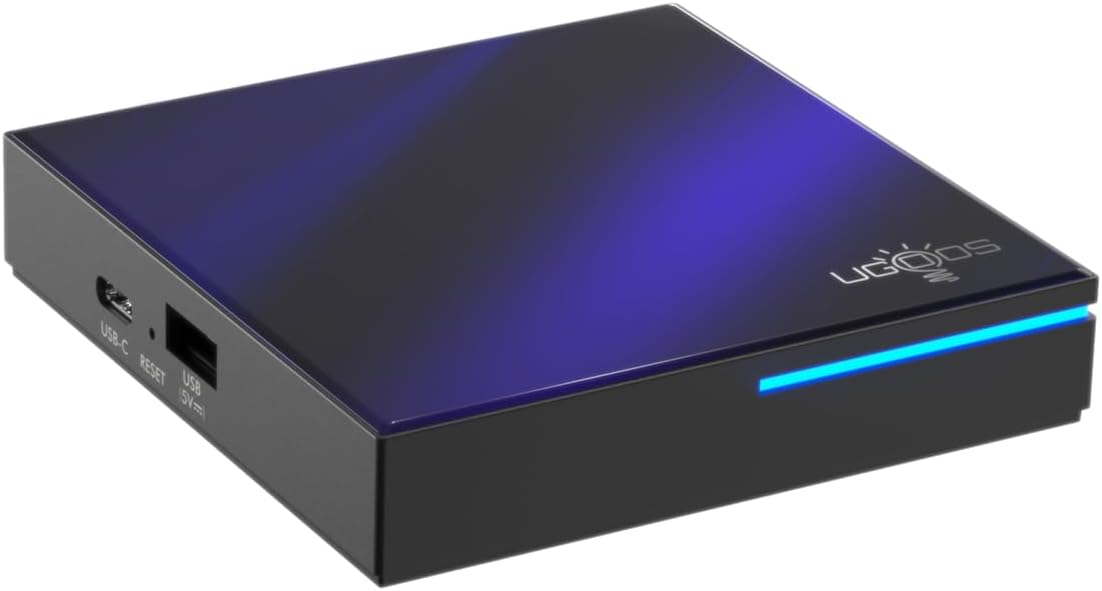
ചിത്രം 3.2: മുൻവശവും വശവും view highlighting the indicator light strip, which illuminates when the device is powered on.
3.2 പിൻഭാഗം View (തുറമുഖങ്ങൾ)
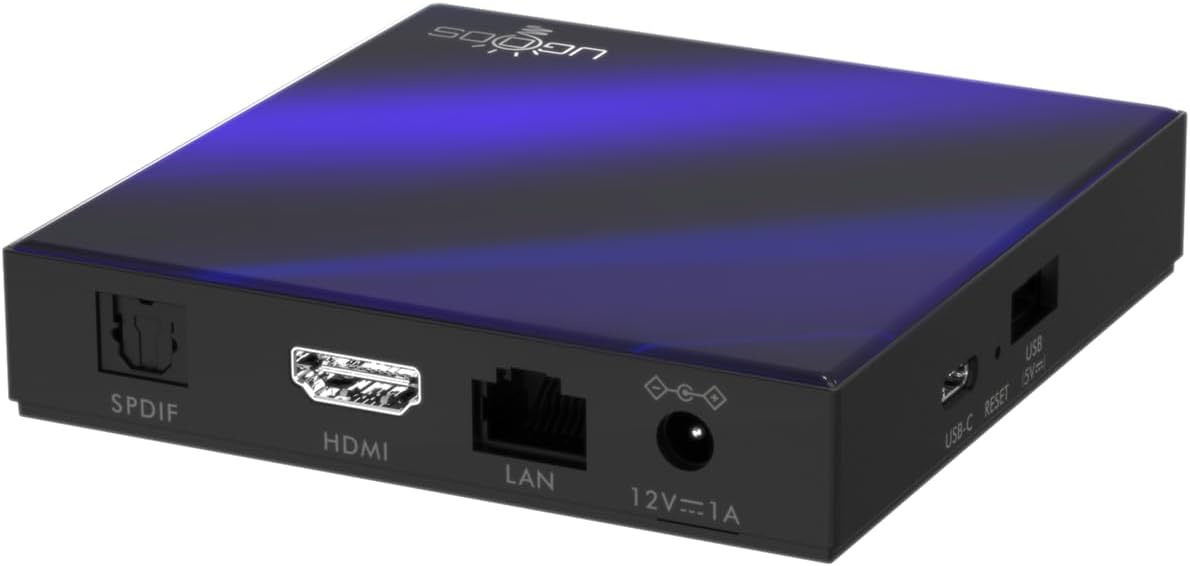
ചിത്രം 3.3: പിൻഭാഗം view of the Ugoos SK2 TV Box, displaying the SPDIF, HDMI, LAN (Ethernet), and 12V/1A Power input ports.
വീഡിയോ 3.1: ഒരു അൺബോക്സിംഗ് കൂടിview of the Ugoos SK2 ATV Box, showcasing its design and available ports.
4. സജ്ജീകരണ ഗൈഡ്
Follow these steps to set up your Ugoos SK2 TV Box:
- ടിവിയിലേക്ക് കണക്റ്റ് ചെയ്യുക: Connect one end of the provided HDMI cable to the HDMI port on the Ugoos SK2 TV Box and the other end to an available HDMI input on your television.
- പവർ ബന്ധിപ്പിക്കുക: Plug the 12V/1A power adapter into the DC IN port on the TV Box and then plug the adapter into a wall outlet. The indicator light on the front of the device will illuminate.
- റിമോട്ട് ബാറ്ററികൾ ചേർക്കുക: Open the battery compartment on the back of the BT + IR Remote Control and insert two AAA batteries (not included), ensuring correct polarity.
- പവർ ഓൺ: Power on your television and select the correct HDMI input source corresponding to where the TV Box is connected. The Ugoos SK2 TV Box should automatically power on.
- പ്രാരംഭ സജ്ജീകരണം: Follow the on-screen instructions to complete the initial setup, including language selection, region/country, and network connection (Wi-Fi or Ethernet).
- റിമോട്ട് കൺട്രോൾ ജോടിയാക്കുക: During the initial setup, you may be prompted to pair the remote control. Press and hold the 'Home' and 'Back' buttons simultaneously for 5 seconds until the indicator light on the remote flashes, indicating successful pairing.
- നെറ്റ്വർക്കിലേക്ക് കണക്റ്റ് ചെയ്യുക: For optimal performance, connect the device to your home network. You can use either the built-in WiFi 6 (2.4/5/6Ghz) or connect an Ethernet cable to the LAN port for a wired connection.
5. പ്രവർത്തന നിർദ്ദേശങ്ങൾ
The Ugoos SK2 TV Box runs on Google TV, providing a user-friendly interface for content discovery and streaming.
5.1 നാവിഗേഷനും ആപ്പുകളും
Use the remote control to navigate through the Google TV interface. The home screen provides personalized recommendations, quick access to installed apps like YouTube, Netflix, Prime Video, and Disney+, and a search function powered by Google Assistant.
5.2 വോയ്സ് കൺട്രോൾ (ഗൂഗിൾ അസിസ്റ്റന്റ്)
Press the Google Assistant button on your remote to activate voice control. You can use voice commands to search for content, control playback, get answers, and manage smart home devices.
5.3 Casting Content (Chromecast built-in)
The device features Chromecast built-in, allowing you to cast movies, shows, photos, and more directly from your phone or tablet to your TV.
5.4 4K HDR Playback
The Ugoos SK2 supports 4K 60fps resolution, H.265, AV1, and 4K HDR content, including Dolby Vision and HDR10+. This ensures a vibrant and detailed viewing experience with smooth playback.
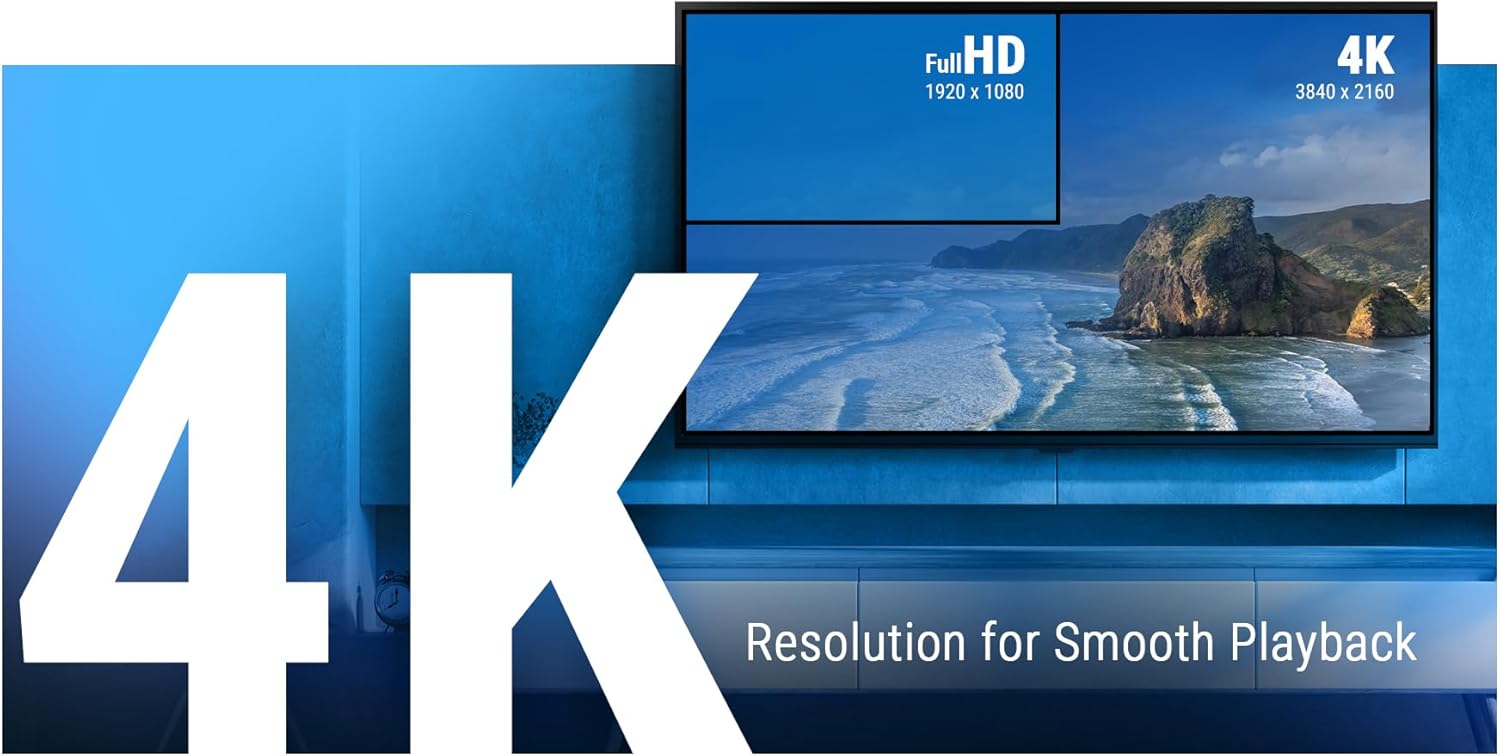
Figure 5.1: The Ugoos SK2 supports 4K resolution for smooth and high-quality video playback.

Figure 5.2: The device supports advanced video technologies like AV1, HDR10+, and Dolby Vision for enhanced visual fidelity.

Figure 5.3: The Automatic Frame Rate (AFR) system ensures optimal resolution and frequency matching for smooth video playback.
6. പരിപാലനം
To ensure the longevity and optimal performance of your Ugoos SK2 TV Box, follow these maintenance guidelines:
- വൃത്തിയാക്കൽ: ഉപകരണത്തിന്റെ പുറംഭാഗം വൃത്തിയാക്കാൻ മൃദുവായതും ഉണങ്ങിയതുമായ തുണി ഉപയോഗിക്കുക. ദ്രാവക ക്ലീനറുകളോ ഉരച്ചിലുകളുള്ള വസ്തുക്കളോ ഉപയോഗിക്കുന്നത് ഒഴിവാക്കുക.
- വെൻ്റിലേഷൻ: അമിതമായി ചൂടാകുന്നത് തടയാൻ ഉപകരണം നന്നായി വായുസഞ്ചാരമുള്ള സ്ഥലത്ത് സ്ഥാപിച്ചിട്ടുണ്ടെന്ന് ഉറപ്പാക്കുക. വെന്റിലേഷൻ ദ്വാരങ്ങൾ മൂടരുത്.
- സോഫ്റ്റ്വെയർ അപ്ഡേറ്റുകൾ: Periodically check for and install software updates to ensure you have the latest features and security patches. This can usually be done through the device's settings menu.
- സ്റ്റോറേജ് മാനേജ്മെന്റ്: While the device has 32GB of internal storage, regularly manage your installed apps and media to prevent performance degradation due to full storage.
7. പ്രശ്നപരിഹാരം
If you encounter issues with your Ugoos SK2 TV Box, refer to the following common problems and solutions:
- ശക്തിയില്ല:
- പവർ അഡാപ്റ്റർ ഉപകരണത്തിലേക്കും പ്രവർത്തിക്കുന്ന ഒരു പവർ ഔട്ട്ലെറ്റിലേക്കും സുരക്ഷിതമായി ബന്ധിപ്പിച്ചിട്ടുണ്ടെന്ന് ഉറപ്പാക്കുക.
- മറ്റൊരു ഉപകരണം പ്ലഗ് ഇൻ ചെയ്ത് പവർ ഔട്ട്ലെറ്റ് പ്രവർത്തനക്ഷമമാണോ എന്ന് പരിശോധിക്കുക.
- ചിത്രം/സിഗ്നൽ ഇല്ല:
- HDMI കേബിൾ ടിവി ബോക്സിലേക്കും ടിവിയിലേക്കും സുരക്ഷിതമായി ബന്ധിപ്പിച്ചിട്ടുണ്ടെന്ന് ഉറപ്പാക്കുക.
- നിങ്ങളുടെ ടിവി ശരിയായ HDMI ഇൻപുട്ട് ഉറവിടത്തിലേക്ക് സജ്ജീകരിച്ചിട്ടുണ്ടെന്ന് ഉറപ്പാക്കുക.
- നിങ്ങളുടെ ടിവിയിൽ മറ്റൊരു HDMI കേബിളോ HDMI പോർട്ടോ പരീക്ഷിച്ചുനോക്കൂ.
- റിമോട്ട് കൺട്രോൾ പ്രതികരിക്കുന്നില്ല:
- റിമോട്ട് കൺട്രോളിലെ ബാറ്ററികൾ പരിശോധിച്ച് മാറ്റിസ്ഥാപിക്കുക.
- Re-pair the remote control by pressing and holding the 'Home' and 'Back' buttons simultaneously for 5 seconds.
- വൈഫൈ കണക്റ്റിവിറ്റി പ്രശ്നങ്ങൾ:
- നിങ്ങളുടെ വൈഫൈ റൂട്ടർ ഓണാണെന്നും ശരിയായി പ്രവർത്തിക്കുന്നുണ്ടെന്നും ഉറപ്പാക്കുക.
- Move the TV Box closer to the router or consider using an Ethernet connection.
- Restart both the TV Box and your Wi-Fi router.
- ആപ്പ് മരവിപ്പിക്കൽ/ക്രാഷിംഗ്:
- Close and reopen the problematic application.
- Clear the app's cache and data through the device settings.
- ഉപകരണത്തിന്റെ സോഫ്റ്റ്വെയർ കാലികമാണെന്ന് ഉറപ്പാക്കുക.
For persistent issues, consider performing a factory reset (refer to the device settings for this option). Note that a factory reset will erase all personal data and installed applications.
8 സ്പെസിഫിക്കേഷനുകൾ
Detailed technical specifications for the Ugoos SK2 TV Box:
| ഫീച്ചർ | വിവരണം |
|---|---|
| മോഡലിൻ്റെ പേര് | SK2 |
| ബ്രാൻഡ് | Ugoos |
| ഓപ്പറേറ്റിംഗ് സിസ്റ്റം | Android 12.0 (Google TV) |
| Processor (SOC) | Realtek RTD1325, ARM Cortex-A55 Quad-Core CPU |
| ജിപിയു | മാലി-G57 MC1 |
| റാം | 4GB DDR4 |
| ആന്തരിക സംഭരണം | 32GB eMMC |
| വയർലെസ് കണക്റ്റിവിറ്റി | WiFi 6 (2.4/5/6Ghz, IEEE 802.11 a/b/g/n/ac/ax 2x2 MIMO) |
| ബ്ലൂടൂത്ത് | ബ്ലൂടൂത്ത് 5.2 |
| വീഡിയോ ഔട്ട്പുട്ട് | HDMI (4K 60fps, HDR, AV1, VP9, H.265) |
| ഓഡിയോ പിന്തുണ | ഡോൾബി വിഷൻ-അറ്റ്മോസ് |
| ഇഥർനെറ്റ് | 100M ലാൻ പോർട്ട് |
| USB പോർട്ടുകൾ | USB-C, USB 2.0 |
| മറ്റ് തുറമുഖങ്ങൾ | SPDIF, Reset |
| പവർ ഇൻപുട്ട് | 12V/1A |
| അളവുകൾ | 3.78 x 3.78 x 0.75 ഇഞ്ച് |
| ഇനത്തിൻ്റെ ഭാരം | 1.35 പൗണ്ട് |
| പ്രത്യേക സവിശേഷതകൾ | Chromecast ബിൽറ്റ്-ഇൻ, Google അസിസ്റ്റന്റ് |

ചിത്രം 8.1: ഓവർview of the Ugoos SK2's core technical specifications.

Figure 8.2: Comparison illustrating the improved data transfer speed of Bluetooth 5.2 supported by the Ugoos SK2.
9 സുരക്ഷാ വിവരങ്ങൾ
ഉപകരണത്തിന് കേടുപാടുകൾ സംഭവിക്കാതിരിക്കാനോ സ്വയം പരിക്കേൽക്കാതിരിക്കാനോ ദയവായി ഈ സുരക്ഷാ മുൻകരുതലുകൾ വായിച്ച് പാലിക്കുക:
- നൽകിയിരിക്കുന്ന പവർ അഡാപ്റ്റർ മാത്രം ഉപയോഗിക്കുക.
- ഉപകരണം വെള്ളം, ഈർപ്പം അല്ലെങ്കിൽ തീവ്രമായ താപനില എന്നിവയിൽ തുറന്നുകാട്ടരുത്.
- താപ സ്രോതസ്സുകൾക്ക് സമീപം അല്ലെങ്കിൽ നേരിട്ട് സൂര്യപ്രകാശത്തിൽ ഉപകരണം സ്ഥാപിക്കുന്നത് ഒഴിവാക്കുക.
- ഉപകരണം ഡിസ്അസംബ്ലിംഗ് ചെയ്യാനോ പരിഷ്ക്കരിക്കാനോ ശ്രമിക്കരുത്.
- ഉപകരണവും അനുബന്ധ ഉപകരണങ്ങളും കുട്ടികൾക്ക് ലഭ്യമാകാതെ സൂക്ഷിക്കുക.
10. വാറൻ്റിയും പിന്തുണയും
The Ugoos SK2 TV Box is covered by a standard manufacturer's warranty. Please refer to the warranty card included in your package or contact Ugoos customer support for detailed information regarding warranty terms, service, and technical assistance.
For further support, visit the official Ugoos webസൈറ്റ് അല്ലെങ്കിൽ അവരുടെ ഉപഭോക്തൃ സേവന ടീമിനെ ബന്ധപ്പെടുക.