
ആമുഖം
The FIMI Mini 3 is a compact, high-performance drone designed for both enthusiasts and professionals. Weighing only 245g, it is exempt from FAA registration requirements in many regions, making it highly portable. It features an advanced 4K/60fps 48MP camera with a 3-axis gimbal for stable, high-quality aerial photography and videography. This manual provides essential information for setting up, operating, maintaining, and troubleshooting your FIMI Mini 3 drone.
ബോക്സിൽ എന്താണുള്ളത്
Upon unboxing your FIMI Mini 3 drone, verify that all components listed below are present:
- FIMI MINI 3 Drone x1
- റിമോട്ട് കൺട്രോളർ x1
- Gimbal protector x1
- ബാറ്ററി x2
- സ്ക്രൂഡ്രൈവർ x1
- Cable (Type C/Lightning) x2
- Spare Propeller x4
- സ്ക്രൂ x4
- USB-Cable x1
- നിർദ്ദേശം x2
- USB ചാർജർ x 1

Figure 1: All components included in the FIMI Mini 3 Drone package.
ഉൽപ്പന്നം കഴിഞ്ഞുview കൂടാതെ പ്രധാന സവിശേഷതകൾ
High-Quality Imaging System
The FIMI Mini 3 is equipped with a powerful 1/2-inch 48MP Sony CMOS sensor, capable of capturing stunning 4K/60fps video. The integrated 3-axis mechanical gimbal ensures exceptionally smooth and stable footage, even during dynamic flight maneuvers.

Figure 2: Detail of the FIMI Mini 3's 48MP camera and 3-axis gimbal for stable video.
ഭാരം കുറഞ്ഞതും പോർട്ടബിൾ ഡിസൈൻ
Weighing only 245g, the FIMI Mini 3 drone is ultra-portable and does not require FAA or Remote ID registration in most countries. Its compact, foldable design allows for easy transport, fitting conveniently into bags or backpacks.

Figure 3: The FIMI Mini 3's compact size, ideal for portability.
Extended Transmission Range
The drone features SoLink HD digital transmission technology, providing a stable and low-latency connection for real-time video up to 9 KM (29,500 ft). It operates on dual-band (2.4G/5.8G) frequencies to ensure reliable signal strength.

Figure 4: Illustration of the drone's 9KM HD transmission capability.
Long Flight Duration and Fast Charging
Each battery provides up to 32 minutes of flight time. The combo package includes two batteries, offering a total flight time of 64 minutes. The drone supports USB Type-C fast charging, minimizing downtime between flights.
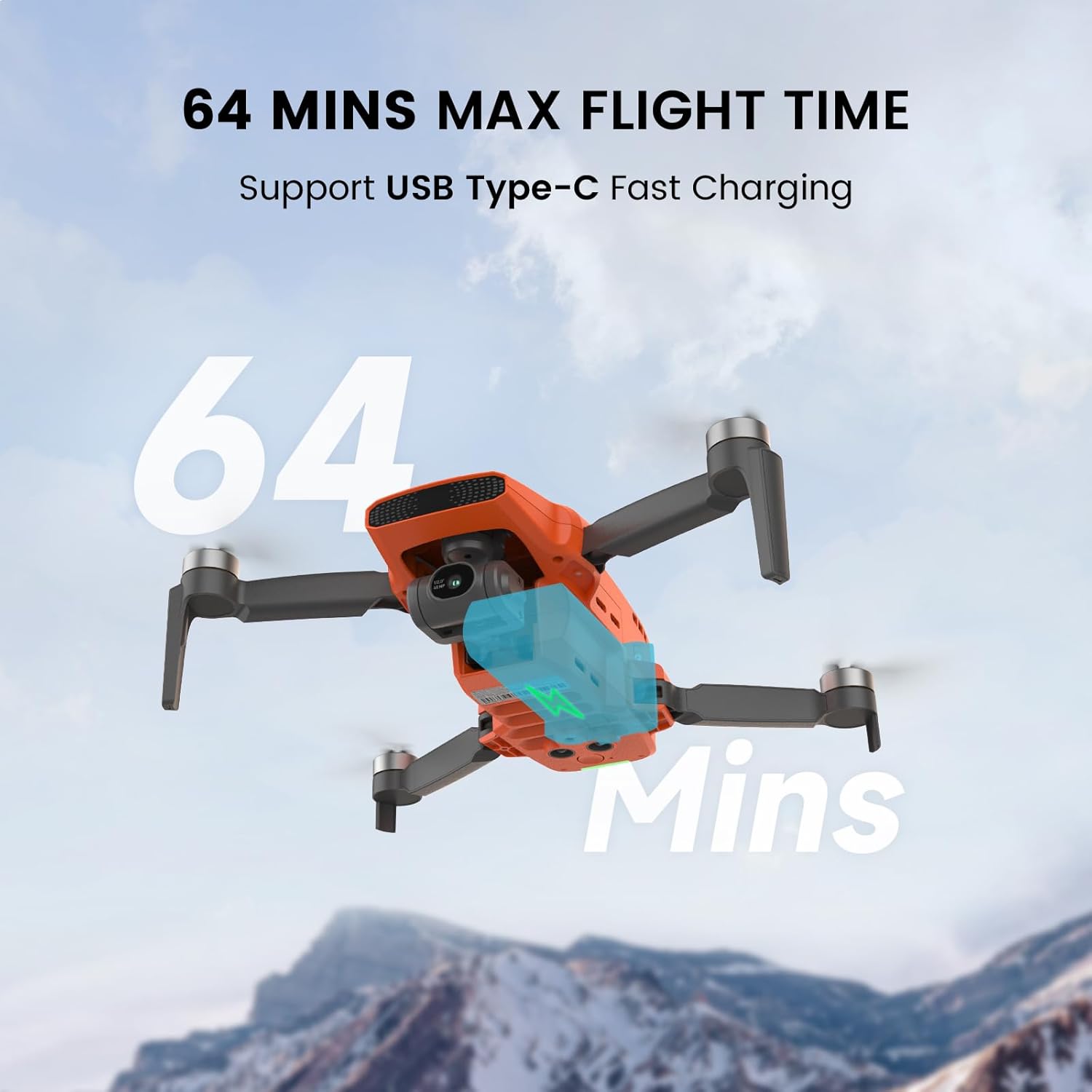
Figure 5: Visual representation of the drone's extended flight time.
Enhanced Wind Resistance
The FIMI Mini 3 is engineered to withstand winds up to Level 5 (38 kph), ensuring stable flight and consistent footage even in challenging weather conditions. This robust design contributes to a dependable aerial experience.

Figure 6: The drone's capability to maintain stability in windy conditions.
AI-Powered Super Night Video
An advanced AI ISP chip significantly improves low-light video performance, delivering a 400% higher signal-to-noise ratio compared to traditional chips. This allows for clear and detailed video capture in dark environments.

Figure 7: Visual comparison highlighting the effectiveness of AI Super Night Video.
Smart Flight Modes
Explore the various intelligent flight modes available in the FIMI Navi app to automate complex maneuvers and enhance your creative possibilities. Always ensure sufficient space and clear surroundings when using these modes.
- വിഷ്വൽ ട്രാക്കിംഗ്: Automatically follows a designated subject.
- Precise Landing: Utilizes the downward-facing camera to accurately land on the launch pad.
- വേപോയിന്റ് ഫ്ലൈറ്റ്: Pre-plan a flight route for automated execution.
- താൽപ്പര്യമുള്ള സ്ഥലം: Circle a specific point of interest.
- 12X ഡിജിറ്റൽ സൂം: Allows for magnified views, useful for observation.
- One-Click Video Templates: Create professional-looking short videos with automated flight paths (Soaring, Dronie, Orbit).

ചിത്രം 8: ഓവർview of intelligent flight modes and user-friendly features.
ഔദ്യോഗിക ഉൽപ്പന്ന വീഡിയോ
Video 1: An aerial view captured by the FIMI Mini 3 drone, showcasing its imaging capabilities in a mountain environment.
സജ്ജീകരണ ഗൈഡ്
- ബാറ്ററികൾ ചാർജ് ചെയ്യുക: Fully charge the drone batteries and the remote controller using the provided USB-C cable and charger. Ensure the charging indicator lights confirm full charge.
- പ്രൊപ്പല്ലറുകൾ ഇൻസ്റ്റാൾ ചെയ്യുക: Attach the propellers to the motor arms according to the markings (e.g., 'A' to 'A', 'B' to 'B'). Ensure they are securely fastened.
- ഗിംബൽ പ്രൊട്ടക്ടർ നീക്കം ചെയ്യുക: Before powering on, carefully remove the gimbal protector from the camera. Failure to do so may damage the gimbal.
- Download FIMI Navi App: Install the official FIMI Navi app on your smartphone or tablet. The app is available for both iOS and Android devices.
- Connect Remote Controller: Place your mobile device into the remote controller's holder and connect it using the appropriate cable (Type-C or Lightning).
- പവർ ഓൺ: Press and hold the power button on the drone and then on the remote controller until they power on and connect.
- ഫേംവെയർ അപ്ഡേറ്റ്: If prompted by the FIMI Navi app, update the drone's firmware to the latest version. Ensure stable internet connection during the update process.
- കോമ്പസ് കാലിബ്രേറ്റ് ചെയ്യുക: Perform a compass calibration before the first flight and whenever flying in a new location. Follow the on-screen instructions in the FIMI Navi app.
For detailed visual instructions, refer to the quick start guide included in the box.
പ്രവർത്തന നിർദ്ദേശങ്ങൾ
അടിസ്ഥാന ഫ്ലൈറ്റ് പ്രവർത്തനങ്ങൾ
- ഏറ്റെടുക്കുക: Place the drone on a flat, open surface. In the FIMI Navi app, tap the one-key takeoff icon or use the combination stick command (refer to the app for specific gestures).
- ലാൻഡിംഗ്: Tap the one-key landing icon in the app or use the combination stick command. The drone will descend and land automatically.
- ഫ്ലൈറ്റ് നിയന്ത്രിക്കുന്നു: Use the remote controller joysticks to control the drone's altitude, direction, and movement. Familiarize yourself with the controls in a safe, open area.
Camera and Video Functions
- ഫോട്ടോ ക്യാപ്ചർ: Press the dedicated photo button on the remote controller or in the app to take still images.
- വീഡിയോ റെക്കോർഡിംഗ്: Press the dedicated video button to start/stop recording. Ensure a high-speed microSD card is inserted.
- ജിംബൽ നിയന്ത്രണം: Use the gimbal dial on the remote controller to adjust the camera's tilt angle during flight.
- 8K Timelapse: Access this feature through the FIMI Navi app to capture stunning time-lapse sequences.
- 12X ഡിജിറ്റൽ സൂം: Utilize the digital zoom function via the app for magnified views. Note that digital zoom may reduce image quality.
ഇൻ്റലിജൻ്റ് ഫ്ലൈറ്റ് മോഡുകൾ
Explore the various intelligent flight modes available in the FIMI Navi app to automate complex maneuvers and enhance your creative possibilities. Always ensure sufficient space and clear surroundings when using these modes.
മെയിൻ്റനൻസ്
Regular maintenance ensures the longevity and optimal performance of your FIMI Mini 3 drone.
- പ്രൊപ്പല്ലർ പരിശോധന: പ്രൊപ്പല്ലറുകളിൽ വിള്ളലുകൾ, വളവുകൾ അല്ലെങ്കിൽ കേടുപാടുകൾ എന്നിവയ്ക്കായി പതിവായി പരിശോധിക്കുക. നൽകിയിരിക്കുന്ന സ്പെയർ പാർട്സും സ്ക്രൂഡ്രൈവറും ഉപയോഗിച്ച് കേടായ പ്രൊപ്പല്ലറുകൾ ഉടൻ മാറ്റിസ്ഥാപിക്കുക.
- ഗിംബൽ കെയർ: Avoid applying force to the gimbal. Keep the camera lens clean with a soft, dry cloth. Always use the gimbal protector when transporting or storing the drone.
- ബാറ്ററി സംഭരണം: Store batteries in a cool, dry place, away from direct sunlight and extreme temperatures. For long-term storage, discharge batteries to approximately 50-60% capacity.
- Drone Body Cleaning: ഒരു സോഫ്റ്റ് ഉപയോഗിക്കുക, ഡിamp cloth to clean the drone's body. Avoid using harsh chemicals or abrasive materials.
- ഫേംവെയർ അപ്ഡേറ്റുകൾ: Keep the drone and remote controller firmware updated to ensure compatibility and access to new features and bug fixes.
ട്രബിൾഷൂട്ടിംഗ്
This section addresses common issues you might encounter with your FIMI Mini 3 drone.
| പ്രശ്നം | സാധ്യമായ കാരണം | പരിഹാരം |
|---|---|---|
| Drone fails to power on | Low battery; Battery not properly inserted | Charge battery fully; Reinsert battery securely. |
| No image transmission to app | Loose cable connection; App not running; Interference | Check cable between remote and phone; Restart app; Move to an area with less interference. |
| അസ്ഥിരമായ പറക്കൽ / ഡ്രിഫ്റ്റിംഗ് | Compass not calibrated; Strong winds; Propeller damage | Perform compass calibration; Avoid flying in strong winds; Inspect and replace damaged propellers. |
| Poor image quality in cold weather | Temperature affecting imaging module | The drone's upgraded imaging module is designed to mitigate this. Ensure firmware is updated. Avoid extreme cold if issues persist. |
| റിമോട്ട് കൺട്രോളർ കണക്റ്റ് ചെയ്യുന്നില്ല | Low remote battery; Pairing issue | Charge remote controller; Re-pair drone and remote controller following manual instructions. |
If you encounter issues not listed here, or if the suggested solutions do not resolve the problem, please contact FIMI customer support.
സ്പെസിഫിക്കേഷനുകൾ
| ഫീച്ചർ | വിശദാംശങ്ങൾ |
|---|---|
| ബ്രാൻഡ് | ഫിമി |
| മോഡലിൻ്റെ പേര് | MINI3-2 |
| ഇനത്തിൻ്റെ ഭാരം | 245 ഗ്രാം |
| വീഡിയോ ക്യാപ്ചർ റെസല്യൂഷൻ | 4K/2.7K/1080P@60fps/50fps/30fps/25fps/24fps |
| ഫലപ്രദമായ സ്റ്റിൽ റെസല്യൂഷൻ | 48 എം.പി |
| ബാറ്ററി ശേഷി | 2200 മില്ലിamp മണിക്കൂറുകൾ |
| Max Flight Time (per battery) | 32 മിനിറ്റ് വരെ |
| പരമാവധി ട്രാൻസ്മിഷൻ ശ്രേണി | 9 KM (29,500 ft) |
| കാറ്റ് പ്രതിരോധം | Level 5 (up to 38 kph) |
| ഗിംബാൽ | 3-axis mechanical gimbal |
| കണക്റ്റിവിറ്റി ടെക്നോളജി | USB, SoLink HD digital transmission |
| ഉൽപ്പന്ന അളവുകൾ | 7.9"L x 5.7"W x 2.2"H |
വാറൻ്റിയും പിന്തുണയും
FIMI products are backed by a manufacturer's warranty. For specific warranty terms and conditions, please refer to the warranty card included with your product or visit the official FIMI webസൈറ്റ്. വാറന്റി ക്ലെയിമുകൾക്കായി നിങ്ങളുടെ വാങ്ങലിന്റെ തെളിവ് സൂക്ഷിക്കുക.
ഉപഭോക്തൃ പിന്തുണ
For technical assistance, troubleshooting, or service requests, please contact FIMI customer support through their official channels. You can typically find contact information on the FIMI website or within the FIMI Navi app.
ഓൺലൈൻ ഉറവിടങ്ങൾ:
- Official FIMI Webസൈറ്റ്: www.fimi.com
- FIMI Store on Amazon: Visit FIMI Store