
GOBOULT AirBass
GOBOULT Soniq AirBass Over-Ear Bluetooth Headphones User Manual
Model: AirBass | Brand: GOBOULT
1. ആമുഖം
Thank you for choosing the GOBOULT Soniq AirBass Over-Ear Bluetooth Headphones. This manual provides essential information for setting up, operating, and maintaining your headphones to ensure optimal performance and longevity. Please read this manual thoroughly before use.
2. ബോക്സിൽ എന്താണുള്ളത്?
- GOBOULT Soniq AirBass Over-Ear Headphones
- ടൈപ്പ്-സി ചാർജിംഗ് കേബിൾ
- ഉപയോക്തൃ മാനുവൽ
- വാറൻ്റി കാർഡ്
- ഇയർ കുഷ്യനുകൾ (മുൻകൂട്ടി ഇൻസ്റ്റാൾ ചെയ്തത്)
3. ഉൽപ്പന്നം കഴിഞ്ഞുview
Familiarize yourself with the components and controls of your GOBOULT Soniq AirBass headphones.

ചിത്രം: മുൻഭാഗം view of the GOBOULT Soniq AirBass Over-Ear Bluetooth Headphones, showcasing അവരുടെ സ്ലീക്ക് ബ്ലാക്ക് ഡിസൈനും സുഖപ്രദമായ ഇയർകപ്പുകളും.
നിയന്ത്രണങ്ങളും തുറമുഖങ്ങളും

Image: Close-up of the tactile button controls on the headphone earcup, indicating volume up/down and play/pause functions.
- പവർ ബട്ടൺ: Located on the earcup, used for powering on/off and pairing.
- വോളിയം ബട്ടണുകൾ (+/-): ഓഡിയോ വോളിയം ക്രമീകരിക്കുന്നു.
- മൾട്ടി-ഫംഗ്ഷൻ ബട്ടൺ: Controls play/pause, track skipping, and call management.
- EQ മോഡ് ബട്ടൺ: വിവിധ ഇക്വലൈസർ പ്രീസെറ്റുകളിലൂടെ സഞ്ചരിക്കുന്നു.
- ടൈപ്പ്-സി ചാർജിംഗ് പോർട്ട്: ഹെഡ്ഫോണുകൾ ചാർജ് ചെയ്യുന്നതിനായി.
- 3.5mm AUX പോർട്ട്: വയർഡ് ഓഡിയോ കണക്ഷന്.
- Zen™ ENC Microphone: വ്യക്തമായ കോളുകൾക്കായി സംയോജിത മൈക്രോഫോൺ.

Image: Illustration highlighting the adjustable headband, foldable design, and movable earcups for enhanced comfort and portability.
4. സജ്ജീകരണം
4.1 ഹെഡ്ഫോണുകൾ ചാർജ് ചെയ്യുന്നു
ആദ്യമായി ഉപയോഗിക്കുന്നതിന് മുമ്പ്, നിങ്ങളുടെ ഹെഡ്ഫോണുകൾ പൂർണ്ണമായും ചാർജ് ചെയ്യുക. നൽകിയിരിക്കുന്ന ടൈപ്പ്-സി ചാർജിംഗ് കേബിൾ ഉപയോഗിക്കുക.
- Connect the Type-C end of the charging cable to the headphone's charging port.
- USB-A എൻഡ് അനുയോജ്യമായ ഒരു USB പവർ അഡാപ്റ്ററിലേക്കോ (ഉൾപ്പെടുത്തിയിട്ടില്ല) അല്ലെങ്കിൽ ഒരു കമ്പ്യൂട്ടറിന്റെ USB പോർട്ടിലേക്കോ ബന്ധിപ്പിക്കുക.
- LED ഇൻഡിക്കേറ്റർ ചാർജിംഗ് സ്റ്റാറ്റസ് കാണിക്കും (ഉദാ: ചാർജ് ചെയ്യുന്നതിന് ചുവപ്പ്, പൂർണ്ണമായി ചാർജ് ചെയ്തതിന് നീല/ഓഫ്).

Image: The GOBOULT Soniq AirBass headphones connected to a Type-C charging cable, illustrating the fast charging capability.
A 10-minute charge provides approximately 8 hours of playtime. A full charge offers up to 70 hours of playtime.
4.2 പവർ ഓൺ/ഓഫ്
- പവർ ഓൺ: Press and hold the Power button for 3-5 seconds until the LED indicator flashes.
- പവർ ഓഫ്: LED ഇൻഡിക്കേറ്റർ ഓഫാകുന്നത് വരെ പവർ ബട്ടൺ 3-5 സെക്കൻഡ് അമർത്തിപ്പിടിക്കുക.
4.3 ബ്ലൂടൂത്ത് ജോടിയാക്കൽ
The headphones support Bluetooth 5.4 for fast and stable connections.
- ഹെഡ്ഫോണുകൾ ഓഫാണെന്ന് ഉറപ്പാക്കുക.
- എൽഇഡി ഇൻഡിക്കേറ്റർ ചുവപ്പും നീലയും മാറിമാറി മിന്നുന്നതുവരെ ഏകദേശം 5-7 സെക്കൻഡ് നേരത്തേക്ക് പവർ ബട്ടൺ അമർത്തിപ്പിടിക്കുക, ഇത് ജോടിയാക്കൽ മോഡിനെ സൂചിപ്പിക്കുന്നു.
- നിങ്ങളുടെ ഉപകരണത്തിൽ (സ്മാർട്ട്ഫോൺ, ടാബ്ലെറ്റ്, ലാപ്ടോപ്പ്), ബ്ലൂടൂത്ത് പ്രവർത്തനക്ഷമമാക്കി ലഭ്യമായ ഉപകരണങ്ങൾക്കായി തിരയുക.
- Select "GOBOULT AirBass" from the list of devices.
- Once connected, the LED indicator will flash blue slowly or turn solid blue.

Image: Visual representation of the Bluetooth 5.4 Blink & Pair feature, emphasizing fast pairing and stable connection.
4.4 ഡ്യുവൽ ഡിവൈസ് ജോടിയാക്കൽ
The headphones can connect to two devices simultaneously.
- വിഭാഗം 4.3-ൽ വിവരിച്ചിരിക്കുന്നതുപോലെ ഹെഡ്ഫോണുകൾ ആദ്യ ഉപകരണവുമായി ജോടിയാക്കുക.
- ആദ്യത്തെ ഉപകരണത്തിൽ ബ്ലൂടൂത്ത് പ്രവർത്തനരഹിതമാക്കുക. ഹെഡ്ഫോണുകൾ ജോടിയാക്കൽ മോഡിലേക്ക് വീണ്ടും പ്രവേശിക്കും.
- രണ്ടാമത്തെ ഉപകരണവുമായി ഹെഡ്ഫോണുകൾ ജോടിയാക്കുക.
- ആദ്യത്തെ ഉപകരണത്തിൽ ബ്ലൂടൂത്ത് വീണ്ടും പ്രവർത്തനക്ഷമമാക്കുക. ഹെഡ്ഫോണുകൾ രണ്ട് ഉപകരണങ്ങളിലേക്കും യാന്ത്രികമായി കണക്റ്റ് ചെയ്യണം.
- You can now switch audio playback between the two connected devices.
4.5 വയർഡ് കണക്ഷൻ (AUX)
For a wired connection, use a 3.5mm audio cable (not included).
- 3.5mm ഓഡിയോ കേബിളിന്റെ ഒരറ്റം ഹെഡ്ഫോണുകളിലെ AUX പോർട്ടുമായി ബന്ധിപ്പിക്കുക.
- മറ്റേ അറ്റം നിങ്ങളുടെ ഉപകരണത്തിന്റെ 3.5mm ഓഡിയോ ജാക്കുമായി ബന്ധിപ്പിക്കുക.
- The headphones will function in passive mode, even if powered off.

Image: The headphones illustrating the flexibility of use in both wireless Bluetooth mode and optional wired mode via a 3.5mm AUX cable.
5. പ്രവർത്തന നിർദ്ദേശങ്ങൾ
5.1 Basic Audio Controls
- പ്ലേ/താൽക്കാലികമായി നിർത്തുക: മൾട്ടി-ഫംഗ്ഷൻ ബട്ടൺ ഒരിക്കൽ അമർത്തുക.
- വോളിയം കൂട്ടുക: '+' ബട്ടൺ അമർത്തുക.
- വോളിയം താഴേക്ക്: '-' ബട്ടൺ അമർത്തുക.
- അടുത്ത ട്രാക്ക്: '+' ബട്ടൺ അമർത്തിപ്പിടിക്കുക.
- മുമ്പത്തെ ട്രാക്ക്: '-' ബട്ടൺ അമർത്തിപ്പിടിക്കുക.
5.2 കോൾ മാനേജ്മെന്റ്
The integrated Zen™ ENC Mic ensures clear communication by reducing environmental noise.

Image: Close-up of the Zen™ ENC Microphone, highlighting its features for ambient noise isolation and enhanced call clarity.
- ഉത്തരം/അവസാന കോൾ: മൾട്ടി-ഫംഗ്ഷൻ ബട്ടൺ ഒരിക്കൽ അമർത്തുക.
- കോൾ നിരസിക്കുക: മൾട്ടി-ഫംഗ്ഷൻ ബട്ടൺ 2 സെക്കൻഡ് അമർത്തിപ്പിടിക്കുക.
- അവസാന നമ്പർ വീണ്ടും ഡയൽ ചെയ്യുക: മൾട്ടി-ഫംഗ്ഷൻ ബട്ടൺ ഇരട്ട-അമർത്തുക.
5.3 EQ മോഡുകൾ
Customize your audio experience with multiple EQ modes.
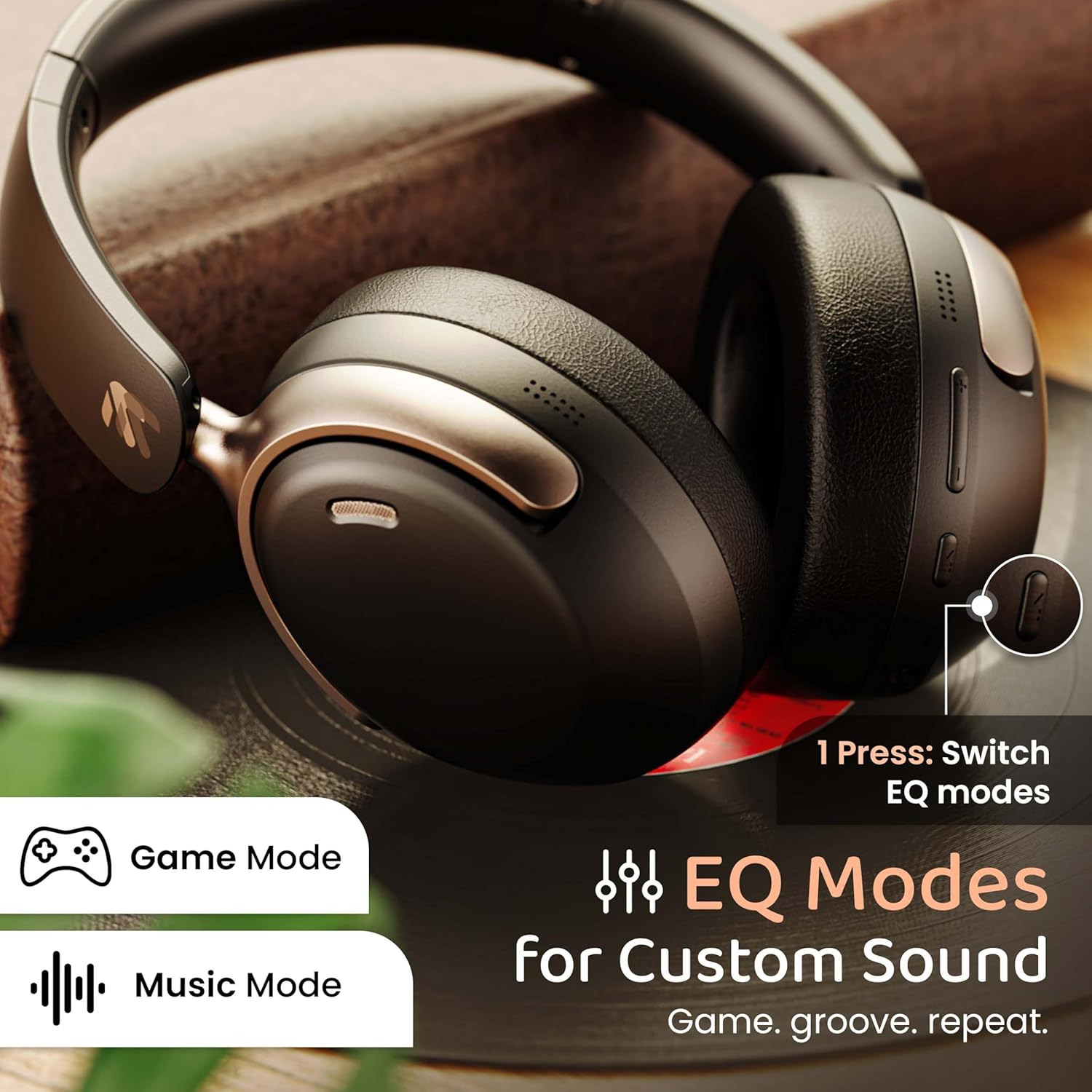
Image: The headphones with an overlay indicating different EQ modes like Game Mode and Music Mode, accessible via a single button press.
- Press the EQ Mode button to cycle through available sound profiles (e.g., Bass Boost, Balanced, Vocal, Gaming).
5.4 വോയ്സ് അസിസ്റ്റന്റ്
Activate your device's voice assistant (Siri, Google Assistant).
- Triple-press the Multi-function button to activate the voice assistant.
6. പരിപാലനം
6.1 വൃത്തിയാക്കൽ
- മൃദുവായതും ഉണങ്ങിയതുമായ തുണി ഉപയോഗിച്ച് ഹെഡ്ഫോണുകൾ തുടയ്ക്കുക.
- കഠിനമായ രാസവസ്തുക്കളോ ഉരച്ചിലുകളോ ഉപയോഗിക്കരുത്.
- Clean ear cushions gently to remove any buildup.
6.2 സംഭരണം
- നേരിട്ടുള്ള സൂര്യപ്രകാശത്തിൽ നിന്നും കടുത്ത താപനിലയിൽ നിന്നും മാറി തണുത്തതും വരണ്ടതുമായ സ്ഥലത്ത് ഹെഡ്ഫോണുകൾ സൂക്ഷിക്കുക.
- ഉപയോഗത്തിലില്ലാത്തപ്പോൾ കോംപാക്റ്റ് സംഭരണത്തിനായി മടക്കാവുന്ന ഡിസൈൻ ഉപയോഗിക്കുക.
6.3 ജല പ്രതിരോധം
The headphones are IPX5 water resistant, meaning they are protected against low-pressure water jets from any direction. This includes splash, rain, and sweat resistance.
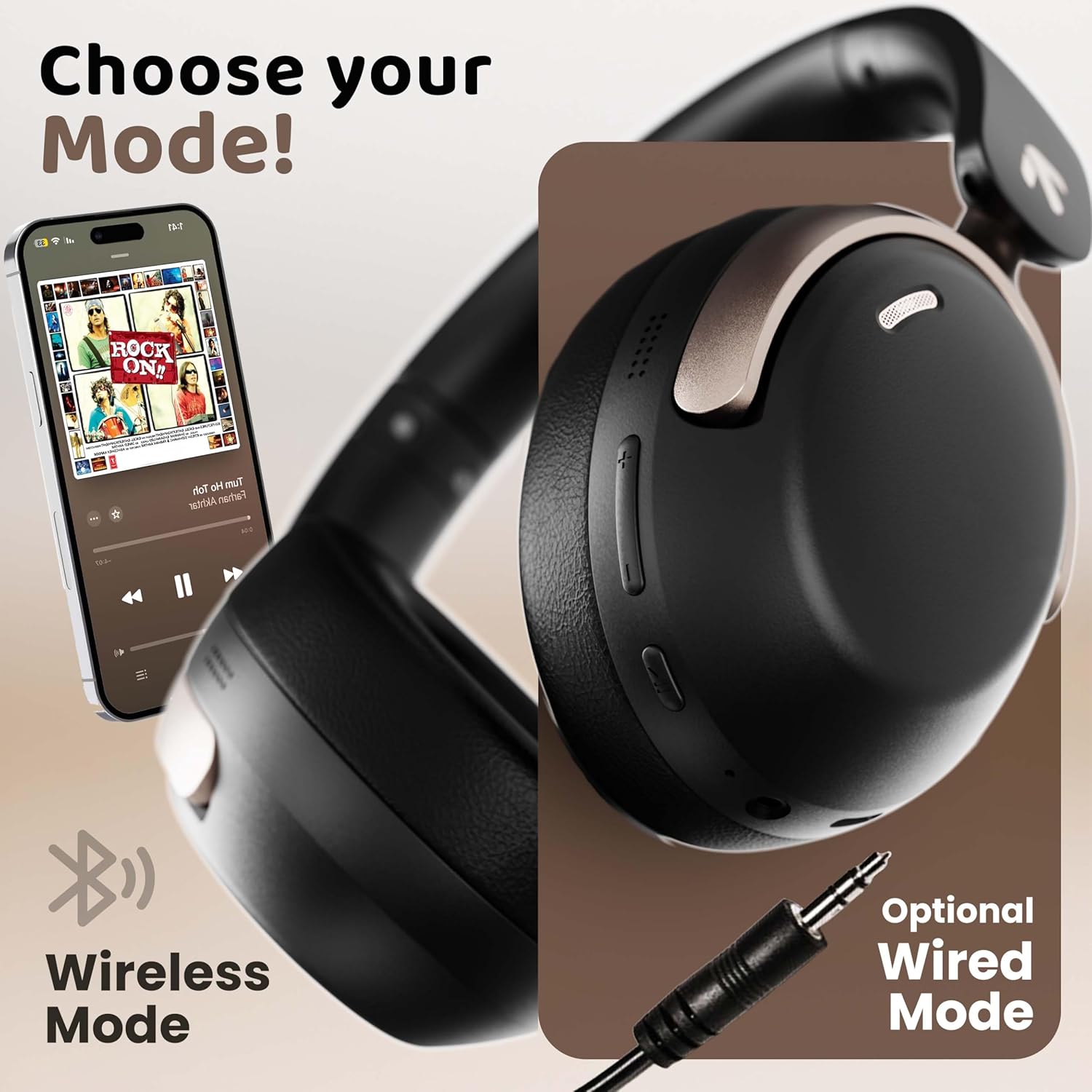
Image: The headphones displayed with icons indicating IPX5 water resistance, signifying splash, rain, and sweat proof capabilities.
Do not submerge the headphones in water or expose them to high-pressure water streams.
7. പ്രശ്നപരിഹാരം
| പ്രശ്നം | സാധ്യമായ കാരണം | പരിഹാരം |
|---|---|---|
| ഹെഡ്ഫോണുകൾ ഓണാകുന്നില്ല | കുറഞ്ഞ ബാറ്ററി | ഹെഡ്ഫോണുകൾ പൂർണ്ണമായും ചാർജ് ചെയ്യുക. |
| ഉപകരണവുമായി ജോടിയാക്കാൻ കഴിയില്ല | ഹെഡ്ഫോണുകൾ ജോടിയാക്കൽ മോഡിൽ ഇല്ല; ഉപകരണത്തിൽ ബ്ലൂടൂത്ത് ഓഫാണ്; ഉപകരണം വളരെ അകലെയാണ് | ഹെഡ്ഫോണുകൾ ജോടിയാക്കൽ മോഡിലാണെന്ന് ഉറപ്പാക്കുക (ചുവപ്പ്/നീല നിറങ്ങളിൽ മിന്നുന്നു). നിങ്ങളുടെ ഉപകരണത്തിൽ ബ്ലൂടൂത്ത് ഓണാക്കുക. ഉപകരണം ഹെഡ്ഫോണുകൾക്ക് അടുത്തേക്ക് നീക്കുക (10 മീറ്ററിനുള്ളിൽ). |
| ശബ്ദമോ കുറഞ്ഞ വോളിയമോ ഇല്ല | Volume too low; incorrect audio output; headphones not connected | Increase headphone and device volume. Check Bluetooth connection. Ensure correct audio output is selected on your device. |
| മോശം കോൾ നിലവാരം | Microphone obstructed; environmental noise; weak signal | Ensure microphone is clear. Move to a quieter environment. Check Bluetooth connection stability. |
| ഇടവിട്ടുള്ള കണക്ഷൻ | Interference; device too far; low battery | Move away from sources of interference (Wi-Fi routers, other Bluetooth devices). Keep device within 10 meters. Charge headphones. |
8 സ്പെസിഫിക്കേഷനുകൾ
| ഫീച്ചർ | വിശദാംശങ്ങൾ |
|---|---|
| മോഡലിൻ്റെ പേര് | എയർബാസ് |
| കണക്റ്റിവിറ്റി ടെക്നോളജി | Bluetooth, Wired (AUX) |
| വയർലെസ് കമ്മ്യൂണിക്കേഷൻ ടെക്നോളജി | ബ്ലൂടൂത്ത് 5.4 |
| ബ്ലൂടൂത്ത് ശ്രേണി | 10 മീറ്റർ |
| ഓഡിയോ ഡ്രൈവർ വലിപ്പം | 40 മില്ലിമീറ്റർ |
| ഓഡിയോ ഡ്രൈവർ തരം | ഡൈനാമിക് ഡ്രൈവർ |
| ഓഡിയോ ലേറ്റൻസി | 60 മില്ലിസെക്കൻഡ് (ഗെയിമിംഗ് മോഡ്) |
| ശബ്ദ നിയന്ത്രണം | പരിസ്ഥിതി ശബ്ദം റദ്ദാക്കൽ (ENC) |
| ബാറ്ററി ലൈഫ് | 70 മണിക്കൂർ വരെ |
| ചാർജിംഗ് പോർട്ട് | ടൈപ്പ്-സി ഫാസ്റ്റ് ചാർജിംഗ് |
| ജല പ്രതിരോധ നില | IPX5 |
| ഇയർപീസ് ആകൃതി | ചെവിക്ക് മുകളിൽ |
| മെറ്റീരിയൽ | Memory Foam, Plastic |
| ഇനത്തിൻ്റെ ഭാരം | 227 ഗ്രാം |
| ഉൽപ്പന്ന അളവുകൾ | 17 x 5.5 x 19 സെ.മീ |
| പ്രത്യേക സവിശേഷതകൾ | Multipoint Pairing, Customizable EQ Modes, Voice Assistant Support |
9. വാറൻ്റിയും പിന്തുണയും
9.1 നിർമ്മാതാവിന്റെ വാറന്റി
The GOBOULT Soniq AirBass Over-Ear Bluetooth Headphones come with a 1 വർഷത്തെ നിർമ്മാതാവിൻ്റെ വാറൻ്റി from the date of purchase. This warranty covers manufacturing defects and ensures the reliability of your product.
വാറൻ്റി ക്ലെയിമുകൾക്കായി നിങ്ങളുടെ വാങ്ങിയതിൻ്റെ തെളിവ് സൂക്ഷിക്കുക.
9.2 ഉപഭോക്തൃ പിന്തുണ
For any queries, technical assistance, or warranty claims, please contact GOBOULT customer support through the official webസൈറ്റ് അല്ലെങ്കിൽ നിങ്ങളുടെ വാറന്റി കാർഡിൽ നൽകിയിരിക്കുന്ന ബന്ധപ്പെടാനുള്ള വിവരങ്ങൾ.
You may also refer to the official GOBOULT store on Amazon for additional product information and support resources: GOBOULT Store
Ask a question about this manual
Ask about setup, troubleshooting, compatibility, parts, safety, or missing instructions. Manuals+ will review the question and use this page’s manual context to help answer it.