
1. ആമുഖം
Thank you for choosing the DROK USB Volume Knob. This device provides convenient external volume control for your computer speakers or other audio output. It features a durable design, plug-and-play compatibility, and multiple volume adjustment modes. Please read this manual carefully to ensure proper setup and operation.
2. പാക്കേജ് ഉള്ളടക്കം
- DROK USB Volume Knob
- 1.5m USB Type-C to USB Type-A Cable
3. സജ്ജീകരണം
The DROK USB Volume Knob is designed for plug-and-play functionality, requiring no additional drivers for most operating systems.
- കേബിൾ ബന്ധിപ്പിക്കുക: Use the provided 1.5m USB Type-C to USB Type-A cable. Insert the Type-C end into the port on the back of the DROK USB Volume Knob.
- കമ്പ്യൂട്ടറുമായി ബന്ധിപ്പിക്കുക: Insert the USB Type-A end of the cable into an available USB port on your computer.
- സിസ്റ്റം തിരിച്ചറിയൽ: Your computer (Windows 10/8/7 or Mac) will automatically recognize the device. No driver installation is typically required.
- ഉപയോഗത്തിന് തയ്യാറാണ്: Once recognized, the device is ready to control your system's volume.

Figure 3.1: Connecting the DROK USB Volume Knob to a computer. The image shows the USB Type-C cable connecting the knob to a computer's USB port, highlighting its driver-free, plug-and-play compatibility with Windows and Mac operating systems.
4. പ്രവർത്തന നിർദ്ദേശങ്ങൾ
The DROK USB Volume Knob offers intuitive control over your audio with a rotary knob and a mute button.
4.1 വോളിയം ക്രമീകരണം
Rotate the main knob clockwise to increase volume and counter-clockwise to decrease volume.
4.2 നിശബ്ദ പ്രവർത്തനം
Press the top of the main knob once to instantly mute your audio. Press it again to resume playback.
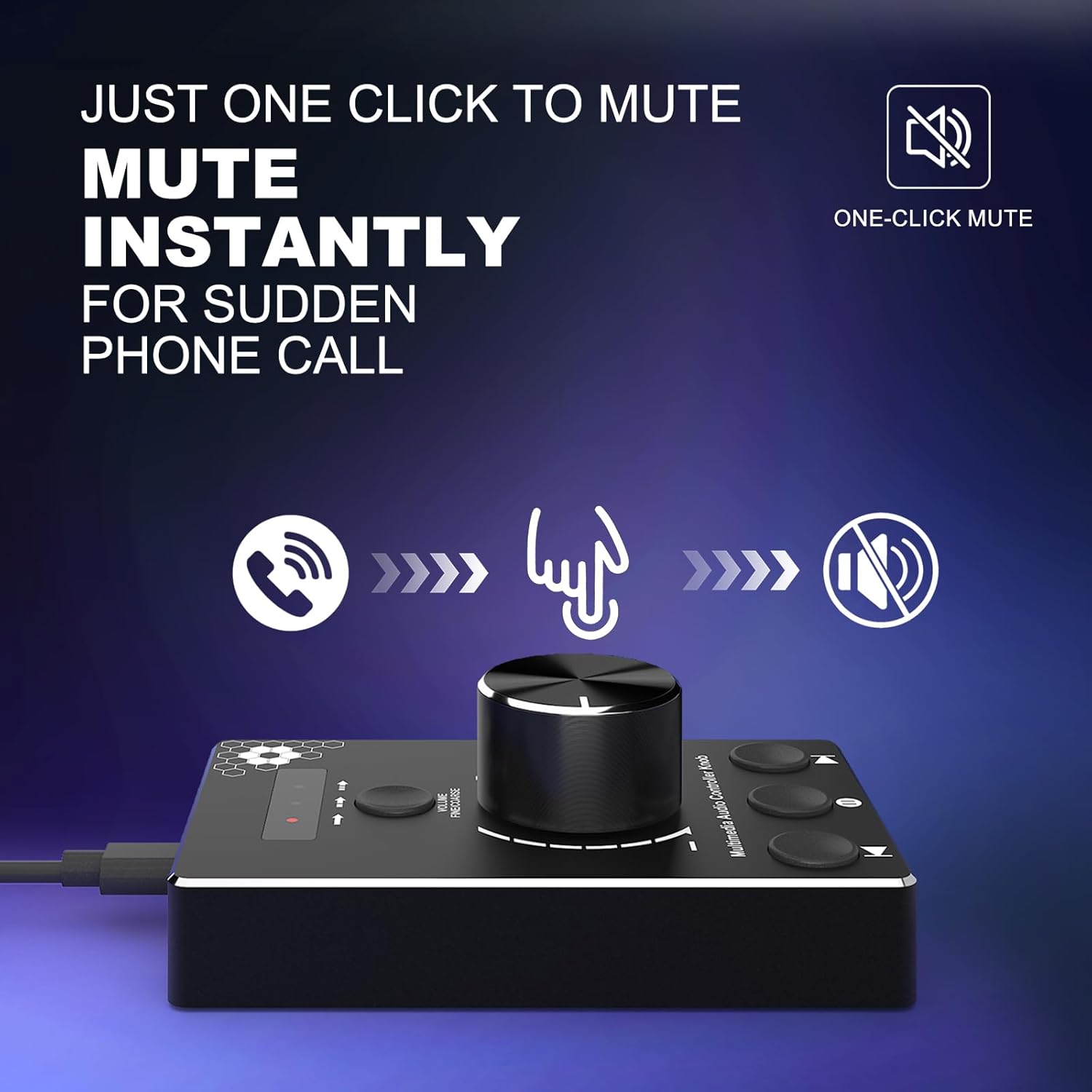
Figure 4.1: One-click mute function. A hand is shown pressing down on the volume knob, indicating the instant mute capability, useful for sudden interruptions like phone calls.
4.3 Volume Control Modes
The device features three distinct volume control modes for precise or rapid adjustments. Use the 'VOLUME FINE/COARSE' button to cycle through these modes.
- Mode 1 (Rapid-Change): Adjusts volume by 2 steps per click. Ideal for quick volume shifts.
- Mode 2 (Fine-Tune): Adjusts volume by 4 steps per click. Offers more granular control.
- Mode 3 (Fine-Tune): Adjusts volume by 10 steps per click. Provides the most precise audio adjustments.

Figure 4.2: Multi-step volume adjustment modes. This diagram illustrates the three modes for volume control: adjusting by 2 steps (coarse), 4 steps (fine), or 10 steps (very fine), allowing users to select the desired level of precision.
4.4 Media Control Buttons
The device includes additional buttons for media playback control:
- മുമ്പത്തെ ട്രാക്ക്: Press the left button to go to the previous track.
- പ്ലേ/താൽക്കാലികമായി നിർത്തുക: Press the middle button to play or pause media.
- അടുത്ത ട്രാക്ക്: Press the right button to go to the next track.
5. പരിപാലനം
To ensure the longevity and optimal performance of your DROK USB Volume Knob, follow these simple maintenance guidelines:
- വൃത്തിയാക്കൽ: Use a soft, dry cloth to wipe the surface of the device. Avoid using liquid cleaners or abrasive materials, as they may damage the finish or internal components.
- സംഭരണം: ഉപയോഗിക്കാത്തപ്പോൾ, നേരിട്ട് സൂര്യപ്രകാശത്തിൽ നിന്നും തീവ്രമായ താപനിലയിൽ നിന്നും അകലെ തണുത്തതും വരണ്ടതുമായ സ്ഥലത്ത് ഉപകരണം സൂക്ഷിക്കുക.
- കൈകാര്യം ചെയ്യൽ: Avoid dropping the device or subjecting it to strong impacts, which could damage its internal circuitry or metal housing.
6. പ്രശ്നപരിഹാരം
If you encounter issues with your DROK USB Volume Knob, please refer to the following common solutions:
- ഉപകരണം തിരിച്ചറിഞ്ഞിട്ടില്ല:
- Ensure the USB cable is securely connected to both the volume knob and your computer.
- Try connecting the device to a different USB port on your computer.
- Restart your computer and reconnect the device.
- Verify that your operating system (Windows 7/8/10 or Mac) is compatible.
- No Volume Control:
- Check your computer's sound settings to ensure the correct audio output device is selected.
- Confirm that the device is not muted (press the knob to toggle mute).
- Ensure the volume knob is rotating freely and not obstructed.
- ഇടയ്ക്കിടെയുള്ള പ്രവർത്തനം:
- Try using a different USB cable if available, to rule out cable issues.
- Avoid connecting the device through unpowered USB hubs; connect directly to the computer if possible.
7 സ്പെസിഫിക്കേഷനുകൾ

Figure 7.1: Product dimensions and cable length. The image displays the DROK USB Volume Knob with its length (9.7cm/3.82in), width (6.0cm/2.36in), and height (1.6cm/0.63in) clearly marked, along with the 1.5m (4.9ft) USB cable.
| ബ്രാൻഡ് | DROK |
| മോഡൽ നമ്പർ | 200787 |
| കണക്റ്റിവിറ്റി ടെക്നോളജി | USB |
| അനുയോജ്യമായ ഉപകരണങ്ങൾ | Computer, Speaker |
| ഓപ്പറേറ്റിംഗ് സിസ്റ്റം അനുയോജ്യത | വിൻഡോസ് 7/8/10, മാക് |
| പ്രത്യേക ഫീച്ചർ | No Programming Required, One-Click Mute, 3 Volume Modes |
| മെറ്റീരിയൽ | Premium Metal Housing |
| കേബിൾ നീളം | 1.5 മീറ്റർ (4.9 അടി) |
| ഇനത്തിൻ്റെ ഭാരം | 1.6 ഔൺസ് |
8. വാറൻ്റി വിവരങ്ങൾ
This DROK USB Volume Knob is covered by a 2 വർഷത്തെ നിർമ്മാതാവിൻ്റെ വാറൻ്റി from the date of purchase. This warranty covers defects in materials and workmanship under normal use. It does not cover damage caused by misuse, accident, unauthorized modification, or external causes.
9. പിന്തുണ
For technical support, warranty claims, or any questions regarding your DROK USB Volume Knob, please contact DROK customer service through the retailer's platform where the product was purchased or visit the official DROK webബന്ധപ്പെടാനുള്ള വിവരങ്ങൾക്കുള്ള സൈറ്റ്.