
1. ആമുഖം
Thank you for choosing the Pro Breeze 40L Smart Dehumidifier. This manual provides important information regarding the safe operation, installation, use, and maintenance of your appliance. Please read this manual thoroughly before use and retain it for future reference.
This dehumidifier is designed to efficiently remove excess moisture from the air, helping to prevent mold, mildew, and condensation in spaces up to 50 m².
2. പ്രധാന സുരക്ഷാ നിർദ്ദേശങ്ങൾ
തീ, വൈദ്യുതാഘാതം, പരിക്കുകൾ എന്നിവ കുറയ്ക്കുന്നതിന് വൈദ്യുത ഉപകരണങ്ങൾ ഉപയോഗിക്കുമ്പോൾ എല്ലായ്പ്പോഴും അടിസ്ഥാന സുരക്ഷാ മുൻകരുതലുകൾ പാലിക്കുക.
- ഉപകരണം പ്രവർത്തിപ്പിക്കുന്നതിന് മുമ്പ് എല്ലാ നിർദ്ദേശങ്ങളും ശ്രദ്ധാപൂർവ്വം വായിക്കുക.
- വോളിയം ഉറപ്പാക്കുകtagറേറ്റിംഗ് ലേബലിൽ സൂചിപ്പിച്ചിരിക്കുന്ന e നിങ്ങളുടെ മെയിൻ വോള്യവുമായി പൊരുത്തപ്പെടുന്നുtage.
- ഉപകരണം, പവർ കോർഡ്, പ്ലഗ് എന്നിവ വെള്ളത്തിലോ മറ്റ് ദ്രാവകങ്ങളിലോ മുക്കരുത്.
- Do not operate the appliance with a damaged cord or plug, or after it malfunctions or has been dropped or damaged in any manner.
- കുട്ടികൾക്കും വളർത്തുമൃഗങ്ങൾക്കും ലഭ്യമല്ലാത്തവിധം ഉപകരണം സൂക്ഷിക്കുക.
- Always unplug the appliance when not in use, before cleaning, or before moving.
- ഉപകരണം സുസ്ഥിരവും പരന്നതുമായ പ്രതലത്തിൽ സ്ഥാപിച്ചിട്ടുണ്ടെന്ന് ഉറപ്പാക്കുക.
- എയർ ഇൻലെറ്റുകളോ ഔട്ട്ലെറ്റുകളോ തടയരുത്. യൂണിറ്റിന് ചുറ്റും കുറഞ്ഞത് 20 സെന്റീമീറ്റർ ക്ലിയറൻസ് നിലനിർത്തുക.
- ഈ ഉപകരണം ഇൻഡോർ ഉപയോഗത്തിന് മാത്രമുള്ളതാണ്.
- Do not use in bathrooms or other excessively humid environments where water may splash onto the unit.
3. ഉൽപ്പന്നം കഴിഞ്ഞുview
3.1 ഘടകങ്ങൾ
The Pro Breeze 40L Smart Dehumidifier features a compact design with integrated controls and a water tank. It includes a continuous drainage option and mobility wheels for easy placement.
ചിത്രം: മുൻഭാഗം view of the Pro Breeze 40L Smart Dehumidifier, highlighting its dimensions (52cm height, 28cm depth, 35.5cm width) and key features like smart app control, laundry mode, 5.5L tank, and low energy consumption.
3.2 നിയന്ത്രണ പാനലും ഡിസ്പ്ലേയും
The dehumidifier is equipped with an intuitive touch control panel and an LED display for easy operation and monitoring of humidity levels.

Image: A hand interacting with the touch control panel of the dehumidifier, showing the digital display and various function buttons.
4. സജ്ജീകരണം
4.1 അൺപാക്കിംഗ്
- ഡീഹ്യൂമിഡിഫയർ അതിന്റെ പാക്കേജിംഗിൽ നിന്ന് ശ്രദ്ധാപൂർവ്വം നീക്കം ചെയ്യുക.
- ഏതെങ്കിലും സംരക്ഷണ ഫിലിമുകളോ ടേപ്പുകളോ ഉൾപ്പെടെ എല്ലാ പാക്കേജിംഗ് വസ്തുക്കളും നീക്കം ചെയ്യുക.
- ഉപകരണത്തിന് എന്തെങ്കിലും കേടുപാടുകൾ സംഭവിച്ചിട്ടുണ്ടോ എന്ന് പരിശോധിക്കുക. കേടുപാടുകൾ സംഭവിച്ചിട്ടുണ്ടെങ്കിൽ, അത് പ്രവർത്തിപ്പിക്കരുത്, കൂടാതെ ഉപഭോക്തൃ പിന്തുണയുമായി ബന്ധപ്പെടുക.
4.2 പ്ലേസ്മെൻ്റ്
Place the dehumidifier on a firm, level surface in the desired room. Ensure there is at least 20 cm of clear space around all sides of the unit to allow for proper airflow.

Image: A person easily moving the dehumidifier across a wooden floor in a living room, demonstrating its portability with four swivel wheels.
4.3 പവർ കണക്ഷൻ
Plug the power cord into a grounded electrical outlet. Ensure the outlet meets the power requirements specified in the 'Specifications' section.
4.4 തുടർച്ചയായ ഡ്രെയിനേജ് (ഓപ്ഷണൽ)
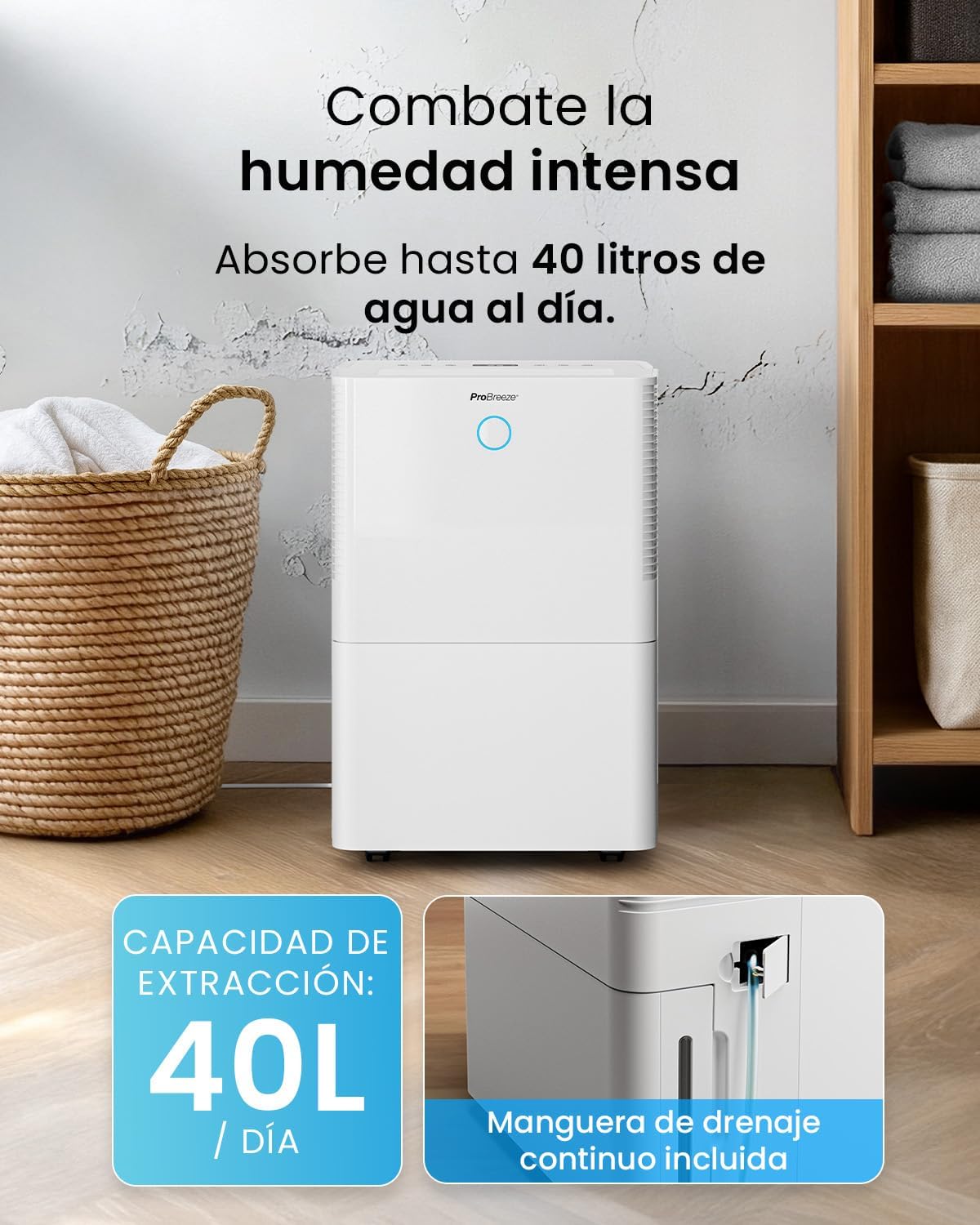
For continuous operation without needing to empty the water tank, attach the included drainage hose. Connect one end to the drainage port on the back of the unit and the other end to a suitable drain or container that is lower than the drainage port.

ചിത്രം: ക്ലോസ്-അപ്പ് view of the dehumidifier's side, showing the continuous drainage hose connected and leading to a floor drain.
5. പ്രവർത്തന നിർദ്ദേശങ്ങൾ
5.1 പവർ ഓൺ/ഓഫ്
അമർത്തുക ശക്തി യൂണിറ്റ് ഓണാക്കാനോ ഓഫാക്കാനോ നിയന്ത്രണ പാനലിലെ ബട്ടൺ.
5.2 ആവശ്യമുള്ള ഈർപ്പം ക്രമീകരിക്കൽ
The dehumidifier features an automatic sensor that continuously measures room humidity. Use the ഈർപ്പം buttons to set your desired humidity level between 30% and 80%.

Image: A family relaxing in a living room with the dehumidifier operating. An overlay illustrates the humidity indicator lights: Blue for >50% (Low), Green for 50-70% (Medium), and Red for <70% (High).
5.3 ഓപ്പറേറ്റിംഗ് മോഡുകൾ
- യാന്ത്രിക മോഡ്: The unit will automatically adjust its operation to maintain the set humidity level.
- തുടർച്ചയായ മോഡ്: The dehumidifier will operate continuously regardless of the humidity level, ideal for very damp വ്യവസ്ഥകൾ.
- അലക്കു മോഡ്: This mode is designed to accelerate the drying of clothes indoors by running at maximum fan speed and continuous dehumidification.
- സ്ലീപ്പ് മോഡ്: Reduces fan speed and dims the display for quiet operation during the night.

Image: A woman smiling while placing clothes on a drying rack next to the dehumidifier, illustrating the accelerated laundry drying feature.

Image: A family watching television in a dimly lit living room, with the dehumidifier operating quietly in the foreground, indicating its silent operation and night mode features.
5.4 ടൈമർ പ്രവർത്തനം
ഉപയോഗിക്കുക ടൈമർ button to set a 24-hour timer for automatic power on or off. This allows you to schedule operation according to your needs.

Image: A close-up of a smartphone screen displaying the Pro Breeze app's 24-hour timer function, allowing users to schedule the dehumidifier's operation.
6. വൈ-ഫൈ കണക്റ്റിവിറ്റിയും ആപ്പ് നിയന്ത്രണവും
The Pro Breeze 40L Smart Dehumidifier can be controlled remotely via the free Pro Breeze app, compatible with both Alexa and Google Home.
6.1 ആപ്പ് ഇൻസ്റ്റാളേഷനും ജോടിയാക്കലും
- Download the Pro Breeze app from your smartphone's app store.
- Follow the in-app instructions to create an account and pair your dehumidifier.
- Ensure your dehumidifier is powered on and your smartphone is connected to a 2.4GHz Wi-Fi network during the pairing process.
6.2 റിമോട്ട് കൺട്രോൾ സവിശേഷതകൾ
ആപ്പ് വഴി, നിങ്ങൾക്ക് ഇവ ചെയ്യാനാകും:
- ഡീഹ്യൂമിഡിഫയർ ഓൺ/ഓഫ് ചെയ്യുക.
- Adjust humidity settings.
- Select operating modes (Auto, Continuous, Laundry, Sleep).
- Set and manage the 24-hour timer.
- മുറിയിലെ നിലവിലെ ഈർപ്പം നിരീക്ഷിക്കുക.

Image: A woman using a smartphone to control the dehumidifier, with icons for Amazon Alexa and Google Home indicating voice control compatibility.
7. പരിപാലനം
പതിവ് അറ്റകുറ്റപ്പണികൾ നിങ്ങളുടെ ഡീഹ്യൂമിഡിഫയറിന്റെ മികച്ച പ്രകടനവും ദീർഘായുസ്സും ഉറപ്പാക്കുന്നു.
7.1 എയർ ഫിൽട്ടർ വൃത്തിയാക്കൽ
ഉപയോഗവും വായുവിന്റെ ഗുണനിലവാരവും അനുസരിച്ച് എയർ ഫിൽറ്റർ രണ്ടാഴ്ച കൂടുമ്പോഴോ അതിലധികമോ തവണ വൃത്തിയാക്കണം.
- ഡീഹ്യൂമിഡിഫയർ ഓഫ് ചെയ്ത് അൺപ്ലഗ് ചെയ്യുക.
- യൂണിറ്റിന്റെ പിന്നിൽ നിന്ന് എയർ ഫിൽട്ടർ നീക്കം ചെയ്യുക.
- ഫിൽട്ടർ ചൂടുള്ള, സോപ്പ് വെള്ളത്തിൽ കഴുകുക. നന്നായി കഴുകിയ ശേഷം വീണ്ടും ഇടുന്നതിനുമുമ്പ് പൂർണ്ണമായും വായുവിൽ ഉണങ്ങാൻ അനുവദിക്കുക.
- ഫിൽറ്റർ ഇൻസ്റ്റാൾ ചെയ്യാതെ ഡീഹ്യൂമിഡിഫയർ പ്രവർത്തിപ്പിക്കരുത്.
7.2 വാട്ടർ ടാങ്ക് കാലിയാക്കലും വൃത്തിയാക്കലും
When the water tank is full, the unit will automatically shut off and an indicator light will illuminate. Empty the tank and clean it regularly to prevent mold and bacteria growth.
- യൂണിറ്റിന്റെ മുൻവശത്ത് നിന്ന് വാട്ടർ ടാങ്ക് ശ്രദ്ധാപൂർവ്വം പുറത്തെടുക്കുക.
- ശേഖരിച്ച വെള്ളം ഒഴിക്കുക.
- Clean the tank with mild detergent and water. Rinse thoroughly.
- Reinsert the dry tank firmly into the dehumidifier.

Image: The dehumidifier in operation, with an overlay indicating its 40L/day extraction capacity and the continuous drainage hose option.
7.3 ബാഹ്യ ശുചീകരണം
ഡീഹ്യൂമിഡിഫയറിന്റെ പുറംഭാഗം മൃദുവായ, ഡി ഉപയോഗിച്ച് തുടയ്ക്കുകamp തുണി. ഉരച്ചിലുകളുള്ള ക്ലീനറുകളോ ലായകങ്ങളോ ഉപയോഗിക്കരുത്.
8. പ്രശ്നപരിഹാരം
If you encounter issues with your dehumidifier, refer to the following table before contacting customer support.
| പ്രശ്നം | സാധ്യമായ കാരണം | പരിഹാരം |
|---|---|---|
| ഡീഹ്യൂമിഡിഫയർ ഓണാക്കുന്നില്ല. | No power; Power cord not plugged in; Water tank full or not correctly inserted. | വൈദ്യുതി വിതരണം പരിശോധിക്കുക; പവർ കോർഡ് പ്ലഗ് ഇൻ ചെയ്യുക; വാട്ടർ ടാങ്ക് ശരിയായി കാലിയാക്കി വീണ്ടും ചേർക്കുക. |
| വെള്ളം ശേഖരിച്ചിട്ടില്ല. | Room humidity too low; Temperature too low; Air filter blocked; Continuous drainage hose connected. | Increase desired humidity setting; Ensure room temperature is above 5°C; Clean air filter; Disconnect continuous drainage hose if collecting water in tank. |
| യൂണിറ്റ് ശബ്ദമയമാണ്. | Unit not on a level surface; Air filter blocked; Fan obstruction. | Place on a flat, stable surface; Clean air filter; Check for obstructions in fan area. |
| വൈഫൈ കണക്ഷൻ പ്രശ്നങ്ങൾ. | തെറ്റായ വൈഫൈ പാസ്വേഡ്; 2.4GHz നെറ്റ്വർക്കിലേക്ക് കണക്റ്റുചെയ്തിട്ടില്ല; റൂട്ടർ വളരെ അകലെയാണ്. | Verify password; Connect to 2.4GHz Wi-Fi; Move unit closer to router or use a Wi-Fi extender. |
9 സ്പെസിഫിക്കേഷനുകൾ
- ബ്രാൻഡ്: പ്രോ ബ്രീസ്
- മോഡലിൻ്റെ പേര്: PB-D-32W-W
- Moisture Extraction: പ്രതിദിനം 40 ലിറ്റർ വരെ
- വാട്ടർ ടാങ്ക് കപ്പാസിറ്റി: 5.3 ലിറ്റർ
- ശുപാർശ ചെയ്യുന്ന മുറിയുടെ വലിപ്പം: 50 ചതുരശ്ര മീറ്റർ (538 ചതുരശ്ര അടി) വരെ
- അളവുകൾ (L x W x H): 27.5 x 35.5 x 52.2 സെ.മീ
- ഭാരം: 16.36 കി.ഗ്രാം
- വേഗതകളുടെ എണ്ണം: 3
- പ്രത്യേക സവിശേഷതകൾ: Smart App Control, Automatic Humidity Sensor, Automatic Shut-off, 24-hour Timer, Laundry Mode, Sleep Mode, Continuous Drainage
- ശബ്ദ നില: <49dB
10. വാറൻ്റിയും പിന്തുണയും
For warranty information and customer support, please refer to the documentation included with your purchase or visit the official Pro Breeze website. Ensure you have your model number (PB-D-32W-W) and proof of purchase available when contacting support.
നിർമ്മാതാവ്: ഒരു റീട്ടെയിൽ ഗ്രൂപ്പ്