
മോൺസ്റ്റർ MH22262
മോൺസ്റ്റർ എൻ-ലൈറ്റ് 216 വയർലെസ് ഇയർബഡ്സ് ഉപയോക്തൃ മാനുവൽ
മോഡൽ: MH22262
ആമുഖം
Thank you for choosing the Monster N-Lite 216 Wireless Earbuds. This manual provides essential information for setting up, operating, and maintaining your earbuds to ensure optimal performance and longevity. Please read this manual thoroughly before use.

Image: Monster N-Lite 216 Wireless Earbuds and their charging case, displayed in white.
ബോക്സിൽ എന്താണുള്ളത്
നിങ്ങളുടെ പാക്കേജിൽ എല്ലാ ഇനങ്ങളും ഉണ്ടെന്ന് ഉറപ്പാക്കുക:
- മോൺസ്റ്റർ എൻ-ലൈറ്റ് 216 ഇയർബഡുകൾ
- വയർലെസ് ചാർജിംഗ് കേസ്
- എസ്/എം/എൽ ഇയർ നുറുങ്ങുകൾ
- യുഎസ്ബി-സി കേബിൾ
- ക്വിക്ക് സ്റ്റാർട്ട് ഗൈഡ് (ഉപയോക്തൃ മാനുവൽ)

Image: A flat lay of all included components: the earbuds, charging case, USB-C cable, and user manual.
ഉൽപ്പന്നം കഴിഞ്ഞുview
രൂപകൽപ്പനയും ആശ്വാസവും
The Monster N-Lite 216 earbuds feature an ergonomic ear hook design for a stable and comfortable fit, especially during physical activities. The ear hooks are made of soft silicone material, ensuring a non-slip fit and reducing discomfort during extended wear.

Image: A man wearing the Monster N-Lite 216 earbuds, highlighting the flexible ear hook design for a secure fit.

Image: A woman smiling while wearing the earbuds, illustrating the all-day comfort and ultimate sound experience.
ഓഡിയോ, കോൾ നിലവാരം
Experience premium audio with powerful deep bass and crisp treble, delivered by a 14.2mm dynamic driver unit. The earbuds are equipped with built-in high-performance ENC (Environmental Noise Cancelling) microphones, ensuring crystal-clear calls by reducing background noise in various environments.

Image: An exploded diagram showing the internal components of the earbud, emphasizing the 14.2mm dynamic driver for powerful bass.
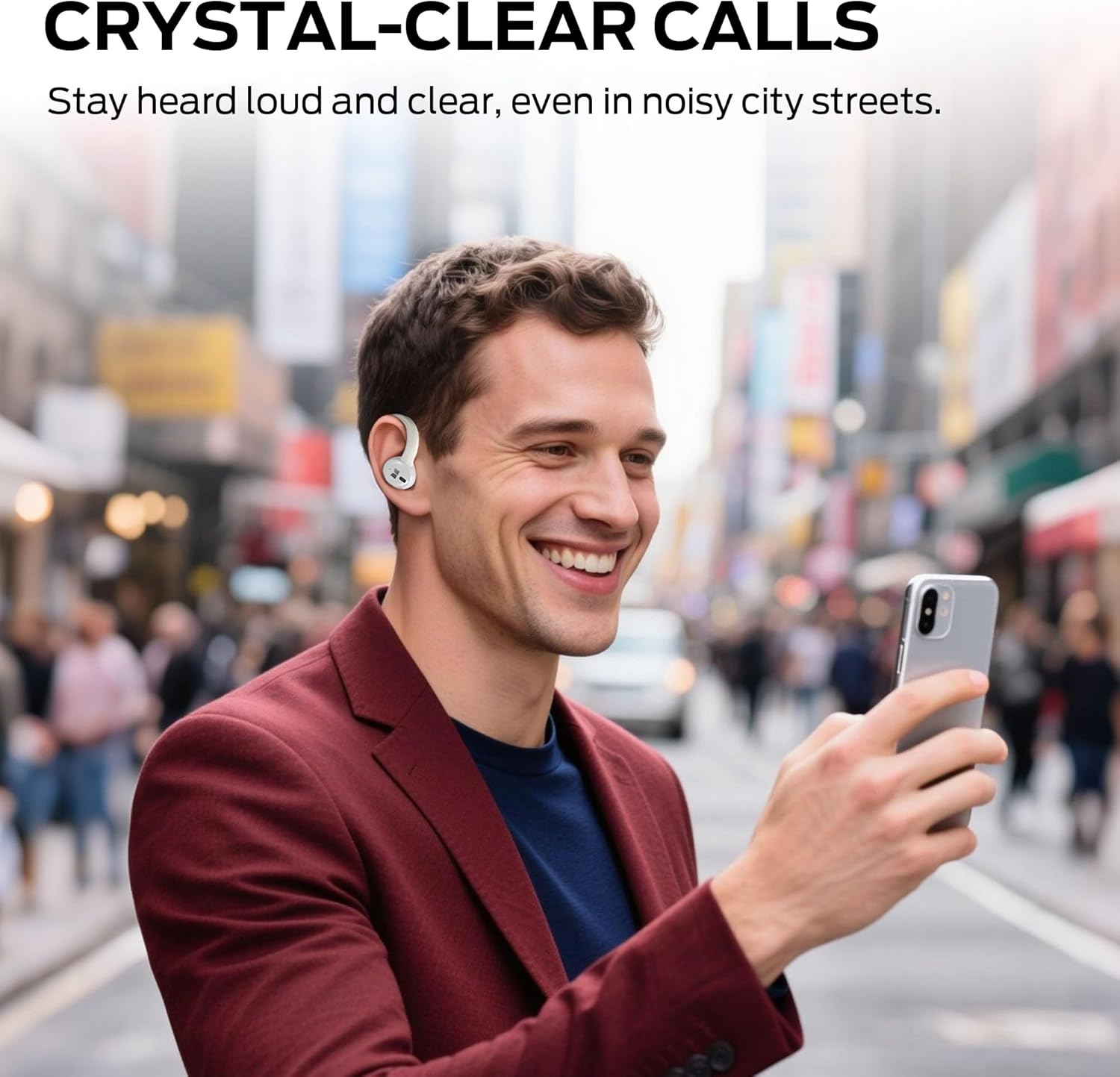
Image: A man using the earbuds to make a call in a busy city street, illustrating the crystal-clear call feature.
കണക്റ്റിവിറ്റിയും ബാറ്ററി ലൈഫും
Featuring advanced Bluetooth 5.4 technology, the earbuds provide instant pairing and stable transmission with a connection distance of up to 50ft. The earbuds offer up to 15 hours of continuous use on a single charge, and the portable charging case provides an additional 3 charges, extending total playtime to approximately 45 hours. The charging case features a dual LED display to accurately show the remaining power of the case and the charging progress of the earbuds. A full charge of the case takes approximately 1.5 hours via Type-C quick charge.

Image: A visual representation of the earbuds charging inside the case, highlighting the 48-hour total playtime.
ഈട്
The earbuds are equipped with IPX5 waterproof technology, protecting them from splash damage caused by sweat and raindrops, making them suitable for workouts, running, and gym use.

Image: A man running outdoors, showcasing the earbuds' suitability for sports with icons indicating ergonomic design, flexible earhooks, and IPX6 waterproof rating.
സജ്ജമാക്കുക
ഇയർബഡുകളും കേസും ചാർജ് ചെയ്യുന്നു
- ഇയർബഡുകൾ ചാർജിംഗ് കേസിൽ വയ്ക്കുക. അവ അവയുടെ സ്ലോട്ടുകളിൽ ശരിയായി സ്ഥാപിച്ചിട്ടുണ്ടെന്ന് ഉറപ്പാക്കുക.
- USB-C ചാർജിംഗ് കേബിൾ കേസിലെ ചാർജിംഗ് പോർട്ടിലേക്കും മറ്റേ അറ്റം ഒരു USB പവർ സ്രോതസ്സിലേക്കും (ഉദാ: വാൾ അഡാപ്റ്റർ, കമ്പ്യൂട്ടർ USB പോർട്ട്) ബന്ധിപ്പിക്കുക.
- The LED display on the charging case will indicate the charging status. Allow approximately 1.5 hours for a full charge of the case.
ഇയർബഡുകൾ ധരിക്കുന്നു
മികച്ച ശബ്ദ നിലവാരത്തിനും സുഖസൗകര്യത്തിനും, ഇയർബഡുകൾ ശരിയായി ധരിച്ചിട്ടുണ്ടെന്ന് ഉറപ്പാക്കുക.

Image: A two-step diagram illustrating the correct way to wear the earbuds: first, place the earbud above the ear, then rotate it backward along the auricle to the proper position.
- Take out the earbud from the charging case.
- Place the earbud above your ear, then gently rotate it backward along the auricle until it sits comfortably and securely in your ear.
ഒരു ഉപകരണവുമായി ജോടിയാക്കുന്നു
- ചാർജിംഗ് കേസ് തുറക്കുക. ഇയർബഡുകൾ സ്വയമേവ ജോടിയാക്കൽ മോഡിലേക്ക് പ്രവേശിക്കും.
- നിങ്ങളുടെ ഉപകരണത്തിൽ (സ്മാർട്ട്ഫോൺ, ടാബ്ലെറ്റ്, ലാപ്ടോപ്പ്), ബ്ലൂടൂത്ത് പ്രവർത്തനക്ഷമമാക്കുക.
- ഇതിനായി തിരയുക ലഭ്യമായ ബ്ലൂടൂത്ത് ഉപകരണങ്ങൾ തിരഞ്ഞെടുത്ത് ലിസ്റ്റിൽ നിന്ന് "മോൺസ്റ്റർ എൻ-ലൈറ്റ് 216" തിരഞ്ഞെടുക്കുക.
- Once connected, the earbuds will indicate successful pairing (e.g., a voice prompt or LED indicator change).
- ഉപകരണത്തിൽ ബ്ലൂടൂത്ത് പ്രവർത്തനക്ഷമമാക്കിയിട്ടുണ്ടെങ്കിൽ, കേസിൽ നിന്ന് പുറത്തെടുക്കുമ്പോൾ ഇയർബഡുകൾ അവസാനം ജോടിയാക്കിയ ഉപകരണവുമായി യാന്ത്രികമായി വീണ്ടും കണക്റ്റുചെയ്യും.
പ്രവർത്തന നിർദ്ദേശങ്ങൾ
The Monster N-Lite 216 earbuds feature smart touch controls for easy management of music and calls.

ചിത്രം: ഒരു ക്ലോസ്-അപ്പ് view of the earbud highlighting the touch-sensitive area for smart control.

Image: A visual guide to the touch controls, showing icons for skipping tracks, adjusting volume, and answering calls.
സംഗീത പ്ലേബാക്ക്
- പ്ലേ/താൽക്കാലികമായി നിർത്തുക: ഇയർബഡുകളിൽ ഏതെങ്കിലുമൊന്നിൽ ഒറ്റ ടാപ്പ് ചെയ്യുക.
- അടുത്ത ട്രാക്ക്: വലതുവശത്തെ ഇയർബഡിൽ രണ്ടുതവണ ടാപ്പ് ചെയ്യുക.
- മുമ്പത്തെ ട്രാക്ക്: ഇടതുവശത്തെ ഇയർബഡിൽ രണ്ടുതവണ ടാപ്പ് ചെയ്യുക.
- വോളിയം കൂട്ടുക: വലതുവശത്തെ ഇയർബഡിൽ മൂന്ന് തവണ ടാപ്പ് ചെയ്യുക.
- വോളിയം താഴേക്ക്: ഇടതുവശത്തെ ഇയർബഡിൽ മൂന്ന് തവണ ടാപ്പ് ചെയ്യുക.
കോൾ മാനേജുമെന്റ്
- ഉത്തരം/അവസാന കോൾ: ഇയർബഡുകളിൽ ഏതെങ്കിലുമൊന്നിൽ ഒറ്റ ടാപ്പ് ചെയ്യുക.
- കോൾ നിരസിക്കുക: ഏതെങ്കിലും ഇയർബഡിൽ 2 സെക്കൻഡ് അമർത്തിപ്പിടിക്കുക.
വോയ്സ് അസിസ്റ്റൻ്റ്
- വോയ്സ് അസിസ്റ്റന്റിനെ സജീവമാക്കുക: കോൾ ചെയ്യാത്തപ്പോൾ, ഇയർബഡുകളിൽ ഏതെങ്കിലുമൊന്ന് 3 സെക്കൻഡ് അമർത്തിപ്പിടിക്കുക.
മെയിൻ്റനൻസ്
- വൃത്തിയാക്കൽ: ഇയർബഡുകളും ചാർജിംഗ് കെയ്സും മൃദുവായതും ഉണങ്ങിയതും ലിന്റ് രഹിതവുമായ തുണി ഉപയോഗിച്ച് പതിവായി വൃത്തിയാക്കുക. കഠിനമായ രാസവസ്തുക്കളോ ഉരച്ചിലുകളോ ഉള്ള വസ്തുക്കൾ ഉപയോഗിക്കരുത്.
- ചെവി ടിപ്പുകൾ: Remove the ear tips and clean them with water and mild soap if necessary. Ensure they are completely dry before reattaching.
- ചാർജിംഗ് കോൺടാക്റ്റുകൾ: If charging issues occur, gently clean the charging contacts on both the earbuds and the case with a cotton swab.
- സംഭരണം: ഉപയോഗത്തിലില്ലാത്തപ്പോൾ, പൊടിയിൽ നിന്നും കേടുപാടുകളിൽ നിന്നും സംരക്ഷിക്കാൻ ഇയർബഡുകൾ അവയുടെ ചാർജിംഗ് കേസിൽ സൂക്ഷിക്കുക. കടുത്ത താപനിലയിൽ നിന്ന് മാറി തണുത്തതും വരണ്ടതുമായ സ്ഥലത്ത് സൂക്ഷിക്കുക.
- വാട്ടർ എക്സ്പോഷർ: While IPX5 rated, avoid submerging the earbuds in water. Dry them thoroughly if they get wet from sweat or rain before placing them back in the charging case.
ട്രബിൾഷൂട്ടിംഗ്
| പ്രശ്നം | സാധ്യമായ കാരണം | പരിഹാരം |
|---|---|---|
| ഇയർബഡുകൾ ജോടിയാക്കുന്നില്ല | ഇയർബഡുകൾ ജോടിയാക്കൽ മോഡിൽ ഇല്ല; ഉപകരണത്തിൽ ബ്ലൂടൂത്ത് ഓഫാണ്; മുമ്പ് ജോടിയാക്കിയ ഉപകരണം തടസ്സപ്പെടുത്തുന്നു. | Ensure earbuds are in case and lid is open to enter pairing mode. Turn off and on Bluetooth on your device. Forget previous pairings on your device. |
| ഒരു ഇയർബഡ് മാത്രമേ പ്രവർത്തിക്കൂ | Low battery on one earbud; earbuds not properly synced. | Place both earbuds back in the charging case, close the lid for 5 seconds, then open to reset and resync. Ensure both earbuds are charged. |
| ശബ്ദമോ കുറഞ്ഞ വോളിയമോ ഇല്ല | Volume too low on device or earbuds; ear tips not sealed; earbud dirty. | Increase volume on both your device and the earbuds. Adjust earbud position for a better seal. Clean ear tips and earbud mesh. |
| ചാർജിംഗ് കേസ് ചാർജുചെയ്യുന്നില്ല | കേബിളിനോ പവർ സ്രോതസ്സിനോ തകരാറുണ്ട്; വൃത്തികെട്ട ചാർജിംഗ് പോർട്ട്. | മറ്റൊരു USB-C കേബിളും പവർ അഡാപ്റ്ററും പരീക്ഷിച്ചുനോക്കൂ. കേസിലെ ചാർജിംഗ് പോർട്ട് വൃത്തിയാക്കുക. |
| ഇയർബഡുകൾ ചാർജ് ചെയ്യുന്നില്ല, എന്തെങ്കിലും കാരണത്താൽ | ഇയർബഡുകൾ ശരിയായി സ്ഥാപിച്ചിട്ടില്ല; ചാർജിംഗ് കോൺടാക്റ്റുകൾ വൃത്തികേടാണ്. | Ensure earbuds are firmly seated in the case. Clean the charging contacts on both earbuds and inside the case. |
സ്പെസിഫിക്കേഷനുകൾ
| ഫീച്ചർ | വിശദാംശങ്ങൾ |
|---|---|
| മോഡലിൻ്റെ പേര് | MH22262 |
| കണക്റ്റിവിറ്റി ടെക്നോളജി | വയർലെസ് (ബ്ലൂടൂത്ത്) |
| ബ്ലൂടൂത്ത് പതിപ്പ് | 6.0 (as per title, 5.4 as per feature bullets) |
| ചെവി പ്ലേസ്മെൻ്റ് | ഇയർഹുക്കുകളോടെ ഇൻ ഇയർ |
| ശബ്ദ നിയന്ത്രണം | പരിസ്ഥിതി ശബ്ദം റദ്ദാക്കൽ (ENC) |
| വാട്ടർപ്രൂഫ് റേറ്റിംഗ് | IPX5 |
| പ്ലേടൈം (സിംഗിൾ ചാർജ്) | 15 മണിക്കൂർ വരെ |
| ആകെ പ്ലേടൈം (കേസിനൊപ്പം) | 45 മണിക്കൂർ വരെ |
| ചാർജിംഗ് പോർട്ട് | USB-C |
| നിയന്ത്രണ തരം | ടച്ച് നിയന്ത്രണം |
| ഇനത്തിൻ്റെ ഭാരം | 0.19 കിലോഗ്രാം (6.7 ഔൺസ്) |
| മെറ്റീരിയൽ | പ്ലാസ്റ്റിക് |
വാറൻ്റിയും പിന്തുണയും
At Monster, customer satisfaction is a priority. Our professional customer service team is available to assist with any inquiries or feedback regarding your product. Please do not hesitate to reach out for support.
For dedicated after-sales support, please visit the official Monster website or contact their customer service directly through the contact information provided on the product packaging or quick start guide.
Ask a question about this manual
Ask about setup, troubleshooting, compatibility, parts, safety, or missing instructions. Manuals+ will review the question and use this page’s manual context to help answer it.