
ആമുഖം
Thank you for choosing the Contixo KC4 Kids Instant Print Digital Camera. This manual provides essential information for setting up, operating, and maintaining your camera. Please read it thoroughly to ensure proper use and to maximize your child's enjoyment of this product.
ബോക്സിൽ എന്താണുള്ളത്
- 1 x Contixo KC4 Kids Instant Print Camera
- 3 x Printing Paper Rolls
- 1 x നെക്ക് ലാനിയാർഡ്
- 1 x യുഎസ്ബി ടൈപ്പ്-സി ചാർജിംഗ് കേബിൾ
- 5 x Markers
- 1 x ഉപയോക്തൃ മാനുവൽ
- 1 x SD Card (32GB)

Image: Contents of the Contixo KC4 package, including the camera, paper rolls, lanyard, charging cable, markers, manual, and SD card.
ഉൽപ്പന്നം കഴിഞ്ഞുview
The Contixo KC4 camera features a user-friendly design with a 2.4-inch IPS screen and intuitive buttons for easy navigation and operation. It includes a front-facing camera lens, a flash, and a thermal printer output slot.
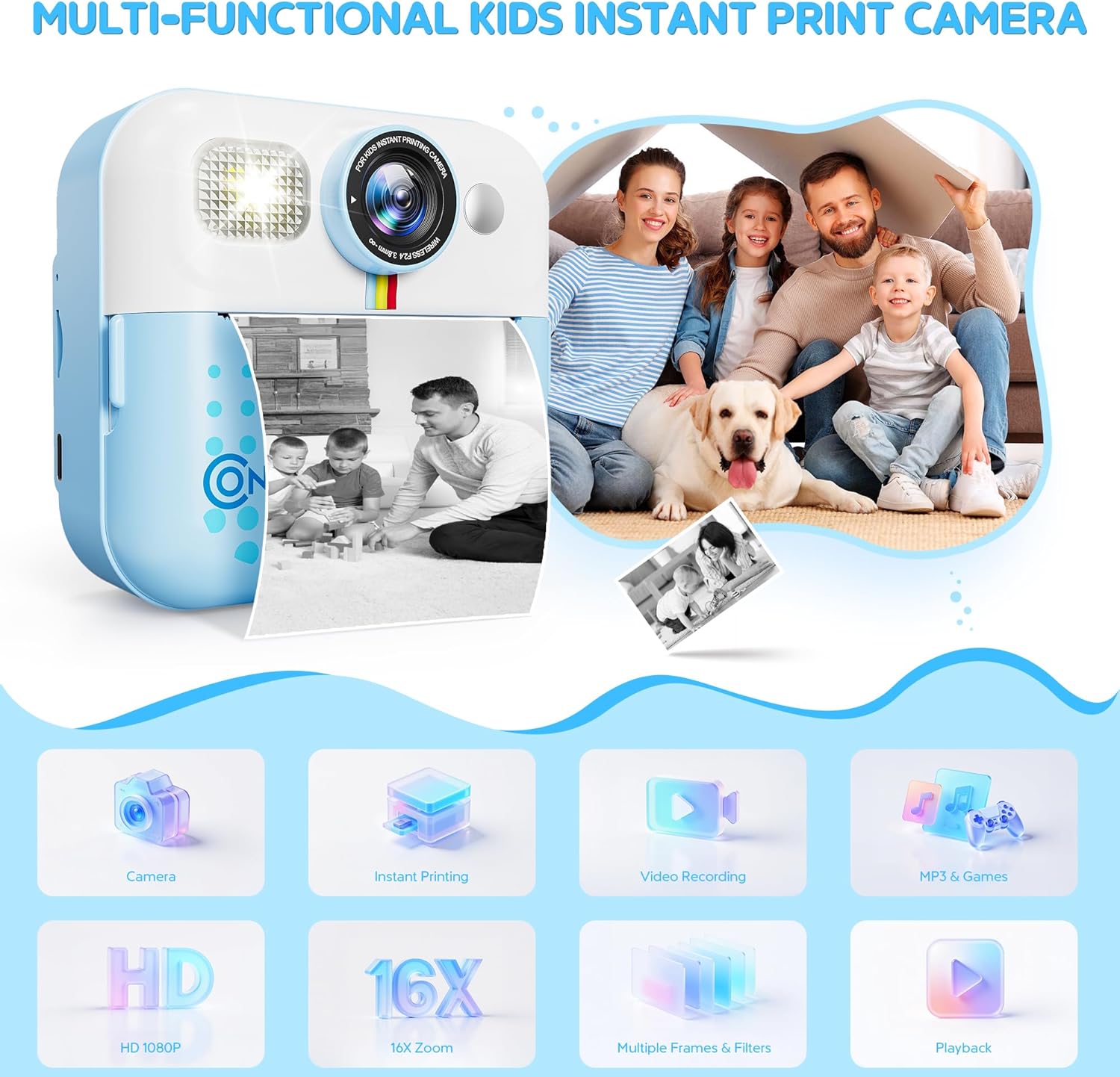
ചിത്രം: മുൻഭാഗം view of the Contixo KC4 camera highlighting its camera, instant printing, video recording, MP3 & Games, HD 1080P, 16X Zoom, Multiple Frames & Filters, and Playback capabilities.
സജ്ജമാക്കുക
1 ബാറ്ററി ചാർജ് ചെയ്യുന്നു
Connect the provided USB Type-C cable to the camera's charging port and a compatible USB power adapter (not included). The charging indicator light will show the charging status. A full charge takes approximately 2 hours and provides up to 5 hours of use.
2. SD കാർഡ് ചേർക്കൽ
Locate the SD card slot on the side of the camera. Gently insert the included 32GB SD card until it clicks into place. Ensure the camera is powered off before inserting or removing the SD card.
3. Loading Printing Paper
- Open the paper compartment by sliding the cover in the direction of the arrow.
- Insert a roll of thermal printer paper into the compartment, ensuring the paper feeds out from the top.
- Close the paper compartment cover securely.
- After printing, gently tear the photo downward to remove it.
Image: Visual instructions for loading the thermal printing paper into the camera's designated compartment.
പ്രവർത്തന നിർദ്ദേശങ്ങൾ
1. പവർ ഓൺ/ഓഫ്
Press and hold the power button (usually marked with a circle and a vertical line) to turn the camera on or off.
2. നാവിഗേഷൻ
Use the arrow buttons (left/right) to navigate through the menu options on the 2.4-inch IPS screen. The 'OK' or shutter button typically confirms selections.
3. Taking Photos and Instant Printing
From the main menu, select the camera icon. Frame your shot using the screen. Press the shutter button to take a photo. The camera will instantly print a black and white version of the photo. The color version is saved to the SD card.
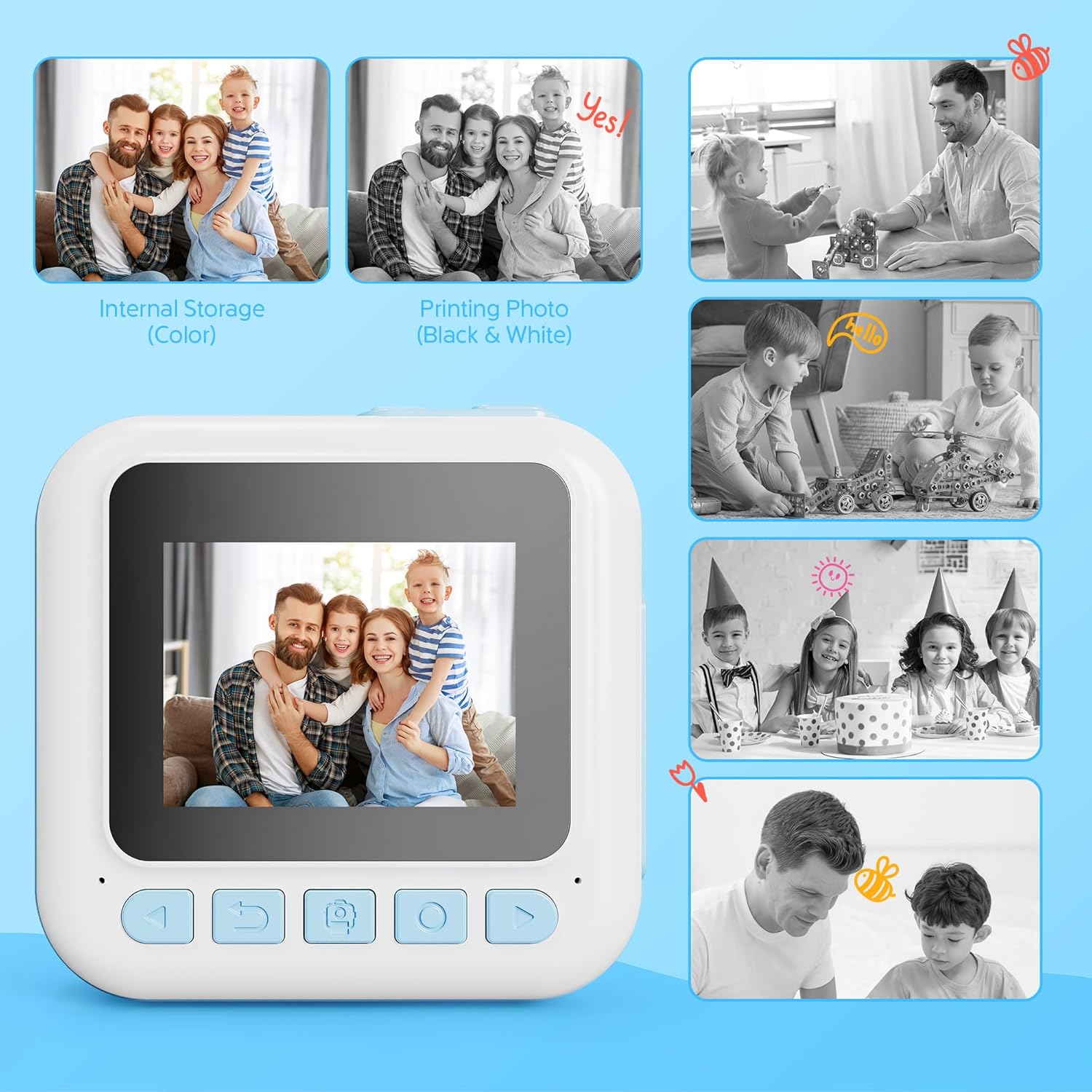
Image: Comparison of a color image stored internally and its corresponding black and white instant print from the camera.
4. വീഡിയോ റെക്കോർഡിംഗ്
Select the video camera icon from the main menu. Press the shutter button to start recording and press it again to stop. Videos are saved to the SD card in 1080P resolution.
5. Using Filters and Frames
Before taking a photo, navigate to the filter/frame options within the camera mode. Select from various creative filters and frames to add fun effects to your pictures.
6. ഗെയിമുകൾ കളിക്കൽ
The camera includes 4 engaging puzzle games. Select the game controller icon from the main menu to access and play these games.
7. മ്യൂസിക് പ്ലെയർ
The built-in music player supports MP3 files. Transfer MP3 files to the SD card to play music directly on the camera. Select the music note icon from the main menu to access the music player.
8. Printing Options
The camera offers two print modes: Grayscale and Dot Matrix. You can also adjust print density (Low, Medium, High) for desired output. These settings can be found in the camera's menu.
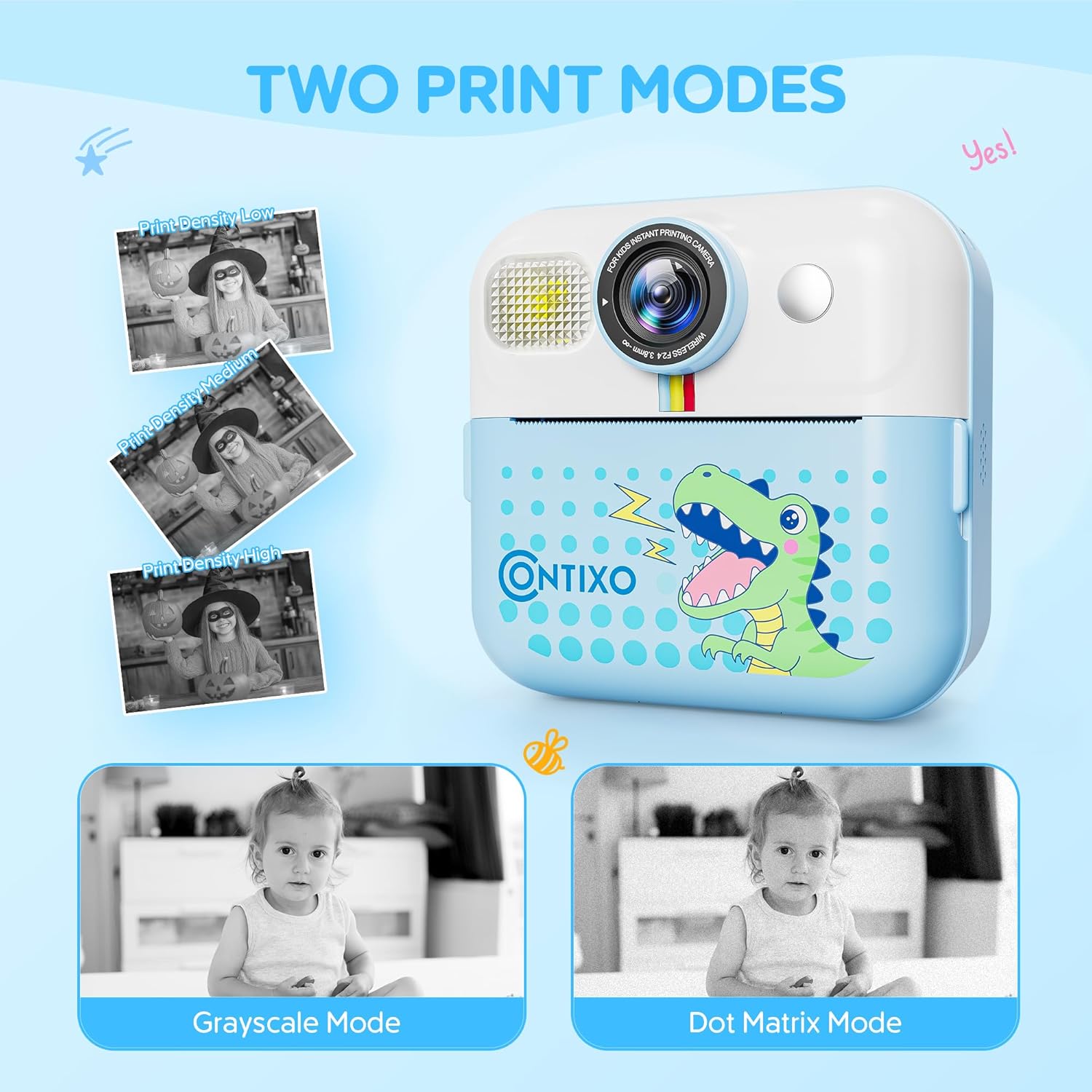
Image: The camera screen illustrating the 'Grayscale Mode' and 'Dot Matrix Mode' for printing, along with options for 'Print Density Low', 'Print Density Medium', and 'Print Density High'.
9. DIY Painting on Printed Photos
Use the included markers to color and personalize your black and white instant prints, adding a creative touch to each photo.

Image: Two children engaged in coloring a black and white instant print from the Contixo KC4 camera using colorful markers.
10. ഔദ്യോഗിക ഉൽപ്പന്ന വീഡിയോ
Video: An official product video demonstrating the features and usage of the Contixo KC4 Instant Printing Camera for Kids.
മെയിൻ്റനൻസ്
- വൃത്തിയാക്കൽ: Use a soft, dry cloth to clean the camera body and screen. Do not use liquid cleaners or abrasive materials.
- സംഭരണം: നേരിട്ടുള്ള സൂര്യപ്രകാശവും ഉയർന്ന താപനിലയും ഏൽക്കാത്ത തണുത്തതും വരണ്ടതുമായ സ്ഥലത്ത് ക്യാമറ സൂക്ഷിക്കുക.
- ബാറ്ററി കെയർ: ബാറ്ററി ലൈഫ് വർദ്ധിപ്പിക്കാൻ, ബാറ്ററി ഇടയ്ക്കിടെ പൂർണ്ണമായും ഡിസ്ചാർജ് ചെയ്യുന്നത് ഒഴിവാക്കുക. ദീർഘനേരം ഉപയോഗിച്ചിട്ടില്ലെങ്കിൽ പോലും പതിവായി ചാർജ് ചെയ്യുക.
ട്രബിൾഷൂട്ടിംഗ്
| പ്രശ്നം | സാധ്യമായ പരിഹാരം |
|---|---|
| ക്യാമറ ഓണാകുന്നില്ല. | ബാറ്ററി ചാർജ്ജ് ചെയ്തിട്ടുണ്ടെന്ന് ഉറപ്പാക്കുക. ഒരു പവർ സ്രോതസ്സിലേക്ക് കണക്റ്റ് ചെയ്ത് വീണ്ടും ശ്രമിക്കുക. |
| ഫോട്ടോകൾ പ്രിന്റ് ചെയ്യുന്നില്ല. | Check if printing paper is loaded correctly and if there is enough paper. Ensure the paper compartment is closed. |
| മോശം പ്രിന്റ് നിലവാരം. | Adjust print density settings in the camera menu. Ensure the thermal paper is not expired or damaged. |
| SD കാർഡ് പിശക്. | Ensure the SD card is inserted correctly. Try reformatting the SD card (this will erase all data). If the issue persists, try a different SD card. |
| ക്യാമറ മരവിക്കുന്നു. | Press and hold the power button for 10 seconds to force a restart. |
സ്പെസിഫിക്കേഷനുകൾ
| ഫീച്ചർ | വിശദാംശങ്ങൾ |
|---|---|
| മോഡലിൻ്റെ പേര് | KC4 |
| സ്ക്രീൻ വലിപ്പം | 2.4 ഇഞ്ച് ഐ.പി.എസ് |
| ഫോട്ടോ സെൻസർ റെസല്യൂഷൻ | 48 എം.പി |
| വീഡിയോ റെസല്യൂഷൻ | 1080p |
| ഒപ്റ്റിക്കൽ സൂം | 16 x (Digital Zoom) |
| മെമ്മറി സ്റ്റോറേജ് കപ്പാസിറ്റി | 32 GB (SD Card included) |
| ബാറ്ററി തരം | ലിഥിയം അയോൺ |
| ബാറ്ററി ശേഷി | 1500 മില്ലിamp മണിക്കൂറുകൾ |
| ബാറ്ററി ശരാശരി ആയുസ്സ് | 5 മണിക്കൂർ |
| കണക്റ്റിവിറ്റി ടെക്നോളജി | USB |
| മെറ്റീരിയൽ | അക്രിലോണിട്രൈൽ ബ്യൂട്ടാഡീൻ സ്റ്റൈറീൻ (എബിഎസ്), പ്ലാസ്റ്റിക് |
| ഇനത്തിൻ്റെ ഭാരം | 7.34 ഔൺസ് |
| പ്രായ പരിധി വിവരണം | Kid (3 years and up) |
വാറൻ്റിയും പിന്തുണയും
Contixo products are designed for quality and durability. For specific warranty information, please refer to the warranty card included in your product packaging or visit the official Contixo website. If you encounter any issues or require technical assistance, please contact Contixo customer support through their official channels.