
ആമുഖം
This manual provides essential instructions for the setup, operation, maintenance, and troubleshooting of your Insignia 32-inch 1080p HD HDR LCD Fire TV Smart TV, model NS-32F401CA26. Please read this manual thoroughly before using your television to ensure proper and safe operation.
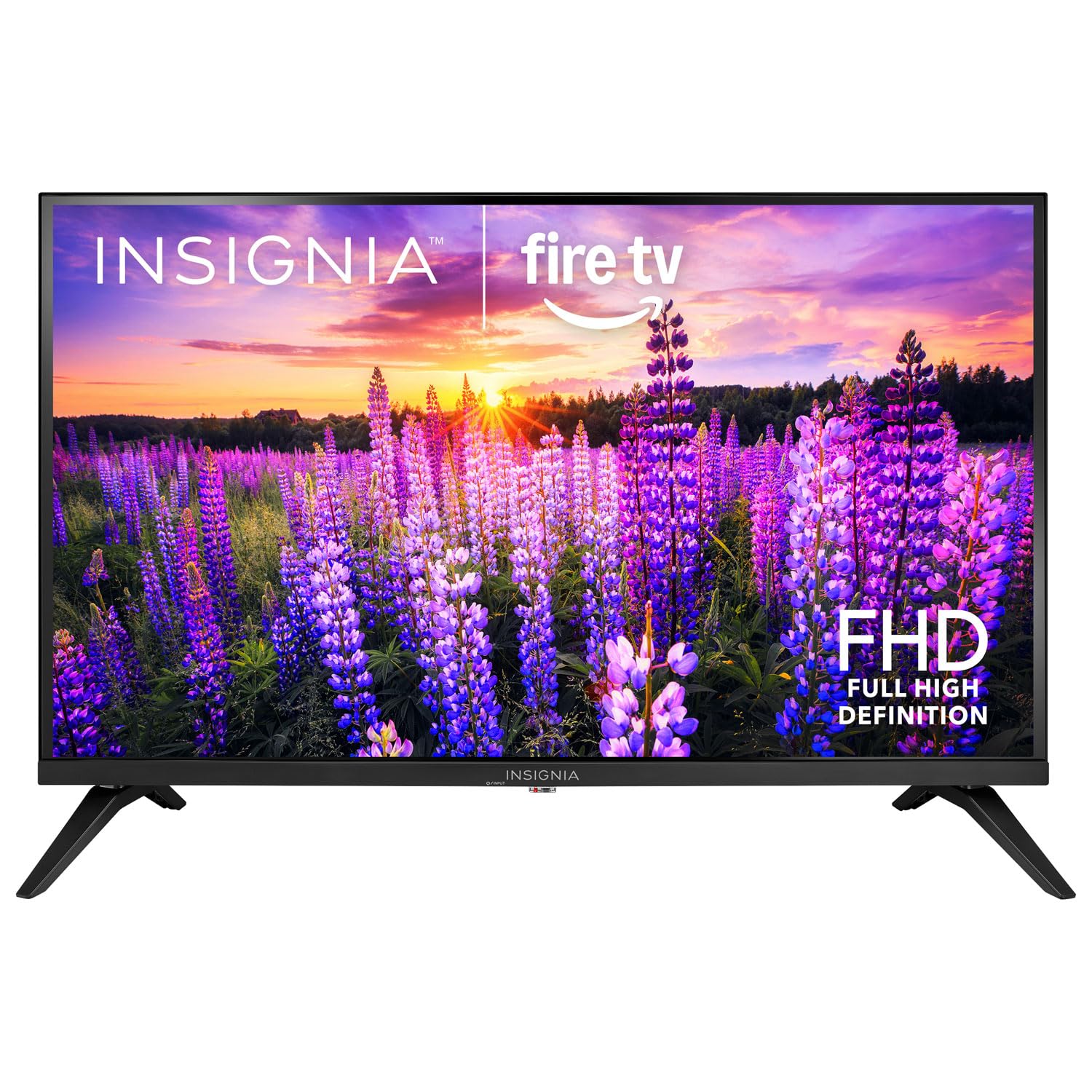
ചിത്രം: മുൻഭാഗം view of the Insignia 32-inch Fire TV Smart TV, showing the screen and a remote control.
1. സജ്ജീകരണം
1.1 അൺപാക്കിംഗ്
Carefully remove the TV and all accessories from the packaging. Retain the packaging materials for future transport or storage.
1.2 സ്റ്റാൻഡ് അല്ലെങ്കിൽ വാൾ മൗണ്ടിംഗ് ഘടിപ്പിക്കൽ
For Stand Installation:
- സ്ക്രീൻ കേടാകാതിരിക്കാൻ ടിവി മൃദുവായതും വൃത്തിയുള്ളതുമായ ഒരു പ്രതലത്തിൽ മുഖം താഴേക്ക് വയ്ക്കുക.
- ടിവിയുടെ അടിയിലുള്ള സ്ക്രൂ ദ്വാരങ്ങൾ ഉപയോഗിച്ച് സ്റ്റാൻഡ് ബേസുകൾ വിന്യസിക്കുക.
- നൽകിയിരിക്കുന്ന സ്ക്രൂകൾ ഉപയോഗിച്ച് സ്റ്റാൻഡുകൾ സുരക്ഷിതമാക്കുക.
വാൾ മൗണ്ടിംഗിനായി:
- This TV supports a VESA Mount Standard of 200 x 200 mm.
- Use a compatible wall mount kit (sold separately) and follow its installation instructions.
- Ensure the wall can support the weight of the TV and the mount.
1.3 ബന്ധിപ്പിക്കുന്ന പവർ
ടിവിയുടെ പവർ ഇൻപുട്ടിലേക്ക് പവർ കോർഡ് പ്ലഗ് ചെയ്യുക, തുടർന്ന് മറ്റേ അറ്റം പ്രവർത്തിക്കുന്ന ഒരു ഇലക്ട്രിക്കൽ ഔട്ട്ലെറ്റിലേക്ക് പ്ലഗ് ചെയ്യുക.
1.4 ബാഹ്യ ഉപകരണങ്ങൾ ബന്ധിപ്പിക്കുന്നു
Your TV includes multiple ports for external devices:
- HDMI Ports (Total 2): ബ്ലൂ-റേ പ്ലെയറുകൾ, ഗെയിം കൺസോളുകൾ, കേബിൾ/സാറ്റലൈറ്റ് ബോക്സുകൾ എന്നിവ ബന്ധിപ്പിക്കുക.
- USB 3.0 Port (Total 1): മീഡിയ പ്ലേബാക്കിനായി USB സംഭരണ ഉപകരണങ്ങൾ ബന്ധിപ്പിക്കുക.
- ആന്റിന/കേബിൾ ഇൻപുട്ട്: വായുവിലൂടെയുള്ള പ്രക്ഷേപണങ്ങൾക്കായി ഒരു ആന്റിനയോ കേബിൾ കണക്ഷനോ ബന്ധിപ്പിക്കുക.
1.5 Initial Setup (Fire TV OS)
Upon first power-on, the TV will guide you through the Fire TV setup process:
- റിമോട്ട് കൺട്രോൾ ജോടിയാക്കൽ: Insert the included 2 AAA batteries into the remote. Follow on-screen instructions to pair the remote.
- നെറ്റ്വർക്ക് കണക്ഷൻ: നിങ്ങളുടെ വൈഫൈ നെറ്റ്വർക്ക് തിരഞ്ഞെടുത്ത് പാസ്വേഡ് നൽകുക.
- ആമസോൺ അക്കൗണ്ട്: നിങ്ങളുടെ ആമസോൺ അക്കൗണ്ട് ഉപയോഗിച്ച് ലോഗിൻ ചെയ്യുക അല്ലെങ്കിൽ പുതിയൊരെണ്ണം സൃഷ്ടിക്കുക.
- ചാനൽ സ്കാൻ: ആന്റിന ഉപയോഗിക്കുകയാണെങ്കിൽ, ലഭ്യമായ ചാനലുകൾക്കായി ടിവി സ്കാൻ ചെയ്യും.
- സോഫ്റ്റ്വെയർ അപ്ഡേറ്റുകൾ: The TV may download and install the latest software updates.
2. നിങ്ങളുടെ ടിവി പ്രവർത്തിപ്പിക്കുന്നു
2.1 പവർ ഓൺ/ഓഫ്
അമർത്തുക ശക്തി ടിവി ഓണാക്കാനോ ഓഫാക്കാനോ റിമോട്ട് കൺട്രോളിലെ ബട്ടൺ അമർത്തുക.
2.2 ഫയർ ടിവി ഇന്റർഫേസ് നാവിഗേറ്റ് ചെയ്യൽ
ദിശാസൂചന പാഡ് ഉപയോഗിക്കുക, തിരഞ്ഞെടുക്കുക button on your remote to browse the Fire TV home screen, access apps, and navigate menus.
2.3 Using the Alexa Voice Remote
അമർത്തിപ്പിടിക്കുക അലക്സ button on your remote and speak into the microphone to:
- ഇതിനായി തിരയുക സിനിമകളും ടിവി ഷോകളും.
- ആപ്ലിക്കേഷനുകൾ സമാരംഭിക്കുക (ഉദാ. "നെറ്റ്ഫ്ലിക്സ് തുറക്കുക").
- Control playback (e.g., "Pause", "Fast forward").
- Ask questions or get information.
2.4 ആപ്ലിക്കേഷനുകൾ ആക്സസ് ചെയ്യൽ
Popular streaming services like Amazon Prime Video, Netflix, and YouTube are pre-installed. You can download additional apps from the Amazon Appstore.
2.5 Adjusting Picture and Sound Settings
ആക്സസ് ചെയ്യുക ക്രമീകരണങ്ങൾ menu on the Fire TV home screen to adjust:
- ചിത്രം: Brightness, contrast, color, aspect ratio (16:9).
- ശബ്ദം: Volume, sound mode, DTS Virtual-X settings.
- ഡിസ്പ്ലേ: Resolution (1080p), refresh rate (120 Hz).
2.6 രക്ഷാകർതൃ നിയന്ത്രണങ്ങൾ
The TV includes parental control features. Navigate to the ക്രമീകരണങ്ങൾ മെനു, തുടർന്ന് തിരഞ്ഞെടുക്കുക മുൻഗണനകൾ, തുടർന്ന് രക്ഷാകർതൃ നിയന്ത്രണങ്ങൾ to set restrictions on content, purchases, and app usage. A PIN is required to enable or disable these controls.
3. പരിപാലനം
3.1 ടിവി വൃത്തിയാക്കൽ
- സ്ക്രീൻ: മൃദുവായ, ലിന്റ് രഹിത തുണി ഉപയോഗിച്ച് സ്ക്രീൻ സൌമ്യമായി തുടയ്ക്കുക. കഠിനമായ പാടുകൾക്ക്, ചെറുതായി dampen the cloth with water or a screen cleaner specifically designed for TVs. Do not spray liquid directly onto the screen.
- ശരീരം: ടിവി ഫ്രെയിം തുടച്ച് മൃദുവായതും ഉണങ്ങിയതുമായ തുണി ഉപയോഗിച്ച് വയ്ക്കുക.
- വൃത്തിയാക്കുന്നതിന് മുമ്പ് എപ്പോഴും ടിവി അൺപ്ലഗ് ചെയ്യുക.
3.2 സോഫ്റ്റ്വെയർ അപ്ഡേറ്റുകൾ
Your Fire TV Smart TV automatically checks for and installs software updates when connected to the internet. You can manually check for updates in the ക്രമീകരണങ്ങൾ മെനു കീഴിൽ എൻ്റെ ഫയർ ടിവി > കുറിച്ച് > അപ്ഡേറ്റുകൾക്കായി പരിശോധിക്കുക.
3.3 റിമോട്ട് കൺട്രോൾ ബാറ്ററി മാറ്റിസ്ഥാപിക്കൽ
When the remote control's performance degrades, replace the two AAA batteries. Ensure correct polarity when inserting new batteries.
4. പ്രശ്നപരിഹാരം
| പ്രശ്നം | സാധ്യമായ കാരണം | പരിഹാരം |
|---|---|---|
| ശക്തിയില്ല | പവർ കോർഡ് ബന്ധിപ്പിച്ചിട്ടില്ല; ഔട്ട്ലെറ്റ് പ്രവർത്തിക്കുന്നില്ല. | Ensure power cord is securely plugged into TV and a live outlet. Test outlet with another device. |
| ചിത്രമോ ശബ്ദമോ ഇല്ല | Incorrect input source; external device off or disconnected. | അമർത്തുക ഇൻപുട്ട് button on the remote to select the correct source. Check connections of external devices. Ensure devices are powered on. |
| റിമോട്ട് കൺട്രോൾ പ്രവർത്തിക്കുന്നില്ല | ഡെഡ് ബാറ്ററികൾ; റിമോട്ട് ജോടിയാക്കിയിട്ടില്ല. | Replace batteries (2 AAA). Re-pair remote by holding the വീട് button for 10 seconds near the TV. |
| Wi-Fi കണക്ഷൻ പ്രശ്നങ്ങൾ | തെറ്റായ പാസ്വേഡ്; റൂട്ടർ പ്രശ്നങ്ങൾ; ടിവി റൂട്ടറിൽ നിന്ന് വളരെ അകലെയാണ്. | Verify Wi-Fi password. Restart your router and modem. Move TV closer to router or use a Wi-Fi extender. |
| ആപ്പുകൾ ലോഡ് ചെയ്യുന്നില്ല അല്ലെങ്കിൽ ക്രാഷ് ആകുന്നില്ല | Temporary software glitch; insufficient memory. | Restart the TV. Clear app cache (Settings > Applications > Manage Installed Applications). Ensure sufficient storage. |
5 സ്പെസിഫിക്കേഷനുകൾ
| മോഡൽ നമ്പർ | എൻഎസ്-32എഫ്401CA26 |
| സ്ക്രീൻ വലിപ്പം | 32 ഇഞ്ച് |
| ഡിസ്പ്ലേ ടെക്നോളജി | എൽസിഡി |
| റെസലൂഷൻ | 1080p (പൂർണ്ണ HD) |
| പുതുക്കിയ നിരക്ക് | 120 Hz |
| HDR ഫോർമാറ്റ് പിന്തുണയ്ക്കുന്നു | HDR10 |
| വീക്ഷണാനുപാതം | 16:9 |
| കണക്റ്റിവിറ്റി ടെക്നോളജി | വൈഫൈ |
| HDMI പോർട്ടുകൾ | 2 |
| USB 3.0 പോർട്ടുകൾ | 1 |
| പിന്തുണയ്ക്കുന്ന ഇന്റർനെറ്റ് സേവനങ്ങൾ | Amazon Prime Video, Netflix, YouTube, Alexa |
| സ്പീക്കർ വിവരണം | DTS Virtual-X virtual surround sound |
| Integrated Surround Sound Format | DTS Virtual-X |
| നിയന്ത്രണ രീതി | Remote (with Alexa Voice) |
| ബാറ്ററികൾ ആവശ്യമാണ് | 2 AAA (ഉൾപ്പെടുത്തിയിരിക്കുന്നു) |
| ഉൽപ്പന്ന അളവുകൾ (D x W x H) | 47.3D x 17.1W x 71.9H സെന്റീമീറ്റർ |
| VESA മൗണ്ട് സ്റ്റാൻഡേർഡ് | 200 x 200 മി.മീ |
| അധിക സവിശേഷതകൾ | രക്ഷാകർതൃ നിയന്ത്രണങ്ങൾ |
6. വാറൻ്റിയും പിന്തുണയും
For warranty information, please refer to the warranty card included with your product or visit the official Insignia support website. For technical assistance, product registration, or service inquiries, please contact Insignia customer support through their official channels.
Note: Specific warranty terms and support contact details may vary by region and are subject to change.