
1. ആമുഖം
The Topping DX5 II is a high-performance, fully balanced Digital-to-Analog Converter (DAC) and Headphone Amplifier combo unit. It features dual ES9039Q2M DAC chips, an X-Hybrid headphone amplifier circuit, and supports high-resolution audio formats including DSD512 and PCM768kHz. This device is designed to deliver exceptional audio fidelity for both headphones and active speakers.
2 സുരക്ഷാ വിവരങ്ങൾ
- Do not disassemble or modify the unit. Unauthorized modifications may void the warranty and pose safety risks.
- യൂണിറ്റ് വെള്ളം, ഈർപ്പം, കടുത്ത താപനില എന്നിവയിൽ നിന്ന് അകറ്റി നിർത്തുക.
- അമിതമായി ചൂടാക്കുന്നത് തടയാൻ യൂണിറ്റിന് ചുറ്റും ശരിയായ വായുസഞ്ചാരം ഉറപ്പാക്കുക.
- നൽകിയിരിക്കുന്ന പവർ കേബിളും അനുബന്ധ ഉപകരണങ്ങളും മാത്രം ഉപയോഗിക്കുക.
- ഭാരമുള്ള വസ്തുക്കൾ യൂണിറ്റിന് മുകളിൽ വയ്ക്കുന്നത് ഒഴിവാക്കുക.
- Disconnect the power cable during lightning storms or when not in use for extended periods.
3. പാക്കേജ് ഉള്ളടക്കം
പാക്കേജിൽ എല്ലാ ഇനങ്ങളും ഉണ്ടെന്ന് ഉറപ്പാക്കുക:
- Topping DX5 II Unit
- പവർ കേബിൾ
- USB കേബിൾ
- Remote Control (if included, not explicitly listed but common for such devices)
- ഉപയോക്തൃ മാനുവൽ (ഈ പ്രമാണം)
കുറിപ്പ്: പ്രദേശം അല്ലെങ്കിൽ പാക്കേജ് പതിപ്പ് അനുസരിച്ച് നിർദ്ദിഷ്ട ആക്സസറികൾ വ്യത്യാസപ്പെടാം.
4. ഉൽപ്പന്നം കഴിഞ്ഞുview
4.1 ഫ്രണ്ട് പാനൽ

ചിത്രം: മുൻഭാഗം view of the Topping DX5 II, showing the display, headphone outputs (6.35mm and 4-pin XLR), and control knobs/buttons.
- ഡിസ്പ്ലേ സ്ക്രീൻ: Shows current input, volume, sample rate, and other status information.
- 6.35mm ഹെഡ്ഫോൺ ഔട്ട്പുട്ട്: Single-ended headphone jack.
- 4-pin XLR Headphone Output: ബാലൻസ്ഡ് ഹെഡ്ഫോൺ ജാക്ക്.
- നിയന്ത്രണ നോബ്: Multi-function knob for volume adjustment, menu navigation, and selection.
- Buttons (MENU, INPUT, HOME): For navigating settings and selecting input sources.
4.2 പിൻ പാനൽ

ചിത്രം: പിൻഭാഗം view of the Topping DX5 II, displaying various input and output ports including XLR, RCA, Coaxial, Optical, USB, and the power inlet.
- Balanced XLR Outputs (L/R): ബാലൻസ്ഡ് ആയി ബന്ധിപ്പിക്കുന്നതിന് ampലൈഫയർമാർ അല്ലെങ്കിൽ സജീവ സ്പീക്കറുകൾ.
- RCA Outputs (L/R): For connecting to unbalanced ampലൈഫയർമാർ അല്ലെങ്കിൽ സജീവ സ്പീക്കറുകൾ.
- ഏകോപന ഇൻപുട്ട്: ഡിജിറ്റൽ ഓഡിയോ ഇൻപുട്ട്.
- ഒപ്റ്റിക്കൽ ഇൻപുട്ട്: ഡിജിറ്റൽ ഓഡിയോ ഇൻപുട്ട്.
- USB Input (Type-B): ഒരു കമ്പ്യൂട്ടറിലേക്കോ മറ്റ് USB ഓഡിയോ ഉറവിടത്തിലേക്കോ ബന്ധിപ്പിക്കുന്നതിന്.
- 12V ട്രിഗർ: For synchronized power control with other compatible devices.
- പവർ ഇൻലെറ്റ്: എസി പവർ കണക്ഷൻ.
- വൈദ്യുതി സ്വിച്ച്: പ്രധാന പവർ ഓൺ/ഓഫ്.
5. സജ്ജീകരണം
5.1 പവർ കണക്ഷൻ
- Ensure the DX5 II's power switch on the rear panel is in the OFF position.
- Connect the provided power cable to the power inlet on the rear panel of the DX5 II.
- പവർ കേബിളിന്റെ മറ്റേ അറ്റം അനുയോജ്യമായ ഒരു എസി പവർ ഔട്ട്ലെറ്റിലേക്ക് പ്ലഗ് ചെയ്യുക.
5.2 ഓഡിയോ ഇൻപുട്ട് കണക്ഷൻ
ഇനിപ്പറയുന്ന ഇൻപുട്ട് രീതികളിൽ ഒന്ന് തിരഞ്ഞെടുക്കുക:
- USB: Connect the provided USB cable from your computer (or other USB audio source) to the USB input on the DX5 II.
- ഒപ്റ്റിക്കൽ/കോക്ഷ്യൽ: Connect an optical or coaxial cable from your digital audio source (e.g., CD player, TV) to the corresponding input on the DX5 II.
- ബ്ലൂടൂത്ത്: The DX5 II supports Bluetooth 5.1 with LDAC. Refer to section 6.4 for pairing instructions.
5.3 ഓഡിയോ ഔട്ട്പുട്ട് കണക്ഷൻ
Connect your headphones or speakers:
- ഹെഡ്ഫോണുകൾ: Plug your headphones into either the 6.35mm single-ended or 4-pin XLR balanced headphone jack on the front panel.
- സജീവ സ്പീക്കറുകൾ/Ampജീവപര്യന്തം: Connect the DX5 II's XLR or RCA outputs to your active speakers or a power ampഉചിതമായ കേബിളുകൾ ഉപയോഗിച്ച് ലൈഫയർ.
5.4 Driver Installation (for USB connection)
For Windows operating systems, a driver may be required for optimal performance. Visit the official Topping website to download the latest USB driver for the DX5 II. Follow the installation instructions provided with the driver package.
Note: macOS, Linux, and iOS/Android devices typically do not require special drivers for USB audio.
6. പ്രവർത്തന നിർദ്ദേശങ്ങൾ
6.1 പവർ ഓൺ/ഓഫ്
- Flip the main power switch on the rear panel to the ON position.
- The unit will power on and display the Topping logo, then show the current status.
- To power off, flip the main power switch on the rear panel to the OFF position.
6.2 ഇൻപുട്ട് തിരഞ്ഞെടുക്കൽ
അമർത്തുക ഇൻപുട്ട് button on the front panel or remote control to cycle through available input sources (USB, Optical, Coaxial, Bluetooth).
6.3 വോളിയം നിയന്ത്രണം
Rotate the control knob on the front panel clockwise to increase volume and counter-clockwise to decrease volume. The volume level will be displayed on the screen.
Caution: Before connecting headphones, ensure the volume is set to a low level to prevent hearing damage.
6.4 Bluetooth Pairing (LDAC)
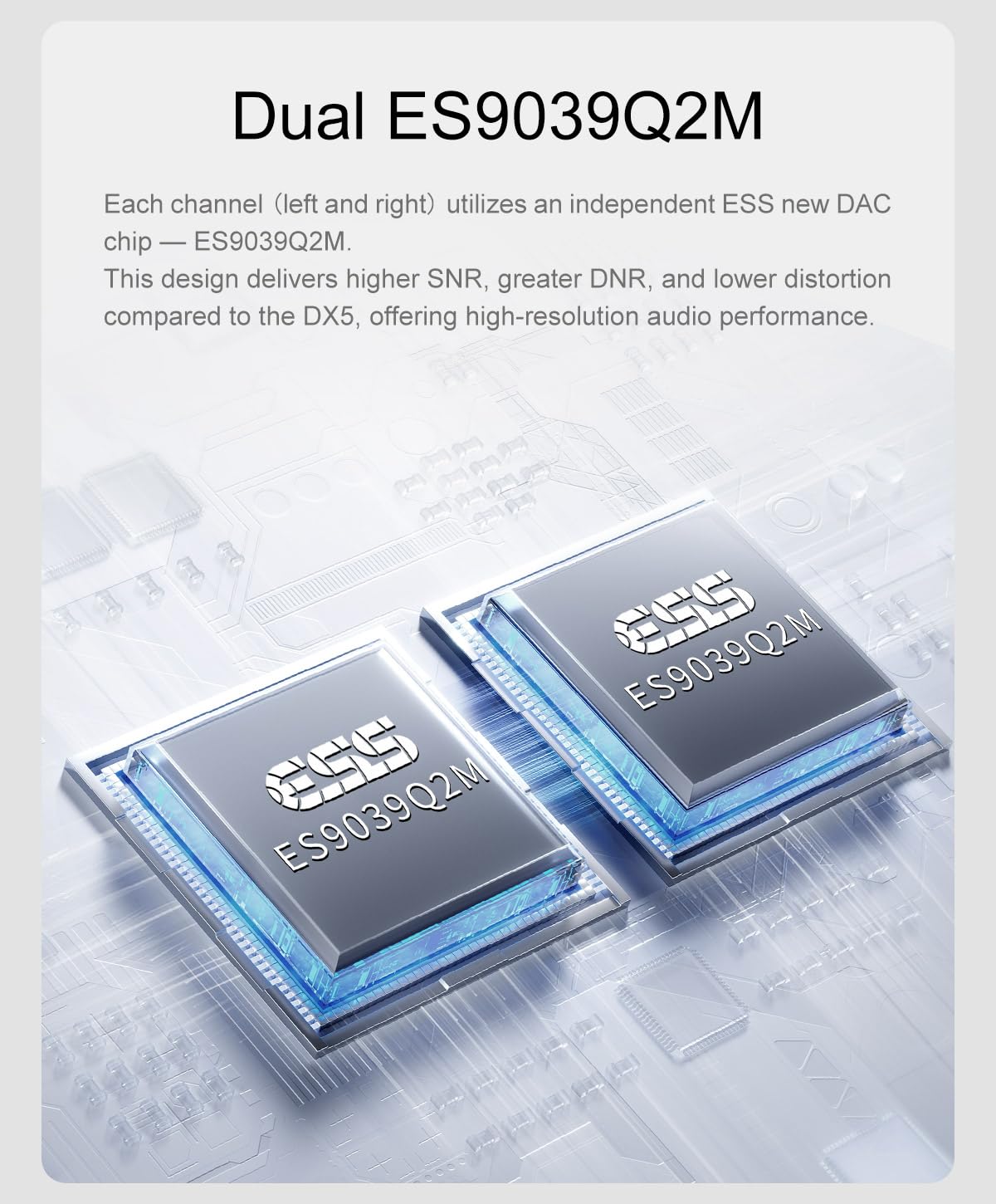
Image: The Topping DX5 II connected wirelessly via Bluetooth to a smartphone, demonstrating its LDAC capability.
- Select Bluetooth as the input source using the ഇൻപുട്ട് ബട്ടൺ.
- The DX5 II will automatically enter pairing mode, indicated on the display.
- On your Bluetooth device (e.g., smartphone, tablet), search for available devices and select "Topping DX5 II".
- Once paired, the display will confirm the connection. The DX5 II supports LDAC, aptX-Adaptive, aptX, aptX HD, AAC, and SBC codecs.
6.5 മെനു നാവിഗേഷനും ക്രമീകരണങ്ങളും
അമർത്തുക മെനു button to access the settings menu. Use the control knob to navigate through options and press the knob to select. Press വീട് പ്രധാന ഡിസ്പ്ലേയിലേക്ക് മടങ്ങാൻ.
Key settings may include:
- ഔട്ട്പുട്ട് മോഡ്: Select between DAC mode (fixed output) or Preamp mode (variable output).
- ഫിൽട്ടറുകൾ: Digital filter settings.
- തെളിച്ചം: ഡിസ്പ്ലേ തെളിച്ചം ക്രമീകരിക്കുക.
- PEQ: Parametric Equalizer settings.
6.6 Parametric Equalizer (PEQ) Adjustment

Image: A graphical representation of the 10-band high-precision PEQ adjustment interface, showing frequency, gain, and Q factor controls.
The DX5 II features a 10-band high-precision PEQ. Access this feature through the menu. You can fine-tune the frequency, gain, and bandwidth (Q factor) for each of the ten bands to customize your sound profile. The PEQ function supports up to PCM 192kHz/32bit.
6.7 പ്രീamp മോഡ്

Image: The Topping DX5 II connected to a pair of active speakers, illustrating its use in preamp mode for direct volume adjustment.
മുമ്പായിamp mode, the DX5 II's output volume is variable, allowing you to directly adjust the volume for connected active speakers or a power amplifier. This eliminates the need for a separate preamplifier. The device remembers the last set volume when switching outputs.
7. പരിപാലനം
- വൃത്തിയാക്കൽ: യൂണിറ്റിന്റെ പുറംഭാഗം തുടയ്ക്കാൻ മൃദുവായതും ഉണങ്ങിയതുമായ തുണി ഉപയോഗിക്കുക. ലിക്വിഡ് ക്ലീനറുകളോ ഉരച്ചിലുകളുള്ള വസ്തുക്കളോ ഉപയോഗിക്കരുത്.
- വെൻ്റിലേഷൻ: Ensure the ventilation holes are not obstructed to maintain proper airflow.
- സംഭരണം: യൂണിറ്റ് ദീർഘനേരം സൂക്ഷിക്കുകയാണെങ്കിൽ, അത് വൈദ്യുതിയിൽ നിന്ന് വിച്ഛേദിച്ച് തണുത്തതും വരണ്ടതുമായ സ്ഥലത്ത് സൂക്ഷിക്കുക.
8. പ്രശ്നപരിഹാരം
| പ്രശ്നം | സാധ്യമായ കാരണം | പരിഹാരം |
|---|---|---|
| ശക്തിയില്ല | Power cable not connected; Power switch off; Power outlet fault. | Check power cable connection; Ensure rear power switch is ON; Test power outlet with another device. |
| ശബ്ദ ഔട്ട്പുട്ട് ഇല്ല | Incorrect input selected; Volume too low; Output cables loose; Headphones not connected; DAC mode selected with no external ampജീവൻ. | Verify correct input source; Increase volume; Check all audio cable connections; Ensure headphones are fully plugged in; If using line outputs, ensure an amplifier or active speakers are connected and powered. |
| വികലമായ ശബ്ദം | Input signal too strong; Faulty cable; Sampലെ നിരക്ക് പൊരുത്തക്കേട്. | Reduce source volume; Try different cables; Check source sample നിരക്ക് ക്രമീകരണങ്ങൾ. |
| ബ്ലൂടൂത്ത് ജോടിയാക്കൽ പരാജയം | DX5 II not in pairing mode; Device too far; Interference. | Ensure Bluetooth input is selected and DX5 II is discoverable; Move device closer; Reduce other wireless interference. |
| USB കണക്ഷൻ പ്രശ്നങ്ങൾ | Driver not installed (Windows); Faulty USB cable; Incorrect USB port. | Install or update USB drivers; Try a different USB cable; Use a different USB port on your computer. |
9 സ്പെസിഫിക്കേഷനുകൾ
| ഫീച്ചർ | വിശദാംശങ്ങൾ |
|---|---|
| DAC ചിപ്പ് | ഡ്യുവൽ ES9039Q2M |
| THD+N @1kHz (A-wt) | <0.00006% |
| Amplifier Architecture | X-Hybrid Fully Balanced Headphone Amp |
| SNR @MAX OUT 1kHz (A-wt) | 133dB |
| ഡൈനാമിക് റേഞ്ച് @1kHz (A-wt) | 133dB |
| Headphone Output Power (16Ω) | 7600mW x 2 (THD+N<1%) |
| Headphone Output Power (32Ω) | 6400mW x 2 (THD+N<1%) |
| Headphone Output Power (64Ω) | 4300mW x 2 (THD+N<1%) |
| Headphone Output Power (300Ω) | 990mW x 2 (THD+N<1%) |
| Headphone Output Power (600Ω) | 490mW x 2 (THD+N<1%) |
| PEQ | 10-band high-precision PEQ |
| പ്രദർശിപ്പിക്കുക | Full-Color Display (Aurora UI) |
| 12 വി ട്രിഗർ | പിന്തുണച്ചു |
| ബ്ലൂടൂത്ത് ചിപ്പ് | QCC5125 (Bluetooth 5.1) |
| ബ്ലൂടൂത്ത് കോഡെക്കുകൾ | LDAC, aptX-Adaptive, aptX, aptX HD, AAC, SBC |
| മാക്സ് എസ്ample Rate (USB) | DSD512, PCM768kHz |
| അളവുകൾ | 11.38 x 9.37 x 2.44 ഇഞ്ച് (പാക്കേജ്) |
| ഭാരം | 3.55 Pounds (Package) |
കുറിപ്പ്: അറിയിപ്പുകൾ കൂടാതെ സവിശേഷതകൾ മാറ്റത്തിന് വിധേയമാണ്.
10. വാറൻ്റിയും പിന്തുണയും
This product is covered by a manufacturer's warranty. Please refer to the warranty card included with your product or visit the official Topping webവിശദമായ വാറന്റി നിബന്ധനകൾക്കും വ്യവസ്ഥകൾക്കും സൈറ്റ്.
For technical support, troubleshooting assistance, or warranty claims, please contact LEAUDIO customer service or your authorized dealer. Contact information can typically be found on the LEAUDIO webസൈറ്റ് അല്ലെങ്കിൽ നിങ്ങളുടെ വാങ്ങൽ ഡോക്യുമെന്റേഷൻ.
വാറന്റി ആവശ്യങ്ങൾക്കായി നിങ്ങളുടെ വാങ്ങിയതിന്റെ തെളിവ് സൂക്ഷിക്കുക.