
ആമുഖം
This manual provides essential information for setting up, operating, and maintaining your LEFFOT M1 Plus Android 14 TV Box. Please read it thoroughly to ensure proper usage and to maximize your entertainment experience.
ബോക്സിൽ എന്താണുള്ളത്
താഴെ ലിസ്റ്റ് ചെയ്തിരിക്കുന്ന എല്ലാ ഇനങ്ങളും നിങ്ങളുടെ പാക്കേജിൽ ഉൾപ്പെടുത്തിയിട്ടുണ്ടെന്ന് ഉറപ്പാക്കുക:
- 1 x LEFFOT M1 Plus Android 14 TV Box
- 1 x Voice Remote Control
- 1 x പവർ അഡാപ്റ്റർ
- 1 x എച്ച്ഡി കേബിൾ
- 1 x ഉപയോക്തൃ മാനുവൽ

ഉൽപ്പന്നം കഴിഞ്ഞുview
The LEFFOT M1 Plus is a compact 4K Ultra HD streaming device designed to enhance your television experience. It features a sleek design with various ports for connectivity.

Key Interfaces:
- ഡിസി പവർ ഇൻപുട്ട്: പവർ അഡാപ്റ്റർ ബന്ധിപ്പിക്കുന്നതിന്.
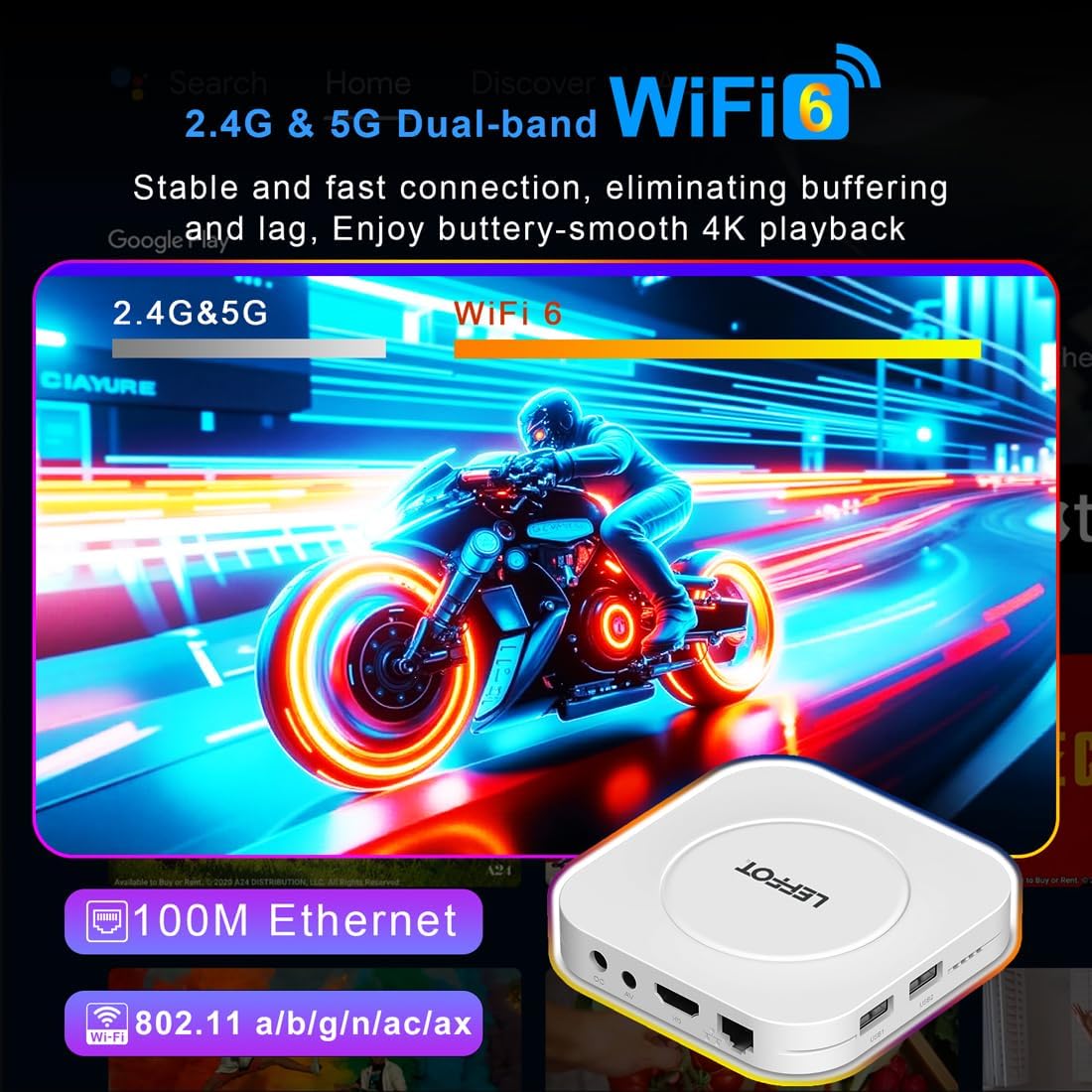
- എവി പോർട്ട്: For older televisions or audio systems.
- HD (HDMI) ഔട്ട്പുട്ട്: ഹൈ-ഡെഫനിഷൻ വീഡിയോയ്ക്കും ഓഡിയോയ്ക്കും വേണ്ടി നിങ്ങളുടെ ടിവിയിലേക്ക് കണക്റ്റ് ചെയ്യുന്നു.
- ലാൻ (ഇഥർനെറ്റ്) പോർട്ട്: വയർഡ് ഇന്റർനെറ്റ് കണക്ഷന്.
- USB 1 & USB 2 പോർട്ടുകൾ: For connecting external storage devices, game controllers, or other USB accessories.
- SPDIF: ഡിജിറ്റൽ ഓഡിയോ ഔട്ട്പുട്ട്.
സജ്ജമാക്കുക
Follow these steps to set up your LEFFOT M1 Plus TV Box:
- ടിവിയിലേക്ക് കണക്റ്റ് ചെയ്യുക: Connect one end of the provided HD cable to the HDMI port on your LEFFOT M1 Plus TV Box and the other end to an available HDMI input on your television.
- പവർ ബന്ധിപ്പിക്കുക: Plug the power adapter into the DC power input on the TV Box, then plug the adapter into a wall outlet. The device will power on automatically.
- റിമോട്ട് ബാറ്ററികൾ ചേർക്കുക: Open the battery compartment on the back of the voice remote control and insert two AAA batteries (not included), ensuring correct polarity.
- Initial Boot & Wi-Fi Setup: Turn on your TV and select the correct HDMI input. The TV Box will boot up. Follow the on-screen instructions to connect to your Wi-Fi network and log in with your Google Account.

വീഡിയോ ഗൈഡ് സജ്ജീകരിക്കുക
Video: An unboxing and installation guide for the LEFFOT M1 Plus TV Box, demonstrating how to connect the device and establish a network connection.
പ്രവർത്തന നിർദ്ദേശങ്ങൾ
നാവിഗേഷനും ഇന്റർഫേസും
The LEFFOT M1 Plus runs on Android 14 OS, providing a user-friendly interface. Navigate using the included voice remote control. The home screen provides quick access to your favorite apps and content.

ഗൂഗിൾ അസിസ്റ്റന്റിനൊപ്പം ശബ്ദ നിയന്ത്രണം
Utilize the built-in Google Assistant via the BT 5.4 voice remote for hands-free control. Simply press the Google Assistant button on the remote and speak your commands to search for content, control playback, or check information.

4K Ultra HD Streaming
Experience stunning visuals with 8K@23fps decoding and 4K@60fps HDR10 output. The device supports a wide range of streaming services, delivering breathtaking clarity and vibrant colors.

തടസ്സമില്ലാത്ത കണക്റ്റിവിറ്റി
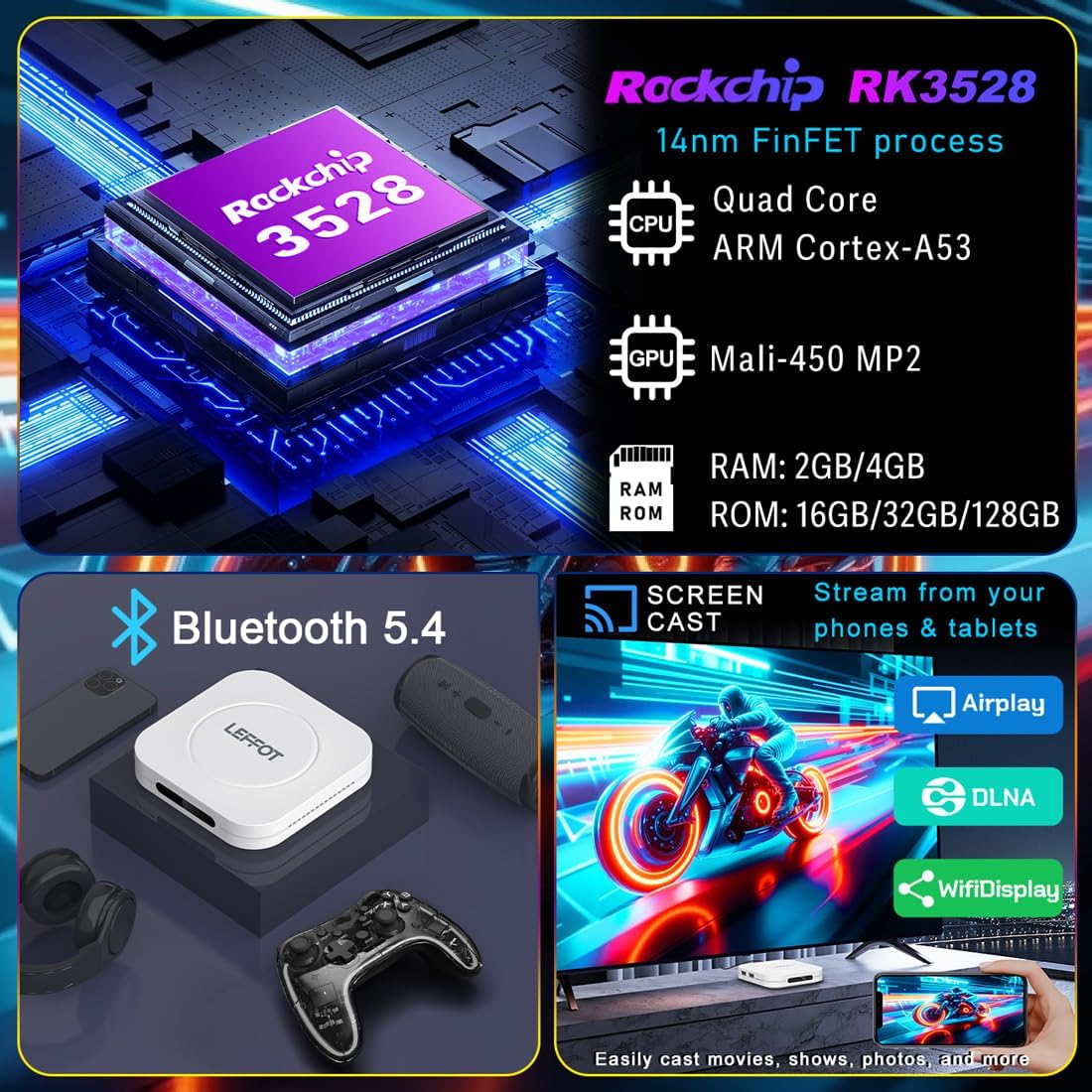
The M1 Plus offers stable and fast connectivity options including dual-band WiFi6 (802.11ax) and 100M Ethernet for buffer-free streaming. Bluetooth 5.4 allows for connection to various peripherals.
സ്ക്രീൻ മിററിംഗ്
Easily share photos and videos from your phones or tablets to your TV using Airplay, DLNA, or WiFidisplay features.
ഔദ്യോഗിക ഉൽപ്പന്ന വീഡിയോ
Video: A short demonstration of the Google AndroidTV Box, showcasing its voice remote control capabilities.
സ്പെസിഫിക്കേഷനുകൾ
| ഫീച്ചർ | വിവരണം |
|---|---|
| ബ്രാൻഡ് | ലെഫോട്ട് |
| മോഡലിൻ്റെ പേര് | എം 1 പ്ലസ് |
| ഓപ്പറേറ്റിംഗ് സിസ്റ്റം | ആൻഡ്രോയിഡ് 14.0 |
| പ്രോസസ്സർ | RK3528 Quad-Core A53 CPU |
| ജിപിയു | മാലി -450 എംപി 2 |
| റാം | 2 ജിബി |
| ROM | 16 ജിബി |
| റെസലൂഷൻ | 8K decoding, 4K@60fps HDR10 output |
| കണക്റ്റിവിറ്റി | 2.4G & 5G WiFi 6 (802.11ax), Bluetooth 5.4, 100M Ethernet |
| പ്രത്യേക സവിശേഷതകൾ | Google Assistant Voice Remote, Airplay, DLNA, WiFidisplay |
| തുറമുഖങ്ങൾ | Dual USB 2.0, HD 2.0b, AV, LAN, DC, SPDIF |
| അളവുകൾ | 3.8 x 3.8 x 0.81 ഇഞ്ച് |
| ഭാരം | 4.4 ഔൺസ് |
ട്രബിൾഷൂട്ടിംഗ്
If you encounter issues with your LEFFOT M1 Plus, refer to the following common solutions:
- ശക്തിയില്ല: പവർ അഡാപ്റ്റർ ഉപകരണത്തിലേക്കും പ്രവർത്തിക്കുന്ന ഒരു പവർ ഔട്ട്ലെറ്റിലേക്കും സുരക്ഷിതമായി ബന്ധിപ്പിച്ചിട്ടുണ്ടെന്ന് ഉറപ്പാക്കുക. മറ്റൊരു ഔട്ട്ലെറ്റ് പരീക്ഷിക്കുക.
- ടിവിയിൽ സിഗ്നൽ ഇല്ല: Verify that the HD cable is properly connected to both the TV Box and your TV. Ensure your TV is set to the correct HDMI input source.
- Wi-Fi കണക്ഷൻ പ്രശ്നങ്ങൾ: Check your router and modem to ensure they are working correctly. Re-enter your Wi-Fi password on the TV Box. If using 5G Wi-Fi, ensure your device is within range.
- റിമോട്ട് കൺട്രോൾ പ്രതികരിക്കുന്നില്ല: Check if the batteries are correctly inserted and have sufficient charge. Try re-pairing the Bluetooth remote if necessary (refer to on-screen instructions during initial setup or in device settings).
- ആപ്പ് മരവിപ്പിക്കൽ/ക്രാഷിംഗ്: Close and restart the application. If the issue persists, clear the app's cache or data in the device settings (Settings > Apps > [App Name] > Clear Cache/Clear Data).
- മോശം വീഡിയോ നിലവാരം: Ensure your internet connection is stable and fast enough for 4K streaming. Check your TV's display settings and the streaming app's quality settings.
മെയിൻ്റനൻസ്
To ensure the longevity and optimal performance of your LEFFOT M1 Plus TV Box:
- ഉപകരണം നേരിട്ട് സൂര്യപ്രകാശം ഏൽക്കാത്തതും താപ സ്രോതസ്സുകളിൽ നിന്ന് മാറി തണുത്തതും വരണ്ടതുമായ സ്ഥലത്ത് സൂക്ഷിക്കുക.
- മൃദുവായതും ഉണങ്ങിയതുമായ തുണി ഉപയോഗിച്ച് ഉപകരണം വൃത്തിയാക്കുക. ദ്രാവക ക്ലീനറുകളോ ഉരച്ചിലുകളുള്ള വസ്തുക്കളോ ഉപയോഗിക്കരുത്.
- Avoid blocking any ventilation openings (though this model has no external vents, ensure it's not covered).
- Regularly check for and install system updates to ensure the latest features and security patches.
വാറൻ്റിയും പിന്തുണയും
Your LEFFOT M1 Plus TV Box comes with a standard manufacturer's warranty. For specific warranty terms and conditions, please refer to the documentation included in your package or contact LEFFOT customer support.
For technical assistance or further inquiries, please visit the official LEFFOT webസൈറ്റ് അല്ലെങ്കിൽ അവരുടെ ഉപഭോക്തൃ സേവന ടീമിനെ ബന്ധപ്പെടുക.


