
GOBOULT B0FCSBLK42
GOBOULT Crown Smart Watch User Manual
Model: B0FCSBLK42
1. ആമുഖം
Thank you for choosing the GOBOULT Crown Smart Watch. This manual provides essential information for setting up, operating, and maintaining your device. The GOBOULT Crown Smart Watch features a 1.95-inch HD display, Bluetooth calling, a functional rotating crown, and comprehensive health monitoring capabilities.
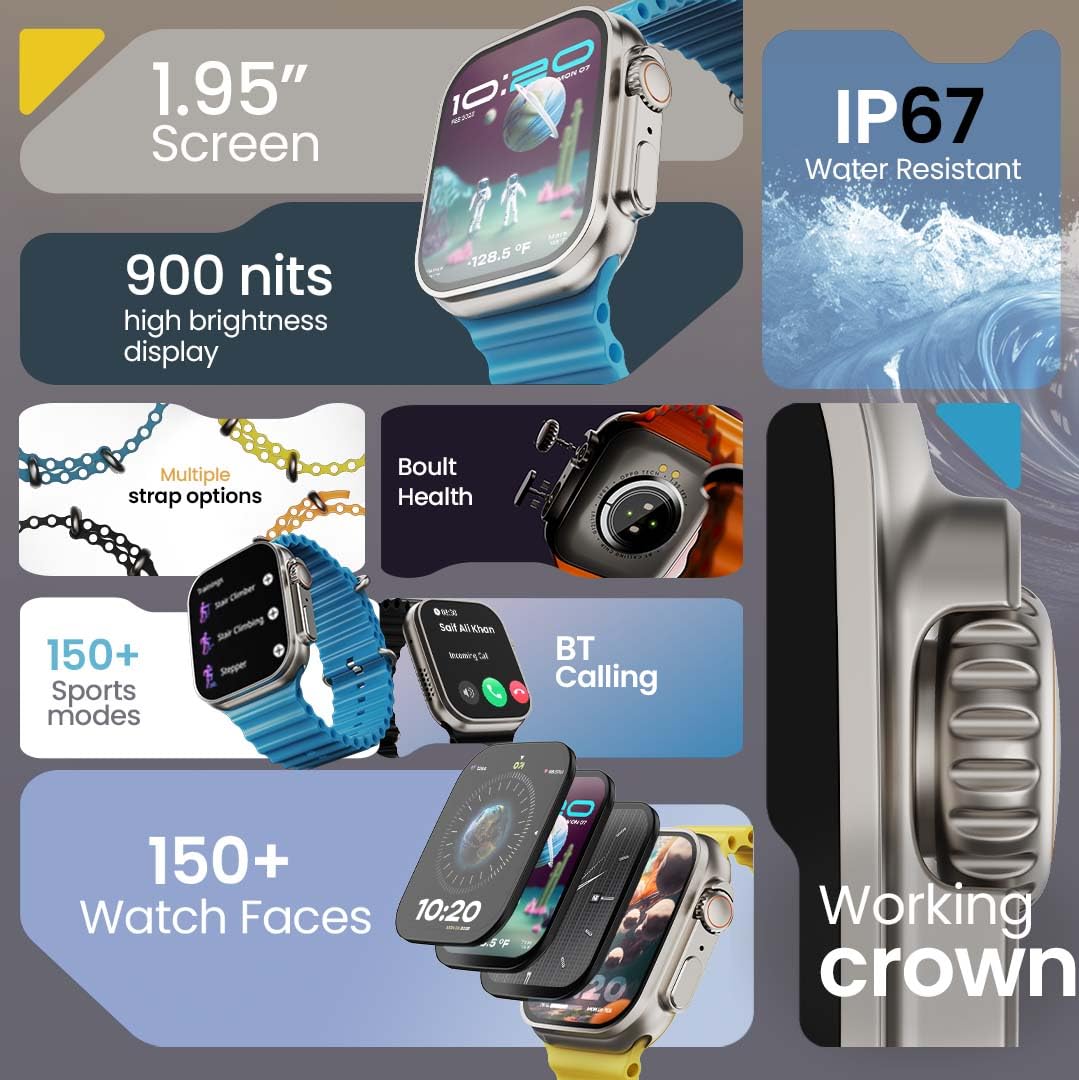
ചിത്രം 1.1: കഴിഞ്ഞുview of the GOBOULT Crown Smart Watch highlighting its 1.95-inch screen, 900 nits brightness, IP67 rating, multiple strap options, Boult Health features, Bluetooth calling, 150+ sports modes, 150+ watch faces, and working crown.
2. ബോക്സിൽ എന്താണുള്ളത്?
Ensure all the following items are present in your product packaging:
- GOBOULT Crown Smart Watch
- ചാർജിംഗ് കേബിൾ
- ഉപയോക്തൃ മാനുവൽ
- വാറൻ്റി കാർഡ്
3. ഉൽപ്പന്നം കഴിഞ്ഞുview
The GOBOULT Crown Smart Watch is designed with a premium zinc alloy frame and a vibrant 1.95-inch HD display. It features a functional rotating crown for intuitive navigation and a dedicated button for sports modes.
3.1 പ്രധാന ഘടകങ്ങൾ
- 1.95 ഇഞ്ച് എച്ച്ഡി ഡിസ്പ്ലേ: Offers clear visuals with up to 900 nits brightness for excellent outdoor visibility.
- Working Rotating Crown: Used for scrolling, zooming, and navigating menus.
- സൈഡ് ബട്ടൺ: Often dedicated for quick access to sports modes or other functions.
- Zinc Alloy Frame: Provides durability and a premium feel.
- സെൻസറുകൾ: Located on the back for heart rate, SpO2, and other health monitoring.
- മൈക്രോഫോണും സ്പീക്കറും: Integrated for Bluetooth calling and voice assistant functions.
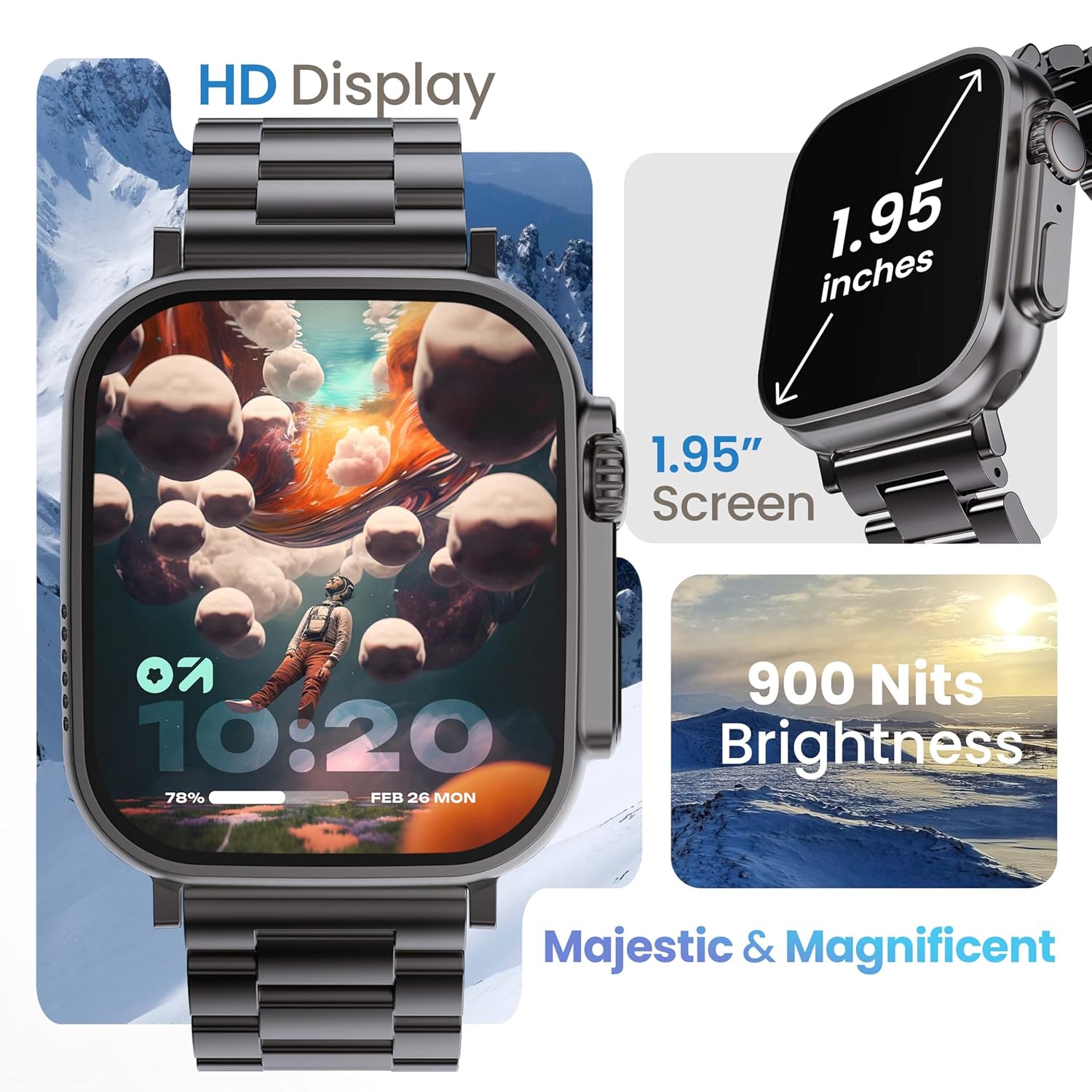
Image 3.1: The 1.95-inch HD display of the GOBOULT Crown Smart Watch, emphasizing its size and 900 Nits brightness for clear visibility.
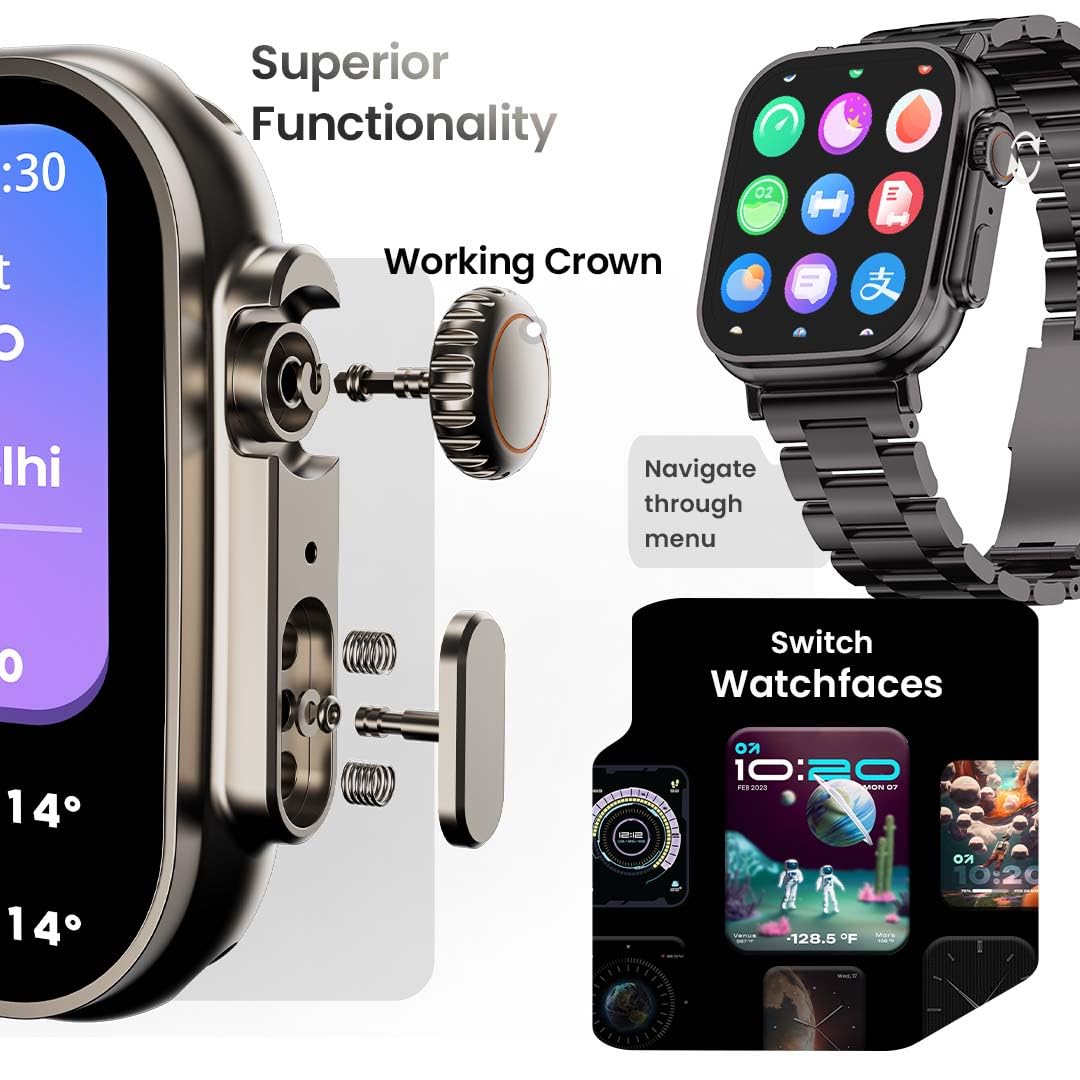
ചിത്രം 3.2: വിശദമായത് view of the working crown on the GOBOULT Crown Smart Watch, illustrating its use for navigating menus and switching watch faces.
4. സജ്ജീകരണം
4.1 സ്മാർട്ട് വാച്ച് ചാർജ് ചെയ്യുന്നു
- വാച്ചിന്റെ പിൻഭാഗത്തുള്ള ചാർജിംഗ് പിന്നുകളുമായി മാഗ്നറ്റിക് ചാർജിംഗ് കേബിൾ ബന്ധിപ്പിക്കുക.
- കേബിളിന്റെ USB അറ്റം ഒരു സ്റ്റാൻഡേർഡ് USB പവർ അഡാപ്റ്ററിലേക്ക് (ഉൾപ്പെടുത്തിയിട്ടില്ല) അല്ലെങ്കിൽ ഒരു കമ്പ്യൂട്ടറിന്റെ USB പോർട്ടിലേക്ക് പ്ലഗ് ചെയ്യുക.
- The watch display will indicate charging status. A full charge takes approximately 150 minutes.
കുറിപ്പ്: Ensure the charging pins are clean and dry before charging to prevent corrosion.
4.2 നിങ്ങളുടെ സ്മാർട്ട്ഫോണുമായി ജോടിയാക്കൽ
To unlock all features, pair your GOBOULT Crown Smart Watch with the companion app on your smartphone.
- Download the official GOBOULT companion app from your smartphone's app store (compatible with iOS and Android devices).
- നിങ്ങളുടെ സ്മാർട്ട്ഫോണിൽ ബ്ലൂടൂത്ത് പ്രവർത്തനക്ഷമമാക്കിയിട്ടുണ്ടെന്ന് ഉറപ്പാക്കുക.
- Open the GOBOULT app and follow the on-screen instructions to create an account or log in.
- ആപ്പിനുള്ളിൽ 'ഉപകരണം ചേർക്കുക' അല്ലെങ്കിൽ 'പുതിയ ഉപകരണം ജോടിയാക്കുക' തിരഞ്ഞെടുക്കുക.
- The app will search for available devices. Select 'GOBOULT Crown' from the list.
- നിങ്ങളുടെ വാച്ചിലും സ്മാർട്ട്ഫോണിലും ജോടിയാക്കൽ അഭ്യർത്ഥന സ്ഥിരീകരിക്കുക.
Once paired, the watch will synchronize data with your phone, and you can customize settings through the app.
5. പ്രവർത്തന നിർദ്ദേശങ്ങൾ
5.1 അടിസ്ഥാന നാവിഗേഷൻ
- ടച്ച് സ്ക്രീൻ: Swipe left, right, up, or down to navigate through menus and notifications. Tap to select items.
- വർക്കിംഗ് ക്രൗൺ: Rotate the crown to scroll through lists, zoom in/out, or switch watch faces. Press the crown to return to the home screen or access the app menu.
- സൈഡ് ബട്ടൺ: Press to quickly access the sports mode menu.
5.2 ബ്ലൂടൂത്ത് കോളിംഗ്
The GOBOULT Crown Smart Watch supports Bluetooth calling (BT 5.2) with a built-in speaker and microphone.
- Ensure your watch is paired with your smartphone via Bluetooth.
- To make a call, access the dial pad on your watch or select a contact from your synchronized phonebook.
- To answer an incoming call, tap the green icon on the watch screen. To reject, tap the red icon.
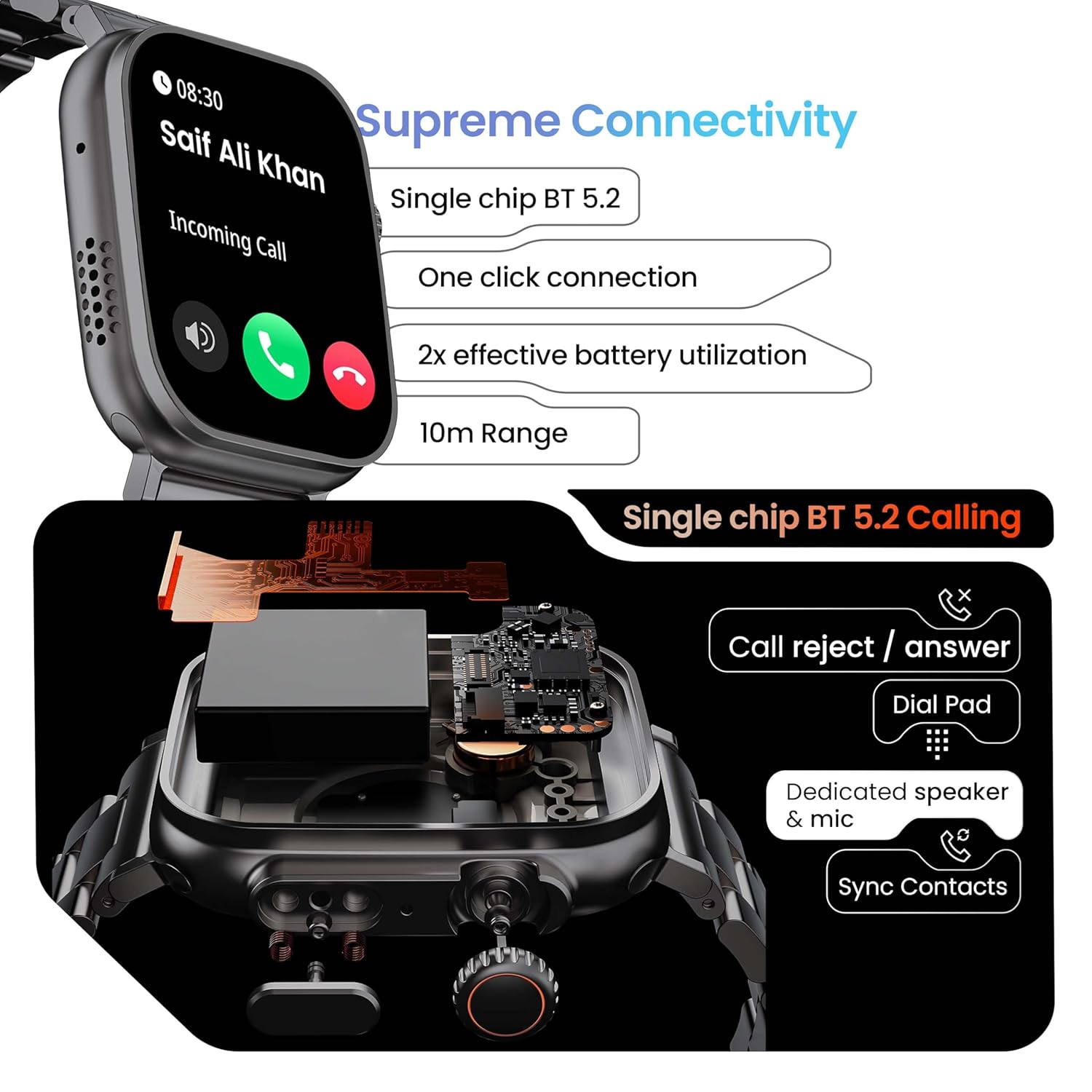
Image 5.1: Illustration of the Bluetooth 5.2 calling functionality on the GOBOULT Crown Smart Watch, including call reject/answer, dial pad, dedicated speaker & mic, and contact synchronization.
5.3 സ്പോർട്സ് മോഡുകൾ
The watch offers over 120 sports modes to track various physical activities.
- Press the dedicated side button or navigate through the app menu to access 'Sports Modes'.
- Select your desired activity (e.g., Running, Cycling, Yoga, HIIT).
- The watch will begin tracking metrics such as duration, heart rate, calories burned, and steps.
- End the workout by following the on-screen prompts. Data will be synchronized with the app.

Image 5.2: The GOBOULT Crown Smart Watch actively tracking a workout, showing real-time data for heart rate, calories, and steps, with a dedicated button for sports modes.
5.4 ആരോഗ്യ നിരീക്ഷണം
The watch provides continuous health tracking features.
- ഹൃദയമിടിപ്പ് നിരീക്ഷണം: നിങ്ങളുടെ ഹൃദയമിടിപ്പ് 24/7 ട്രാക്ക് ചെയ്യുന്നു.
- SpO2 നിരീക്ഷണം: രക്തത്തിലെ ഓക്സിജൻ സാച്ചുറേഷൻ അളവ് അളക്കുന്നു.
- ഉറക്ക വിശകലനം: ഉറക്ക രീതികളും ഗുണനിലവാരവും നിരീക്ഷിക്കുന്നു.
- പ്രവർത്തന ട്രാക്കർ: Records steps, distance, and calories burned throughout the day.
- ഉദാസീനമായ അലേർട്ടുകൾ: നിഷ്ക്രിയത്വ കാലയളവുകൾക്ക് ശേഷം നീങ്ങാൻ നിങ്ങളെ ഓർമ്മിപ്പിക്കുന്നു.
- സ്ത്രീ ആർത്തവചക്രം ട്രാക്കിംഗ്: Available through the companion app.
- ശ്വസന പരിശീലനം: വിശ്രമത്തിനായി ഗൈഡഡ് ശ്വസന വ്യായാമങ്ങൾ.
Access detailed health data and trends in the GOBOULT companion app.
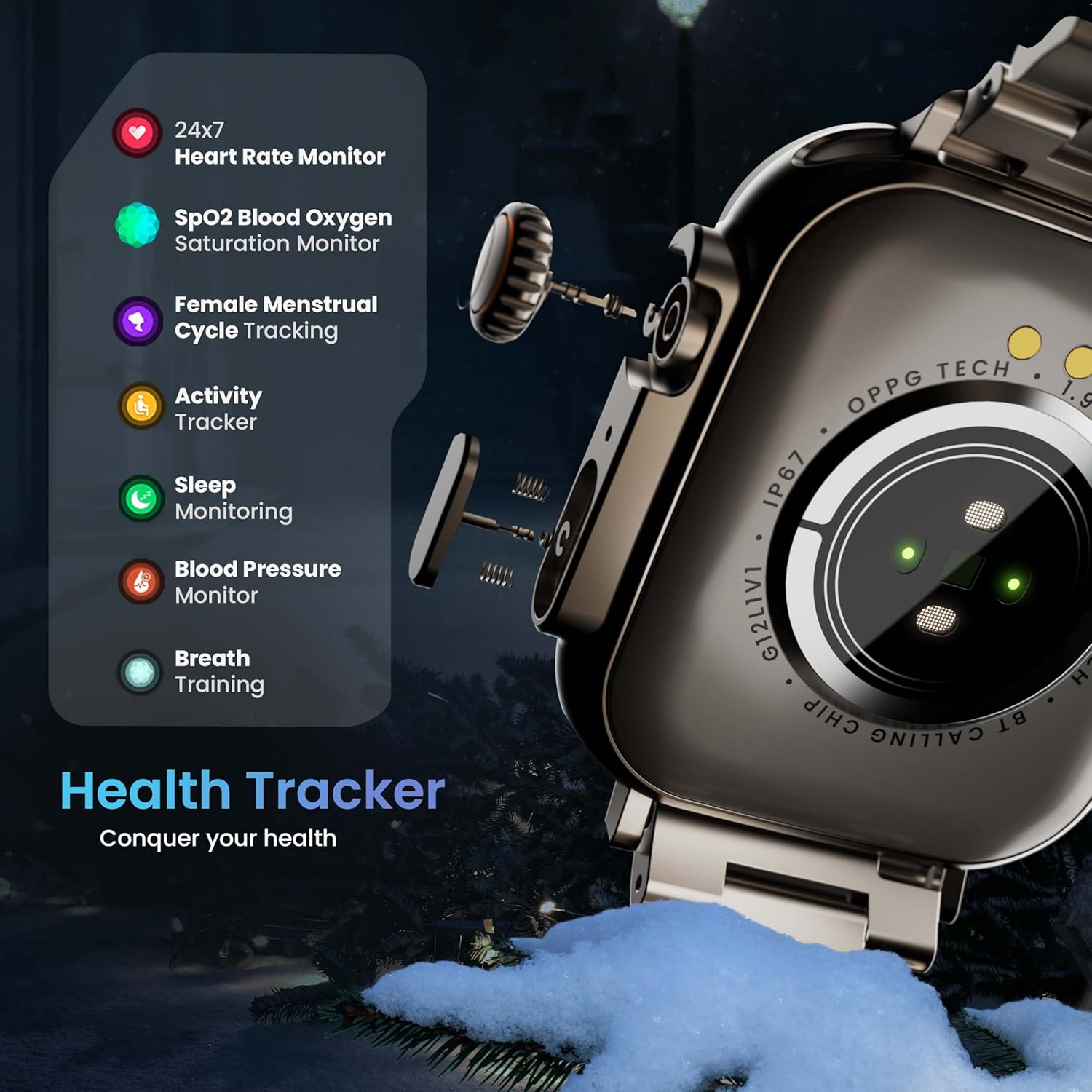
Image 5.3: The GOBOULT Crown Smart Watch highlighting its comprehensive health tracker capabilities, including 24x7 Heart Rate Monitor, SpO2 Blood Oxygen Saturation Monitor, Female Menstrual Cycle Tracking, Activity Tracker, Sleep Monitoring, Blood Pressure Monitor, and Breath Training.
5.5 AI വോയ്സ് അസിസ്റ്റന്റ്
Interact with your watch using voice commands for quick tasks.
- Activate the AI Voice Assistant by a specific gesture or button press (refer to in-app settings for configuration).
- Speak your command clearly, such as "Hey Siri" or "Ok Google" (if connected to a compatible phone).
- The watch will process your request, allowing you to set reminders, check weather, or control smart home devices.
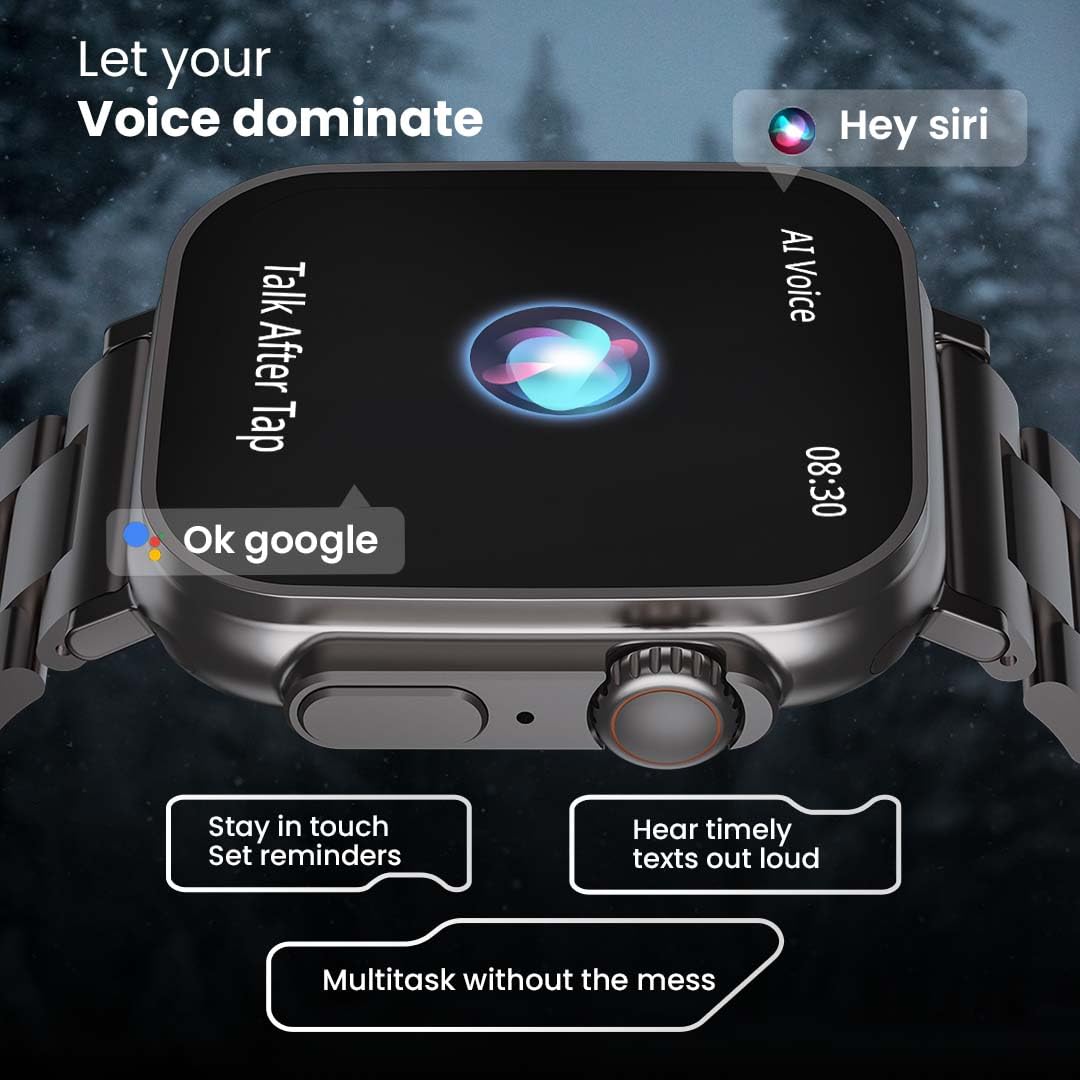
Image 5.4: The GOBOULT Crown Smart Watch interacting with AI Voice Assistants like Hey Siri and Ok Google, enabling users to stay in touch, set reminders, and hear timely texts aloud.
5.6 Watch Faces & Customization
Personalize your watch with over 100 cloud-based watch faces.
- Long-press the watch face on the home screen to quickly switch between pre-loaded faces.
- For more options, open the GOBOULT app and browse the 'Watch Faces' library.
- Download and apply new watch faces directly from the app.
5.7 Mini Games
The watch includes several mini-games for entertainment.
- Navigate to the 'Games' section in the app menu.
- Select a game (e.g., Young Bird, Hamster, Battleships, 2048) and follow the on-screen instructions to play.
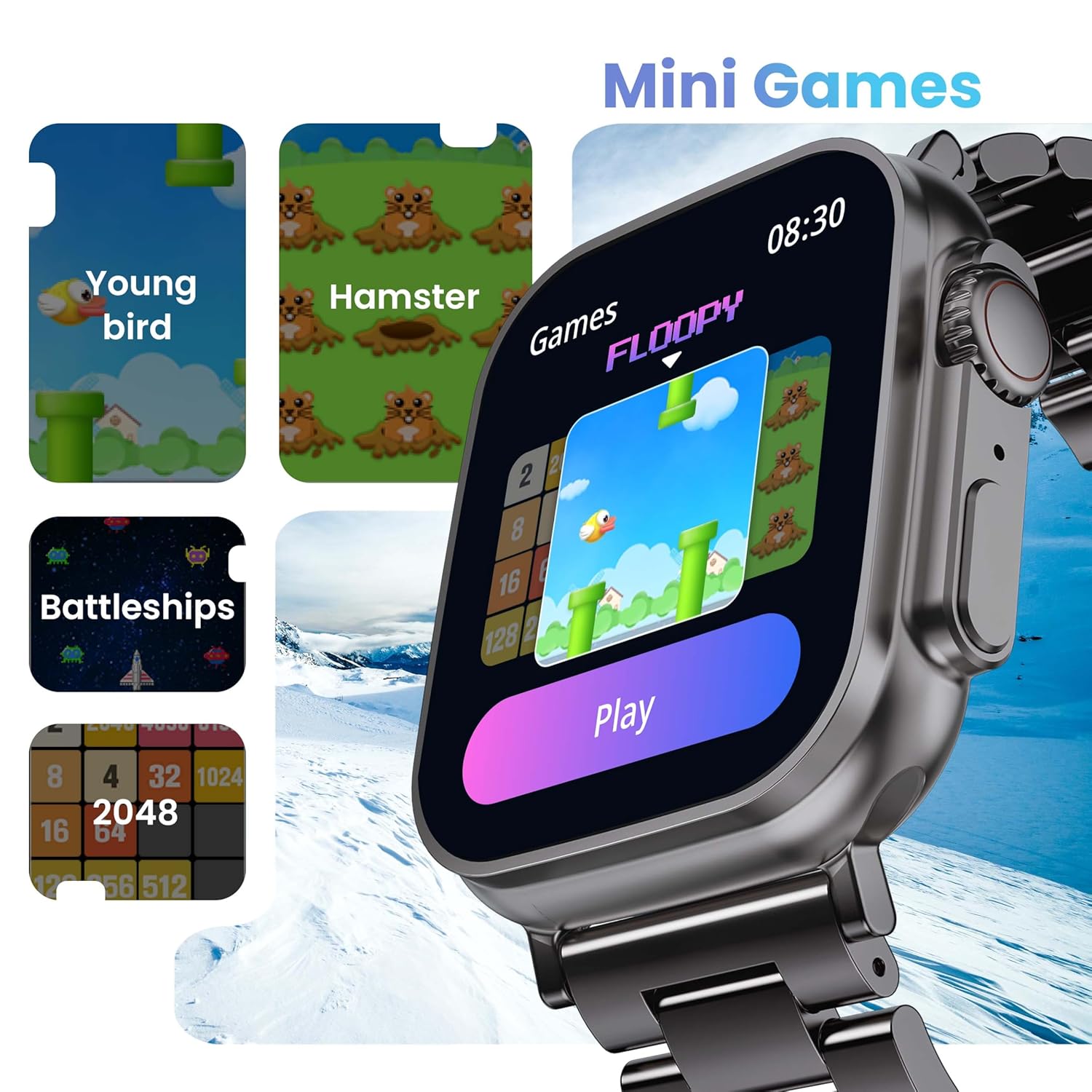
Image 5.5: The GOBOULT Crown Smart Watch showcasing its mini-games feature, including 'Young bird', 'Hamster', 'Battleships', and '2048'.
5.8 എന്റെ ഫോൺ കണ്ടെത്തുക
Locate your paired smartphone using the watch.
- Go to the watch menu.
- Select the "Find Phone" option.
- The connected phone will ring or vibrate, helping you locate it.
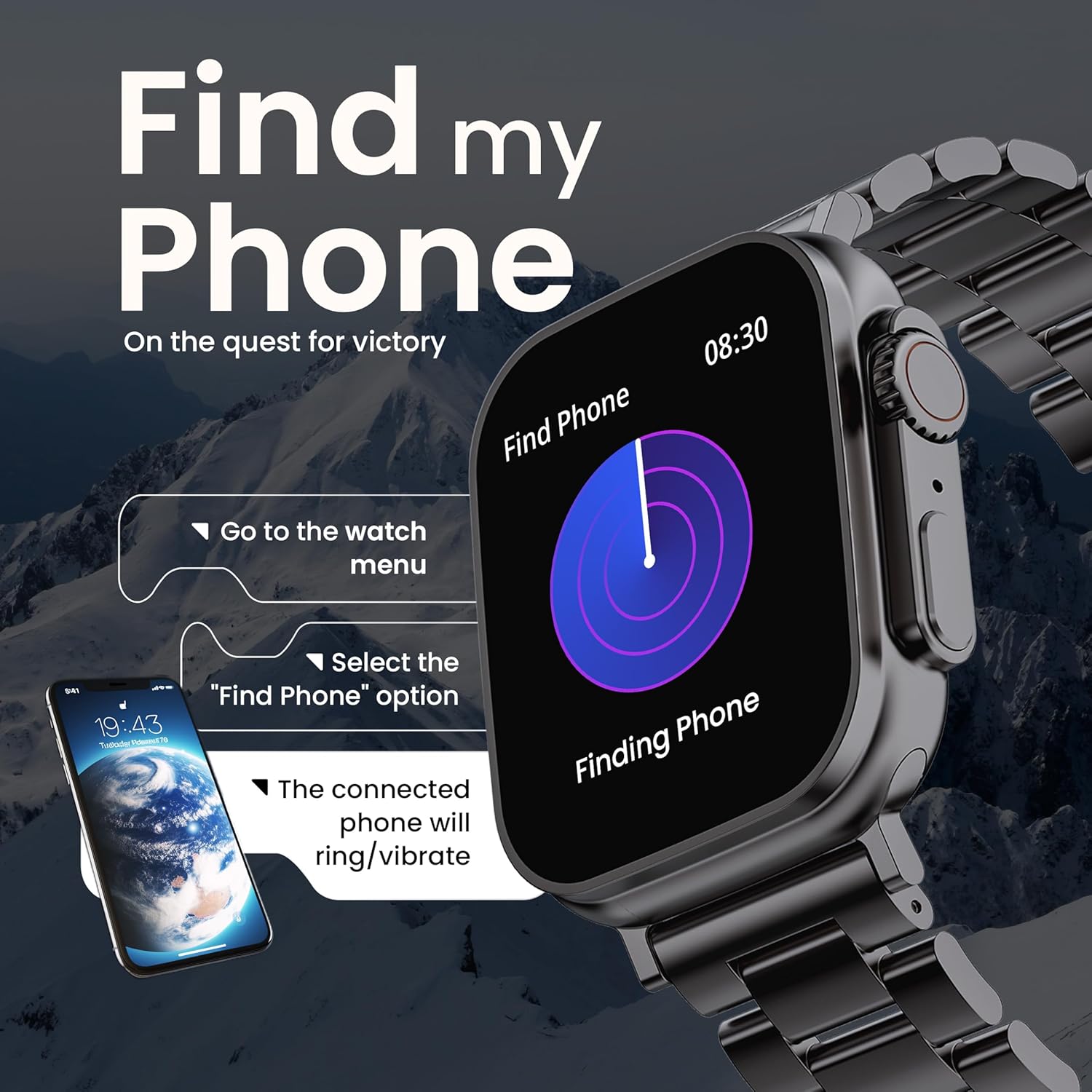
Image 5.6: The GOBOULT Crown Smart Watch illustrating the 'Find my Phone' feature, showing the steps to activate it and how the connected phone will respond.
6. പരിപാലനം
6.1 നിങ്ങളുടെ സ്മാർട്ട് വാച്ച് വൃത്തിയാക്കൽ
- മൃദുവായ, ലിന്റ് രഹിത തുണി ഉപയോഗിച്ച് വാച്ച് സ്ക്രീനും ബോഡിയും തുടയ്ക്കുക.
- മുരടിച്ച പാടുകൾക്ക്, ഡിampതുണിയിൽ അൽപം വെള്ളം ചേർത്ത് നനയ്ക്കുക. കഠിനമായ രാസവസ്തുക്കളോ ഉരച്ചിലുകളോ ഉള്ള വസ്തുക്കൾ ഉപയോഗിക്കുന്നത് ഒഴിവാക്കുക.
- Clean the charging pins regularly to ensure proper connection.
- If your watch has a stainless steel band, use the provided strap adjustment tool for any modifications.
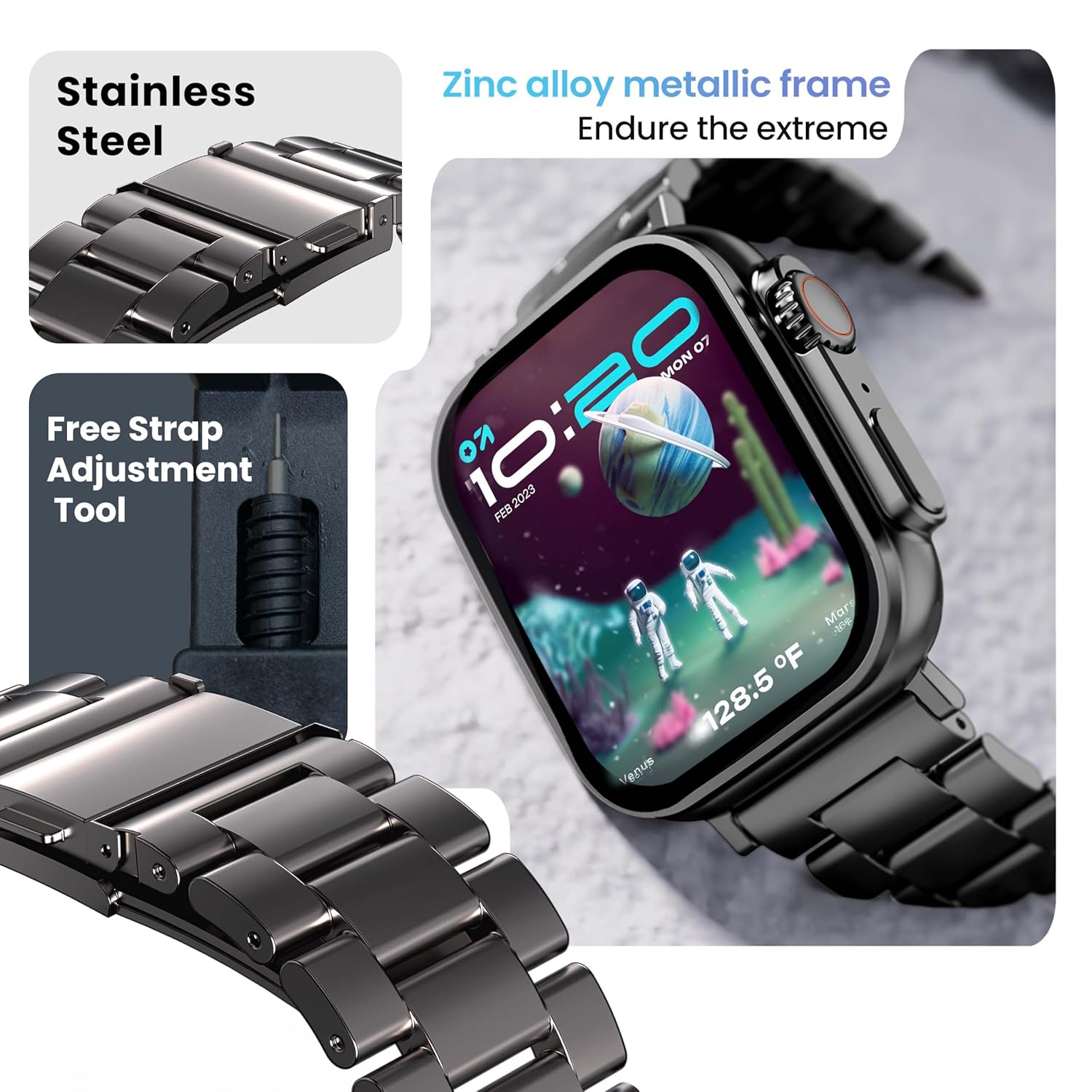
Image 6.1: The GOBOULT Crown Smart Watch featuring its stainless steel band and the included free strap adjustment tool for maintenance.
6.2 ജല പ്രതിരോധം
The GOBOULT Crown Smart Watch has an IP67 waterproof rating.
- IP67 റേറ്റിംഗ്: This means the watch is dust-proof and can withstand submersion in water up to 1.5 meters for 30 minutes.
- It is suitable for daily use, such as washing hands or light rain.
- Avoid using the watch during swimming, diving, or in hot water (e.g., showers, saunas) as steam and high pressure can compromise the seal.
- വെള്ളത്തിനടിയിൽ ബട്ടണുകൾ അമർത്തരുത്.
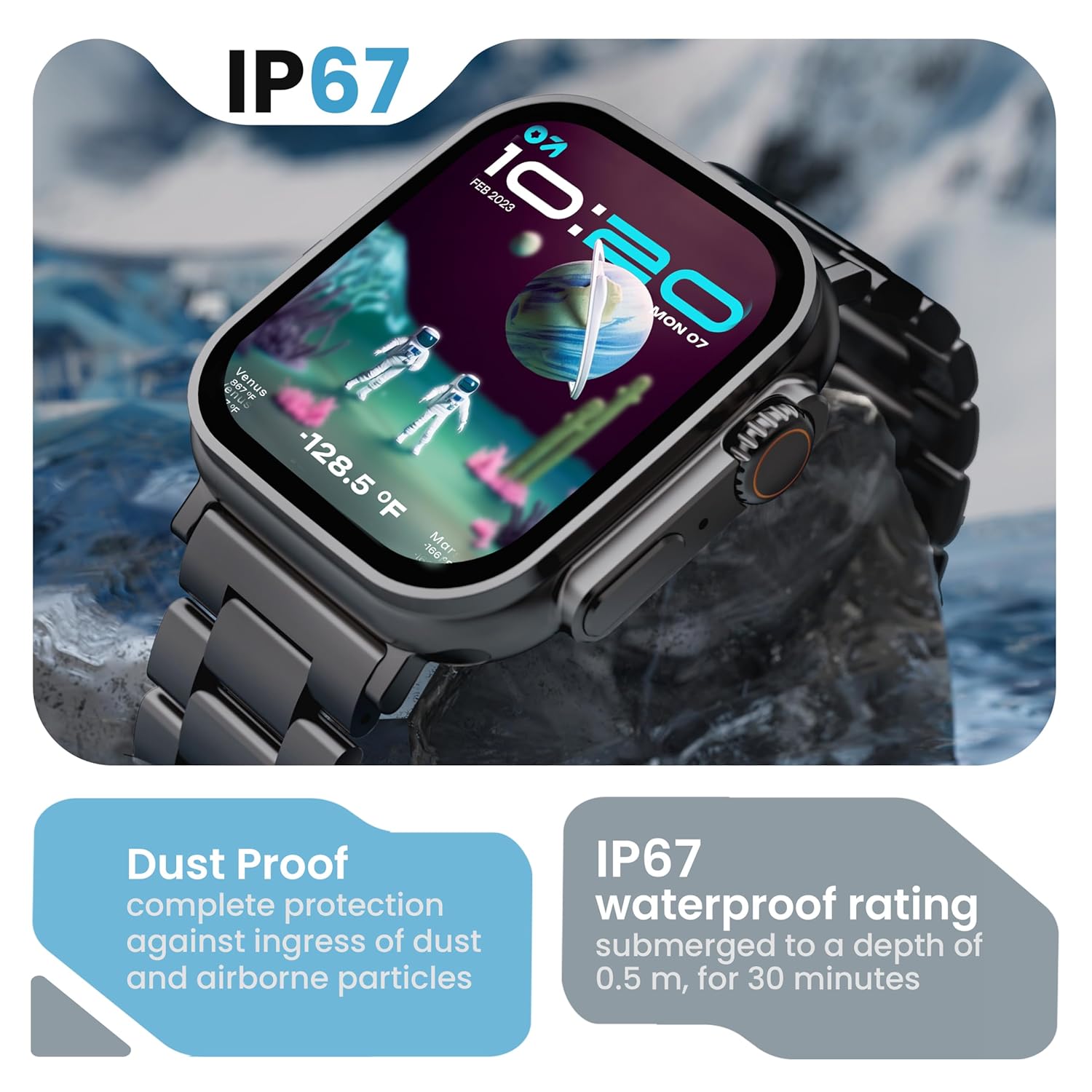
Image 6.2: The GOBOULT Crown Smart Watch emphasizing its IP67 rating, indicating complete protection against dust ingress and water submersion up to 0.5 meters for 30 minutes.
7. പ്രശ്നപരിഹാരം
If you encounter issues with your GOBOULT Crown Smart Watch, refer to the following common solutions:
| പ്രശ്നം | സാധ്യമായ പരിഹാരം |
|---|---|
| വാച്ച് ഓണാകുന്നില്ല. | വാച്ച് പൂർണ്ണമായും ചാർജ് ചെയ്തിട്ടുണ്ടെന്ന് ഉറപ്പാക്കുക. കുറഞ്ഞത് 30 മിനിറ്റെങ്കിലും ചാർജറുമായി ബന്ധിപ്പിക്കുക. |
| സ്മാർട്ട്ഫോണുമായി ജോടിയാക്കാൻ കഴിയില്ല | Ensure Bluetooth is enabled on your phone. Restart both the watch and phone. Make sure the watch is within Bluetooth range. Check the app for pairing instructions. |
| കൃത്യമല്ലാത്ത ആരോഗ്യ ഡാറ്റ | വാച്ച് നിങ്ങളുടെ കൈത്തണ്ടയിൽ നന്നായി ധരിച്ചിട്ടുണ്ടെന്ന് ഉറപ്പാക്കുക, അധികം ഇറുകിയതോ അധികം അയഞ്ഞതോ ആകരുത്. വാച്ചിന്റെ പിൻഭാഗത്തുള്ള സെൻസർ ഭാഗം വൃത്തിയാക്കുക. |
| Bluetooth calling issues | Verify the watch is connected for both data and call audio in your phone's Bluetooth settings. Ensure microphone and speaker are not obstructed. |
| സ്ക്രീൻ പ്രതികരിക്കുന്നില്ല | വാച്ച് റീസ്റ്റാർട്ട് ചെയ്യുക. പ്രശ്നം നിലനിൽക്കുകയാണെങ്കിൽ, സ്ക്രീൻ വൃത്തിയുള്ളതും വരണ്ടതുമാണെന്ന് ഉറപ്പാക്കുക. |
| ചെറിയ ബാറ്ററി ലൈഫ് | സ്ക്രീൻ തെളിച്ചം കുറയ്ക്കുക, അനാവശ്യ അറിയിപ്പുകൾ പ്രവർത്തനരഹിതമാക്കുക, ആവശ്യമില്ലെങ്കിൽ തുടർച്ചയായ ഹൃദയമിടിപ്പ് നിരീക്ഷണം പരിമിതപ്പെടുത്തുക. |
ഈ പരിഹാരങ്ങൾ പരീക്ഷിച്ചതിന് ശേഷവും പ്രശ്നം നിലനിൽക്കുകയാണെങ്കിൽ, ദയവായി ഉപഭോക്തൃ പിന്തുണയുമായി ബന്ധപ്പെടുക.
8 സ്പെസിഫിക്കേഷനുകൾ
Below are the technical specifications for the GOBOULT Crown Smart Watch (Model: B0FCSBLK42):
| ഫീച്ചർ | വിശദാംശങ്ങൾ |
|---|---|
| മോഡൽ നമ്പർ | B0FCSBLK42 |
| ഡിസ്പ്ലേ വലിപ്പം | 1.95 ഇഞ്ച് |
| ഡിസ്പ്ലേ തരം | ടി.എഫ്.ടി |
| Maximum Display Brightness | 900 നിറ്റുകൾ |
| കണക്റ്റിവിറ്റി ടെക്നോളജി | ബ്ലൂടൂത്ത് 5.2 |
| ഓപ്പറേറ്റിംഗ് സിസ്റ്റം അനുയോജ്യത | Android Wear 1.0, iOS |
| ബാറ്ററി ശേഷി | 300 മില്ലിamp മണിക്കൂർ (ലിഥിയം പോളിമർ) |
| ബാറ്ററി ശരാശരി ആയുസ്സ് | 7 ദിവസം വരെ |
| ബാറ്ററി ചാർജ് സമയം | 150 മിനിറ്റ് |
| വാട്ടർ റെസിസ്റ്റൻസ് റേറ്റിംഗ് | IP67 (Water Resistant up to 1.5 meters depth) |
| ബാൻഡ് മെറ്റീരിയൽ തരം | സ്റ്റെയിൻലെസ്സ് സ്റ്റീൽ |
| ഇനത്തിൻ്റെ ഭാരം | 40 ഗ്രാം |
| ഇനത്തിൻ്റെ അളവുകൾ (D x W x H) | 40D x 38W x 6H മില്ലിമീറ്റർ |
| അളന്ന അളവുകൾ | Blood Oxygen (SpO2), Distance, Heart Rate, Step Count |
| പിന്തുണയ്ക്കുന്ന ആപ്ലിക്കേഷനുകൾ | Voice Assistant, Communication, Notifications |
| കൺട്രോളർ തരം | ഗൂഗിൾ അസിസ്റ്റന്റ്, സിരി |
9. വാറൻ്റിയും പിന്തുണയും
9.1 വാറൻ്റി വിവരങ്ങൾ
The GOBOULT Crown Smart Watch comes with a 1 വർഷത്തെ നിർമ്മാതാവിൻ്റെ വാറൻ്റി വാങ്ങിയ തീയതി മുതൽ. ഈ വാറന്റി നിർമ്മാണ വൈകല്യങ്ങൾ ഉൾക്കൊള്ളുന്നു. വാറന്റി ക്ലെയിമുകൾക്കായി നിങ്ങളുടെ വാങ്ങൽ രസീത് സൂക്ഷിക്കുക.
9.2 ഉപഭോക്തൃ പിന്തുണ
For technical assistance, warranty claims, or any other inquiries, please contact:
- നിർമ്മാതാവ്: ബോൾട്ട് ഓഡിയോ
- ഇറക്കുമതിക്കാരൻ: Exotic Mile Pvt. Ltd.
- Importer Contact Information: ബി 67 വസീർപൂർ ഇൻഡസ്ട്രിയൽ ഏരിയ, ന്യൂഡൽഹി 110052
Please refer to the warranty card included in your box for specific terms and conditions.
Ask a question about this manual
Ask about setup, troubleshooting, compatibility, parts, safety, or missing instructions. Manuals+ will review the question and use this page’s manual context to help answer it.