
1. ആമുഖം
This manual provides detailed instructions for the installation, operation, and maintenance of your Tlyard 8.9-inch Heads Up Display for Tesla Model 3 Highland (2024-2025). Please read this manual thoroughly before use to ensure proper functionality and safety.
2. ബോക്സിൽ എന്താണുള്ളത്?
പാക്കേജിൽ എല്ലാ ഘടകങ്ങളും ഉണ്ടെന്ന് ഉറപ്പാക്കുക:
- 1 Car Dash Display Unit
- Necessary Wiring Harnesses
- ഇൻസ്റ്റലേഷൻ ഉപകരണങ്ങൾ (ഉദാ: പ്രൈ ടൂൾ, സ്ക്രൂഡ്രൈവർ)
- മൌണ്ടിംഗ് ബ്രാക്കറ്റ്
3. സജ്ജീകരണവും ഇൻസ്റ്റാളേഷനും
Professional installation is recommended for this product. Ensure the vehicle is powered off before beginning installation. Refer to the included wiring diagram for specific connections.
3.1 ഫിസിക്കൽ ഇൻസ്റ്റലേഷൻ
- Carefully remove the necessary trim panels from your Tesla dashboard to access the installation area.
- Connect the provided wiring harness to the vehicle's existing electrical system. Ensure all connections are secure.
- Mount the 8.9-inch Heads Up Display unit in the designated position on the dashboard, ensuring it does not obstruct the driver's view അല്ലെങ്കിൽ വാഹന നിയന്ത്രണങ്ങൾ.
- Secure the display using the provided mounting bracket and fasteners.
- നീക്കം ചെയ്ത ഏതെങ്കിലും ട്രിം പാനലുകൾ വീണ്ടും ഇൻസ്റ്റാൾ ചെയ്യുക.
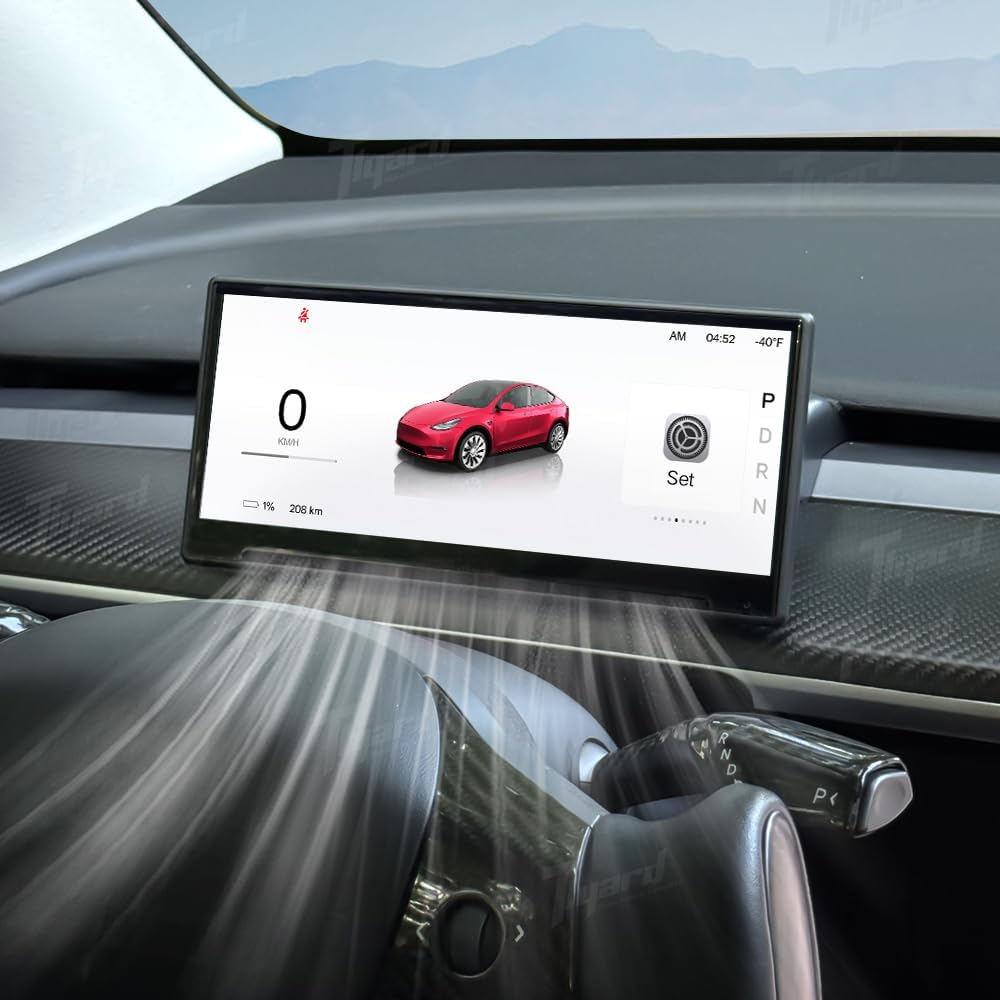
Image: The Tlyard 8.9-inch Heads Up Display seamlessly integrated into the dashboard of a Tesla Model 3 Highland, displaying essential vehicle data and a visual representation of the car. The display is positioned to avoid obstructing the air vents.

ചിത്രം: ഒരു ക്ലോസ്-അപ്പ് view of the Tlyard 8.9-inch Heads Up Display installed in a Tesla Model 3 Highland, demonstrating that the air vent remains unobstructed, allowing for proper airflow.
3.2 Initial Power-On and Connectivity
- After installation, power on your vehicle. The display should automatically power on.
- Navigate to the display's settings menu to configure Wi-Fi and Bluetooth connections.
- For CarPlay or Android Auto, ensure Bluetooth is enabled on your smartphone and the display. Follow the on-screen prompts to pair your device.
Video: An official Tlyard video demonstrating the installation process and various features of the 8.9-inch Heads Up Display for Tesla Model Y and Model 3. This includes views of the display in operation, UI themes, and connectivity options.
4. പ്രവർത്തന നിർദ്ദേശങ്ങൾ
The Tlyard Heads Up Display offers a range of features designed to enhance your driving experience. The 8.9-inch HD touchscreen provides a clear and responsive interface.
4.1 Display Features and Driving Data
- High-Definition Touchscreen: The 8.9-inch display features a 1920x720 resolution with 2.5D curved glass for anti-fingerprint protection and a wider viewing ആംഗിൾ.
- Real-Time Driving Data: View essential information such as speed, current gear, battery level, and turn signals directly on the display.
- തടസ്സമില്ലാത്തത് View: The design ensures the driver's view remains clear, and the vehicle's air outlet functionality is maintained.

Image: The Tlyard 8.9-inch Heads Up Display showcasing അതിന്റെ വീതി viewing angle and crisp 1920x720 resolution, displaying a car graphic and driving information.
4.2 Smartphone Integration
- വയർലെസ് കാർപ്ലേയും ആൻഡ്രോയിഡ് ഓട്ടോയും: Seamlessly integrate your iOS or Android smartphone for navigation, calls, messages, and media playback.
- HUAWEI HiCar Support: Also supports HUAWEI HiCar for compatible devices.

Image: The Tlyard Heads Up Display demonstrating its support for multiple smartphone connections, including Apple CarPlay, Android Auto, Miracast, and Huawei HiCar, with a smartphone mirroring its display.
4.3 Safety and Assistance Features
- Front Camera System: (Excluding Juniper models) Enhances parking and low-visibility safety by providing a real-time front-view ക്യാമറ ഡിസ്പ്ലേ.
- Blind Spot Detection: Receive alerts for vehicles in your blind spots, detected via original vehicle protocol information.
- Autopilot Warnings: Integrates with the vehicle's autopilot system to provide relevant warnings.

Image: The Tlyard Heads Up Display showcasing its ultra-wide HD front camera view, providing real-time transmission for enhanced driving safety and protection.

Image: The Tlyard Heads Up Display illustrating left and right blind spot alerts, detected through the vehicle's original protocol information, to enhance driving awareness.
4.4 Customization and Software
- 3D Visual UI: Customize your display with various themes, including day and night modes, and true 3D modeling.
- ബഹുഭാഷാ പിന്തുണ: The display supports multiple languages for global users.
- OTA Wireless Updates: Receive over-the-air firmware updates for continuous improvement and new features.
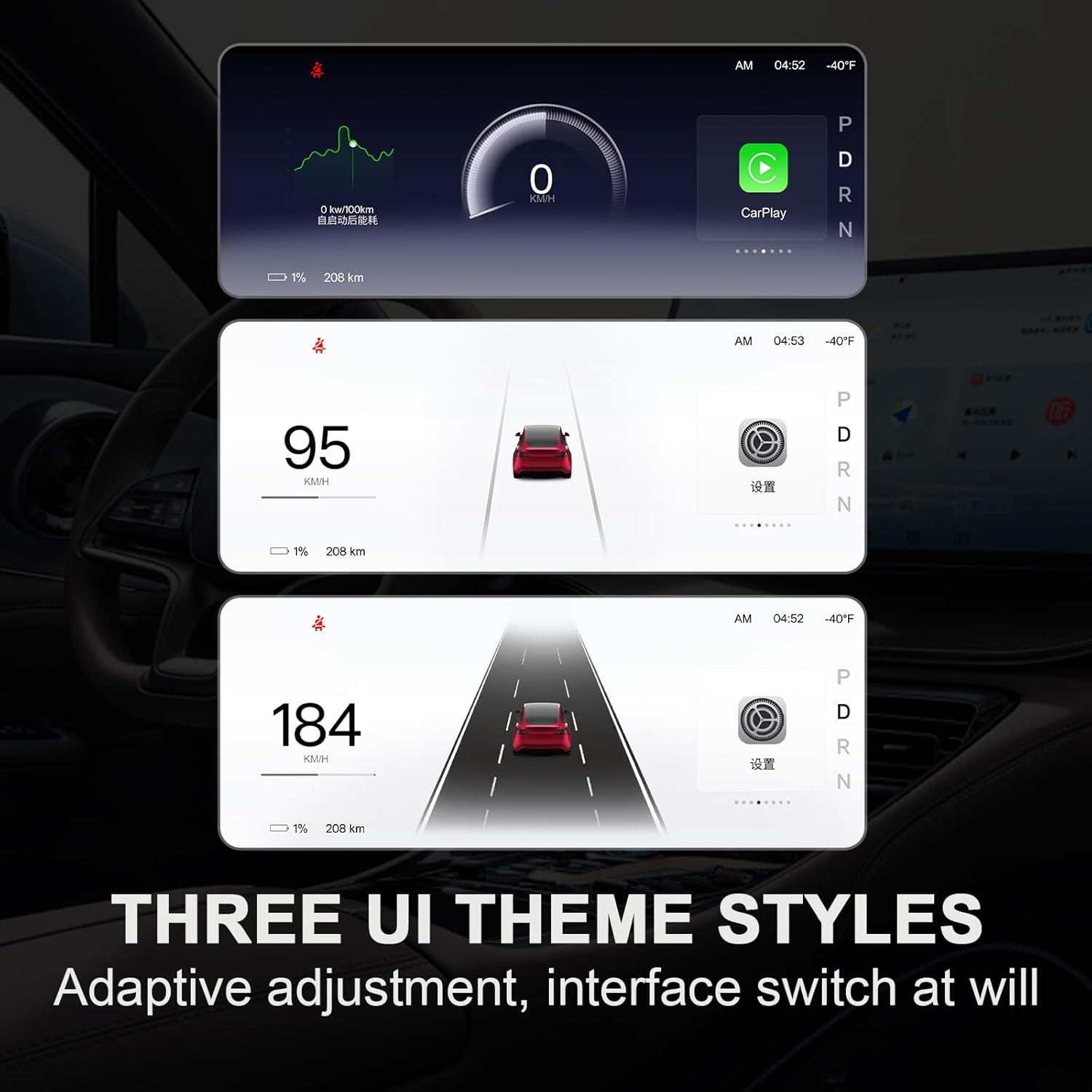
Image: The Tlyard Heads Up Display showcasing three distinct UI theme styles, allowing users to adapt the display to their preference with adaptive adjustments and interface switching.

Image: The Tlyard Heads Up Display highlighting its OTA (Over-The-Air) wireless upgrade capability, allowing for convenient and hassle-free firmware updates.
5. പരിപാലനം
To ensure the longevity and optimal performance of your Tlyard Heads Up Display, follow these maintenance guidelines:
- വൃത്തിയാക്കൽ: Use a soft, lint-free cloth to gently wipe the screen. Avoid abrasive cleaners or solvents that could damage the display surface.
- സോഫ്റ്റ്വെയർ അപ്ഡേറ്റുകൾ: Regularly check for and install OTA (Over-The-Air) updates to ensure you have the latest features and performance enhancements.
- പരിസ്ഥിതി വ്യവസ്ഥകൾ: Avoid exposing the display to extreme temperatures or direct sunlight for prolonged periods, as this may affect its lifespan.
6. പ്രശ്നപരിഹാരം
If you encounter issues with your Tlyard Heads Up Display, refer to the following common troubleshooting steps:
- ഡിസ്പ്ലേ ഓണാക്കുന്നില്ല: Check all power connections to ensure they are securely fastened. Verify the vehicle's power supply is active.
- സിഗ്നൽ ഇല്ല/ശൂന്യമായ സ്ക്രീൻ: Ensure all data cables are properly connected between the display and the vehicle's system.
- കാർപ്ലേ/ആൻഡ്രോയിഡ് ഓട്ടോ കണക്റ്റിവിറ്റി പ്രശ്നങ്ങൾ: Confirm Bluetooth and Wi-Fi are enabled on both the display and your smartphone. Try restarting both devices and re-pairing.
- പ്രതികരിക്കാത്ത ടച്ച്സ്ക്രീൻ: Gently clean the screen for any debris. If the issue persists, try restarting the display unit.
- തെറ്റായ ഡാറ്റ ഡിസ്പ്ലേ: Ensure the display's software is up to date. If the problem continues, consult the manufacturer's support.
For persistent issues not resolved by these steps, please contact Tlyard customer support.
7 സ്പെസിഫിക്കേഷനുകൾ
| ഫീച്ചർ | സ്പെസിഫിക്കേഷൻ |
|---|---|
| മോഡൽ നമ്പർ | Highland 23+ |
| സ്ക്രീൻ വലിപ്പം | 8.9 ഇഞ്ച് |
| ഡിസ്പ്ലേ തരം | എൽഇഡി |
| റെസലൂഷൻ | 1920x720 |
| റാം | 256എംബി |
| ROM | 8 ജിബി |
| മീഡിയ തരം പിന്തുണ | Android Auto, CarPlay (iOS), HUAWEI HiCar |
| നിറം | കറുപ്പ് |
| ഇനത്തിൻ്റെ ഭാരം | 7.1 ഔൺസ് |
| പാക്കേജ് അളവുകൾ | 7.87 x 5.91 x 1.97 ഇഞ്ച് |
8. വാറൻ്റിയും പിന്തുണയും
For warranty information and customer support, please refer to the documentation included with your purchase or visit the official Tlyard brand store. Warranty terms and conditions may vary.
Tlyard Brand Store: Visit Tlyard Store on Amazon