
1. ആമുഖം
Thank you for choosing the GTRACING Mechanical Gaming Keyboard. This manual provides detailed instructions for setting up, operating, and maintaining your new keyboard. Designed for gamers and typists, this keyboard features tactile blue switches, customizable RGB lighting, and an ergonomic design for extended comfort.
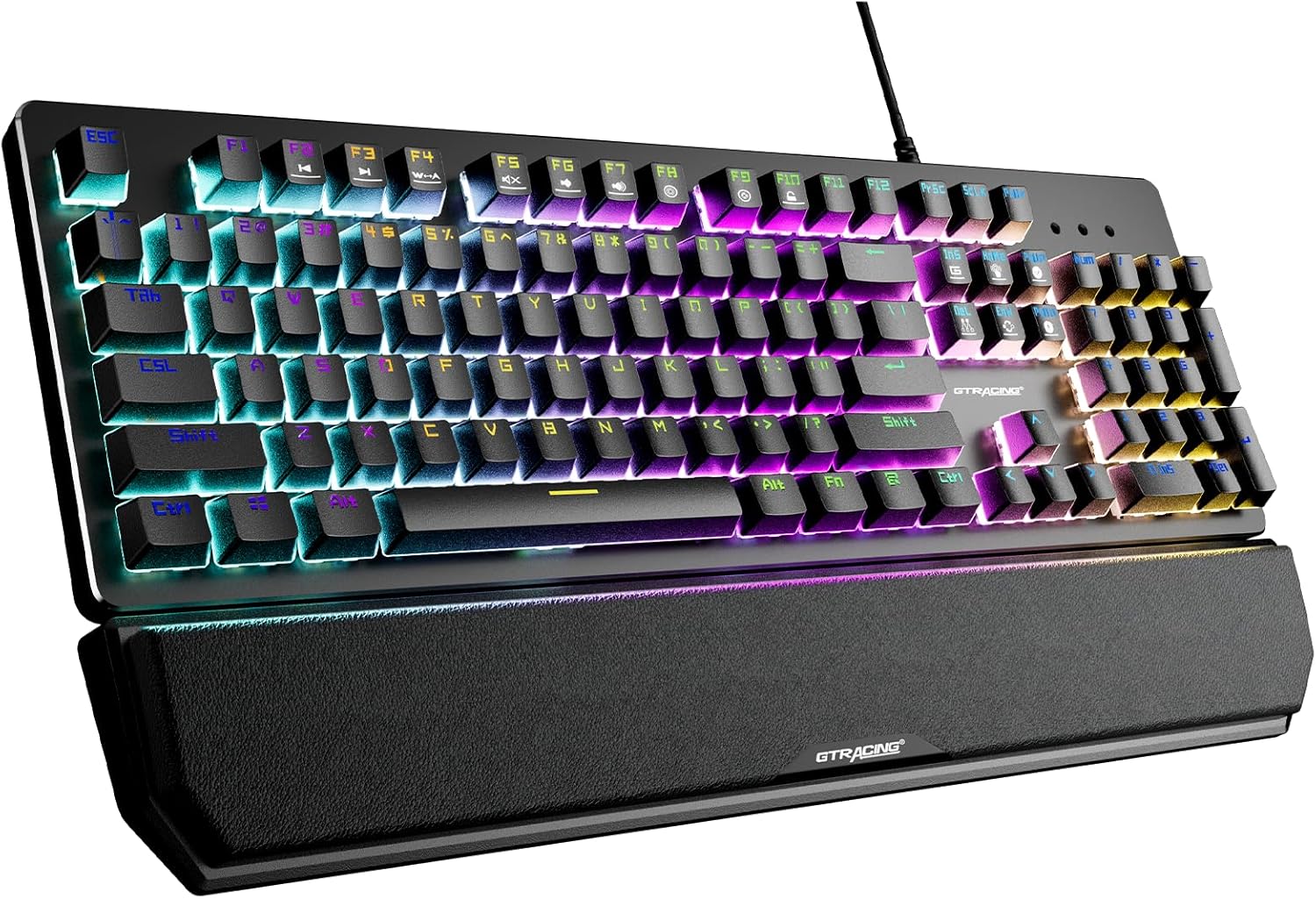
This image displays the GTRACING Mechanical Gaming Keyboard, showcasing its full layout, vibrant RGB backlighting, and the detachable wrist rest. The keyboard features a sleek black design with illuminated keys.
2 സുരക്ഷാ വിവരങ്ങൾ
- കേടുപാടുകൾ ഒഴിവാക്കാൻ കീബോർഡ് ദ്രാവകങ്ങളിൽ നിന്നും അമിതമായ ഈർപ്പത്തിൽ നിന്നും അകറ്റി നിർത്തുക.
- Avoid extreme temperatures. Operate and store the keyboard in a moderate environment.
- Do not attempt to disassemble or modify the keyboard. This may void the warranty and cause damage.
- കണക്ഷനു വേണ്ടി നൽകിയിരിക്കുന്ന USB കേബിൾ മാത്രം ഉപയോഗിക്കുക.
3. പാക്കേജ് ഉള്ളടക്കം
നിങ്ങളുടെ പാക്കേജിൽ എല്ലാ ഇനങ്ങളും ഉണ്ടെന്ന് ദയവായി പരിശോധിക്കുക:
- GTRACING Mechanical Gaming Keyboard
- വേർപെടുത്താവുന്ന റിസ്റ്റ് റെസ്റ്റ്
- യുഎസ്ബി കണക്ഷൻ കേബിൾ
- ഉപയോക്തൃ മാനുവൽ (ഈ പ്രമാണം)

This image shows the GTRACING Mechanical Gaming Keyboard alongside its retail packaging box, indicating the product and its primary container.
4. ഉൽപ്പന്ന സവിശേഷതകൾ
4.1. Blue Mechanical Switches
The keyboard is equipped with professional blue mechanical switches, providing a distinct tactile bump and an audible click sound. These switches are designed for accurate and responsive key commands, ideal for both typing and gaming. They offer a two-stage paragraph feeling with a light force and strong mechanical feedback.
- Trigger Stroke: 2.4 മി.മീ
- Pressure Grams: 60 ഗ്രാം
- ആയുസ്സ് ക്ലിക്ക് ചെയ്യുക: 20 ദശലക്ഷം

This close-up image highlights the tactile blue mechanical switches of the GTRACING keyboard, with some keycaps removed to reveal the switch mechanism. It also provides key specifications for the blue switch.
4.2. RGB ബാക്ക്ലൈറ്റിംഗ്
Experience immersive lighting with 12 different RGB lighting modes and effects. The backlight brightness can be adjusted across 7 levels, and the breathing speed is also customizable. Additionally, you can create and save up to 5 personalized DIY lighting modes.

This image illustrates the vibrant RGB LED backlighting of the GTRACING keyboard, emphasizing the 12 different lighting modes, 7 brightness levels, and the option for 5 DIY lighting modes.
4.3. Ergonomic Design & Detachable Wrist Rest
The keyboard features a high and low stepped button arrangement for a comfortable typing experience. Adjustable double kickstand feet help reduce hand fatigue during prolonged use. The magnetic detachable wrist rest provides natural 6-degree angle support, relieving wrist discomfort for long working or gaming sessions.

ഈ വശം view image demonstrates the ergonomic angle of the GTRACING keyboard when its kickstands are extended, illustrating how it helps reduce wrist strain compared to a flat keyboard.

This image shows the GTRACING keyboard with its magnetic detachable wrist rest, highlighting the ease of attachment and removal for user comfort and preference.
4.4. Durability and Build Quality
Constructed with an aluminum metal panel, the keyboard offers a matte texture, ensuring sturdiness and resistance to scratches. The keycaps feature bold font with double-colored laser carving, designed not to fade even after extensive use. The keyboard is also spill-resistant, built to withstand accidental liquid exposure.
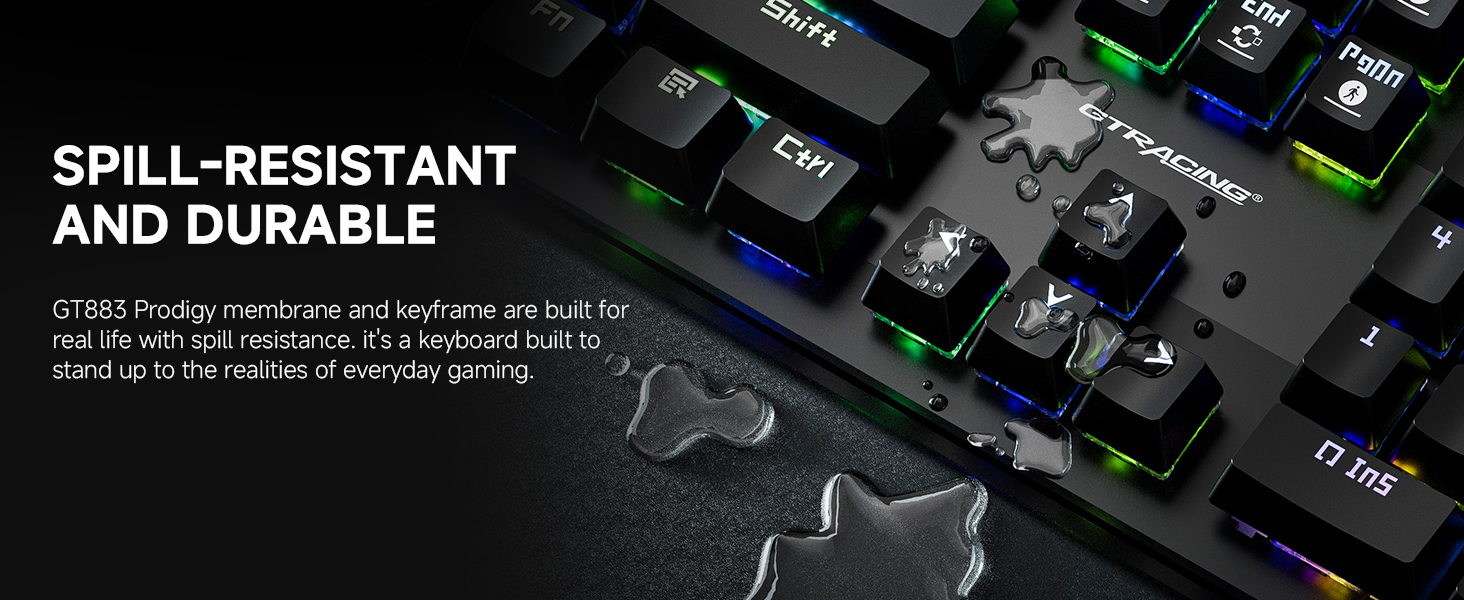
This image visually represents the spill-resistant feature of the GT883 keyboard, showing water droplets on the keycaps, demonstrating its durability against accidental spills.
4.5. പ്രേതബാധയ്ക്കെതിരായ പോരാട്ടം
The keyboard features anti-ghosting technology, which ensures that multiple key presses are registered accurately and simultaneously. This is crucial for gaming, preventing missed commands during intense gameplay.
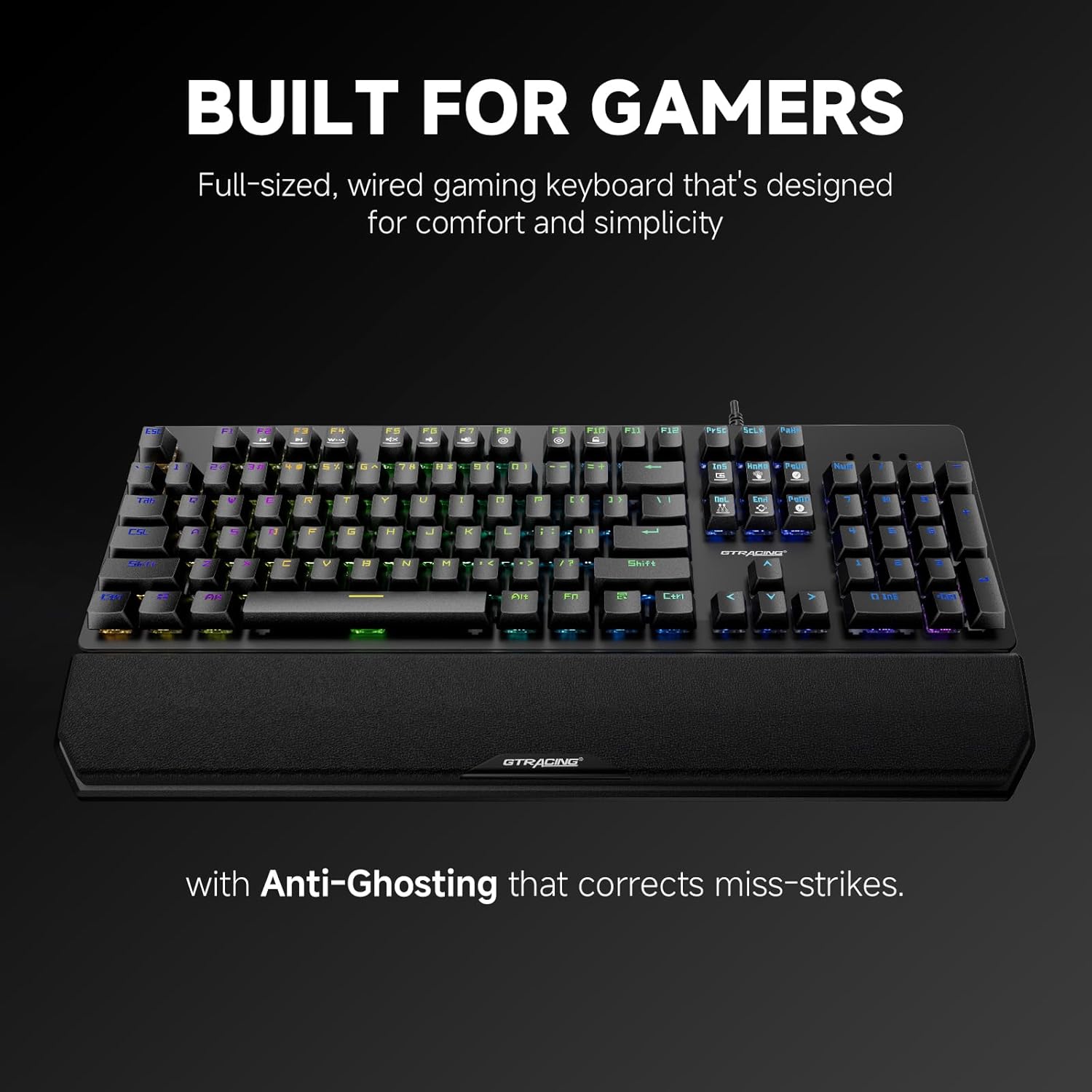
This image highlights the keyboard's design for gamers, specifically mentioning its full-sized layout and the inclusion of anti-ghosting technology to correct miss-strikes.
5. സജ്ജീകരണ ഗൈഡ്
Follow these steps to set up your GTRACING Mechanical Gaming Keyboard:
- അൺപാക്ക്: പാക്കേജിംഗിൽ നിന്ന് കീബോർഡും എല്ലാ അനുബന്ധ ഉപകരണങ്ങളും ശ്രദ്ധാപൂർവ്വം നീക്കം ചെയ്യുക.
- റിസ്റ്റ് റെസ്റ്റ് അറ്റാച്ച് ചെയ്യുക (ഓപ്ഷണൽ): Align the magnetic wrist rest with the front edge of the keyboard. It will snap into place.
- USB കേബിൾ ബന്ധിപ്പിക്കുക: Plug the USB-A connector of the keyboard cable into an available USB port on your computer (PC, Mac, Laptop).
- പ്ലഗ് ആൻഡ് പ്ലേ: The keyboard is plug-and-play, meaning no additional drivers are required for basic functionality. Your operating system (Windows 7/8/10/XP/VISTA, Mac OS) will automatically detect and install the necessary drivers.
- കിക്ക്സ്റ്റാൻഡുകൾ ക്രമീകരിക്കുക: Flip out the adjustable kickstands on the underside of the keyboard to achieve your preferred typing angle.
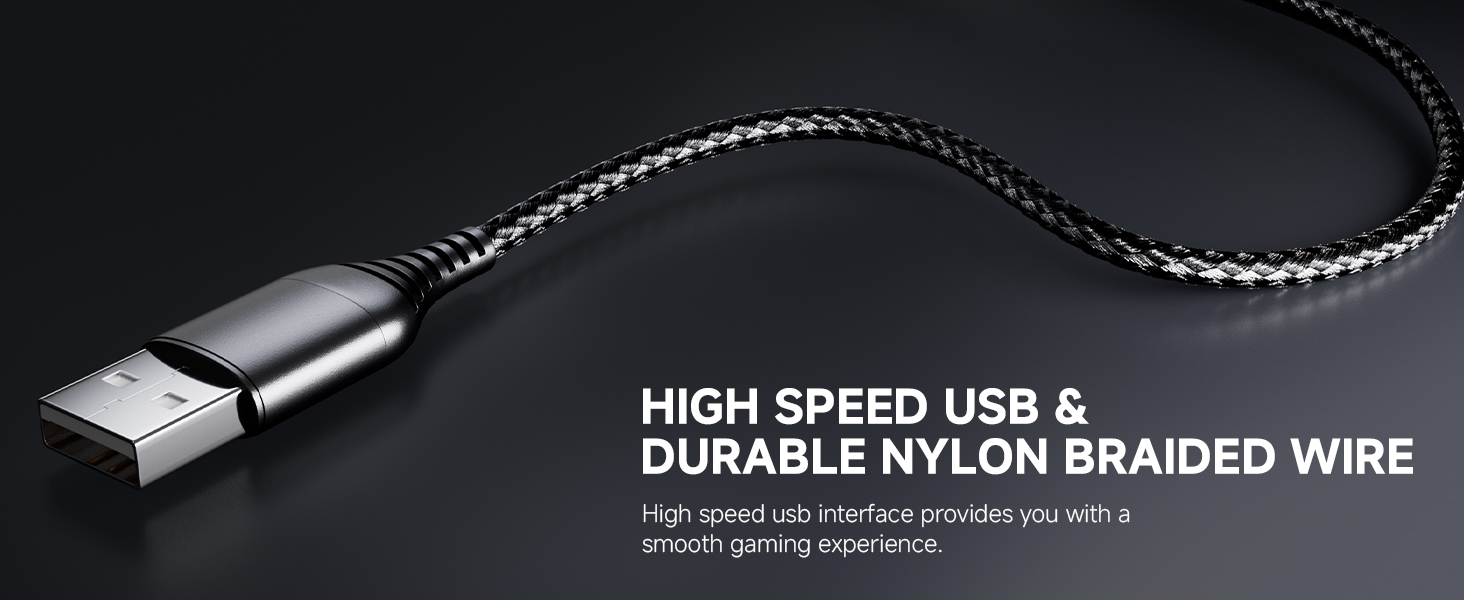
This image focuses on the high-speed USB connector and the durable nylon braided wire, emphasizing the quality of the connection cable for a smooth gaming experience.
6. പ്രവർത്തന നിർദ്ദേശങ്ങൾ
6.1. RGB ലൈറ്റിംഗ് നിയന്ത്രണം
The keyboard offers various lighting effects and customization options:
- ലൈറ്റിംഗ് മോഡ് മാറ്റുക: Use the dedicated lighting control keys or Fn + specific keys (refer to keyboard legends) to cycle through the 12 preset RGB lighting modes.
- തെളിച്ചം ക്രമീകരിക്കുക: Press Fn + Up/Down arrow keys to increase or decrease the backlight brightness (7 levels available).
- Adjust Breathing Speed: Use Fn + Left/Right arrow keys to change the speed of breathing effects.
- DIY Lighting Modes: The keyboard supports 5 customizable DIY lighting modes. Consult the keyboard's specific key combinations (often Fn + 1-5) to enter DIY mode, select keys to illuminate, and save your preferences.
6.2. ഫംഗ്ഷൻ കീകൾ (Fn കോമ്പിനേഷനുകൾ)
The keyboard features multimedia and shortcut functions accessible via the Fn key. Press and hold the Fn key, then press the corresponding F-key or other designated key to activate the function.
| കീ കോമ്പിനേഷൻ | ഫംഗ്ഷൻ |
|---|---|
| Fn+F1-F12 | Multimedia controls (e.g., Play/Pause, Volume Up/Down, Mute, Previous/Next Track) |
| Fn+Win | വിൻഡോസ് കീ ലോക്ക്/അൺലോക്ക് ചെയ്യുക |
| Fn + PrtSc | Cycle through lighting modes |
| Fn + സ്ക്രോൾ ലോക്ക് | ലൈറ്റിംഗ് തെളിച്ചം ക്രമീകരിക്കുക |
| Fn + Pause Break | Adjust lighting speed |
6.3. Programmable Macro Keys
The keyboard supports programmable macro keys. Specific instructions for macro programming may require dedicated software or advanced key combinations not detailed in this general manual. Please refer to the manufacturer's website or additional software documentation for advanced macro setup.
7. പരിപാലനവും പരിചരണവും
നിങ്ങളുടെ കീബോർഡിന്റെ ദീർഘായുസ്സും ഒപ്റ്റിമൽ പ്രകടനവും ഉറപ്പാക്കാൻ, ഈ പരിപാലന മാർഗ്ഗനിർദ്ദേശങ്ങൾ പാലിക്കുക:
- വൃത്തിയാക്കൽ: Disconnect the keyboard from your computer before cleaning. Use a soft, dry cloth to wipe down the surface. For dust and debris between keys, use compressed air. For stubborn dirt, a slightly damp കീബോർഡിലേക്ക് ദ്രാവകം പ്രവേശിക്കുന്നില്ലെന്ന് ഉറപ്പാക്കാൻ വീര്യം കുറഞ്ഞ സോപ്പ് ഉള്ള തുണി ഉപയോഗിക്കാം.
- കീക്യാപ്പ് നീക്കംചെയ്യൽ: The floating keycap design allows for easy removal and cleaning. Gently pull keycaps straight up to remove them. Realign and press down firmly to reattach.
- Wrist Rest Care: Wipe the wrist rest with a damp ആവശ്യാനുസരണം തുണി ഉപയോഗിക്കുക. കഠിനമായ രാസവസ്തുക്കൾ ഒഴിവാക്കുക.
- സംഭരണം: When not in use for extended periods, store the keyboard in a clean, dry place away from direct sunlight.

This image illustrates the floating keycap design and UV process, highlighting how these features contribute to accurate tactile feedback and facilitate easy disassembly for cleaning.
8. പ്രശ്നപരിഹാരം
If you encounter issues with your GTRACING keyboard, please refer to the following common solutions:
- കീബോർഡ് പ്രതികരിക്കുന്നില്ല:
- യുഎസ്ബി കേബിൾ കീബോർഡിലും കമ്പ്യൂട്ടറിലും സുരക്ഷിതമായി പ്ലഗിൻ ചെയ്തിട്ടുണ്ടെന്ന് ഉറപ്പാക്കുക.
- നിങ്ങളുടെ കമ്പ്യൂട്ടറിലെ മറ്റൊരു USB പോർട്ടിലേക്ക് കീബോർഡ് പ്ലഗ് ചെയ്യാൻ ശ്രമിക്കുക.
- നിങ്ങളുടെ കമ്പ്യൂട്ടർ പുനരാരംഭിക്കുക.
- പ്രശ്നം കീബോർഡിലാണോ അതോ കമ്പ്യൂട്ടറിലാണോ എന്ന് നിർണ്ണയിക്കാൻ മറ്റൊരു കമ്പ്യൂട്ടറിൽ കീബോർഡ് പരിശോധിക്കുക.
- RGB ലൈറ്റിംഗ് പ്രവർത്തിക്കുന്നില്ല/തെറ്റാണ്:
- Check if the lighting is turned off or set to the lowest brightness level (Fn + Scroll Lock).
- Cycle through different lighting modes (Fn + PrtSc) to see if other modes function.
- Ensure no software conflicts are present if you are using third-party lighting control software.
- രജിസ്റ്റർ ചെയ്യാത്ത കീകൾ/ഇരട്ട ടൈപ്പിംഗ്:
- ബാധിച്ച കീക്യാപ്പിന് അടിയിൽ നിന്ന് അവശിഷ്ടങ്ങൾ നീക്കം ചെയ്യാൻ കംപ്രസ് ചെയ്ത വായു ഉപയോഗിച്ച് വൃത്തിയാക്കുക.
- പ്രശ്നം നിലനിൽക്കുകയാണെങ്കിൽ, അത് ഒരു സ്വിച്ച് തകരാറിനെ സൂചിപ്പിക്കാം. ഉപഭോക്തൃ പിന്തുണയുമായി ബന്ധപ്പെടുക.
- Wrist Rest Not Attaching Securely:
- Ensure there is no debris or obstruction on the magnetic contact points of either the keyboard or the wrist rest.
- Verify that the wrist rest is aligned correctly before attempting to attach it.
9 സാങ്കേതിക സവിശേഷതകൾ
| ഫീച്ചർ | സ്പെസിഫിക്കേഷൻ |
|---|---|
| മോഡൽ നമ്പർ | GT883 |
| കണക്റ്റിവിറ്റി ടെക്നോളജി | യുഎസ്ബി-എ (വയർഡ്) |
| സ്വിച്ച് തരം | നീല മെക്കാനിക്കൽ സ്വിച്ചുകൾ |
| ബാക്ക്ലൈറ്റിംഗ് | RGB (12 modes, 7 brightness levels, 5 DIY modes) |
| അനുയോജ്യമായ ഉപകരണങ്ങൾ | PC (Mac OS, Windows 7/8/10/XP/VISTA) |
| മെറ്റീരിയൽ | Aluminum Metal Panel, Plastic |
| ഇനത്തിൻ്റെ ഭാരം | 1 പൗണ്ട് |
| പാക്കേജ് അളവുകൾ | 18 x 9.49 x 2 ഇഞ്ച് |
| പ്രത്യേക സവിശേഷതകൾ | Detachable Magnetic Wrist Rest, Anti-Ghosting, Spill-Resistant |

This image provides a visual summary of key specifications for the GTRACING keyboard, including its 20 million click lifespan, 2.4mm trigger stroke, and 60g action force.
10. വാറൻ്റിയും പിന്തുണയും
GTRACING stands behind the quality of its products. This keyboard is backed by a 2-year warranty.
- വാറന്റി കവറേജ്: The 2-year warranty covers manufacturing defects and malfunctions under normal use. It does not cover damage caused by misuse, accidents, unauthorized modifications, or normal wear and tear.
- ഉപഭോക്തൃ പിന്തുണ: For any product-related inquiries, technical assistance, or warranty claims, please reach out to the GTRACING support team. Contact information can typically be found on the official GTRACING website or through your purchase platform. Our team is committed to providing prompt solutions to ensure your satisfaction.