
1. ഉൽപ്പന്നം കഴിഞ്ഞുview
The Anona Pano 4K UHD Indoor Camera is a versatile security solution designed for monitoring pets, babies, and general indoor surveillance. It features 4K Ultra HD resolution, 360° pan and 110° tilt capabilities, dual-band Wi-Fi 6 connectivity, and advanced AI detection for persons, pets, and baby crying. This manual provides detailed instructions for setting up, operating, and maintaining your Anona Pano camera.
1.1 പ്രധാന സവിശേഷതകൾ
- Stunning 4K UHD & 8x Zoom: Captures ultra-clear videos with professional-grade lens and 8X digital zoom.
- AI Person/Pet/Crying Detection: Advanced algorithms detect and notify for human presence, pet activity, and baby crying.
- Ultra-Smooth 360° Pan & 110° Tilt: Provides comprehensive coverage with remote-controlled pan and tilt, including auto-tracking.
- Faster Dual-Band Wi-Fi 6: Ensures stable and smooth data transmission with support for both 2.4 GHz and 5 GHz Wi-Fi networks.
- Safer Local or Cloud Storage: Offers flexible storage options with support for up to 512 GB microSD card (not included) and encrypted cloud storage.
- ടു-വേ ഓഡിയോ: ക്യാമറയിലൂടെ ആശയവിനിമയം സാധ്യമാക്കുന്നു.
- സ്വകാര്യത മോഡ്: Allows instant cessation of recording and live view സ്വകാര്യതയ്ക്കായി.
- Alexa & Google Assistant-നൊപ്പം പ്രവർത്തിക്കുന്നു: Integrates with smart home ecosystems for voice control and streaming.
1.2 പാക്കേജ് ഉള്ളടക്കം
പാക്കേജിൽ എല്ലാ ഇനങ്ങളും ഉണ്ടെന്ന് ഉറപ്പാക്കുക:
- Anona Pano Camera
- 5V2A Power Adapter (3m power cable)
- മൗണ്ടിംഗ് പ്ലേറ്റ്
- Screws & Anchors Kit
- ദ്രുത ആരംഭ ഗൈഡ്

Image: Anona Pano 4K UHD Indoor Camera with a smartphone showing its live feed.
2. സജ്ജീകരണ ഗൈഡ്
2.1 നിങ്ങൾ ആരംഭിക്കുന്നതിന് മുമ്പ്
- Ensure your Wi-Fi network is available (supports 2.4 GHz and 5 GHz).
- നിങ്ങളുടെ വൈഫൈ നെറ്റ്വർക്ക് നാമവും (SSID) പാസ്വേഡും തയ്യാറായി വയ്ക്കുക.
- Download the Anona App from your smartphone's app store (iOS or Android).
2.2 ക്യാമറയിൽ പവർ ചെയ്യൽ
- നൽകിയിരിക്കുന്ന 5V2A പവർ അഡാപ്റ്റർ ക്യാമറയുടെ പവർ പോർട്ടുമായി ബന്ധിപ്പിക്കുക.
- ഒരു മതിൽ ഔട്ട്ലെറ്റിലേക്ക് പവർ അഡാപ്റ്റർ പ്ലഗ് ചെയ്യുക.
- The camera will power on, and its indicator light will begin to flash, indicating it's ready for setup.
2.3 Connecting to Wi-Fi via Anona App
- Open the Anona App on your smartphone.
- ഒരു അക്കൗണ്ട് സൃഷ്ടിക്കുക അല്ലെങ്കിൽ നിങ്ങൾക്ക് ഇതിനകം ഒന്ന് ഉണ്ടെങ്കിൽ ലോഗിൻ ചെയ്യുക.
- ഒരു പുതിയ ഉപകരണം ചേർക്കാൻ "+" ഐക്കണിൽ ടാപ്പ് ചെയ്യുക.
- Follow the on-screen instructions to select your camera model and connect it to your Wi-Fi network. This typically involves scanning a QR code displayed on your phone with the camera, or entering Wi-Fi credentials.
- Once connected, the camera's indicator light will turn solid, and you will see the live feed in the app.
2.4 ക്യാമറ മൗണ്ടിംഗ്
The Anona Pano camera can be placed on a flat surface (tabletop) or mounted to a ceiling.
ടാബ്ലെറ്റ് പ്ലേസ്മെൻ്റ്:
- Place the camera on a stable, flat surface within range of your Wi-Fi signal.
- Ensure the camera has a clear line of sight to the area you wish to monitor.
സീലിംഗ് മൗണ്ടിംഗ്:
- മേൽക്കൂരയിൽ അനുയോജ്യമായ ഒരു സ്ഥലം തിരഞ്ഞെടുക്കുക.
- Use the provided mounting plate as a template to mark drill holes.
- Drill holes and insert the anchors if necessary.
- Secure the mounting plate to the ceiling using the provided screws.
- Attach the camera to the mounting plate by twisting it until it locks into place.
- In the Anona App settings, enable "Image Rotation" if the camera is mounted upside down.
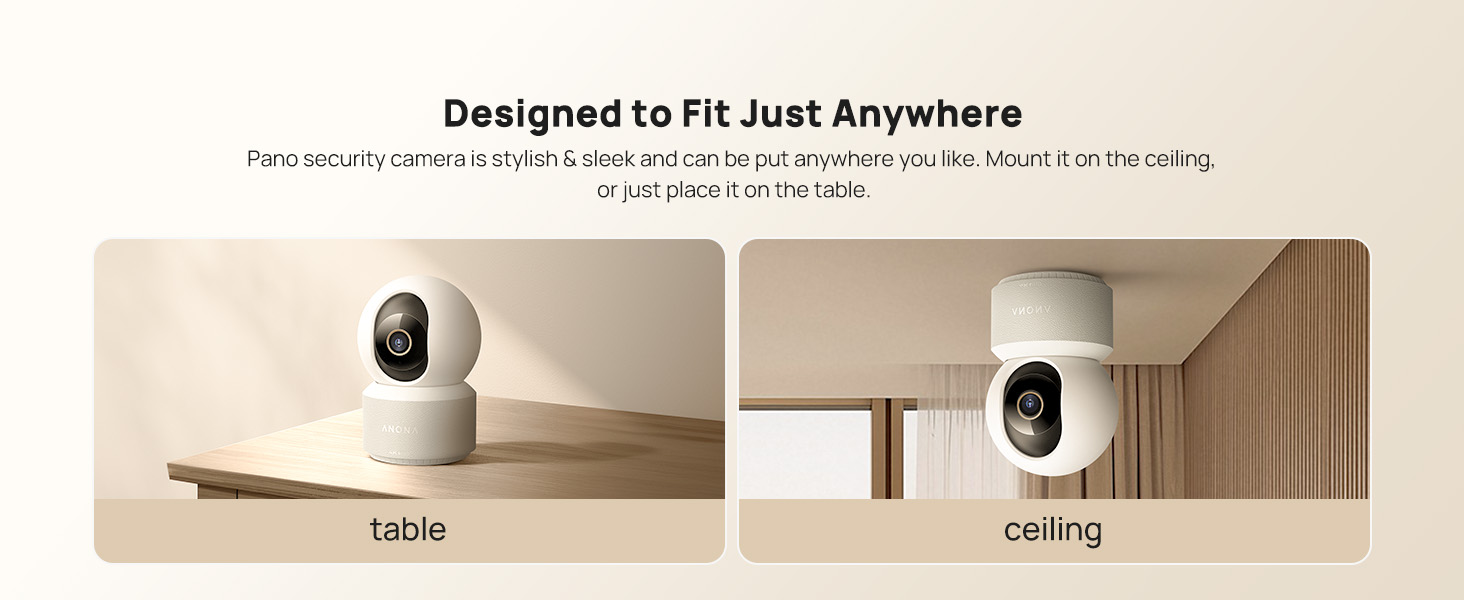
Image: The Anona Pano camera can be placed on a table or mounted to a ceiling.
3. നിങ്ങളുടെ ക്യാമറ പ്രവർത്തിപ്പിക്കൽ
3.1 തത്സമയം View കൂടാതെ പാൻ/ടിൽറ്റ് നിയന്ത്രണം
- Open the Anona App and select your camera to view ലൈവ് ഫീഡ്.
- Use the directional controls within the app to pan the camera horizontally (360°) and tilt it vertically (110°) to adjust the viewing ആംഗിൾ.

Image: The Anona Pano camera offers 360° pan and 110° tilt for full room coverage.
3.2 ഓട്ടോ-ട്രാക്കിംഗ്
Enable auto-tracking in the app settings. The camera will automatically detect and follow moving objects within its field of view, ensuring continuous recording of activity.
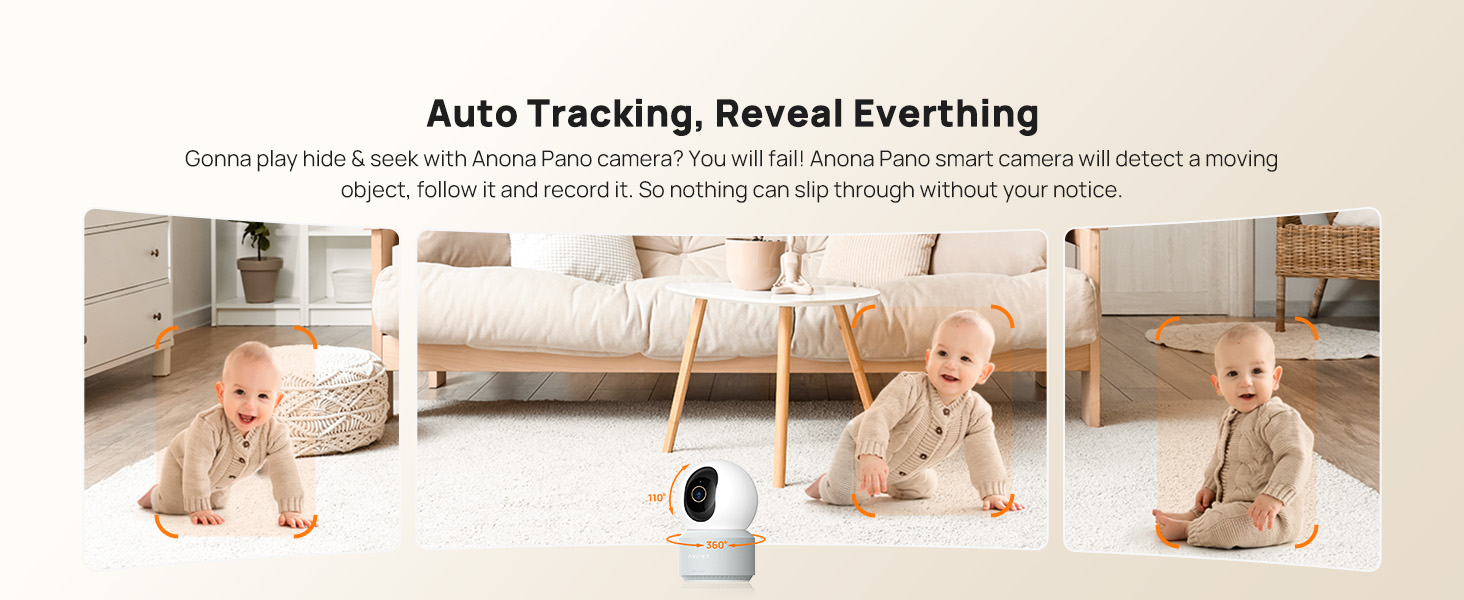
Image: The camera's auto-tracking feature follows moving subjects like a crawling baby.
3.3 AI കണ്ടെത്തലും അലേർട്ടുകളും
The Anona Pano camera utilizes AI algorithms for intelligent detection:
- വ്യക്തി കണ്ടെത്തൽ: Identifies human shapes and movements, sending real-time alerts.
- വളർത്തുമൃഗങ്ങളെ കണ്ടെത്തൽ: Recognizes cats and dogs, alerting you to their activity.
- കുഞ്ഞിന്റെ കരച്ചിൽ കണ്ടെത്തൽ: Detects the sound of a baby crying and sends immediate notifications.
Configure alert settings and notification preferences within the Anona App.
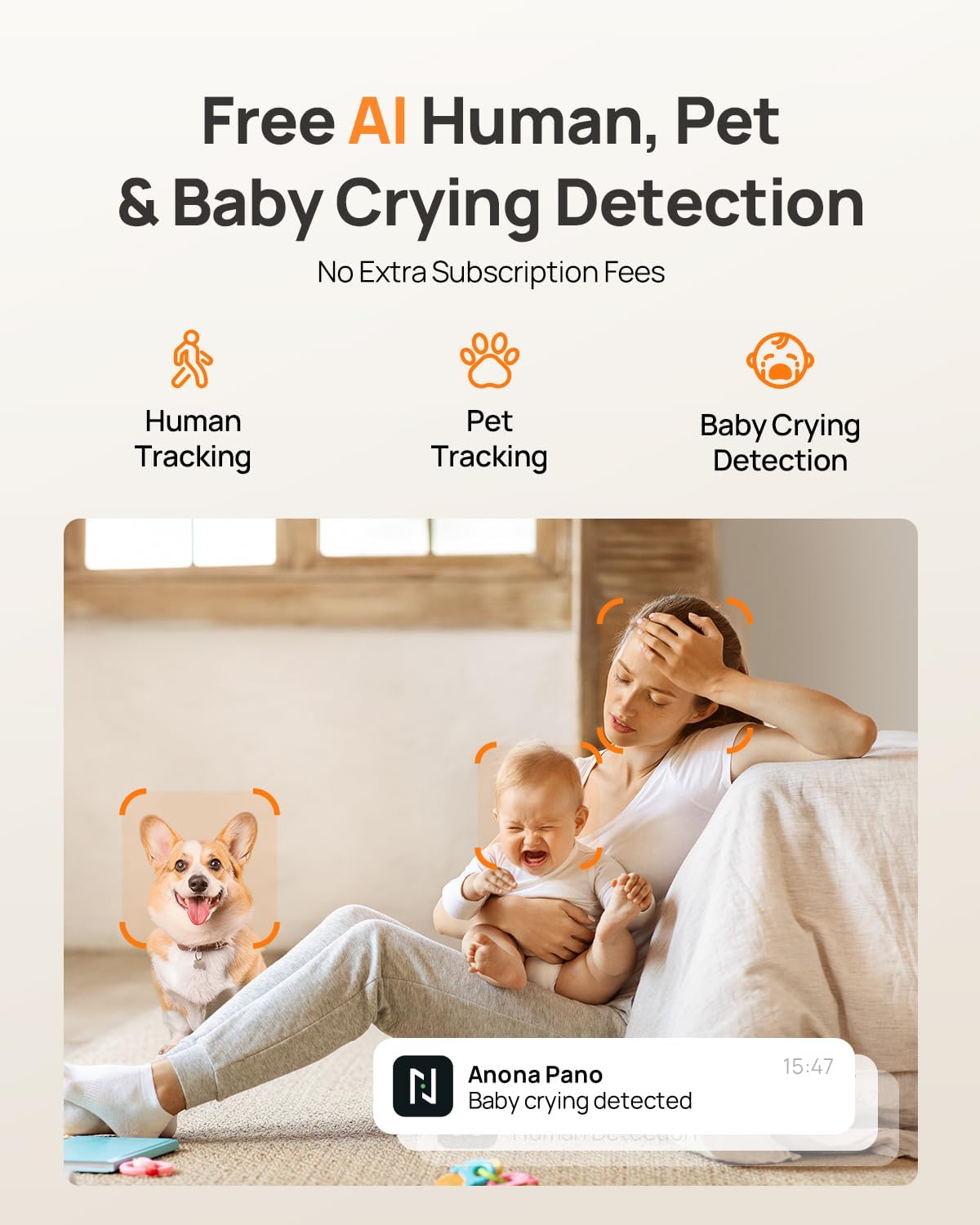
Image: AI detection for human, pet, and baby crying events, with app notification example.
3.4 ടു-വേ ഓഡിയോ
Use the two-way audio feature to communicate with individuals near the camera. Tap the microphone icon in the live view interface of the Anona App to speak, and listen through the camera's speaker.
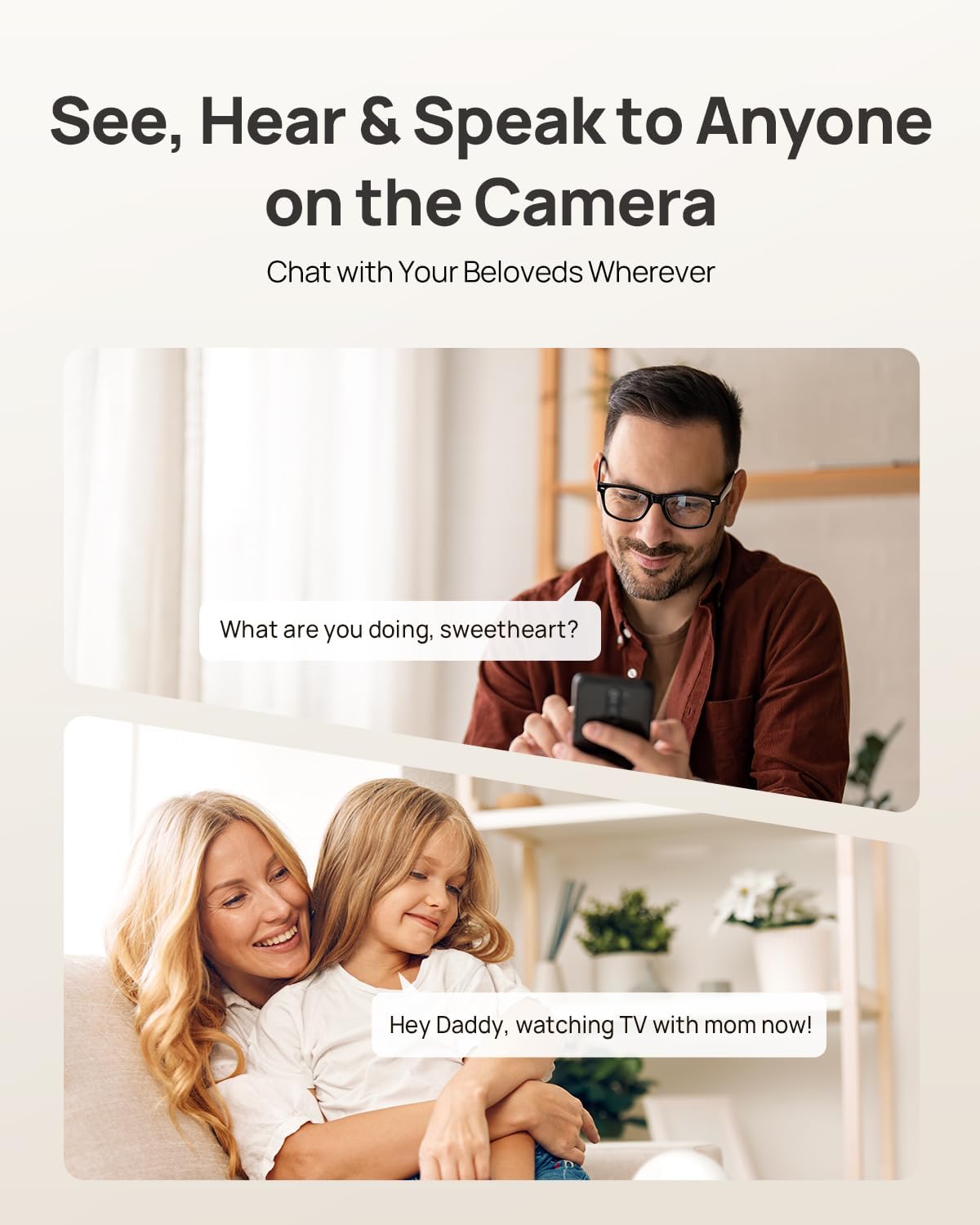
Image: Two-way audio allows communication with family members or pets via the camera.
3.5 സ്വകാര്യത മോഡ്
Activate Privacy Mode via a single tap in the Anona App. This feature instantly stops live view and recording, providing privacy without needing to unplug the camera.

Image: Privacy Mode can be activated with one tap in the app, stopping recording and live view.
3.6 സംഭരണ ഓപ്ഷനുകൾ
The Anona Pano camera supports two storage methods:
- Local Storage (MicroSD Card): Insert a microSD card (up to 512 GB, not included) into the camera's designated slot for local recording. This allows saving up to 150 days of motion-triggered videos or 14 days of 24/7 recordings.
- ക്ലൗഡ് സംഭരണം: Opt for Anona Cloud service to save videos securely with AES-128 encryption. Subscription may be required for cloud services.
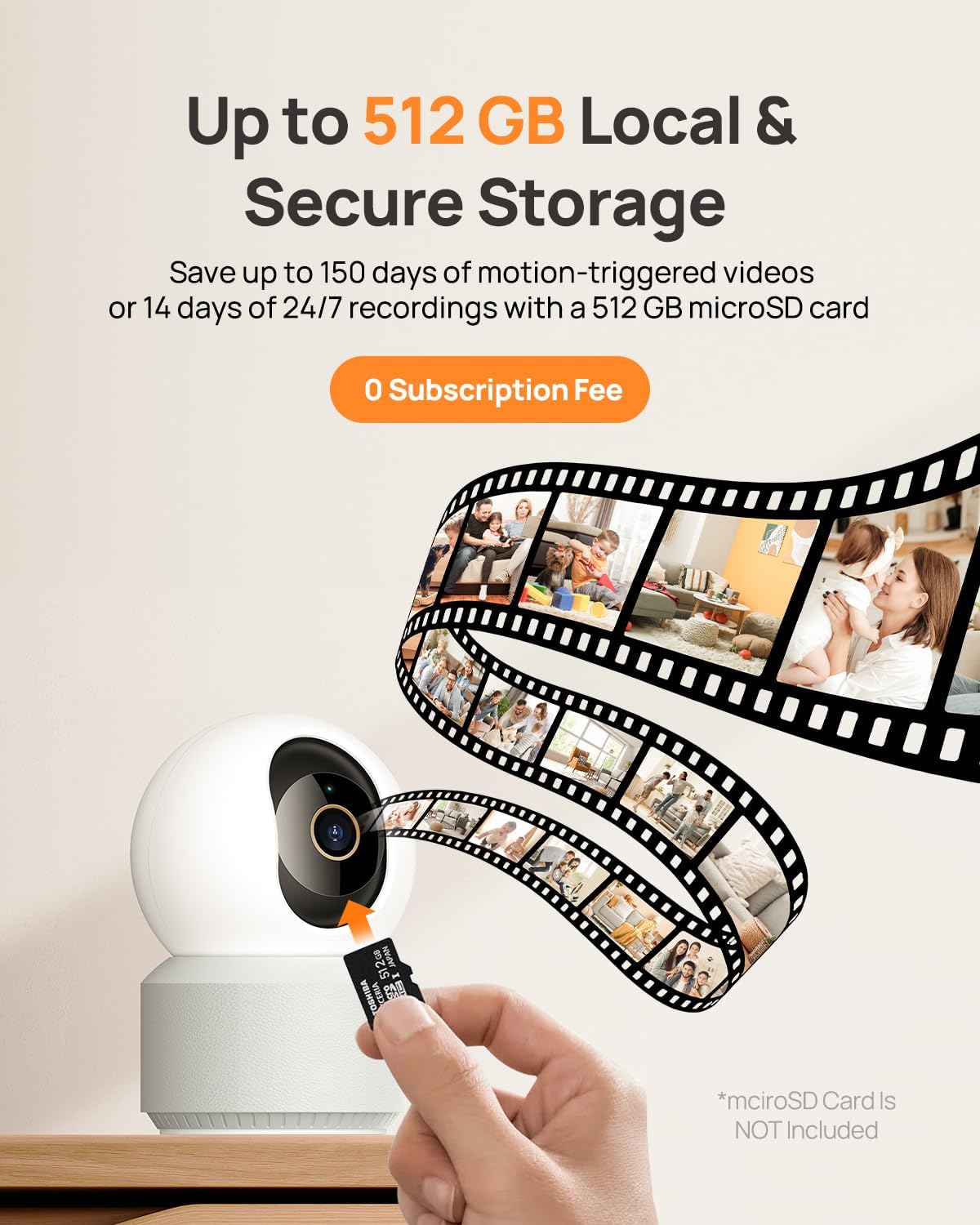
Image: The camera supports local storage via a microSD card (up to 512 GB).
3.7 നൈറ്റ് വിഷൻ
The camera features F1.6 aperture and powerful IR LEDs for enhanced night vision, allowing clear 4K UHD footage even in low-light or pitch-black conditions up to 30 feet.
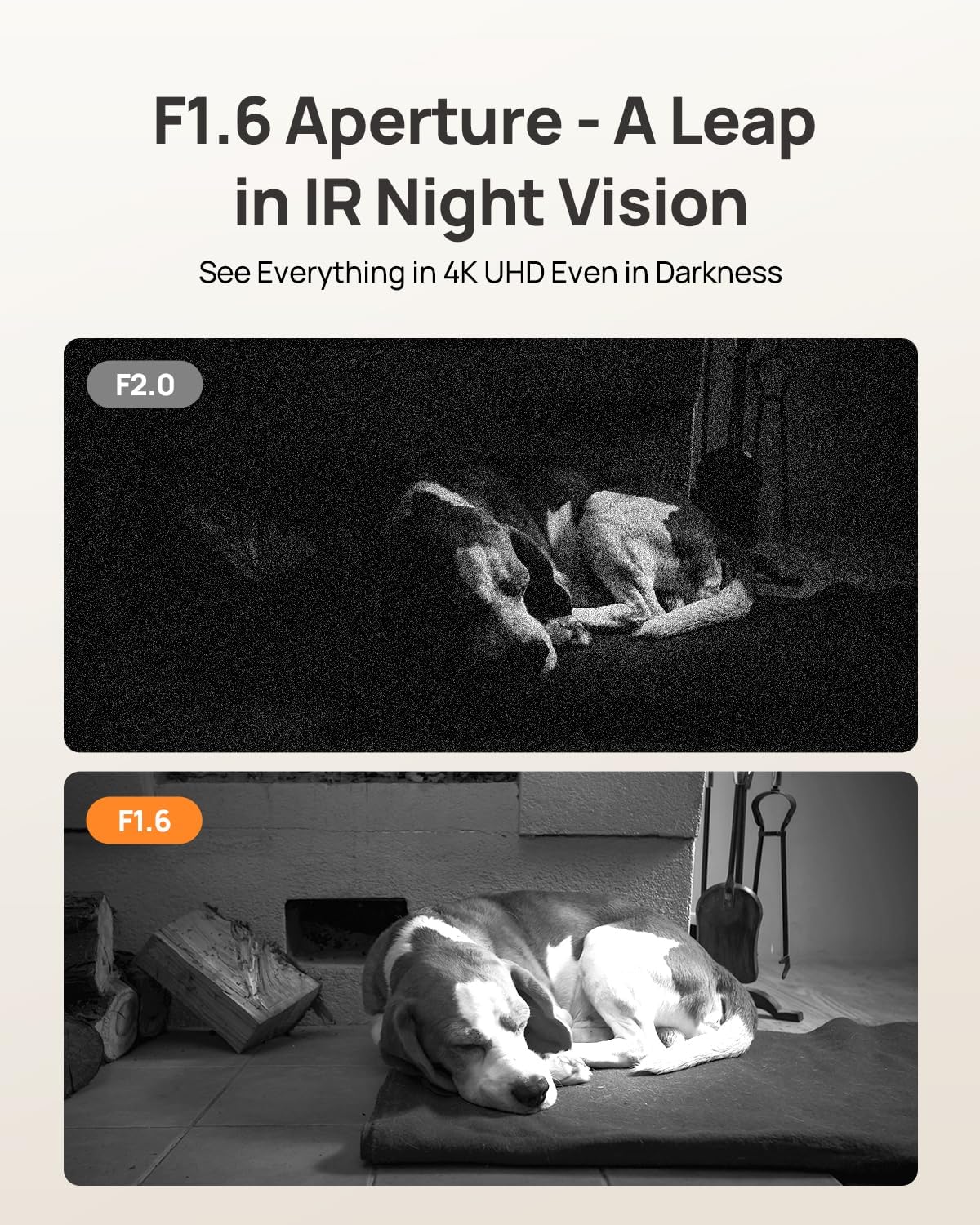
Image: F1.6 aperture provides superior night vision clarity compared to F2.0.
3.8 സ്മാർട്ട് ഹോം ഇന്റഗ്രേഷൻ
The Anona Pano camera is compatible with Amazon Alexa and Google Assistant. Link your camera through the respective smart home apps to enable voice commands and stream live video to compatible smart displays.
- Example command: "Hey Alexa, show me the Anona Pano camera!"
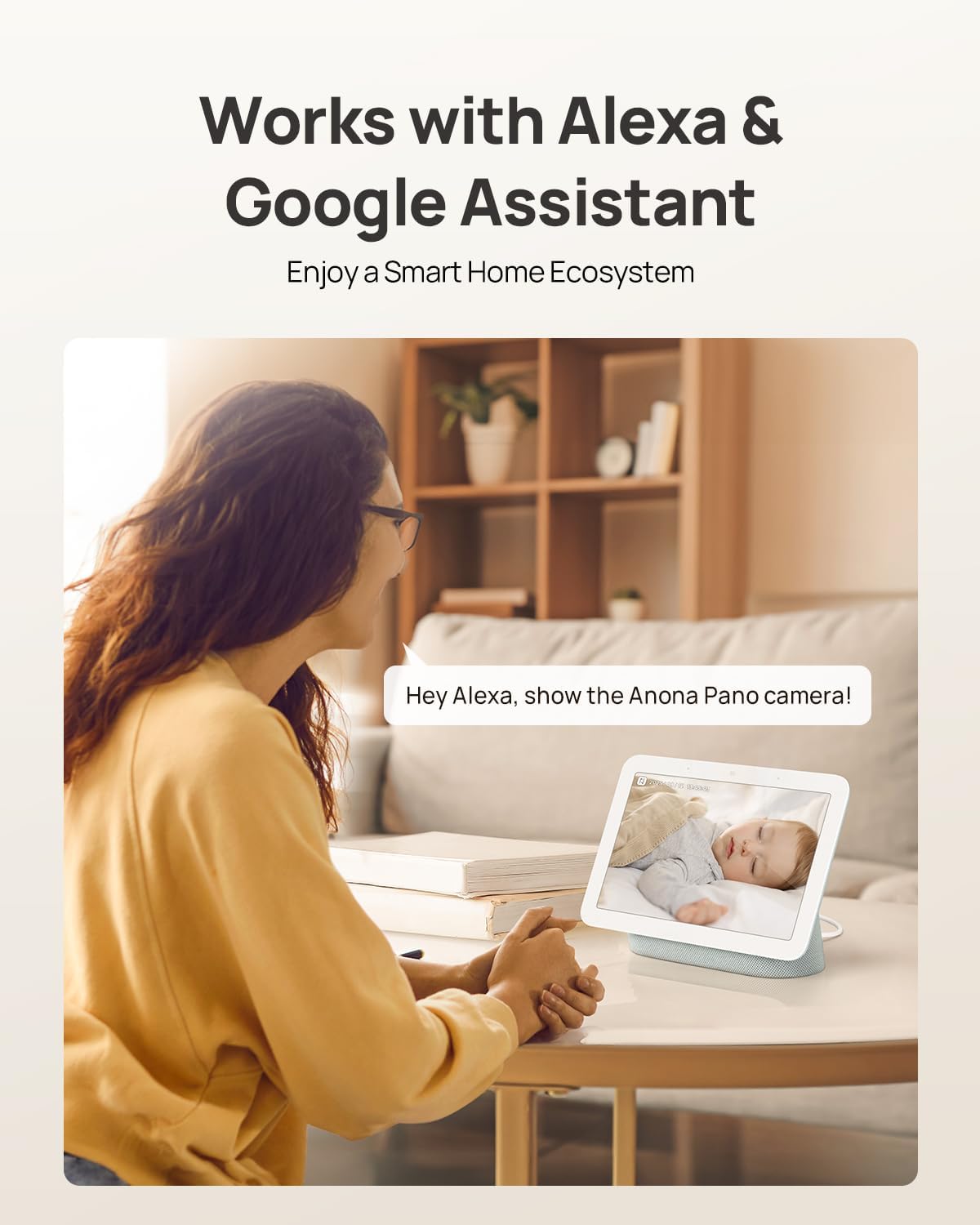
Image: The camera integrates with smart home devices like Amazon Echo Show or Google Nest Hub.
4. പരിപാലനം
4.1 ക്യാമറ വൃത്തിയാക്കൽ
- വൃത്തിയാക്കുന്നതിനുമുമ്പ് ക്യാമറ ഓഫ് ചെയ്തിട്ടുണ്ടെന്ന് ഉറപ്പാക്കുക.
- ക്യാമറ ബോഡി തുടയ്ക്കാൻ മൃദുവായതും ഉണങ്ങിയതുമായ ഒരു തുണി ഉപയോഗിക്കുക.
- For the lens, use a lens cleaning cloth specifically designed for optics to avoid scratches. Do not use harsh chemicals or abrasive cleaners.
4.2 ഫേംവെയർ അപ്ഡേറ്റുകൾ
Regularly check for firmware updates through the Anona App. Updates often include performance improvements, new features, and security enhancements. The app will typically notify you when an update is available and guide you through the process.
4.3 സ്റ്റോറേജ് മാനേജ്മെൻ്റ്
- മൈക്രോ എസ്ഡി കാർഡ്: ആനുകാലികമായി റീview and back up important recordings from your microSD card. When the card is full, older footage will typically be overwritten.
- ക്ലൗഡ് സംഭരണം: Manage your cloud storage subscription and review സംഭരിച്ച ഫൂtage directly through the Anona App.
5. പ്രശ്നപരിഹാരം
5.1 പൊതുവായ പ്രശ്നങ്ങളും പരിഹാരങ്ങളും
| ഇഷ്യൂ | സാധ്യമായ കാരണം | പരിഹാരം |
|---|---|---|
| ക്യാമറ ഓണാക്കുന്നില്ല | പവർ അഡാപ്റ്റർ ബന്ധിപ്പിച്ചിട്ടില്ല അല്ലെങ്കിൽ ഔട്ട്ലെറ്റ് തകരാറിലാണ്. | Ensure power adapter is securely connected and try a different power outlet. |
| Wi-Fi-ലേക്ക് കണക്റ്റുചെയ്യാനായില്ല | Incorrect Wi-Fi password, camera too far from router, or network interference. | Verify Wi-Fi password, move camera closer to router, ensure router supports 2.4/5 GHz, and restart router. |
| മോശം വീഡിയോ നിലവാരം | Weak Wi-Fi signal, dirty lens, or insufficient lighting. | Improve Wi-Fi signal strength, clean the camera lens, ensure adequate lighting or rely on night vision. |
| AI കണ്ടെത്തൽ പ്രവർത്തിക്കുന്നില്ല | Detection settings disabled in app, or objects are out of detection range/angle. | Check and enable detection settings in the Anona App. Adjust camera position for optimal coverage. |
| ടു-വേ ഓഡിയോ പ്രശ്നങ്ങൾ | ആപ്പിൽ മൈക്രോഫോൺ/സ്പീക്കർ മ്യൂട്ട് ചെയ്തിരിക്കുന്നു, അല്ലെങ്കിൽ നെറ്റ്വർക്ക് ലേറ്റൻസി. | Ensure audio settings are enabled in the app. Check network connection for stability. |
| MicroSD card not recording | Card not inserted correctly, card full, or card not formatted. | Reinsert card, check storage status in app, format card via app if necessary. Ensure card is compatible (up to 512 GB). |
For further assistance, refer to the Anona App's help section or contact customer support.
6. ഉൽപ്പന്ന സവിശേഷതകൾ
| ഫീച്ചർ | വിശദാംശങ്ങൾ |
|---|---|
| മോഡലിൻ്റെ പേര് | Anona Pano |
| ഇൻഡോർ/ഔട്ട്ഡോർ ഉപയോഗം | ഇൻഡോർ |
| വീഡിയോ ക്യാപ്ചർ റെസല്യൂഷൻ | 4K (8MP) |
| ഒപ്റ്റിക്കൽ സൂം | 8x |
| പാൻ ആംഗിൾ | 360 ഡിഗ്രി |
| ടിൽറ്റ് ആംഗിൾ | 110 ഡിഗ്രി |
| കണക്റ്റിവിറ്റി ടെക്നോളജി | വയർലെസ് (വൈ-ഫൈ) |
| വയർലെസ് കമ്മ്യൂണിക്കേഷൻ ടെക്നോളജി | Bluetooth, Wi-Fi (Dual-Band 2.4/5 GHz Wi-Fi 6) |
| പവർ ഉറവിടം | കോർഡഡ് ഇലക്ട്രിക് (5V) |
| കൺട്രോളർ തരം | ആപ്പ്, റിമോട്ട്, വോയ്സ് (ആമസോൺ അലക്സ, ഗൂഗിൾ അസിസ്റ്റന്റ്) |
| മൗണ്ടിംഗ് തരം | Tabletop Mount, Freestanding, Ceiling Mount |
| നൈറ്റ് വിഷൻ റേഞ്ച് | 30 അടി |
| ഫ്രെയിം റേറ്റ് | സെക്കൻഡിൽ 15 ഫ്രെയിമുകൾ |
| മെറ്റീരിയൽ | പ്ലാസ്റ്റിക് |
| ഇനത്തിന്റെ അളവുകൾ (L x W x H) | 3.23 x 3.11 x 4.77 ഇഞ്ച് |
| ഇനത്തിൻ്റെ ഭാരം | 14.9 ഔൺസ് (0.93 പൗണ്ട്) |
| ഫ്ലാഷ് മെമ്മറി പിന്തുണയ്ക്കുന്ന പരമാവധി വലുപ്പം | 512 ജിബി (മൈക്രോ എസ്ഡി) |
| പ്രത്യേക സവിശേഷതകൾ | 2-Way Talk, 2.4/5G WiFi, 355° Pan & 110° Tilt, 4K 8MP Resolution, AI Person/Pet/Cry Detection |
7. വാറൻ്റിയും പിന്തുണയും
7.1 ഉൽപ്പന്ന വാറന്റി
Anona products typically come with a manufacturer's warranty. Please refer to the warranty card included in your product packaging or visit the official Anona website for detailed warranty terms and conditions. Protection plans may also be available for extended coverage.
- Optional 2-Year Protection Plan
- Optional 3-Year Protection Plan
7.2 ഉപഭോക്തൃ പിന്തുണ
If you encounter any issues or have questions regarding your Anona Pano camera, please contact Anona Customer Support. You can usually find contact information (email, phone, or support portal) on the official Anona website or within the Anona App's help section.
For the latest information and support resources, please visit the Anona Store on Amazon.


