
1. ആമുഖം
Thank you for choosing the CHUBORY F89 Foldable Drone with Camera. This manual provides essential information for the safe operation, setup, and maintenance of your drone. Please read this manual thoroughly before operating the device to ensure proper function and to avoid damage or injury. The F89 drone is designed for ease of use, featuring a foldable design and intelligent flight modes, making it suitable for beginners.
2. പാക്കേജ് ഉള്ളടക്കം
Carefully unpack your CHUBORY F89 drone and verify that all items listed below are present and in good condition. If any items are missing or damaged, please contact customer support.
- ചുബോറി F89 മടക്കാവുന്ന ഡ്രോൺ
- റിമോട്ട് കൺട്രോളർ
- Lithium-Ion Batteries (3 included)
- യുഎസ്ബി ചാർജിംഗ് കേബിൾ
- സ്പെയർ പ്രൊപ്പല്ലറുകൾ (4 കഷണങ്ങൾ)
- സ്ക്രൂഡ്രൈവർ
- പോർട്ടബിൾ ചുമക്കുന്ന കേസ്
- ഉപയോക്തൃ മാനുവൽ (ഈ പ്രമാണം)

Image: The CHUBORY F89 drone, remote controller, three batteries, spare propellers, USB charging cable, and a carrying case, all included in the package.
3. ഉൽപ്പന്നം കഴിഞ്ഞുview
The CHUBORY F89 drone features a compact, foldable design for portability. It is equipped with durable alloy brushless motors for enhanced flight performance and wind resistance. The drone includes a dual camera system, allowing for versatile aerial photography and video recording.
- ബ്രഷ്ലെസ് മോട്ടോറുകൾ: Provide strong wind resistance, faster, and quieter flight.
- ഡ്യുവൽ ക്യാമറ സിസ്റ്റം: Switchable front camera and bottom optical flow camera for diverse perspectives.
- നീണ്ട ഫ്ലൈറ്റ് സമയം: Three upgraded batteries offer a total of 54 minutes of flight (18 minutes per battery).
- മടക്കാവുന്ന ഡിസൈൻ: Easy to transport and store in the included carrying case.
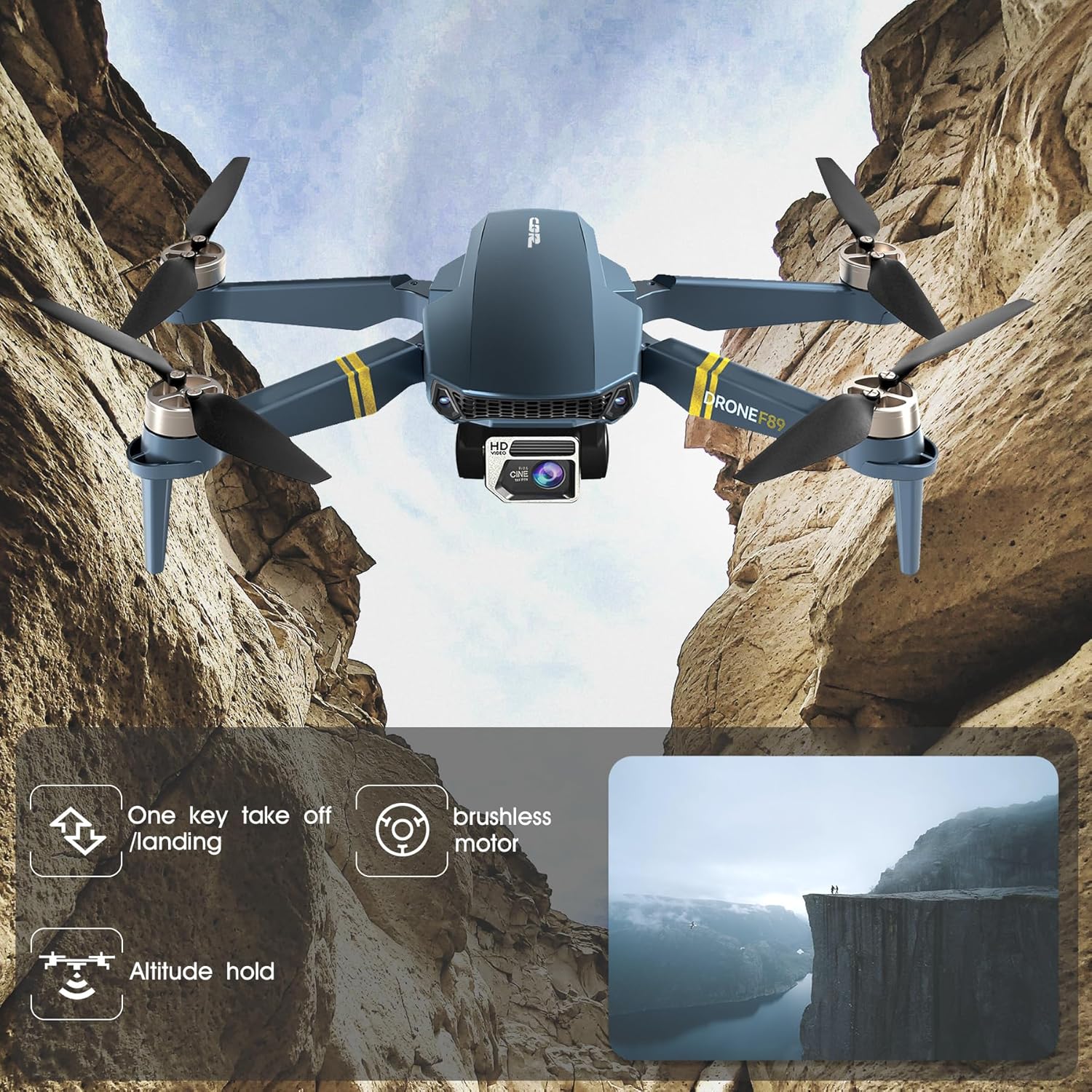
Image: The CHUBORY F89 drone in flight, illustrating key features such as one-key take-off/landing, brushless motors, and altitude hold.
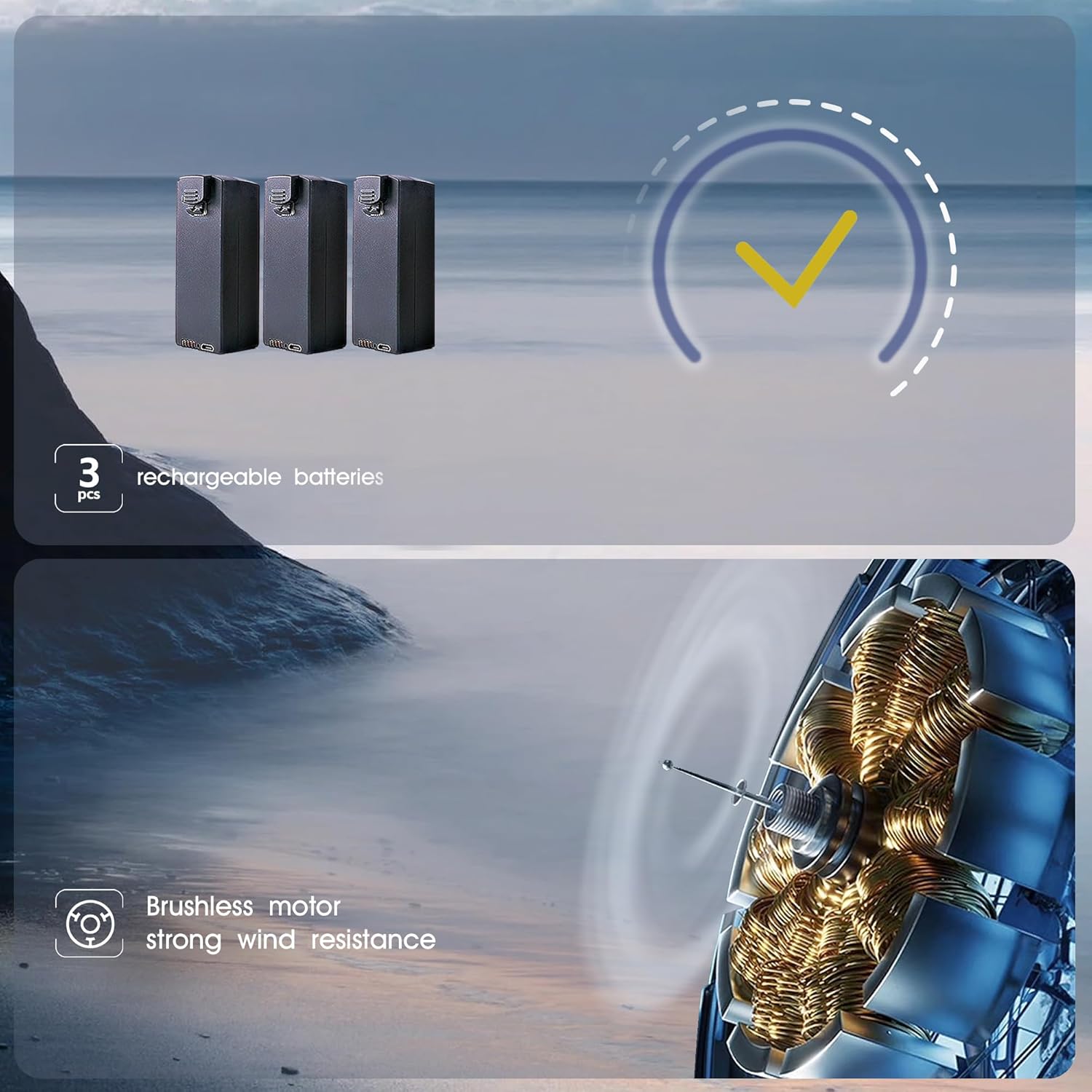
Image: Depiction of the three rechargeable batteries included with the drone and an illustration of the brushless motor technology.
4. സജ്ജീകരണം
4.1 ബാറ്ററി ചാർജിംഗും ഇൻസ്റ്റാളേഷനും
- ബാറ്ററികൾ ചാർജ് ചെയ്യുക: Connect the provided USB charging cable to each drone battery and a suitable USB power adapter (not included). The indicator light on the battery will show charging status. Ensure all three batteries are fully charged before first use.
- ഡ്രോൺ ബാറ്ററി ഇൻസ്റ്റാൾ ചെയ്യുക: Insert a fully charged battery into the battery compartment on the drone until it clicks securely into place.
- Install Remote Controller Batteries: Open the battery compartment on the remote controller and insert the required batteries (type not specified, typically AA or AAA, refer to controller markings).
4.2 പ്രൊപ്പല്ലർ ഇൻസ്റ്റലേഷൻ
The drone comes with propellers pre-installed. If replacement is necessary, ensure you match the propellers correctly (A and B) to their respective motor arms as indicated on the drone. Use the provided screwdriver to secure them.
4.3 Remote Controller Pairing
- ഡ്രോൺ പരന്നതും ലെവൽ ഉപരിതലത്തിൽ വയ്ക്കുക.
- Turn on the drone. The indicator lights will flash.
- റിമോട്ട് കൺട്രോളർ ഓണാക്കുക.
- Push the left joystick up and then pull it down. The drone lights will stop flashing and remain solid, indicating successful pairing.
4.4 ആപ്പ് ഇൻസ്റ്റാളേഷനും വൈഫൈ കണക്ഷനും
- Download the dedicated drone control app from your smartphone's app store (refer to the packaging or quick start guide for the app name).
- ഡ്രോൺ ഓണാക്കുക.
- On your smartphone, go to WiFi settings and connect to the drone's WiFi network (usually named something like "CHUBORY-F89-XXXX").
- Open the app. You should see the live camera feed from the drone.
5. പ്രവർത്തന നിർദ്ദേശങ്ങൾ
5.1 പ്രീ-ഫ്ലൈറ്റ് ചെക്ക്ലിസ്റ്റ്
- ഡ്രോണിന്റെയും റിമോട്ട് കൺട്രോളറിന്റെയും ബാറ്ററികൾ പൂർണ്ണമായും ചാർജ് ചെയ്തിട്ടുണ്ടെന്ന് ഉറപ്പാക്കുക.
- പ്രൊപ്പല്ലറുകൾക്ക് എന്തെങ്കിലും കേടുപാടുകൾ സംഭവിച്ചിട്ടുണ്ടോ എന്ന് പരിശോധിച്ച് അവ സുരക്ഷിതമായി ഘടിപ്പിച്ചിട്ടുണ്ടെന്ന് ഉറപ്പാക്കുക.
- Ensure the drone is placed on a flat, level surface before take-off.
- Fly in an open area, away from obstacles, people, and animals.
- Be aware of local regulations regarding drone flight.
5.2 അടിസ്ഥാന ഫ്ലൈറ്റ് നിയന്ത്രണങ്ങൾ
- വൺ-കീ ടേക്ക്-ഓഫ്: Press the one-key take-off button on the remote controller, and the drone will automatically ascend to a certain altitude and hover.
- വൺ-കീ ലാൻഡിംഗ്: Press the one-key landing button, and the drone will automatically descend and land.
- ആൾട്ടിറ്റ്യൂഡ് ഹോൾഡ്: The drone maintains a stable altitude, allowing for easier control of horizontal movement.
- വേഗത ക്രമീകരണം: The drone offers 3-speed modes (30%, 60%, 100%) for different skill levels and flight conditions. Adjust using the speed button on the remote.

Image: Visual representation of the drone's user-friendly features, including 3-speed regulation, one-key take-off/landing, and optical flow positioning.
5.3 ക്യാമറ പ്രവർത്തനം
- Switchable Cameras: The drone features a front camera and a bottom optical flow camera. You can switch between them via the remote controller or the app to capture different perspectives.
- ഫോട്ടോ/വീഡിയോ ക്യാപ്ചർ: Use the dedicated buttons on the remote controller or the app interface to take wide-angle photos or record videos.
5.4 ഇൻ്റലിജൻ്റ് ഫ്ലൈറ്റ് മോഡുകൾ
- ഒപ്റ്റിക്കൽ ഫ്ലോ പൊസിഷനിംഗ്: Utilizes a downward-facing camera to maintain stable hovering, especially indoors or at low altitudes.
- തലയില്ലാത്ത മോഡ്: Eliminates the need to distinguish the drone's head direction, making it easier for beginners to control.
- എന്നെ പിന്തുടരുക: The drone will automatically follow the remote controller or the connected smartphone.
- ട്രാക്ക് ഫ്ലൈറ്റ്: നിങ്ങളുടെ സ്മാർട്ട്ഫോൺ സ്ക്രീനിൽ ഒരു പാത വരയ്ക്കുക, ഡ്രോൺ നിർദ്ദിഷ്ട റൂട്ടിലൂടെ പറക്കും.
- ആംഗ്യ സെൽഫി: ഫോട്ടോ അല്ലെങ്കിൽ വീഡിയോ ക്യാപ്ചർ പ്രവർത്തനക്ഷമമാക്കാൻ ക്യാമറയ്ക്ക് മുന്നിൽ പ്രത്യേക കൈ ആംഗ്യങ്ങൾ കാണിക്കുക.
- One-Key Flip & Roll: Execute aerial stunts with a single button press.
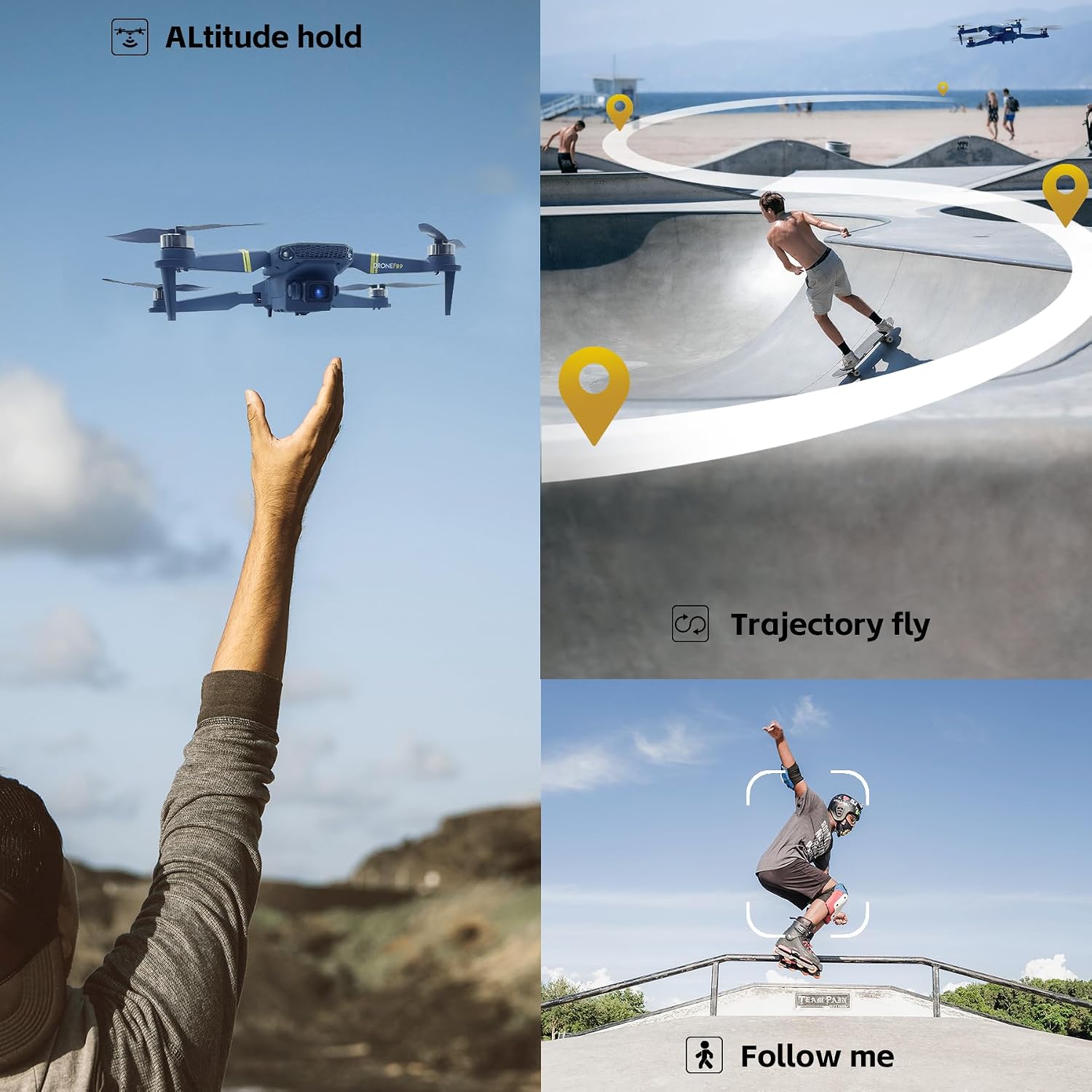
Image: Illustrations of the drone's advanced flight capabilities, including altitude hold, trajectory flight, and follow me mode.
6. പരിപാലനം
6.1 ബാറ്ററി കെയർ
- Always use the original charging cable.
- ബാറ്ററികൾ അമിതമായി ചാർജ് ചെയ്യുകയോ ഡിസ്ചാർജ് ചെയ്യുകയോ ചെയ്യരുത്.
- നേരിട്ടുള്ള സൂര്യപ്രകാശത്തിൽ നിന്നും ഉയർന്ന താപനിലയിൽ നിന്നും അകലെ തണുത്തതും വരണ്ടതുമായ സ്ഥലത്ത് ബാറ്ററികൾ സൂക്ഷിക്കുക.
- If not used for an extended period, charge batteries to about 50% capacity every three months.
6.2 വൃത്തിയാക്കലും സംഭരണവും
- Clean the drone with a soft, dry cloth. Do not use solvents or harsh chemicals.
- Inspect propellers and motors regularly for debris or damage.
- When storing, fold the drone and place it in its carrying case to protect it from dust and physical damage.
7. പ്രശ്നപരിഹാരം
- ഡ്രോൺ പ്രതികരിക്കുന്നില്ല: Ensure batteries are charged and correctly installed in both the drone and remote controller. Re-pair the drone and controller.
- Drone unstable during flight: Calibrate the gyroscope (refer to quick start guide for specific steps). Ensure propellers are not damaged and are installed correctly. Fly in calm conditions.
- Camera feed not appearing in app: Ensure your smartphone is connected to the drone's WiFi network. Restart the app and the drone.
- കുറഞ്ഞ ഫ്ലൈറ്റ് സമയം: Ensure batteries are fully charged. Flight time can be affected by aggressive flying, wind conditions, and temperature.
8 സ്പെസിഫിക്കേഷനുകൾ
| ഫീച്ചർ | സ്പെസിഫിക്കേഷൻ |
|---|---|
| ബ്രാൻഡ് | ചുബോറി |
| മോഡൽ | F89 |
| ഉൽപ്പന്ന അളവുകൾ | 13.5 x 7.5 x 4.5 സെ.മീ (മടക്കിക്കളയുന്നു) |
| ഇനത്തിൻ്റെ ഭാരം | 153 ഗ്രാം |
| ബാറ്ററികൾ | 3 ലിഥിയം അയോൺ ബാറ്ററികൾ (ഉൾപ്പെട്ടിരിക്കുന്നു) |
| Flight Time per Battery | ഏകദേശം 18 മിനിറ്റ് |
| മൊത്തം ഫ്ലൈറ്റ് സമയം | Approximately 54 minutes (with 3 batteries) |
| കണക്റ്റിവിറ്റി ടെക്നോളജി | വൈഫൈ |
| മോട്ടോർ തരം | ബ്രഷ് ഇല്ലാത്തത് |
| ക്യാമറ | Front camera and bottom optical flow camera (switchable) |
| പ്രത്യേക സവിശേഷതകൾ | Optical Flow Positioning, Altitude Hold, One-key Take-off/Landing, One-key Flip & Roll, Follow Me, Trajectory Flight, Headless Mode, Speed Adjustment, Gesture Selfie |
9. വാറൻ്റിയും പിന്തുണയും
The CHUBORY F89 drone comes with a one-year warranty. For any questions, technical assistance, or warranty claims, please contact CHUBORY customer support. We offer permanent support to ensure your satisfaction with our product.
For further assistance, please visit the official CHUBORY store or contact your retailer.