
1. ആമുഖം
This manual provides instructions for the HOVOYNN MP3 Player M30. It covers device setup, operation, maintenance, and troubleshooting to ensure optimal use of your player. The device features an 8-core processor, 2GB RAM, 16GB internal storage, and includes a 64GB SD card, offering a total of 80GB storage capacity, expandable up to 512GB. It supports Wi-Fi and Bluetooth connectivity, allowing for online music streaming and versatile audio connections.
2. ഉൽപ്പന്നം കഴിഞ്ഞുview
2.1 ഉപകരണ ഘടകങ്ങൾ
The HOVOYNN MP3 Player M30 features a compact design with a 4.02-inch touch screen. Key components include:
- 4.02 ഇഞ്ച് ടച്ച് സ്ക്രീൻ: For interactive navigation and media display.
- റോട്ടറി നോബ്: Located on the side, used for power control and volume adjustment.
- യുഎസ്ബി-സി പോർട്ട്: ചാർജിംഗിനും ഡാറ്റ കൈമാറ്റത്തിനും.
- 3.5mm ഓഡിയോ ജാക്ക്: വയർഡ് ഇയർഫോണുകൾ ബന്ധിപ്പിക്കുന്നതിന്.
- മൈക്രോഫോൺ: ഓഡിയോ റെക്കോർഡിംഗിനായി.
- സ്പീക്കർ: Built-in for audio playback without external devices.
- മൈക്രോ എസ്ഡി കാർഡ് സ്ലോട്ട്: For memory expansion.

ചിത്രം: മുന്നിലും പിന്നിലും view of the HOVOYNN MP3 Player M30, highlighting the touch screen and the rotary control knob on the side.
2.2 നിയന്ത്രണങ്ങൾ
- ടച്ച് സ്ക്രീൻ: Navigate menus, select applications, and control media playback by tapping, swiping, and pinching.
- റോട്ടറി നോബ്:
- ലോംഗ് പ്രസ്സ്: ഉപകരണം ഓൺ അല്ലെങ്കിൽ ഓഫ് ചെയ്യാൻ.
- തിരിക്കുക: വോളിയം ലെവൽ ക്രമീകരിക്കുന്നതിന്.

Image: Illustration of the MP3 player's touch screen interface and the rotary knob for volume and power control.
3. സജ്ജീകരണം
3.1 ഉപകരണം ചാർജ് ചെയ്യുന്നു
Before first use, fully charge the MP3 player. Connect the included USB-C cable to the device's charging port and a compatible USB power adapter (not included) or computer USB port. The device is equipped with a 2000mAh battery.
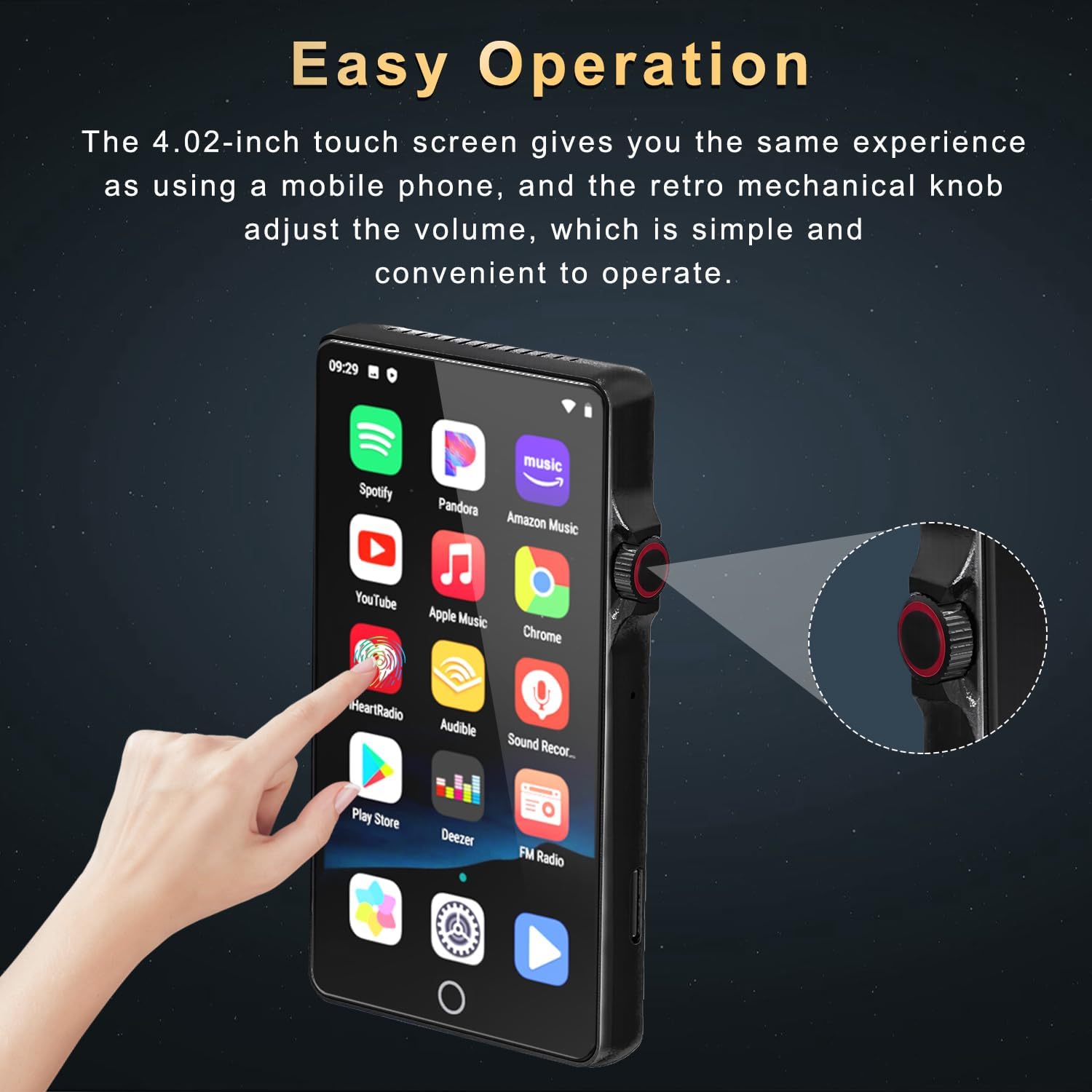
Image: The MP3 player connected to a USB-C charging cable, illustrating its 2000mAh battery capacity and charging capabilities.
3.2 പവർ ഓൺ/ഓഫ്
To power on the device, long press the rotary knob until the screen illuminates. To power off, long press the rotary knob again and follow the on-screen prompts.
3.3 സംഭരണവും മെമ്മറിയും
The player comes with 16GB of internal ROM and 2GB of RAM for smooth operation. A 64GB SD card is included, providing a total of 80GB storage. The device supports memory expansion via a Micro SD card slot, up to 512GB.

Image: The MP3 player with an inserted SD card, detailing its 16GB ROM, 2GB RAM, 64GB included SD card, and support for up to 512GB expansion.
4. പ്രവർത്തന നിർദ്ദേശങ്ങൾ
4.1 അടിസ്ഥാന നാവിഗേഷൻ
The device operates on an Android 9.0 OS, providing a familiar touch screen interface. Swipe to navigate between screens, tap icons to open applications, and use gestures for various functions.

Image: The MP3 player displaying its Android 9.0 operating system interface with various application icons.
4.2 മ്യൂസിക് പ്ലേബാക്ക്
The player supports a wide range of audio formats including MP3, WAV, FLAC, APE, OGG, AAC, and WMA. You can play local music files or stream from pre-installed online music applications.
- പ്രാദേശിക സംഗീതം: Use the built-in music player app to scan for songs, create playlists, and search for tracks by name.
- Online Music: Pre-installed applications such as Spotify, Pandora, Amazon Music, and Deezer allow for online music streaming via Wi-Fi.
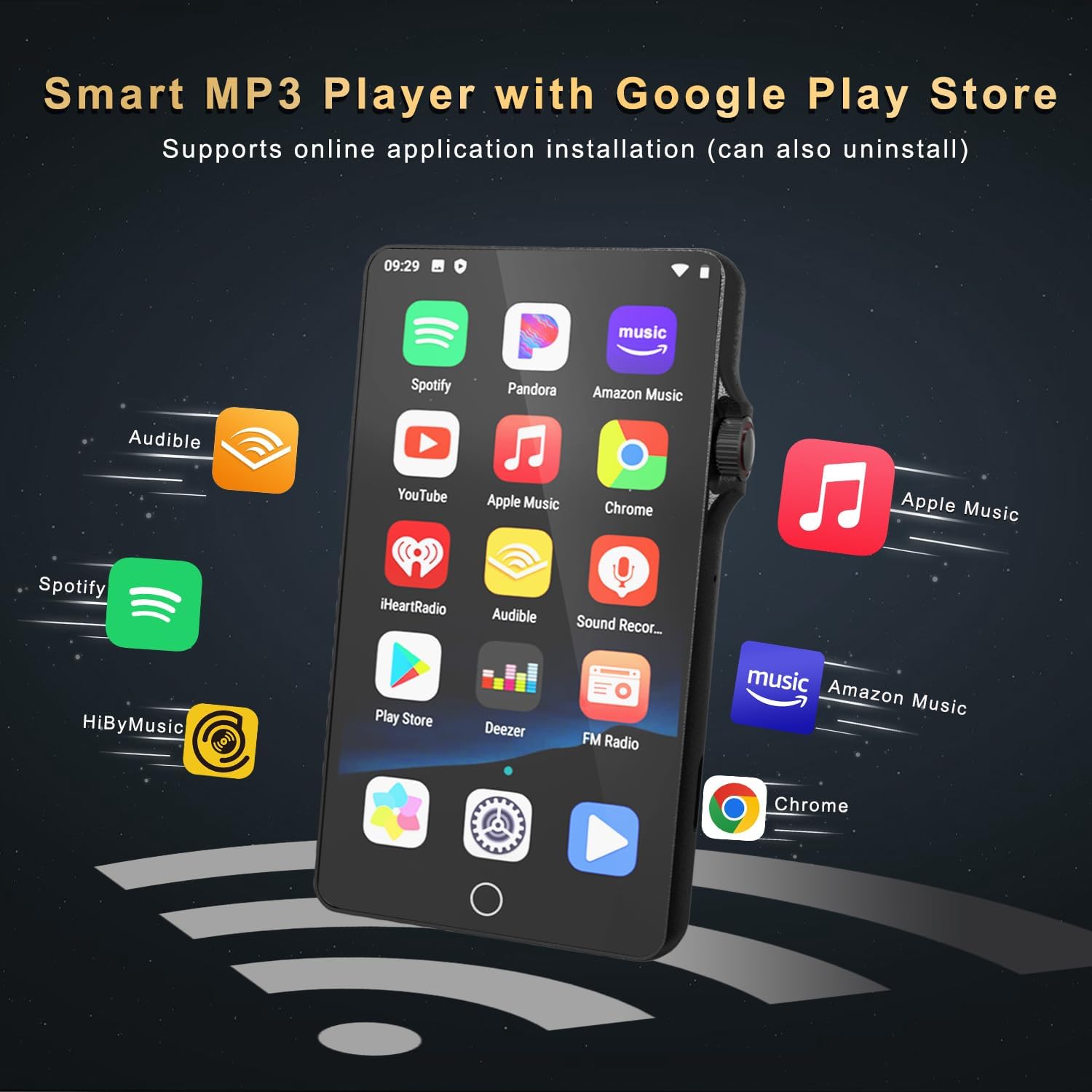
Image: The MP3 player's screen displaying icons for various music streaming applications like Spotify, Pandora, and Amazon Music.

Image: The music player interface on the MP3 player, showing song categories, search function, playlist creation, and equalizer options.
4.3 വീഡിയോ പ്ലേബാക്ക്
The 4.02-inch high-definition touch screen supports 1080P full-format video playback, providing a clear viewing experience. The device includes a video player application for managing and playing video files.

Image: A person holding the HOVOYNN MP3 Player M30, which is displaying a high-definition video on its 4.02-inch screen.
4.4 ആപ്ലിക്കേഷൻ മാനേജ്മെന്റ്
You can install additional applications and update existing ones. To save memory, unused applications can be deleted. കുറിപ്പ്: This MP3 player does not include Google Play Services and cannot install apps that require its support, such as YouTube or HiByMusic.
4.5 കണക്റ്റിവിറ്റി
- ബ്ലൂടൂത്ത്: The device features Bluetooth 4.0 with two-way sending and receiving capabilities. This allows for stable connections to Bluetooth headphones, speakers, and car audio systems.
- വൈഫൈ: Built-in Dual Band 2.4 & 5GHz Wi-Fi provides a stable wireless signal for internet browsing and online streaming.
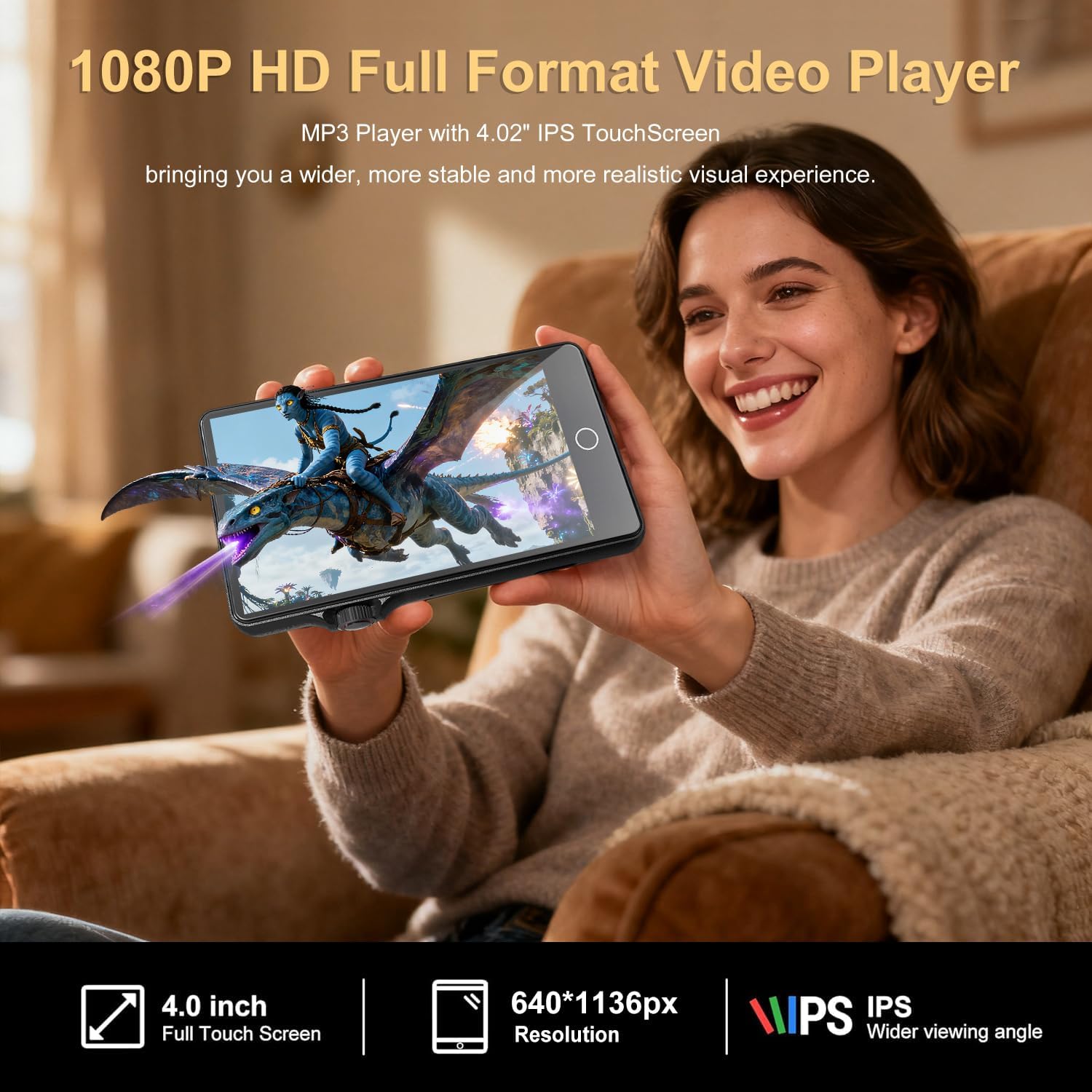
Image: The MP3 player demonstrating its Bluetooth connectivity by pairing with headphones and a portable speaker.
4.6 മറ്റ് പ്രവർത്തനങ്ങൾ
The MP3 Player M30 includes several utility applications:
- സൗണ്ട് റെക്കോർഡർ: ഓഡിയോ ക്യാപ്ചർ ചെയ്യുന്നതിന്.
- എഫ്എം റേഡിയോ: For listening to local radio broadcasts.
- E-Book: For reading digital books.
- File കൈമാറ്റം: For managing and moving files.
- Clock, Calendar, Calculator, Gallery, File മാനേജർ: Standard utility applications.
5. പരിപാലനം
To ensure the longevity and optimal performance of your HOVOYNN MP3 Player M30, follow these maintenance guidelines:
- വൃത്തിയാക്കൽ: Use a soft, dry, lint-free cloth to clean the screen and body. Avoid abrasive cleaners or solvents.
- സംഭരണം: നേരിട്ടുള്ള സൂര്യപ്രകാശത്തിൽ നിന്നും കടുത്ത താപനിലയിൽ നിന്നും മാറി തണുത്തതും വരണ്ടതുമായ സ്ഥലത്ത് ഉപകരണം സൂക്ഷിക്കുക.
- സംരക്ഷണം: Avoid dropping the device or exposing it to excessive moisture. Consider using a protective case.
- ബാറ്ററി കെയർ: To preserve battery health, avoid fully discharging the battery frequently. Charge the device regularly.
6. പ്രശ്നപരിഹാരം
If you encounter issues with your MP3 player, try the following steps:
- ഉപകരണം ഓണാക്കുന്നില്ല: Ensure the battery is charged. Connect the device to a power source and try long-pressing the rotary knob again.
- സ്ക്രീൻ പ്രതികരിക്കുന്നില്ല: Try restarting the device by long-pressing the rotary knob. If unresponsive, allow the battery to fully drain and then recharge.
- Cannot Connect to Bluetooth: Ensure Bluetooth is enabled on both the MP3 player and the target device. Make sure both devices are within range and in pairing mode.
- Wi-Fi കണക്ഷൻ പ്രശ്നങ്ങൾ: Verify that Wi-Fi is enabled and you are entering the correct password. Check your router for connectivity issues.
- Music/Video Playback Problems: മാധ്യമങ്ങളുടെ സുരക്ഷ ഉറപ്പാക്കുക. files are in a supported format. Check if the fileകൾ കേടായിരിക്കുന്നു.
- മന്ദഗതിയിലുള്ള പ്രകടനം: Close unnecessary background applications. Clear cache or free up storage space if needed.
7 സ്പെസിഫിക്കേഷനുകൾ
| മോഡലിൻ്റെ പേര് | MP3 Player M30 |
| ബ്രാൻഡ് | HOVOYNN |
| അളവുകൾ | 0.47 x 2.32 x 4.21 ഇഞ്ച് |
| ഭാരം | 8.4 ഔൺസ് |
| സ്ക്രീൻ വലിപ്പം | 4.02 ഇഞ്ച് |
| ഡിസ്പ്ലേ തരം | ടച്ച് സ്ക്രീൻ |
| പ്രോസസ്സർ | 8-കോർ |
| റാം | 2 ജിബി |
| ആന്തരിക സംഭരണം (ROM) | 16 ജിബി |
| Included SD Card | 64 ജിബി |
| വികസിപ്പിക്കാവുന്ന സംഭരണം | Up to 512GB (Micro SD) |
| ബാറ്ററി ശേഷി | 2000mAh |
| കണക്റ്റിവിറ്റി | Bluetooth 4.0, Wi-Fi (2.4 & 5GHz), USB-C |
| പിന്തുണയ്ക്കുന്ന ഓഡിയോ ഫോർമാറ്റുകൾ | MP3, WAV, FLAC, APE, OGG, AAC, WMA |
| ഉൾപ്പെടുത്തിയ ഘടകങ്ങൾ | MP3 Player, USB-C Cable, Earphones, User Manual |
8. വാറൻ്റിയും പിന്തുണയും
For warranty information and customer support, please refer to the warranty card included with your product or visit the official HOVOYNN webവാറന്റി ക്ലെയിമുകൾക്കുള്ള വാങ്ങലിന്റെ തെളിവായി നിങ്ങളുടെ വാങ്ങൽ രസീത് സൂക്ഷിക്കുക.