
ആമുഖം
Thank you for choosing the Rii RK211 Wireless Keyboard and Mouse Combo. This product provides a reliable 2.4G wireless connection for your computer, laptop, or other compatible devices. This manual will guide you through the setup, operation, maintenance, and troubleshooting of your new wireless keyboard and mouse.
സജ്ജീകരണ നിർദ്ദേശങ്ങൾ
Follow these steps to set up your Rii RK211 Wireless Keyboard and Mouse Combo:
- ബാറ്ററികൾ ഇൻസ്റ്റാൾ ചെയ്യുക: The keyboard requires 1 AAA battery, and the mouse requires 1 AA battery. Open the battery compartments on both devices and insert the batteries, ensuring correct polarity.
- യുഎസ്ബി റിസീവർ കണ്ടെത്തുക: The tiny nano USB receiver is stored in the compartment next to the mouse battery slot. Open the mouse battery cover to find it.
- റിസീവർ ബന്ധിപ്പിക്കുക: നിങ്ങളുടെ കമ്പ്യൂട്ടറിലോ ലാപ്ടോപ്പിലോ ലഭ്യമായ USB പോർട്ടിലേക്ക് USB റിസീവർ പ്ലഗ് ചെയ്യുക.
- പവർ ഓൺ: Turn on the mouse using the ON/OFF switch located on its underside. The keyboard does not have a separate power switch and will activate upon battery installation and key press.
- യാന്ത്രിക കണക്ഷൻ: The keyboard and mouse will automatically connect to your device. No additional drivers are required for most operating systems.
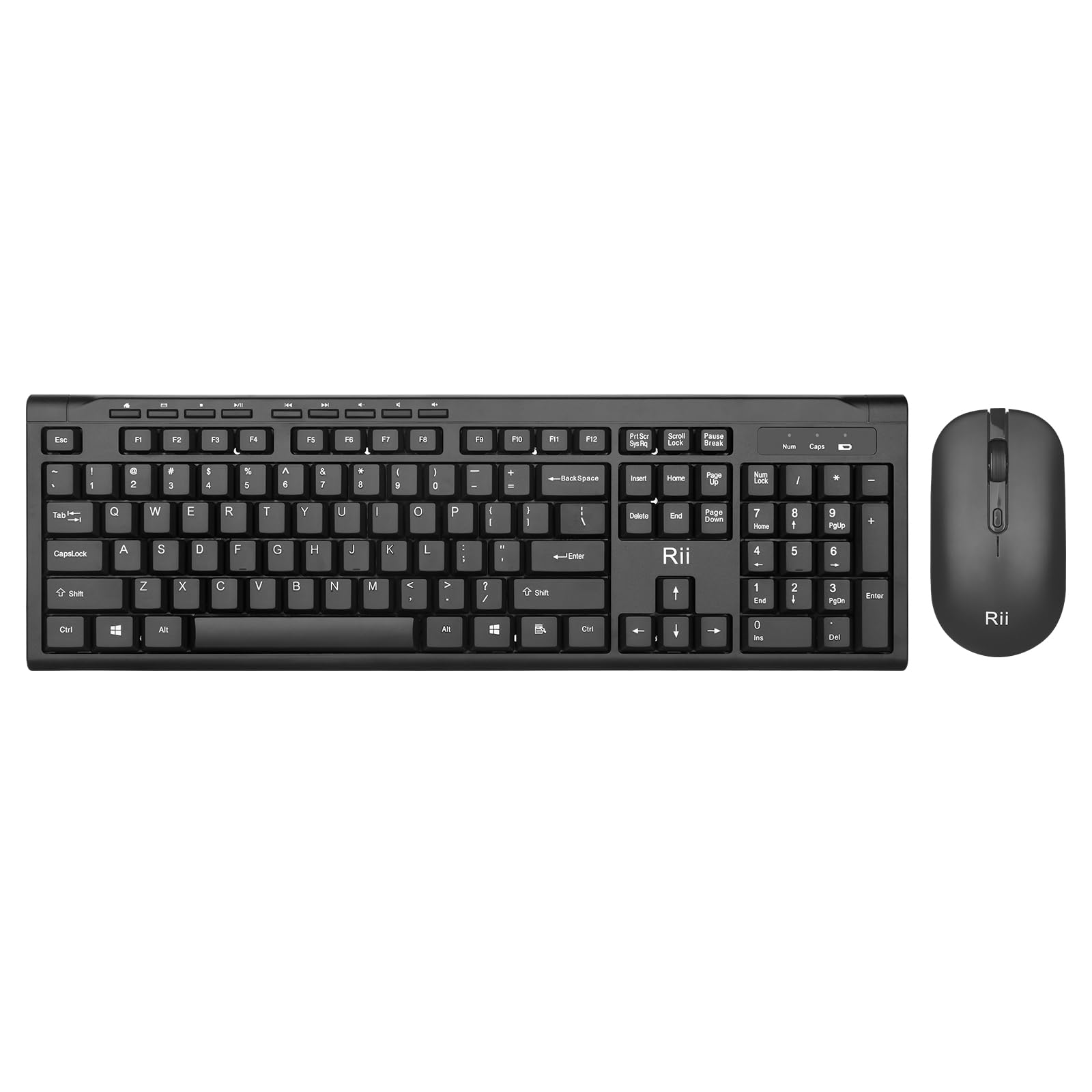
Image: The Rii RK211 wireless keyboard and mouse connected to a laptop using a single unifying nano receiver for plug-and-play functionality.

Image: The USB receiver is conveniently stored inside the mouse's battery compartment for safekeeping.
പ്രവർത്തന നിർദ്ദേശങ്ങൾ
This section details the usage of your Rii RK211 Wireless Keyboard and Mouse Combo.
കീബോർഡ് സവിശേഷതകൾ:
- പൂർണ്ണ വലുപ്പത്തിലുള്ള ലേഔട്ട്: The keyboard features a standard US QWERTY layout with a numeric keypad for efficient typing.
- ക്രമീകരിക്കാവുന്ന ടിൽറ്റ് ആംഗിൾ: Utilize the adjustable legs on the underside of the keyboard to set a comfortable typing position and reduce wrist fatigue.
- മൾട്ടിമീഡിയ ഹോട്ട്കീകൾ: Access 9 dedicated multimedia hotkeys for quick control over media playback, email, internet browser, volume, and more. Note: These shortcuts may have limited compatibility with Mac operating systems.

Image: The keyboard features an ergonomic design with adjustable legs to enhance typing comfort.
മൗസ് സവിശേഷതകൾ:
- എർഗണോമിക് ഡിസൈൻ: The mouse is contoured to fit comfortably in your hand, supporting extended use.
- ക്രമീകരിക്കാവുന്ന DPI: Cycle through DPI settings of 800, 1000, 1200, and 1600 to adjust cursor sensitivity and precision on various surfaces. The DPI button is typically located near the scroll wheel.

Image: The mouse features an ergonomic design for comfortable use.
മെയിൻ്റനൻസ്
Proper maintenance ensures the longevity and optimal performance of your wireless combo.
- ബാറ്ററി മാറ്റിസ്ഥാപിക്കൽ: Replace batteries when performance degrades. The keyboard uses 1 AAA battery, and the mouse uses 1 AA battery.
- വൃത്തിയാക്കൽ: കീബോർഡിന്റെയും മൗസിന്റെയും പ്രതലങ്ങൾ വൃത്തിയാക്കാൻ മൃദുവായതും ഉണങ്ങിയതുമായ തുണി ഉപയോഗിക്കുക. കഠിനമായ അഴുക്കിന്, അല്പം ഡി.amp cloth can be used, ensuring no moisture enters the internal components. Avoid harsh chemicals.
- സംഭരണം: When not in use for extended periods, turn off the mouse to conserve battery life. Store the USB receiver in the mouse's battery compartment to prevent loss.
- ഓട്ടോമാറ്റിക് പവർ സേവിംഗ്: Both devices feature an automatic sleep function. If inactive for more than 10 minutes, they will enter sleep mode. To reactivate, simply click any mouse button or press any key on the keyboard.
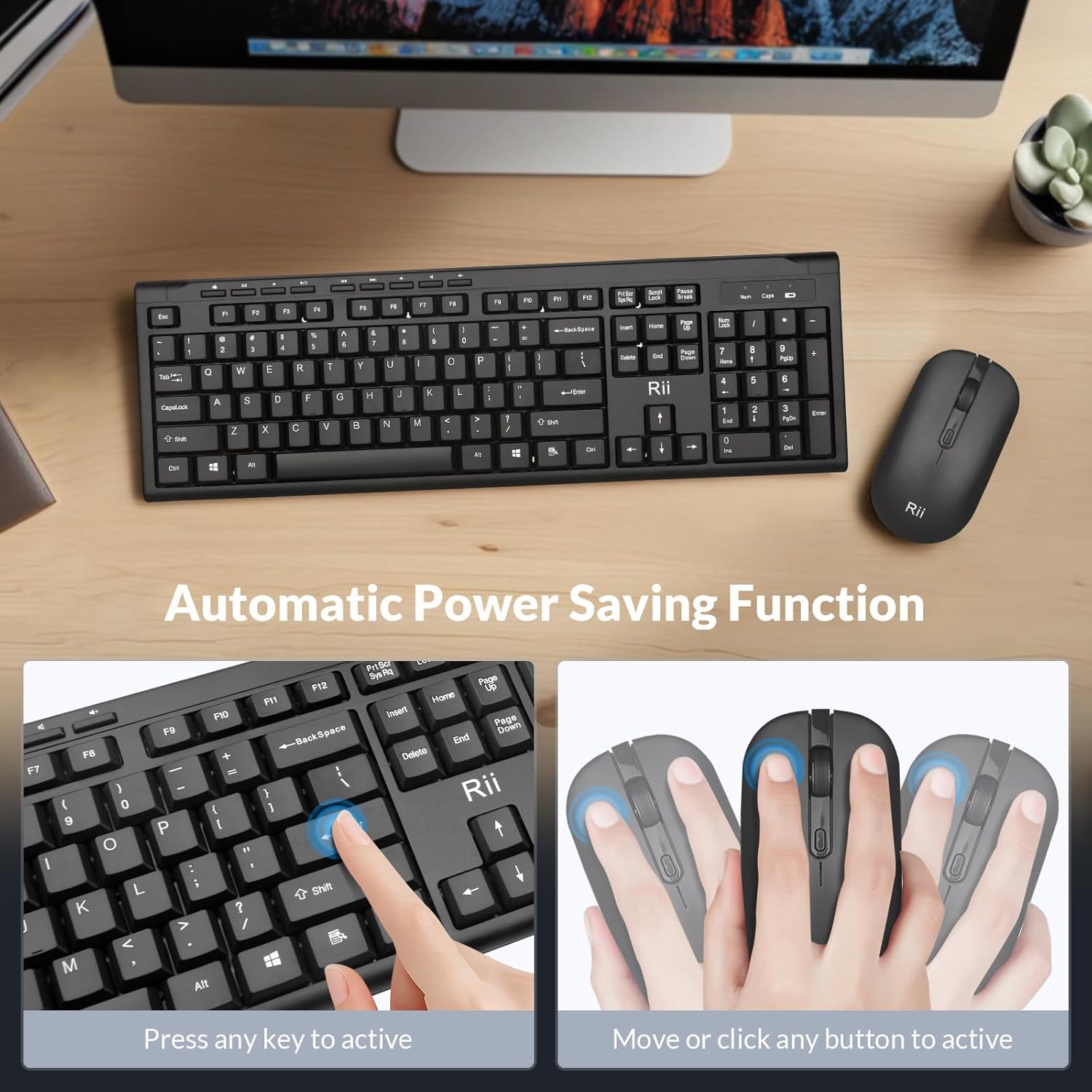
Image: The keyboard and mouse feature an automatic power saving function, activated by pressing any key or moving/clicking the mouse.
ട്രബിൾഷൂട്ടിംഗ്
If you encounter issues, refer to the following troubleshooting tips:
- കണക്ഷൻ ഇല്ല/കാലതാമസം:
- പ്രവർത്തിക്കുന്ന ഒരു USB പോർട്ടിലേക്ക് USB റിസീവർ സുരക്ഷിതമായി പ്ലഗ് ചെയ്തിട്ടുണ്ടെന്ന് ഉറപ്പാക്കുക.
- മൗസ് ഓൺ ആണോ എന്ന് പരിശോധിക്കുക.
- കീബോർഡിലും മൗസിലും ബാറ്ററികൾ മാറ്റിസ്ഥാപിക്കുക.
- Move the devices closer to the USB receiver to rule out range issues (max 33 ft).
- നിങ്ങളുടെ കമ്പ്യൂട്ടറിലെ മറ്റൊരു USB പോർട്ടിലേക്ക് USB റിസീവർ പ്ലഗ് ചെയ്യാൻ ശ്രമിക്കുക.
- Mouse Cursor Jumps/Inaccurate:
- മൗസിലെ DPI ബട്ടൺ ഉപയോഗിച്ച് DPI സെറ്റിംഗ് മാറ്റുക.
- മൗസ് അനുയോജ്യമായ ഒരു പ്രതലത്തിലാണ് ഉപയോഗിക്കുന്നതെന്ന് ഉറപ്പാക്കുക (ഉയർന്ന പ്രതിഫലനമോ സുതാര്യമോ അല്ല).
- മൗസിന്റെ അടിവശത്തുള്ള ഒപ്റ്റിക്കൽ സെൻസർ വൃത്തിയാക്കുക.
- Keyboard Not Typing:
- സ്ലീപ് മോഡിൽ നിന്ന് കീബോർഡ് ഉണർത്താൻ ഏതെങ്കിലും കീ അമർത്തുക.
- Replace the AAA battery in the keyboard.
- Ensure the USB receiver is connected.
- Multimedia Keys Not Working on Mac:
- Some multimedia shortcuts may not be fully compatible with Mac OS. This is expected behavior.
സ്പെസിഫിക്കേഷനുകൾ
| ബ്രാൻഡ് | റി |
| മോഡൽ നമ്പർ | RK211 |
| നിറം | കറുപ്പ് |
| കണക്റ്റിവിറ്റി ടെക്നോളജി | 2.4G വയർലെസ് |
| പ്രത്യേക ഫീച്ചർ | എർഗണോമിക് ഡിസൈൻ |
| അനുയോജ്യമായ ഉപകരണങ്ങൾ | Laptop, Desktop, PC, Chromebook, Notebook (Windows 11/10/8/7/Vista/XP, Chrome OS, Linux, Mac OS) |
| ബാറ്ററികൾ ആവശ്യമാണ് | Yes (1 AAA for keyboard, 1 AA for mouse - Not Included) |
| ഇനത്തിൻ്റെ ഭാരം | 0.7 കിലോഗ്രാം |
| കീബോർഡ് വിവരണം | മൾട്ടിമീഡിയ |
| മൗസ് DPI ക്രമീകരണങ്ങൾ | 800-1000-1200-1600 ഡിപിഐ |

Image: Detailed dimensions of the Rii RK211 keyboard and mouse.
വാറൻ്റി വിവരങ്ങൾ
The Rii RK211 Wireless Keyboard and Mouse Combo comes with a 365 ദിവസത്തെ വാറൻ്റി വാങ്ങിയ തീയതി മുതൽ. ഈ വാറന്റി നിർമ്മാണ വൈകല്യങ്ങൾ ഉൾക്കൊള്ളുകയും സാധാരണ ഉപയോഗത്തിൽ ഉൽപ്പന്നം ഉദ്ദേശിച്ച രീതിയിൽ പ്രവർത്തിക്കുന്നുവെന്ന് ഉറപ്പാക്കുകയും ചെയ്യുന്നു. വാറന്റി ക്ലെയിമുകൾക്കായി നിങ്ങളുടെ വാങ്ങിയതിന്റെ തെളിവ് സൂക്ഷിക്കുക.
പിന്തുണ
For further assistance, technical support, or warranty inquiries, please refer to the contact information provided with your product packaging or visit the official Rii webസൈറ്റ്. നിങ്ങൾക്ക് സന്ദർശിക്കാനും കഴിയും Rii Store on Amazon കൂടുതൽ വിവരങ്ങൾക്കും ഉൽപ്പന്ന ഉറവിടങ്ങൾക്കും.