
ആമുഖം
This manual provides detailed instructions for the setup, operation, and maintenance of your Retrolife HQ-KZ006 Record Player. This belt-drive turntable features wireless Bluetooth output, a carbon fiber tonearm, adjustable anti-skate control, an AT-3600L MM cartridge, and pitch speed control for optimal vinyl playback.
പാക്കേജ് ഉള്ളടക്കം
- 1. ടേൺടബിൾ
- 2. വേർപെടുത്താവുന്ന പൊടി കവർ
- 3. സ്ലിപ്പ് മാറ്റ്
- 4. Counterweight (fixed on the tonearm)
- 5. Die-cast Aluminum Platter with Rubber Belt
- 6. 45 ആർപിഎം അഡാപ്റ്റർ
- 8. AT-3600L MM Stylus
- 9. DC12V 200mA Power Adapter
- 10. ഉപയോക്തൃ മാനുവൽ
- 11. RCA കേബിൾ
സജ്ജമാക്കുക
1. പ്ലാറ്റർ, ബെൽറ്റ് ഇൻസ്റ്റാളേഷൻ
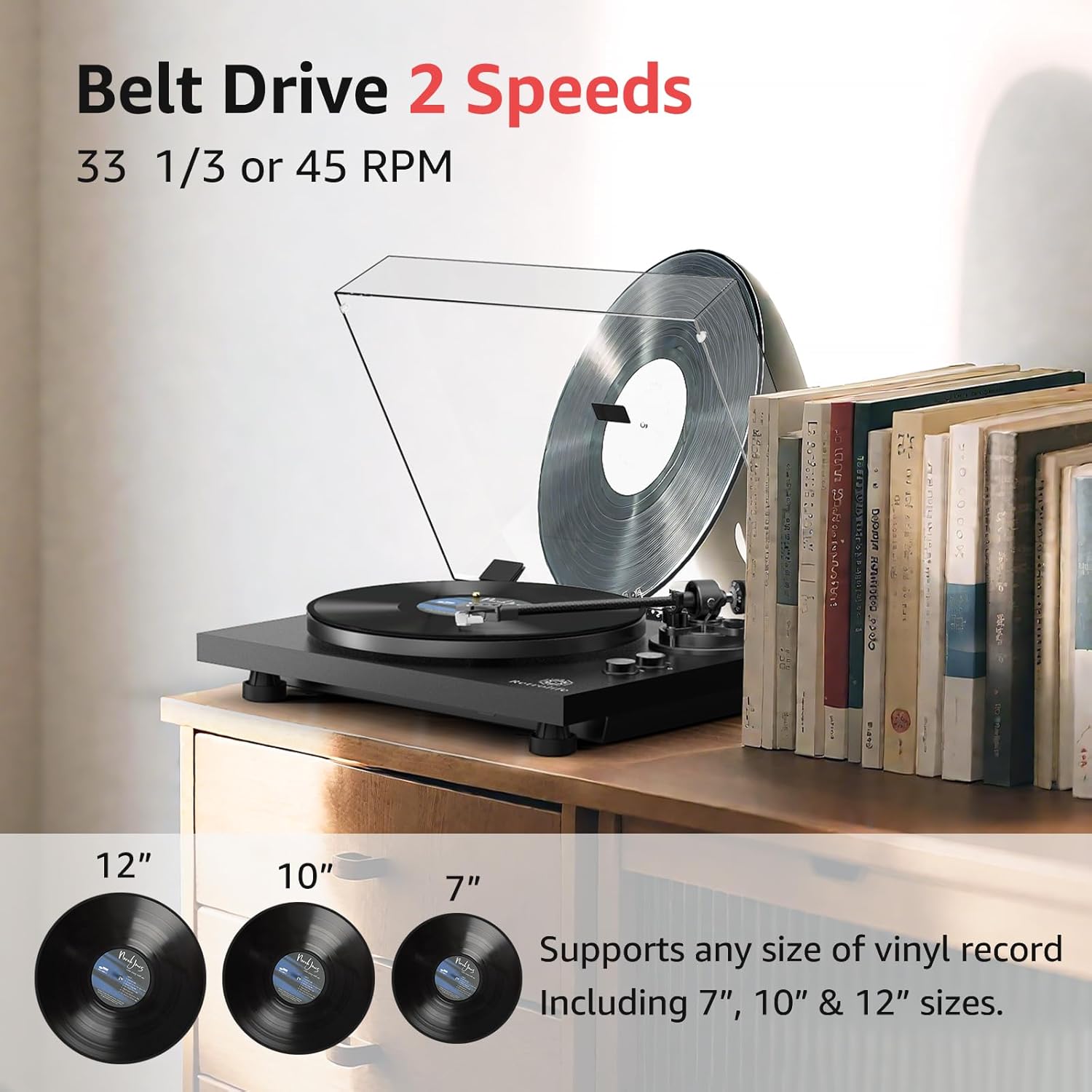
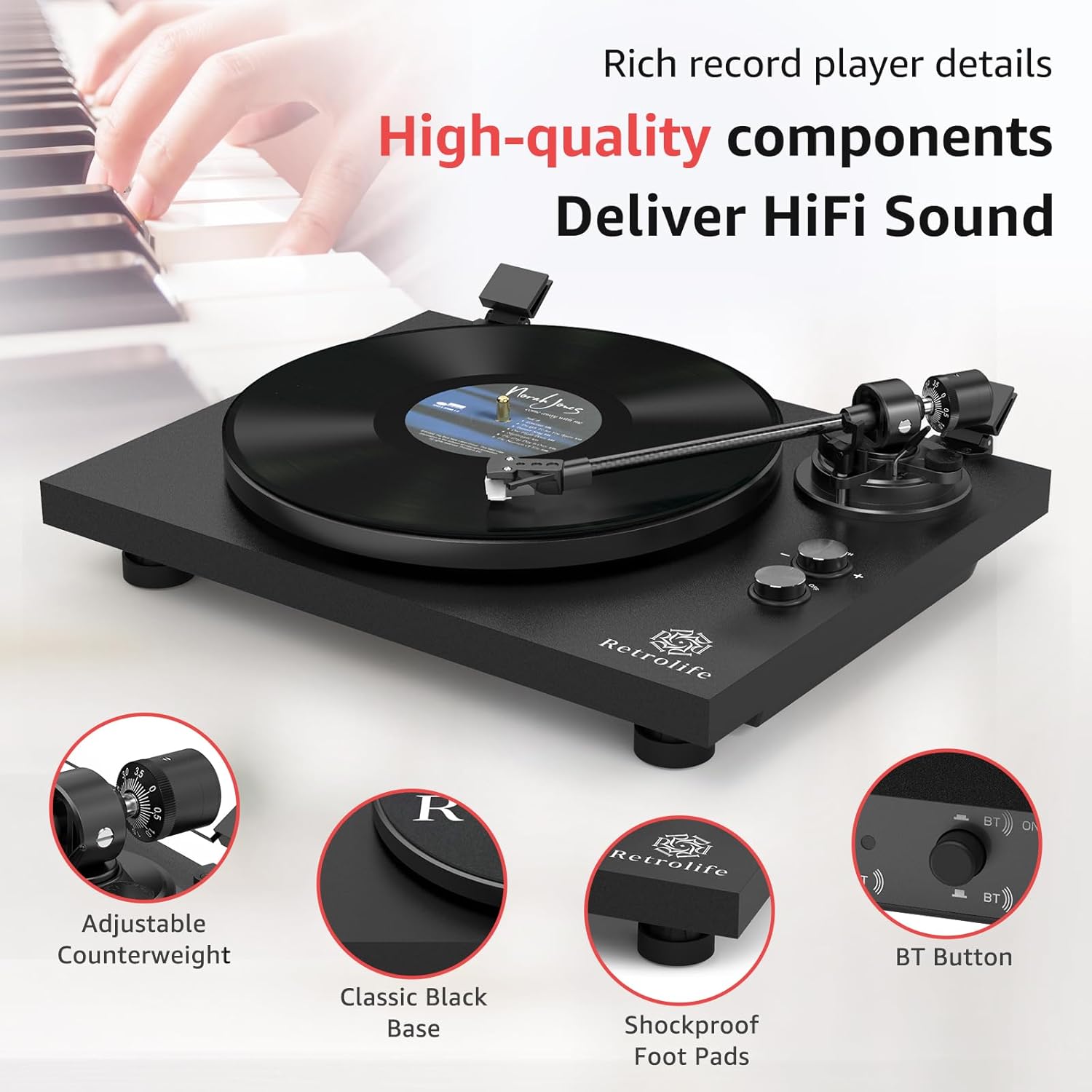
Carefully place the die-cast aluminum platter onto the turntable spindle. Locate the rubber belt, which is pre-installed on the platter. Using the red ribbon attached to the belt, gently pull the belt over the motor pulley. Rotate the platter a few times to ensure the belt is correctly seated and not twisted. Remove the red ribbon once the belt is in place.
2. Tonearm Setup and Balancing
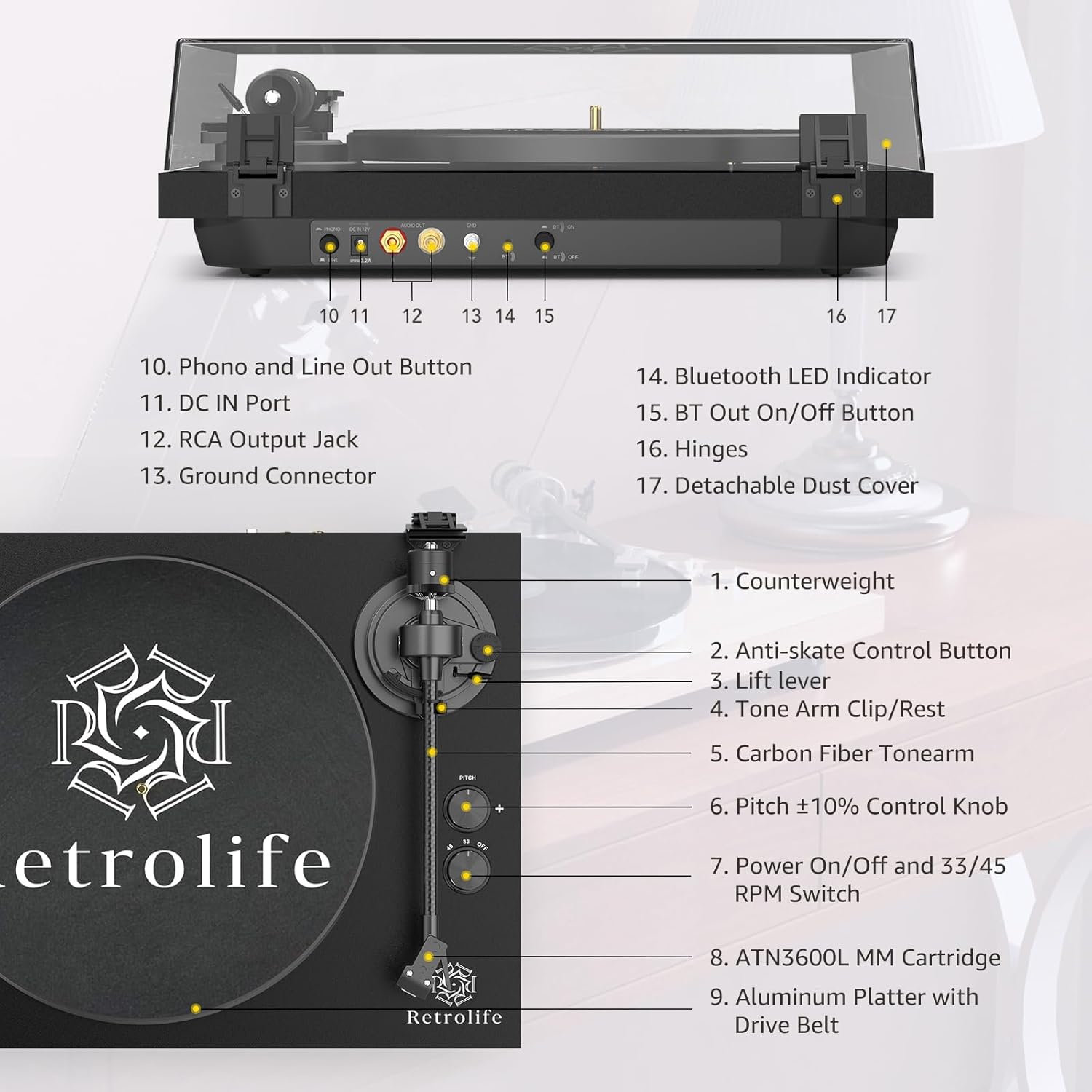
The counterweight tracking force is factory-set and fixed with screws, requiring no further adjustment. This ensures precise playback. Attach the headshell to the tonearm and secure it by turning the locking nut. The carbon fiber tonearm is designed to reduce vibration for stable rotation.
3. Anti-skate Adjustment
Adjust the dynamic anti-skate control to ensure precise needle placement. This system helps balance the stylus and keeps it deep in the record's groove, promoting smooth stylus movement and protecting your records from damage.
4. Connecting to Audio Systems
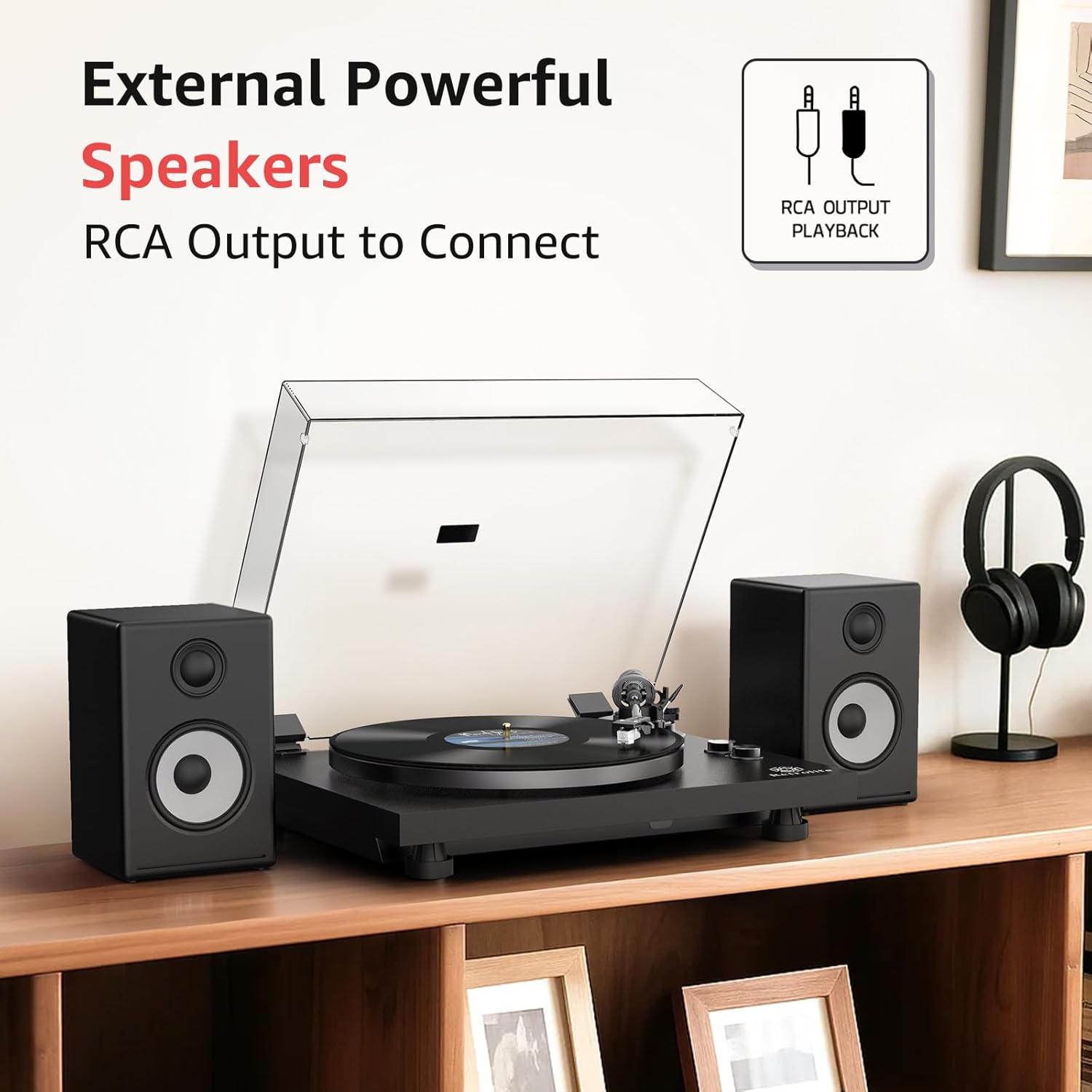
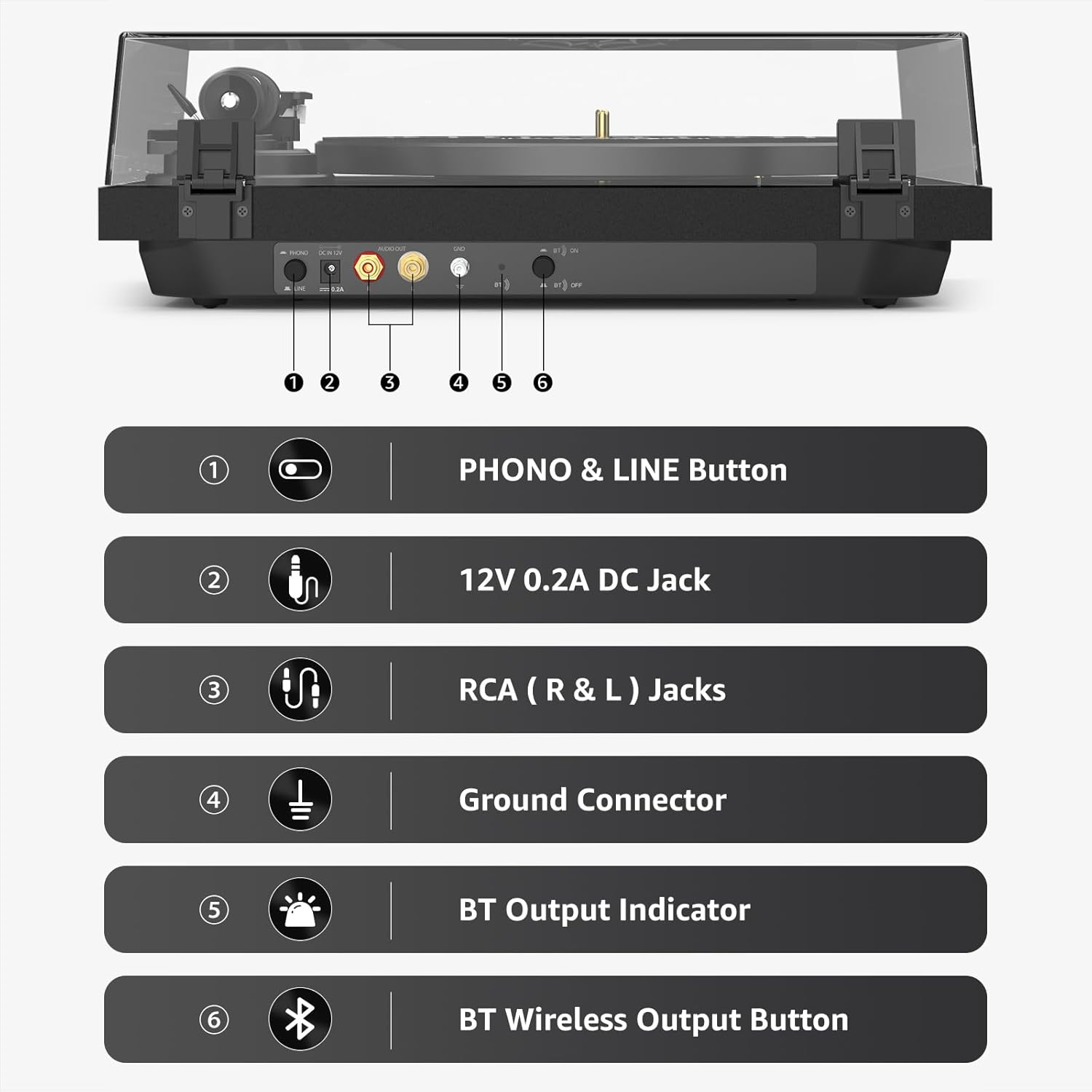
The turntable offers both wireless Bluetooth output and wired RCA line/phono output options. Choose the connection method that best suits your audio setup.

Wired RCA Connection:
Connect the included RCA cable from the turntable's RCA output jacks to your amplifier or powered speakers. Use the PHONO & LINE button to select the appropriate output mode (Phono for amplifiers with a dedicated phono input, Line for standard auxiliary inputs).
Wireless Bluetooth Output:
The turntable features Bluetooth 5.3 for high-fidelity wireless audio. Press the Bluetooth button on the rear panel to activate pairing mode. The turntable will automatically search for and pair with Bluetooth speakers or headphones within range.

പ്രവർത്തന നിർദ്ദേശങ്ങൾ
1. ഒരു റെക്കോർഡ് പ്ലേ ചെയ്യുന്നു
Place your vinyl record on the slip mat. Select the appropriate speed (33-1/3 or 45 RPM) using the speed switch. Unlock the tonearm from its rest. Use the lift lever to raise the tonearm, position it over the desired track on the record, and then gently lower the lift lever to drop the stylus onto the record. The turntable will begin playing.
2. Pitch Speed Control
The motor features a speed-sensor system to maintain accurate platter rotation speed. Use the pitch ±10% speed control knob to fine-tune the playback speed based on the actual sound.
3. Using the Dust Cover
The detachable dust cover protects your turntable and records from dust. It can be used during playback or when the turntable is not in use.
മെയിൻ്റനൻസ്
1. സ്റ്റൈലസ് വൃത്തിയാക്കൽ
Gently clean the stylus regularly with a soft brush designed for stylus cleaning. Always brush from back to front to avoid damaging the stylus.
2. Cleaning the Turntable
Wipe the turntable's surface and dust cover with a soft, dry, lint-free cloth. Avoid using harsh chemicals or abrasive cleaners.
3. റെക്കോർഡ് കെയർ
Store records vertically in their sleeves to prevent warping. Clean records before each play with a carbon fiber brush to remove dust and static.
ട്രബിൾഷൂട്ടിംഗ്
- ശബ്ദമില്ല: Check all cable connections (RCA, power). Ensure the correct PHONO/LINE switch setting is selected. Verify Bluetooth pairing if using wireless output.
- വികലമായ ശബ്ദം: Ensure the stylus is clean and properly seated. Verify the counterweight and anti-skate settings are correct. Check for proper grounding if using a wired connection.
- ഒഴിവാക്കുന്നു: Ensure the record is clean and free of scratches. Verify the counterweight and anti-skate settings. Place the turntable on a stable, level surface.
- തെറ്റായ വേഗത: Use the pitch control knob to fine-tune the speed. Ensure the correct 33/45 RPM setting is selected.
സ്പെസിഫിക്കേഷനുകൾ
- മോഡലിൻ്റെ പേര്: HQ-KZ006
- ബ്രാൻഡ്: റെട്രോലൈഫ്
- മെറ്റീരിയൽ: Plastic (Plinth is wood-finished)
- ഇനത്തിൻ്റെ ഭാരം: 9.9 പൗണ്ട്
- പാക്കേജ് അളവുകൾ: 19.06 x 17.12 x 8.08 ഇഞ്ച്
- പരമാവധി ഭ്രമണ വേഗത: 45 ആർപിഎം
- അനുയോജ്യമായ ഉപകരണങ്ങൾ: Speaker (via RCA or Bluetooth)
- പ്രത്യേക സവിശേഷതകൾ: Belt-drive operation (33-1/3 and 45 RPM), Bluetooth 5.3 wireless output, Speed-sensor system for accurate platter rotation, Pitch ±10% speed control, Adjustable dynamic anti-skate control, Fixed factory-set counterweight, Professional anti-resonance die-cast aluminum platter with rubber mat, One-piece Carbon Fiber Tonearm.
വാറൻ്റിയും പിന്തുണയും
Retrolife provides a 1-year warranty from the date of purchase. For any dissatisfaction or support needs, please contact Retrolife customer service through Amazon.