
1. ആമുഖം
The THIKPO TK063 Digital Brake Fluid Tester is a high-sensitivity device designed for accurately measuring the moisture content in various types of brake fluid. This manual provides essential information for the safe and effective use of your tester, including setup, operation, maintenance, and troubleshooting.
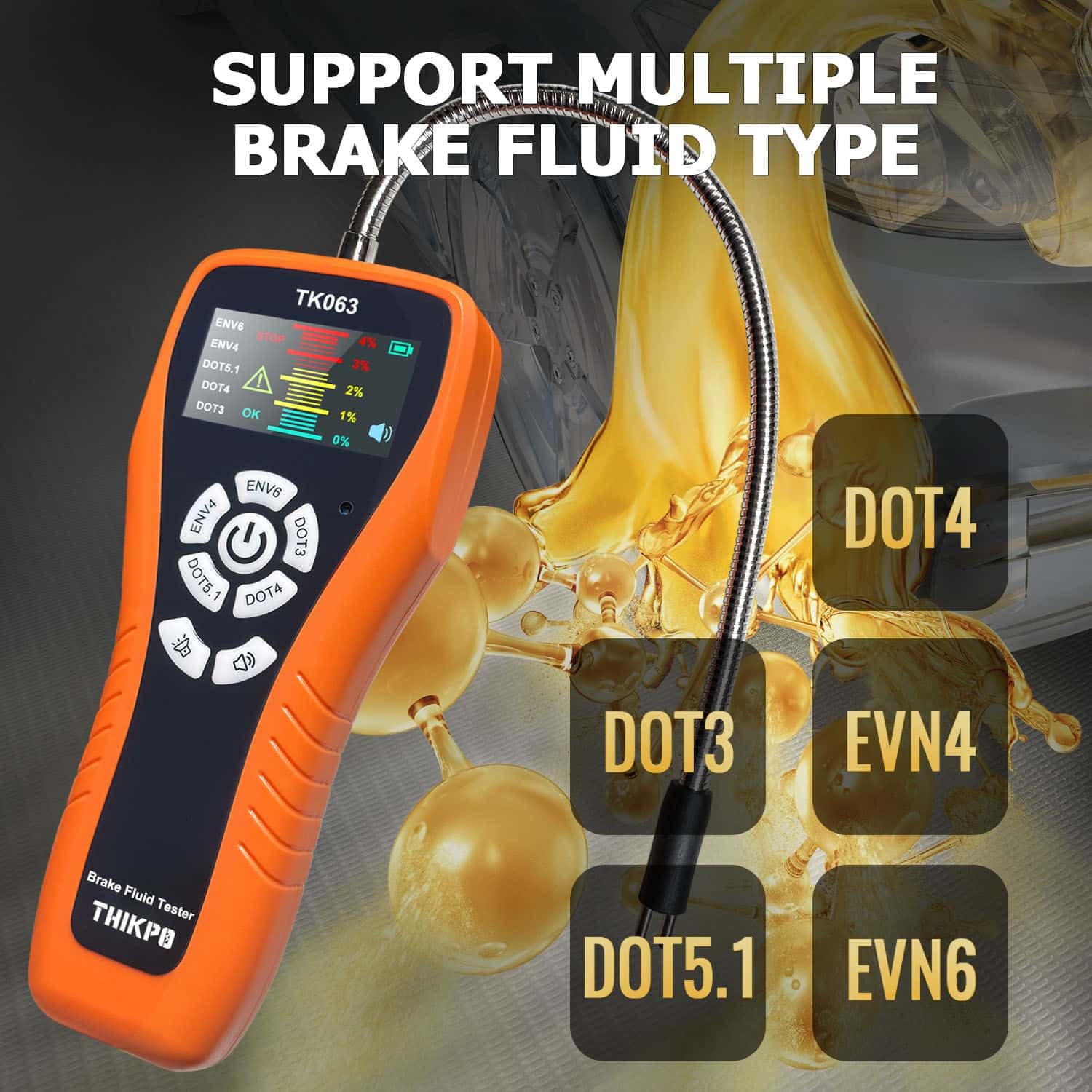
The TK063 is compatible with DOT3, DOT4, DOT5.1, EVN4, and EVN6 brake fluid types.
2 സുരക്ഷാ വിവരങ്ങൾ
ഈ ഉൽപ്പന്നം ഉപയോഗിക്കുന്നതിന് മുമ്പ് എല്ലാ സുരക്ഷാ മുന്നറിയിപ്പുകളും നിർദ്ദേശങ്ങളും ശ്രദ്ധാപൂർവ്വം വായിക്കുക. ഈ നിർദ്ദേശങ്ങൾ പാലിക്കുന്നതിൽ പരാജയപ്പെടുന്നത് ഉപകരണത്തിന് പരിക്കോ കേടുപാടുകളോ ഉണ്ടാക്കാൻ കാരണമായേക്കാം.
- Always wear appropriate personal protective equipment, such as gloves and eye protection, when handling brake fluid.
- Brake fluid is corrosive. Avoid contact with skin, eyes, and painted surfaces. In case of contact, rinse immediately with plenty of water.
- Keep the device and brake fluid out of reach of children and pets.
- Do not immerse the main body of the tester in any liquid. Only the flexible probe is designed for immersion.
- Ensure the probe is clean and dry before and after each use to prevent contamination and ensure accurate readings.
- Dispose of used brake fluid and contaminated cleaning materials according to local environmental regulations.
3. ഉൽപ്പന്നം കഴിഞ്ഞുview ഘടകങ്ങളും
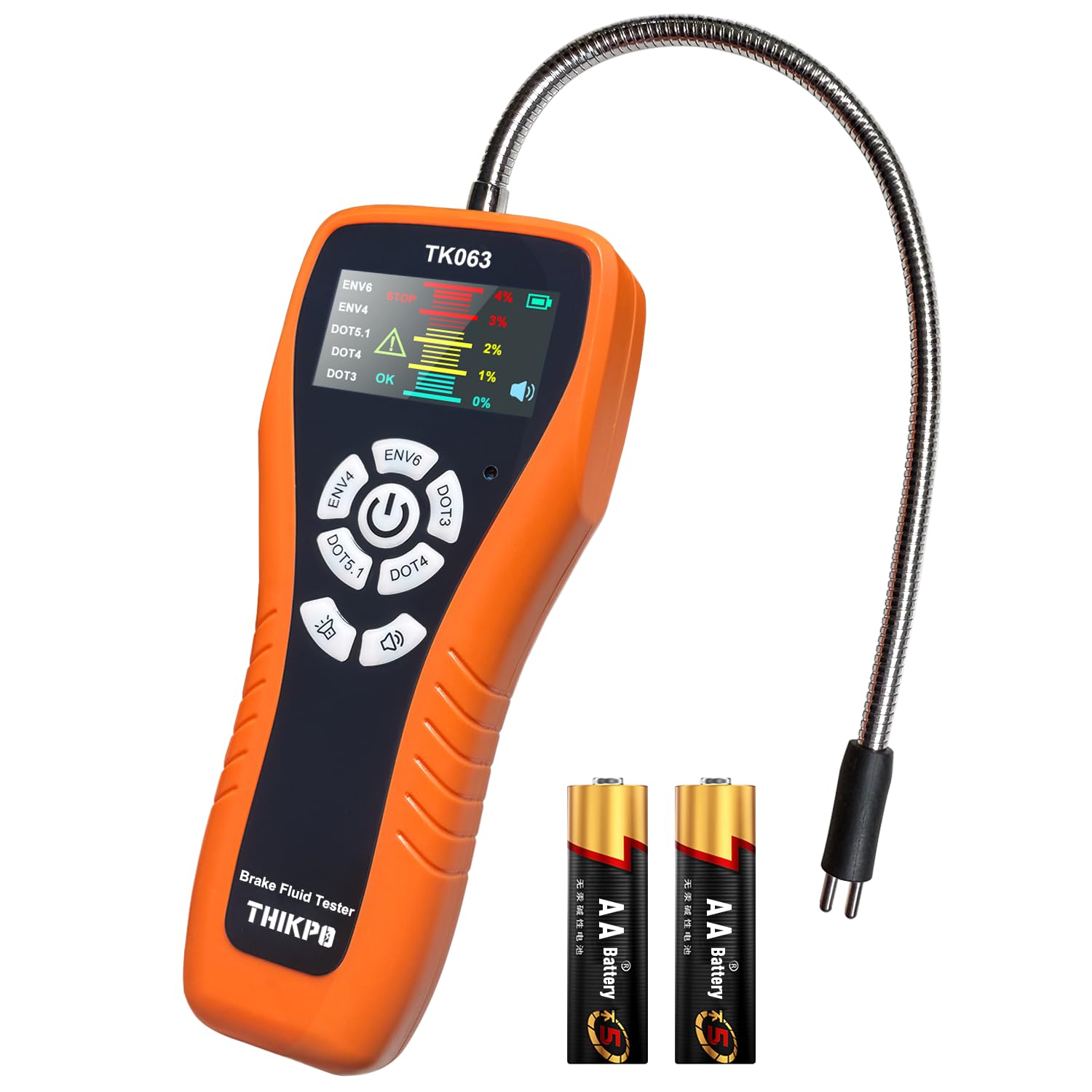
The THIKPO TK063 Digital Brake Fluid Tester is designed for ease of use and accurate results. Familiarize yourself with its components:
- പ്രധാന യൂണിറ്റ്: Houses the LCD display, control buttons, and battery compartment.
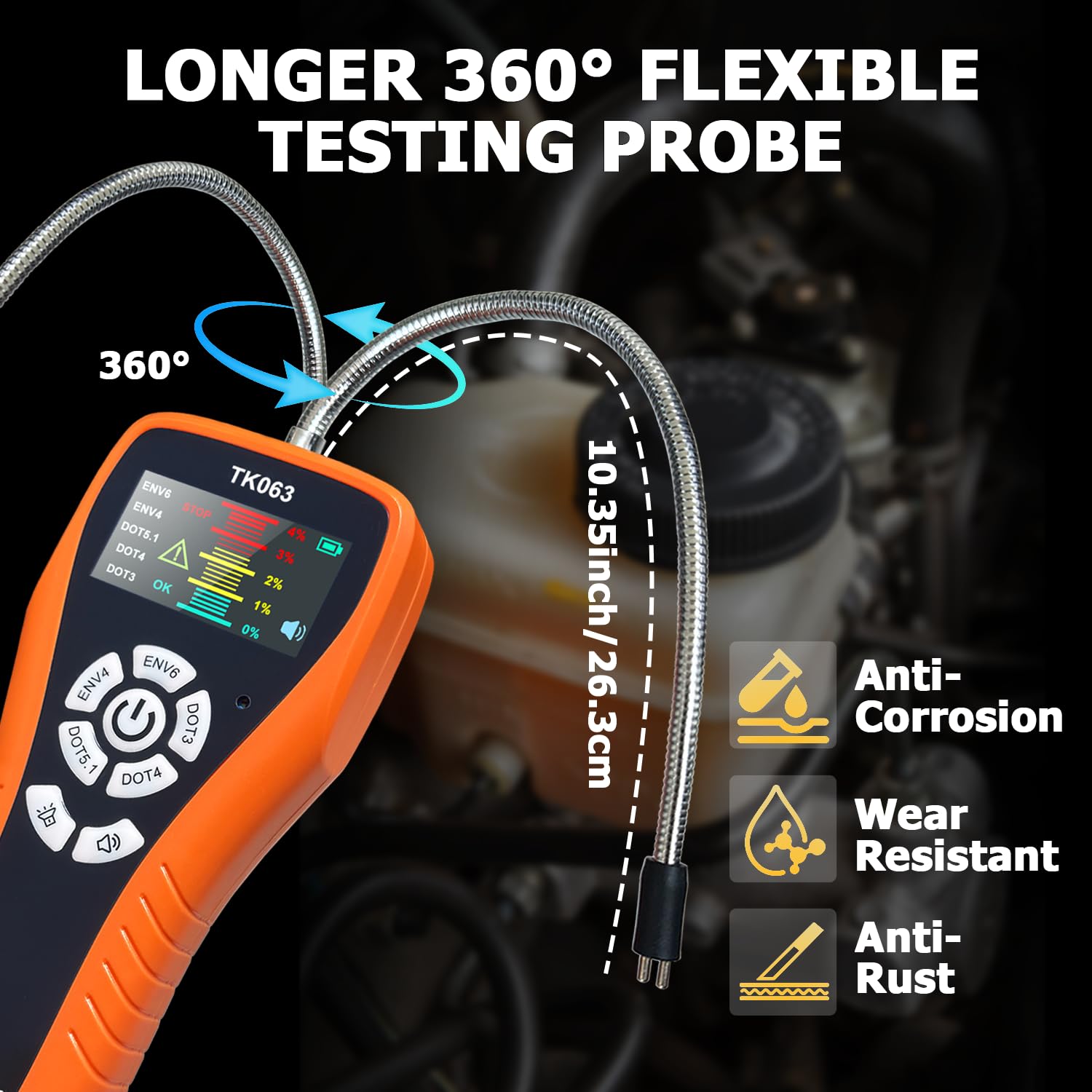
- ഫ്ലെക്സിബിൾ പ്രോബ്: A 10.35-inch (26.3 cm) corrosion-resistant zinc alloy probe for accessing brake fluid reservoirs.
- LCD ഡിസ്പ്ലേ: Provides clear readings, fluid type selection, and moisture content levels with color-coded alerts.
- നിയന്ത്രണ ബട്ടണുകൾ: For power, fluid type selection, backlight adjustment, and buzzer control.
- Calibration Port: For manual fine-tuning of the sensor.
ബോക്സിൽ എന്താണുള്ളത്:
- 1 x Brake Fluid Tester Main Unit
- 1 x ഉപയോക്തൃ മാനുവൽ (ഈ പ്രമാണം)
- 2 x AA High-quality batteries
4. സജ്ജീകരണം
4.1 ബാറ്ററി ഇൻസ്റ്റാളേഷൻ
- പ്രധാന യൂണിറ്റിൻ്റെ പിൻഭാഗത്ത് ബാറ്ററി കമ്പാർട്ട്മെൻ്റ് കണ്ടെത്തുക.
- ബാറ്ററി കമ്പാർട്ട്മെൻ്റ് കവർ തുറക്കുക.
- രണ്ട് AA ബാറ്ററികൾ ഇടുക, ശരിയായ പോളാരിറ്റി (+/-) ഉറപ്പാക്കുക.
- ബാറ്ററി കമ്പാർട്ട്മെൻ്റ് കവർ സുരക്ഷിതമായി അടയ്ക്കുക.
4.2 പ്രാരംഭ പവർ-ഓൺ
Press and hold the power button (usually the central button with a power symbol) to turn on the device. The LCD display will illuminate.
5. പ്രവർത്തന നിർദ്ദേശങ്ങൾ
5.1 പവർ ഓൺ/ഓഫ്
- പവർ ഓണാക്കാൻ: Press and hold the central power button.
- പവർ ഓഫ് ചെയ്യാൻ: Press and hold the central power button again. The device also features an auto-shutoff function after 5 minutes of inactivity to conserve battery life.
5.2 Fluid Type Selection
Before testing, select the correct brake fluid type:
- With the device powered on, press the dedicated buttons for DOT3, DOT4, DOT5.1, EVN4, or EVN6 to cycle through the fluid types.
- Ensure the selected fluid type on the display matches the brake fluid you are testing.
5.3 Testing Procedure
- Prepare the Probe: Ensure the flexible probe is clean and dry.
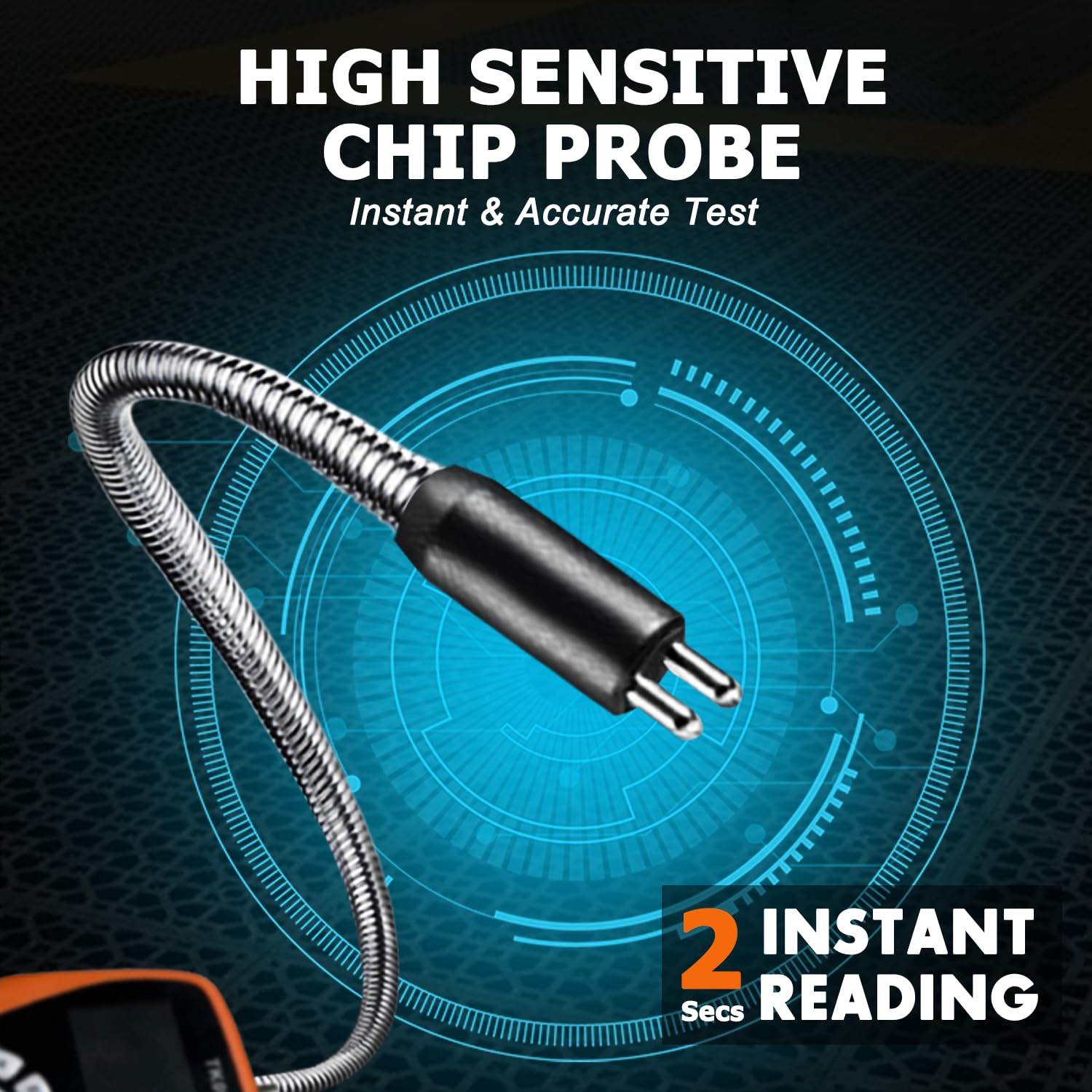
- Immerse the Probe: Carefully immerse the metal tip of the flexible probe into the brake fluid reservoir. Ensure the probe tip is fully submerged in the fluid. The 10.35-inch flexible gooseneck hose allows easy access to narrow spaces.
- ഫലങ്ങൾ വായിക്കുക: The LCD display will show the moisture content percentage within seconds.
- Interpret Readings: The display uses color-coded alerts for easy interpretation:
- പച്ച (0%): Indicates good brake fluid quality.
- Yellow (1-2%): Indicates brake fluid should be replaced soon.
- Red (3-4%): Indicates brake fluid needs immediate replacement.
- ബസർ അലാറം: The device features a switchable buzzer alarm that activates for high moisture content (Red alert). Press the buzzer button to toggle it on or off.
- ഉപയോഗത്തിന് ശേഷം വൃത്തിയാക്കുക: After each test, thoroughly clean the probe with a clean cloth to remove any brake fluid residue. Rinse with water if necessary, then dry completely.

5.4 മാനുവൽ കാലിബ്രേഷൻ
The TK063 features a precision calibration port for maintaining laboratory-level accuracy over its lifespan. This compensates for potential sensor drift.
- Locate the calibration port on the device (refer to the product diagram if available).
- Using a standard screwdriver, carefully adjust the calibration screw as needed. Refer to the specific calibration procedure in the full manufacturer's guide for detailed steps, typically involving testing with known fluid sampലെസ്.
5.5 ഡാറ്റ ഹോൾഡ് പ്രവർത്തനം
Press the 'Hold' button (if available, typically indicated by a 'H' or similar icon) to freeze the current reading on the display. Press it again to release.
5.6 Adjustable Backlight
The LCD display backlight can be adjusted for optimal visibility in various lighting conditions. Press the backlight button (typically indicated by a sun icon) to cycle through brightness levels.
5.7 ഉൽപ്പന്ന പ്രദർശന വീഡിയോ
6. പരിപാലനം
6.1 പ്രോബ് വൃത്തിയാക്കൽ
After each use, wipe the flexible probe thoroughly with a clean, lint-free cloth to remove any brake fluid residue. If necessary, rinse the probe tip with clean water and ensure it is completely dry before storage or next use. Do not use harsh chemicals or abrasive materials.
6.2 ബാറ്ററി മാറ്റിസ്ഥാപിക്കൽ
When the battery level indicator on the LCD display shows low power, replace the two AA batteries as described in Section 4.1. Remove batteries if the device will not be used for an extended period to prevent leakage.
6.3 സംഭരണം
Store the THIKPO TK063 in a cool, dry place, away from direct sunlight and extreme temperatures. Keep it in its original packaging or a protective case to prevent damage.
7. പ്രശ്നപരിഹാരം
| പ്രശ്നം | സാധ്യമായ കാരണം | പരിഹാരം |
|---|---|---|
| ഉപകരണം പവർ ഓണാക്കുന്നില്ല | മരിച്ചതോ തെറ്റായി ഇൻസ്റ്റാൾ ചെയ്തതോ ആയ ബാറ്ററികൾ | ബാറ്ററി പോളാരിറ്റി പരിശോധിക്കുക; പുതിയ AA ബാറ്ററികൾ ഉപയോഗിച്ച് മാറ്റിസ്ഥാപിക്കുക. |
| കൃത്യമല്ലാത്ത വായനകൾ |
|
|
| Buzzer not sounding | Buzzer is turned off | Press the buzzer button to turn it on. |
| ഡിസ്പ്ലേ മങ്ങിയതോ മിന്നിമറയുന്നതോ ആണ് | Low battery or backlight setting | Replace batteries; adjust backlight brightness. |
8 സ്പെസിഫിക്കേഷനുകൾ
- മോഡൽ: TK063
- Compatible Fluid Types: DOT3, DOT4, DOT5.1, EVN4, EVN6
- അന്വേഷണ ദൈർഘ്യം: 10.35 ഇഞ്ച് (26.3 സെ.മീ)
- പ്രോബ് മെറ്റീരിയൽ: Corrosion-resistant zinc alloy
- കൃത്യത: 0.1%
- ഡിസ്പ്ലേ: Colorful LCD with visual and audio alerts
- ഊർജ്ജ സ്രോതസ്സ്: 2 x AA ബാറ്ററികൾ
- സ്വയമേവ അടച്ചുപൂട്ടൽ: 5 മിനിറ്റ് നിഷ്ക്രിയത്വത്തിന് ശേഷം
- ഇനത്തിൻ്റെ ഭാരം: ഏകദേശം 8.8 ഔൺസ് (249 ഗ്രാം)
- പാക്കേജ് അളവുകൾ: 9.92 x 4.84 x 1.61 ഇഞ്ച് (25.2 x 12.3 x 4.1 സെ.മീ)
9. വാറൻ്റിയും പിന്തുണയും
For detailed warranty information, please refer to the documentation provided with your purchase or visit the official THIKPO website. If you encounter any issues or require technical assistance, please contact THIKPO customer support through their official channels.