
1. ആമുഖം
This manual provides essential information for setting up, operating, and maintaining your Samsung QE43Q7FAAU 43-inch QLED 4K Smart TV. Please read this manual thoroughly to ensure safe and optimal use of your television.
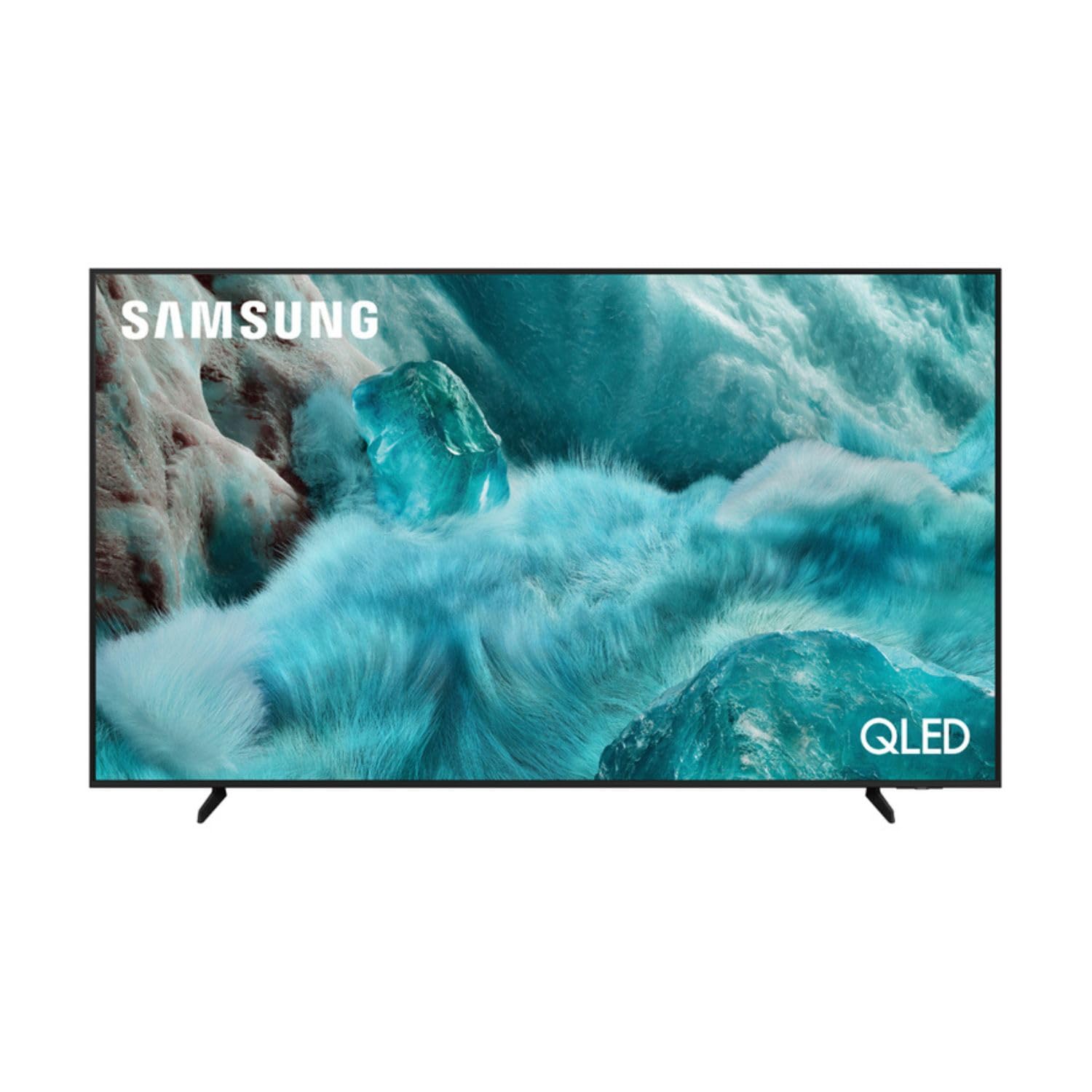
ചിത്രം: മുൻഭാഗം view of the Samsung QE43Q7FAAU 43-inch QLED 4K Smart TV, showcasing അതിന്റെ സ്ലിം ഡിസൈനും ഊർജ്ജസ്വലമായ ഡിസ്പ്ലേയും.
2 സുരക്ഷാ വിവരങ്ങൾ
തീ, വൈദ്യുതാഘാതം, പരിക്കുകൾ എന്നിവ കുറയ്ക്കുന്നതിന് ഈ ടെലിവിഷൻ ഉപയോഗിക്കുമ്പോൾ എല്ലായ്പ്പോഴും അടിസ്ഥാന സുരക്ഷാ മുൻകരുതലുകൾ പാലിക്കുക.
- മഴയോ ഈർപ്പമോ ടിവിയെ തുറന്നുകാട്ടരുത്.
- വെന്റിലേഷൻ തുറക്കൽ തടയരുത്.
- പവർ കോർഡ് നുള്ളിയെടുക്കുകയോ നടക്കുകയോ ചെയ്തിട്ടില്ലെന്ന് ഉറപ്പാക്കുക.
- നിർമ്മാതാവ് വ്യക്തമാക്കിയ അറ്റാച്ച്മെൻ്റുകൾ/ആക്സസറികൾ മാത്രം ഉപയോഗിക്കുക.
- ഇടിമിന്നൽ ഉണ്ടാകുമ്പോഴോ ദീർഘനേരം ഉപയോഗിക്കാതിരിക്കുമ്പോഴോ ടിവി പ്ലഗ് ഊരിവയ്ക്കുക.
3. ബോക്സിൽ എന്താണുള്ളത്?
Verify that the following items are included with your television:
- Samsung QE43Q7FAAU 43-inch QLED 4K Smart TV
- Remote Control (Bluetooth with solar energy technology)
- പവർ കേബിൾ
- Stand Components (if not wall-mounted)
- ഉപയോക്തൃ മാനുവൽ (ഈ പ്രമാണം)
4. സജ്ജീകരണം
4.1 ഫിസിക്കൽ ഇൻസ്റ്റലേഷൻ
Your TV can be placed on a stand or wall-mounted. Ensure proper ventilation around the TV.
- സ്റ്റാൻഡ് ഇൻസ്റ്റാളേഷൻ: Attach the provided stand components securely to the TV base. Refer to the separate stand assembly guide for detailed instructions.
- മതിൽ മൗണ്ടിംഗ്: The TV supports a VESA standard mount of 200 x 200 mm. Use appropriate wall-mounting hardware (not included) and consult a professional for installation if unsure.

Image: Diagram showing the dimensions of the Samsung QE43Q7FAAU TV, including height, width, and depth.
4.2 Initial Power On and Connections
- പവർ കേബിൾ ടിവിയിലേക്കും തുടർന്ന് ഒരു വാൾ ഔട്ട്ലെറ്റിലേക്കും ബന്ധിപ്പിക്കുക.
- Connect your external devices (e.g., cable box, game console, Blu-ray player) to the HDMI ports. The TV has 3 HDMI 2.0 ports.
- For USB devices, use the USB 2.0 port.
- ടിവി ഓണാക്കാൻ റിമോട്ട് കൺട്രോളിലെ പവർ ബട്ടൺ അമർത്തുക.
- Follow the on-screen instructions for initial setup, including language selection and channel scanning (DVB-T2/C/S2 tuner).
4.3 നെറ്റ്വർക്ക് സജ്ജീകരണം
സ്മാർട്ട് ടിവി സവിശേഷതകൾ ആക്സസ് ചെയ്യാൻ, നിങ്ങളുടെ ടിവി ഇന്റർനെറ്റുമായി ബന്ധിപ്പിക്കുക.
- വൈഫൈ: Navigate to the TV's settings menu, select 'Network', then 'Network Settings'. Choose your Wi-Fi network and enter the password.
- ബ്ലൂടൂത്ത്: The TV supports Bluetooth 5.3 for connecting compatible devices like soundbars or headphones. Pair devices through the TV's settings menu.
5. ടിവി പ്രവർത്തിപ്പിക്കൽ
5.1 അടിസ്ഥാന പ്രവർത്തനങ്ങൾ
- ശക്തി: Use the remote control to turn the TV on or off.
- വോളിയം: Adjust volume using the volume buttons on the remote.
- ചാനൽ: Change channels using the channel buttons.
- ഉറവിടം: Select input sources (HDMI 1, HDMI 2, USB, etc.) using the 'Source' button.
5.2 Smart TV Features (One UI Tizen)
Your Samsung TV runs on the One UI Tizen operating system, offering a range of smart functionalities.
- ശബ്ദ നിയന്ത്രണം: Integrated voice assistants include Bixby, Amazon Alexa, and Google Assistant. Use the voice control button on your remote to activate.
- സ്മാർട്ട് കാര്യങ്ങൾ: Connect and control compatible smart home devices through the SmartThings app on your TV.
- മൾട്ടിView: സ്ക്രീനിൽ ഒരേസമയം ഒന്നിലധികം ഉള്ളടക്ക ഉറവിടങ്ങൾ പ്രദർശിപ്പിക്കുക.
- സാംസങ് ടിവി പ്ലസ്: Access a variety of free streaming channels.
- ആപ്പിൾ എയർപ്ലേ: Share content from your Apple devices to the TV.
5.3 ഗെയിമിംഗ് സവിശേഷതകൾ
നിങ്ങളുടെ ഗെയിമിംഗ് അനുഭവം മെച്ചപ്പെടുത്തുന്നതിനുള്ള സവിശേഷതകൾ ടിവിയിൽ സജ്ജീകരിച്ചിരിക്കുന്നു:
- AI ഓട്ടോ ഗെയിം മോഡ്: ഗെയിമിംഗിനുള്ള ക്രമീകരണങ്ങൾ യാന്ത്രികമായി ഒപ്റ്റിമൈസ് ചെയ്യുന്നു.
- മോഷൻ എക്സിലറേറ്റർ: Reduces motion blur for smoother gameplay.
- സൂപ്പർ അൾട്രാവൈഡ് ഗെയിംView: Provides an expanded view for compatible games.
5.4 ചിത്ര, ശബ്ദ ക്രമീകരണങ്ങൾ
നിങ്ങളുടെ ഇഷ്ടാനുസൃതമാക്കുക viewടിവിയുടെ ക്രമീകരണ മെനുവിലൂടെ ഡൗൺലോഡ് ചെയ്യാനും കേൾക്കാനുമുള്ള അനുഭവം.
- ചിത്രം: Adjust brightness, contrast, sharpness, and color. Utilize features like Quantum HDR, HDR10+, HDR10+ Adaptive, HLG, Filmmaker Mode, and Eye Comfort Mode for optimized visuals.
- ശബ്ദം: The TV features a 2.0 channel, 2x10W audio system with Dolby Atmos support. Enhance audio with Q-Symphony (when paired with compatible Samsung soundbars) and Adaptive Sound.
6. പരിപാലനം
ശരിയായ അറ്റകുറ്റപ്പണി നിങ്ങളുടെ ടിവിയുടെ ദീർഘായുസ്സും പ്രകടനവും ഉറപ്പാക്കുന്നു.
- സ്ക്രീൻ വൃത്തിയാക്കൽ: മൃദുവായതും ഉണങ്ങിയതുമായ ഒരു മൈക്രോഫൈബർ തുണി ഉപയോഗിച്ച് സ്ക്രീൻ സൌമ്യമായി തുടയ്ക്കുക. കഠിനമായ അടയാളങ്ങൾക്ക്, ചെറുതായി dampതുണിയിൽ വെള്ളം അല്ലെങ്കിൽ ഒരു പ്രത്യേക സ്ക്രീൻ ക്ലീനർ ഉപയോഗിക്കുക. സ്ക്രീനിലേക്ക് നേരിട്ട് ദ്രാവകം സ്പ്രേ ചെയ്യരുത്.
- ഫ്രെയിം വൃത്തിയാക്കൽ: ടിവി ഫ്രെയിം വൃത്തിയാക്കാൻ മൃദുവായതും ഉണങ്ങിയതുമായ തുണി ഉപയോഗിക്കുക.
- വെൻ്റിലേഷൻ: വെന്റിലേഷൻ ഓപ്പണിംഗുകൾ പൊടിയിൽ നിന്നും തടസ്സങ്ങളിൽ നിന്നും മുക്തമാണെന്ന് ഉറപ്പാക്കുക.
7. പ്രശ്നപരിഹാരം
നിങ്ങളുടെ ടിവിയിൽ പ്രശ്നങ്ങൾ നേരിടുകയാണെങ്കിൽ, ഇനിപ്പറയുന്ന പൊതുവായ പരിഹാരങ്ങൾ പരിശോധിക്കുക:
- ശക്തിയില്ല: പവർ കേബിൾ ടിവിയിലേക്കും വാൾ ഔട്ട്ലെറ്റിലേക്കും സുരക്ഷിതമായി ബന്ധിപ്പിച്ചിട്ടുണ്ടോയെന്ന് പരിശോധിക്കുക. ഔട്ട്ലെറ്റ് പ്രവർത്തനക്ഷമമാണെന്ന് ഉറപ്പാക്കുക.
- ചിത്രം/ശബ്ദം ഇല്ല: ശരിയായ ഇൻപുട്ട് ഉറവിടം തിരഞ്ഞെടുത്തിട്ടുണ്ടെന്ന് ഉറപ്പാക്കുക. ബാഹ്യ ഉപകരണങ്ങളിലേക്കുള്ള കേബിൾ കണക്ഷനുകൾ പരിശോധിക്കുക.
- റിമോട്ട് കൺട്രോൾ പ്രവർത്തിക്കുന്നില്ല: Ensure the remote is charged (solar charging) or replace batteries if applicable. Check for obstructions between the remote and the TV.
- നെറ്റ്വർക്ക് കണക്ഷൻ പ്രശ്നങ്ങൾ: നിങ്ങളുടെ റൂട്ടറും മോഡവും പുനരാരംഭിക്കുക. ടിവിയുടെ നെറ്റ്വർക്ക് ക്രമീകരണങ്ങളിൽ നിങ്ങളുടെ വൈഫൈ പാസ്വേഡ് വീണ്ടും നൽകുക.
- ചിത്ര ഗുണനിലവാര പ്രശ്നങ്ങൾ: Adjust picture settings. Ensure your content source is providing a high-quality signal.
കൂടുതൽ സങ്കീർണ്ണമായ പ്രശ്നങ്ങൾക്ക്, സാംസങ് പിന്തുണയുമായി ബന്ധപ്പെടുക. webസൈറ്റ് അല്ലെങ്കിൽ ഉപഭോക്തൃ സേവനവുമായി ബന്ധപ്പെടുക.
8 സ്പെസിഫിക്കേഷനുകൾ
| ഫീച്ചർ | സ്പെസിഫിക്കേഷൻ |
|---|---|
| സ്ക്രീൻ വലിപ്പം | 43 ഇഞ്ച് (108 സെ.മീ) |
| ഡിസ്പ്ലേ ടെക്നോളജി | QLED, Edge-LED Backlighting |
| റെസലൂഷൻ | 4K അൾട്രാ HD (3840 x 2160 പിക്സലുകൾ) |
| പുതുക്കിയ നിരക്ക് | 120 Hz |
| HDR പിന്തുണ | HDR10, HDR10+, HDR10+ Adaptive, HLG |
| ഓപ്പറേറ്റിംഗ് സിസ്റ്റം | ഒരു UI ടൈസൺ |
| ശബ്ദ നിയന്ത്രണം | ബിക്സ്ബി, അലക്സ, ഗൂഗിൾ അസിസ്റ്റന്റ് |
| കണക്റ്റിവിറ്റി | Wi-Fi, Bluetooth 5.3, 3x HDMI 2.0 (eARC), 1x USB 2.0, Ethernet |
| ഓഡിയോ ഔട്ട്പുട്ട് | 2 x 10 W (2.0 Channel), Dolby Atmos |
| വൈദ്യുതി ഉപഭോഗം (SDR) | 53 W |
| വൈദ്യുതി ഉപഭോഗം (HDR) | 102 W |
| അളവുകൾ (W x H x D) | 97 x 59.2 x 19.7 സെ.മീ (സ്റ്റാൻഡോടുകൂടി) |
| ഭാരം | 8.9 kg (with stand), 8.6 kg (without stand) |
| VESA മൗണ്ട് സ്റ്റാൻഡേർഡ് | 200 x 200 മി.മീ |
| നിറം | കറുപ്പ് |

Image: EU Energy Label for the Samsung QE43Q7FAAU TV, showing energy efficiency class G for SDR and HDR.
9. വാറൻ്റിയും പിന്തുണയും
Your Samsung QE43Q7FAAU TV comes with a 2 വർഷത്തെ പരിമിത വാറൻ്റി. Spare parts are available for 7 years from the end of product availability.
For technical support, warranty claims, or further information, please visit the official Samsung support website or refer to the product information on the EPREL database:
- ഔദ്യോഗിക സാംസങ് പിന്തുണ: Visit the Samsung Store
- EPREL ഉൽപ്പന്ന വിവരങ്ങൾ: EPREL ഡാറ്റാബേസ് ലിങ്ക്