
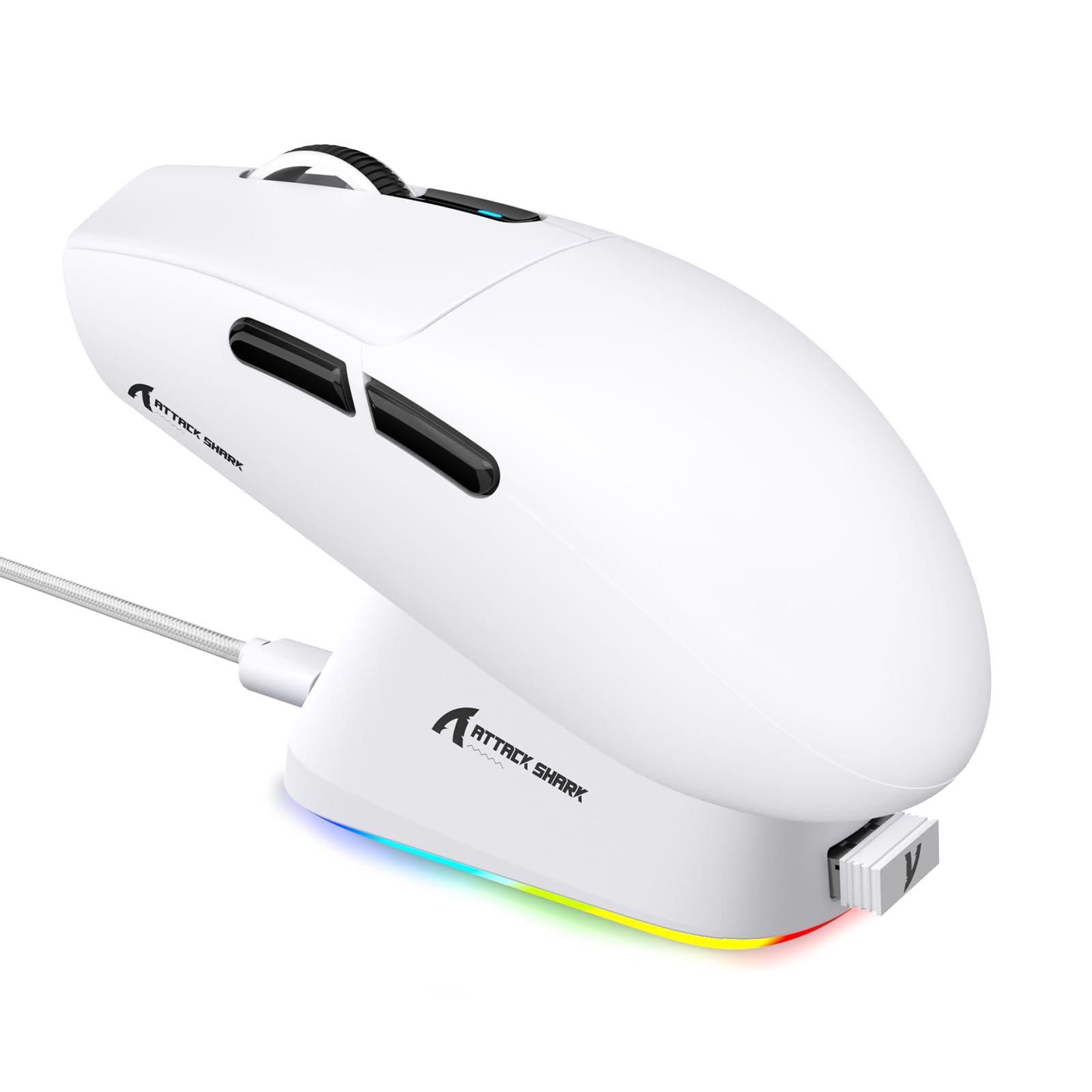
1. ആമുഖം
This manual provides detailed instructions for the setup, operation, maintenance, and troubleshooting of your ATTACK SHARK G3PRO Wireless Gaming Mouse. Please read this manual thoroughly to ensure proper use and to maximize your gaming experience.

ചിത്രം: ഒരു ഓവർview of the ATTACK SHARK G3PRO mouse and its features, including magnetic fast charging, PAW3311 sensor, web cloud drive, RGB rapid charging dock, and lightweight design.
2. പാക്കേജ് ഉള്ളടക്കം
നിങ്ങളുടെ പാക്കേജിൽ എല്ലാ ഇനങ്ങളും ഉണ്ടെന്ന് ഉറപ്പാക്കുക:
- ATTACK SHARK G3PRO Wireless Gaming Mouse
- RGB മാഗ്നറ്റിക് ചാർജിംഗ് ഡോക്ക്
- 2.4G USB റിസീവർ
- USB-C മുതൽ USB-A ചാർജിംഗ്/ഡാറ്റ കേബിൾ വരെ
- ഉപയോക്തൃ മാനുവൽ
3. സജ്ജീകരണം
3.1 പ്രാരംഭ ചാർജിംഗ്
Before first use, it is recommended to fully charge the mouse. Connect the USB-C cable to the charging dock and a power source. Place the mouse onto the magnetic charging dock. The RGB lighting on the dock will indicate charging status.
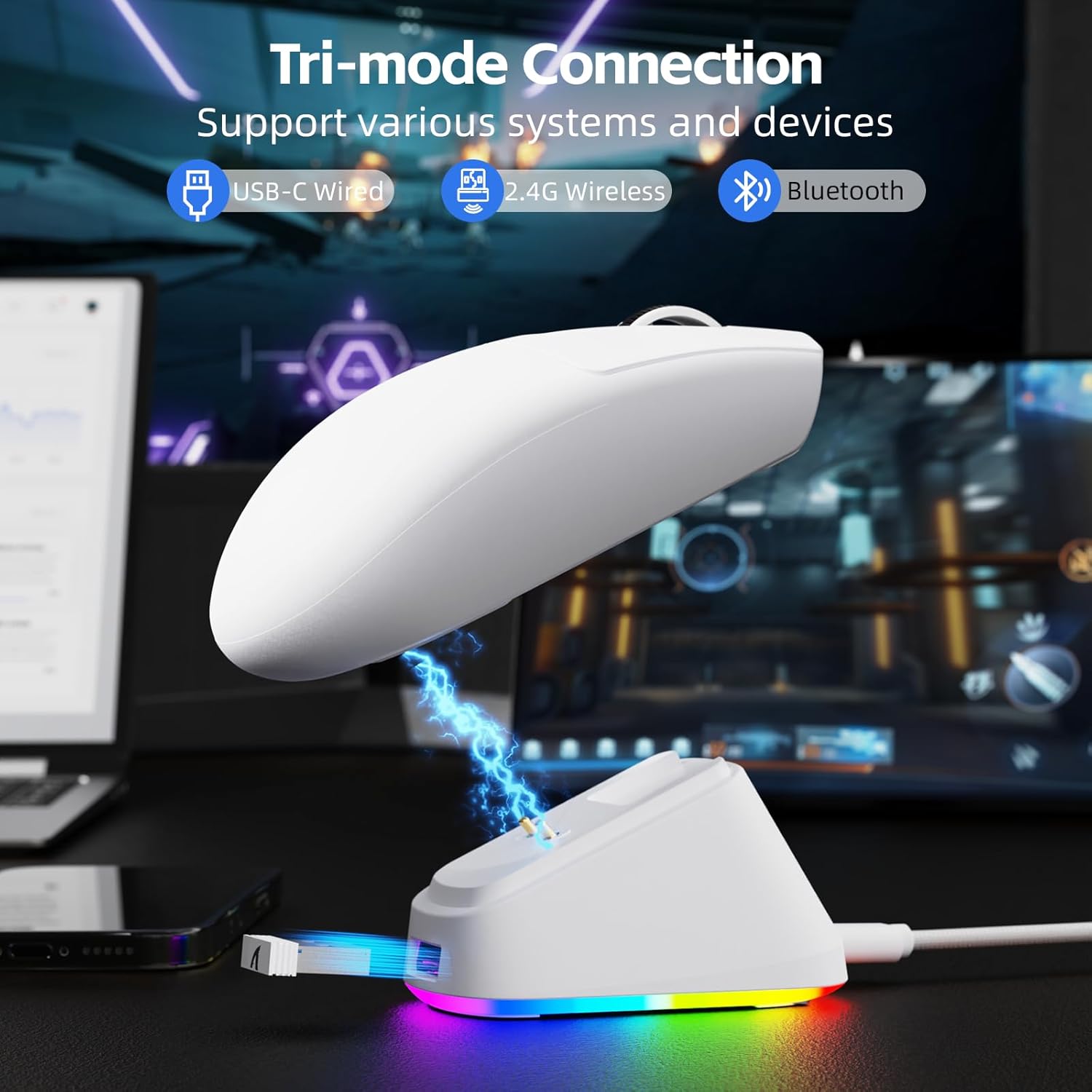
Image: The ATTACK SHARK G3PRO mouse magnetically attached to its RGB charging dock, showing the charging thimbles and USB-C port.
For a visual guide on charging, please watch the following video:
Video: This video demonstrates the magnetic charging dock and its features for the ATTACK SHARK G3PRO Wireless Gaming Mouse.
3.2 മൗസ് ബന്ധിപ്പിക്കൽ
The G3PRO supports three connection modes: 2.4GHz Wireless, Bluetooth, and USB-C Wired. A switch on the bottom of the mouse allows you to select the desired mode.

Image: The ATTACK SHARK G3PRO mouse with visual indicators for Wired, 2.4G, and Bluetooth connectivity modes.
2.4GHz വയർലെസ് മോഡ്:
- Locate the 2.4G USB receiver, typically stored within the charging dock or the mouse itself.
- നിങ്ങളുടെ കമ്പ്യൂട്ടറിൽ ലഭ്യമായ USB പോർട്ടിലേക്ക് USB റിസീവർ പ്ലഗ് ചെയ്യുക.
- Set the switch on the bottom of the mouse to "2.4G".
- മൗസ് യാന്ത്രികമായി കണക്ട് ചെയ്യണം.
ബ്ലൂടൂത്ത് മോഡ്:
- Set the switch on the bottom of the mouse to "BT".
- നിങ്ങളുടെ കമ്പ്യൂട്ടറിലോ ഉപകരണത്തിലോ, Bluetooth ക്രമീകരണങ്ങളിലേക്ക് നാവിഗേറ്റ് ചെയ്ത് Bluetooth പ്രവർത്തനക്ഷമമാക്കുക.
- ഇതിനായി തിരയുക new devices and select "ATTACK SHARK G3PRO" to pair.
USB-C വയേർഡ് മോഡ്:
- Connect the USB-C cable directly from the mouse to your computer.
- ഈ മൗസ് ഒരു വയർഡ് മൗസായി പ്രവർത്തിക്കുകയും ഒരേസമയം ചാർജ് ചെയ്യുകയും ചെയ്യും.
For a visual guide on product features and connectivity, please watch the following video:
Video: This video demonstrates the various color options and the magnetic charging feature of the ATTACK SHARK G3PRO Wireless Gaming Mouse, showcasing അതിന്റെ രൂപകൽപ്പനയും പ്രവർത്തനക്ഷമതയും.
4. മൗസ് പ്രവർത്തിപ്പിക്കൽ
4.1 ബട്ടൺ പ്രവർത്തനങ്ങൾ
The ATTACK SHARK G3PRO features 5 programmable buttons:
- ഇടത് ക്ലിക്ക്: പ്രാഥമിക പ്രവർത്തനം.
- വലത് ക്ലിക്കിൽ: ദ്വിതീയ പ്രവർത്തന/സന്ദർഭ മെനു.
- മിഡിൽ ക്ലിക്ക്/സ്ക്രോൾ വീൽ: Scroll up/down, middle click for universal scroll or other functions.
- ഫോർവേഡ് ബട്ടൺ: Default for navigating forward in web browsers/folders.
- ബാക്ക്വേർഡ് ബട്ടൺ: Default for navigating backward in web browsers/folders.
- DPI സ്വിച്ച്: പ്രീസെറ്റ് DPI ലെവലുകളിലൂടെ കടന്നുപോകുന്നു.

Image: A detailed diagram illustrating the location and default functions of the multi-functional buttons on the ATTACK SHARK G3PRO mouse.

ചിത്രം: പൊട്ടിത്തെറിച്ച ഒരു view and labeled diagram of the G3PRO mouse components, including buttons, switches, charging points, and the 2.4G/OFF/BT mode switch.
4.2 ഡിപിഐ അഡ്ജസ്റ്റ്മെന്റ്
The mouse features a dedicated DPI switch to cycle through various sensitivity levels, ranging from 800 to 25,000 DPI. The current DPI setting is indicated by an LED light.

Image: A visual representation of the 25,000 DPI optical sensor's precision and how mouse movement trajectory sensitivity scales with DPI settings.
4.3 പോളിംഗ് നിരക്ക്
The G3PRO supports a 1000Hz polling rate in both wired and 2.4GHz wireless modes, ensuring rapid response times for competitive gaming.

Image: A diagram illustrating the 1000Hz polling rate capability in both wired and wireless modes, highlighting millisecond response times.
5. Software and Customization
Customize your G3PRO mouse settings using the intuitive web driver or downloadable software from ATTACK SHARK. This allows for personalization of DPI, polling rate, macros, and more.
- Web ഡ്രൈവർ: ആക്സസ് ചെയ്യുക web-based configuration tool for quick adjustments without installation.
- Downloadable Software: For advanced customization and profile management, download the dedicated software.

Image: A screenshot of the ATTACK SHARK Hub software interface, showing options for mouse settings, DPI settings, parameter settings, macro editing, and personal center.

Image: The cloud-driven programming interface for the G3PRO mouse, displaying options for button settings, DPI adjustments, polling rate settings, and power management.
6. പരിപാലനം
6.1 വൃത്തിയാക്കൽ
മികച്ച പ്രകടനം നിലനിർത്താൻ, നിങ്ങളുടെ മൗസ് പതിവായി വൃത്തിയാക്കുക. ഉപരിതലം തുടയ്ക്കാൻ മൃദുവായതും ഉണങ്ങിയതുമായ തുണി ഉപയോഗിക്കുക. കഠിനമായ അഴുക്കിന്, അല്പം ഡി.amp ആന്തരിക ഘടകങ്ങളിലേക്ക് ഈർപ്പം പ്രവേശിക്കുന്നില്ലെന്ന് ഉറപ്പാക്കാൻ തുണി ഉപയോഗിക്കാം. കഠിനമായ രാസവസ്തുക്കളോ ഉരച്ചിലുകളോ ഉള്ള വസ്തുക്കൾ ഒഴിവാക്കുക.
6.2 സംഭരണം
When not in use for extended periods, store the mouse and charging dock in a cool, dry place. Ensure the USB receiver is securely stored, ideally within the charging dock's designated slot, to prevent loss.
7. പ്രശ്നപരിഹാരം
| പ്രശ്നം | സാധ്യമായ കാരണം | പരിഹാരം |
|---|---|---|
| മൗസ് പ്രതികരിക്കുന്നില്ല (2.4G) | Low battery; Receiver not plugged in; Incorrect mode selected; Driver issue. | Charge the mouse; Ensure receiver is firmly plugged in; Set mouse to "2.4G" mode; Reinstall mouse drivers. |
| മൗസ് പ്രതികരിക്കുന്നില്ല (ബ്ലൂടൂത്ത്) | Low battery; Bluetooth not enabled on device; Not paired; Incorrect mode selected. | Charge the mouse; Enable Bluetooth on your device; Re-pair the mouse in Bluetooth settings; Set mouse to "BT" mode. |
| ചാർജിംഗ് ഡോക്ക് RGB പ്രകാശിക്കുന്നില്ല | Cable not connected; Power source issue. | Ensure USB-C cable is securely connected to dock and power source; Try a different USB port or power adapter. |
| Inconsistent tracking | Dirty sensor; Uneven surface; Interference (wireless). | Clean the optical sensor; Use a clean, even mouse pad; Reduce wireless interference by moving other devices or using wired mode. |
| ബട്ടണുകൾ പ്രതികരിക്കുന്നില്ല | Software conflict; Physical damage. | Check software settings for button remapping; Test on another computer; Contact support if physical damage is suspected. |
8 സ്പെസിഫിക്കേഷനുകൾ
| ഫീച്ചർ | വിശദാംശങ്ങൾ |
|---|---|
| ബ്രാൻഡ് | അറ്റാക്ക് സ്രാവ് |
| മോഡൽ | G3PRO |
| നിറം | വെള്ള |
| കണക്റ്റിവിറ്റി ടെക്നോളജി | 2.4Ghz വയർലെസ്, ബ്ലൂടൂത്ത്, USB-C വയേർഡ് |
| മൂവ്മെന്റ് ഡിറ്റക്ഷൻ ടെക്നോളജി | ഒപ്റ്റിക്കൽ (PAW3311 സെൻസർ) |
| പരമാവധി ഡിപിഐ | 25,000 ഡിപിഐ |
| പോളിംഗ് നിരക്ക് | 1000Hz |
| ത്വരണം | 40G |
| ട്രാക്കിംഗ് സ്പീഡ് | 400 ഐ.പി.എസ് |
| സ്വിച്ചുകൾ | Mechanical (100 Million Clicks) |
| ബാറ്ററി ശേഷി | 500mAh |
| ബാറ്ററി ലൈഫ് | 200 മണിക്കൂർ വരെ |
| ഭാരം | 59 ഗ്രാം ± 3 ഗ്രാം |
| ബട്ടണുകൾ | 5 |
| കൈ ഓറിയൻ്റേഷൻ | ഉഭയകക്ഷി |
| അനുയോജ്യമായ ഉപകരണങ്ങൾ | ലാപ്ടോപ്പ്, പേഴ്സണൽ കമ്പ്യൂട്ടർ, സ്മാർട്ട്ഫോൺ, ടാബ്ലെറ്റ് |
| ഓപ്പറേറ്റിംഗ് സിസ്റ്റം | വിൻഡോസ്, മാകോസ് |
For a comparison of G3 and G3PRO models, refer to the image below:

Image: A table comparing the specifications of the ATTACK SHARK G3 and G3PRO models, highlighting differences in components and features.
9 സുരക്ഷാ വിവരങ്ങൾ
- തീവ്രമായ താപനിലയിലോ ഈർപ്പത്തിലോ ഉപകരണം തുറന്നുകാട്ടരുത്.
- ശക്തമായ ആഘാതങ്ങൾക്ക് ഉപകരണം ഇടുകയോ ഇടുകയോ ചെയ്യുന്നത് ഒഴിവാക്കുക.
- കുട്ടികൾക്ക് ലഭ്യമാകാതെ സൂക്ഷിക്കുക.
- ഉപകരണം ഡിസ്അസംബ്ലിംഗ് ചെയ്യാനോ പരിഷ്ക്കരിക്കാനോ ശ്രമിക്കരുത്, കാരണം ഇത് വാറന്റി അസാധുവാക്കുകയും കേടുപാടുകൾ വരുത്തുകയും ചെയ്യും.
- Use only the provided charging cable and dock.
10. വാറൻ്റിയും പിന്തുണയും
The ATTACK SHARK G3PRO Wireless Gaming Mouse comes with a standard manufacturer's warranty. For detailed warranty information, please refer to the warranty card included in your package or visit the official ATTACK SHARK webസൈറ്റ്.
For technical support, troubleshooting assistance, or to inquire about replacement parts, please contact ATTACK SHARK customer service through their official webസൈറ്റ് അല്ലെങ്കിൽ നിങ്ങളുടെ ഉൽപ്പന്ന പാക്കേജിംഗിൽ നൽകിയിരിക്കുന്ന ബന്ധപ്പെടാനുള്ള വിവരങ്ങൾ.
ഉദ്യോഗസ്ഥൻ Webസൈറ്റ്: ആമസോണിലെ അറ്റാക്ക് ഷാർക്ക് സ്റ്റോർ