
1. ആമുഖം
Thank you for choosing the HARDELL Mini Cordless Rotary Tool. This versatile and compact tool is designed for various light-duty tasks such as sanding, polishing, drilling, carving, and engraving. Its cordless design and multiple speed settings provide flexibility and precision for your DIY projects and crafts. Please read this manual thoroughly before use to ensure safe and optimal operation.
2 സുരക്ഷാ വിവരങ്ങൾ
- Always wear appropriate personal protective equipment, including safety glasses, during operation.
- ജോലിസ്ഥലം വൃത്തിയുള്ളതും നല്ല വെളിച്ചമുള്ളതുമായി സൂക്ഷിക്കുക. അലങ്കോലമായതോ ഇരുണ്ടതോ ആയ പ്രദേശങ്ങൾ അപകടങ്ങൾ ക്ഷണിച്ചുവരുത്തുന്നു.
- തീപിടിക്കുന്ന ദ്രാവകങ്ങൾ, വാതകങ്ങൾ, പൊടി എന്നിവയുടെ സാന്നിധ്യം പോലെ സ്ഫോടനാത്മക അന്തരീക്ഷത്തിൽ പവർ ടൂളുകൾ പ്രവർത്തിപ്പിക്കരുത്.
- പവർ ടൂൾ പ്രവർത്തിപ്പിക്കുമ്പോൾ കുട്ടികളെയും കാഴ്ചക്കാരെയും അകറ്റി നിർത്തുക. ശ്രദ്ധാശൈഥില്യങ്ങൾ നിങ്ങളുടെ നിയന്ത്രണം നഷ്ടപ്പെടുത്തും.
- Avoid accidental starting. Ensure the switch is in the off-position before connecting to a battery pack, picking up or carrying the tool.
- പവർ ടൂൾ നിർബന്ധിക്കരുത്. നിങ്ങളുടെ ആപ്ലിക്കേഷനായി ശരിയായ പവർ ടൂൾ ഉപയോഗിക്കുക.
- എന്തെങ്കിലും ക്രമീകരണങ്ങൾ വരുത്തുന്നതിനും ആക്സസറികൾ മാറ്റുന്നതിനും അല്ലെങ്കിൽ പവർ ടൂളുകൾ സംഭരിക്കുന്നതിനും മുമ്പ് പവർ ടൂളിൽ നിന്ന് ബാറ്ററി പാക്ക് വിച്ഛേദിക്കുക.
- നിഷ്ക്രിയ പവർ ടൂളുകൾ കുട്ടികൾക്ക് ലഭ്യമാകാതെ സൂക്ഷിക്കുക, പവർ ടൂൾ അല്ലെങ്കിൽ ഈ നിർദ്ദേശങ്ങളുമായി പരിചയമില്ലാത്ത വ്യക്തികളെ പവർ ടൂൾ പ്രവർത്തിപ്പിക്കാൻ അനുവദിക്കരുത്.
- പവർ ടൂളുകളും അനുബന്ധ ഉപകരണങ്ങളും പരിപാലിക്കുക. ചലിക്കുന്ന ഭാഗങ്ങളുടെ തെറ്റായ ക്രമീകരണം അല്ലെങ്കിൽ ബൈൻഡിംഗ്, ഭാഗങ്ങളുടെ പൊട്ടൽ, പവർ ടൂളിൻ്റെ പ്രവർത്തനത്തെ ബാധിച്ചേക്കാവുന്ന മറ്റേതെങ്കിലും അവസ്ഥ എന്നിവ പരിശോധിക്കുക.
- ഈ നിർദ്ദേശങ്ങൾക്കനുസൃതമായി പവർ ടൂൾ, ആക്സസറികൾ, ടൂൾ ബിറ്റുകൾ എന്നിവ ഉപയോഗിക്കുക, ജോലി സാഹചര്യങ്ങളും നിർവഹിക്കേണ്ട ജോലിയും കണക്കിലെടുക്കുക.
- This rotary tool is not designed for heavy-duty tasks.
3. പാക്കേജ് ഉള്ളടക്കം
The HARDELL Mini Cordless Rotary Tool kit includes the following items:
- HARDELL Mini Cordless Rotary Tool (Orange)
- USB-C ചാർജിംഗ് കേബിൾ
- Assorted Accessories (35 pieces), including:
- സാൻഡിംഗ് ബാൻഡുകൾ
- പോളിഷിംഗ് പാഡുകൾ
- Grinding heads
- ഡ്രിൽ ബിറ്റുകൾ
- Engraving tips
- കട്ടിംഗ് ചക്രങ്ങൾ
- Collets (various sizes)
- Wrench for accessory changes

Image: The HARDELL Mini Cordless Rotary Tool shown with its included USB-C charging cable and various accessories, such as sanding bands, cutting discs, drill bits, and grinding heads.
4. ഉൽപ്പന്നം കഴിഞ്ഞുview
Familiarize yourself with the components of your HARDELL Mini Cordless Rotary Tool:

Image: Diagram showing the key parts of the rotary tool, including the Locking Collar, Spindle Lock Button, On/Off Button, Speed Control Button, Unique Cooling Device, and Type-C Charging Port.
- ലോക്കിംഗ് കോളർ: Firmly fixes accessories in place.
- സ്പിൻഡിൽ ലോക്ക് ബട്ടൺ: Quick collet lock for fast accessory changes. Caution: Do not press this button when the device is running.
- ഓൺ/ഓഫ് ബട്ടൺ: Powers the tool on or off.
- Speed Control Buttons (+/-): Adjusts the rotational speed. The "+" button increases speed, and the "-" button decreases speed.
- LED ലൈറ്റ്: Illuminates the work area for enhanced precision and visibility.
- ടൈപ്പ്-സി ചാർജിംഗ് പോർട്ട്: For convenient charging using a USB-C cable.
- Unique Cooling Device: Designed to dissipate heat during operation.
സ്പീഡ് ക്രമീകരണങ്ങൾ
The tool features 5-speed settings for various applications:
- വേഗത 1: 5000 RPM (Recommended for polishing)
- വേഗത 2: 8000 RPM (Recommended for sanding)
- വേഗത 3: 11000 RPM (Recommended for carving)
- വേഗത 4: 14000 RPM (Recommended for grinding)
- വേഗത 5: 18000 RPM (Recommended for drilling)
5. സജ്ജീകരണവും ആക്സസറി ഇൻസ്റ്റാളേഷനും
Proper installation of accessories is crucial for safe and effective operation.
General Accessory Installation
- സ്പിൻഡിൽ ലോക്കിംഗ് ബട്ടൺ അമർത്തി നട്ട് അഴിക്കുക.
- Choose the suitable collet and insert it into the tool. Then, place the black nut over the collet. Install the accessory you need to use.
- Press the spindle lock button again, then tighten the nut to secure the accessory.

Image: Visual guide demonstrating the four steps to install various accessories into the rotary tool's collet.
Installing a Sanding Band
- Insert the sanding drum into the collet and tighten the nut.
- Loosen the screw of the sanding drum.
- Install the sanding band onto the drum.
- Press down the spindle lock button and tighten the screw of the sanding drum with the provided wrench.

Image: Visual instructions for attaching a sanding band to the rotary tool, showing the drum, band, and tightening process.
Installing an HSS Cutting Disc or Sanding Paper
- Insert the wheel mandrel into the collet and tighten the nut.
- Dismantle the screw of the wheel mandrel.
- Install the wheel mandrel and assemble the HSS cutting disc or sanding paper.
- Press down the spindle lock button and tighten the screw of the wheel mandrel with the provided wrench.
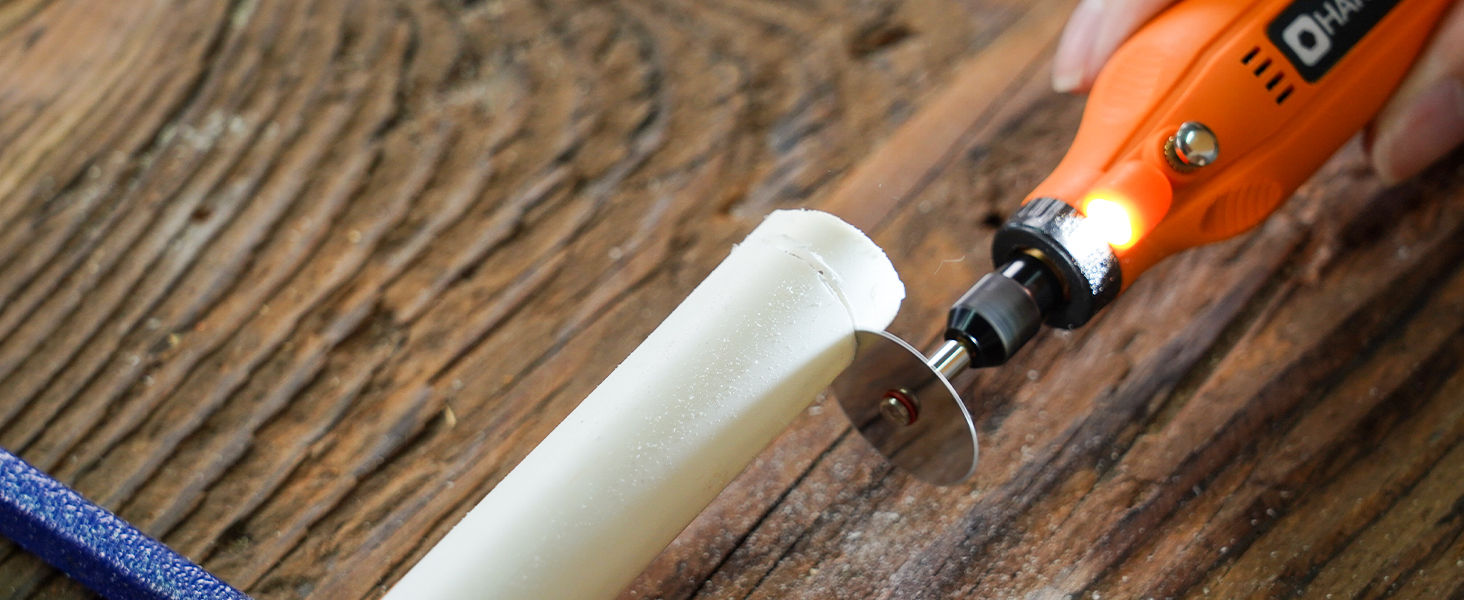
Image: Visual instructions for attaching an HSS cutting disc or sanding paper to the rotary tool, detailing the mandrel and securing steps.
6. പ്രവർത്തന നിർദ്ദേശങ്ങൾ
- പവർ ഓൺ/ഓഫ്: Press the On/Off button to turn the tool on or off.
- വേഗത ക്രമീകരിക്കുക: Use the '+' and '-' buttons to cycle through the 5 available speed settings (5000 RPM to 18000 RPM). The LED indicators will show the current speed level.
- LED ലൈറ്റ്: The integrated LED light automatically illuminates when the tool is powered on, providing visibility for detailed work.
- പ്രവർത്തനം: Hold the tool firmly and apply gentle pressure to the workpiece. Allow the tool to do the work; excessive force can lead to poor results or damage to the tool/workpiece.

Image: A person using the HARDELL Mini Cordless Rotary Tool for carving a wooden piece, demonstrating its ergonomic design and precision.

ചിത്രം: ഒരു ക്ലോസ്-അപ്പ് view of the rotary tool in action, with its LED light brightly illuminating the precise point of contact on a workpiece, highlighting its utility in detailed tasks.
7. അപേക്ഷകൾ
The HARDELL Mini Cordless Rotary Tool is ideal for a variety of light-duty projects, including but not limited to:
- Engraving on various materials
- Sanding small surfaces or edges
- Carving intricate designs
- Drilling small holes
- Grinding for shaping or smoothing
- Polishing for a smooth finish
- Trimming excess material

ചിത്രം: ഒരു കൊളാഷ് ഷോasing the multi-purpose capabilities of the rotary tool, including sanding wood, carving glass, polishing beads, grinding metal, drilling shells, and cutting plastic.
8. പരിപാലനം
ഉപകരണം ചാർജ് ചെയ്യുന്നു
- Connect the provided USB-C charging cable to the charging port at the base of the tool.
- Plug the other end of the USB-C cable into a compatible power source (e.g., computer, car charger, power bank).
- The LED indicators will show the charging status. A full charge provides up to 100 minutes of continuous use under no-load conditions.
വൃത്തിയാക്കലും സംഭരണവും
- After each use, disconnect any accessories and gently wipe the tool body with a clean, dry cloth.
- Remove any dust or debris from the collet and spindle area.
- Store the tool and its accessories in a dry, clean place, preferably in its original carrying case, away from direct sunlight and extreme temperatures.
9. പ്രശ്നപരിഹാരം
- ഉപകരണം ഓണാകുന്നില്ല: Ensure the tool is fully charged. If the battery is low, connect it to a power source using the USB-C cable.
- കുറഞ്ഞ പ്രകടനം: Check if the accessory is securely installed. Ensure the battery is adequately charged. The tool is designed for light-duty tasks; avoid using it for heavy-duty applications that may exceed its capacity.
- അമിതമായ വൈബ്രേഷൻ അല്ലെങ്കിൽ ശബ്ദം: Ensure the accessory is correctly inserted and tightened. A loose or damaged accessory can cause vibration. Replace any worn or damaged accessories.
- അമിത ചൂടാക്കൽ: If the tool feels excessively hot, discontinue use and allow it to cool down. Ensure the cooling vents are not obstructed.
10 സ്പെസിഫിക്കേഷനുകൾ
| ഫീച്ചർ | സ്പെസിഫിക്കേഷൻ |
|---|---|
| ബ്രാൻഡ് | ഹാർഡെൽ |
| മോഡൽ നമ്പർ | DM12405ORANGEH-2 |
| പവർ ഉറവിടം | ബാറ്ററി പവർ (3.7V ലിഥിയം അയൺ) |
| സ്പീഡ് ക്രമീകരണങ്ങൾ | 5-Speed (5000-18000 RPM) |
| ചാർജിംഗ് തരം | USB-C |
| ഇനത്തിൻ്റെ ഭാരം | 0.3 lbs (7.4 ounces / 0.21 Kilograms) |
| പ്രത്യേക സവിശേഷതകൾ | Compact, LED Light |
| ഉൾപ്പെടുത്തിയ ഘടകങ്ങൾ | 35 Accessories, USB-C Cable |
11. വാറൻ്റിയും പിന്തുണയും
For warranty information, technical support, or any questions regarding your HARDELL Mini Cordless Rotary Tool, please refer to the documentation included in your product packaging or contact HARDELL customer service directly. Contact details can typically be found on the manufacturer's webസൈറ്റ് അല്ലെങ്കിൽ ഉൽപ്പന്ന പാക്കേജിംഗിൽ.