
1. ആമുഖം
Thank you for choosing the SCS Sentinel Wireless Key Selector. This manual provides essential information for the safe and efficient installation, operation, and maintenance of your device. Please read these instructions carefully before use and retain them for future reference.
This wireless key selector is designed to provide secure and convenient access control for your gate system, offering both full and pedestrian opening options via a physical key.
2 സുരക്ഷാ വിവരങ്ങൾ
- പൊതു സുരക്ഷ: ഇൻസ്റ്റാളേഷനിലും പ്രവർത്തനത്തിലും എല്ലായ്പ്പോഴും പ്രാദേശിക സുരക്ഷാ ചട്ടങ്ങളും മാർഗ്ഗനിർദ്ദേശങ്ങളും പാലിക്കുക.
- ഇലക്ട്രിക്കൽ സുരക്ഷ: This device operates on battery power. Ensure correct battery polarity during installation.
- ഇൻസ്റ്റലേഷൻ: Installation should be performed by a qualified individual if you are unsure about any steps. Ensure the mounting surface is stable and secure.
- കുട്ടികൾ: Keep keys and the device out of reach of children to prevent unauthorized access or injury.
- പരിപാലനം: Disconnect power (remove battery) before performing any maintenance.
3. പാക്കേജ് ഉള്ളടക്കം
പാക്കേജിൽ എല്ലാ ഘടകങ്ങളും ഉണ്ടെന്ന് ഉറപ്പാക്കുക:
- SCS Sentinel Wireless Key Selector Unit
- മൗണ്ടിംഗ് ഹാർഡ്വെയർ (സ്ക്രൂകൾ, വാൾ പ്ലഗുകൾ)
- Keys (2 or more, depending on model)
- CR2032 Battery (may be pre-installed or separate)
- നിർദ്ദേശ മാനുവൽ (ഈ പ്രമാണം)
4. ഉൽപ്പന്നം കഴിഞ്ഞുview
The SCS Sentinel Wireless Key Selector is a robust and compact device designed for outdoor use. Its IP55 rating ensures protection against dust and water splashes.
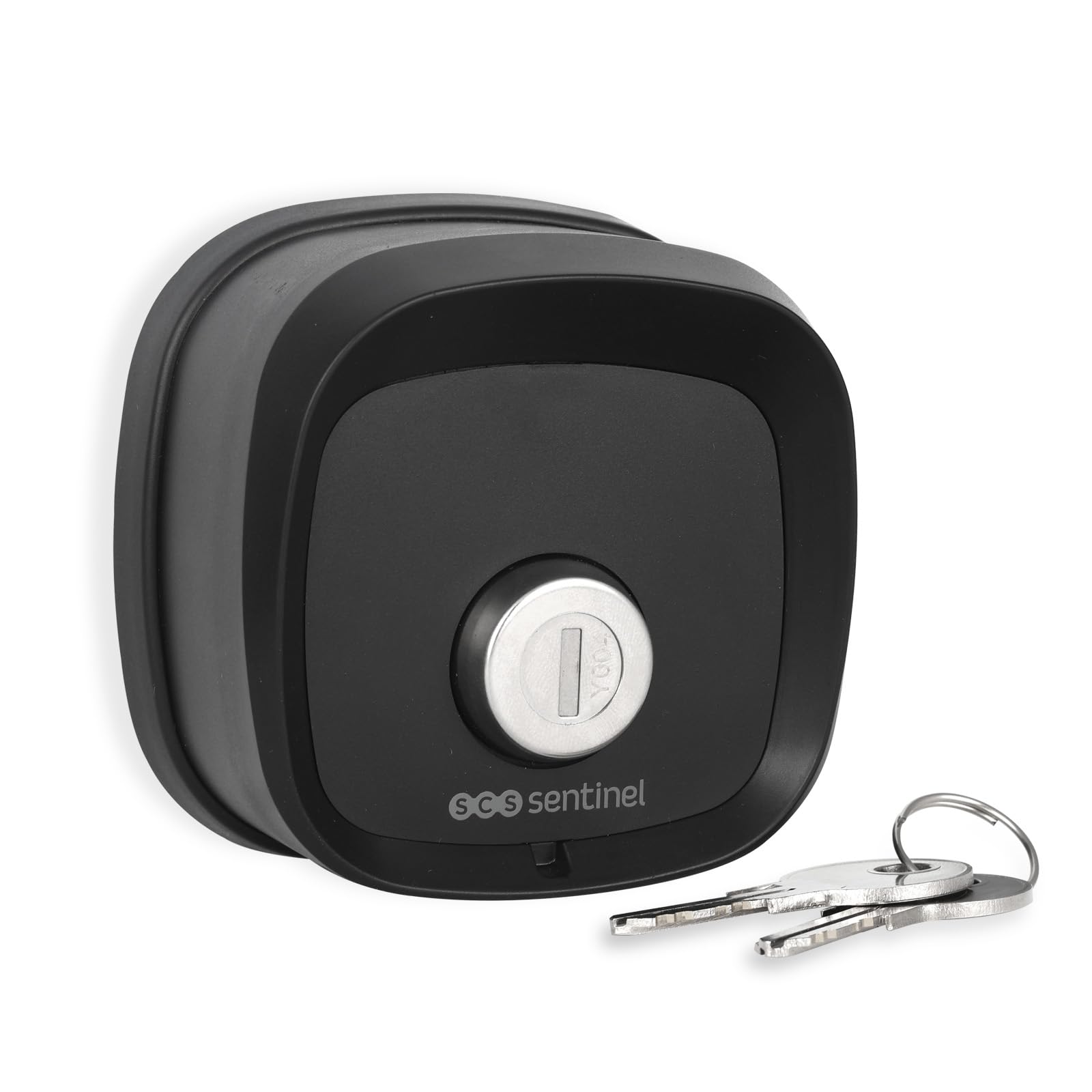
ചിത്രം 4.1: ഫ്രണ്ട് view of the key selector with a key. This shows the key cylinder and the SCS Sentinel logo.

ചിത്രം 4.2: തിരികെ view of the key selector. The label indicates model number AAA0054, power supply 3V (1 x CR2032), and an IP44 rating (note: product is rated IP55 for general use).

ചിത്രം 4.3: The key selector mounted on a wall next to a gate, demonstrating its discreet and integrated appearance.
5. സജ്ജീകരണവും ഇൻസ്റ്റാളേഷനും
5.1. ബാറ്ററി ഇൻസ്റ്റാളേഷൻ
- Carefully open the back cover of the key selector unit.
- Insert one CR2032 3V battery, ensuring correct polarity (+/-).
- പിൻ കവർ സുരക്ഷിതമായി അടയ്ക്കുക.
5.2. യൂണിറ്റ് മൌണ്ട് ചെയ്യുന്നു
- Choose a suitable location near your gate, ensuring it is easily accessible but protected from direct impact.
- Mark the drilling points on the wall using the key selector as a template.
- ദ്വാരങ്ങൾ തുരന്ന് നൽകിയിരിക്കുന്ന വാൾ പ്ലഗുകൾ തിരുകുക.
- Secure the key selector unit to the wall using the provided screws. Ensure it is firmly attached.
5.3. Pairing with Your Gate System
The wireless key selector must be paired with your existing SCS Sentinel gate automation system. Refer to your gate system's instruction manual for specific pairing procedures. Generally, the process involves:
- Activating the learning mode on your gate control unit.
- Activating the key selector by turning the key to send a signal.
- Confirming successful pairing on your gate control unit.
6. പ്രവർത്തന നിർദ്ദേശങ്ങൾ
The SCS Sentinel Wireless Key Selector offers dual opening functionality:
- പൂർണ്ണ ഉദ്ഘാടനം: Insert the key and turn it to the designated position (e.g., clockwise) to activate the full gate opening.
- കാൽനടയാത്രക്കാർക്ക് പ്രവേശനം: Insert the key and turn it to an alternative designated position (e.g., counter-clockwise) to activate the pedestrian gate opening.
The key selector sends a wireless signal to your gate automation system upon key activation. The specific key turns for full and pedestrian access are typically configured during the pairing process with your gate system.
7. പരിപാലനം
7.1. വൃത്തിയാക്കൽ
Clean the exterior of the key selector with a soft, damp തുണി. അബ്രാസീവ് ക്ലീനറുകളോ ലായകങ്ങളോ ഉപയോഗിക്കരുത്, കാരണം ഇവ ഫിനിഷിനോ ആന്തരിക ഘടകങ്ങൾക്കോ കേടുവരുത്തും.
7.2. ബാറ്ററി മാറ്റിസ്ഥാപിക്കൽ
When the battery is low, the signal range may decrease, or the gate system may not respond reliably. Replace the CR2032 battery as follows:
- Open the back cover of the unit.
- പഴയ CR2032 ബാറ്ററി നീക്കം ചെയ്യുക.
- Insert a new CR2032 3V battery, observing correct polarity.
- പിൻ കവർ സുരക്ഷിതമായി അടയ്ക്കുക.
- പ്രാദേശിക നിയന്ത്രണങ്ങൾ അനുസരിച്ച് പഴയ ബാറ്ററി നശിപ്പിക്കുക.
8. പ്രശ്നപരിഹാരം
| പ്രശ്നം | സാധ്യമായ കാരണം | പരിഹാരം |
|---|---|---|
| Gate does not open/close when key is turned. | ബാറ്ററി കുറവോ ഡെഡ് ബാറ്ററിയോ. Key selector not paired with gate system. ഗേറ്റ് വഴിയിൽ തടസ്സം. Range issue. | CR2032 ബാറ്ററി മാറ്റിസ്ഥാപിക്കുക. Refer to Section 5.3 to re-pair the device. തടസ്സങ്ങൾ ഉണ്ടോയെന്ന് പരിശോധിക്കുക. Ensure the key selector is within range of the gate receiver. |
| Key is difficult to turn. | Dirt or debris in the key cylinder. മെക്കാനിക്കൽ പ്രശ്നം. | Apply a small amount of graphite lubricant to the key and insert it into the cylinder. Do not force the key. Contact support if the issue persists. |
| Unit is not securely mounted. | Loose screws or improper installation. | Tighten mounting screws. If necessary, re-install using appropriate wall plugs for your surface type. |
9 സ്പെസിഫിക്കേഷനുകൾ
| ഫീച്ചർ | സ്പെസിഫിക്കേഷൻ |
|---|---|
| മോഡൽ നമ്പർ | AAA0054 |
| ബ്രാൻഡ് | എസ്സിഎസ് സെൻ്റിനൽ |
| അളവുകൾ (LxWxH) | 7.8 x 4.2 x 7.8 സെ.മീ (ഏകദേശം 78 x 42 x 78 മിമി) |
| മെറ്റീരിയൽ | ഉരുക്ക് |
| നിറം | കറുപ്പ് |
| വൈദ്യുതി വിതരണം | 1 x CR2032 3V ബാറ്ററി |
| സംരക്ഷണ റേറ്റിംഗ് | IP55 (Dust protected, protected against low-pressure water jets from any direction) |
| നിയന്ത്രണ രീതി | Physical Key (activates wireless signal) |
| ശുപാർശ ചെയ്യുന്ന ഉപയോഗം | Home security, garden security, gate access control |
| മാതൃരാജ്യം | ചൈന |
10. വാറൻ്റി
This product is covered by a manufacturer's warranty. Please refer to the warranty documentation provided with your purchase or contact SCS Sentinel customer support for details regarding warranty terms and conditions.
11. പിന്തുണ
For technical assistance, troubleshooting beyond this manual, or warranty claims, please contact SCS Sentinel customer support. Contact information can typically be found on the manufacturer's webസൈറ്റ് അല്ലെങ്കിൽ നിങ്ങളുടെ ഉൽപ്പന്ന പാക്കേജിംഗിൽ.
ഓൺലൈൻ ഉറവിടങ്ങൾ: ഔദ്യോഗിക SCS സെന്റിനൽ സന്ദർശിക്കുക website for FAQs, additional product information, and support resources.