
ആമുഖം
Thank you for choosing the Rii RK900Pro Large Print Backlit Keyboard. This full-size wired USB keyboard is designed for enhanced visibility and comfortable typing, featuring large print keys and a blue LED backlight. It is compatible with various operating systems, including Windows, Mac, Chrome, and Linux. This manual provides detailed instructions for setup, operation, maintenance, and troubleshooting to ensure optimal performance of your keyboard.
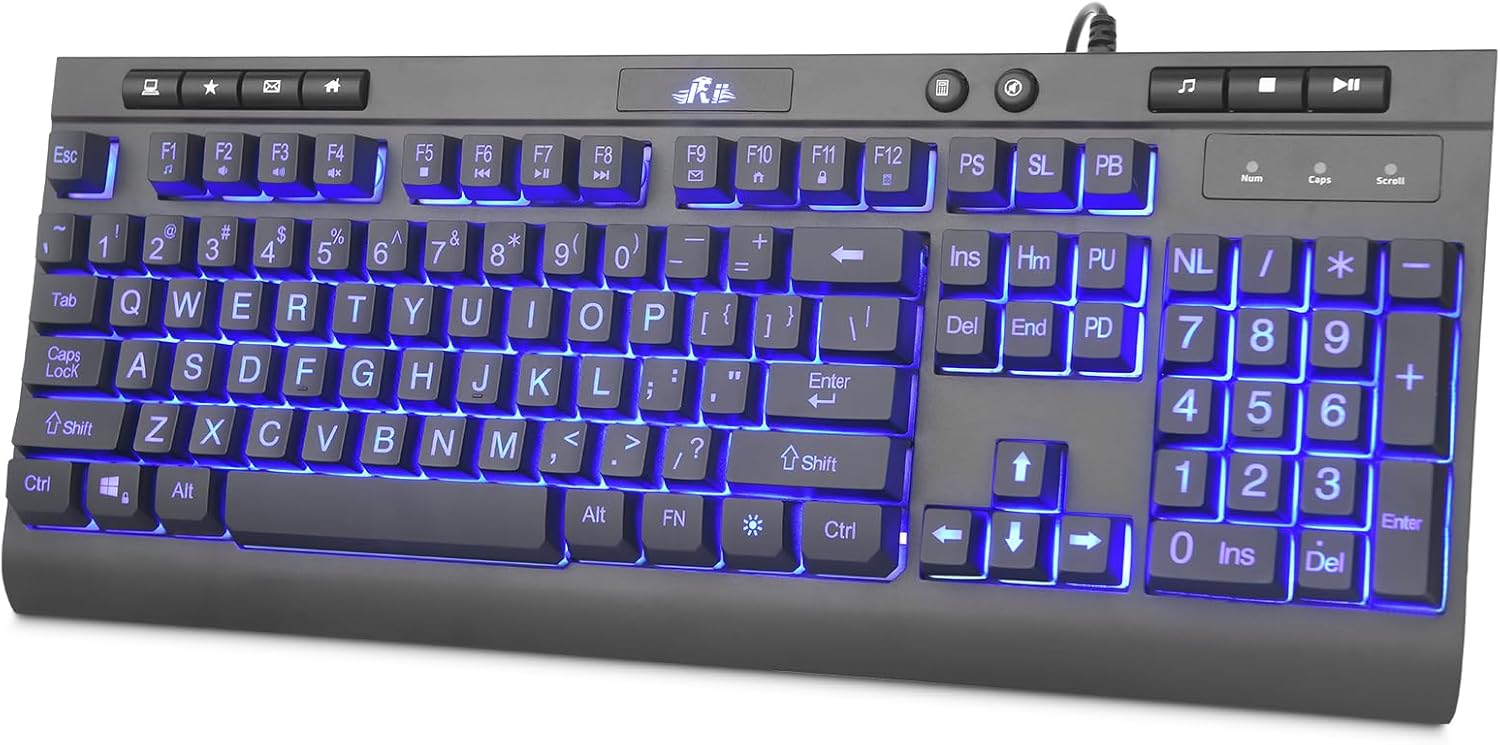
Image: The Rii RK900Pro keyboard showcasing its large print keys and blue LED backlight, positioned on a desk with a monitor.
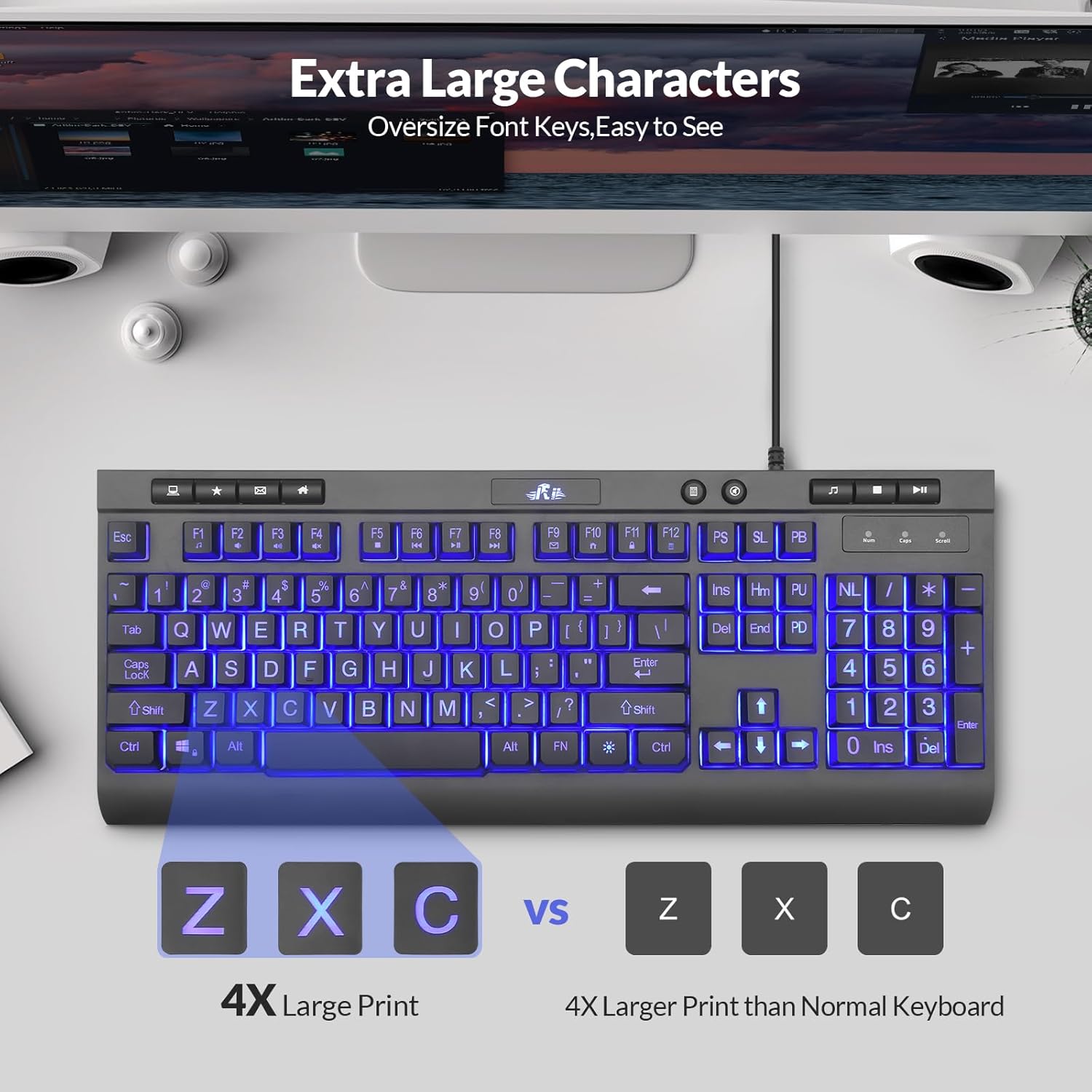
Image: A visual comparison highlighting the 4X larger print on the Rii RK900Pro keyboard keys compared to standard keyboard keys, emphasizing improved readability.
സജ്ജീകരണ നിർദ്ദേശങ്ങൾ
The Rii RK900Pro keyboard features a simple plug-and-play design, requiring no additional drivers for most operating systems. Follow these steps to set up your keyboard:
- Locate an available USB-A port on your computer (desktop, laptop, Mac, etc.).
- Plug the USB connector of the keyboard's 4.6-foot cable into the USB-A port.
- നിങ്ങളുടെ ഓപ്പറേറ്റിംഗ് സിസ്റ്റം ആവശ്യമായ ഡ്രൈവറുകൾ സ്വയമേവ കണ്ടെത്തി ഇൻസ്റ്റാൾ ചെയ്യണം.
- കീബോർഡ് ഇപ്പോൾ ഉപയോഗത്തിന് തയ്യാറാണ്.

Image: The Rii RK900Pro keyboard displaying its full size and the attached 4.6-foot USB cable, illustrating its wired connectivity.
പ്രവർത്തന നിർദ്ദേശങ്ങൾ
ബാക്ക്ലൈറ്റ് നിയന്ത്രണം
The Rii RK900Pro keyboard features an adjustable blue LED backlight to enhance visibility in low-light conditions. Use the following key combinations to control the backlight:
- ബാക്ക്ലൈറ്റ് ഓൺ/ഓഫ് ചെയ്യുക: അമർത്തുക ബൾബ് പ്രകാശിപ്പിക്കുക key (usually located near the top right of the keyboard).
- ശ്വസന പ്രകാശ മോഡ്: അമർത്തുക FN + ബൾബ് പ്രകാശിപ്പിക്കുക താക്കോൽ.
- ബാക്ക്ലൈറ്റിൻ്റെ തെളിച്ചം ക്രമീകരിക്കുക: അമർത്തുക FN + PU (Page Up) to increase brightness, or FN + PD (Page Down) to decrease brightness.

Image: The Rii RK900Pro keyboard illustrating the key combinations for turning the LED backlight on/off, activating breathing mode, and adjusting brightness.
Multimedia Function Shortcuts
The keyboard includes 12 multimedia function shortcuts accessible by pressing the FN key in combination with the F1-F12 keys. These shortcuts provide quick access to common media and system functions:
- FN + F1: മ്യൂസിക് പ്ലെയർ
- FN + F2: വോളിയം ഡൗൺ
- FN + F3: വോളിയം കൂട്ടുക
- FN + F4: നിശബ്ദമാക്കുക
- FN + F5: നിർത്തുക
- FN + F6: മുമ്പത്തെ ട്രാക്ക്
- FN + F7: പ്ലേ/താൽക്കാലികമായി നിർത്തുക
- FN + F8: അടുത്ത ട്രാക്ക്
- FN + F9: ഇമെയിൽ
- FN + F10: ബ്രൗസർ
- FN + F11: കീബോർഡ് ലോക്ക് ചെയ്യുക
- FN + F12: കാൽക്കുലേറ്റർ

Image: A detailed diagram illustrating the 12 multimedia function shortcuts available on the Rii RK900Pro keyboard, activated by combining the FN key with F1-F12.
മെയിൻ്റനൻസ്
Proper maintenance can extend the lifespan of your Rii RK900Pro keyboard. Follow these guidelines:
- വൃത്തിയാക്കൽ: Use a soft, dry cloth to wipe the surface of the keyboard. For dust or debris between keys, use compressed air. Avoid using harsh chemicals, abrasive cleaners, or excessive moisture.
- ചോർച്ച: In case of liquid spills, immediately disconnect the keyboard from your computer. Turn it upside down to drain any liquid and allow it to dry completely before reconnecting.
- സംഭരണം: തീവ്രമായ താപനിലയിൽ നിന്നും നേരിട്ടുള്ള സൂര്യപ്രകാശത്തിൽ നിന്നും മാറി വൃത്തിയുള്ളതും വരണ്ടതുമായ അന്തരീക്ഷത്തിൽ കീബോർഡ് സൂക്ഷിക്കുക.
- കൈകാര്യം ചെയ്യൽ: Avoid dropping the keyboard or subjecting it to strong impacts, which can damage internal components.
ട്രബിൾഷൂട്ടിംഗ്
If you encounter issues with your Rii RK900Pro keyboard, refer to the following troubleshooting tips:
- കീബോർഡ് പ്രതികരിക്കുന്നില്ല:
- Ensure the USB cable is securely plugged into a working USB-A port on your computer.
- കീബോർഡ് മറ്റൊരു USB പോർട്ടിലേക്ക് പ്ലഗ് ചെയ്യാൻ ശ്രമിക്കുക.
- നിങ്ങളുടെ കമ്പ്യൂട്ടർ പുനരാരംഭിക്കുക.
- പ്രശ്നം കീബോർഡിലാണോ അതോ കമ്പ്യൂട്ടറിലാണോ എന്ന് നിർണ്ണയിക്കാൻ മറ്റൊരു കമ്പ്യൂട്ടറിൽ കീബോർഡ് പരിശോധിക്കുക.
- ബാക്ക്ലൈറ്റ് പ്രവർത്തിക്കുന്നില്ല:
- അമർത്തുക ബൾബ് പ്രകാശിപ്പിക്കുക key to ensure the backlight is turned on.
- Adjust the brightness using FN + PU / PD.
- പ്രവർത്തിക്കാത്ത പ്രത്യേക കീകൾ:
- Check for any physical obstructions or debris under the non-functioning keys.
- മെയിന്റനൻസ് വിഭാഗത്തിൽ വിവരിച്ചിരിക്കുന്നതുപോലെ കീബോർഡ് വൃത്തിയാക്കുക.
- അനുയോജ്യത പ്രശ്നങ്ങൾ:
- Verify that your operating system (Windows, Mac, Chrome, Linux) is supported.
സ്പെസിഫിക്കേഷനുകൾ
| ഫീച്ചർ | വിവരണം |
|---|---|
| ബ്രാൻഡ് | റി |
| മോഡൽ | RK900 Large print |
| കണക്റ്റിവിറ്റി ടെക്നോളജി | വയേർഡ് USB-A |
| കീകളുടെ എണ്ണം | 113 |
| കീബോർഡ് ലേഔട്ട് | QWERTY |
| പ്രത്യേക സവിശേഷതകൾ | Large Print Keys, Blue LED Backlight, Ergonomic Design (Foldable Stand), Multimedia Keys |
| ഉൽപ്പന്ന അളവുകൾ (L x W x H) | 17.24" x 6.97" x 1.26" |
| USB കേബിൾ ദൈർഘ്യം | 4.6 അടി |
| മെറ്റീരിയൽ | അലുമിനിയം |
| അനുയോജ്യമായ ഉപകരണങ്ങൾ | Laptop, Mac, PC, Windows, Chrome, Linux |
| പവർ ഉറവിടം | യുഎസ്ബി പവർഡ് |
| നിറം | കറുപ്പ് |

Image: The Rii RK900Pro keyboard from a side angle, highlighting its adjustable kickstand designed to provide an ergonomic typing experience.
വാറൻ്റി വിവരങ്ങൾ
The Rii RK900Pro Large Print Backlit Keyboard comes with a 1 വർഷത്തെ നിർമ്മാതാവിൻ്റെ വാറൻ്റി. Please retain your proof of purchase for any warranty claims. For specific terms and conditions, refer to the warranty documentation provided with your product or contact Rii customer support.
ഉപഭോക്തൃ പിന്തുണ
If you require further assistance or have questions not covered in this manual, please contact Rii customer support through the retailer's platform or the official Rii website. Provide your product model number (RK900 Large print) and a detailed description of your issue for efficient support.