
1. ആമുഖം
This manual provides essential information for the safe and efficient use of your DOOGEE Fire 3 rugged smartphone. Please read it thoroughly before operating your device.
The DOOGEE Fire 3 is designed for durability and performance, featuring a robust build, long-lasting battery, and the latest Android 15 operating system. It is engineered to withstand challenging environments while providing a smooth and personalized mobile experience.

ചിത്രം 1: മുന്നിലും പിന്നിലും view of the DOOGEE Fire 3 rugged smartphone.
Unboxing the DOOGEE Fire 3
Watch this video for a detailed unboxing experience of your new DOOGEE Fire 3 smartphone, showcasing all included accessories and initial presentation.
Video 1: DOOGEE Fire 3 Unboxing.
2. പ്രാരംഭ സജ്ജീകരണം
2.1 സിം കാർഡും മൈക്രോ എസ്ഡി കാർഡും ഇൻസ്റ്റാൾ ചെയ്യൽ
To install your SIM card(s) and an optional MicroSD card:
- ഫോണിന്റെ വശത്ത് സിം കാർഡ് ട്രേ കണ്ടെത്തുക.
- Insert the provided SIM ejector tool into the small hole next to the tray and push gently until the tray pops out.
- Place your Nano-SIM card(s) and/or MicroSD card into the designated slots on the tray. Ensure the gold contacts face downwards.
- ഉപകരണ ബോഡിയുമായി ഫ്ലഷ് ആകുന്നതുവരെ ട്രേ ശ്രദ്ധാപൂർവ്വം ഫോണിലേക്ക് തിരികെ തള്ളുക.
Note: Please check compatibility with your local frequency band before purchasing and inserting SIM cards. The phone supports GSM T-Mobile, but may not work with AT&T, new Cricket, or Verizon.
2.2 പവറിംഗ് ഓണും പ്രാരംഭ കോൺഫിഗറേഷനും
To power on your device, press and hold the Power button located on the side of the phone until the DOOGEE logo appears. Follow the on-screen prompts to complete the initial setup, which includes:
- നിങ്ങളുടെ ഭാഷ തിരഞ്ഞെടുക്കുന്നു.
- ഒരു Wi-Fi നെറ്റ്വർക്കിലേക്ക് കണക്റ്റുചെയ്യുന്നു.
- Setting up your Google account.
- Configuring screen lock (PIN, pattern, password).
2.3 ഫെയ്സ് അൺലോക്ക് സജ്ജീകരണം
For enhanced security and convenience, you can set up Face Unlock:
- പോകുക ക്രമീകരണങ്ങൾ > സുരക്ഷയും സ്വകാര്യതയും > ഫെയ്സ് അൺലോക്ക്.
- നിങ്ങളുടെ മുഖം രജിസ്റ്റർ ചെയ്യാൻ സ്ക്രീനിലെ നിർദ്ദേശങ്ങൾ പാലിക്കുക. നല്ല വെളിച്ചമുള്ള സ്ഥലത്താണെന്ന് ഉറപ്പാക്കുക.
- Once registered, you can unlock your phone by simply looking at the front camera.
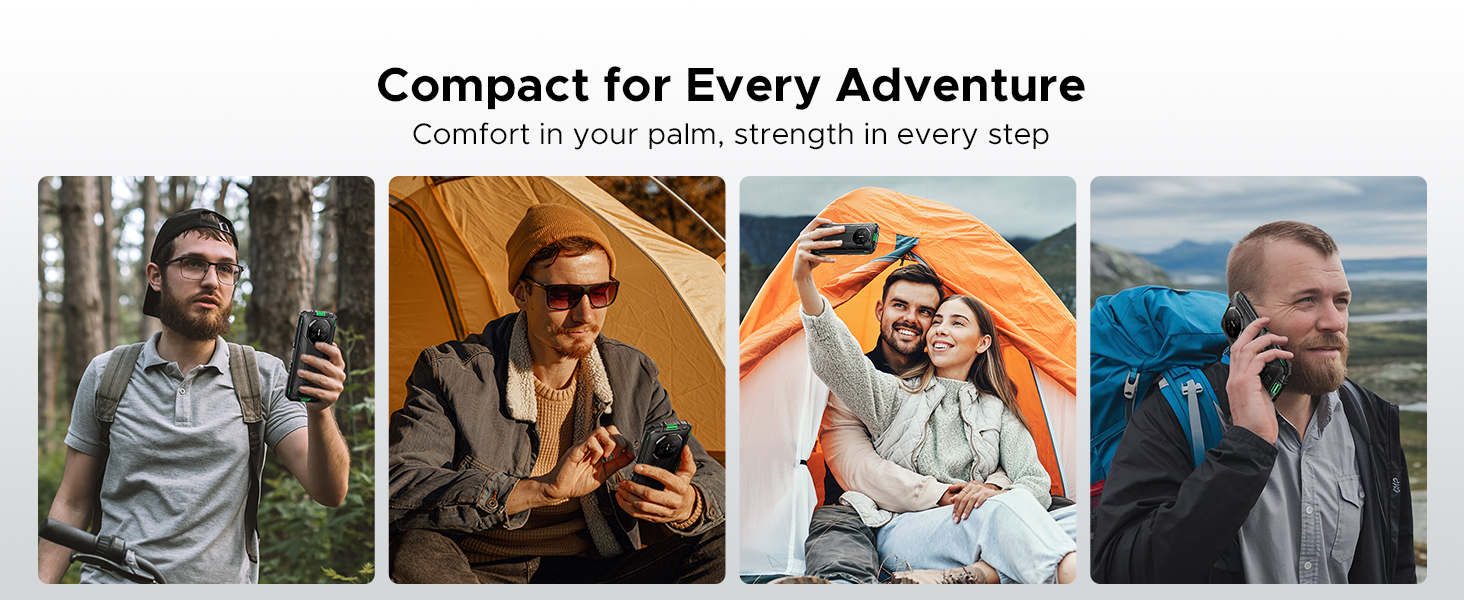
Figure 2: Key features including Face Unlock.
3. നിങ്ങളുടെ ഉപകരണം പ്രവർത്തിപ്പിക്കുന്നു
3.1 ആൻഡ്രോയിഡ് 15 സവിശേഷതകൾ
Your DOOGEE Fire 3 runs on Android 15, offering a range of features for improved usability and privacy:
- ആപ്പ് ക്ലോണിംഗ്: Run multiple instances of the same app for different accounts.
- Smart Motion Sensing: Utilize gestures for quick actions.
- Super Clipboard: Enhanced clipboard functionality for managing copied content.
- സ്പ്ലിറ്റ് സ്ക്രീൻ: Use two apps simultaneously on the screen.
- മെച്ചപ്പെടുത്തിയ സ്വകാര്യതാ സംരക്ഷണം: Granular control over app permissions and data access.
- ഗ്ലൗ മോഡ്: Improve touch sensitivity for use with gloves.
- Screen Awareness: Keeps the screen on while you are looking at it.
- തത്സമയ അടിക്കുറിപ്പ്: Automatically captions media playing on your device (English only).
Figure 3: Android 15 operating system features.
3.2 ക്യാമറ ഉപയോഗം
The DOOGEE Fire 3 features a 13MP AI triple rear camera and an 8MP front camera.
- ഫോട്ടോ എടുക്കുന്നു: ക്യാമറ ആപ്പ് തുറന്ന് നിങ്ങളുടെ ഷോട്ട് ഫ്രെയിം ചെയ്യുക, ഷട്ടർ ബട്ടൺ ടാപ്പ് ചെയ്യുക.
- AI രംഗ തിരിച്ചറിയൽ: The camera automatically detects scenes (e.g., greenery, sunrise) and optimizes settings for the best photo quality.
- മുൻ ക്യാമറ: Switch to the front camera for selfies and video calls.

Figure 4: Capturing photos with the 13MP main camera.
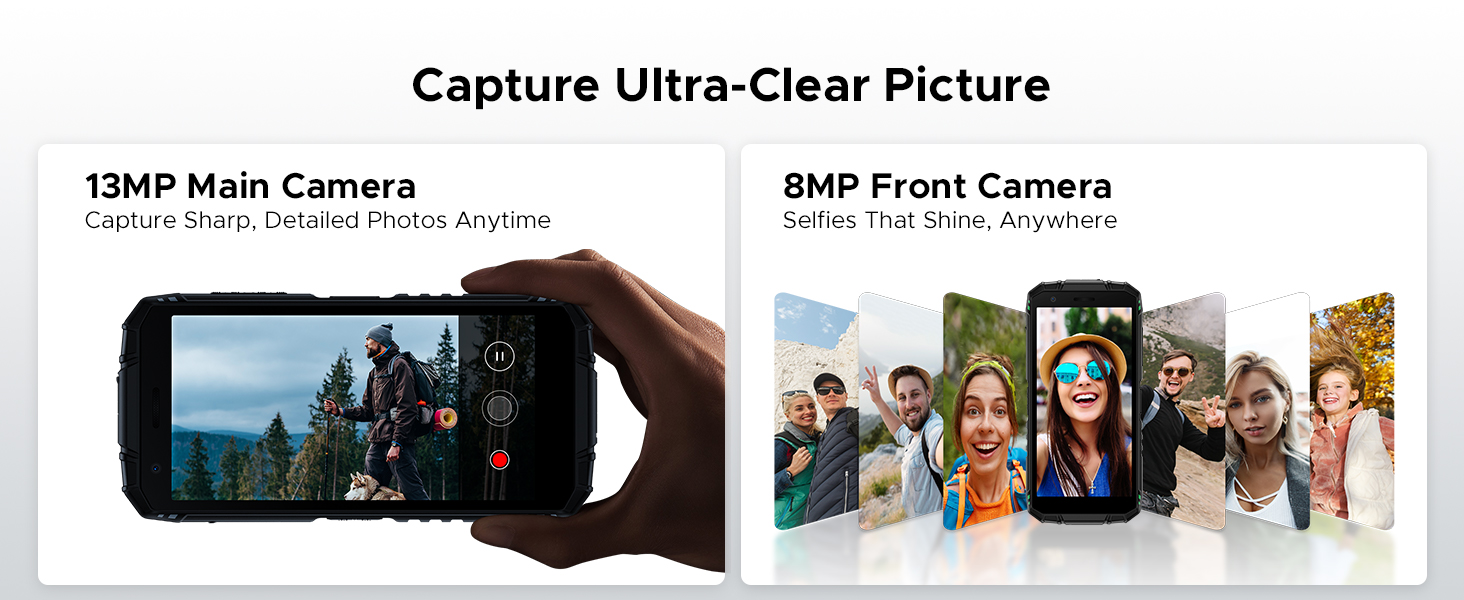
Figure 5: AI Scene Recognition in the camera app.
3.3 Digital Toolkit
The DOOGEE Fire 3 includes a suite of useful tools for outdoor and daily activities:
- കോമ്പസ്
- സൗണ്ട് മീറ്റർ
- ചിത്രം തൂക്കിയിടൽ
- മാഗ്നിഫയർ
- പ്രൊട്രാക്റ്റർ
- പ്ലംബ് ബോബ്
- അലാറം ബെൽ
- ഗ്രേഡിയന്റർ
- ഉയരം അളക്കൽ
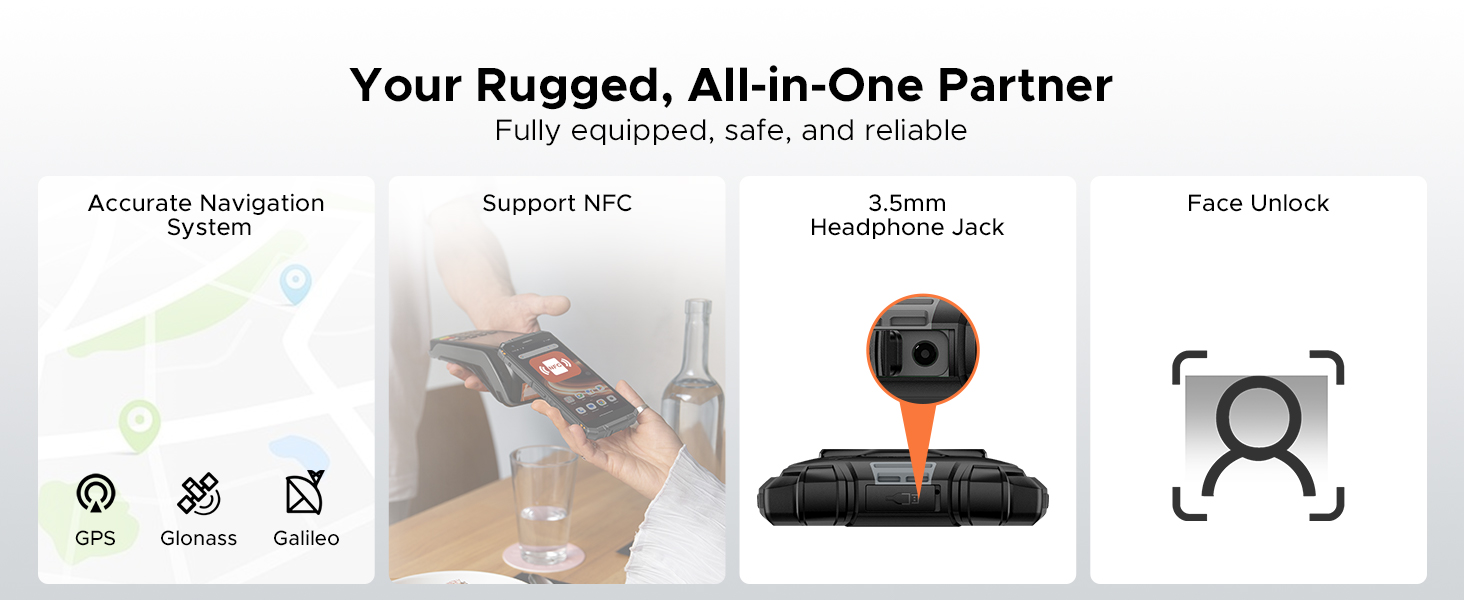
Figure 6: Digital Toolkit applications.
3.4 നാവിഗേഷനും കണക്റ്റിവിറ്റിയും
The device supports multiple navigation systems and essential connectivity features:
- നാവിഗേഷൻ: Accurate positioning with GPS, Glonass, and Galileo.
- NFC: കോൺടാക്റ്റ്ലെസ് പേയ്മെന്റുകൾക്കും ഡാറ്റാ കൈമാറ്റത്തിനുമായി നിയർ ഫീൽഡ് കമ്മ്യൂണിക്കേഷനെ പിന്തുണയ്ക്കുന്നു.
- 3.5 എംഎം ഹെഡ്ഫോൺ ജാക്ക്: വയേർഡ് ഓഡിയോ ആക്സസറികൾക്ക്.
3.5 General Usage Overview
ഈ വീഡിയോ ഒരു പൊതു വിശദീകരണം നൽകുന്നുview of the DOOGEE Fire 3's compact size and powerful features in various usage scenarios.
Video 2: DOOGEE Fire 3 Small Body, Big Power.
4. ബാറ്ററി മാനേജ്മെന്റ്
The DOOGEE Fire 3 is equipped with a massive 8350mAh battery, designed for extended use.
4.1 ബാറ്ററി ലൈഫും ചാർജിംഗും
- സ്റ്റാൻഡ്ബൈ സമയം: 47 ദിവസം വരെ.
- സംഗീത പ്ലേബാക്ക്: 87 മണിക്കൂർ വരെ.
- Video Watching: 28 മണിക്കൂർ വരെ.
- വിളിക്കുന്നു: 44 മണിക്കൂർ വരെ.
- ചാർജിംഗ്: 10W ചാർജിംഗ് പിന്തുണയ്ക്കുന്നു.
- വിപരീത ചാർജിംഗ്: The phone can act as a power bank to charge other devices like earbuds or smartwatches.
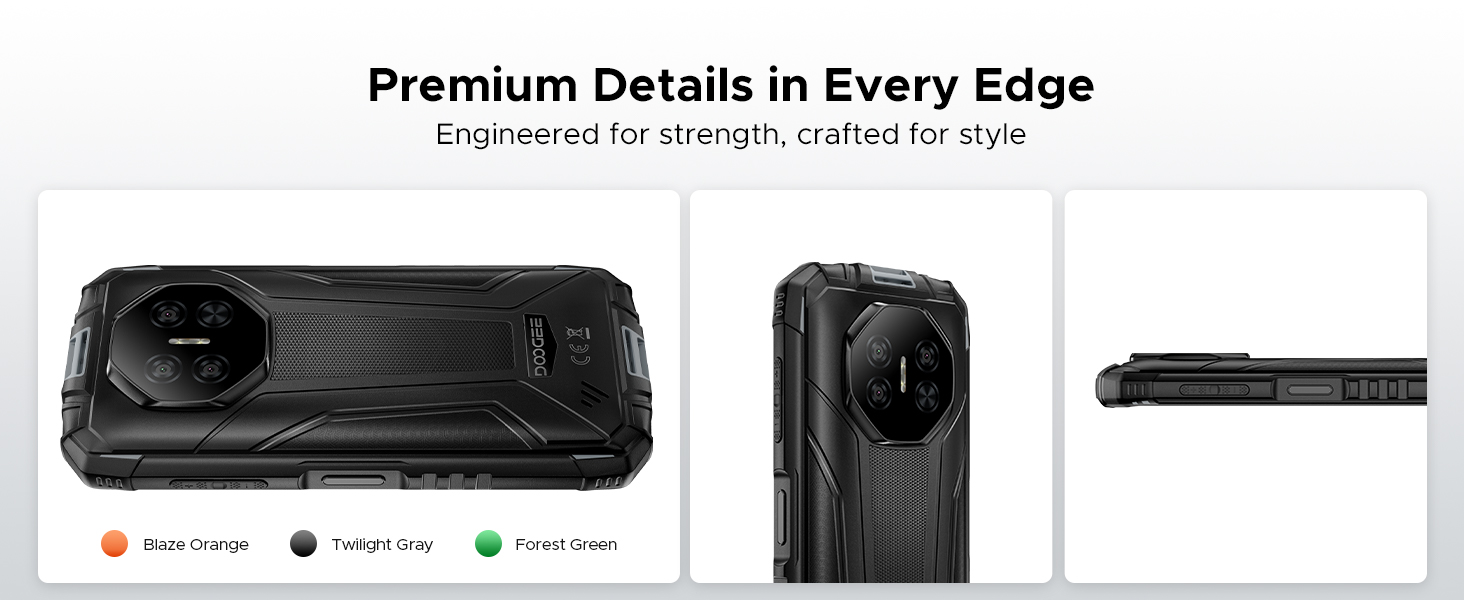
Figure 7: 8350mAh large battery features.
4.2 Battery Performance Overview
This video demonstrates the impressive battery life and charging capabilities of the DOOGEE Fire 3 rugged phone.
Video 3: DOOGEE Fire 3 Rugged Phone - Big Battery.
5. ഈടുനിൽപ്പും രൂപകൽപ്പനയും
The DOOGEE Fire 3 is built to endure harsh conditions, certified with industry-leading ruggedness standards.
5.1 റഗ്ഗഡ്നെസ് സർട്ടിഫിക്കേഷനുകൾ
- IP68: വെള്ളവും പൊടിയും പ്രതിരോധിക്കും.
- IP69K: Resistant to high-pressure, high-temperature water jets.
- മിൽ-എസ്ടിഡി-810എച്ച്: Military-grade standard for drops, shocks, and extreme temperatures.
The phone can withstand drops from up to 5 feet, survive 30 minutes underwater at 4 feet depth, and is fully protected against dust, sand, and dirt.
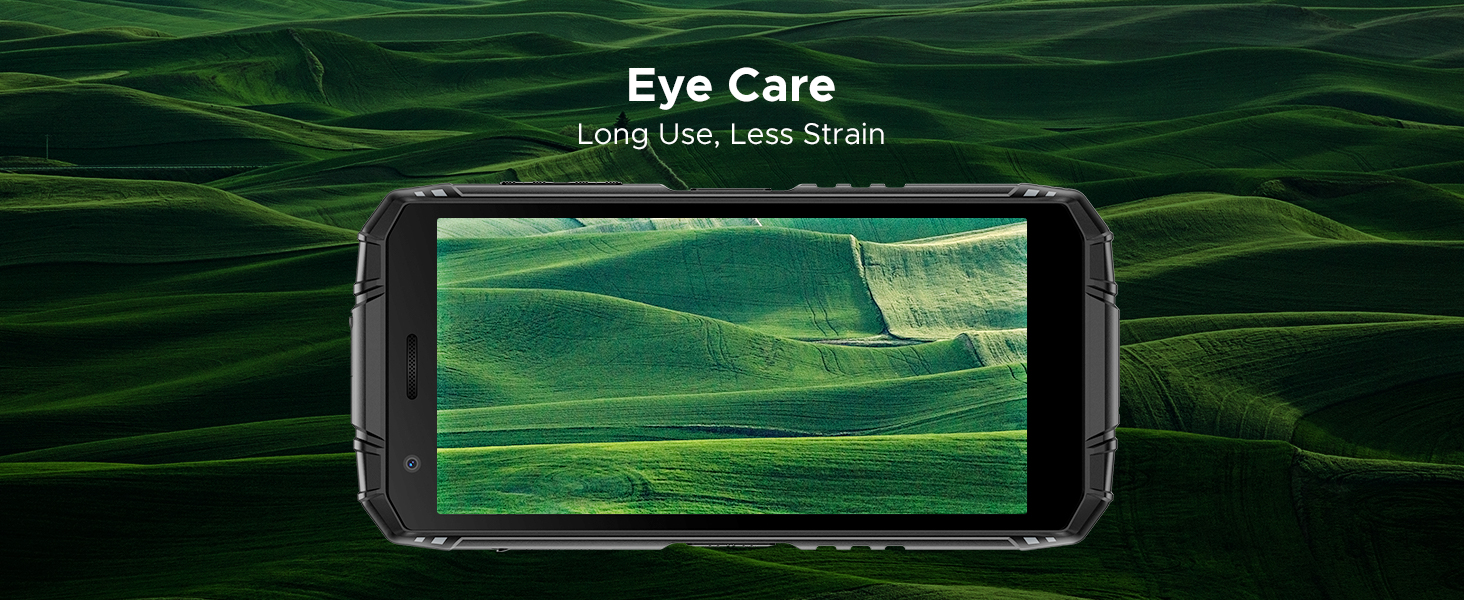
Figure 8: IP68/IP69K/MIL-STD-810H certifications for water, drop, and dust resistance.
5.2 ശാരീരിക സവിശേഷതകൾ
- അളവുകൾ: 162.5 x 77.4 x 17.8 മിമി
- ഭാരം: 291 ഗ്രാം (9.2 ഔൺസ്)
- ഡിസ്പ്ലേ: 5.5" HD+ IPS Display with 400 nits (TYP) brightness, 16.7M screen color, and 720*1440 resolution. Features Eye Care mode for reduced strain.
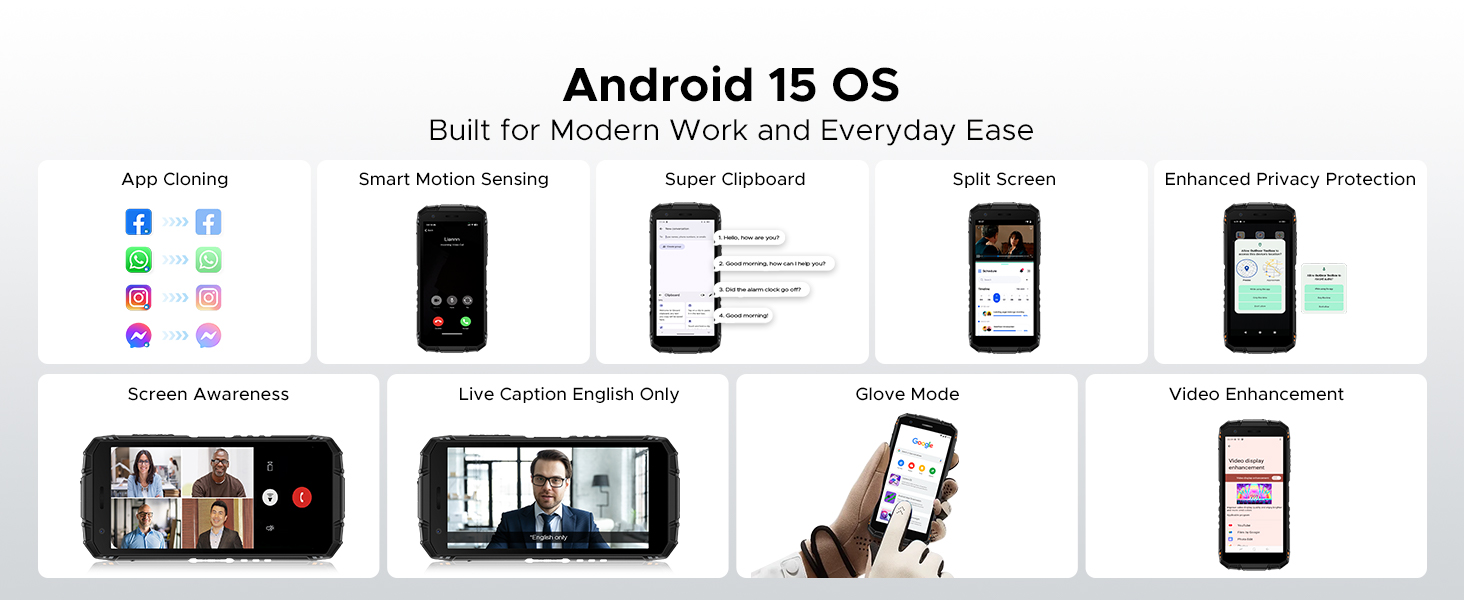
Figure 9: Compact design for comfortable grip.
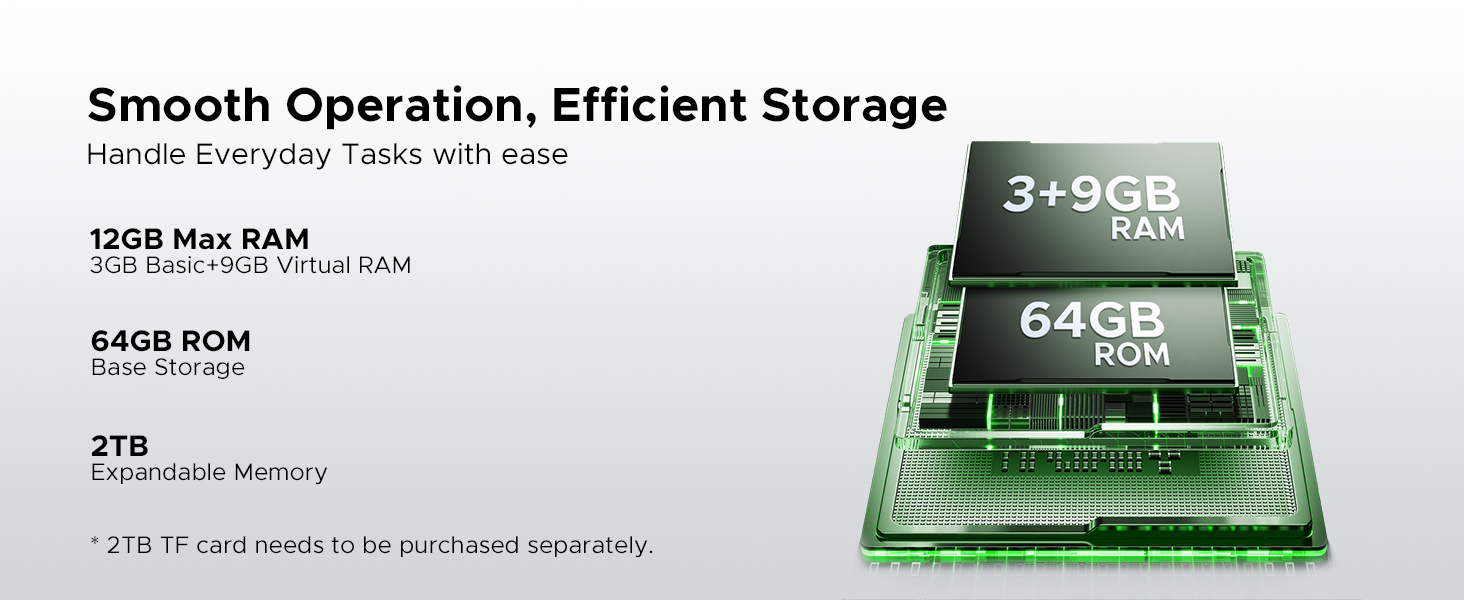
Figure 10: 5.5" HD+ IPS Display details.
6 സ്പെസിഫിക്കേഷനുകൾ
| ഫീച്ചർ | വിശദാംശങ്ങൾ |
|---|---|
| ബ്രാൻഡ് | ഡോഗി |
| മോഡലിൻ്റെ പേര് | Fire3 |
| ഓപ്പറേറ്റിംഗ് സിസ്റ്റം | ആൻഡ്രോയിഡ് 15 |
| പ്രോസസ്സർ | Unisoc SC9863A Octa-Core (1.6GHz) |
| റാം | 12GB (3GB Basic + 9GB Virtual) |
| ആന്തരിക സംഭരണം | 64 ജിബി |
| വികസിപ്പിക്കാവുന്ന സംഭരണം | Up to 2TB via MicroSD card (not included) |
| സ്ക്രീൻ വലിപ്പം | 5.45 ഇഞ്ച് |
| ഡിസ്പ്ലേ തരം | HD+ IPS Display |
| റെസലൂഷൻ | 720*1440 |
| തെളിച്ചം | 400 നിറ്റ് (TYP) |
| പിൻ ക്യാമറ | 13MP AI Triple Camera |
| മുൻ ക്യാമറ | 8എംപി |
| ബാറ്ററി ശേഷി | 8350mAh |
| ചാർജിംഗ് | 10W, Reverse Charging supported |
| ഈട് | IP68, IP69K, MIL-STD-810H (Waterproof, Drop-proof, Dust-proof) |
| കണക്റ്റിവിറ്റി | 4G Cellular Technology, Wireless, NFC |
| നാവിഗേഷൻ | ജിപിഎസ്, ഗ്ലോനാസ്, ഗലീലിയോ |
| അളവുകൾ | 162.5 x 77.4 x 17.8 മിമി |
| ഇനത്തിൻ്റെ ഭാരം | 262 ഗ്രാം (9.2 ഔൺസ്) |
| പ്രത്യേക സവിശേഷതകൾ | Face Unlock, Digital Toolkit, 3.5mm Headphone Jack |
| വയർലെസ് കാരിയർ അനുയോജ്യത | GSM T-Mobile (Not compatible with AT&T, new Cricket, Verizon) |
7. പ്രശ്നപരിഹാരം
If you encounter issues with your DOOGEE Fire 3, refer to the following common solutions:
7.1 Power and Charging Issues
- Phone won't turn on: ബാറ്ററി ചാർജ്ജ് ചെയ്തിട്ടുണ്ടെന്ന് ഉറപ്പാക്കുക. ഫോൺ അതിന്റെ ചാർജറുമായി ബന്ധിപ്പിച്ച് കുറച്ച് മിനിറ്റ് കാത്തിരുന്ന് വീണ്ടും പവർ ചെയ്യാൻ ശ്രമിക്കുക.
- ഫോൺ ചാർജ് ചെയ്യുന്നില്ല: Check the charging cable and adapter for damage. Try a different power outlet. Ensure the charging port is clean and free of debris.
7.2 നെറ്റ്വർക്കും കണക്റ്റിവിറ്റിയും
- No signal/Network issues: Verify your SIM card is correctly inserted. Check if your carrier is supported by the device (GSM T-Mobile compatible). Restart the phone.
- വൈഫൈ കണക്ഷൻ പ്രശ്നങ്ങൾ: നിങ്ങളുടെ വൈഫൈ റൂട്ടർ പുനരാരംഭിക്കുക. നിങ്ങളുടെ ഫോണിലെ നെറ്റ്വർക്ക് മറന്ന് വീണ്ടും കണക്റ്റുചെയ്യുക.
7.3 പ്രകടനവും സോഫ്റ്റ്വെയറും
- Apps crashing/Freezing: Close background apps. Clear the cache of the problematic app (Settings > Apps > [App Name] > Storage > Clear cache). Update the app or the phone's software.
- മന്ദഗതിയിലുള്ള പ്രകടനം: അനാവശ്യമായത് നീക്കം ചെയ്തുകൊണ്ട് സംഭരണ സ്ഥലം ശൂന്യമാക്കുക files or apps. Restart your device regularly.
7.4 ഡിസ്പ്ലേ പ്രശ്നങ്ങൾ
- സ്ക്രീൻ പ്രതികരിക്കുന്നില്ല: Perform a forced restart (usually by holding the Power button for 10-15 seconds).
- Display flickering: Check for software updates. If the issue persists, contact support.
7.5 Water/Dust Exposure
While the DOOGEE Fire 3 is rugged, prolonged exposure or extreme conditions beyond its ratings (IP68/IP69K/MIL-STD-810H) can cause damage. If the phone has been exposed to water or dust, ensure all ports are dry and clean before charging or using accessories.
8. വാറൻ്റിയും പിന്തുണയും
DOOGEE is committed to providing high-quality products and excellent customer service.
8.1 വാറൻ്റി വിവരങ്ങൾ
- വാറൻ്റി കാലയളവ്: Your DOOGEE Fire 3 comes with a 2-year free warranty.
- പണം തിരികെ നൽകാനുള്ള ഗ്യാരണ്ടി: Enjoy 30 days of money back without reason from the date of purchase.
വാറൻ്റി ക്ലെയിമുകൾക്കായി നിങ്ങളുടെ വാങ്ങിയതിൻ്റെ തെളിവ് സൂക്ഷിക്കുക.
8.2 ഉപഭോക്തൃ പിന്തുണ
For any problems or inquiries, our professional support team is available 24/7 to assist you.
- ഓൺലൈൻ പിന്തുണ: Visit the official DOOGEE webപതിവുചോദ്യങ്ങൾ, പിന്തുണാ ഉറവിടങ്ങൾ, ബന്ധപ്പെടാനുള്ള ഓപ്ഷനുകൾ എന്നിവയ്ക്കുള്ള സൈറ്റ്.
- ഇമെയിൽ പിന്തുണ: നിങ്ങളുടെ ഉൽപ്പന്ന പാക്കേജിംഗ് അല്ലെങ്കിൽ ഔദ്യോഗിക website for specific email contact details.
We recommend checking the official DOOGEE website for the most up-to-date support information and warranty terms.