
1. ആമുഖം
Welcome to the user manual for your new DOOGEE Fire 3 Rugged Phone. This device is engineered for durability and performance, designed to withstand challenging environments while providing a seamless Android 15 experience. This manual will guide you through the setup, operation, maintenance, and troubleshooting of your device to ensure optimal use.
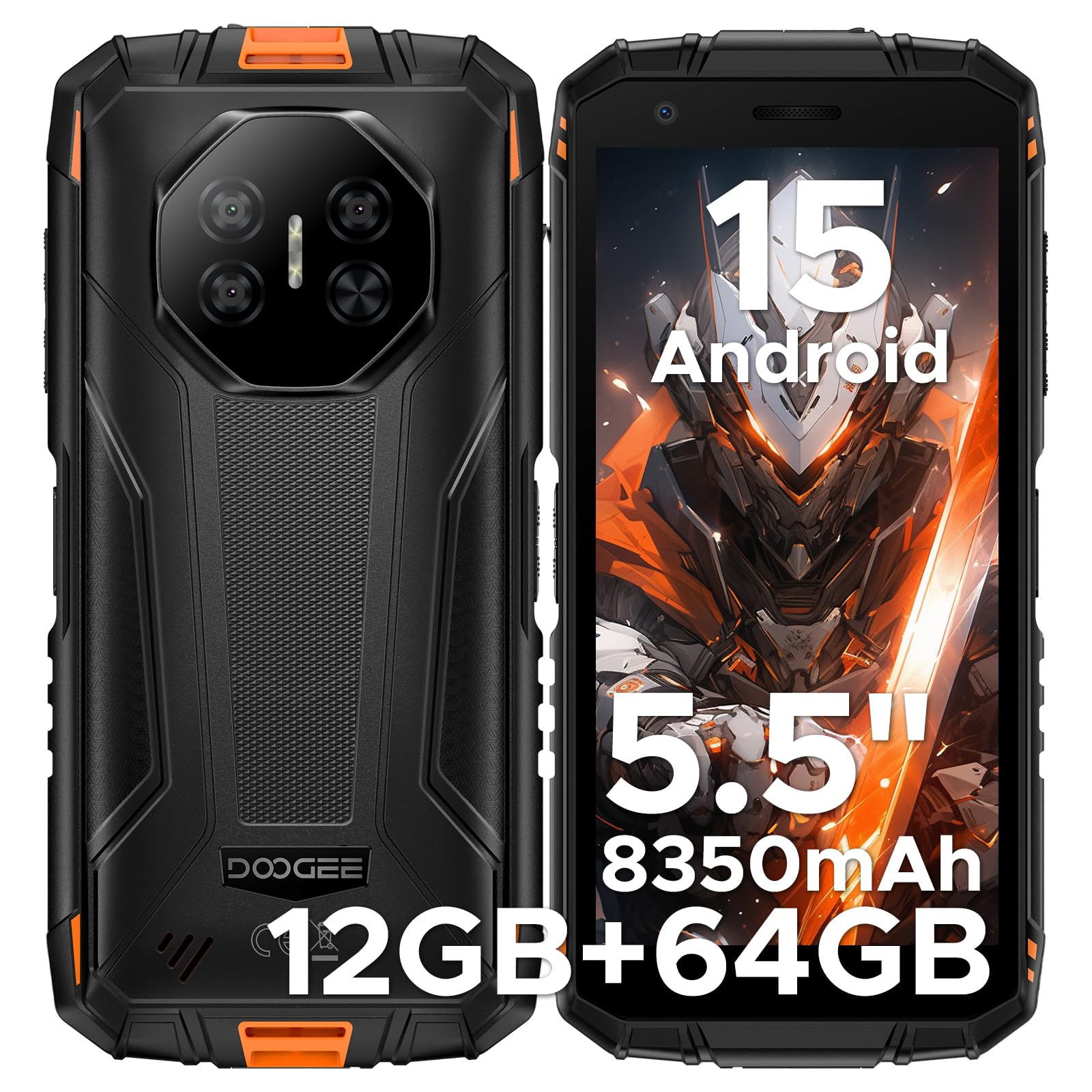
ചിത്രം: മുന്നിലും പിന്നിലും view of the DOOGEE Fire 3 Rugged Phone.
2. ബോക്സിൽ എന്താണുള്ളത്?
Upon opening your DOOGEE Fire 3 package, you should find the following items:
- DOOGEE Fire 3 Rugged Phone
- USB കേബിൾ
- പവർ അഡാപ്റ്റർ
- സിം എജക്ടർ ഉപകരണം
- ഉപയോക്തൃ മാനുവൽ (ഈ പ്രമാണം)
- വാറൻ്റി കാർഡ്
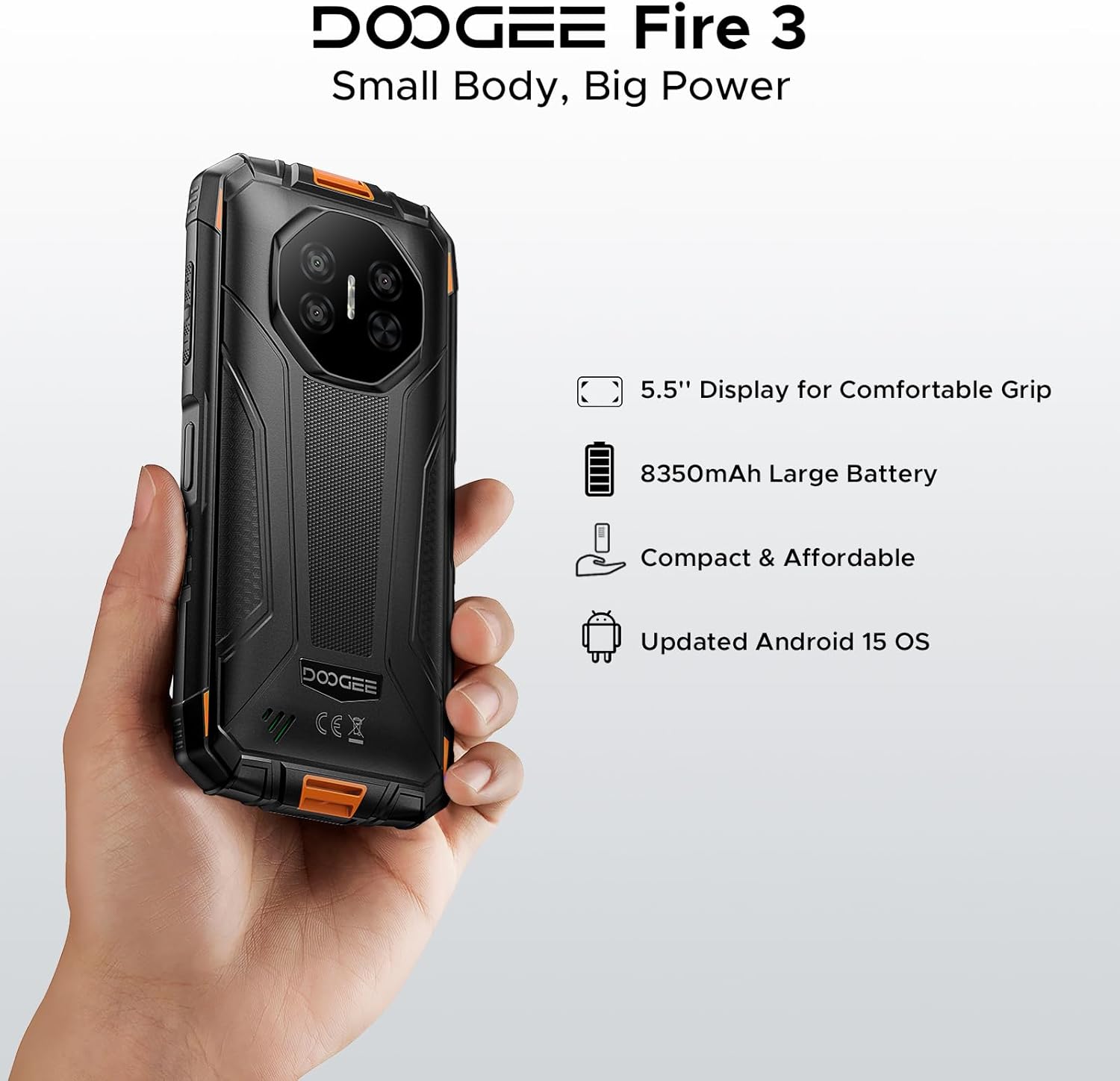
Image: All items included in the DOOGEE Fire 3 retail packaging.
Video: An unboxing video demonstrating the contents of the DOOGEE Fire 3 package.
3 പ്രധാന സവിശേഷതകൾ
3.1. ഡിസ്പ്ലേ
The DOOGEE Fire 3 features a 5.5-inch HD+ IPS display, offering clear visuals and comfortable handling. It includes eye care modes and a dark mode to reduce strain during extended use.

Image: The DOOGEE Fire 3 showcasing its 5.5-inch HD+ IPS display.

Image: The phone's display highlighting eye care features for reduced strain.
3.2. ഈട്
The DOOGEE Fire 3 is built to military-grade standards, certified with IP68, IP69K, and MIL-STD-810H ratings. This ensures resistance against water, dust, and drops, making it suitable for rugged environments.
- വാട്ടർപ്രൂഫ്: Withstands submersion up to 4 feet (1.2 meters) for 30 minutes.
- പൊടിപടലം: Fully protected against dust, sand, and dirt ingress.
- ഡ്രോപ്പ് പ്രൂഫ്: Designed to survive drops from up to 5 feet (1.5 meters).

Image: The DOOGEE Fire 3 submerged in water, demonstrating its waterproof capability.
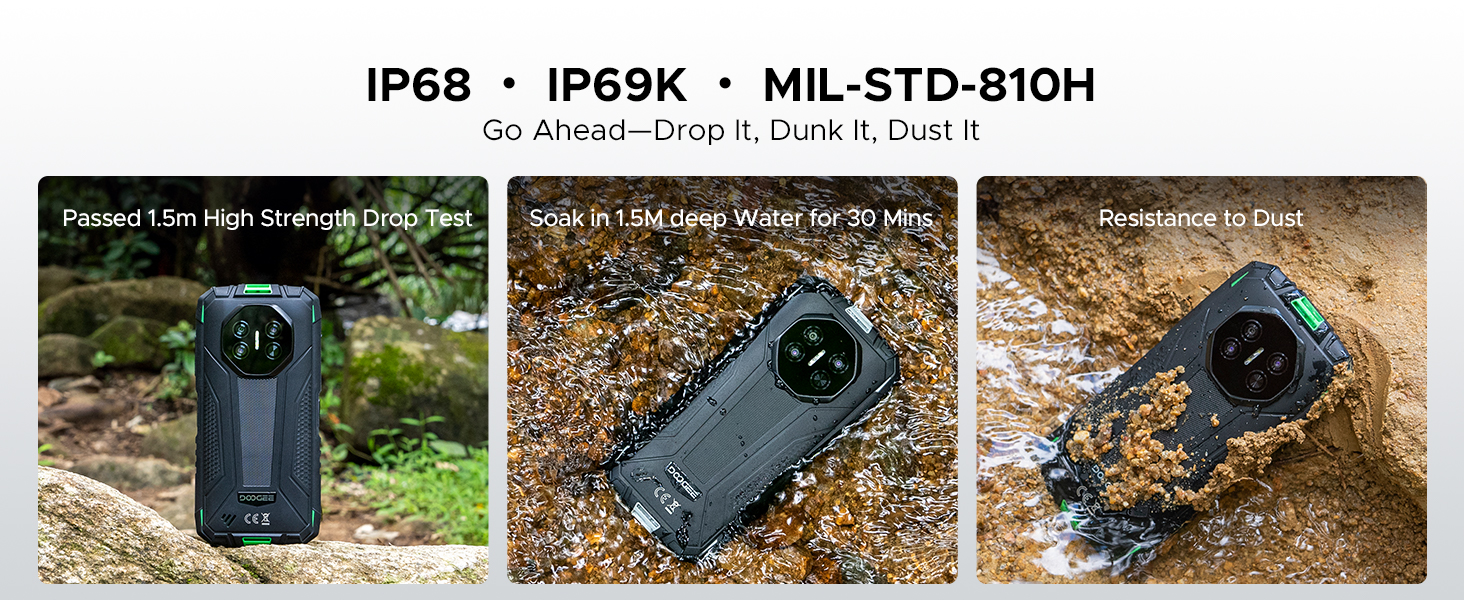
Image: The phone shown resisting impacts and dirt, highlighting its rugged design.
3.3. പ്രകടനവും സംഭരണവും
Powered by a Unisoc SC9863A Octa-Core Chipset, the Fire 3 delivers stable and efficient performance. It comes with 12GB RAM (3GB basic + 9GB virtual) and 64GB of internal storage, expandable up to 2TB via a microSD card (not included).
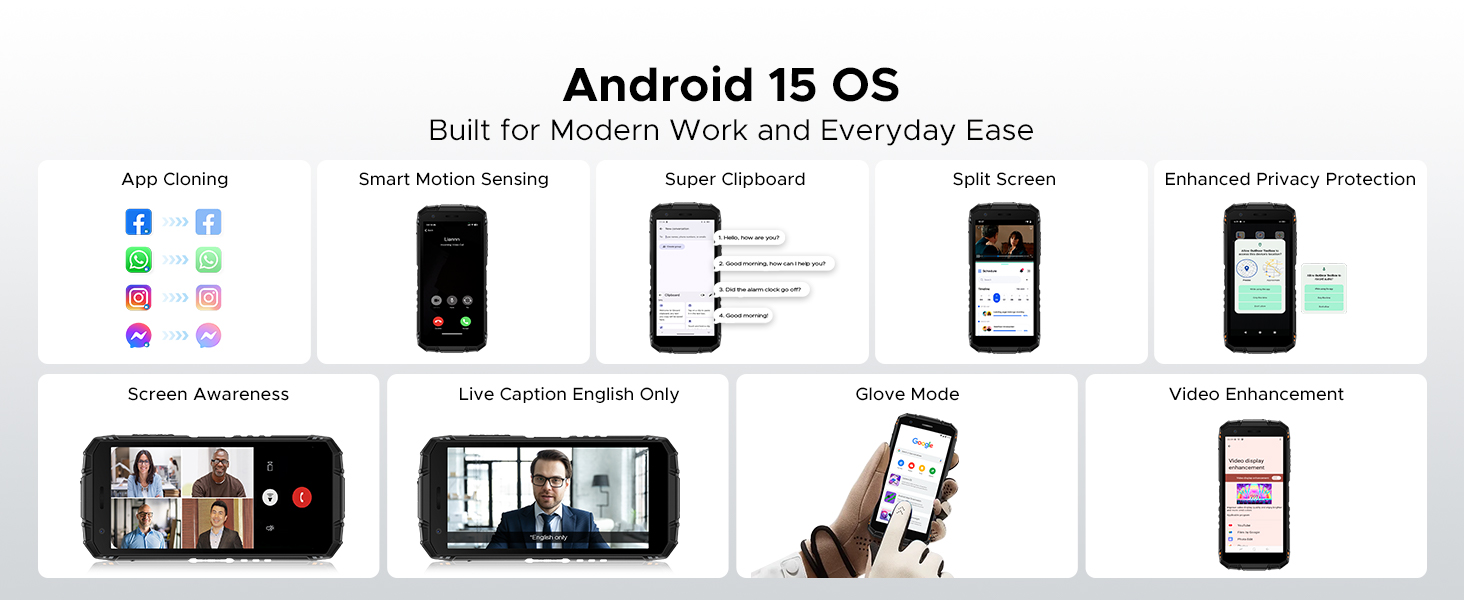
Image: Diagram illustrating the Unisoc SC9863A Octa-Core Chipset.
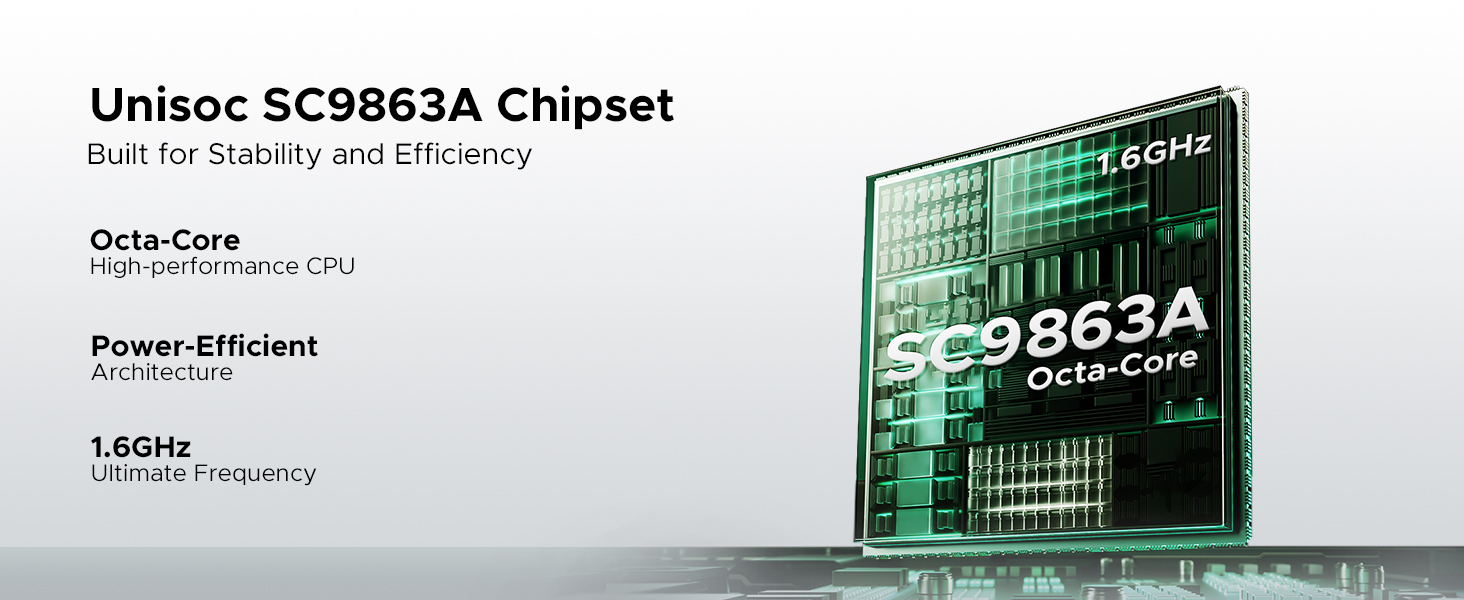
Image: Visual representation of the 12GB RAM and 64GB ROM storage capabilities.
3.4. ബാറ്ററി
Equipped with a massive 8350mAh battery, the DOOGEE Fire 3 provides extended usage times. It supports 10W charging and reverse charging, allowing you to power other devices.
- Up to 47 days standby
- 87 മണിക്കൂർ വരെ സംഗീത പ്ലേബാക്ക്
- Up to 28 hours of video watching
- Up to 44 hours of calling
Image: Infographic detailing the impressive battery life statistics of the 8350mAh battery.
Video: A short video highlighting the large battery capacity of the DOOGEE Fire 3.
3.5. ക്യാമറ സിസ്റ്റം
Capture your moments with the 13MP AI triple rear camera and take clear selfies with the 8MP front camera. The AI scene recognition optimizes settings for various environments.

Image: Visuals of the 13MP main camera and 8MP front camera in action.

ചിത്രം: ഉദാamples of AI Scene Recognition optimizing photo quality for different scenarios.
3.6. ഓപ്പറേറ്റിംഗ് സിസ്റ്റവും സവിശേഷതകളും
The DOOGEE Fire 3 runs on the latest Android 15 OS, offering enhanced privacy, security, and a range of useful features:
- ആപ്പ് ക്ലോണിംഗ്: Run multiple instances of apps.
- Smart Motion Sensing: Intuitive gesture controls.
- Super Clipboard: Advanced clipboard functionality.
- സ്പ്ലിറ്റ് സ്ക്രീൻ: Multitask with two apps simultaneously.
- വീഡിയോ മെച്ചപ്പെടുത്തൽ: Improved video playback quality.
- തത്സമയ അടിക്കുറിപ്പ്: Real-time captions for media.
- മെച്ചപ്പെടുത്തിയ സ്വകാര്യതാ സംരക്ഷണം: Greater control over personal data.
- ഗ്ലൗ മോഡ്: Use the touchscreen while wearing gloves.
- Screen Awareness: നിങ്ങൾ സ്ക്രീൻ നോക്കിക്കൊണ്ടിരിക്കുമ്പോൾ അത് ഓണാക്കി നിർത്തുന്നു.

ചിത്രം: കഴിഞ്ഞുview of various Android 15 features available on the DOOGEE Fire 3.
3.7. കണക്റ്റിവിറ്റിയും നാവിഗേഷനും
The Fire 3 supports Dual SIM functionality and is compatible with GSM T-Mobile networks. It includes NFC for contactless payments and data transfer, a 3.5mm audio jack, and Face Unlock for secure access. For navigation, it supports GPS, Glonass, and Galileo.

Image: Visuals demonstrating GPS, NFC, 3.5mm headphone jack, and Face Unlock features.
3.8. Digital Toolkit
The device comes with a built-in digital toolkit, providing practical utilities for various situations:
- കോമ്പസ്
- സൗണ്ട് മീറ്റർ
- ചിത്രം തൂക്കിയിടൽ
- മാഗ്നിഫയർ
- പ്രൊട്രാക്റ്റർ
- പ്ലംബ് ബോബ്
- അലാറം ബെൽ
- ഗ്രേഡിയന്റർ
- ഉയരം അളക്കൽ

Image: Icons representing the various tools available in the Digital Toolkit.
4. സജ്ജീകരണം
4.1. സിം കാർഡും മൈക്രോ എസ്ഡി കാർഡും ചേർക്കുന്നു
- ഫോണിന്റെ വശത്ത് സിം കാർഡ് ട്രേ കണ്ടെത്തുക.
- ട്രേ തുറക്കാൻ നൽകിയിരിക്കുന്ന സിം എജക്റ്റർ ഉപകരണം ഉപയോഗിക്കുക.
- Carefully place your Nano-SIM card(s) and/or microSD card into the designated slots, ensuring correct orientation.
- ട്രേ അതിന്റെ സ്ഥാനത്ത് ക്ലിക്കായി വരുന്നത് വരെ ഫോണിലേക്ക് പതുക്കെ തിരികെ തള്ളുക.
4.2. പ്രാരംഭ പവർ ഓണും സജ്ജീകരണവും
- Press and hold the Power button (usually on the right side) until the DOOGEE logo appears.
- Follow the on-screen instructions to complete the initial setup, including language selection, Wi-Fi connection, Google account login, and security settings.
4.3 ഉപകരണം ചാർജ് ചെയ്യുന്നു
- Connect the USB cable to the phone's charging port (usually USB-C at the bottom).
- യുഎസ്ബി കേബിളിൻ്റെ മറ്റേ അറ്റം പവർ അഡാപ്റ്ററുമായി ബന്ധിപ്പിക്കുക.
- ഒരു മതിൽ ഔട്ട്ലെറ്റിലേക്ക് പവർ അഡാപ്റ്റർ പ്ലഗ് ചെയ്യുക.
- The charging indicator will appear on the screen. For optimal battery life, fully charge the device before first use.
5. പ്രവർത്തന നിർദ്ദേശങ്ങൾ
5.1. അടിസ്ഥാന നാവിഗേഷൻ
- പവർ ബട്ടൺ: സ്ക്രീൻ ഓൺ/ഓഫ് ചെയ്യാൻ അമർത്തുക. പവർ ഓഫ് ചെയ്യാനോ പുനരാരംഭിക്കാനോ അമർത്തിപ്പിടിക്കുക.
- വോളിയം ബട്ടണുകൾ: മീഡിയ വോളിയം, കോൾ വോളിയം അല്ലെങ്കിൽ അറിയിപ്പ് വോളിയം ക്രമീകരിക്കുക.
- ടച്ച്സ്ക്രീൻ ആംഗ്യങ്ങൾ: Swipe up for app drawer, swipe down for notifications/quick settings, tap to select, pinch to zoom.
5.2. കോളുകൾ ചെയ്യുക, സന്ദേശങ്ങൾ അയയ്ക്കുക
- Open the Phone app to dial a number or select a contact.
- Open the Messages app to compose and send text messages.
5.3. നെറ്റ്വർക്കുകളിലേക്ക് ബന്ധിപ്പിക്കുന്നു
- വൈഫൈ: ലഭ്യമായ നെറ്റ്വർക്കുകളിലേക്ക് കണക്റ്റുചെയ്യാൻ ക്രമീകരണങ്ങൾ > നെറ്റ്വർക്കും ഇന്റർനെറ്റും > വൈ-ഫൈ എന്നതിലേക്ക് പോകുക.
- മൊബൈൽ ഡാറ്റ: Ensure your SIM card is active. Go to Settings > Network & internet > Mobile network to enable or disable mobile data.
5.4. ക്യാമറ ഉപയോഗിക്കുന്നത്
- ക്യാമറ ആപ്പ് തുറക്കുക.
- ഒരു ഫോട്ടോ എടുക്കാൻ ഷട്ടർ ബട്ടൺ ടാപ്പ് ചെയ്യുക.
- സ്ക്രീനിലെ ഐക്കൺ ഉപയോഗിച്ച് മുൻ ക്യാമറയും പിൻ ക്യാമറയും തമ്മിൽ മാറുക.
- Explore different modes like Video, Portrait, or Night mode.
5.5. സുരക്ഷാ സവിശേഷതകൾ
- ഫേസ് അൺലോക്ക്: Set up Face Unlock in Settings > Security > Face Unlock for convenient and secure access to your device.
- പിൻ/പാറ്റേൺ/പാസ്വേഡ്: Configure a traditional unlock method as a backup.
6. പരിപാലനം
6.1. നിങ്ങളുടെ ഉപകരണം വൃത്തിയാക്കൽ
To maintain the integrity of your rugged phone:
- സ്ക്രീനും ബോഡിയും ഒരു സോഫ്റ്റ്, ഡി ക്ലീനർ ഉപയോഗിച്ച് തുടയ്ക്കുക.amp തുണി.
- കഠിനമായ രാസവസ്തുക്കളോ ഉരച്ചിലുകളോ ഉള്ള വസ്തുക്കളോ ഒഴിവാക്കുക.
- Ensure all port covers are securely closed before exposing the phone to water or dust.
6.2. ബാറ്ററി പരിചരണം
- ബാറ്ററിയുടെ ആയുസ്സ് കുറയ്ക്കുന്ന, ഉയർന്ന താപനില ഒഴിവാക്കുക.
- ഒപ്റ്റിമൽ ചാർജിംഗിനായി ഒറിജിനൽ ചാർജറും കേബിളും ഉപയോഗിക്കുക.
- ഫോൺ ദീർഘനേരം പൂർണ്ണമായി ചാർജ് ചെയ്തോ അല്ലെങ്കിൽ പൂർണ്ണമായും ഡിസ്ചാർജ് ചെയ്തോ വയ്ക്കരുത്.
6.3. സോഫ്റ്റ്വെയർ അപ്ഡേറ്റുകൾ
നിങ്ങളുടെ ഉപകരണത്തിന് ഏറ്റവും പുതിയ ഫീച്ചറുകൾ, സുരക്ഷാ പാച്ചുകൾ, പ്രകടന മെച്ചപ്പെടുത്തലുകൾ എന്നിവ ഉറപ്പാക്കാൻ പതിവായി സോഫ്റ്റ്വെയർ അപ്ഡേറ്റുകൾ പരിശോധിച്ച് ഇൻസ്റ്റാൾ ചെയ്യുക. ക്രമീകരണങ്ങൾ > സിസ്റ്റം > സിസ്റ്റം അപ്ഡേറ്റ് എന്നതിലേക്ക് പോകുക.
7. പ്രശ്നപരിഹാരം
7.1. പൊതുവായ പ്രശ്നങ്ങൾ
| ഇഷ്യൂ | പരിഹാരം |
|---|---|
| ഫോൺ ഓണാക്കുന്നില്ല | ബാറ്ററി ചാർജ്ജ് ചെയ്തിട്ടുണ്ടെന്ന് ഉറപ്പാക്കുക. റീസ്റ്റാർട്ട് ചെയ്യാൻ പവർ ബട്ടൺ കുറഞ്ഞത് 10-15 സെക്കൻഡ് അമർത്തിപ്പിടിക്കുക. |
| നെറ്റ്വർക്ക് കണക്റ്റിവിറ്റി പ്രശ്നങ്ങൾ | Check if the SIM card is correctly inserted. Restart the phone. Verify network settings or contact your carrier. |
| ആപ്പുകൾ ക്രാഷാകുന്നു അല്ലെങ്കിൽ മരവിക്കുന്നു | ആപ്പിന്റെ കാഷെ മായ്ക്കുക (ക്രമീകരണങ്ങൾ > ആപ്പുകൾ > [ആപ്പ് നാമം] > സംഭരണം > കാഷെ മായ്ക്കുക). ആപ്പ് അപ്ഡേറ്റ് ചെയ്യുക. |
| ബാറ്ററി പെട്ടെന്ന് തീരുന്നു | Reduce screen brightness, close unused apps, disable unnecessary features like GPS or Bluetooth when not in use. Check battery usage in Settings. |
7.2. ഫാക്ടറി റീസെറ്റ്
നിങ്ങൾക്ക് സ്ഥിരമായ സോഫ്റ്റ്വെയർ പ്രശ്നങ്ങൾ നേരിടുകയാണെങ്കിൽ, ഒരു ഫാക്ടറി റീസെറ്റ് അവ പരിഹരിച്ചേക്കാം. മുന്നറിയിപ്പ്: ഇത് നിങ്ങളുടെ ഫോണിലെ എല്ലാ ഡാറ്റയും മായ്ക്കും. തുടരുന്നതിന് മുമ്പ് പ്രധാനപ്പെട്ട ഡാറ്റയുടെ ബാക്കപ്പ് എടുക്കുക.
- ക്രമീകരണങ്ങൾ > സിസ്റ്റം > റീസെറ്റ് ഓപ്ഷനുകൾ എന്നതിലേക്ക് പോകുക.
- "എല്ലാ ഡാറ്റയും മായ്ക്കുക (ഫാക്ടറി റീസെറ്റ്)" തിരഞ്ഞെടുക്കുക.
- നിങ്ങളുടെ തീരുമാനം സ്ഥിരീകരിച്ച് ആവശ്യപ്പെടുകയാണെങ്കിൽ നിങ്ങളുടെ പിൻ/പാറ്റേൺ/പാസ്വേഡ് നൽകുക.
8 സ്പെസിഫിക്കേഷനുകൾ
| ഫീച്ചർ | സ്പെസിഫിക്കേഷൻ |
|---|---|
| മോഡൽ നമ്പർ | Fire3 |
| ഓപ്പറേറ്റിംഗ് സിസ്റ്റം | ആൻഡ്രോയിഡ് 15 |
| പ്രദർശിപ്പിക്കുക | 5.5 Inches IPS HD+ (1080 x 2280 Resolution) |
| പ്രോസസ്സർ | MediaTek Helio Octa Core (Unisoc SC9863A) |
| റാം | 12 GB (3GB Basic + 9GB Virtual) |
| ആന്തരിക സംഭരണം | 64 ജിബി (മൈക്രോ എസ്ഡി വഴി 2 ടിബി വരെ വികസിപ്പിക്കാം) |
| പിൻ ക്യാമറ | 13 എം.പി |
| മുൻ ക്യാമറ | 8 എം.പി |
| ബാറ്ററി ശേഷി | 8350 mAh |
| ചാർജിംഗ് | 10W, Supports Reverse Charging |
| ഈട് റേറ്റിംഗുകൾ | IP68, IP69K, MIL-STD-810H |
| സിം കാർഡ് സ്ലോട്ട് എണ്ണം | ഡ്യുവൽ സിം |
| വയർലെസ് കാരിയർ അനുയോജ്യത | T-Mobile, Unlocked (GSM, LTE) |
| കണക്റ്റിവിറ്റി | NFC, 3.5 mm Audio Jack |
| നാവിഗേഷൻ | ജിപിഎസ്, ഗ്ലോനാസ്, ഗലീലിയോ |
| അളവുകൾ | 162.5 x 77.4 x 17.8 മിമി |
| ഇനത്തിൻ്റെ ഭാരം | 1.08 പൗണ്ട് (ഏകദേശം 490 ഗ്രാം) |
9. വാറൻ്റിയും പിന്തുണയും
DOOGEE is committed to providing quality products and support. Your DOOGEE Fire 3 comes with the following:
- 2 വർഷത്തെ സൗജന്യ വാറന്റി: Covers manufacturing defects and hardware malfunctions under normal use.
- 30 ദിവസത്തെ പണം തിരികെ നൽകൽ ഗ്യാരണ്ടി: Return the product within 30 days for a full refund, no questions asked.
- 24/7 Professional Support: A dedicated customer service team is available to assist you with any issues or questions.
For support, please refer to the contact information provided on your warranty card or visit the official DOOGEE webസൈറ്റ്.

ചിത്രം: കഴിഞ്ഞുview of DOOGEE's customer support and warranty offerings.