
ആമുഖം
The Talkpod N39plus is an innovative nationwide Push-to-Talk (PTT) radio designed for long-distance communication. Utilizing mobile cellular networks, it offers extended coverage beyond traditional radio signals. This manual provides essential information for setting up, operating, maintaining, and troubleshooting your N39plus radio.

Image: Two Talkpod N39plus radios highlighting key features like no programming required, nationwide coverage, and global usage options.
ബോക്സിൽ എന്താണുള്ളത്
Your Talkpod N39plus package includes the following components:
- 2 × N39plus Radios
- 2 × ആന്റിനകൾ
- 2 × Lithium-ion Batteries
- 2 × USB-C ചാർജിംഗ് കേബിളുകൾ
- 2 × Belt Clips
- 2 × Lanyards

Image: All components included in the Talkpod N39plus package.
ഉൽപ്പന്നം കഴിഞ്ഞുview
Familiarize yourself with the various parts of your Talkpod N39plus radio:

Image: Labeled diagram of the Talkpod N39plus radio components.
- ആൻ്റിന: സിഗ്നൽ പ്രക്ഷേപണത്തിനും സ്വീകരണത്തിനും.
- Turn on/off volume knob: Controls power and audio level.
- Battery removal clip: Secures and releases the battery.
- Headphone/Data Interface: Connects accessories or for data transfer.
- Function shortcut key 1 & 2: Customizable keys for quick access to features.
- Seat charging card slot: For desktop charger connection.
- യുഎസ്ബി ചാർജിംഗ് പോർട്ട്: നേരിട്ടുള്ള USB-C ചാർജിംഗിനായി.
- LED ലൈറ്റ്: നില സൂചിപ്പിക്കുന്നു.
- മൈക്രോഫോൺ: വോയിസ് ഇൻപുട്ടിനായി.
- PTT launch key: Press to transmit your voice.
- ഉച്ചഭാഷിണി: ഓഡിയോ ഔട്ട്പുട്ടിനായി.
- സ്ക്രീൻ: പ്രവർത്തന വിവരങ്ങൾ പ്രദർശിപ്പിക്കുന്നു.
- ഫംഗ്ഷൻ കീകൾ: Navigate menus and control features.
- Numeric key: For direct input and channel selection.
സജ്ജമാക്കുക
1. ബാറ്ററി ഇൻസ്റ്റാൾ ചെയ്യുക
- റേഡിയോ ഓഫാക്കിയിട്ടുണ്ടെന്ന് ഉറപ്പാക്കുക.
- റേഡിയോയുടെ പിൻഭാഗത്തുള്ള കമ്പാർട്ടുമെന്റുമായി ബാറ്ററി വിന്യസിക്കുക.
- ബാറ്ററി അതിന്റെ സ്ഥാനത്ത് ക്ലിക്ക് ആകുന്നതുവരെ ദൃഢമായി അമർത്തുക.
2. Install SIM Card (Pre-installed)
The Talkpod N39plus comes with a pre-installed SIM card. No manual installation is typically required. The 1-year SIM data plan (up to 800MB/Month) is suitable for regular voice-only communication. Note that SIM card plans are billed on a natural month basis, with the billing cycle running from the 27th of each month to the 26th of the following month.
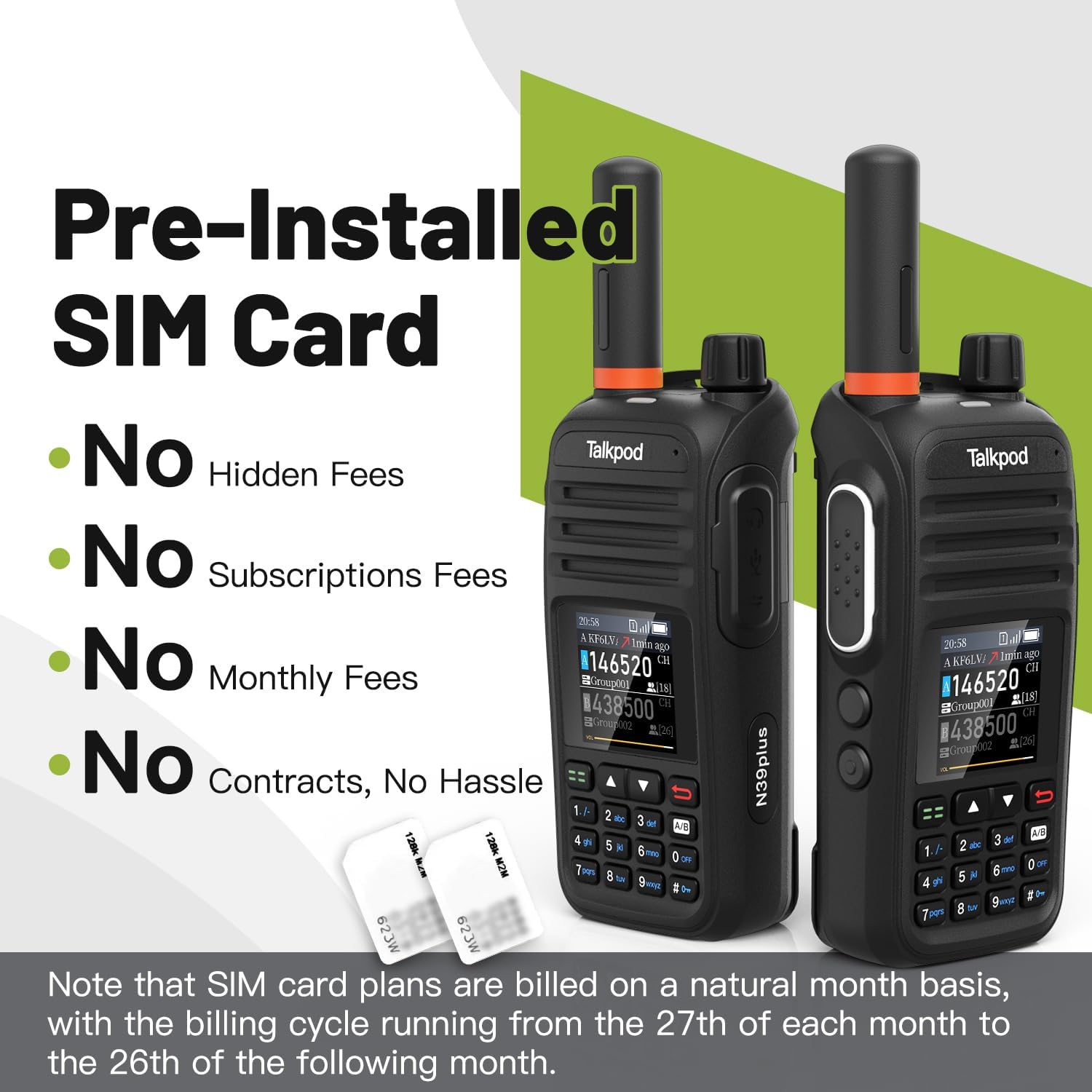
Image: Talkpod N39plus radios and SIM cards, illustrating the pre-installed SIM feature.
3. ആന്റിന ഘടിപ്പിക്കുക
- റേഡിയോയുടെ മുകളിലുള്ള കണക്ടറിലേക്ക് ആന്റിന ഘടികാരദിശയിൽ സ്ക്രൂ ചെയ്ത് വിരൽ കൊണ്ട് മുറുക്കുന്നത് വരെ സ്ക്രൂ ചെയ്യുക. അധികം മുറുക്കരുത്.
4. പ്രാരംഭ ചാർജിംഗ്
Before first use, fully charge the radio's battery. Connect the USB-C charging cable to the radio's USB-C port and to a compatible USB power adapter. The LED indicator will show charging status.
5. പവർ ഓൺ/ഓഫ്
റേഡിയോ ഓൺ ചെയ്യാൻ, തിരിക്കുക Turn on/off volume knob clockwise until you hear a click and the screen illuminates. To power off, rotate the knob counter-clockwise until it clicks off.
പ്രവർത്തന നിർദ്ദേശങ്ങൾ
അടിസ്ഥാന ആശയവിനിമയം
- ചാനൽ തിരഞ്ഞെടുക്കുക: Use the numeric keypad or function keys to select your desired virtual channel or frequency.
- സംപ്രേക്ഷണം: അമർത്തിപ്പിടിക്കുക PTT launch key on the side of the radio. Speak clearly into the microphone. Release the PTT key to listen.
- വോളിയം ക്രമീകരിക്കുക: തിരിക്കുക Turn on/off volume knob കേൾക്കുന്ന ശബ്ദം ക്രമീകരിക്കാൻ.
User Interface and Features
- Dual Virtual Channel Monitoring: The radio's interface allows monitoring of two virtual channels simultaneously.
- Virtual Frequency Display: The screen displays virtual frequencies for easy identification.
- Keypad Input: Use the numeric keypad for quick channel selection or menu navigation.
- Menu System: Access various settings and features through the user-friendly menu system using the function keys.
- Callsigns and Caller ID: Users can set their own callsigns. The radio displays the caller ID of the last incoming transmission.
- Call History Log: Access a log of past communications.
Linkpoon HAM App and Nationwide Communication
Each N39plus device includes free authorization to use the Linkpoon HAM App for at least 5 years. This app enhances the radio's capabilities, allowing for expanded communication over mobile cellular networks, providing nationwide coverage and breaking free from conventional radio signal limitations.

Image: Various usage scenarios for the Talkpod N39plus radio.
മെയിൻ്റനൻസ്
ചാർജിംഗ്
The Talkpod N39plus supports fast charging via USB-C. Connect the radio to a power source using the provided USB-C cable. A full charge provides up to 24 hours of standby and talk time.
ബാറ്ററി കെയർ
- ബാറ്ററി ഇടയ്ക്കിടെ പൂർണ്ണമായും ഡിസ്ചാർജ് ചെയ്യുന്നത് ഒഴിവാക്കുക.
- ദീർഘനേരം ഉപയോഗിക്കാത്തപ്പോൾ റേഡിയോയും ബാറ്ററിയും തണുത്തതും വരണ്ടതുമായ സ്ഥലത്ത് സൂക്ഷിക്കുക.
- അങ്ങേയറ്റത്തെ താപനിലയിലേക്ക് ബാറ്ററി തുറന്നുകാട്ടരുത്.
വൃത്തിയാക്കൽ
ഒരു സോഫ്റ്റ് ഉപയോഗിച്ച് റേഡിയോ തുടയ്ക്കുക, ഡിamp തുണി. കഠിനമായ രാസവസ്തുക്കളോ അബ്രാസീവ് ക്ലീനറുകളോ ഉപയോഗിക്കരുത്. ചാർജ് ചെയ്യുന്നതിനോ ഉപയോഗിക്കുന്നതിനോ മുമ്പ് എല്ലാ പോർട്ടുകളും ഉണങ്ങിയിട്ടുണ്ടെന്ന് ഉറപ്പാക്കുക.
ജല പ്രതിരോധം
The Talkpod N39plus is വെള്ളത്തെ പ്രതിരോധിക്കുന്നില്ല. കേടുപാടുകൾ ഒഴിവാക്കാൻ ഉപകരണം വെള്ളത്തിലോ ഉയർന്ന ആർദ്രതയിലോ തുറന്നുകാട്ടുന്നത് ഒഴിവാക്കുക.
ട്രബിൾഷൂട്ടിംഗ്
റേഡിയോ ഓണാകുന്നില്ല
- ബാറ്ററി ശരിയായി ഇൻസ്റ്റാൾ ചെയ്തിട്ടുണ്ടെന്നും പൂർണ്ണമായും ചാർജ്ജ് ചെയ്തിട്ടുണ്ടെന്നും ഉറപ്പാക്കുക.
- Try removing the battery, reseating the SIM card (if accessible), and then reinstalling the battery. Sometimes the SIM card can become dislodged during shipping.
കണക്ഷൻ പ്രശ്നങ്ങൾ
- Verify that you are in an area with cellular network coverage.
- റേഡിയോ പുനരാരംഭിക്കുക.
- Ensure your SIM data plan is active and has available data.
ഓഡിയോ പ്രശ്നങ്ങൾ
- വോളിയം നോബ് ക്രമീകരിക്കുക.
- Check for any obstructions on the loudspeaker or microphone.
സ്പെസിഫിക്കേഷനുകൾ
| ബ്രാൻഡ് | ടോക്ക്പോഡ് |
| മോഡൽ നമ്പർ | N39plus |
| നിറം | കറുപ്പ് |
| ചാനലുകളുടെ എണ്ണം | 2 |
| പ്രത്യേക ഫീച്ചർ | ദീർഘദൂരം, റീചാർജ് ചെയ്യാവുന്നത് |
| ജല പ്രതിരോധ നില | വാട്ടർ റെസിസ്റ്റൻ്റ് അല്ല |
| ബാറ്ററികളുടെ എണ്ണം | 1 ലിഥിയം അയോൺ ബാറ്ററി ആവശ്യമാണ് (ഉൾപ്പെടുത്തിയിരിക്കുന്നു) |
| ബാറ്ററി ലൈഫ് (ശരാശരി) | 24 മണിക്കൂർ |
| കണക്റ്റിവിറ്റി പ്രോട്ടോക്കോൾ | എൽടിഇ |
| EU സ്പെയർ പാർട്ട് ലഭ്യത കാലാവധി | 5 വർഷം |
വാറൻ്റിയും പിന്തുണയും
Authorization and Data Plan
Each Talkpod N39plus device comes with free authorization to use the Linkpoon HAM App for at least 5 years. Additionally, a 1-year SIM data plan (up to 800MB/Month) is included, suitable for regular voice-only communication.
ഉപഭോക്തൃ പിന്തുണ
For any product issues, technical assistance, or after-sales service, please contact Talkpod support directly.

Image: Talkpod customer support contact details.
ഇമെയിൽ: Support@talkpod.com
We are committed to providing assistance and ensuring your satisfaction.