
1. ആമുഖം
This manual provides detailed instructions for the CHEREEKI Digital Alarm Clock. Please read it carefully to ensure proper use and to fully utilize all features of your new alarm clock. This device is designed for convenience and reliability, offering a large LED display, dual alarm settings, adjustable brightness and volume, and a USB charging port.

Figure 1: CHEREEKI Digital Alarm Clock with included power adapter and USB cable.
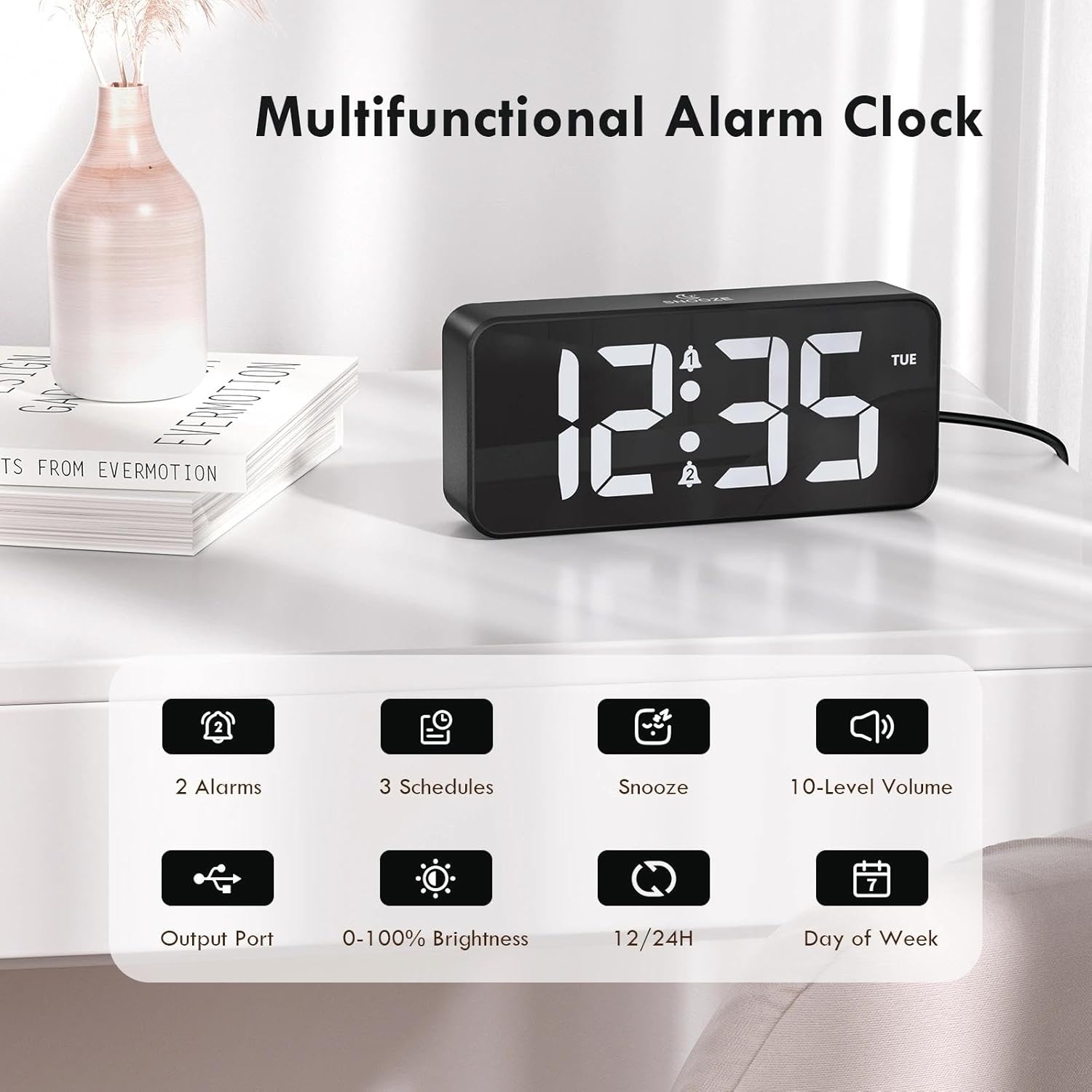
Figure 2: Key features of the CHEREEKI Digital Alarm Clock.
2. പാക്കേജ് ഉള്ളടക്കം
പാക്കേജ് തുറക്കുമ്പോൾ, ഇനിപ്പറയുന്ന എല്ലാ ഇനങ്ങളും ഉൾപ്പെടുത്തിയിട്ടുണ്ടെന്ന് ദയവായി ഉറപ്പാക്കുക:
- 1 x CHEREEKI Digital Alarm Clock
- 1 x പവർ അഡാപ്റ്റർ
- 1 x USB ചാർജിംഗ് കേബിൾ (1.5m)
- 1 x ഇൻസ്ട്രക്ഷൻ മാനുവൽ

Figure 3: Contents of the CHEREEKI Digital Alarm Clock package.
3. ഉൽപ്പന്നം കഴിഞ്ഞുview
Familiarize yourself with the various buttons and ports on your CHEREEKI Digital Alarm Clock:

Figure 4: Rear panel controls and ports of the alarm clock.
- Dimmer Knob: Adjusts display brightness (0% to 100%).
- സമയ സജ്ജീകരണ ബട്ടൺ: സമയ ക്രമീകരണ മോഡിലേക്ക് പ്രവേശിക്കുന്നു.
- അലാറം 1 ബട്ടൺ: Enters Alarm 1 setting mode.
- അലാറം 2 ബട്ടൺ: Enters Alarm 2 setting mode.
- Up Button (+): ക്രമീകരണ സമയത്ത് മൂല്യങ്ങൾ വർദ്ധിപ്പിക്കുന്നു.
- Down Button (-): സജ്ജീകരണ സമയത്ത് മൂല്യങ്ങൾ കുറയ്ക്കുന്നു.
- വോളിയം നോബ്: Adjusts alarm volume (10 levels).
- USB Port (Output): ബാഹ്യ ഉപകരണങ്ങൾ ചാർജ് ചെയ്യുന്നതിന്.
- Type-C Port (DC 5V Input): For main power connection.
- DST സ്വിച്ച്: Activates/deactivates Daylight Saving Time.
- ബാറ്ററി കമ്പാർട്ട്മെൻ്റ്: Houses the CR2032 backup battery.
4. സജ്ജീകരണം
4.1 പവർ കണക്ഷൻ
The CHEREEKI Digital Alarm Clock operates solely on AC power. Connect the provided USB cable to the Type-C port on the back of the alarm clock and plug the power adapter into a standard wall outlet (5V/1A or 5V/2A adapter recommended). The display will illuminate once power is connected.

Figure 5: Connecting the alarm clock to a power source.
4.2 Backup Battery Installation (Memory Function)
The alarm clock includes a CR2032 backup battery (pre-installed) to retain time and alarm settings during power outages. This battery does not power the clock's display or functions; it only preserves memory. If the battery needs replacement, open the battery compartment on the rear panel and insert a new CR2032 battery, ensuring correct polarity.

Figure 6: The backup battery ensures settings are retained during power interruptions.
5. പ്രവർത്തന നിർദ്ദേശങ്ങൾ
5.1 സമയം ക്രമീകരിക്കുന്നു
- അമർത്തുക സമയം സെറ്റ് ബട്ടൺ. മണിക്കൂർ അക്കങ്ങൾ മിന്നുന്നു.
- ഉപയോഗിക്കുക മുകളിലേക്ക് (+) or താഴേക്ക് (-) മണിക്കൂർ ക്രമീകരിക്കാനുള്ള ബട്ടണുകൾ.
- അമർത്തുക സമയം സെറ്റ് വീണ്ടും. മിനിറ്റുകണക്കുകൾ മിന്നിമറയും.
- ഉപയോഗിക്കുക മുകളിലേക്ക് (+) or താഴേക്ക് (-) മിനിറ്റ് ക്രമീകരിക്കാൻ ബട്ടണുകൾ.
- അമർത്തുക സമയം സെറ്റ് സമയ ക്രമീകരണ മോഡ് സ്ഥിരീകരിച്ച് പുറത്തുകടക്കാൻ ഒരിക്കൽ കൂടി.
5.2 12/24-മണിക്കൂർ ഫോർമാറ്റ്
12 മണിക്കൂർ മുതൽ 24 മണിക്കൂർ വരെയുള്ള സമയ ഫോർമാറ്റുകൾക്കിടയിൽ മാറാൻ, അമർത്തുക സമയം സെറ്റ് button while the time is displayed (not in setting mode). The display will show "AM" or "PM" for 12-hour format, or no indicator for 24-hour format.

Figure 7: The alarm clock supports both 12-hour and 24-hour time displays.
5.3 അലാറങ്ങൾ സജ്ജീകരിക്കൽ (അലാറം 1 & അലാറം 2)
The clock features two independent alarms. The setting process is identical for both:
- അമർത്തുക അലാറം 1 or അലാറം 2 ബട്ടൺ. അലാറം മണിക്കൂർ അക്കങ്ങൾ മിന്നിമറയും.
- ഉപയോഗിക്കുക മുകളിലേക്ക് (+) or താഴേക്ക് (-) അലാറം സമയം ക്രമീകരിക്കാനുള്ള ബട്ടണുകൾ.
- Press the respective alarm button again. The minute digits will flash.
- ഉപയോഗിക്കുക മുകളിലേക്ക് (+) or താഴേക്ക് (-) അലാറം മിനിറ്റ് ക്രമീകരിക്കാനുള്ള ബട്ടണുകൾ.
- Press the alarm button again to select the alarm schedule:
- തിങ്കൾ-വെള്ളി: Alarm sounds on weekdays.
- SAT-SUN: Alarm sounds on weekends.
- MON-SUN: ദിവസവും അലാറം മുഴങ്ങുന്നു.
- Press the alarm button once more to confirm and activate the alarm. A bell icon will appear on the display.

Figure 8: Dual alarms with customizable schedules.
5.4 സ്നൂസ് ഫംഗ്ഷൻ
When an alarm sounds, press any button (except the alarm buttons) to activate the 5-minute snooze function. The alarm will temporarily stop and sound again after 5 minutes. To completely turn off the alarm, press the corresponding അലാറം 1 or അലാറം 2 ബട്ടൺ.
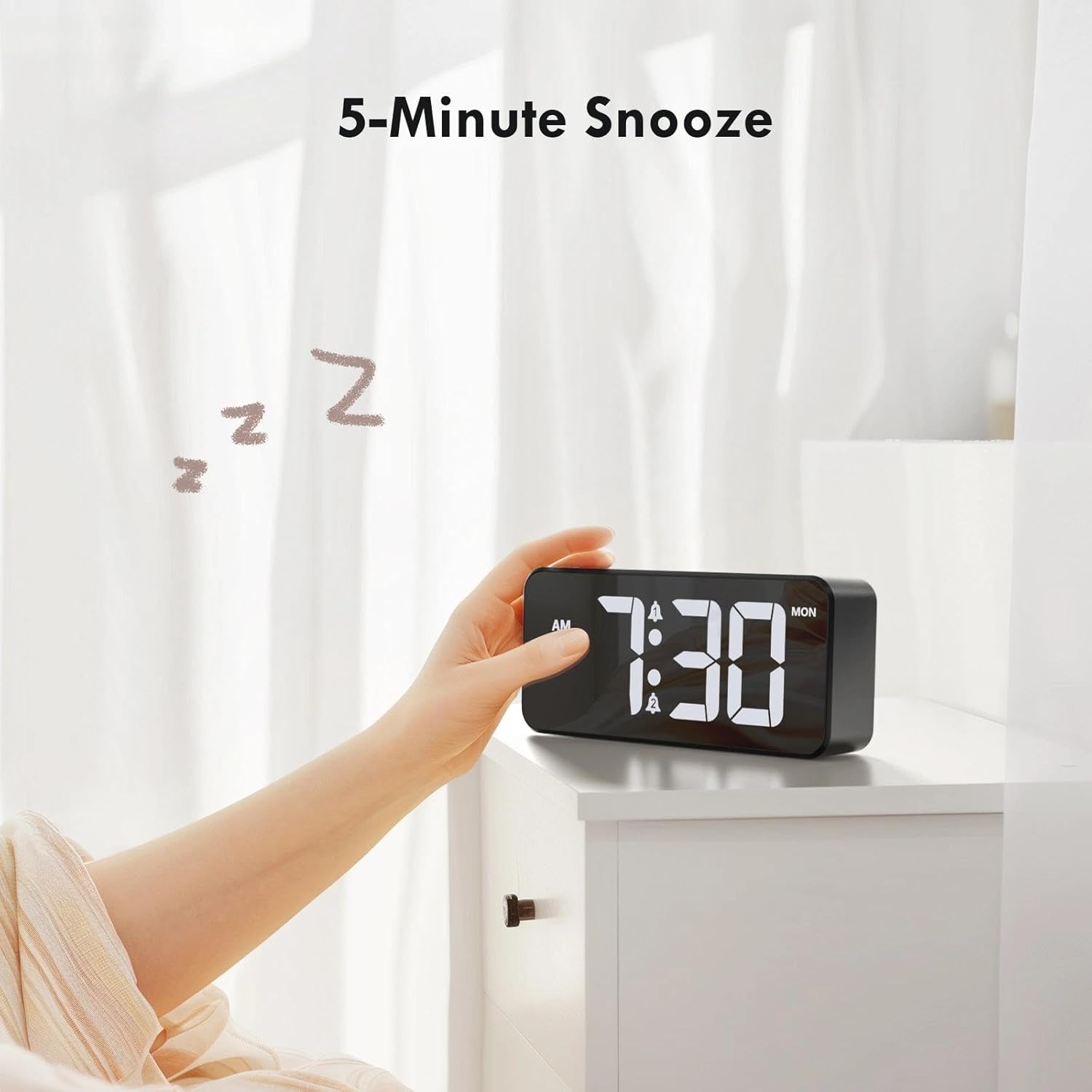
Figure 9: Activating the 5-minute snooze.
5.5 ഡിസ്പ്ലേ തെളിച്ചം ക്രമീകരിക്കൽ
തിരിക്കുക ഡിമ്മർ knob on the rear panel to adjust the LED display brightness from 0% (off) to 100% (maximum brightness). This allows you to customize the display visibility for different lighting conditions and personal preference.
5.6 അലാറം വോളിയം ക്രമീകരിക്കൽ
തിരിക്കുക വോളിയം knob on the rear panel to select one of the 10 available volume levels for the alarm sound. Choose a volume that is suitable for your needs.

Figure 10: Controls for brightness and volume adjustment.
5.7 പകൽ വെളിച്ച ലാഭിക്കൽ സമയം (DST)
The alarm clock supports Daylight Saving Time. Locate the ഡിഎസ്ടി switch on the rear panel. Slide the switch to activate or deactivate DST as required by your local time zone.
6. യുഎസ്ബി ചാർജിംഗ് പോർട്ട്
The alarm clock is equipped with a USB output port on the rear panel. This port allows you to conveniently charge other electronic devices, such as smartphones or tablets, directly from the alarm clock. Simply connect your device's charging cable to the USB port.

Figure 11: Using the USB port to charge an external device.
7. പരിപാലനം
To ensure the longevity and optimal performance of your CHEREEKI Digital Alarm Clock, follow these maintenance guidelines:
- വൃത്തിയാക്കൽ: Use a soft, dry cloth to clean the surface of the alarm clock. Avoid using abrasive cleaners, solvents, or chemical sprays, as these can damage the finish.
- പ്ലേസ്മെൻ്റ്: Place the alarm clock on a stable, flat surface. Avoid areas with excessive heat, humidity, direct sunlight, or strong magnetic fields.
- ശക്തി: Always use the provided power adapter and cable. Do not attempt to power the clock with incompatible adapters.
8. പ്രശ്നപരിഹാരം
If you encounter any issues with your alarm clock, please refer to the following common problems and solutions:
| പ്രശ്നം | സാധ്യമായ കാരണം | പരിഹാരം |
|---|---|---|
| ഡിസ്പ്ലേ ഓഫാണ് അല്ലെങ്കിൽ പ്രവർത്തിക്കുന്നില്ല. | വൈദ്യുതി കണക്ഷനോ വൈദ്യുതി കണക്ഷനോ ഇല്ലtage. Backup battery does not power the display. | Ensure the power adapter is securely plugged into both the clock and a working wall outlet. Check the power source. |
| അലാറം മുഴങ്ങുന്നില്ല. | Alarm not activated, volume too low, or incorrect alarm time set. | Verify that the alarm is activated (bell icon visible). Adjust the volume knob. Re-check alarm time settings. |
| പവർ ഓഫാക്കിയ ശേഷം സമയം/ക്രമീകരണങ്ങൾ നഷ്ടപ്പെടും.tage. | Backup battery is depleted or not installed correctly. | Replace the CR2032 backup battery, ensuring correct polarity. |
| യുഎസ്ബി ചാർജിംഗ് പോർട്ട് പ്രവർത്തിക്കുന്നില്ല. | Device not properly connected or power issue. | Ensure the alarm clock is powered on. Check the connection of the charging cable to both the clock and your device. Try a different USB cable. |
9 സ്പെസിഫിക്കേഷനുകൾ
| ഫീച്ചർ | വിശദാംശങ്ങൾ |
|---|---|
| ബ്രാൻഡ് | ചെറീക്കി |
| മോഡൽ | B0FHHKMP1X |
| നിറം | കറുപ്പ് |
| ഉൽപ്പന്ന അളവുകൾ | 14.5 x 3.81 x 6.5 സെ.മീ |
| ഭാരം | 230 ഗ്രാം |
| മെറ്റീരിയൽ | അക്രിലോണിട്രൈൽ ബ്യൂട്ടാഡീൻ സ്റ്റൈറൈൻ (എബിഎസ്) |
| ഡിസ്പ്ലേ തരം | ഡിജിറ്റൽ LED |
| പ്രത്യേക സവിശേഷതകൾ | Adjustable Brightness, Dual Alarms, Snooze, USB Charging Port, 12/24H Format, DST Support |
| പവർ ഉറവിടം | Corded Electric (5V/1A or 5V/2A adapter) |
| ബാക്കപ്പ് ബാറ്ററി | CR2032 (for memory retention only) |
10. വാറൻ്റിയും പിന്തുണയും
10.1 വാറൻ്റി വിവരങ്ങൾ
The CHEREEKI Digital Alarm Clock comes with a Lifetime Warranty from CHEREEKI. Please refer to the warranty card included in your package or contact CHEREEKI customer support for detailed terms and conditions.
10.2 ഉപഭോക്തൃ പിന്തുണ
For any questions, technical assistance, or warranty claims, please contact CHEREEKI customer support. You can typically find contact information on the product packaging, the official CHEREEKI webസൈറ്റ്, അല്ലെങ്കിൽ നിങ്ങളുടെ വാങ്ങൽ പ്ലാറ്റ്ഫോം വഴി.