
FYDEE A9
FYDEE മോഡൽ A9 റെക്കോർഡ് പ്ലെയർ ഇൻസ്ട്രക്ഷൻ മാനുവൽ
Comprehensive guide for setup, operation, and maintenance of your FYDEE Model A9 Record Player with Bluetooth, USB, and 3-speed vinyl playback.
1. ആമുഖം
Welcome to the instruction manual for your FYDEE Model A9 Record Player. This versatile device combines classic vinyl playback with modern connectivity options, including Bluetooth 5.4, USB recording and playback, and RCA output. Enjoy your favorite music with built-in stereo speakers or connect to external audio systems.
2 പ്രധാനപ്പെട്ട സുരക്ഷാ വിവരങ്ങൾ
- ഉപയോഗിക്കുന്നതിന് മുമ്പ് എല്ലാ നിർദ്ദേശങ്ങളും ശ്രദ്ധാപൂർവ്വം വായിക്കുക.
- ഭാവി റഫറൻസിനായി ഈ മാനുവൽ സൂക്ഷിക്കുക.
- മഴ, ഈർപ്പം, അല്ലെങ്കിൽ തീവ്രമായ താപനില എന്നിവയിൽ യൂണിറ്റ് തുറന്നുകാട്ടരുത്.
- ശരിയായ വായുസഞ്ചാരം ഉറപ്പാക്കുക; വായുസഞ്ചാര ദ്വാരങ്ങൾ അടയ്ക്കരുത്.
- യൂണിറ്റിനൊപ്പം നൽകിയിട്ടുള്ള പവർ അഡാപ്റ്റർ മാത്രം ഉപയോഗിക്കുക.
- താപ സ്രോതസ്സുകൾക്ക് സമീപമോ നേരിട്ടുള്ള സൂര്യപ്രകാശത്തിലോ യൂണിറ്റ് സ്ഥാപിക്കുന്നത് ഒഴിവാക്കുക.
- മൃദുവായതും ഉണങ്ങിയതുമായ തുണി ഉപയോഗിച്ച് യൂണിറ്റ് വൃത്തിയാക്കുക. അബ്രാസീവ് ക്ലീനറുകളോ ലായകങ്ങളോ ഉപയോഗിക്കരുത്.
- യൂണിറ്റ് സ്വയം വേർപെടുത്താനോ നന്നാക്കാനോ ശ്രമിക്കരുത്. എല്ലാ സേവനങ്ങളും യോഗ്യതയുള്ള ഉദ്യോഗസ്ഥരെ ഏൽപ്പിക്കുക.
3. പാക്കേജ് ഉള്ളടക്കം
എല്ലാ ഇനങ്ങളും നിങ്ങളുടെ പാക്കേജിൽ ഉൾപ്പെടുത്തിയിട്ടുണ്ടെന്ന് ഉറപ്പാക്കുക:
- FYDEE Model A9 Record Player x 1
- എസി അഡാപ്റ്റർ x 1
- പൊടി കവർ x 1
- ഇൻസ്ട്രക്ഷൻ മാനുവൽ x 1
- RCA കേബിൾ x 1
- 45 RPM അഡാപ്റ്റർ x 1
4. Product Diagram and Parts Identification
Familiarize yourself with the components of your record player:
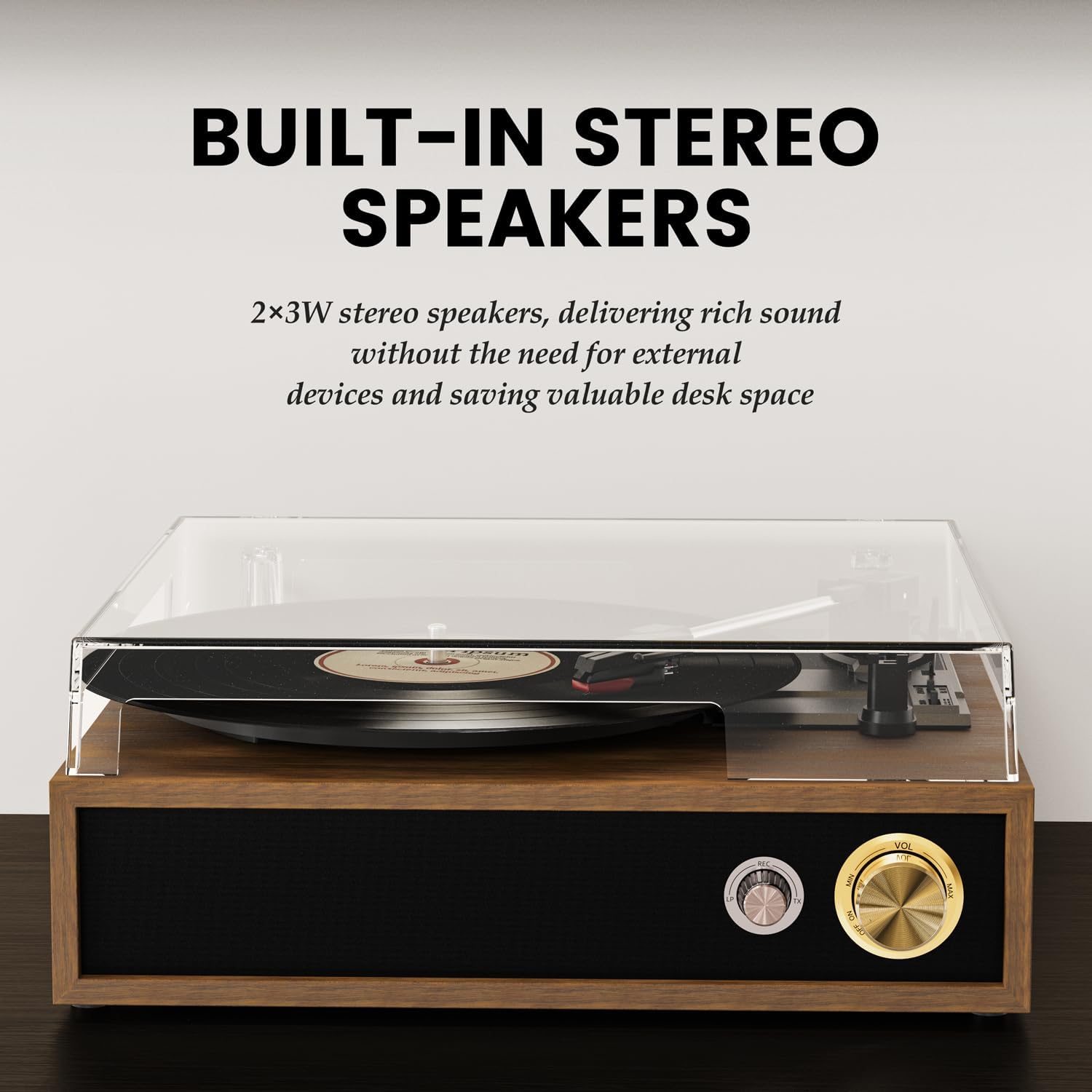
ചിത്രം 1: പൊട്ടിത്തെറിച്ചു view of the FYDEE Model A9 Record Player, highlighting its various components including the acrylic dust cover, belt-driven turntable, 45 RPM adapter, wood grain shell, stereo speakers, and shock-absorbing foot pads.
- ടേൺടേബിൾ പ്ലാറ്റർ: Where the vinyl record is placed.
- 45 RPM അഡാപ്റ്റർ: Used for playing 7-inch records with a large center hole.
- ടോൺ ആം: കാട്രിഡ്ജും സ്റ്റൈലസും പിടിക്കുന്നു.
- ഓട്ടോ സ്റ്റോപ്പ് സ്വിച്ച്: Controls automatic stopping of the platter at the end of a record.
- Speed Selector (33/45/78 RPM): Adjusts playback speed for different record types.
- Cartridge/Stylus: റെക്കോർഡിന്റെ ആഴങ്ങൾ വായിക്കുന്നു.
- Tone Arm Rest and Security Latch: Secures the tone arm when not in use.
- ബിൽറ്റ്-ഇൻ സ്റ്റീരിയോ സ്പീക്കറുകൾ: നേരിട്ടുള്ള ഓഡിയോ പ്ലേബാക്കിനായി ഇന്റഗ്രേറ്റഡ് സ്പീക്കറുകൾ.
- Power Indicator / Bluetooth Indicator: Red light indicates power, blue light indicates Bluetooth activity.
- ഹെഡ്ഫോൺ ജാക്ക്: സ്വകാര്യ ശ്രവണത്തിനായി 3.5mm ഔട്ട്പുട്ട്.
- Power Switch & Volume Control: Turns the unit on/off and adjusts audio volume.
- ഓക്സ്-ഇൻ: ബാഹ്യ ഓഡിയോ സ്രോതസ്സുകളെ ബന്ധിപ്പിക്കുന്നതിനുള്ള 3.5mm ഇൻപുട്ട്.
- RCA L/R Output: ബാഹ്യ ഉപകരണങ്ങളുമായി ബന്ധിപ്പിക്കുന്നതിന് ampലൈഫറുകൾ അല്ലെങ്കിൽ പവർ സ്പീക്കറുകൾ.
- USB പോർട്ട്: യുഎസ്ബി പ്ലേബാക്കിനും റെക്കോർഡിംഗിനും.
5. സജ്ജീകരണ നിർദ്ദേശങ്ങൾ
- ഡസ്റ്റ് കവർ ഇൻസ്റ്റാൾ ചെയ്യുക:
Carefully align the hinges of the dust cover with the slots on the back of the record player and slide it into place. The dust cover protects the turntable and records from dust and debris.

Figure 2: The record player with its dust cover installed and open.
Video 1: Demonstrates the installation of the dust cover and initial setup of the record player.
- പവർ ബന്ധിപ്പിക്കുക:
Plug the AC adapter into the DC IN port on the back of the record player, then plug the adapter into a wall outlet. The power indicator light will illuminate.

Figure 3: Rear panel connections including power input, RCA output, and USB port.
- Connect External Speakers (Optional):
If you wish to use external powered speakers or an amplifier, connect them to the RCA L/R output ports on the back of the record player using the supplied RCA cable.
6. പ്രവർത്തന നിർദ്ദേശങ്ങൾ
6.1 വിനൈൽ റെക്കോർഡുകൾ പ്ലേ ചെയ്യുന്നു
- പവർ ഓൺ: Rotate the Power Switch & Volume Control knob clockwise to turn on the record player. The power indicator will light up red.
- Place a Record: Place your vinyl record on the turntable platter. If playing a 7-inch record, place the 45 RPM adapter on the spindle first.
- വേഗത തിരഞ്ഞെടുക്കുക: Set the Speed Selector switch to 33, 45, or 78 RPM according to your record's speed.
- സ്റ്റൈലസ് ഗാർഡ് നീക്കം ചെയ്യുക: Gently remove the protective cap from the stylus.
- ടോൺ ആം അൺലോക്ക് ചെയ്യുക: Release the tone arm from its rest by pushing the security latch.
- സ്ഥാനം ടോൺ ആം: Lift the tone arm using the lift lever, move it over the desired track of the record, and then slowly lower it onto the record using the lift lever. The platter will begin to spin automatically.
- വോളിയം ക്രമീകരിക്കുക: Rotate the Power Switch & Volume Control knob to adjust the listening volume.
- ഓട്ടോ-സ്റ്റോപ്പ് ഫംഗ്ഷൻ: The Auto Stop Switch can be set to ON or OFF. When ON, the turntable will stop spinning automatically when the record finishes. When OFF, it will continue to spin.
- To Stop Playback: Lift the tone arm using the lift lever, return it to the tone arm rest, and secure it with the latch. Rotate the Power Switch & Volume Control knob counter-clockwise to turn off the unit.
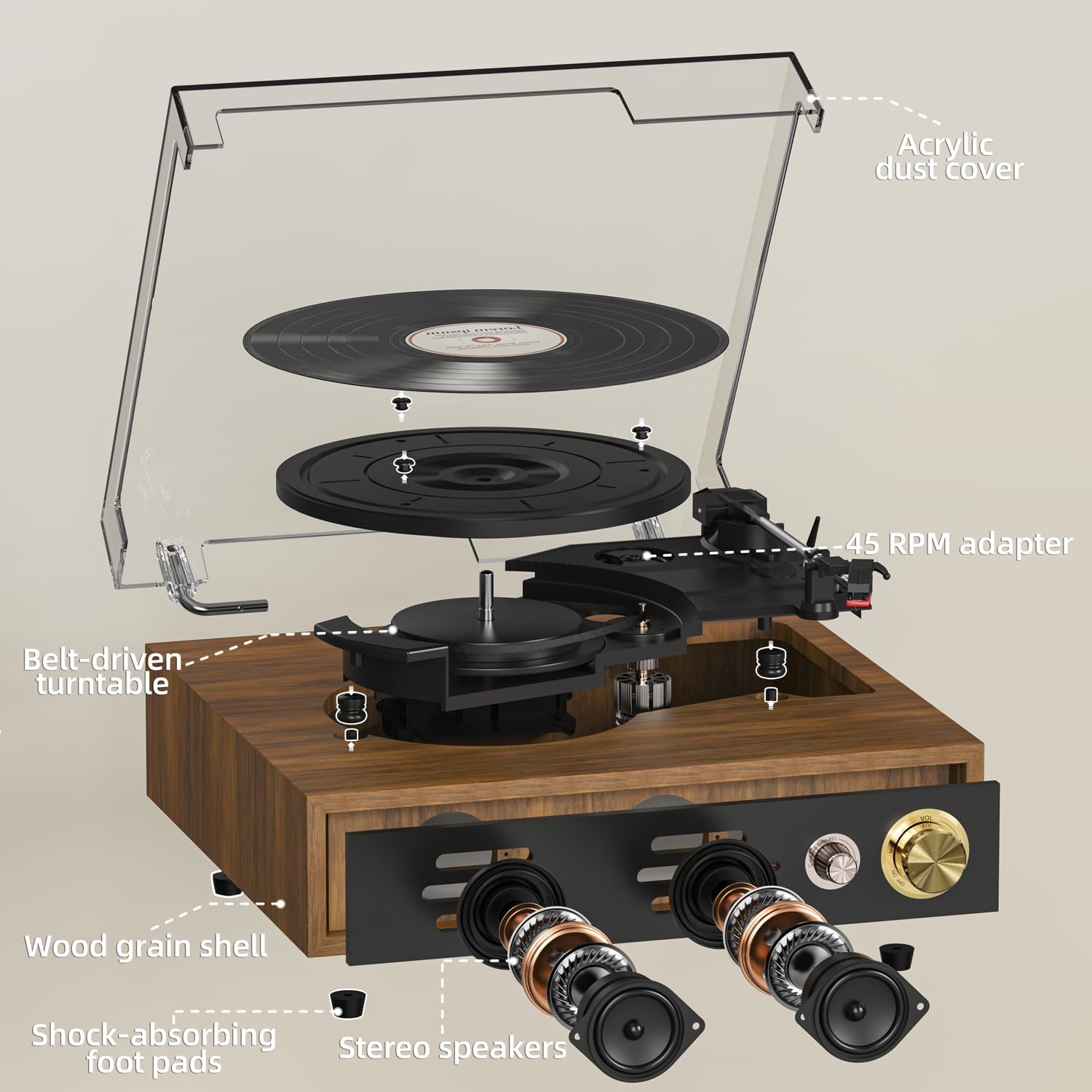
Figure 4: Speed selector for 33, 45, and 78 RPM records.
6.2 Bluetooth Connectivity (Bidirectional)
The FYDEE Model A9 supports Bluetooth 5.4 for both receiving and transmitting audio.
- Bluetooth Input Mode (Using the turntable as a Bluetooth speaker):
- റെക്കോർഡ് പ്ലെയർ ഓണാക്കുക.
- Rotate the MODE knob to "BT" (Bluetooth). The Bluetooth indicator light will flash blue.
- On your smartphone or other Bluetooth device, enable Bluetooth and search for "FYDEE A9" (or similar device name).
- Select the device to pair. Once connected, the Bluetooth indicator light will turn solid blue.
- Play music from your device, and it will stream through the record player's built-in speakers.
- Bluetooth Output Mode (Streaming vinyl to external Bluetooth speakers/headphones):
- Turn on the record player and play a vinyl record.
- നിങ്ങളുടെ ബാഹ്യ ബ്ലൂടൂത്ത് സ്പീക്കറോ ഹെഡ്ഫോണുകളോ ജോടിയാക്കൽ മോഡിലാണെന്ന് ഉറപ്പാക്കുക.
- On the record player, press the "BT OUT" button (if available, or refer to specific model instructions for Bluetooth transmission pairing). The record player will search for nearby Bluetooth devices.
- Once connected, the audio from the vinyl record will stream to your external Bluetooth device.
Video 2: A quick guide to setting up Bluetooth connectivity for the FYDEE turntable.
6.3 യുഎസ്ബി പ്ലേബാക്കും റെക്കോർഡിംഗും
The USB port allows for both playing digital music files and converting your vinyl records to MP3 format.
- യുഎസ്ബി പ്ലേബാക്ക്:
- MP3 അടങ്ങിയ യുഎസ്ബി ഫ്ലാഷ് ഡ്രൈവ് ചേർക്കുക fileയുഎസ്ബി പോർട്ടിലേക്ക് എസ്.
- Rotate the MODE knob to "USB". The unit will automatically start playing music from the USB drive.
- Use the control buttons (if available) or your connected device to navigate tracks.
- USB Recording (Vinyl-to-MP3 Conversion):
- USB പോർട്ടിൽ ഒരു USB ഫ്ലാഷ് ഡ്രൈവ് ചേർക്കുക.
- Start playing your vinyl record as described in section 6.1.
- Press the "REC" button (usually near the USB port) to start recording. The indicator light will change to show recording is active.
- Press "REC" again to stop recording, or press "SPLIT" to create a new track file without stopping the recording process.
- റെക്കോർഡ് ചെയ്ത MP3 files will be saved on your USB drive.
6.4 AUX-IN Playback
Connect external audio devices (e.g., MP3 players, smartphones) via a 3.5mm audio cable to the AUX-IN port on the back of the record player. Rotate the MODE knob to "AUX" to play audio through the record player's speakers.
6.5 ഹെഡ്ഫോൺ ഔട്ട്പുട്ട്
For private listening, plug 3.5mm headphones into the Headphone Jack on the front panel. The built-in speakers will be muted automatically.
7. പരിപാലനവും പരിചരണവും
- യൂണിറ്റ് വൃത്തിയാക്കൽ:
Wipe the record player and dust cover with a soft, dry, lint-free cloth. Do not use abrasive cleaners or solvents, as they may damage the finish.
- സ്റ്റൈലസ് കെയർ:
Handle the stylus with care. Avoid touching it with your fingers. Clean the stylus gently with a soft brush, moving from back to front. Replace the stylus when sound quality deteriorates or if it is visibly damaged.
- റെക്കോർഡ് കെയർ:
Keep your records clean and store them vertically in a cool, dry place to prevent warping and dust accumulation.
8. ട്രബിൾഷൂട്ടിംഗ് ഗൈഡ്
| പ്രശ്നം | സാധ്യമായ കാരണം | പരിഹാരം |
|---|---|---|
| ഒരു പവറും/യൂണിറ്റും ഓണാകുന്നില്ല. | പവർ അഡാപ്റ്റർ ബന്ധിപ്പിച്ചിട്ടില്ല അല്ലെങ്കിൽ തകരാറുണ്ട്. | പവർ അഡാപ്റ്റർ യൂണിറ്റിലേക്കും പ്രവർത്തിക്കുന്ന ഒരു പവർ ഔട്ട്ലെറ്റിലേക്കും സുരക്ഷിതമായി ബന്ധിപ്പിച്ചിട്ടുണ്ടെന്ന് ഉറപ്പാക്കുക. മറ്റൊരു ഔട്ട്ലെറ്റ് പരീക്ഷിക്കുക. |
| സ്പീക്കറുകളിൽ നിന്ന് ശബ്ദമില്ല. | Volume too low, headphones connected, incorrect mode selected. | Increase volume. Disconnect headphones. Ensure correct mode (PH for vinyl, BT for Bluetooth, USB for USB, AUX for AUX-IN) is selected. |
| Skipping or distorted sound during vinyl playback. | Dirty record, damaged stylus, unit not on a stable surface. | Clean the record. Check stylus for damage and replace if necessary. Place the unit on a stable, level surface away from vibrations. |
| ബ്ലൂടൂത്ത് ജോടിയാക്കൽ പ്രശ്നങ്ങൾ. | Device too far, not in pairing mode, interference. | Ensure devices are within range. Put both devices in pairing mode. Turn off other Bluetooth devices to reduce interference. |
| Record stops prematurely (Auto-Stop). | Auto Stop switch is ON. | If you prefer continuous playback, set the Auto Stop switch to OFF. |
9 സ്പെസിഫിക്കേഷനുകൾ
- ബ്രാൻഡ്: FYDEE
- മോഡൽ: A9
- അളവുകൾ: 32 x 29 x 13 സെ.മീ
- ഭാരം: 2.58 കി.ഗ്രാം
- മെറ്റീരിയൽ: Acrylic, Engineered Wood, Metal
- നിറം: തേക്ക്
- വേഗത: 33 1/3, 45, 78 ആർപിഎം
- മോട്ടോർ തരം: ബെൽറ്റ് ഓടിക്കുന്ന
- ബ്ലൂടൂത്ത് പതിപ്പ്: 5.4 (Bidirectional)
- സ്പീക്കറുകൾ: Built-in Dual Stereo Speakers (2x3W)
- ഔട്ട്പുട്ടുകൾ: RCA L/R, 3.5mm Headphone Jack
- ഇൻപുട്ടുകൾ: AUX-IN (3.5mm), USB
- പ്രത്യേക സവിശേഷതകൾ: Adjustable Speed, Built-in Bluetooth, Dust Cover, USB Recording/Playback, Auto-Stop Function.
- വാല്യംtage: 110 വോൾട്ട്
- ഊർജ്ജ സ്രോതസ്സ്: എസി അഡാപ്റ്റർ
10. വാറൻ്റിയും പിന്തുണയും
For any questions, technical support, or warranty claims, please contact FYDEE customer service. Our team is dedicated to assisting with setup, troubleshooting, and providing solutions including repair or replacement as needed.
ബന്ധപ്പെടാനുള്ള വിവരങ്ങൾ: Refer to your purchase documentation or the product packaging for specific contact details.
Ask a question about this manual
Ask about setup, troubleshooting, compatibility, parts, safety, or missing instructions. Manuals+ will review the question and use this page’s manual context to help answer it.