
1. ആമുഖം
This manual provides detailed instructions for the setup, operation, maintenance, and troubleshooting of your ATTACK SHARK X8 SE Wireless Gaming Mouse. Designed for performance and comfort, the X8 SE features tri-mode connectivity, a high-precision sensor, and a lightweight design for an optimal gaming experience.

ചിത്രം: മുകളിൽ view of the ATTACK SHARK X8 SE Wireless Gaming Mouse in Berry color.
2. പാക്കേജ് ഉള്ളടക്കം
നിങ്ങളുടെ പാക്കേജിൽ എല്ലാ ഇനങ്ങളും ഉണ്ടെന്ന് ഉറപ്പാക്കുക:
- ATTACK SHARK X8 SE Wireless Gaming Mouse
- USB-C ചാർജിംഗ് കേബിൾ
- 2.4GHz വയർലെസ് റിസീവർ
- ഉപയോക്തൃ മാനുവൽ (ഈ പ്രമാണം)
3. സജ്ജീകരണവും കണക്റ്റിവിറ്റിയും
The X8 SE mouse offers three connectivity modes: Wired, 2.4GHz Wireless, and Bluetooth. Choose the mode that best suits your needs.
3.1. മൗസ് ചാർജ് ചെയ്യുന്നു
Before first use, it is recommended to fully charge the mouse. Connect the provided USB-C cable to the mouse's charging port and to a USB power source (e.g., computer USB port, USB wall adapter). The LED indicator will show charging status.

Image: The underside of the mouse, illustrating the USB-C charging port and the power/mode switch.
3.2. വയേർഡ് മോഡ്
Connect the USB-C cable directly from the mouse to your computer's USB port. The mouse will function immediately and charge simultaneously.
3.3. 2.4GHz വയർലെസ് മോഡ്
- Locate the 2.4GHz wireless receiver, typically stored in a compartment on the underside of the mouse.
- നിങ്ങളുടെ കമ്പ്യൂട്ടറിൽ ലഭ്യമായ USB പോർട്ടിലേക്ക് റിസീവർ പ്ലഗ് ചെയ്യുക.
- മൗസിന്റെ താഴെയുള്ള മോഡ് സെലക്ടർ 2.4GHz വയർലെസ് ഐക്കണിലേക്ക് മാറ്റുക.
- മൗസ് യാന്ത്രികമായി കണക്ട് ചെയ്യണം.

Image: Visual representation of the three connectivity modes: Wired, 2.4GHz Wireless, and Bluetooth.
3.4. ബ്ലൂടൂത്ത് മോഡ്
- മൗസിന്റെ താഴെയുള്ള മോഡ് സെലക്ടർ ബ്ലൂടൂത്ത് ഐക്കണിലേക്ക് മാറ്റുക.
- The mouse will enter pairing mode (LED may flash).
- നിങ്ങളുടെ കമ്പ്യൂട്ടറിൽ, ബ്ലൂടൂത്ത് ക്രമീകരണങ്ങളിലേക്ക് നാവിഗേറ്റ് ചെയ്ത് പുതിയ ഉപകരണങ്ങൾക്കായി തിരയുക.
- Select "ATTACK SHARK X8 SE" from the list of available devices to pair.
4. മൗസ് പ്രവർത്തിപ്പിക്കൽ
4.1. ഡിപിഐ ക്രമീകരണം
The mouse features a PixArt PAW3311 gaming sensor with adjustable DPI from 50 to 25,000. Use the dedicated DPI button (usually on the underside or top of the mouse, depending on configuration) to cycle through preset DPI levels. The LED indicator may change color to signify the current DPI setting.
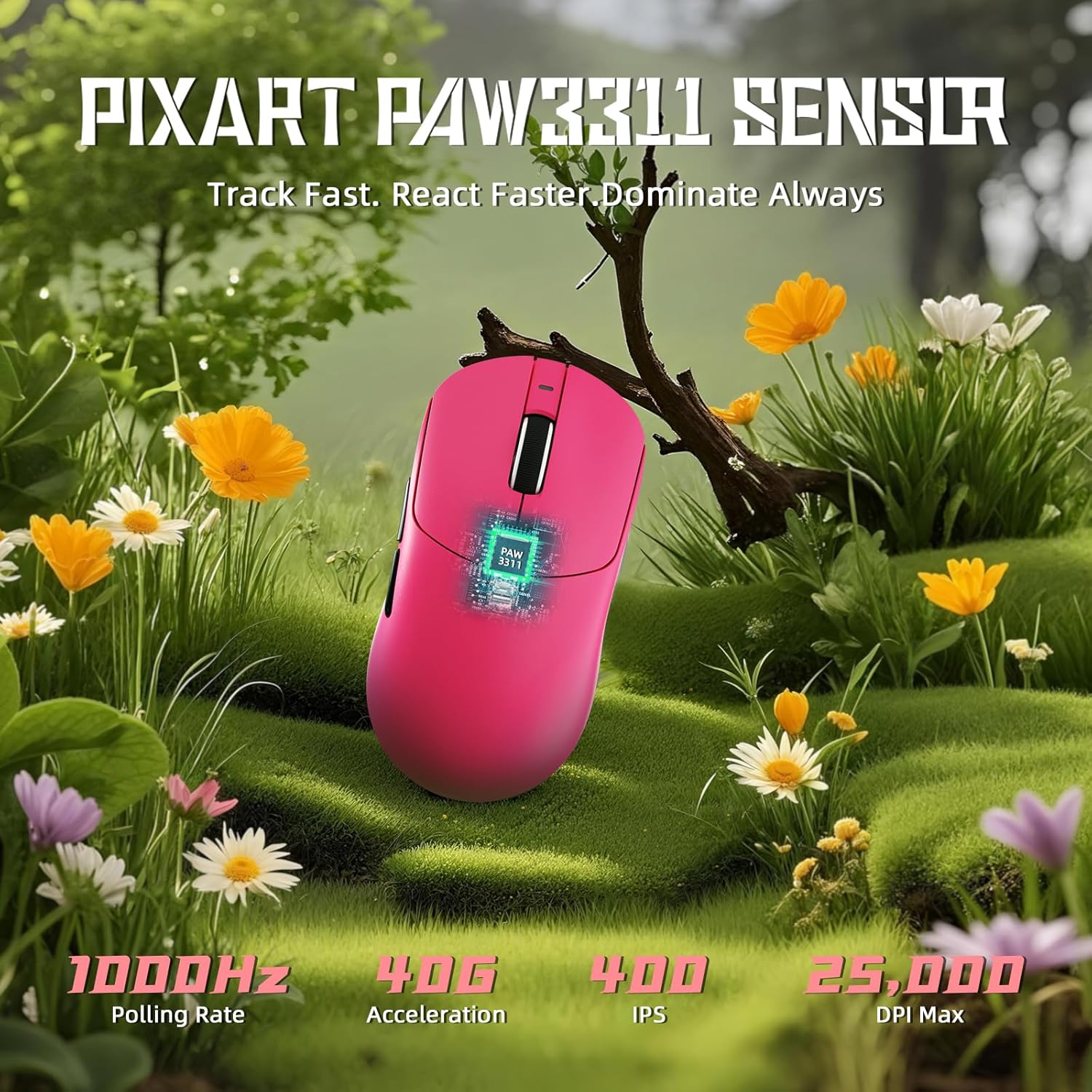
Image: Diagram illustrating the PixArt PAW3311 sensor and its performance metrics.
4.2. പോളിംഗ് നിരക്ക്
The X8 SE supports a 1KHz (1000Hz) polling rate in both wired and 2.4GHz wireless modes, ensuring responsive and accurate cursor movements.
4.3. Customizable Buttons and Software
The mouse features programmable buttons. To customize button functions, DPI settings, polling rate, macro recording, and key mapping, utilize the cloud-driven web driver. Access the driver via the official ATTACK SHARK website. This eliminates the need for traditional software installation.
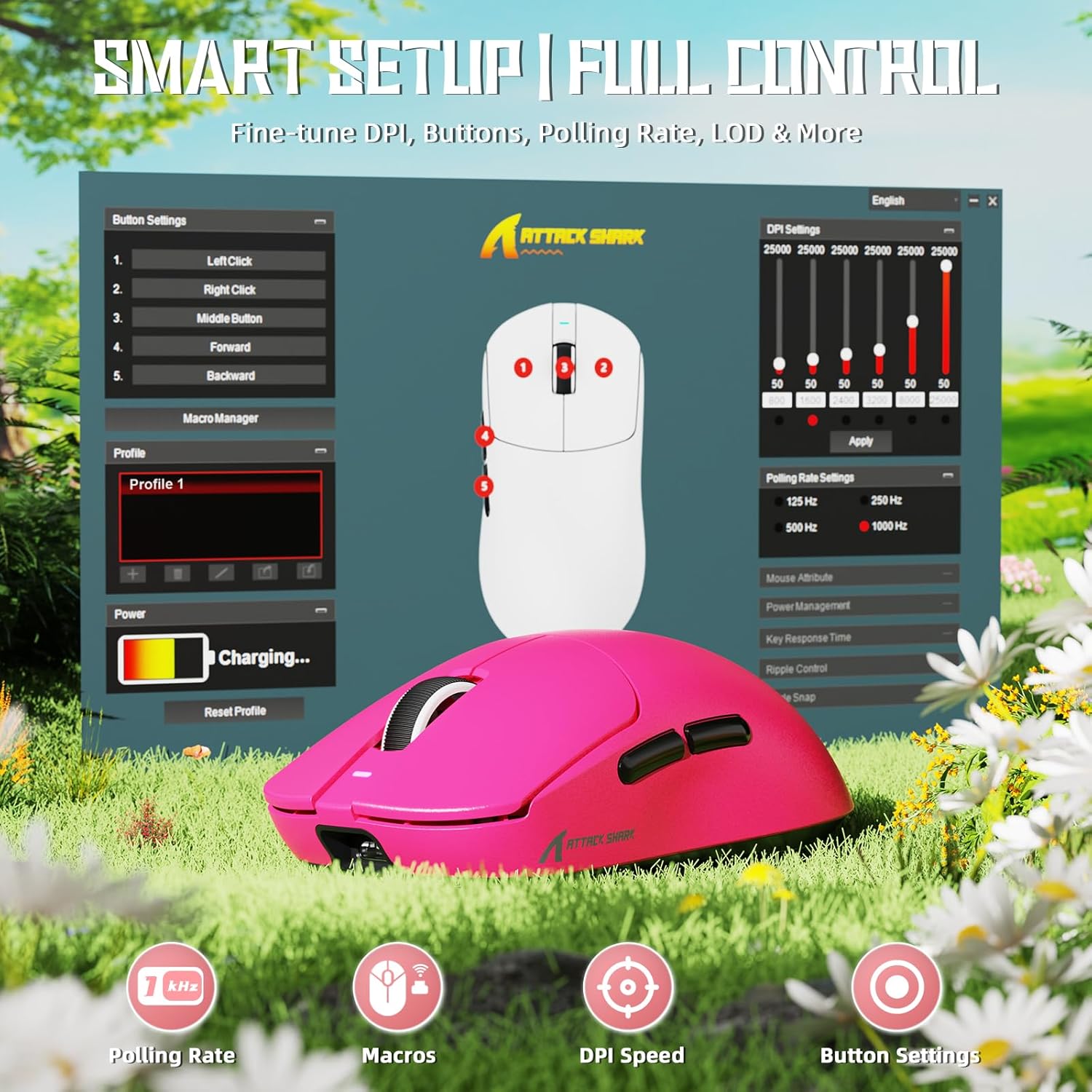
Image: Screenshot of the cloud-based driver interface for advanced customization.
4.4. Ergonomics and Grip Styles
The X8 SE is designed for users with medium to large hands, offering a comfortable grip for various styles including palm, claw, and fingertip grips.

Image: Illustration demonstrating palm, claw, and fingertip grip styles on the mouse.
5. പരിപാലനം
5.1. വൃത്തിയാക്കൽ
മൗസ് വൃത്തിയാക്കാൻ, മൃദുവായതും ഉണങ്ങിയതുമായ ഒരു തുണി ഉപയോഗിക്കുക. കഠിനമായ അഴുക്കിന്, അല്പം ഡി.amp cloth with mild soap can be used, ensuring no liquid enters the mouse. The Nano-ice coating is designed to resist sweat and maintain a clean feel.

Image: The mouse's Nano-ice coating helps maintain a clean surface.
5.2. ബാറ്ററി പരിചരണം
The X8 SE features a 500mAh large-capacity battery. For optimal battery life, avoid fully discharging the mouse frequently. Recharge when the battery indicator suggests low power. A single charge can last up to 300 hours of intermittent use.
5.3. Mouse Feet
The mouse is equipped with PTFE anti-slip footpads for smooth gliding. If the glide performance degrades over time, replacement mouse feet may be available from the manufacturer.
6. പ്രശ്നപരിഹാരം
6.1. മൗസ് പ്രതികരിക്കുന്നില്ല
- വയർഡ് മോഡ്: USB-C കേബിൾ മൗസിലേക്കും കമ്പ്യൂട്ടറിലേക്കും സുരക്ഷിതമായി ബന്ധിപ്പിച്ചിട്ടുണ്ടെന്ന് ഉറപ്പാക്കുക. മറ്റൊരു USB പോർട്ട് പരീക്ഷിക്കുക.
- 2.4GHz വയർലെസ് മോഡ്: Ensure the 2.4GHz receiver is plugged in and the mouse is switched to 2.4GHz mode. Try re-pairing by unplugging and re-plugging the receiver, then cycling the mouse power.
- ബ്ലൂടൂത്ത് മോഡ്: Ensure Bluetooth is enabled on your computer and the mouse is in Bluetooth mode. Re-pair the device through your computer's Bluetooth settings.
- ബാറ്ററി: Check if the mouse battery is charged. Connect the charging cable and observe the charging indicator.
6.2. Cursor Movement Issues
- മൗസിന്റെ അടിവശത്തുള്ള മൗസ് സെൻസർ ഭാഗം വൃത്തിയാക്കുക.
- മൗസ് അനുയോജ്യമായ ഒരു പ്രതലത്തിലാണ് ഉപയോഗിക്കുന്നതെന്ന് ഉറപ്പാക്കുക (ഉദാ. ഒരു മൗസ് പാഡ്).
- DPI ക്രമീകരണങ്ങൾ സുഖകരമായ ഒരു തലത്തിലേക്ക് ക്രമീകരിക്കുക.
- If using wireless modes, ensure there are no significant obstructions or sources of interference between the mouse and the receiver/computer.
6.3. Cloud Driver Not Accessible
- നിങ്ങളുടെ കമ്പ്യൂട്ടറിൽ സജീവ ഇന്റർനെറ്റ് കണക്ഷൻ ഉണ്ടെന്ന് ഉറപ്പാക്കുക.
- ശരിയാണെന്ന് പരിശോധിക്കുക URL for the ATTACK SHARK cloud driver.
- മറ്റൊന്ന് പരീക്ഷിക്കുക web ബ്രൗസർ.
7 സ്പെസിഫിക്കേഷനുകൾ
| ഫീച്ചർ | വിശദാംശങ്ങൾ |
|---|---|
| മോഡൽ | എക്സ് 8 എസ്ഇ |
| സെൻസർ | PixArt PAW3311 Gaming Sensor |
| ഡിപിഐ ശ്രേണി | 50 - 25,000 ഡിപിഐ |
| പോളിംഗ് നിരക്ക് | 1000Hz (1KHz) |
| കണക്റ്റിവിറ്റി | വയേർഡ് (USB-C), 2.4GHz വയർലെസ്, ബ്ലൂടൂത്ത് |
| ഭാരം | ഏകദേശം 55 ഗ്രാം |
| ബാറ്ററി ശേഷി | 500mAh |
| ബാറ്ററി ലൈഫ് | Up to 300 hours (intermittent use) |
| മൈക്രോ സ്വിച്ചുകൾ | HUANO (80 Million Clicks lifespan) |
| ത്വരണം | 40G |
| ട്രാക്കിംഗ് സ്പീഡ് | 400 ഐ.പി.എസ് |
| അളവുകൾ | ഏകദേശം 4.96 x 2.5 x 1.6 ഇഞ്ച് (125.5 x 63 x 40 മിമി) |

Image: Comparative technical specifications for the ATTACK SHARK X8 series, including the X8 SE model.
8. വാറൻ്റിയും പിന്തുണയും
ATTACK SHARK products are designed for reliability and performance. For warranty information, technical support, or to access the cloud driver, please visit the official ATTACK SHARK webസൈറ്റ് അല്ലെങ്കിൽ അവരുടെ ഉപഭോക്തൃ സേവനവുമായി ബന്ധപ്പെടുക.
Official ATTACK SHARK Store: ആമസോണിലെ അറ്റാക്ക് ഷാർക്ക് സ്റ്റോർ