
1. ആമുഖം
Thank you for choosing the ProCaster 55ST901H 55" 4K Android LED TV. This manual provides essential information for setting up, operating, and maintaining your television. Please read it thoroughly before using the product and keep it for future reference.
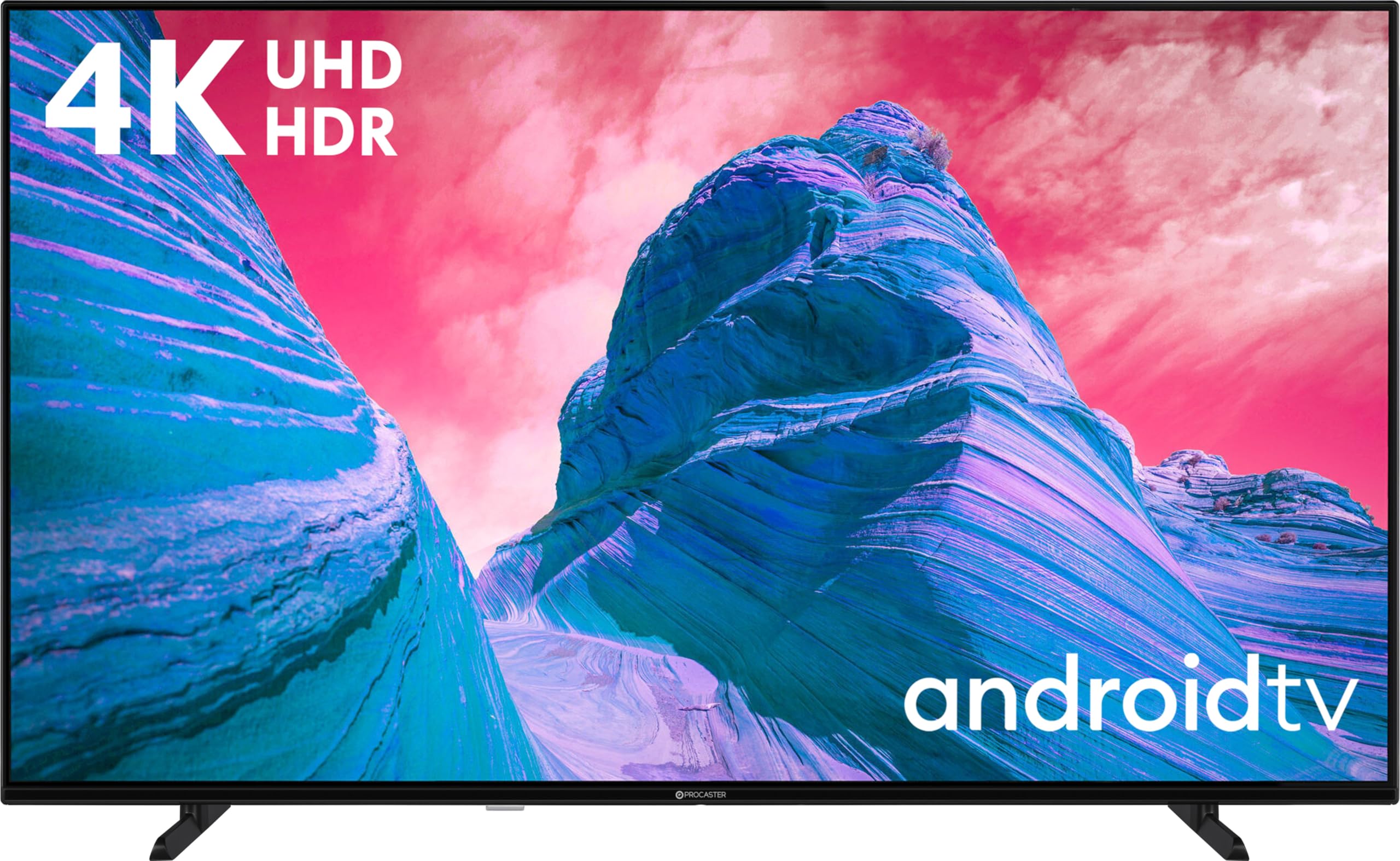
ചിത്രം 1.1: The ProCaster 55ST901H 55" 4K Android LED TV, featuring a frameless slim design.
2 സുരക്ഷാ വിവരങ്ങൾ
സുരക്ഷിതമായ പ്രവർത്തനം ഉറപ്പാക്കുന്നതിനും കേടുപാടുകൾ തടയുന്നതിനും, ഇനിപ്പറയുന്ന സുരക്ഷാ മുൻകരുതലുകൾ പാലിക്കുക:
- മഴയോ ഈർപ്പമോ ടിവിയെ തുറന്നുകാട്ടരുത്.
- വെന്റിലേഷൻ തുറക്കൽ തടയരുത്.
- പവർ കോഡിന് ശരിയായ ഗ്രൗണ്ടിംഗ് ഉറപ്പാക്കുക.
- ടിവി അസ്ഥിരമായ പ്രതലങ്ങളിൽ വയ്ക്കുന്നത് ഒഴിവാക്കുക.
- ഇടിമിന്നൽ ഉണ്ടാകുമ്പോഴോ ദീർഘനേരം ഉപയോഗിക്കാതിരിക്കുമ്പോഴോ ടിവി പ്ലഗ് ഊരിവയ്ക്കുക.
- എല്ലാ സേവനങ്ങളും യോഗ്യതയുള്ള സേവന ഉദ്യോഗസ്ഥർക്ക് റഫർ ചെയ്യുക.
3. പാക്കേജ് ഉള്ളടക്കം
ബോക്സിൽ എല്ലാ ഇനങ്ങളും ഉണ്ടെന്ന് ഉറപ്പാക്കുക:
- ProCaster 55ST901H 55" 4K Android LED TV
- Remote Control with Voice Search function
- പവർ കോർഡ്
- ടിവി സ്റ്റാൻഡ് (2 കഷണങ്ങൾ)
- സ്റ്റാൻഡ് അറ്റാച്ച്മെന്റിനുള്ള സ്ക്രൂകൾ
- ഉപയോക്തൃ മാനുവൽ (ഈ പ്രമാണം)
- ദ്രുത ആരംഭ ഗൈഡ്
4. സജ്ജീകരണം
4.1 സ്റ്റാൻഡ് അറ്റാച്ചുചെയ്യുന്നു
- സ്ക്രീൻ കേടാകാതിരിക്കാൻ ടിവി മൃദുവായതും വൃത്തിയുള്ളതുമായ ഒരു പ്രതലത്തിൽ മുഖം താഴേക്ക് വയ്ക്കുക.
- ഓരോ സ്റ്റാൻഡ് പീസും ടിവിയുടെ അടിയിലുള്ള അനുബന്ധ സ്ലോട്ടുകളുമായി വിന്യസിക്കുക.
- നൽകിയിരിക്കുന്ന സ്ക്രൂകൾ ഉപയോഗിച്ച് സ്റ്റാൻഡുകൾ ഉറപ്പിക്കുക. അവ ദൃഢമായി മുറുക്കിയിട്ടുണ്ടെന്ന് ഉറപ്പാക്കുക.

ചിത്രം 4.1: Illustration of stand attachment points on the TV's underside.
4.2 വാൾ മൗണ്ടിംഗ് (ഓപ്ഷണൽ)
If you choose to wall mount your TV, remove the stand first. Use a VESA-compatible wall mount kit (not included) appropriate for a 55-inch television. Follow the instructions provided with your wall mount kit. Consult a professional for installation if unsure.
4.3 പെരിഫറലുകൾ ബന്ധിപ്പിക്കുന്നു
Connect external devices to the TV's rear ports. Refer to the diagram below for port locations.
- എച്ച്ഡിഎംഐ: Connect Blu-ray players, game consoles, or set-top boxes. The TV supports multiple HDMI inputs.
- USB: Connect USB storage devices for media playback. The TV has 1 USB 3.0 port.
- ആന്റിന/കേബിൾ: ഒരു ആന്റിന അല്ലെങ്കിൽ കേബിൾ ടിവി സിഗ്നൽ ബന്ധിപ്പിക്കുക.
- ഇഥർനെറ്റ് (LAN): വയർഡ് ഇന്റർനെറ്റ് കണക്ഷന്. പകരമായി, വൈഫൈ ഉപയോഗിക്കുക.

ചിത്രം 4.2: കഴിഞ്ഞുview of the TV's rear connection ports.
4.4 പ്രാരംഭ പവർ ഓണും സജ്ജീകരണ വിസാർഡും
- ഒരു ഇലക്ട്രിക്കൽ ഔട്ട്ലെറ്റിൽ പവർ കോർഡ് പ്ലഗ് ചെയ്യുക.
- റിമോട്ട് കൺട്രോളിലോ ടിവിയിലോ പവർ ബട്ടൺ അമർത്തുക.
- Follow the on-screen instructions to complete the initial setup, including language selection, network connection (Wi-Fi or Ethernet), and Google account login for Android TV features.
5. പ്രവർത്തിക്കുന്നു
5.1 റിമോട്ട് കൺട്രോൾ ഓവർview
The included remote control allows full access to your TV's functions. It features dedicated buttons for popular streaming services and a built-in microphone for voice search.

ചിത്രം 5.1: The ProCaster TV remote control. Note the microphone button for voice commands.
- പവർ ബട്ടൺ: ടിവി ഓണാക്കുകയോ ഓഫാക്കുകയോ ചെയ്യുന്നു.
- വോളിയം +/-: ശബ്ദ നില ക്രമീകരിക്കുന്നു.
- ചാനൽ +/-: ടിവി ചാനലുകൾ മാറ്റുന്നു.
- ഹോം ബട്ടണ്: Android TV ഹോം സ്ക്രീൻ ആക്സസ് ചെയ്യുന്നു.
- ഇൻപുട്ട് ബട്ടൺ: ഇൻപുട്ട് ഉറവിടങ്ങൾ (HDMI, USB, TV) തിരഞ്ഞെടുക്കുന്നു.
- മൈക്രോഫോൺ ബട്ടൺ: Activates voice search.
5.2 ആൻഡ്രോയിഡ് ടിവി ഇന്റർഫേസ്
The Android TV home screen provides access to installed apps, recommended content, and settings. Navigate using the directional pad on your remote.
- അപ്ലിക്കേഷനുകൾ: Launch pre-installed apps like YouTube, Netflix, and Google TV, or download new ones from the Google Play Store.
- Google Cast: Wirelessly stream content from compatible devices to your TV.
- ശബ്ദ തിരയൽ: Press the microphone button on your remote and speak commands or search queries.
5.3 ചിത്ര, ശബ്ദ ക്രമീകരണങ്ങൾ
Access the settings menu to customize picture and sound. The TV supports Dolby Vision for enhanced picture quality and Dolby Atmos for immersive multi-channel sound.
- ചിത്ര മോഡുകൾ: Select from various presets (e.g., Standard, Vivid, Movie) or customize brightness, contrast, color, and sharpness.
- ശബ്ദ മോഡുകൾ: Choose audio presets (e.g., Standard, Music, Movie) or adjust equalizer settings.
- Dolby Vision/Atmos: These features are automatically enabled when compatible content is played.
6. പരിപാലനം
6.1 ടിവി വൃത്തിയാക്കൽ
- വൃത്തിയാക്കുന്നതിന് മുമ്പ് എപ്പോഴും ടിവി അൺപ്ലഗ് ചെയ്യുക.
- സ്ക്രീനും കാബിനറ്റും തുടയ്ക്കാൻ മൃദുവായതും ഉണങ്ങിയതും ലിന്റ് രഹിതവുമായ ഒരു തുണി ഉപയോഗിക്കുക.
- സ്ക്രീനിലെ കഠിനമായ അടയാളങ്ങൾക്ക്, നേരിയ തോതിൽ dampവെള്ളം അല്ലെങ്കിൽ ഒരു പ്രത്യേക സ്ക്രീൻ ക്ലീനർ ഉപയോഗിച്ച് തുണിയിൽ തളിക്കുക. ഒരിക്കലും ക്ലീനർ നേരിട്ട് സ്ക്രീനിൽ സ്പ്രേ ചെയ്യരുത്.
- ഉരച്ചിലുകളുള്ള ക്ലീനറുകളോ ലായകങ്ങളോ ഒഴിവാക്കുക.
6.2 സോഫ്റ്റ്വെയർ അപ്ഡേറ്റുകൾ
Your Android TV may receive software updates periodically. Ensure your TV is connected to the internet to receive these updates, which can improve performance and add new features. You can check for updates manually in the settings menu.
7. പ്രശ്നപരിഹാരം
| പ്രശ്നം | സാധ്യമായ കാരണം | പരിഹാരം |
|---|---|---|
| ശക്തിയില്ല | പവർ കോർഡ് ബന്ധിപ്പിച്ചിട്ടില്ല; ഔട്ട്ലെറ്റ് പ്രവർത്തിക്കുന്നില്ല. | പവർ കോർഡ് കണക്ഷൻ പരിശോധിക്കുക; മറ്റൊരു ഉപകരണം ഉപയോഗിച്ച് ഔട്ട്ലെറ്റ് പരിശോധിക്കുക. |
| ചിത്രമില്ല, പക്ഷേ ശബ്ദം ഉണ്ട് | തെറ്റായ ഇൻപുട്ട് ഉറവിടം തിരഞ്ഞെടുത്തു; തകരാറുള്ള HDMI കേബിൾ. | Press the Input button on the remote to cycle through sources; try a different HDMI cable. |
| ശബ്ദമില്ല, പക്ഷേ ചിത്രം ഉണ്ട് | Volume muted or too low; external audio system issues. | ശബ്ദം കൂട്ടുക; മ്യൂട്ട് സ്റ്റാറ്റസ് പരിശോധിക്കുക; ബാഹ്യ ഓഡിയോ കണക്ഷനുകൾ പരിശോധിക്കുക. |
| റിമോട്ട് കൺട്രോൾ പ്രവർത്തിക്കുന്നില്ല | ഡെഡ് ബാറ്ററികൾ; റിമോട്ടിനും ടിവിക്കും ഇടയിലുള്ള തടസ്സം. | Replace batteries; remove obstructions; ensure remote is pointed at the TV. |
| Wi-Fi-യിലേക്ക് കണക്റ്റുചെയ്യാൻ കഴിയില്ല | തെറ്റായ പാസ്വേഡ്; റൂട്ടർ പ്രശ്നങ്ങൾ; ടിവി റൂട്ടറിൽ നിന്ന് വളരെ അകലെയാണ്. | Verify Wi-Fi password; restart router; move TV closer or use wired connection. |
If the problem persists after trying these solutions, contact customer support.
8 സ്പെസിഫിക്കേഷനുകൾ
| ഫീച്ചർ | വിശദാംശങ്ങൾ |
|---|---|
| മോഡലിൻ്റെ പേര് | 55ST901H |
| ബ്രാൻഡ് | പ്രോകാസ്റ്റർ |
| സ്ക്രീൻ വലിപ്പം | 55 ഇഞ്ച് |
| ഡിസ്പ്ലേ ടെക്നോളജി | എൽഇഡി |
| റെസലൂഷൻ | 4K (3840 x 2160) |
| പുതുക്കിയ നിരക്ക് | 60 Hz |
| ഓപ്പറേറ്റിംഗ് സിസ്റ്റം | ആൻഡ്രോയിഡ് ടിവി 11 |
| പ്രത്യേക സവിശേഷതകൾ | Dolby Vision, Dolby Atmos, Google Cast, Voice Search |
| കണക്റ്റിവിറ്റി | Wi-Fi, Bluetooth, HDMI, USB (1x USB 3.0) |
| പിന്തുണയ്ക്കുന്ന ഇന്റർനെറ്റ് സേവനങ്ങൾ | Google TV, YouTube, Netflix |
| വീക്ഷണാനുപാതം | 16:9 |
| ഓഡിയോ സിസ്റ്റം | Multi-channel speaker system with Dolby Atmos support (5.1 surround sound configuration) |
| വീഡിയോ എൻകോഡിംഗ് | HEVC |
| മോഡൽ വർഷം | 2021 |
9. വാറൻ്റിയും പിന്തുണയും
This ProCaster TV comes with a പരിമിത വാറൻ്റി. Please refer to the warranty card included in your package for specific terms and conditions, including coverage duration and limitations.
For technical support, troubleshooting assistance beyond this manual, or warranty claims, please contact ProCaster customer service. Contact details can typically be found on the manufacturer's official webസൈറ്റ് അല്ലെങ്കിൽ വാറന്റി കാർഡിൽ.