
ആമുഖം
The HelloBaby L55 Baby Monitor Floor Stand provides a stable and adjustable mounting solution for your baby monitor camera. Designed for ease of use and safety, this stand eliminates the need for drilling or wall mounting, offering flexible placement and optimal viewing angles. Its telescopic design allows for height adjustments, and the flexible gooseneck ensures precise camera positioning.
സജ്ജീകരണവും അസംബ്ലിയും
Follow these steps to assemble your HelloBaby L55 Baby Monitor Floor Stand and attach your camera.
1. ഘടകങ്ങൾ അൺപാക്ക് ചെയ്യുക
Carefully remove all components from the packaging. Ensure you have the base, telescopic pole sections, flexible gooseneck, and the 1/4-inch threaded screw adapter.
2. Assemble the Stand Pole
- Insert the bottom pole section into the designated hole on the stand's base. Twist clockwise to secure it firmly.
- Connect the middle pole sections by twisting them together clockwise until they are securely joined.
- Attach the assembled pole sections to the base by twisting clockwise.

Figure 1: Fully assembled stand with a baby monitor camera.
3. Attach the Flexible Gooseneck
Screw the flexible gooseneck onto the top of the assembled pole. Ensure it is tightened securely to prevent wobbling.

Figure 2: The flexible gooseneck attaches to the top pole section.
4. Mount the Baby Monitor Camera
The stand is compatible with HelloBaby monitor models HB6550, HB6550-2, HB6560, HB6560-2, HB6550Plus, HB6081, HB6339, HB66, HB66Pro, HB65, HB40, HB6351, and other cameras with a standard 1/4-inch threaded screw mount.
- Locate the 1/4-inch threaded screw hole on the bottom of your baby monitor camera.
- Align the camera's screw hole with the 1/4-inch threaded screw on the end of the flexible gooseneck.
- Twist the camera clockwise onto the screw until it is firmly attached. Do not overtighten.

Figure 3: The 1/4-inch threaded screw ensures broad compatibility.

Figure 4: Compatible HelloBaby baby monitor camera models.
ഇൻസ്റ്റലേഷൻ വീഡിയോ ഗൈഡ്
Video 1: This video demonstrates the step-by-step installation process for the HelloBaby Baby Monitor Floor Stand, including assembling the pole sections and attaching the camera.
ഓപ്പറേഷൻ
The HelloBaby L55 stand offers flexible positioning for optimal monitoring.
ഉയരം ക്രമീകരിക്കുന്നു
The stand features a telescopic design, allowing height adjustment between 30 inches and 58.2 inches. To adjust the height, gently pull or push the upper pole section to the desired height. The internal locking mechanism will secure it in place. Ensure the stand is stable after adjustment.

Figure 5: The stand's adjustable height range.
ക്യാമറ ആംഗിൾ ക്രമീകരിക്കുന്നു
The flexible gooseneck allows for 360-degree rotation and bending to achieve any desired camera angle. Gently bend the gooseneck to position your camera for the best view of your baby. Ensure the gooseneck is securely holding the camera's position after adjustment.
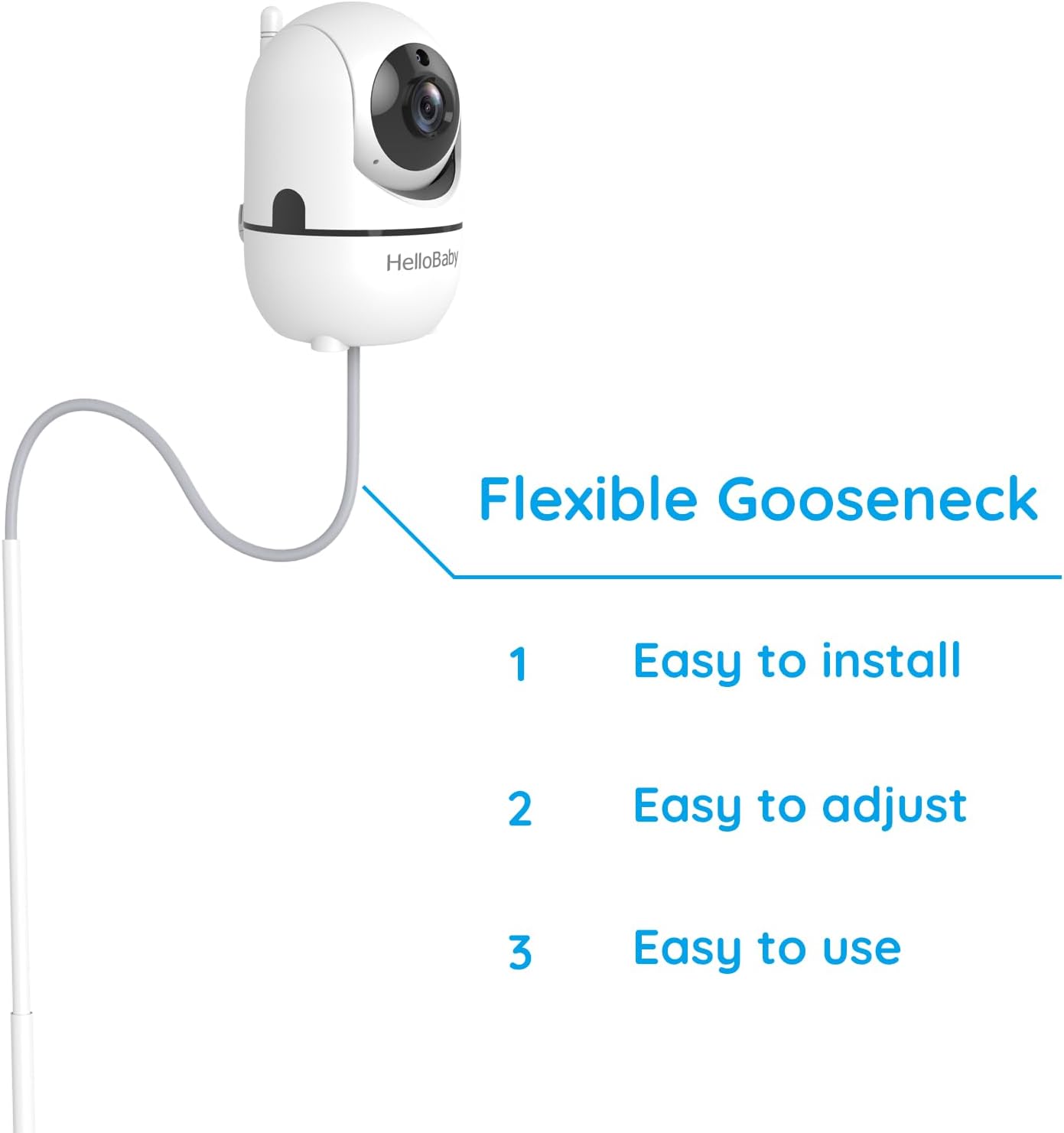
Figure 6: The flexible gooseneck allows for versatile camera positioning.
സുരക്ഷാ പരിഗണനകൾ
- Always ensure the stand is placed on a flat, stable surface to prevent tipping.
- Position the stand and camera so that power cords are out of reach of children to prevent entanglement hazards.
- Regularly check that all connections are secure and the camera is firmly attached to the gooseneck.
മെയിൻ്റനൻസ്
To ensure the longevity and proper functioning of your HelloBaby L55 Baby Monitor Floor Stand, follow these maintenance guidelines:
- വൃത്തിയാക്കൽ: ഒരു സോഫ്റ്റ്, ഡി തുണി ഉപയോഗിച്ച് സ്റ്റാൻഡ് തുടയ്ക്കുക.amp തുണി. അബ്രാസീവ് ക്ലീനറുകളോ ലായകങ്ങളോ ഉപയോഗിക്കുന്നത് ഒഴിവാക്കുക, കാരണം ഇവ ഫിനിഷിന് കേടുവരുത്തും.
- പരിശോധന: Periodically inspect all parts for any signs of wear, damage, or loose connections. If any damage is found, discontinue use and contact customer support.
- സംഭരണം: ഉപയോഗത്തിലില്ലാത്തപ്പോൾ, നേരിട്ടുള്ള സൂര്യപ്രകാശത്തിൽ നിന്നും കടുത്ത താപനിലയിൽ നിന്നും മാറി തണുത്തതും വരണ്ടതുമായ സ്ഥലത്ത് സ്റ്റാൻഡ് സൂക്ഷിക്കുക.
ട്രബിൾഷൂട്ടിംഗ്
| പ്രശ്നം | സാധ്യമായ കാരണം | പരിഹാരം |
|---|---|---|
| സ്റ്റാൻഡ് അസ്ഥിരമോ ഇളകുന്നതോ ആണ്. | Loose pole connections or uneven surface. | Ensure all pole sections are tightly screwed together and the stand is placed on a flat, level surface. |
| Camera does not attach securely. | Incorrect camera model or loose screw connection. | Verify your camera has a 1/4-inch threaded screw hole. Ensure the camera is twisted firmly onto the gooseneck's screw. |
| Gooseneck does not hold position. | Gooseneck not fully tightened or excessive weight. | Ensure the gooseneck is securely screwed into the top pole. The stand is designed for lightweight baby monitor cameras; avoid attaching heavier devices. |
സ്പെസിഫിക്കേഷനുകൾ
| ഫീച്ചർ | വിശദാംശങ്ങൾ |
|---|---|
| മോഡൽ നമ്പർ | L55 |
| ബ്രാൻഡ് | ഹലോബാബി |
| മൗണ്ടിംഗ് തരം | ഫ്ലോർ സ്റ്റാൻഡ് |
| ക്രമീകരിക്കാവുന്ന ഉയരം | 30 ഇഞ്ച് മുതൽ 58.2 ഇഞ്ച് വരെ |
| അനുയോജ്യമായ ഉപകരണങ്ങൾ | HelloBaby HB6550/HB6560/HB6081/HB6550Plus/HB6339/HB66/HB66Pro/HB65/HB40/HB6351 & other cameras with 1/4-inch threaded screw |
| ഇനത്തിന്റെ അളവുകൾ (L x W x H) | 2 x 15.5 x 7.7 ഇഞ്ച് |
| ഇനത്തിൻ്റെ ഭാരം | 3.72 പൗണ്ട് (1.69 കിലോഗ്രാം) |
| ഉൾപ്പെടുത്തിയ ഘടകങ്ങൾ | 1*Floor Stand |
| ഇൻഡോർ/ഔട്ട്ഡോർ ഉപയോഗം | ഇൻഡോർ |
| പ്രത്യേക ഫീച്ചർ | പോർട്ടബിൾ |
വാറൻ്റി വിവരങ്ങൾ
The HelloBaby L55 Baby Monitor Floor Stand comes with a manufacturer's warranty. For specific details regarding warranty coverage, duration, and terms, please refer to the warranty card included with your product or visit the official HelloBaby webസൈറ്റ്. വാറന്റി ക്ലെയിമുകൾക്കായി നിങ്ങളുടെ വാങ്ങലിന്റെ തെളിവ് സൂക്ഷിക്കുക.
ഉപഭോക്തൃ പിന്തുണ
If you encounter any issues or have questions regarding your HelloBaby L55 Baby Monitor Floor Stand, please contact HelloBaby customer support. You can find contact information on the official HelloBaby webസൈറ്റ് അല്ലെങ്കിൽ നിങ്ങൾ ഉൽപ്പന്നം വാങ്ങിയ റീട്ടെയിലർ വഴി.
കൂടുതൽ വിവരങ്ങൾക്കും ഉൽപ്പന്ന അപ്ഡേറ്റുകൾക്കും, സന്ദർശിക്കുക HelloBaby Store on Amazon.


