
1. ആമുഖം
This manual provides detailed instructions for the setup, operation, maintenance, and troubleshooting of your LIGE EF13-E Military Smart Watch. Please read this manual thoroughly before using your device to ensure proper functionality and to maximize your user experience.
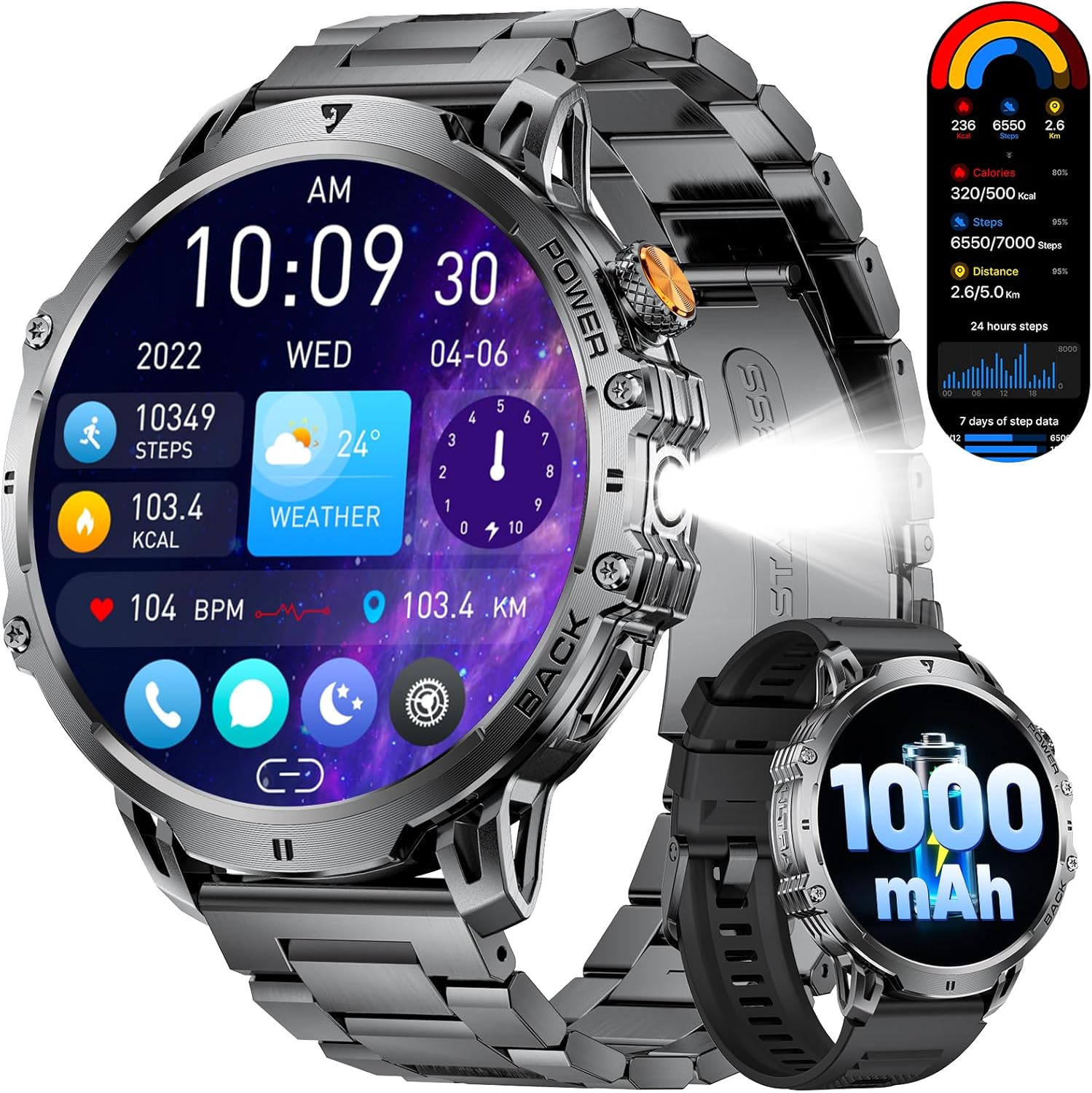
Figure 1: LIGE EF13-E Military Smart Watch Overview
2. ബോക്സിൽ എന്താണുള്ളത്?
Upon opening your LIGE EF13-E package, you should find the following items:
- LIGE EF13-E Smart Watch
- മാഗ്നറ്റിക് ചാർജർ കേബിൾ
- Stainless Steel Watch Strap
- സിലിക്കൺ വാച്ച് സ്ട്രാപ്പ്
- Watch Strap Adjustment Tool
- ഉപയോക്തൃ മാനുവൽ
സിലിക്കൺ വാച്ച് സ്ട്രാപ്പ്
Stainless Steel Watch Strap
3. സജ്ജീകരണ ഗൈഡ്
3.1 പ്രാരംഭ ചാർജിംഗ്
Before first use, ensure your smartwatch is fully charged. Connect the magnetic charging cable to the charging points on the back of the watch and plug the USB-A end into a compatible power source. The watch will automatically power on once charging begins.

Figure 2: Magnetic Charging Connection
3.2 ആപ്പ് ഇൻസ്റ്റാളേഷനും ജോടിയാക്കലും
To unlock the full functionality of your LIGE EF13-E Smart Watch, you need to install the companion application, "FitCloudPro," on your smartphone (Android 4.4+ or iOS 8.0+).
- Scan the QR code displayed on the watch screen or in the user manual to download the "FitCloudPro" app from the Google Play Store or Apple App Store.
- നിങ്ങളുടെ സ്മാർട്ട്ഫോണിൽ ബ്ലൂടൂത്ത് പ്രവർത്തനക്ഷമമാക്കുക.
- Open the "FitCloudPro" app, navigate to the "Device" section, and tap "Bind Device" or "Add New Device."
- Select "EF13" from the list of available devices.
- നിങ്ങളുടെ സ്മാർട്ട്ഫോണിലും സ്മാർട്ട് വാച്ചിലും പെയറിംഗ് അഭ്യർത്ഥന സ്ഥിരീകരിക്കുക.
- Grant necessary permissions within the app for notifications, contacts, and call logs to ensure full functionality.

Figure 3: App Installation and Pairing Steps
Video 1: LIGE EF13 Smartwatch Setup and Features Overview
4. Band Installation and Adjustment
Your LIGE EF13-E Smart Watch comes with two interchangeable bands: a silicone band for sports and a stainless steel band for formal occasions. Both are designed for easy attachment and removal.
4.1 Attaching Bands
To attach a band, align the spring bar with the lug holes on the watch body. Push the spring bar inwards and slide the band into place, then release the spring bar to secure it. Ensure both ends are firmly locked.
4.2 Adjusting the Stainless Steel Band
The stainless steel band can be adjusted using the provided tool to remove or add links for a comfortable fit. Insert the tool's pin into the small holes on the side of the links, push to release the pin, and remove the desired number of links. Reassemble by inserting the pins back into the links.
Figure 4: Stainless Steel Band Adjustment
5. സ്മാർട്ട് വാച്ച് പ്രവർത്തിപ്പിക്കൽ
The LIGE EF13-E features a 1.85-inch HD full-touch screen for intuitive navigation and a built-in LED flashlight for convenience.
5.1 ഡിസ്പ്ലേ നാവിഗേഷൻ
- മുകളിലേക്കും താഴേക്കും സ്വൈപ്പ് ചെയ്യുക: ദ്രുത ക്രമീകരണങ്ങളോ അറിയിപ്പുകളോ ആക്സസ് ചെയ്യുക.
- ഇടത്തേക്ക്/വലത്തേക്ക് സ്വൈപ്പ് ചെയ്യുക: Navigate through various widgets such as activity data, heart rate, blood oxygen, and weather.
- സൈഡ് ബട്ടൺ അമർത്തുക: ഹോം സ്ക്രീനിലേക്ക് മടങ്ങുക അല്ലെങ്കിൽ പ്രധാന മെനു ആക്സസ് ചെയ്യുക.
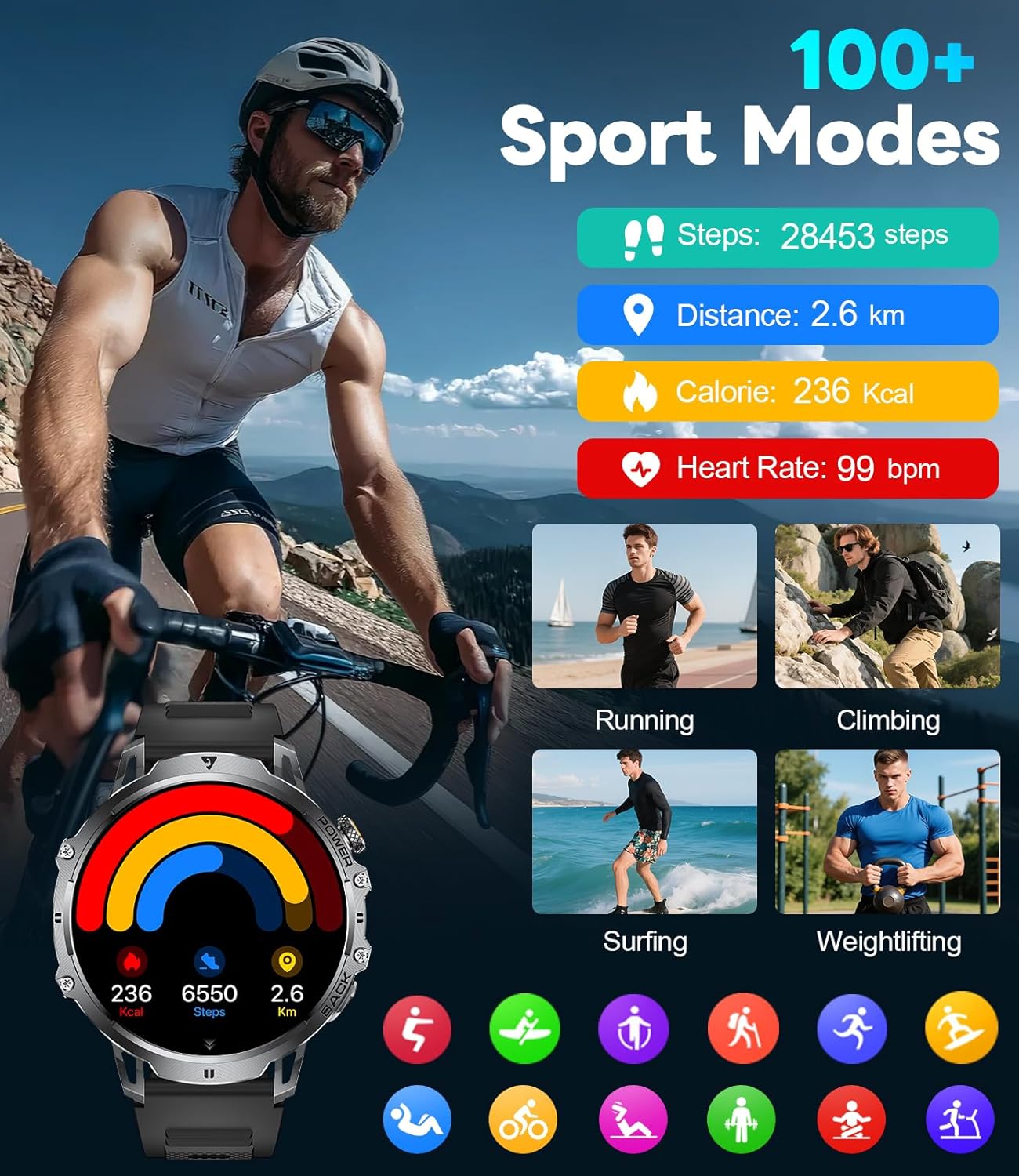
Figure 5: Watch Face and Menu Navigation
5.2 Bluetooth Calls & Notifications
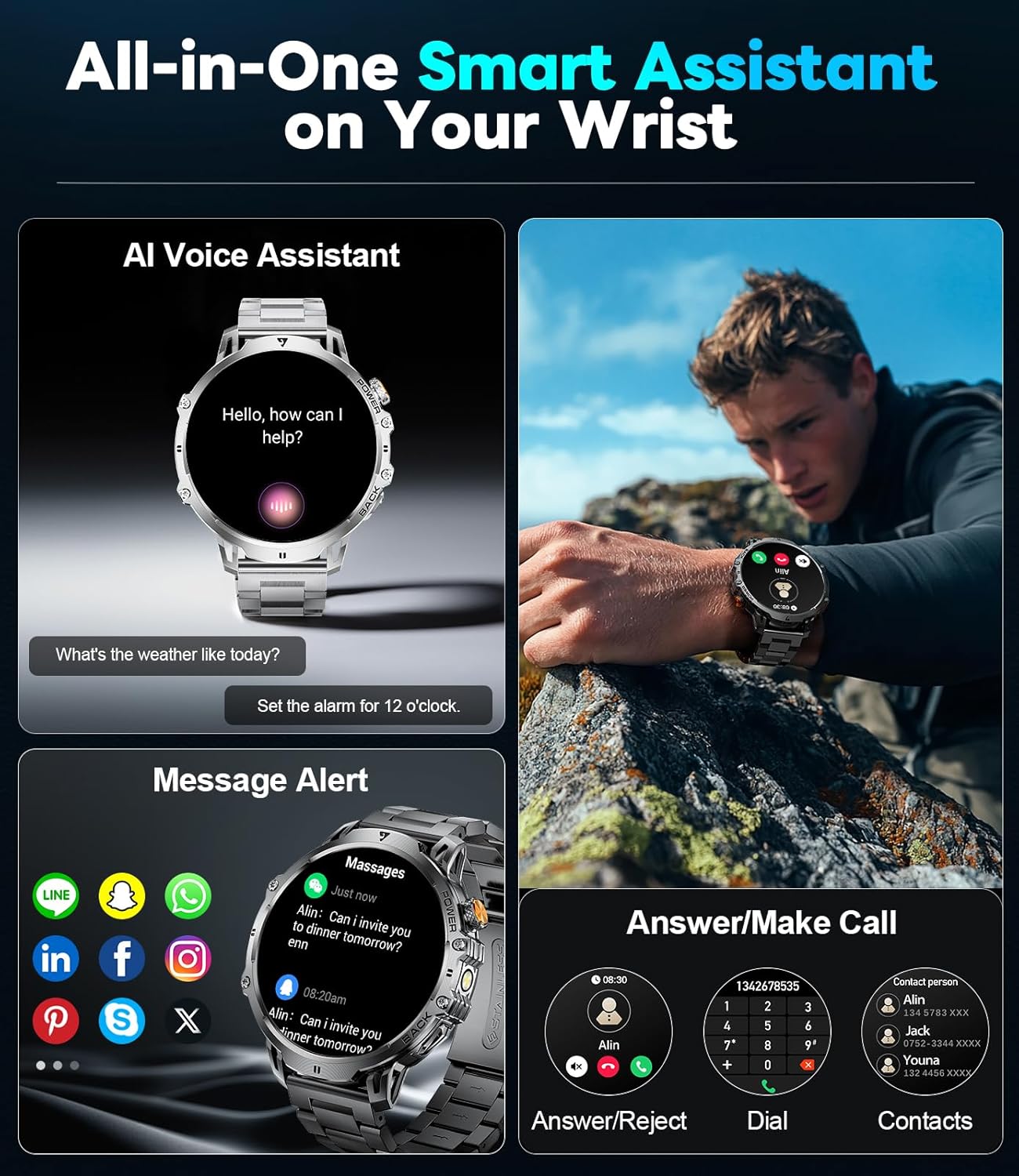
നിങ്ങളുടെ സ്മാർട്ട്ഫോണുമായി ജോടിയാക്കിക്കഴിഞ്ഞാൽ, നിങ്ങളുടെ കൈത്തണ്ടയിൽ നേരിട്ട് കോളുകൾ നിയന്ത്രിക്കാനും അറിയിപ്പുകൾ സ്വീകരിക്കാനും വാച്ച് നിങ്ങളെ അനുവദിക്കുന്നു.
- കോളുകൾ ചെയ്യുക/സ്വീകരിക്കുക: Use the built-in microphone and speaker to make or answer calls without taking out your phone.
- സന്ദേശ അലേർട്ടുകൾ: Receive real-time notifications for SMS, WhatsApp, and other social media apps.
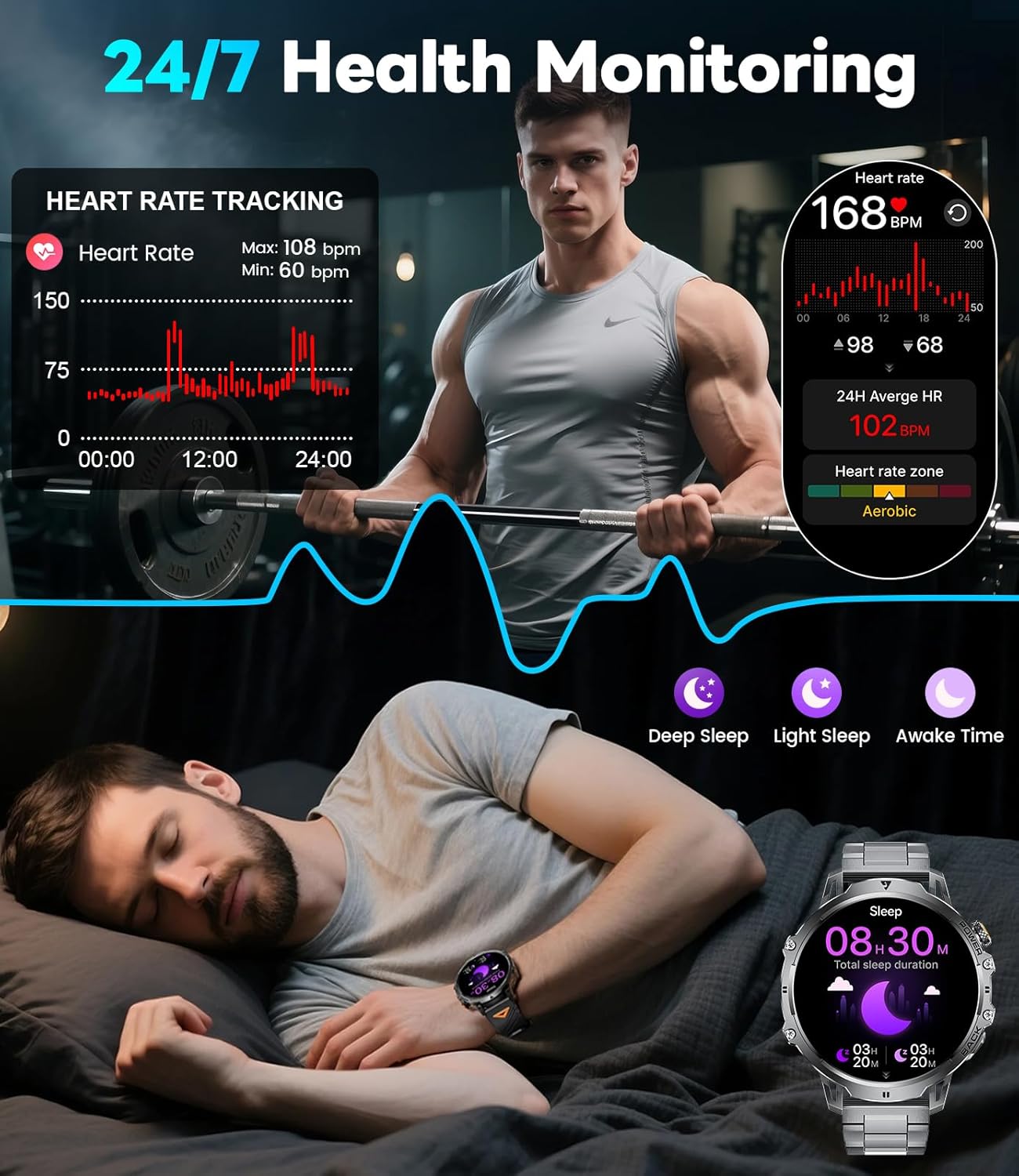
Figure 6: Bluetooth Calling and Message Notifications
5.3 ആരോഗ്യ നിരീക്ഷണം
The EF13-E continuously monitors key health metrics:
- ഹൃദയമിടിപ്പ്: 24/7 heart rate tracking.
- രക്തത്തിലെ ഓക്സിജൻ: Monitors SpO2 levels.
- ഉറക്കത്തിന്റെ ഗുണനിലവാരം: Tracks deep sleep, light sleep, and awake time to help improve sleep habits.
ചിത്രം 7: ആരോഗ്യ നിരീക്ഷണ സവിശേഷതകൾ
5.4 സ്പോർട്സ് മോഡുകൾ
With over 110 sports modes, the watch accurately tracks calories, distance, and steps for various activities, from running and cycling to strength training.
ചിത്രം 8: 110+ സ്പോർട്സ് മോഡുകൾ ട്രാക്കിംഗ്
5.5 അധിക സവിശേഷതകൾ
The smartwatch also includes a range of practical tools:
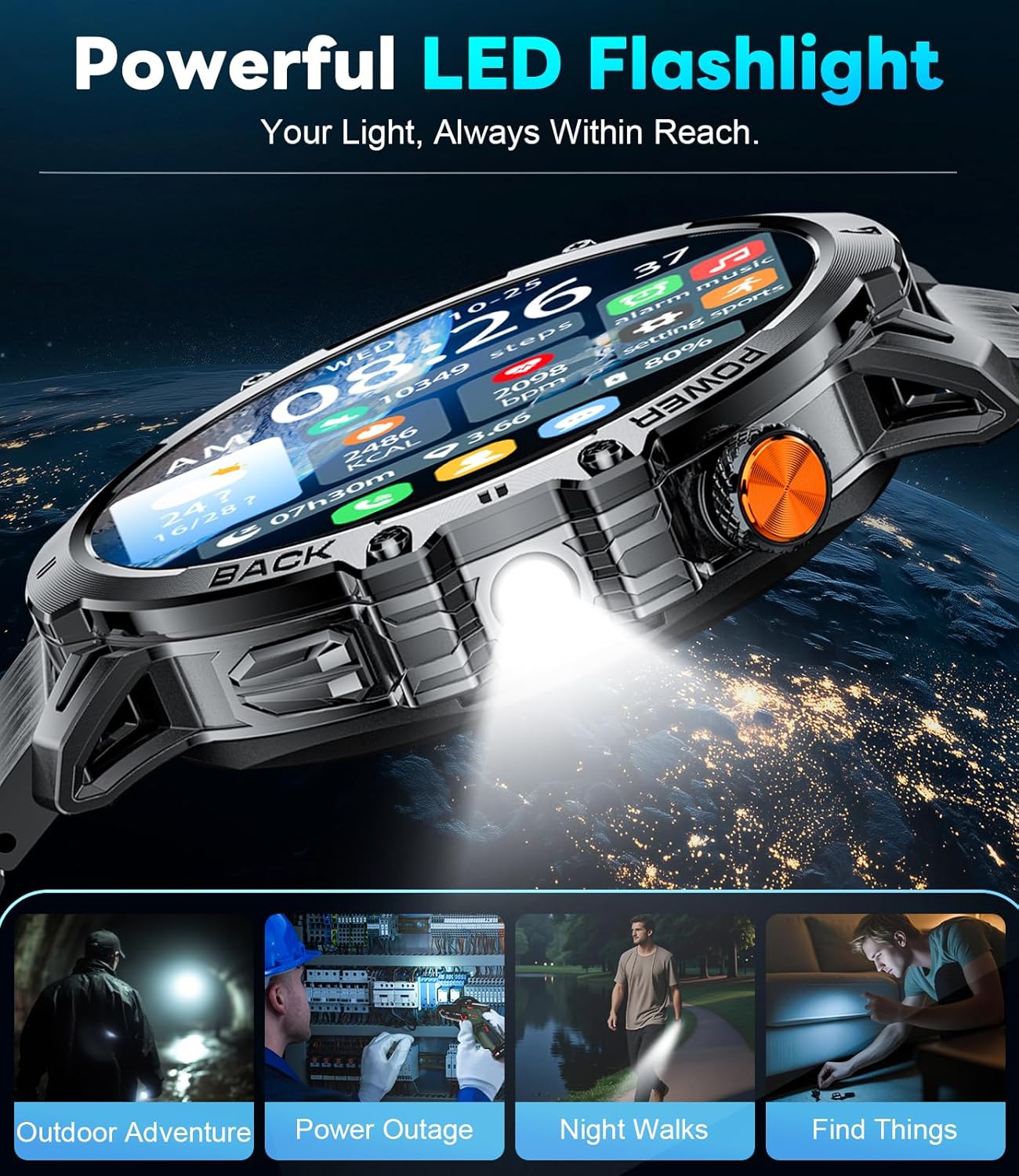
- അന്തർനിർമ്മിത LED ഫ്ലാഷ്ലൈറ്റ്: ഇരുണ്ട ചുറ്റുപാടുകളിൽ പ്രകാശം നൽകുന്നു.
- സംഗീത നിയന്ത്രണം: നിങ്ങളുടെ സ്മാർട്ട്ഫോണിൽ സംഗീത പ്ലേബാക്ക് നിയന്ത്രിക്കുക.
- കാലാവസ്ഥാ അപ്ഡേറ്റുകൾ: Get current weather information.
- സ്റ്റോപ്പ് വാച്ചും അലാറവും: അത്യാവശ്യ സമയസൂചന പ്രവർത്തനങ്ങൾ.
- വോയ്സ് അസിസ്റ്റന്റ്: Interact with your device using voice commands.
- ക്യാമറ നിയന്ത്രണം: നിങ്ങളുടെ സ്മാർട്ട്ഫോണിന്റെ ക്യാമറ വിദൂരമായി പ്രവർത്തനക്ഷമമാക്കുക.
- മിനി-ഗെയിമുകൾ: Two built-in games for entertainment.
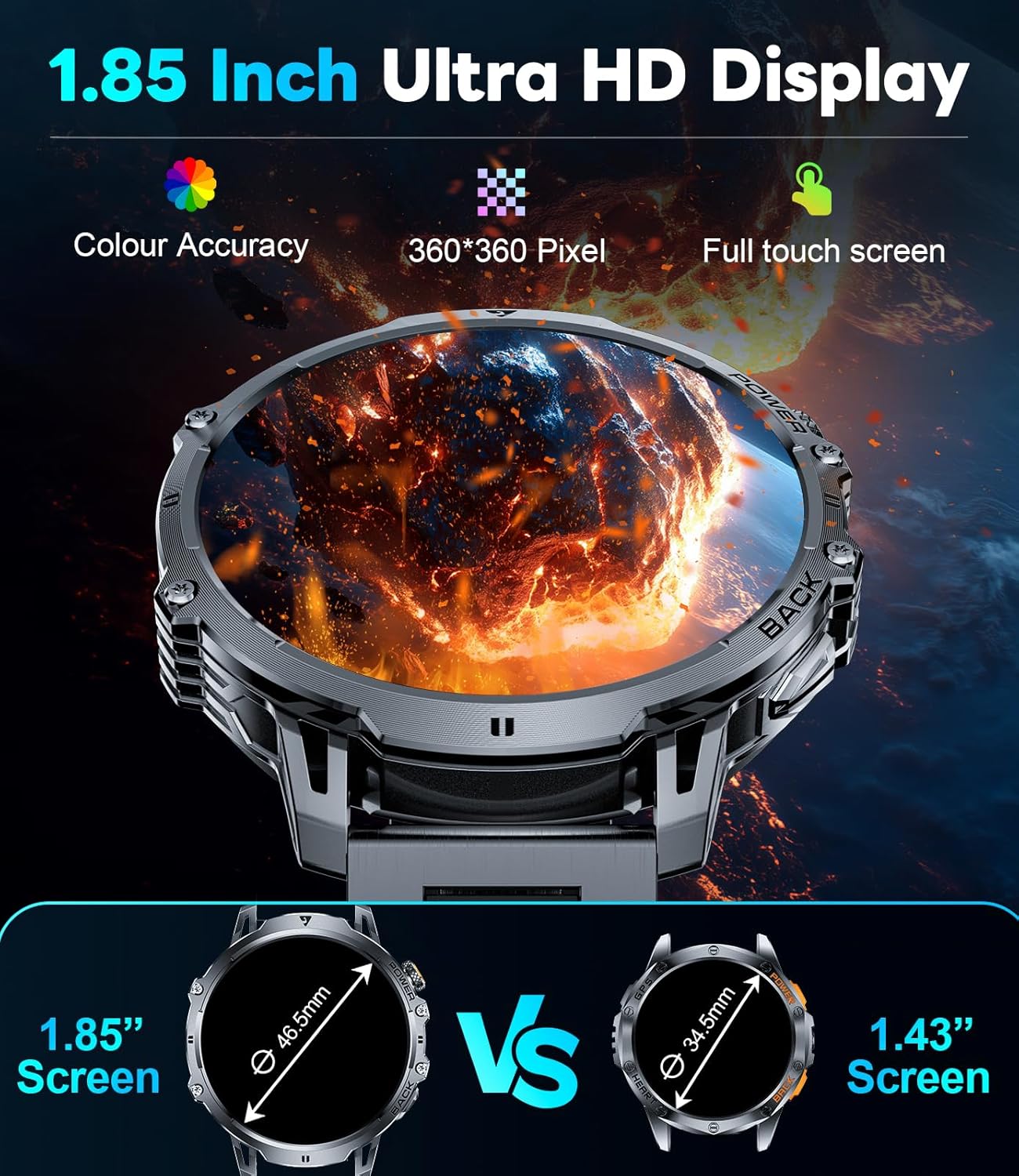
Figure 9: Powerful LED Flashlight
6. പരിപാലനം
To ensure the longevity and optimal performance of your LIGE EF13-E Smart Watch, follow these maintenance guidelines:
- വൃത്തിയാക്കൽ: Regularly wipe the watch screen and bands with a soft, dry cloth. For stubborn dirt, use a slightly damp തുണിയും വീര്യം കുറഞ്ഞ സോപ്പും, പിന്നെ നന്നായി ഉണക്കുക.
- ജല പ്രതിരോധം: The watch is rated for 5ATM water resistance, making it suitable for swimming and showering. However, avoid hot water, steam, or prolonged submersion in deep water. Do not press buttons underwater.
- ചാർജിംഗ്: Use only the provided magnetic charging cable. Avoid exposing the charging contacts to metal objects to prevent short circuits.
- സംഭരണം: നേരിട്ടുള്ള സൂര്യപ്രകാശവും കടുത്ത താപനിലയും ഏൽക്കാത്ത തണുത്തതും വരണ്ടതുമായ സ്ഥലത്ത് വാച്ച് സൂക്ഷിക്കുക.
- രാസവസ്തുക്കൾ ഒഴിവാക്കുക: Do not expose the watch to strong chemicals, solvents, or detergents, as these can damage the materials.
7. പ്രശ്നപരിഹാരം
If you encounter issues with your LIGE EF13-E Smart Watch, refer to the following common solutions:
- വാച്ച് ഓണാകുന്നില്ല: Ensure the watch is fully charged. Connect it to the charger and wait a few minutes.
- സ്മാർട്ട്ഫോണുമായി ജോടിയാക്കാൻ കഴിയില്ല:
- നിങ്ങളുടെ ഫോണിൽ ബ്ലൂടൂത്ത് പ്രവർത്തനക്ഷമമാക്കിയിട്ടുണ്ടെന്നും വാച്ച് പരിധിക്കുള്ളിലാണെന്നും ഉറപ്പാക്കുക.
- നിങ്ങളുടെ ഫോണും വാച്ചും പുനരാരംഭിക്കുക.
- Check if the "FitCloudPro" app has all necessary permissions.
- Try unbinding and re-pairing the device through the app.
- അറിയിപ്പുകൾ ലഭിച്ചിട്ടില്ല:
- Verify that "Push Notifications" are enabled in the "FitCloudPro" app for specific applications.
- Check your phone's notification settings to ensure the app is allowed to send notifications.
- വാച്ച് ബ്ലൂടൂത്ത് വഴി ബന്ധിപ്പിച്ചിട്ടുണ്ടെന്ന് ഉറപ്പാക്കുക.
- കൃത്യമല്ലാത്ത ആരോഗ്യ ഡാറ്റ:
- വാച്ച് നിങ്ങളുടെ കൈത്തണ്ടയിൽ നന്നായി ധരിക്കുന്നുണ്ടെന്ന് ഉറപ്പാക്കുക, അധികം ഇറുകിയതോ അധികം അയഞ്ഞതോ അല്ല.
- വാച്ചിന്റെ പിൻഭാഗത്തുള്ള സെൻസറുകൾ വൃത്തിയാക്കുക.
- അളക്കുമ്പോൾ അമിതമായ ചലനം ഒഴിവാക്കുക.
- ഹ്രസ്വ ബാറ്ററി ലൈഫ്:
- സ്ക്രീൻ തെളിച്ചവും സ്ക്രീൻ ഓൺ സമയവും കുറയ്ക്കുക.
- ആവശ്യമില്ലെങ്കിൽ തുടർച്ചയായ ഹൃദയമിടിപ്പ് നിരീക്ഷണം പോലുള്ള അനാവശ്യ സവിശേഷതകൾ പ്രവർത്തനരഹിതമാക്കുക.
- ഉപയോഗിക്കുന്നതിന് മുമ്പ് വാച്ച് പൂർണ്ണമായും ചാർജ് ചെയ്തിട്ടുണ്ടെന്ന് ഉറപ്പാക്കുക.
8 സ്പെസിഫിക്കേഷനുകൾ
| മോഡൽ നമ്പർ | EF13-E |
| ബ്രാൻഡ് | ലൈഗ് |
| ഡിസ്പ്ലേ വലിപ്പം | 1.85 Inches HD TFT (360x360 resolution) |
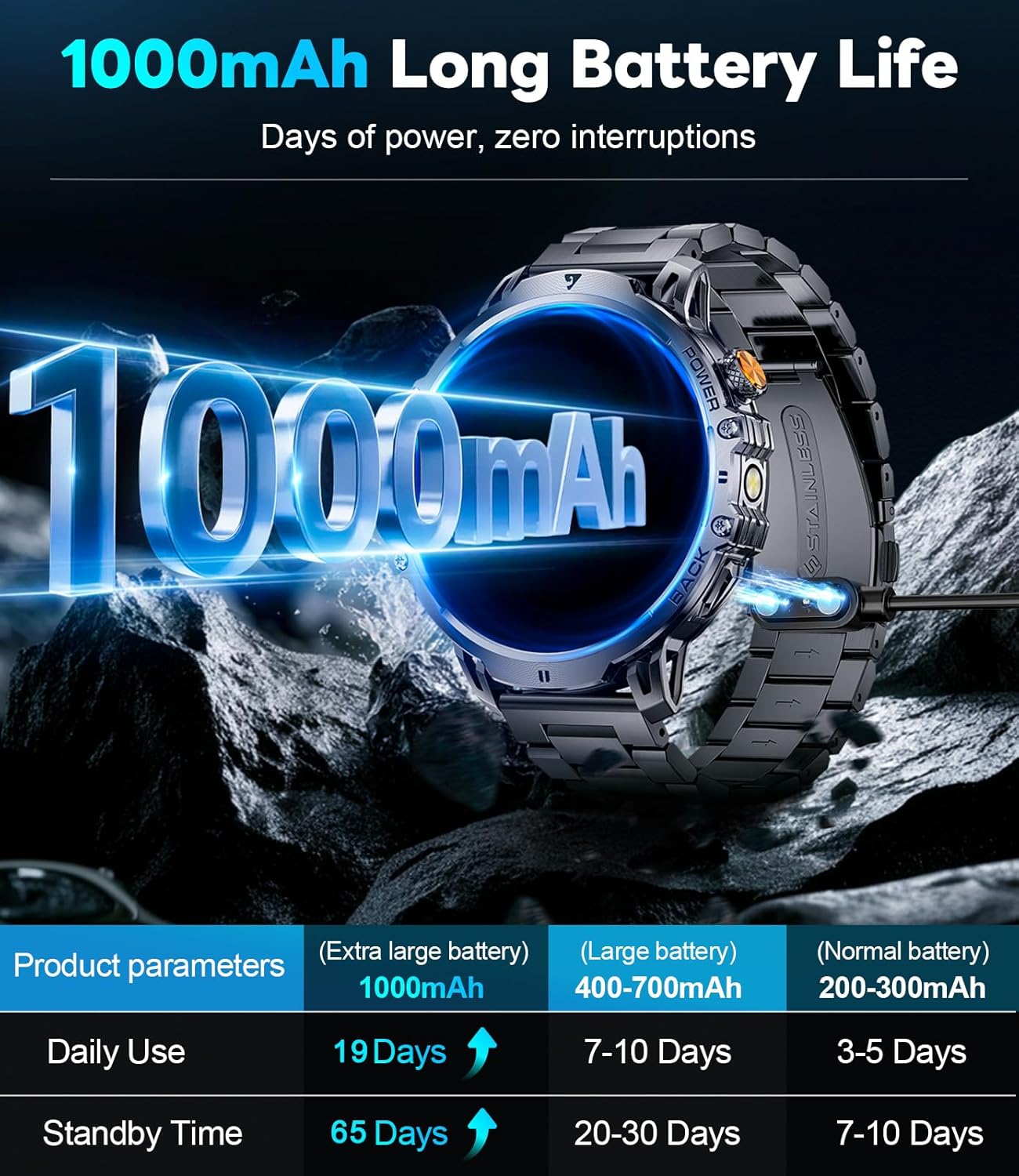
| ബാറ്ററി ശേഷി | 1000 mAh ലിഥിയം പോളിമർ |
| സ്റ്റാൻഡ്ബൈ സമയം | 65 ദിവസം വരെ |
| സാധാരണ ഉപയോഗ സമയം | Over 19 Days |
| ജല പ്രതിരോധം | 5എടിഎം |
| കണക്റ്റിവിറ്റി | ബ്ലൂടൂത്ത് |
| ഓപ്പറേറ്റിംഗ് സിസ്റ്റം അനുയോജ്യത | Android 4.4+, iOS 8.0+ |
| മെമ്മറി സ്റ്റോറേജ് കപ്പാസിറ്റി | 256 MB |
| പ്രത്യേക സവിശേഷതകൾ | 1.85" Large HD Screen, 5ATM Waterproof, 1000 mAh Battery, 110+ Sport Modes, Sleep Monitor, Alarm Clock, Music Player, Sedentary Reminder, Activity Tracker, Calorie Tracker, Distance Tracker, Multisport Tracker, Bluetooth calls, Notifications, Weather Forecast, Built-in LED Flashlight, Voice Assistant, Camera Control, Mini-Games. |
| ഇനത്തിൻ്റെ ഭാരം | 9.6 ഔൺസ് |
| അളവുകൾ | 8.07 x 3.66 x 0.91 ഇഞ്ച് |

Figure 10: 1.85 Inch Ultra HD Display

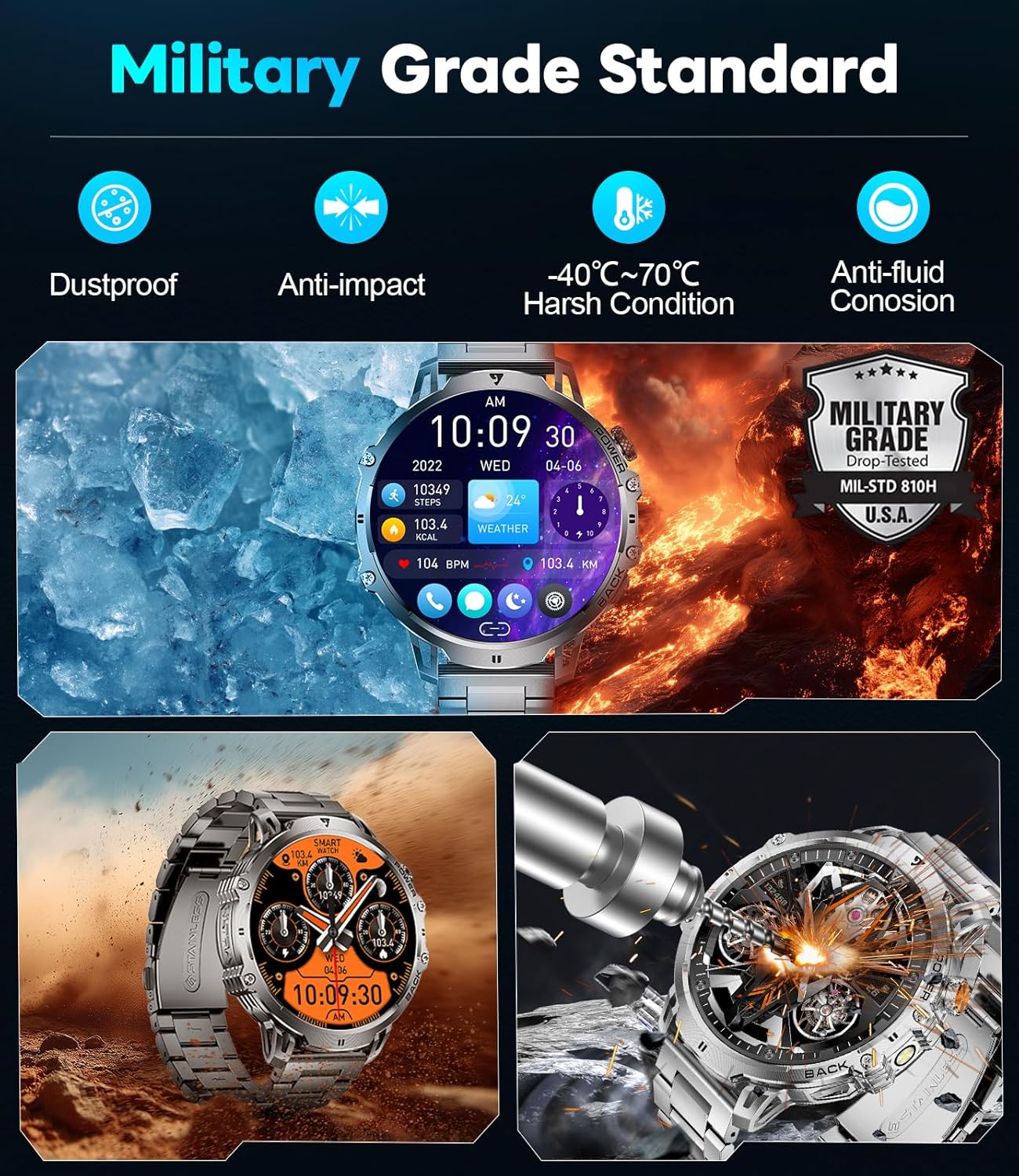
Figure 11: Military Grade Standard Durability
9. വാറൻ്റിയും പിന്തുണയും
LIGE is committed to ensuring your satisfaction. If you have any questions, require support, or encounter any issues with your LIGE EF13-E Smart Watch, please do not hesitate to contact our customer service team. Refer to the contact information provided in your product packaging or on the official LIGE webസഹായത്തിനുള്ള സൈറ്റ്.