
1. ആമുഖം
This manual provides essential information for the safe and efficient use of your DOOGEE Fire 7 5G Rugged Smartphone. Please read it carefully before operating your device to ensure optimal performance and longevity. The DOOGEE Fire 7 is designed for durability and high performance, featuring a robust build, powerful battery, and advanced camera system.
2. ഡിവൈസ് ഓവർview
Familiarize yourself with the physical components of your DOOGEE Fire 7 smartphone.

ചിത്രം 2.1: The DOOGEE Fire 7 5G Rugged Smartphone, showcasing its robust design and camera module on the rear, and the display on the front.
2.1 പ്രധാന സവിശേഷതകൾ
- പരുക്കൻ ഡിസൈൻ: IP68/IP69K and MIL-STD-810H certified for water, dust, and shock resistance.
- ദീർഘകാല ബാറ്ററി: 13000mAh capacity with 18W fast charging and 5W OTG reverse charging.
- ശക്തമായ പ്രകടനം: Dimensity 6300 5G chipset, 16GB RAM (4GB basic + 12GB virtual), 256GB ROM (expandable up to 2TB).
- വിപുലമായ ക്യാമറ സിസ്റ്റം: 64MP AI Main Camera, 2MP Macro Camera, and 16MP Front Camera.
- വൈബ്രന്റ് ഡിസ്പ്ലേ: 6.6-inch HD+ 90Hz IPS Display.
- Latest OS: Android 15 with enhanced privacy and customization.
3. സജ്ജീകരണം
3.1 സിം കാർഡും ടിഎഫ് കാർഡും ഇൻസ്റ്റാൾ ചെയ്യൽ
- ഉപകരണത്തിന്റെ വശത്ത് സിം കാർഡ് ട്രേ കണ്ടെത്തുക.
- ട്രേ തുറക്കാൻ നൽകിയിരിക്കുന്ന സിം എജക്റ്റർ ഉപകരണം ഉപയോഗിക്കുക.
- Carefully place your 5G Nano-SIM cards and/or TF (microSD) card into the designated slots. The device supports dual SIM and one TF card simultaneously.
- ട്രേ ഫ്ലഷ് ആകുന്നതുവരെ ഉപകരണത്തിലേക്ക് പതുക്കെ തിരികെ തള്ളുക.
3.2 പ്രാരംഭ പവർ ഓണും അടിസ്ഥാന സജ്ജീകരണവും
- Press and hold the Power button until the DOOGEE logo appears.
- നിങ്ങളുടെ ഭാഷ തിരഞ്ഞെടുക്കുന്നതിനും, ഒരു Wi-Fi നെറ്റ്വർക്കിലേക്ക് കണക്റ്റുചെയ്യുന്നതിനും, നിങ്ങളുടെ Google അക്കൗണ്ട് സജ്ജീകരിക്കുന്നതിനും ഓൺ-സ്ക്രീൻ നിർദ്ദേശങ്ങൾ പാലിക്കുക.
- Configure security settings, including fingerprint and face unlock, for convenient access.
4. പ്രവർത്തന നിർദ്ദേശങ്ങൾ
4.1 നാവിഗേഷനും ഉപയോക്തൃ ഇന്റർഫേസും
The DOOGEE Fire 7 runs on Android 15, offering an intuitive and customizable user experience. Navigate using gestures or traditional on-screen buttons, as configured during setup.

ചിത്രം 4.1: The DOOGEE Fire 7 5G Rugged Smartphone displaying the Android 15 operating system interface with various applications.
4.2 Biometric Security
- ഫിംഗർപ്രിന്റ് അൺലോക്ക്: Register your fingerprints in the Security settings for quick and secure access. The fingerprint sensor is typically located on the side power button.
- ഫേസ് അൺലോക്ക്: Set up face recognition for an alternative hands-free unlocking method.
4.3 NFC for Contactless Payments
The device supports NFC (Near Field Communication) for convenient contactless payments via Google Pay. Ensure NFC is enabled in settings and your payment cards are configured in Google Pay.
4.4 നാവിഗേഷൻ സിസ്റ്റം
Utilize the integrated quad-satellite navigation system (GPS, BeiDou, GLONASS, Galileo) for precise location tracking and navigation, ideal for outdoor activities.
5. ക്യാമറ സവിശേഷതകൾ
The DOOGEE Fire 7 is equipped with a versatile camera system to capture your moments.
ചിത്രം 5.1: A close-up of the rear camera module, featuring the 64MP AI main camera and the 2MP macro camera, designed for detailed photography.
- 64MP AI പ്രധാന ക്യാമറ: Captures clear and stable photos with AI optimization for color and clarity.
- 2MP മാക്രോ ക്യാമറ: Dedicated for intricate close-up details.
- 16MP മുൻ ക്യാമറ: Automatically optimizes selfies for high-quality self-portraits.

ചിത്രം 5.2: An image displaying various camera modes available on the DOOGEE Fire 7, including Night Mode, Portrait Mode, Pro Mode, Time-lapse, Beauty Mode, and Panoramic Mode.
6. ഡിസ്പ്ലേ സവിശേഷതകൾ
The device features a high-quality display for an optimal viewഅനുഭവം.

ചിത്രം 6.1: The smartphone's 6.6-inch HD+ IPS display in action, showcasing its 90Hz refresh rate and vibrant color reproduction for an immersive visual experience.
- വലിപ്പം: 6.6-inch HD+ Fullview IPS Display.
- പുതുക്കൽ നിരക്ക്: 90Hz for smooth visuals.
- റെസലൂഷൻ: 720x1612 pixels.
- തെളിച്ചം: 400 nits with eye protection technology.
- നിറം: 16.7 million colors with 1500:1 contrast ratio.
7. പ്രകടനവും സംഭരണവും
The DOOGEE Fire 7 is engineered for robust performance and ample സംഭരണം.

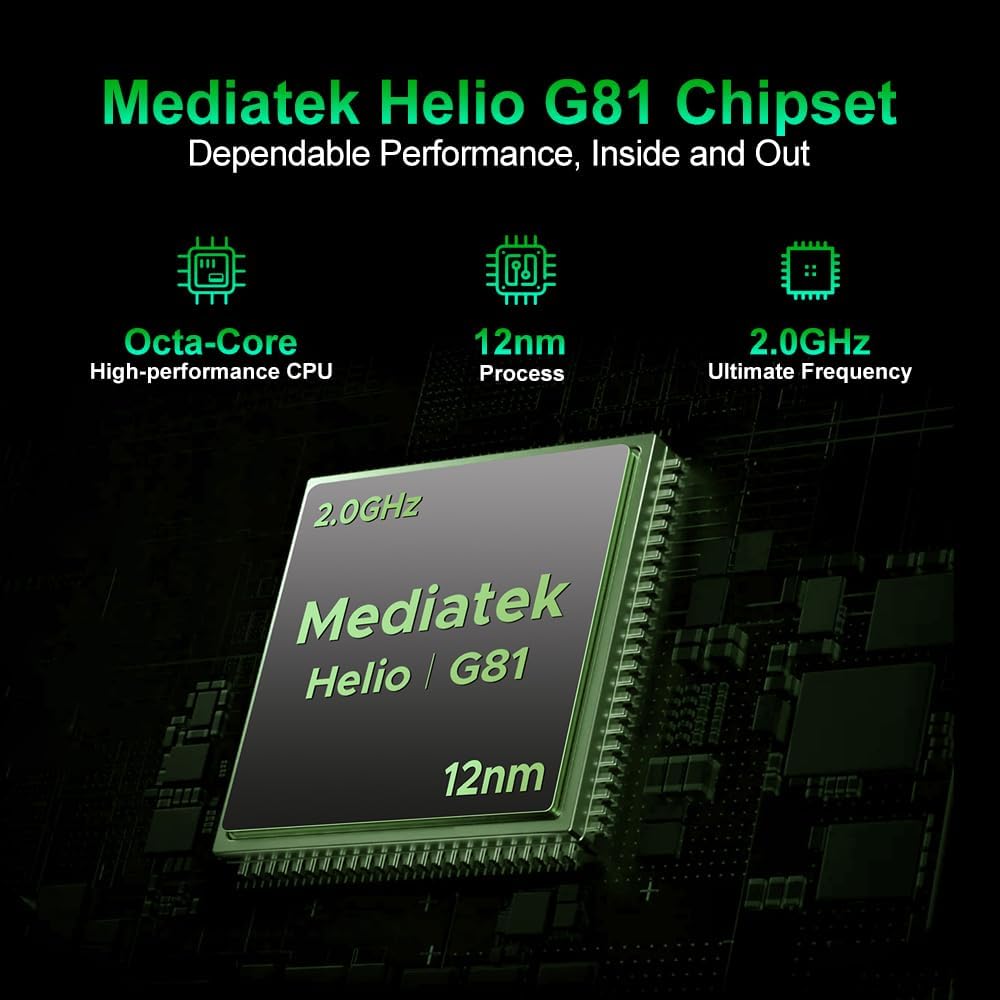
ചിത്രം 7.1: An illustration highlighting the MediaTek Dimensity 6300 5G processor, emphasizing its octa-core architecture and 6nm process for efficient performance.
- പ്രോസസ്സർ: Dimensity 6300 5G chipset (octa-core, up to 2.4GHz, 6nm architecture).
- റാം: 16GB (4GB physical + 12GB virtual) for seamless multitasking.
- ആന്തരിക സംഭരണം: 256GB ROM.
- വികസിപ്പിക്കാവുന്ന സംഭരണം: Supports up to 2TB via TF card.

ചിത്രം 7.2: Visual representation of the smartphone's 16GB RAM (4GB basic + 12GB virtual) and 256GB ROM, expandable up to 2TB, indicating ample സംഭരണവും സുഗമമായ മൾട്ടിടാസ്കിംഗും.
8. ബാറ്ററി മാനേജ്മെന്റ്
The DOOGEE Fire 7 is equipped with a large capacity battery for extended use.
- ബാറ്ററി ശേഷി: 13000എംഎഎച്ച്.
- ചാർജിംഗ്: 18W ഫാസ്റ്റ് ചാർജിംഗ് പിന്തുണയ്ക്കുന്നു.
- വിപരീത ചാർജിംഗ്: 5W OTG reverse charging allows the phone to act as a power bank for other devices.

ചിത്രം 8.1: An infographic detailing the extended battery life provided by the 13000mAh battery, including hours for music playback (188.5 hrs), video watching (40.9 hrs), calling (33 hrs), web browsing (21 hrs), and continuous video recording (11.2 hrs).
9. ഈടുനിൽപ്പും സംരക്ഷണവും
The DOOGEE Fire 7 is built to withstand challenging environments.

ചിത്രം 9.1: Images illustrating the smartphone's rugged capabilities, showing it submerged in water and covered in dirt, emphasizing its waterproof, dustproof, and shock-resistant design.
- IP68/IP69K റേറ്റിംഗ്: Certified for water and dust resistance, allowing submersion and protection against high-pressure water jets.
- MIL-STD-810H Military Standard: Meets military-grade standards for durability against drops, shocks, and extreme temperatures.
- Drop Tested: Designed to withstand multi-angle drops.
10 സ്പെസിഫിക്കേഷനുകൾ
Detailed technical specifications for the DOOGEE Fire 7 5G Rugged Smartphone.
| ഫീച്ചർ | സ്പെസിഫിക്കേഷൻ |
|---|---|
| ഉൽപ്പന്ന അളവുകൾ | 6.95 x 3.25 x 0.74 ഇഞ്ച് |
| ഇനത്തിൻ്റെ ഭാരം | 13.7 ഔൺസ് (389 ഗ്രാം) |
| ഇനം മോഡൽ നമ്പർ | DOOGEE Fire 7 |
| ഓപ്പറേറ്റിംഗ് സിസ്റ്റം | ആൻഡ്രോയിഡ് 15 |
| കണക്റ്റിവിറ്റി ടെക്നോളജികൾ | ബ്ലൂടൂത്ത്, എൻഎഫ്സി, യുഎസ്ബി, വൈ-ഫൈ |
| പ്രത്യേക സവിശേഷതകൾ | ഡ്യുവൽ സിം |
| ഹ്യൂമൻ ഇന്റർഫേസ് ഇൻപുട്ട് | ടച്ച് സ്ക്രീൻ |
| ഫോം ഫാക്ടർ | ബാർ |
| നിറം | കറുപ്പ് |
| ബാറ്ററി പവർ റേറ്റിംഗ് | 13000mAh (10300 Amp Hours listed in specs, but 13000mAh in feature bullets, using feature bullet value for consistency with product description) |
| ഫോൺ ടോക്ക് ടൈം | 48.7 മണിക്കൂർ |
| ബോക്സിൽ എന്താണുള്ളത് | USB കേബിൾ |
| മെമ്മറി സ്റ്റോറേജ് കപ്പാസിറ്റി | 256 ജിബി |
| സ്റ്റാൻഡിംഗ് സ്ക്രീൻ ഡിസ്പ്ലേ വലുപ്പം | 6.6 ഇഞ്ച് |
| ഇൻസ്റ്റാൾ ചെയ്ത RAM മെമ്മറി വലുപ്പം | 16 ജിബി |
| സെല്ലുലാർ ടെക്നോളജി | 5G |
11. പരിപാലനം
To ensure the longevity and optimal performance of your DOOGEE Fire 7, follow these maintenance guidelines:
- വൃത്തിയാക്കൽ: സോഫ്റ്റ്, ഡി ഉപയോഗിച്ച് ഉപകരണം തുടയ്ക്കുകamp തുണി. കഠിനമായ രാസവസ്തുക്കളോ ഉരച്ചിലുകളോ ഉള്ള വസ്തുക്കൾ ഒഴിവാക്കുക.
- ചാർജിംഗ്: Use only the provided USB cable and a compatible 18W charger. Avoid overcharging.
- സോഫ്റ്റ്വെയർ അപ്ഡേറ്റുകൾ: Regularly check for and install system updates to ensure your device has the latest security patches and features.
- സ്റ്റോറേജ് മാനേജ്മെന്റ്: അനാവശ്യമായത് ഇടയ്ക്കിടെ നീക്കം ചെയ്യുക fileഒപ്റ്റിമൽ പ്രകടനം നിലനിർത്താൻ.
12. പ്രശ്നപരിഹാരം
If you encounter issues with your DOOGEE Fire 7, try the following solutions:
- ഉപകരണം പ്രതികരിക്കുന്നില്ല: റീസ്റ്റാർട്ട് ചെയ്യാൻ പവർ ബട്ടൺ ഏകദേശം 10-15 സെക്കൻഡ് അമർത്തിപ്പിടിക്കുക.
- ബാറ്ററി വേഗത്തിൽ തീർന്നു: പശ്ചാത്തല ആപ്പ് ഉപയോഗം പരിശോധിക്കുക, സ്ക്രീൻ തെളിച്ചം കുറയ്ക്കുക, ഉപയോഗത്തിലില്ലാത്തപ്പോൾ GPS അല്ലെങ്കിൽ Wi-Fi പോലുള്ള അനാവശ്യ സവിശേഷതകൾ പ്രവർത്തനരഹിതമാക്കുക.
- നെറ്റ്വർക്ക് കണക്റ്റിവിറ്റി പ്രശ്നങ്ങൾ: Ensure your SIM card is properly inserted. Try toggling Airplane Mode on and off. If issues persist, contact your carrier.
- ആപ്പ് ക്രാഷിംഗ്: ക്രമീകരണം > ആപ്പുകൾ എന്നതിൽ ആപ്പിന്റെ കാഷെയും ഡാറ്റയും മായ്ക്കുക. പ്രശ്നം തുടരുകയാണെങ്കിൽ, ആപ്പ് അൺഇൻസ്റ്റാൾ ചെയ്ത് വീണ്ടും ഇൻസ്റ്റാൾ ചെയ്യുക.
- സോഫ്റ്റ്വെയർ തകരാറുകൾ: Perform a factory reset (Settings > System > Reset options > Erase all data) as a last resort. Note: This will erase all data on your phone, so back up important information first.
13. ഔദ്യോഗിക ഉൽപ്പന്ന വീഡിയോ
Watch the official product video for a visual demonstration of the DOOGEE Fire 7 5G Rugged Smartphone's features.
വീഡിയോ 13.1: ഈ വീഡിയോ ഒരു ദൃശ്യാവിഷ്കാരം നൽകുന്നുview of the DOOGEE Fire 7 5G Rugged Smartphone, highlighting its key design elements, camera system, and robust build quality.
14. വാറൻ്റിയും പിന്തുണയും
Your DOOGEE Fire 7 5G Rugged Smartphone comes with a 24-month comprehensive warranty from the date of purchase. This warranty covers manufacturing defects and hardware issues under normal use.
For technical inquiries, warranty claims, or hardware issues, please contact our dedicated support team. You can find more information and support resources on the official DOOGEE store page: DOOGEE Official Store.