
1. ആമുഖം
This manual provides essential instructions for the safe and effective operation of your ARENTI B2 Baby Monitor & Screen2. Please read this manual thoroughly before use and retain it for future reference.
2 സുരക്ഷാ വിവരങ്ങൾ
- Keep the device and its cables out of reach of children to prevent strangulation hazards.
- Do not place the camera or monitor near water or heat sources.
- നൽകിയിരിക്കുന്ന പവർ അഡാപ്റ്ററുകൾ മാത്രം ഉപയോഗിക്കുക.
- Ensure proper ventilation for both the camera and monitor.
- This product is intended for monitoring purposes only and should not replace proper adult supervision.
3. ഉൽപ്പന്നം കഴിഞ്ഞുview
The ARENTI B2 Baby Monitor & Screen2 offers comprehensive monitoring capabilities with advanced features designed for ease of use and security.
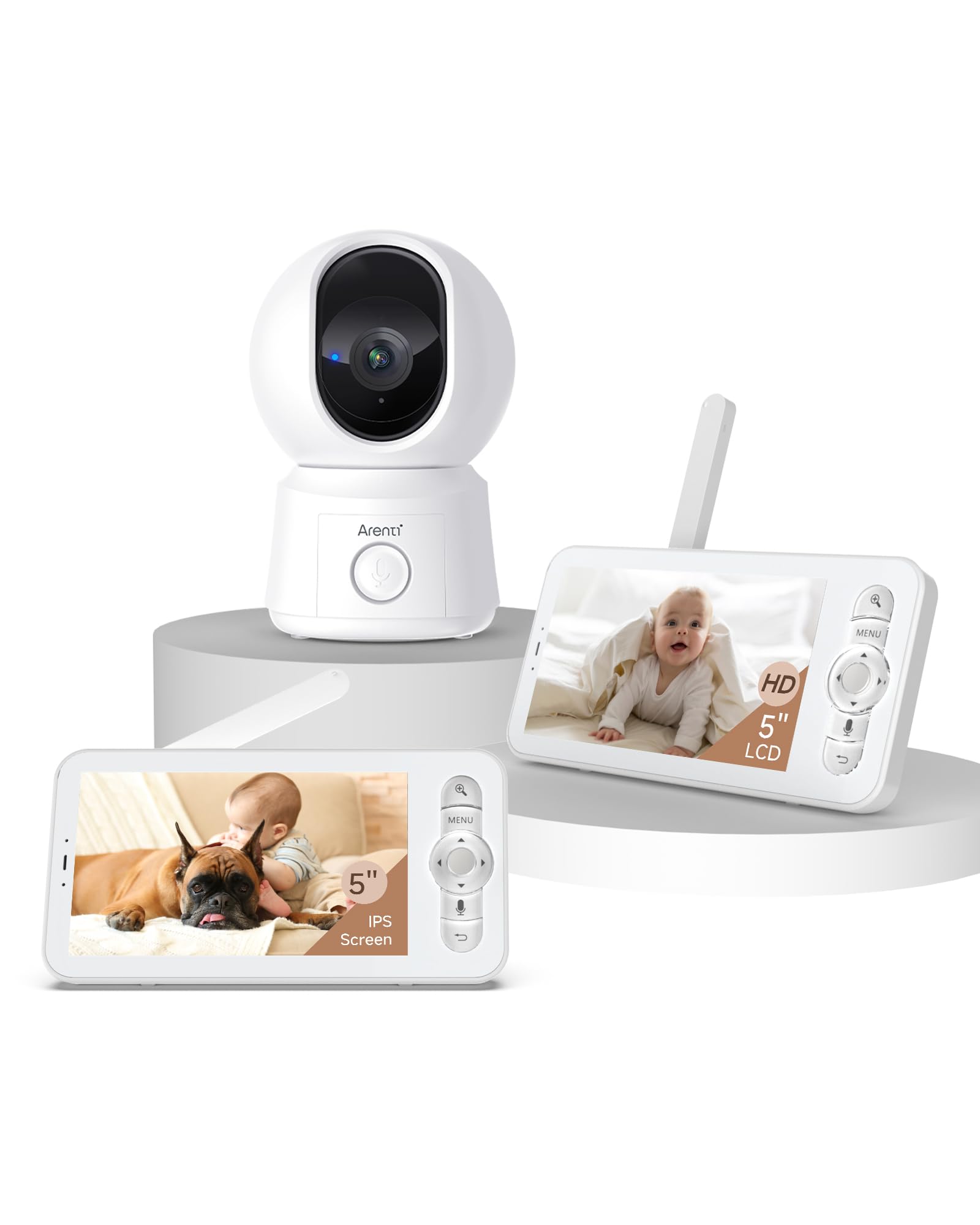
Image: The ARENTI B2 Baby Monitor camera and screen, illustrating features like temperature sensing, lullabies, and white noise for enhanced care.
പ്രധാന സവിശേഷതകൾ:
- Dual Usage: Operate with the LCD screen independently or remotely via a smartphone app.
- 360° View: Camera offers 100° lens with 355° horizontal and 60° vertical rotation.
- സ്മാർട്ട് ഡിറ്റക്ഷൻ: Motion, crying, and specific area detection with adjustable sensitivity, plus a temperature sensor.
- ഉയർന്ന മിഴിവ്: 5-inch 720p LCD screen with 4x magnification and 2K resolution via the app.
- മെച്ചപ്പെടുത്തിയ രാത്രി കാഴ്ച: Clear visibility in low-light conditions.
- ടു-വേ ഓഡിയോ: ആശയവിനിമയത്തിനായി ബിൽറ്റ്-ഇൻ മൈക്രോഫോണും സ്പീക്കറും.
- Friendly Features: Lullabies, VOX mode, nursing reminders, and One-Touch Calls.
- സുരക്ഷിത സംഭരണം: Supports micro SD cards (up to 128 GB for screen, 256 GB for camera) and cloud storage with end-to-end encryption.
4. സജ്ജീകരണ നിർദ്ദേശങ്ങൾ
4.1 Initial Setup (LCD Screen Only)
- Unpack the baby monitor camera and the LCD screen.
- Connect the power adapters to both the camera and the LCD screen, then plug them into a power outlet.
- The camera and screen are pre-paired for immediate use. The screen will automatically display the camera feed.
- Position the camera to ensure a clear view ആവശ്യമുള്ള പ്രദേശത്തിൻ്റെ.
4.2 App Setup (for Remote Control)
- Download the ARENTI app from your smartphone's app store.
- ഒരു അക്കൗണ്ട് സൃഷ്ടിക്കുക അല്ലെങ്കിൽ നിങ്ങൾക്ക് ഇതിനകം ഒന്ന് ഉണ്ടെങ്കിൽ ലോഗിൻ ചെയ്യുക.
- Follow the in-app instructions to add your B2 baby camera. Ensure your smartphone and the baby camera are connected to the same 2.4GHz Wi-Fi network during the initial setup. 5GHz networks are not supported for camera connection.
- Once connected, you can remotely control the camera and view the feed from your smartphone.
5. പ്രവർത്തന നിർദ്ദേശങ്ങൾ
5.1 Using the LCD Screen
- പവർ ഓൺ/ഓഫ്: Press and hold the power button on the monitor.
- വോളിയം നിയന്ത്രണം: Use the dedicated buttons to adjust the audio volume.
- Camera Pan/Tilt: Use the directional buttons on the monitor to remotely rotate the camera (355° horizontal, 60° vertical).
- സൂം: Utilize the zoom function for a closer look (up to 4x magnification).
- VOX മോഡ്: Activate VOX (Voice Operated eXchange) mode to conserve battery. The screen will activate when sound is detected.
- ലാലബികൾ: Access the menu to play soothing lullabies.
- നഴ്സിംഗ് ഓർമ്മപ്പെടുത്തലുകൾ: ഭക്ഷണം നൽകുന്നതിനോ മറ്റ് പരിചരണ പ്രവർത്തനങ്ങൾക്കോ ഓർമ്മപ്പെടുത്തലുകൾ സജ്ജമാക്കുക.
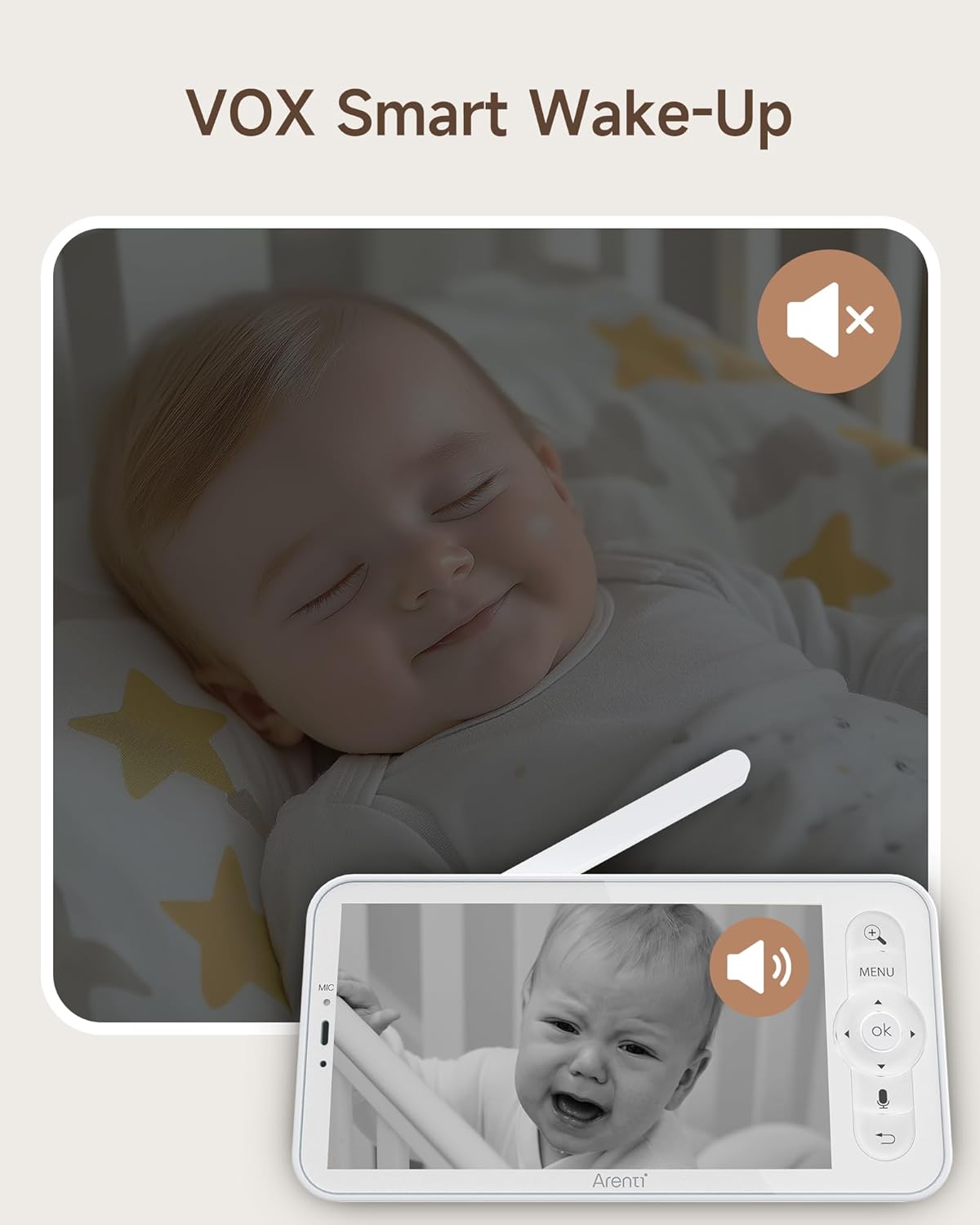
Image: The monitor screen demonstrating VOX Smart Wake-Up, showing the screen activating when a baby's cry is detected.
5.2 Using the Smartphone App
- തത്സമയം View: Access the live camera feed in 2K resolution.
- ടു-വേ ഓഡിയോ: Use the microphone and speaker icons in the app to communicate with your baby or pets.
- Remote Pan/Tilt: Control the camera's movement directly from the app interface.
- Smart Detection Alerts: Receive instant notifications on your phone for motion, crying, or temperature changes.
- വൺ-ടച്ച് കോൾ: Initiate a call from the monitor to your smartphone with a single touch.
- ഇവൻ്റ് റെക്കോർഡിംഗ്: Access free 6-second event recordings (7-day loop) in the app.
- സംഭരണം: Manage video footage stored on micro SD cards or cloud storage.
- പങ്കിടൽ: Share access to the monitor with family or friends and revoke access as needed.

Image: A smartphone displaying an incoming call from the baby monitor, illustrating the One-Touch Call feature.
5.3 Security and Data Protection
ARENTI prioritizes your privacy and security. Data is securely stored on Amazon's AWS, utilizing end-to-end encryption (E2EE) to ensure that only you can access your footagഒരു അദ്വിതീയ ഡീക്രിപ്ഷൻ കീ ഉള്ള e.

Image: The monitor screen showing 'Safety Protection' features, including Wi-Fi network channel control and access logs for enhanced security.
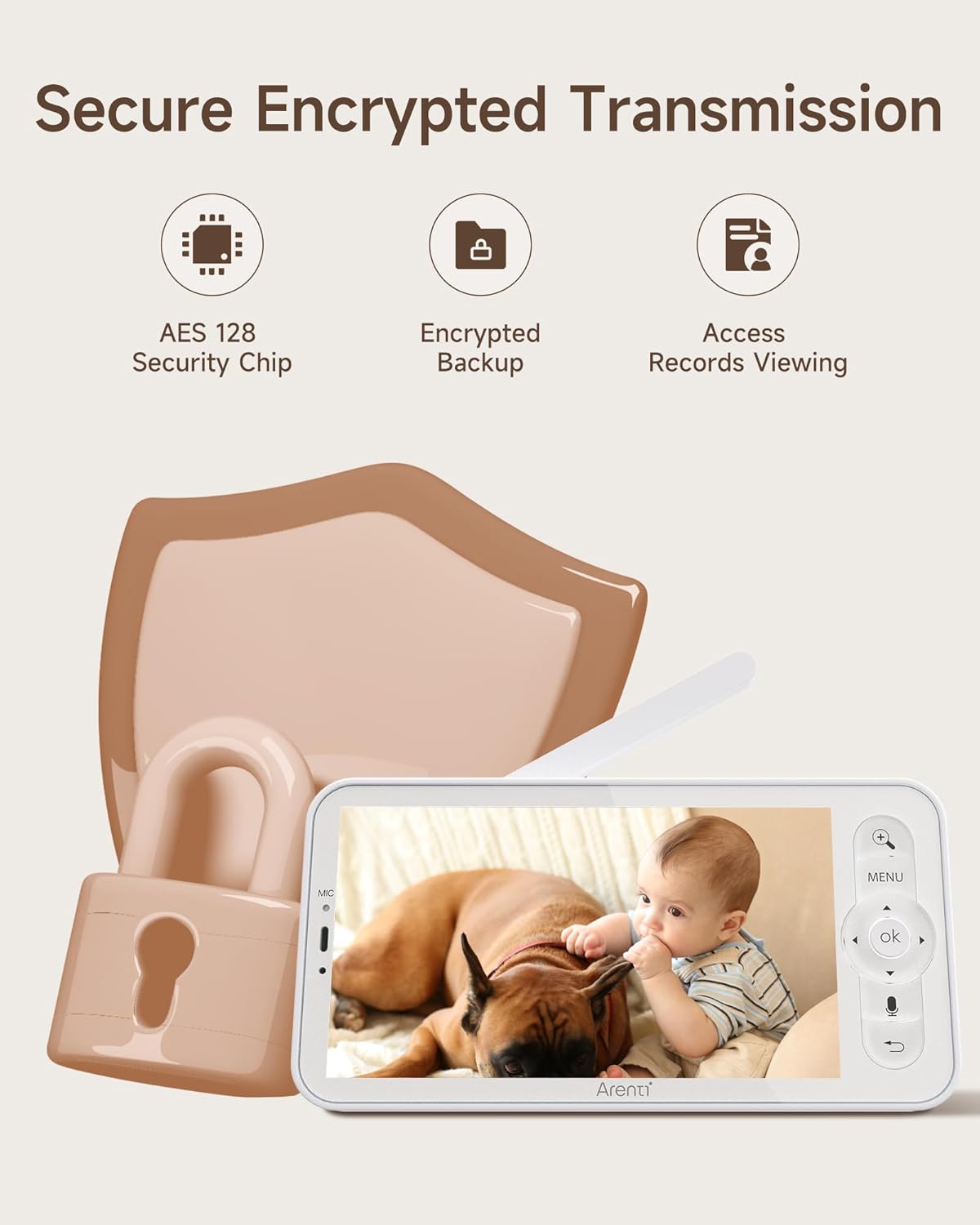
Image: An illustration highlighting secure encrypted transmission, featuring an AES 128 Security Chip, encrypted backup, and access records viewing.
6. പരിപാലനം
- വൃത്തിയാക്കൽ: ക്യാമറ ലെൻസും മോണിറ്റർ സ്ക്രീനും വൃത്തിയാക്കാൻ മൃദുവായതും ഉണങ്ങിയതുമായ തുണി ഉപയോഗിക്കുക. ലിക്വിഡ് ക്ലീനറുകളോ എയറോസോളുകളോ ഉപയോഗിക്കരുത്.
- സംഭരണം: If not in use for an extended period, store the device in a cool, dry place away from direct sunlight.
- ബാറ്ററി കെയർ: For optimal battery life, avoid extreme temperatures and fully discharge and recharge the monitor's battery periodically.
7. പ്രശ്നപരിഹാരം
- No Picture on Screen: Ensure both the camera and monitor are powered on and within range. Check power connections.
- മോശം സിഗ്നൽ: Move the camera and monitor closer to each other. Avoid placing them near large metal objects or other electronic devices that may cause interference.
- ആപ്പ് കണക്ഷൻ പ്രശ്നങ്ങൾ: Verify your camera is connected to a 2.4GHz Wi-Fi network. Restart your router, camera, and smartphone. Ensure the app is updated to the latest version.
- ഓഡിയോ പ്രശ്നങ്ങൾ: Check the volume settings on both the monitor and the app. Ensure there are no obstructions blocking the microphone or speaker.
- നൈറ്റ് വിഷൻ പ്രവർത്തിക്കുന്നില്ല: Ensure the camera's infrared sensors are not obstructed and that the room is sufficiently dark for night vision to activate.
8 സ്പെസിഫിക്കേഷനുകൾ
| ഫീച്ചർ | സ്പെസിഫിക്കേഷൻ |
|---|---|
| മോഡൽ | B2 |
| ബ്രാൻഡ് | ആരന്റി |
| ASIN | B0FJRTKBS8 |
| എൽസിഡി സ്ക്രീൻ വലുപ്പം | 5 ഇഞ്ച് |
| LCD റെസല്യൂഷൻ | 720p HD |
| App Resolution | 2K |
| ക്യാമറ ലെൻസ് ആംഗിൾ | 100° |
| Camera Rotation (Horizontal) | 355° |
| Camera Rotation (Vertical) | 60° |
| സൂം ചെയ്യുക | 4x മാഗ്നിഫിക്കേഷൻ |
| വയർലെസ് ശ്രേണി | Up to 1000ft (max) |
| Wi-Fi അനുയോജ്യത | 2.4GHz only (for app connection) |
| Micro SD Card Support (Screen) | 128 ജിബി വരെ |
| Micro SD Card Support (Camera) | 256 ജിബി വരെ |
| സ്റ്റോറേജ് ഓപ്ഷനുകൾ | Micro SD Card, Cloud Storage (AWS) |
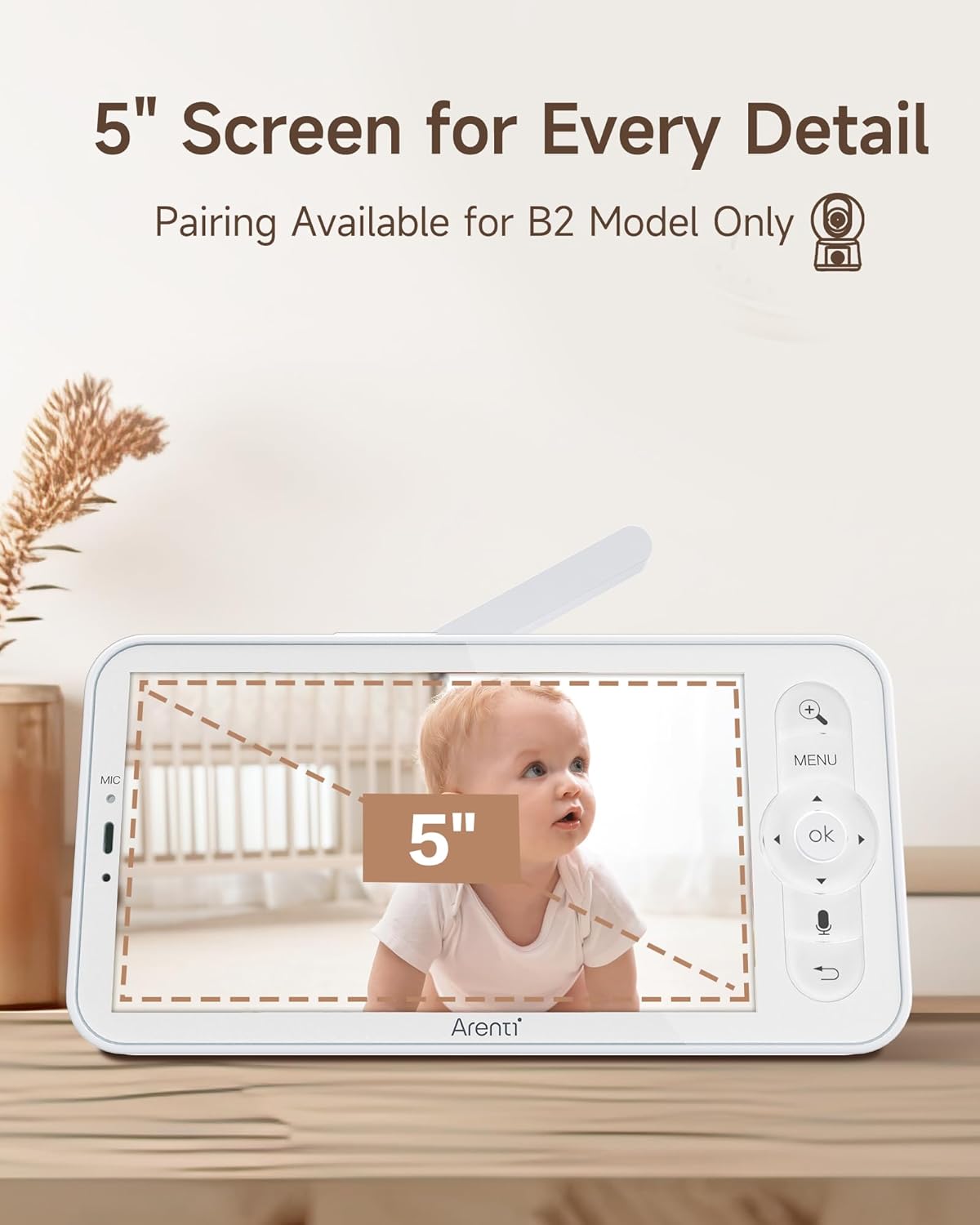
Image: The 5-inch LCD screen of the ARENTI B2 Baby Monitor, highlighting its size for detailed viewing.
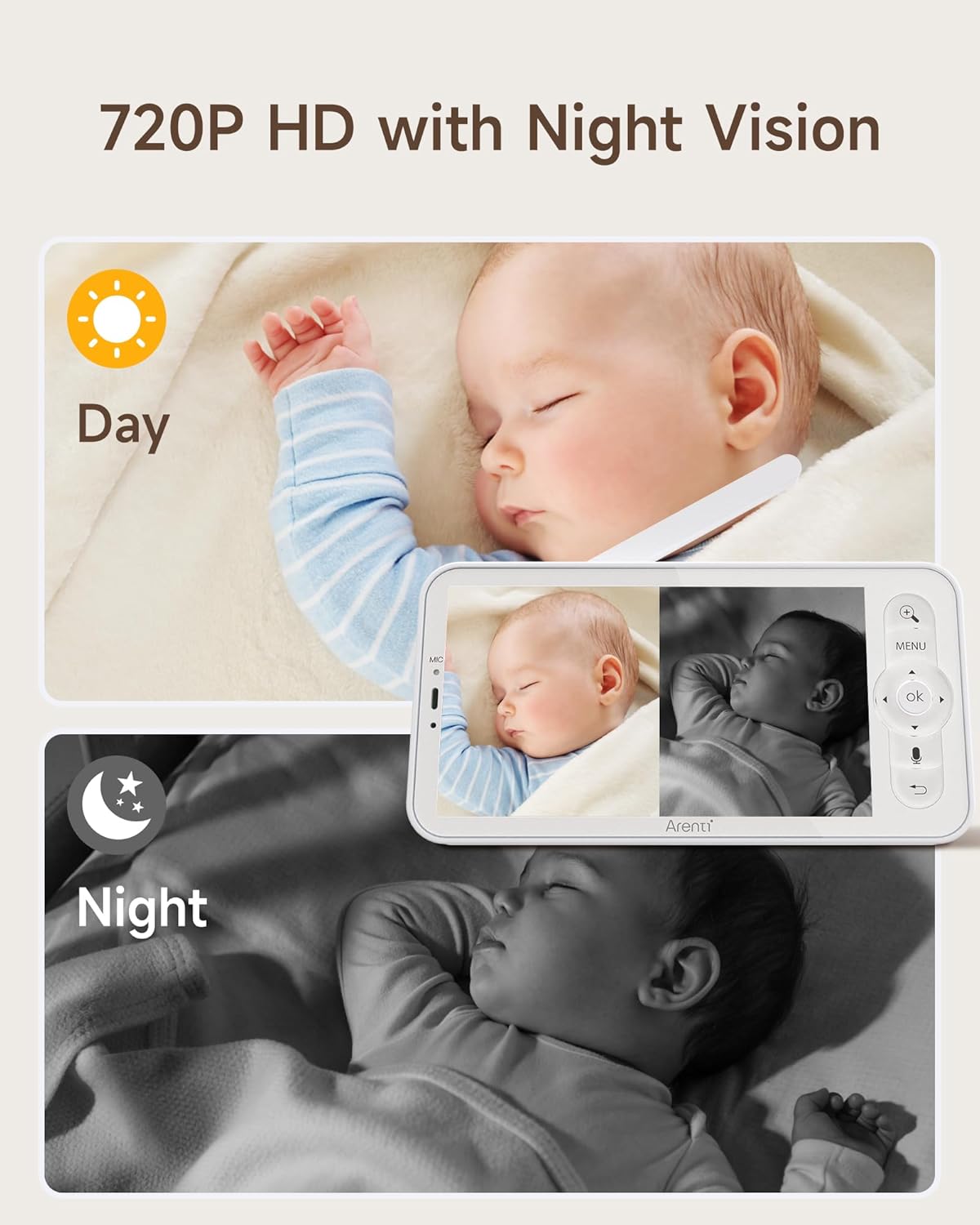
Image: The monitor displaying both day (720P HD) and night vision views of a baby, demonstrating clear visibility in all lighting conditions.
9. ഉപഭോക്തൃ പിന്തുണ
For technical assistance or further inquiries, please refer to the ARENTI official website or contact their customer support directly. Contact information can typically be found on the product packaging or the manufacturer's webസൈറ്റ്.