
ആമുഖം
This manual provides essential instructions for setting up, operating, maintaining, and troubleshooting your DOOGEE Note 56 smartphone. Please read this guide thoroughly to ensure proper use and to maximize the device's capabilities.
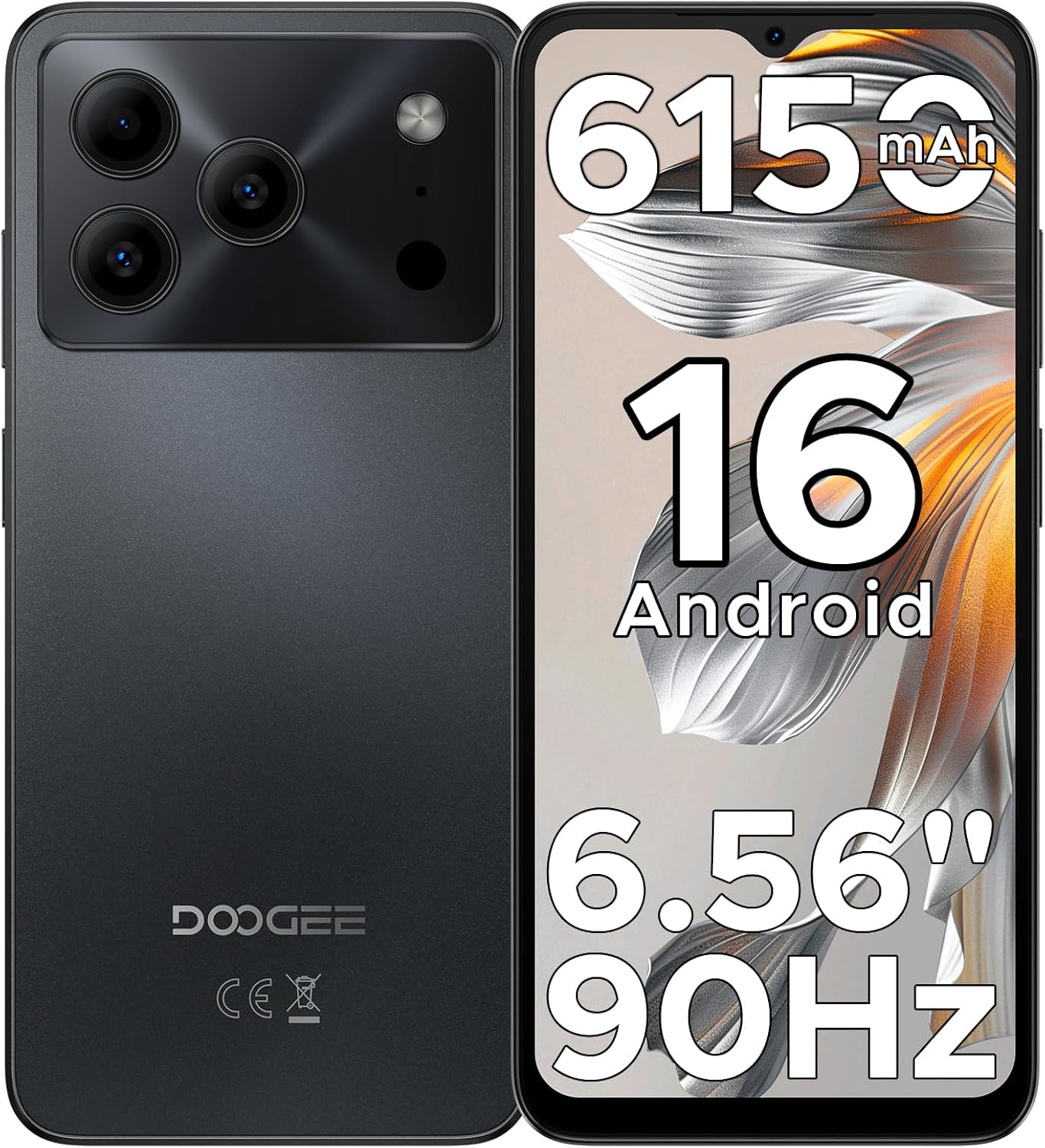
Figure 1: DOOGEE Note 56 Smartphone Overview
1. സജ്ജീകരണം
1.1 പാക്കേജ് ഉള്ളടക്കം
നിങ്ങളുടെ ഉൽപ്പന്ന പാക്കേജിൽ എല്ലാ ഇനങ്ങളും ഉണ്ടെന്ന് ഉറപ്പാക്കുക:
- 1 x DOOGEE Note 56 Cellphone
- 1 x Type-C Port Cable
- 1 x ചാർജർ
- 1 x Protective Film (Pre-applied)
- 1 x SIM Card Pin
- 1 x പാക്കിംഗ് ബോക്സ്
- 1 x മാനുവൽ (ഈ ഡോക്യുമെന്റ്)
- 1 x വാറൻ്റി കാർഡ്
- 1 x TPU Protective Case
1.2 Inserting SIM Cards and TF Card
- ഫോണിന്റെ വശത്ത് സിം കാർഡ് ട്രേ കണ്ടെത്തുക.
- Insert the SIM card pin into the small hole next to the tray to eject it.
- Place your Nano-SIM cards (up to two) and/or a TF card (microSD) into the designated slots on the tray. Ensure the gold contacts face downwards.
- ഫോണിലേക്ക് ട്രേ ശ്രദ്ധാപൂർവ്വം വീണ്ടും തിരുകുക.

Figure 2: SIM Card Tray Location (Illustrative)
1.3 ബാറ്ററി ചാർജ് ചെയ്യുന്നു
Before first use, fully charge the phone's battery. Connect the Type-C cable to the phone's charging port and the charger to a power outlet.
- The phone features a 6150mAh Silicon-Carbon Battery.
- It supports 5W reverse charging, allowing you to charge other devices using your phone (requires an OTG cable, sold separately).

Figure 3: 6150mAh Battery Feature
1.4 പവർ ഓൺ/ഓഫ്
- To power on: Press and hold the Power button until the DOOGEE logo appears.
- പവർ ഓഫ് ചെയ്യാൻ: പവർ ബട്ടൺ അമർത്തിപ്പിടിക്കുക, തുടർന്ന് സ്ക്രീനിലെ ഓപ്ഷനുകളിൽ നിന്ന് "പവർ ഓഫ്" തിരഞ്ഞെടുക്കുക.
2. പ്രവർത്തന നിർദ്ദേശങ്ങൾ
2.1 ആൻഡ്രോയിഡ് 16 ഓപ്പറേറ്റിംഗ് സിസ്റ്റം
The DOOGEE Note 56 runs on the latest Android 16 OS, providing a secure and user-friendly experience. Navigate through the interface using gestures and on-screen controls.

Figure 4: Android 16 OS Interface
2.2 പ്രദർശനവും ഇടപെടലും
- സ്ക്രീൻ: The device features a 6.56-inch HD+ IPS waterdrop screen with a 90Hz refresh rate for smooth visuals.
- ഫേസ് അൺലോക്ക്: Utilize the front camera for quick and secure access to your device.
- 3.5 എംഎം ഹെഡ്ഫോൺ ജാക്ക്: ഓഡിയോ പ്ലേബാക്കിനായി വയർഡ് ഹെഡ്ഫോണുകൾ ബന്ധിപ്പിക്കുക.

Figure 5: 6.56" HD+ 90Hz Display
2.3 ക്യാമറ പ്രവർത്തനങ്ങൾ
The DOOGEE Note 56 is equipped with an 8MP main camera and a 5MP front camera. The camera app includes various modes to enhance your photography:
- AI രംഗ തിരിച്ചറിയൽ: Automatically detects 12 scenes and optimizes settings for improved photos.
- HDR: High Dynamic Range for balanced exposure in challenging lighting.
- രാത്രി മോഡ്: കുറഞ്ഞ വെളിച്ചത്തിൽ എടുത്ത ഫോട്ടോകളുടെ ഗുണനിലവാരം മെച്ചപ്പെടുത്തുന്നു.
- ബ്യൂട്ടി മോഡ്: Applies enhancements for portraits.
- പോർട്രെയിറ്റ് മോഡ്: Creates a depth-of-field effect.
- പ്രോ മോഡ്: ക്യാമറ ക്രമീകരണങ്ങളിൽ സ്വമേധയാലുള്ള നിയന്ത്രണം.
- Smile Capture, Panoramas, Burst Shots, Fun Filters.

Figure 6: Camera Features and AI Scene Recognition
2.4 കണക്റ്റിവിറ്റി
- 4G Dual SIM: ഫ്ലെക്സിബിൾ നെറ്റ്വർക്ക് ഉപയോഗത്തിനായി രണ്ട് സിം കാർഡുകൾ പിന്തുണയ്ക്കുന്നു.
- വൈഫൈ: ഇന്റർനെറ്റ് ആക്സസ്സിനായി വയർലെസ് നെറ്റ്വർക്കുകളിലേക്ക് കണക്റ്റുചെയ്യുക.
- ബ്ലൂടൂത്ത് 4.2: Pair with compatible accessories.
- ജിപിഎസ്: നാവിഗേഷൻ, ലൊക്കേഷൻ സേവനങ്ങൾക്കായി.
- എഫ്എം റേഡിയോ: പ്രാദേശിക റേഡിയോ സ്റ്റേഷനുകൾ ശ്രദ്ധിക്കുക.

Figure 7: Supported Network Connections
2.5 സംഭരണവും പ്രകടനവും
- പ്രോസസ്സർ: UNISOC SC9863A Octa-Core processor for efficient operation.
- റാം: 24GB RAM (3GB physical + 21GB virtual expansion) for smooth multitasking.
- ആന്തരിക സംഭരണം: 64GB for apps and media.
- വികസിപ്പിക്കാവുന്ന സംഭരണം: Supports up to 2TB via TF (microSD) card (sold separately).

Figure 8: Storage and RAM Configuration
2.6 Smart OS Features
The Android 16 OS includes several smart features:
- Dual System Mode: Allows for separate user profileഅല്ലെങ്കിൽ പരിതസ്ഥിതികൾ.
- Super Clipboard: Enhanced clipboard functionality.
- മെമ്മറി വികാസം: Software-based RAM expansion.
- Screen Optimization: Adjusts display settings for various content.
- Customize Screen Colors: Personalize your display's color profile.
- Smart Body Sensing: (Details not specified, likely related to gestures or proximity).

Figure 9: Smart OS Features Overview
3. പരിപാലനം
3.1 ബാറ്ററി കെയർ
- ബാറ്ററിയുടെ ആയുസ്സ് കുറയ്ക്കുന്ന, ഉയർന്ന താപനില ഒഴിവാക്കുക.
- ഫോൺ ദീർഘനേരം പൂർണ്ണമായി ചാർജ് ചെയ്തോ അല്ലെങ്കിൽ പൂർണ്ണമായും ഡിസ്ചാർജ് ചെയ്തോ വയ്ക്കരുത്.
- Use only the provided charger and cable for optimal charging.
3.2 സോഫ്റ്റ്വെയർ അപ്ഡേറ്റുകൾ
Regularly check for and install system updates to ensure your device has the latest security patches and features. You can usually find this option in ക്രമീകരണങ്ങൾ > സിസ്റ്റം > സിസ്റ്റം അപ്ഡേറ്റ്.
3.3 ഉപകരണം വൃത്തിയാക്കുന്നു
- ഫോണിന്റെ സ്ക്രീനും ബോഡിയും വൃത്തിയാക്കാൻ മൃദുവായ, ലിന്റ് രഹിത തുണി ഉപയോഗിക്കുക.
- കഠിനമായ രാസവസ്തുക്കളോ ഉരച്ചിലുകളോ ഉപയോഗിക്കുന്നത് ഒഴിവാക്കുക.
- ഫോണിൽ അമിതമായ ഈർപ്പം ഏൽക്കരുത്.
3.4 സ്റ്റോറേജ് മാനേജ്മെൻ്റ്
To maintain optimal performance, regularly manage your phone's storage. Delete unnecessary files, uninstall unused apps, and utilize the TF card for additional storage.
4. പ്രശ്നപരിഹാരം
If you encounter issues with your DOOGEE Note 56, try the following common troubleshooting steps:
| പ്രശ്നം | പരിഹാരം |
|---|---|
| ഫോൺ ഓണാക്കുന്നില്ല | ബാറ്ററി ചാർജ്ജ് ചെയ്തിട്ടുണ്ടെന്ന് ഉറപ്പാക്കുക. ചാർജർ കണക്റ്റ് ചെയ്ത് വീണ്ടും പവർ ചെയ്യാൻ ശ്രമിക്കുന്നതിന് മുമ്പ് കുറച്ച് മിനിറ്റ് കാത്തിരിക്കുക. |
| ബാറ്ററി പെട്ടെന്ന് തീരുന്നു | Close unused apps, reduce screen brightness, disable Wi-Fi/Bluetooth when not in use. Check battery usage in settings to identify power-consuming apps. |
| ആപ്പുകൾ മന്ദഗതിയിലാണ് അല്ലെങ്കിൽ ക്രാഷാകുന്നു | Clear app cache (Settings > Apps > [App Name] > Storage > Clear cache). Restart the phone. Ensure sufficient free storage space. |
| Cannot connect to Wi-Fi/Mobile Data | Toggle Wi-Fi/Mobile Data off and on. Restart the phone. Check router/network settings. Ensure SIM cards are correctly inserted and activated. |
| Face Unlock not working | Ensure your face is well-lit and clearly visible to the front camera. Re-register your face data in security settings if the issue persists. |
For more complex issues, refer to the DOOGEE support webസൈറ്റ് അല്ലെങ്കിൽ ഉപഭോക്തൃ സേവനവുമായി ബന്ധപ്പെടുക.
5 സ്പെസിഫിക്കേഷനുകൾ
| ഫീച്ചർ | വിശദാംശങ്ങൾ |
|---|---|
| മോഡലിൻ്റെ പേര് | കുറിപ്പ് 56 |
| ഓപ്പറേറ്റിംഗ് സിസ്റ്റം | ആൻഡ്രോയിഡ് 16 |
| സിപിയു | UNISOC SC9863A Octa-Core, 1.6 GHz |
| റാം | 24 ജിബി (3 ജിബി ഫിസിക്കൽ + 21 ജിബി വെർച്വൽ) |
| ആന്തരിക സംഭരണം | 64 ജിബി |
| വികസിപ്പിക്കാവുന്ന സംഭരണം | Up to 2 TB via TF card (microSD) |
| ഡിസ്പ്ലേ വലിപ്പം | 6.56 ഇഞ്ച് |
| ഡിസ്പ്ലേ തരം | HD+ IPS Waterdrop Screen, 90Hz Refresh Rate |
| പിൻ ക്യാമറ | 8 എം.പി |
| മുൻ ക്യാമറ | 5 എം.പി |
| ബാറ്ററി ശേഷി | 6150 mAh |
| കണക്റ്റിവിറ്റി | 4G Dual SIM, Wi-Fi, Bluetooth 4.2, GPS, USB Type-C |
| ഓഡിയോ ജാക്ക് | 3.5 മി.മീ |
| പ്രത്യേക സവിശേഷതകൾ | Face Unlock, OTG Reverse Charging, Expandable Memory, Dual SIM |
| അളവുകൾ | 7.63 x 4.09 x 2 ഇഞ്ച് (പാക്കേജ് അളവുകൾ) |
| ഇനത്തിൻ്റെ ഭാരം | 14.6 ഔൺസ് |
6. വാറൻ്റിയും പിന്തുണയും
Your DOOGEE Note 56 smartphone comes with a warranty. Please refer to the included Warranty Card in your package for detailed information regarding warranty terms, conditions, and duration.
For technical support or further assistance, please visit the official DOOGEE webസൈറ്റിൽ അല്ലെങ്കിൽ അവരുടെ ഉപഭോക്തൃ സേവന വിഭാഗവുമായി ബന്ധപ്പെടുക. ബന്ധപ്പെടാനുള്ള വിവരങ്ങൾ സാധാരണയായി വാറന്റി കാർഡിലോ നിർമ്മാതാവിന്റെയോ webസൈറ്റ്.