
1. ഉൽപ്പന്നം കഴിഞ്ഞുview
The DOOGEE U13 Android 16 Tablet is a versatile device designed for productivity and entertainment. It features a 13-inch display, an octa-core processor, and a large capacity battery. This manual provides instructions for setting up, operating, and maintaining your tablet.
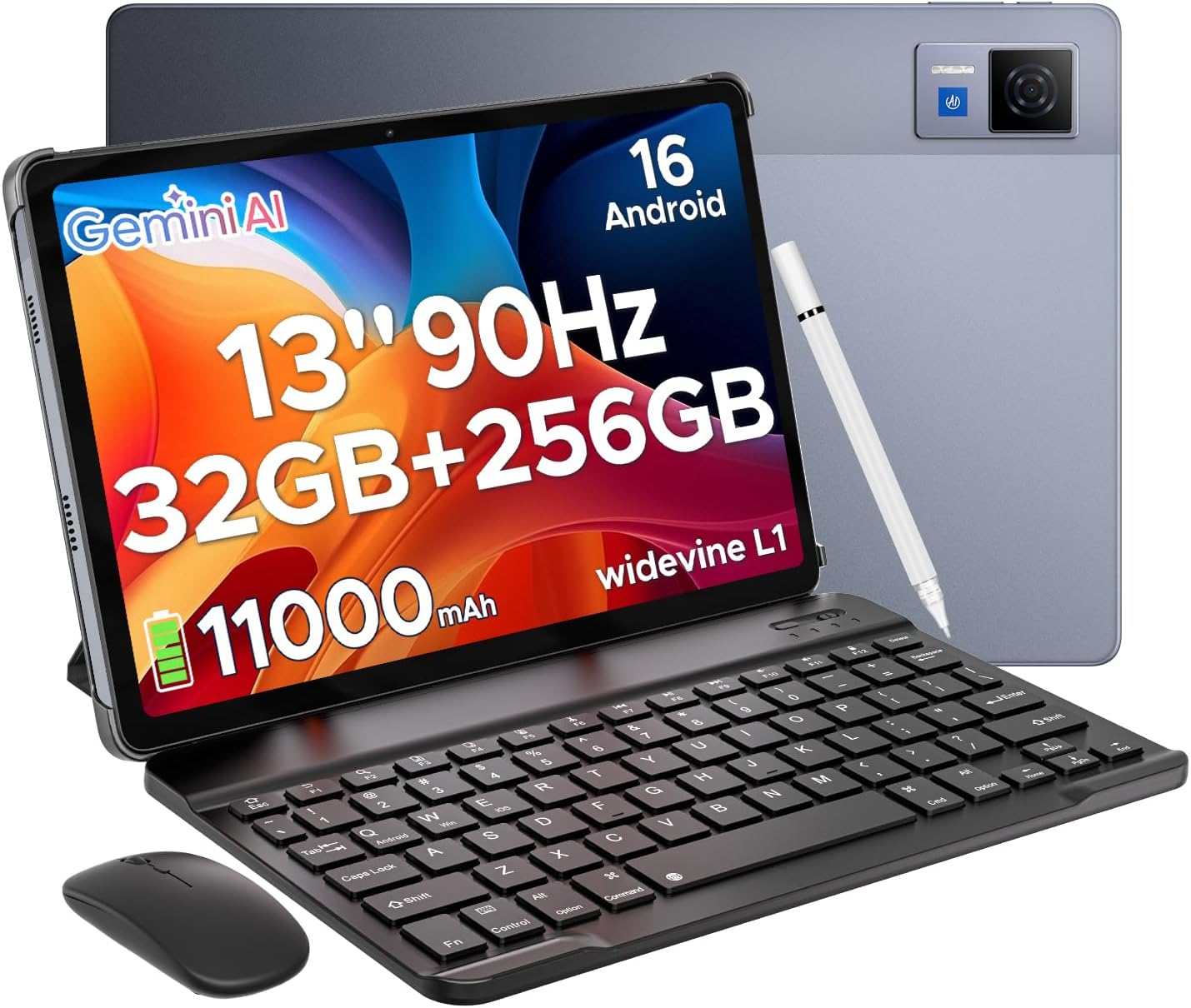
The DOOGEE U13 tablet comes with essential accessories for enhanced productivity and usability, including a Bluetooth keyboard, mouse, and stylus.
2. സജ്ജീകരണ ഗൈഡ്
2.1 പാക്കേജ് ഉള്ളടക്കം
ആരംഭിക്കുന്നതിന് മുമ്പ്, പാക്കേജിൽ എല്ലാ ഇനങ്ങളും ഉണ്ടെന്ന് ഉറപ്പാക്കുക:
- DOOGEE U13 Android 16 Tablet
- ബ്ലൂടൂത്ത് കീബോർഡ്
- ബ്ലൂടൂത്ത് മൗസ്
- സ്റ്റൈലസ് പേന
- ചാർജർ
- ടൈപ്പ്-സി യുഎസ്ബി കേബിൾ
- മാനുവൽ
- വാറൻ്റി കാർഡ്
2.2 പ്രാരംഭ ചാർജിംഗ്
Connect the tablet to the charger using the provided Type-C USB cable. Charge the device fully before first use. The charging indicator will show the battery status.
2.3 പവർ ഓൺ/ഓഫ്
- പവർ ഓണാക്കാൻ: Press and hold the Power button until the DOOGEE logo appears.
- പവർ ഓഫ് ചെയ്യാൻ: പവർ ബട്ടൺ അമർത്തിപ്പിടിക്കുക, തുടർന്ന് സ്ക്രീനിലെ ഓപ്ഷനുകളിൽ നിന്ന് 'പവർ ഓഫ്' തിരഞ്ഞെടുക്കുക.
- പുനരാരംഭിക്കാൻ: പവർ ബട്ടൺ അമർത്തിപ്പിടിക്കുക, തുടർന്ന് സ്ക്രീനിലെ ഓപ്ഷനുകളിൽ നിന്ന് 'റീസ്റ്റാർട്ട്' തിരഞ്ഞെടുക്കുക.
2.4 കണക്റ്റിംഗ് ആക്സസറികൾ
The keyboard, mouse, and stylus connect via Bluetooth.
- Ensure the accessory is in pairing mode (refer to the accessory's individual manual if needed).
- On the tablet, navigate to ക്രമീകരണങ്ങൾ > കണക്റ്റുചെയ്ത ഉപകരണങ്ങൾ > ബ്ലൂടൂത്ത്.
- ബ്ലൂടൂത്ത് ഓണാക്കുക.
- Select the accessory from the list of available devices to pair.
2.5 പ്രാരംഭ ആൻഡ്രോയിഡ് സജ്ജീകരണം
Follow the on-screen prompts to complete the initial setup, including connecting to a Wi-Fi network, setting up your Google account, and configuring basic device settings.
3. പ്രവർത്തന നിർദ്ദേശങ്ങൾ
3.1 അടിസ്ഥാന നാവിഗേഷൻ
നാവിഗേഷനായി ടാബ്ലെറ്റ് ടച്ച് ജെസ്റ്ററുകൾ ഉപയോഗിക്കുന്നു:
- ടാപ്പ് ചെയ്യുക: ഒരു ഇനം തിരഞ്ഞെടുക്കുകയോ ഒരു ആപ്പ് തുറക്കുകയോ ചെയ്യുക.
- സ്വൈപ്പ്: Scroll through screens or content.
- പിഞ്ച്: ചിത്രങ്ങൾ സൂം ഇൻ ചെയ്യുകയോ ഔട്ട് ചെയ്യുകയോ ചെയ്യുക, web പേജുകൾ.
- ലോംഗ് പ്രസ്സ്: സന്ദർഭോചിത മെനുകൾ ആക്സസ് ചെയ്യുക അല്ലെങ്കിൽ ഐക്കണുകൾ നീക്കുക.
3.2 ആൻഡ്രോയിഡ് 16 ഓപ്പറേറ്റിംഗ് സിസ്റ്റം
The U13 tablet runs on the latest Android 16 system, offering enhanced performance and a streamlined user interface. Key features include:
- Improved privacy controls.
- New system photo selector.
- Optimized system performance.
3.3 Multitasking and Productivity
The tablet supports efficient multitasking:
- സ്പ്ലിറ്റ്-സ്ക്രീൻ: Open two applications side-by-side for enhanced productivity. To activate, open a recent app, long-press its icon in the recent apps view, and select 'Split screen'.
- WPS Office: The tablet comes with built-in WPS Office for document creation, editing, and viewing.
3.4 ജെമിനി AI ഇന്റഗ്രേഷൻ
The tablet integrates Gemini AI for various intelligent functions:
- Content creation assistance.
- Information retrieval and summarization.
- Image analysis.
- Language learning support.

Integrated Gemini AI assists with content creation, information retrieval, image analysis, and more.
3.5 ക്യാമറ പ്രവർത്തനങ്ങൾ
The tablet is equipped with a 13MP main camera and a 5MP front camera.
- പ്രധാന ക്യാമറ: Use for capturing high-resolution photos and videos.
- മുൻ ക്യാമറ: Ideal for video calls and selfies.

Capture moments with the 13MP main camera and conduct clear video calls with the 5MP front camera.
3.6 ഓഡിയോ, വിഷ്വൽ അനുഭവം
- ക്വാഡ് സ്പീക്കറുകൾ: Provides an immersive audio experience.
- 3.5mm ഓഡിയോ ജാക്ക്: ഹെഡ്ഫോണുകൾ ഉപയോഗിച്ച് സ്വകാര്യ ശ്രവണത്തിനായി.
- വൈഡ്വൈൻ എൽ1: Supports high-definition streaming from various platforms.
This video demonstrates the immersive audio experience provided by the DOOGEE U13 tablet's quad speakers and its vibrant 13-inch display.
3.7 കണക്റ്റിവിറ്റി
- വൈഫൈ 5: അതിവേഗ ഇന്റർനെറ്റ് ആക്സസിനായി.
- ജിപിഎസ്: Integrated for navigation services.
- എഫ്എം റേഡിയോ: For listening to local radio broadcasts.
4. പരിപാലനം
4.1 ബാറ്ററി കെയർ
- Avoid extreme temperatures to prolong battery life.
- ഒപ്റ്റിമൽ ചാർജിംഗിനായി നൽകിയിരിക്കുന്ന 18W ഫാസ്റ്റ് ചാർജർ ഉപയോഗിക്കുക.
- The tablet supports 5W reverse charging, allowing it to charge other devices.

The tablet features an 11000mAh battery with 18W fast charging and 5W reverse charging capabilities.
4.2 വൃത്തിയാക്കൽ
- സ്ക്രീനും ബോഡിയും വൃത്തിയാക്കാൻ മൃദുവായ, ലിന്റ് രഹിത തുണി ഉപയോഗിക്കുക.
- കഠിനമായ രാസവസ്തുക്കളോ ഉരച്ചിലുകളോ ഉപയോഗിക്കുന്നത് ഒഴിവാക്കുക.
4.3 സ്റ്റോറേജ് മാനേജ്മെൻ്റ്
The tablet has 256GB of internal storage. You can expand storage up to 2TB using a TF (microSD) card (sold separately).
5. പ്രശ്നപരിഹാരം
If you encounter issues with your DOOGEE U13 tablet, refer to the following common solutions:
- ഉപകരണം ഓണാക്കുന്നില്ല: ബാറ്ററി ചാർജ്ജ് ചെയ്തിട്ടുണ്ടെന്ന് ഉറപ്പാക്കുക. ചാർജർ കണക്റ്റ് ചെയ്ത് വീണ്ടും പവർ ചെയ്യാൻ ശ്രമിക്കുന്നതിന് മുമ്പ് കുറച്ച് മിനിറ്റ് കാത്തിരിക്കുക.
- മന്ദഗതിയിലുള്ള പ്രകടനം: Close unnecessary background applications. Clear cache for frequently used apps. Consider performing a factory reset if performance issues persist after other troubleshooting steps.
- വൈഫൈ കണക്റ്റിവിറ്റി പ്രശ്നങ്ങൾ: നിങ്ങളുടെ വൈഫൈ റൂട്ടറും ടാബ്ലെറ്റും പുനരാരംഭിക്കുക. ടാബ്ലെറ്റ് ക്രമീകരണങ്ങളിൽ നെറ്റ്വർക്ക് മറന്ന് വീണ്ടും കണക്റ്റുചെയ്യുക.
- Accessories not connecting: Ensure Bluetooth is enabled on the tablet and the accessory is in pairing mode. Recharge the accessory if it is battery-powered.
5.1 ഫാക്ടറി റീസെറ്റ്
A factory reset will erase all data from your tablet and restore it to its original factory settings. Back up important data before proceeding.
- പോകുക ക്രമീകരണങ്ങൾ > സിസ്റ്റം > റീസെറ്റ് ഓപ്ഷനുകൾ.
- തിരഞ്ഞെടുക്കുക എല്ലാ ഡാറ്റയും മായ്ക്കുക (ഫാക്ടറി റീസെറ്റ്).
- നിങ്ങളുടെ തിരഞ്ഞെടുപ്പ് സ്ഥിരീകരിച്ച് സ്ക്രീനിലെ നിർദ്ദേശങ്ങൾ പാലിക്കുക.
6 സ്പെസിഫിക്കേഷനുകൾ
| ഫീച്ചർ | സ്പെസിഫിക്കേഷൻ |
|---|---|
| മോഡൽ | U13 VIP Edition |
| ഓപ്പറേറ്റിംഗ് സിസ്റ്റം | ആൻഡ്രോയിഡ് 16 |
| ഡിസ്പ്ലേ വലിപ്പം | 13 ഇഞ്ച് |
| സ്ക്രീൻ റെസല്യൂഷൻ | 1920 x 1200 പിക്സലുകൾ |
| പുതുക്കിയ നിരക്ക് | 90Hz |
| പ്രോസസ്സർ | UNISOC T7280 ഒക്ടാ-കോർ (2.2 GHz) |
| റാം | 6GB (expandable to 32GB virtual) |
| ആന്തരിക സംഭരണം | 256 ജിബി |
| വികസിപ്പിക്കാവുന്ന സംഭരണം | Up to 2TB (TF card, sold separately) |
| പ്രധാന ക്യാമറ | 13എംപി |
| മുൻ ക്യാമറ | 5എംപി |
| ബാറ്ററി ശേഷി | 11000mAh |
| ഫാസ്റ്റ് ചാർജിംഗ് | 18W |
| റിവേഴ്സ് ചാർജിംഗ് | 5W |
| വയർലെസ് കണക്റ്റിവിറ്റി | WiFi 5 (802.11ac), Bluetooth |
| നാവിഗേഷൻ | ജിപിഎസ് |
| ഓഡിയോ | Quad Speakers, 3.5mm Audio Jack |
| അളവുകൾ (LxWxH) | 11.88 x 7.76 x 0.29 ഇഞ്ച് |
| ഭാരം | 1.48 പൗണ്ട് (670 ഗ്രാം) |

The tablet is powered by the UNISOC T7280 Octa-Core processor, ensuring efficient performance.
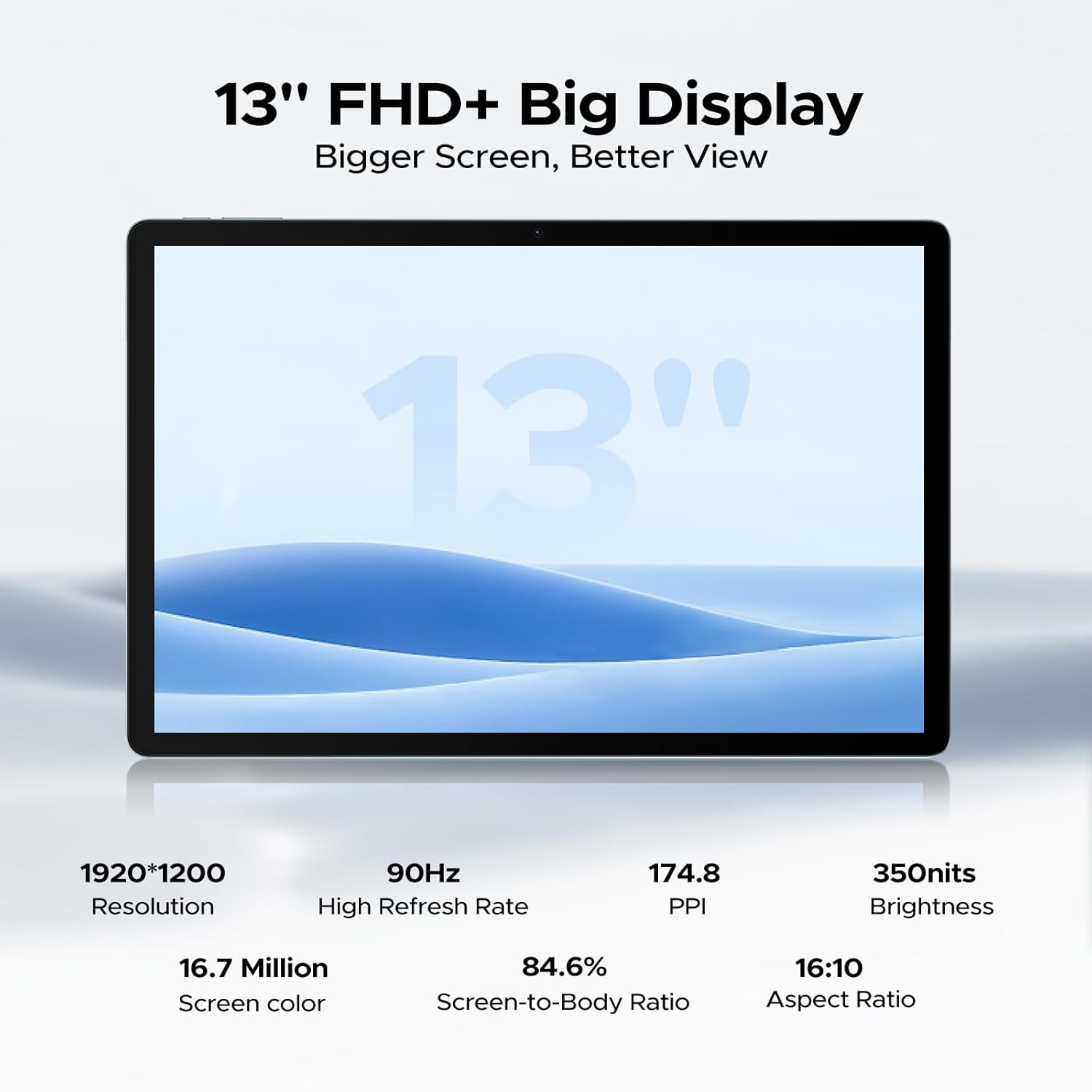
Equipped with 6GB physical RAM (expandable to 32GB virtual RAM) and 256GB internal storage, with support for up to 2TB TF card.

The 13-inch FHD+ display offers a resolution of 1920x1200 pixels and a 90Hz refresh rate for clear visuals.
7. വാറൻ്റിയും പിന്തുണയും
Your DOOGEE U13 tablet includes a warranty card. Please refer to the warranty card for detailed information regarding warranty coverage and terms.
For further assistance or technical support, please visit the official DOOGEE website or contact customer service through the contact information provided in your warranty documentation.
ഒരു ഓവർview of the DOOGEE U13 Android 16 Tablet, highlighting its key features and design.